

Show Visitors What They Searched For — on Every Page
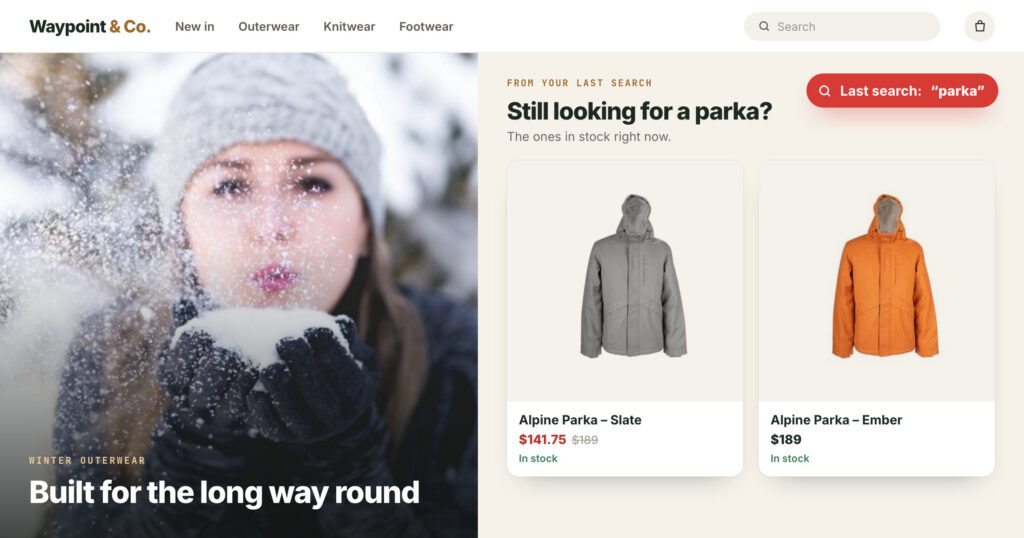
What a visitor types into your search box is the clearest thing they will ever tell you. Most sites answer it once, on the results page, and forget it. The visitor who searched for a parka goes back to the home page and sees the same banner as everyone else.
Personyze keeps each visitor’s last search on their profile. You can target a campaign by it, recommend the products or articles that match it on any page, and see it next to each visit in Live Visits.
On your site’s own search page. The results list the three Alpine Parkas.
With where it came from (your site) and when. The next search replaces it.
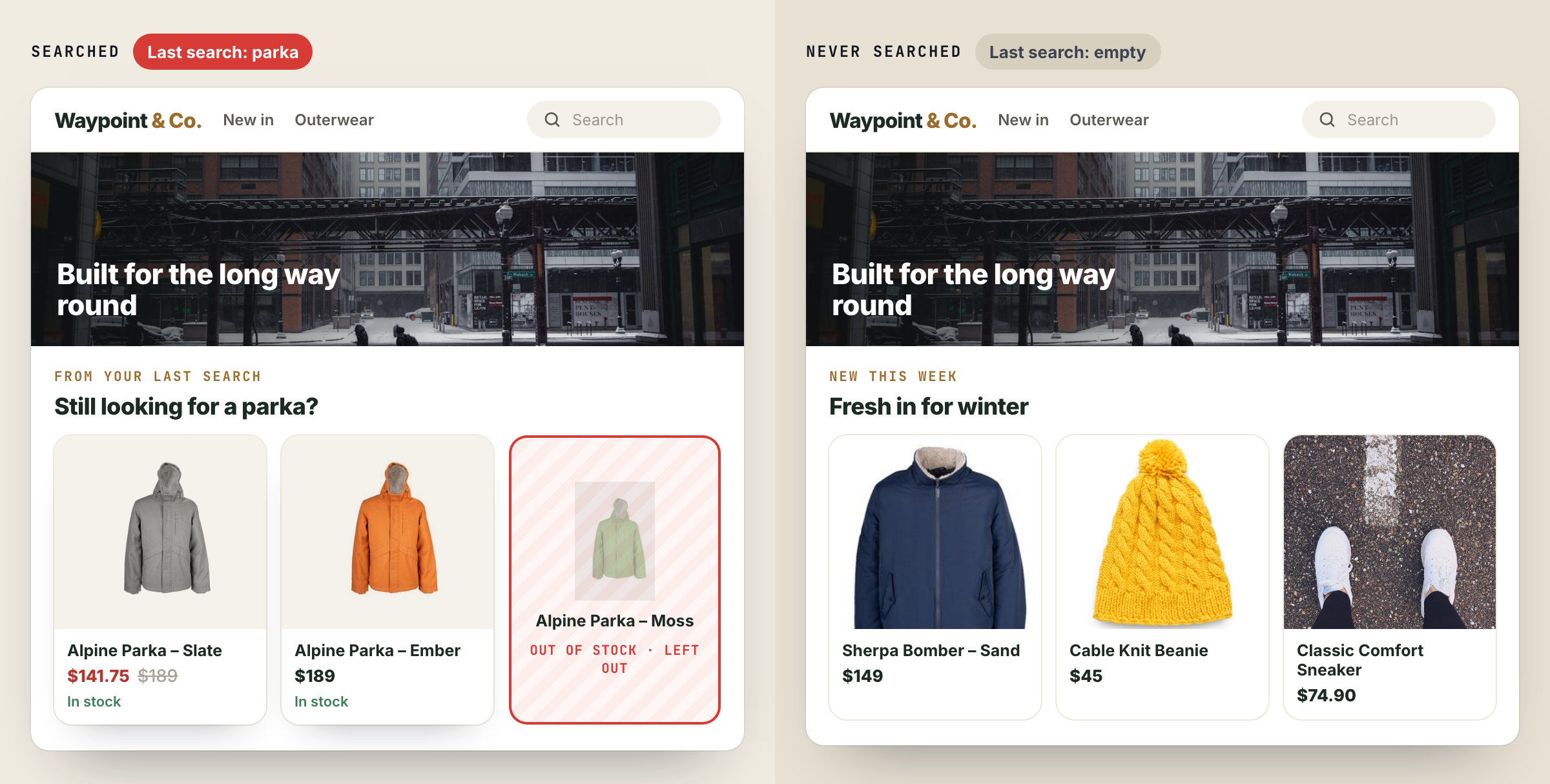
The home page shows the parkas in stock. The one that is out of stock is left out.
The example is our demo shop.
One phrase, kept on the profile
Personyze keeps the last thing each visitor searched for: what they typed into your site’s search, or the keyword a search ad brought them with. With it, it keeps two facts:
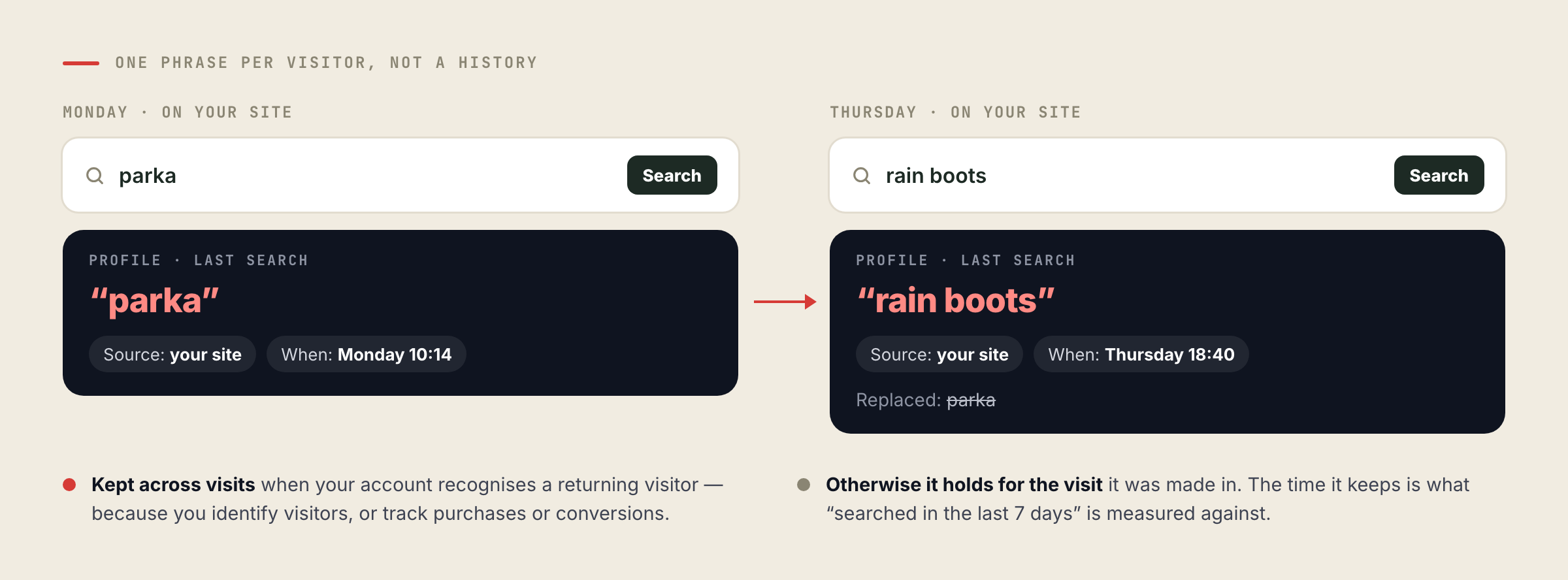
- Where it came from — your own site, or a search engine.
- When — which is what “searched in the last 7 days” is measured against.
It is one phrase, not a history: each search replaces the one before it. It stays on the profile across visits when your account can recognize a returning visitor — because you identify visitors, or because you track purchases or conversions. Without either, it holds for the visit it was made in.
Where the phrase comes from
| Source | What Personyze reads |
|---|---|
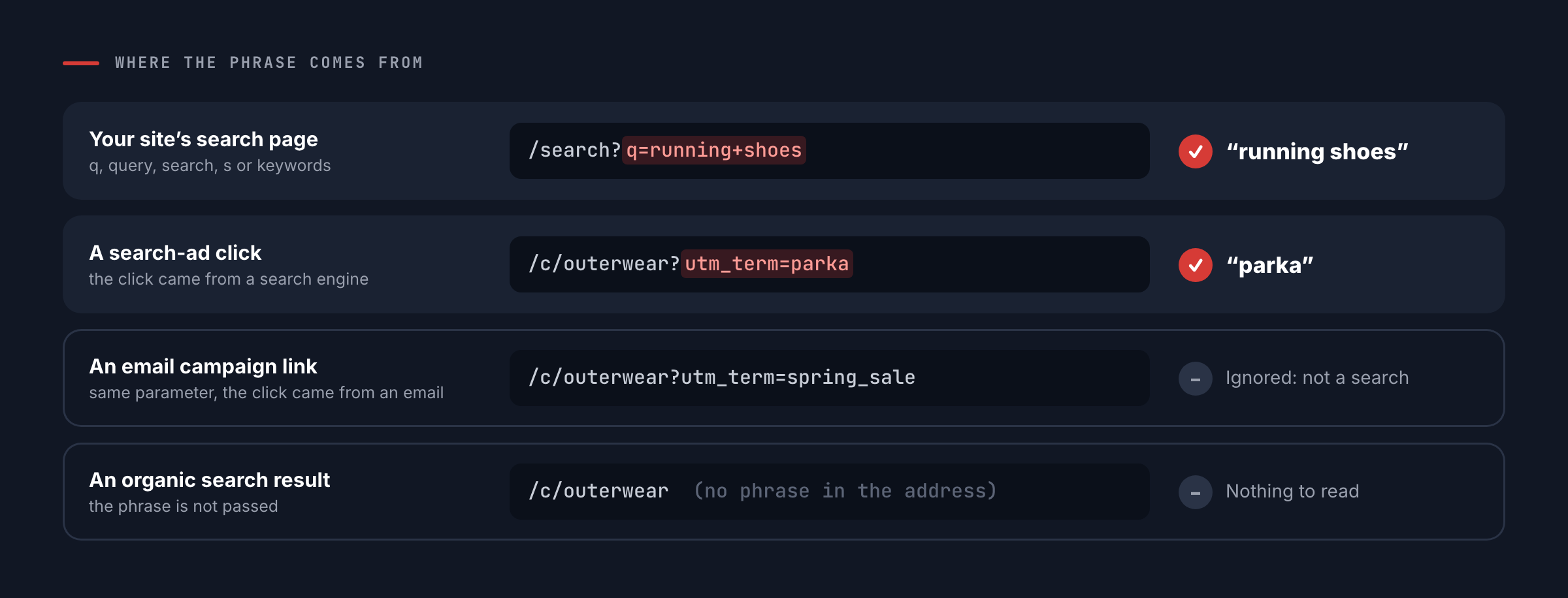
| Your site’s search page | The phrase in the address of your results page: q, query, search, s or keywords on a page whose path looks like a search page (/search?q=running+shoes, /catalogsearch/result?q=), and keyword or kw on any page. |
| A search-ad click | The ad’s keyword, for example Google Ads with utm_term={keyword} — counted only when the click came from a search engine, so email and social campaign labels never pose as searches. |
| A single-page site | Search results that appear without the address changing can send the phrase as an event. |
Organic Google results do not pass the phrase, so most search-engine phrases come from search ads. If your search page uses another parameter name, Personyze support sets your account’s own. To check it works, search on your site and open Live Visits: your visit shows the phrase in the Last search column.
Target a campaign by it
In a campaign’s Target step, the behavioral rule Last search has three parts: the phrase (contains, exactly matches, starts with, is empty and more), where it was searched (anywhere, on your site, or in a search engine), and how recently (from the last hour to the last 90 days). Three that work well:
The audience for a “from your last search” widget or a “still looking?” offer.
A banner, a guide or a lead form for everyone who went looking for it.
A landing page that answers the ad keyword that brought them.
“Contains” is the safe choice: “contains shoes” matches “running shoes” and “shoes for kids”. “Is empty” means the visitor never searched at all.
Recommend what they searched for
Recommendation widgets can run the algorithm Matches Their Search: items that match the visitor’s last search, on the home, category, product or search page.
- Products are matched on your catalog’s own words — title, brand and short description. Relevance decides which items qualify; among equally relevant ones, the visitor’s own signals decide the order.
- Articles are matched on title, topic and description, newest first among equals — so a content site can bring a reader back to what they looked for.
- It shows only to visitors who have searched. The widget is gated automatically, so everyone else sees the page as it was. Add a Last search rule with a time window to limit it to recent searches.
Two limits worth knowing: terms of one or two characters are ignored by the search index, and a phrase that matches nothing shows nothing unless the widget has a fallback. See it beside the other algorithms in the algorithm library.
See it next to every visit
Live Visits has a Last search column — the last thing each visitor searched for on your site — and opening a visit shows it on the visitor’s profile. It is the quickest way to read what people are looking for today, and to spot the searches your site cannot answer.
See your visitors’ searches at workBook a demo and we will show Last search targeting and Matches Their Search running on your own catalog.Questions people ask
Does Personyze keep a history of searches?
No. It keeps one phrase per visitor, the latest. Each search replaces the one before it, with its source and time.
Which searches count?
Searches on your own site, read from the address of your search results page, and the keyword of a search-ad click. A campaign term counts only when the click came from a search engine, so email and social campaign labels are ignored.
Does it capture what people searched on Google?
Only from search ads that pass the keyword, for example with utm_term. Organic Google results do not pass the phrase.
My search page uses a different parameter. Will it work?
Personyze reads q, query, search, s and keywords on search pages, and keyword or kw anywhere. For another name or path, Personyze support sets your account’s own search parameter.
Will the recommendation widget show to visitors who never searched?
No. A widget running Matches Their Search is gated to visitors who have a last search, so everyone else sees the page as it was.
Book a demo with a personalization expert
30 minutes with a personalization expert. Bring your stack, your goals, your skepticism. We'll show you what changes when every visit feels like the only one.