You askedShow shoppers how close their cart is to free shipping.WhoCart under $75WhenOn page enterHow oftenUntil they close itRules written · live for this visitor
Saltway.DestinationsDealsTripsSign in
Spring in EuropeParis, without the crowdsSee dates
Still planning Paris?Get a price alert for your datesyou@email.comAlert meNo thanks
You askedWhen someone who looked at Paris twice heads for the door, offer a price alert.WhoViewed Paris twiceWhenExit intentHow oftenOnce per visitor, everRules written · live for this visitor
LedgerlineProductPricingDocsStart trial
PricingPlans for growing finance teams
StarterStartTeamStart trialEnterpriseTalk to sales
Trial ends FridayBook a 20-minute setup callwith Dana, your onboarding leadPick a time
You askedTrial users back on pricing: offer a setup call before the trial ends.WhoTrial account, from your CRMWhenOn the pricing pageHow oftenUntil they bookRules written · live for this visitor
RoutewisePlatformSolutionsCustomersBook a demo
Route planning softwarePlan every route in one placeBook a demo
For logistics teamsSee how fleets plan their week in one placeRead the case study
You askedVisitors from logistics companies: show them the logistics case study on the home page.WhoCompany industry: LogisticsWhereHome page, in the pageHow oftenEvery visitRules written · live for this visitor
How it works
One editor, five steps. Nothing goes live until you say so.
Who sees it, what it shows, its design and when it opens — set it yourself or let AI do it. Nothing reaches a visitor until you publish.
Let AI build it for you — describe it in a sentence, then check every step it fills in.
Or set each step yourself
Trail runners · returning visitorsWho sees itWhat it showsThe designWhen and how oftenCheck, then publish
Returning visitors who looked at footwear and haven’t bought yetGenerate rules
IncludeVisit number2 or moreIncludePages visitedFootwear · any visitExcludePurchasedAnything
Audience story
Returning visitors who viewed Footwear and never bought.
Audience forecastWould matchWould not
Start from a templateCopy rules from a campaignOverlaps: none
What should it show?
Popup, banner & HTMLCanvas BuilderA lead formFree shipping & tier barA notify-me buttonReplace words and images
Trail week starts nowNew trail runners, made for the long way up021437TRAIL15Shop trail runners
Write with AINew trail runners, made for the long way upUseYour next trail starts hereUseLighter shoes for longer milesUse
Variations per audiencePhones onlyLanguages
On arrivalOn page enterShow after delayOn engagementAfter scrolling to 60%When they stop scrollingOn exit intentDesktop — cursor leavesMobile — Back tap
Campaign capShow it every timeOnce per sessionOnce per visitor, everA few times, then a breakStops after a clickStops after a close
v2 · Livev3 · StagingSave changes to stagingPublish v3 to live
Live visitors keep getting v2 until you publish v3.
The design
Build it from blocks. Or let AI write and draw it.
One design editor for pop-ups, bars, slide-ins and banners inside the page — the same whichever way it opens, in your fonts and colours.
TextMediaFormLayoutDynamic
CountdownCouponPrize WheelRecommendationsSocial ProofProgress Bar
Members onlyThe sale opens an hour earlyJoin free and shop it before everyone else.012209EARLY10 CopyJoin free
Countdown
Build it from blocks
The Canvas Builder starts from a ready design — a coupon, a sale announcement, an exit-intent save, a first-visit welcome — or a blank canvas. Stack headlines, countdowns, coupons, forms, a prize wheel, product recommendations, social proof or a free-shipping progress bar; show an element on phones only, or change one value for each audience with Variations, in the same design.
1 What it is about2 The picture3 The words
Your productsWarm layers for the first frostLayer up for the first cold morningsThe first-frost editShop layers
Three options, the first one strongestNo discount the design never offered
Let AI write it and draw it
Write with AI gives three options for any text, in your site’s voice, keeping every variable — and drops any number the design never offered, so it never invents a discount. Create with AI makes the picture from your own product photos, or draws a scene from a description; Make this banner with AI does both in three steps. Nothing is saved until you save.
Prefer a finished look? The classic Popup, Banner & HTML Builder has hundreds of templates, and your own HTML and CSS are always welcome. Every design speaks every language your site does — one design, the words in each visitor’s language.
Targeting, triggers and caps
The right visitor, the right moment. Then it stops.
Say who should see it in one sentence. Choose the moment it opens and how often anyone may see it — so a good offer never turns into nagging.
Who: one sentence, real rules
Type the audience in plain words and the AI writes the rules — pages viewed, cart, where they came from, location, device, the company they work for, your CRM fields, behaviour and 70+ real-time signals in all. Each rule stays readable and editable, with a live forecast of who would match.
When: the moment it fits
On page enter, after a delay or when idle; at a scroll depth, or when they stop scrolling to read; on exit intent — the cursor leaving on desktop, the Back tap on phones; on an event from your site, or when someone clicks.
How often: capped, so it stops
Stop after so many views, after a click or after a close; once per session or once ever. A campaign cap counts all its pop-ups together, and audience groups decide which campaign wins when two want the same visitor.
One visitor, one visitRules, triggers and caps deciding
12:04Arrives from your newsletterWelcome bar shownCame from: newsletter
12:06Scrolls past 60%Sign-up pop-up held backAlready subscribed
12:09Cart reaches $63Free-shipping bar: $12 to goCart under $75
12:11Cursor heads for the tabsExit offer skippedSeen once this session
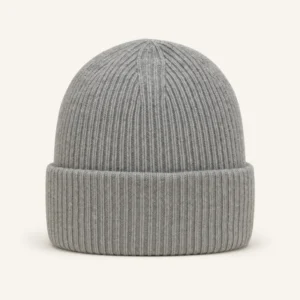
12:12Adds a beanieBar: free shipping unlockedGoal reached
ShownHeld backCapped
Ready designs
Every kind of ask, ready to drop in.
Designs for the jobs banners and pop-ups do most — each one a normal design once it is in, so every word and colour is yours.
Autumn sale — 20% off outerwearShop nowFree returns, all yearDetails
Announcement bar
A slim strip at the top or bottom for sales, shipping and news: six colour presets, two buttons, and a close that stays closed.
Running a list of offers? AI Promotion Manager picks the one each visitor is most likely to buy from and hands out their own code — in these same designs, placements and caps.
See what works
See what works. Keep improving it.
Every banner and pop-up reports what it did. Test versions when you want to know which one to keep — testing is there when you want it.
Reporting & testing
Every campaign’s numbers, and the version worth keeping — on one screen.
Views — counted only when it was really on screen — clicks, click rate and conversions, day by day and for each pop-up, against the period before; exported, or sent on a schedule. Each view can tag the visit in your session-recording tool, so you can watch what people did next.
Want to know which version to keep? Turn on a test when you choose: two or three versions, a group that sees neither, and a winner called when the numbers are conclusive — by you, or automatically, with the traffic moved to it.
Watch a banner built start to finish, then the steps one by one — who sees it, what it shows, its design, when it opens — the check before it goes live, and what it earned. Real screens and films from the panel.
Set it upCheck and testResults
Open full size ↗
Set it up
A home-page banner, start to finish 3:08
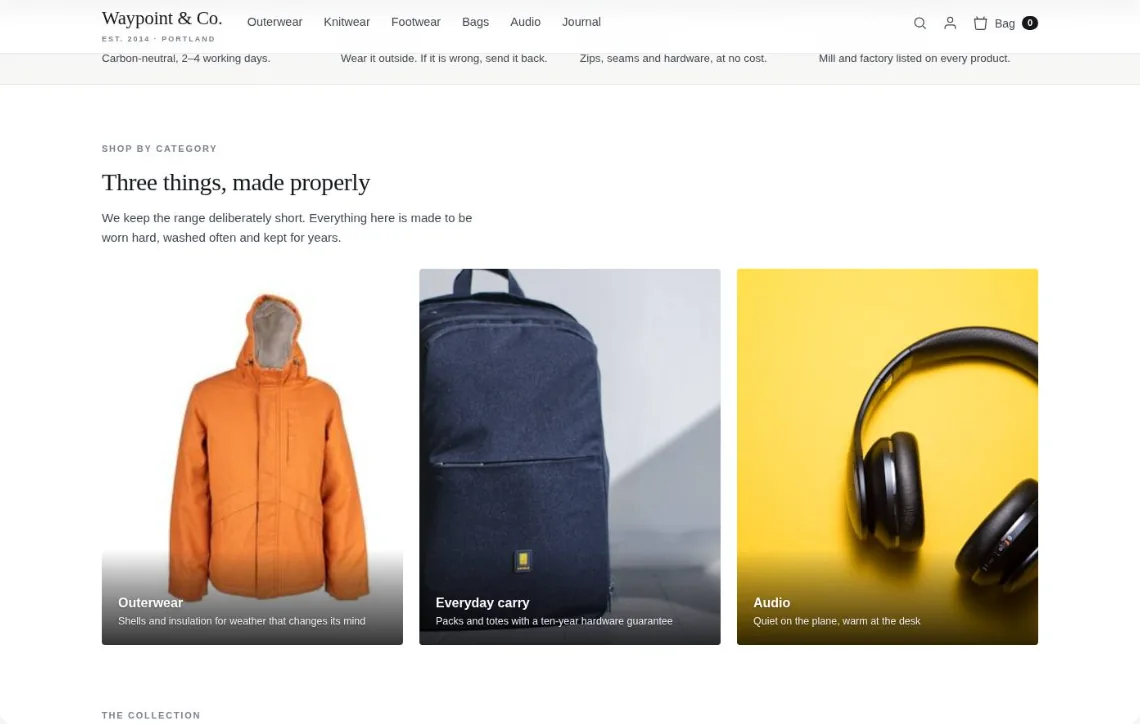
Shoppers who looked at footwear come back to the home page and find a banner written for them — the audience, the banner, a new slot picked on the page, and the store before and after.
Set it up
Targeting: the AI writes the rules from one sentence 1:47
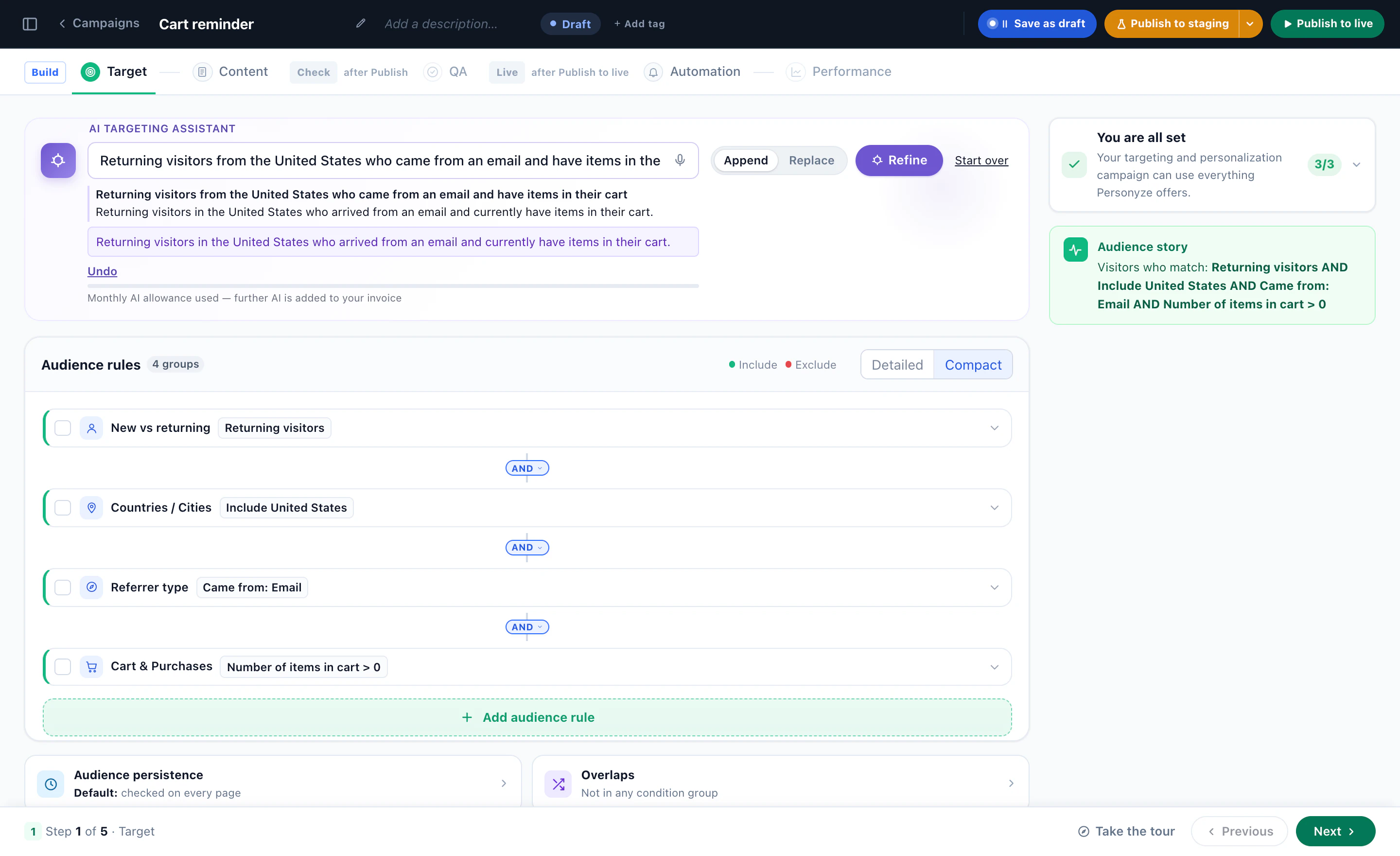
One sentence becomes audience rules you can read and change — and/or logic, a rule added by hand, and the forecast on real store traffic.
Set it up
Who sees it — in one sentence
“Returning visitors from the United States who came from an email and have items in their cart” became four rules, with the audience told back in plain words.
Set it up
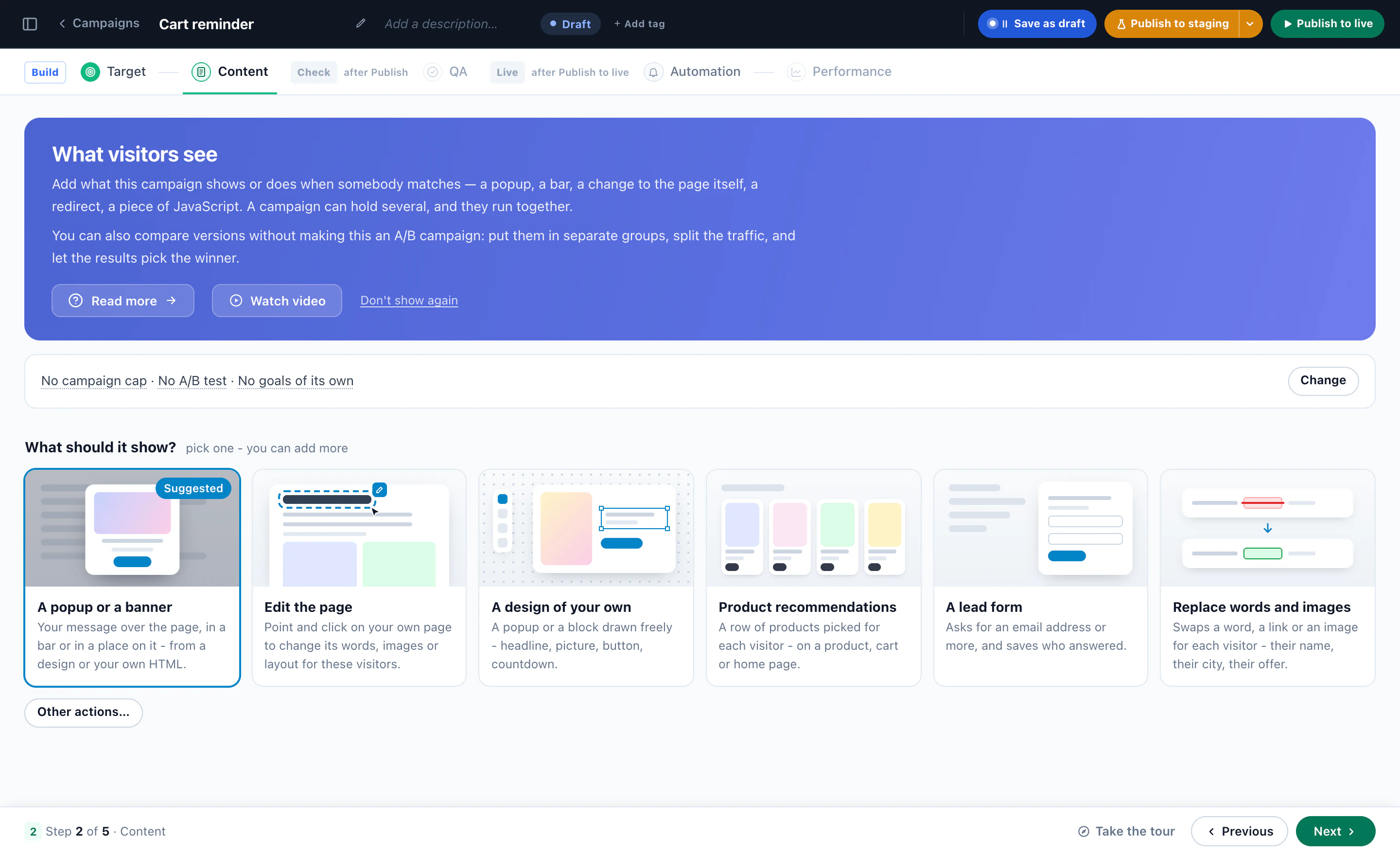
What should it show?
A pop-up or a banner, an edit to the page, a design of your own, product recommendations, a lead form, or words and images swapped per visitor.
Set it up
The Canvas Builder: a pop-up from blocks 1:33
A ready design, words edited on the canvas, a countdown added, the container’s look — then where it goes.
Set it up
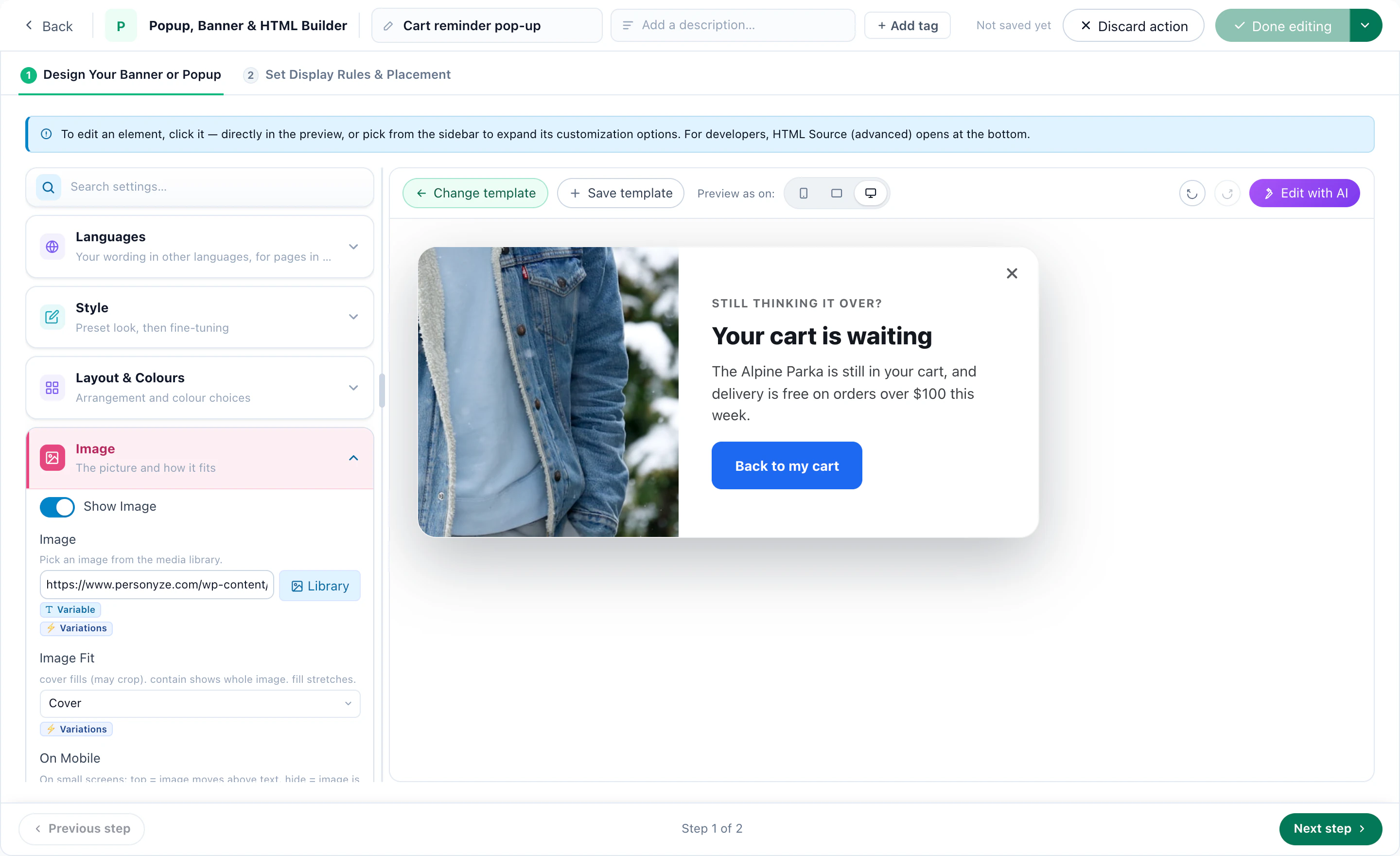
The pop-up, in its designer
A template filled in — the photo, the headline, the line and the button — with its settings beside it.
Set it up
Adding personalization actions: design and placement 2:36
An action added to a campaign, designed and placed on the page — narrated, in the real panel.
Set it up
Display rules: where it shows, when it opens and how often 2:21
Where on the page it appears, how it behaves, triggers stacked together, the frequency caps that stop it, and the pages it runs on.
Set it up
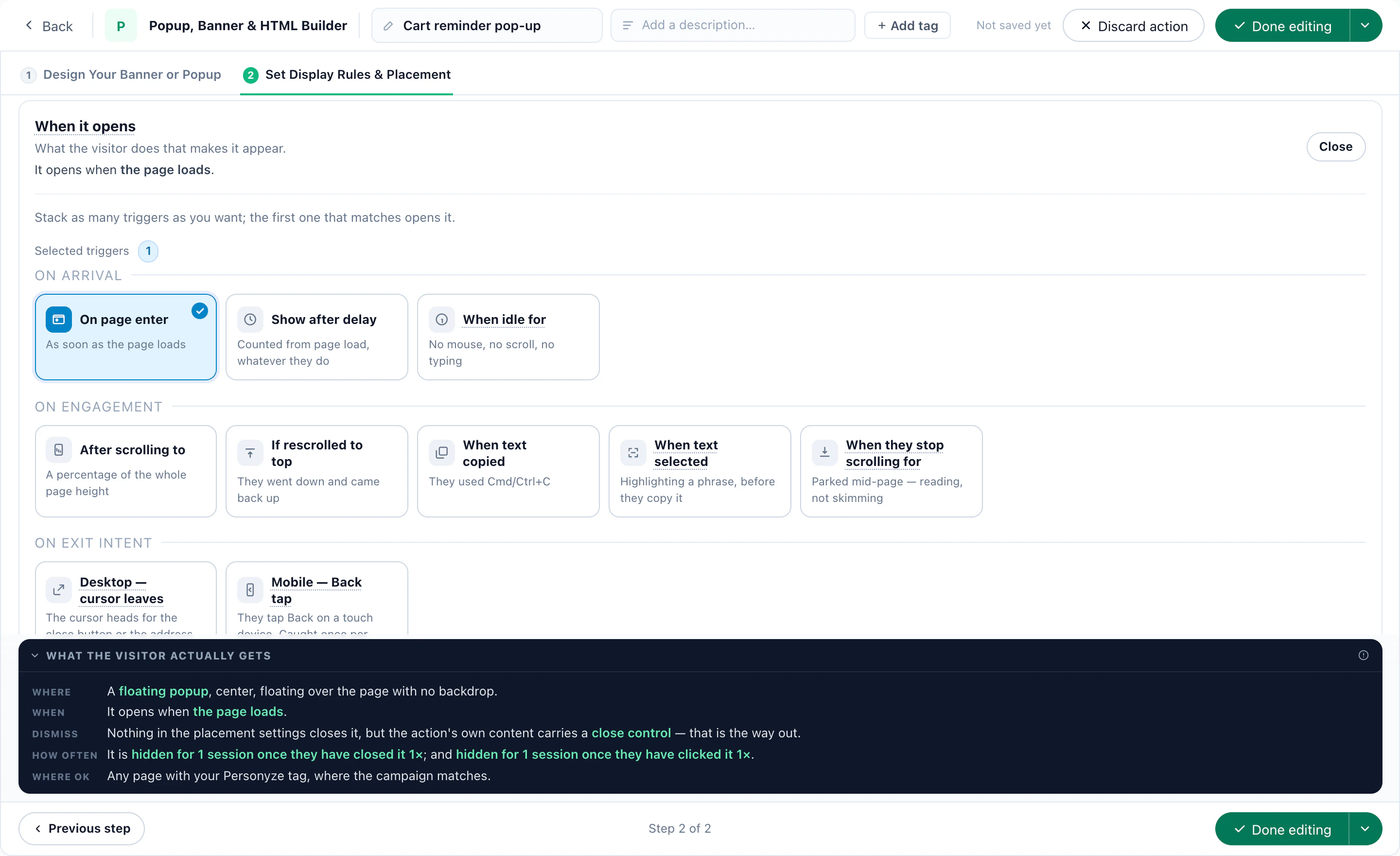
When it opens, and how often
On arrival, on engagement or on exit intent, with how often each visitor may see it — and what the visitor actually gets, in plain words.
Set it up
Welcoming visitors who arrive from your newsletter 2:01
A bar for the visitors who came from your newsletter, targeted by the link they clicked.
Check and test
Preview and the simulator, before anyone sees it 2:55
Preview a campaign on your own site as any kind of visitor, see why it would or would not show, and run the simulator before you publish to everyone.
Check and test
A/B testing: two versions, a control group, the numbers pick 2:19
Two versions of a store bar in groups A and B, an Original group that sees neither, the winner picked on purchases, and publishing to staging.
Results
What it earned
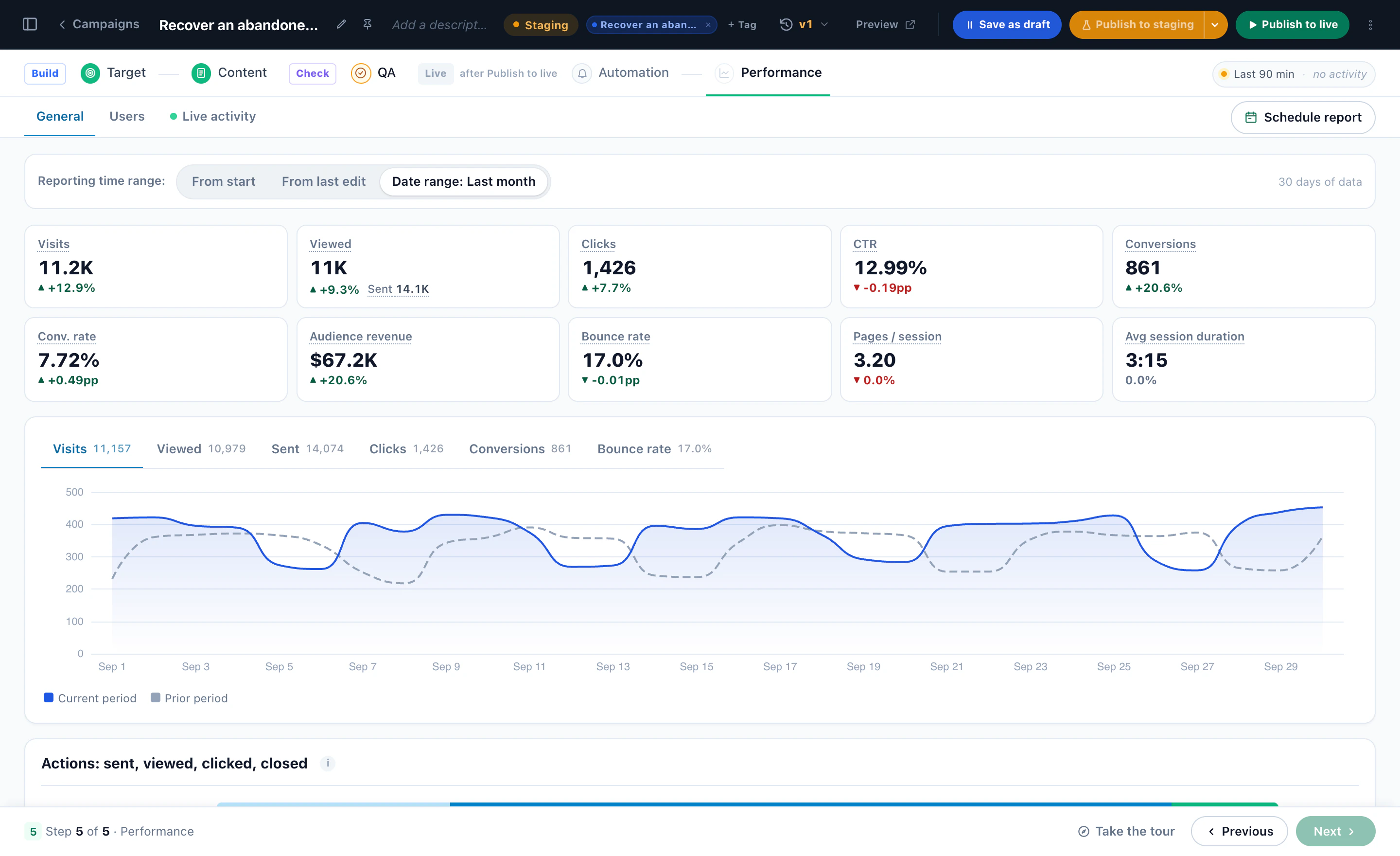
Visits, views, clicks, conversions and revenue, each against the period before, and the month day by day.
1 / 13
Screens and films from a Personyze demo shop.
Free AI tool · Inspire me
See banner and pop‑up ideas for your site.
Not sure what to show, or to whom? Give Inspire me your address. It reads your pages the way a first-time visitor sees them and writes the banners and pop-ups worth running: what to show, to whom, where, and how to measure it.
Like an idea? Describe it in a sentence in New campaign and Ask AI picks the campaign that fits.
What can I build with Personyze banners and pop-ups?
Pop-ups in the middle of the page, sticky bars at the top or bottom, slide-ins from a corner and banners placed inside the page — holding a sale or announcement, a free-shipping bar that reads the cart, a sign-up form or spin-to-win, a coupon code, a countdown, product recommendations, a back-in-stock button, the visitor’s nearest store, or a case study and demo invitation for business visitors. Each is shown only to the visitors you choose, at the moment you choose.
Do I need a developer?
No. Once the Personyze tracking code is on your site, you build, target and publish in the panel: from a ready design, from blocks in the Canvas Builder, or with AI writing the words and making the picture. If you want to, you can still write your own HTML, CSS and JavaScript.
How do I choose who sees a pop-up?
Describe the audience in plain words — “returning visitors who looked at footwear and haven’t bought” — and the AI targeting assistant writes the rules. Each rule stays readable and editable: pages viewed, cart, traffic source, location, device, your CRM fields and more, joined with and / or, included or excluded, with a live forecast of who would match. See behavioral targeting.
When does it open?
You choose: on page enter, after a delay or when the visitor is idle; at a scroll depth, when they scroll back to the top or stop scrolling to read; on exit intent — the cursor leaving the window on desktop, the Back tap on phones; on an event your site sends; or when someone clicks or hovers. The same triggers work for every format.
How do I keep pop-ups from annoying visitors?
With caps. An action can stop after so many views, after a click or after a close, and a campaign cap counts all of a campaign’s pop-ups together: once per session, once per visitor ever, or a few times then a break. When two campaigns want the same visitor, audience groups decide which one wins. How frequency caps work.
Can AI write and design it?
Yes. Write with AI gives three options for any text of a design, in your site’s voice, and drops any option that promises a number the design never offered. Create with AI makes a picture from your own product photos or from a description, and Make this banner with AI remakes a whole banner — picture and words — in three steps. Nothing is saved until you save. Write and draw with AI.
Can a pop-up hand out coupon codes?
Yes: one shared code for everyone, a code each from a list you add, a unique code generated for each visitor (and made in your store too, when you link it), a code from your coupon engine, or a protected code that is applied in your checkout and never shown. Coupon codes.
Can I change a live campaign without stopping it?
Yes. Save your changes to staging and they wait in a separate version: you see it in staging mode, everyone else keeps getting the live version until you publish the new one. Before anything goes live you can preview it as any visitor and run the QA simulator.
Can I test two versions?
Yes. Turn on A/B testing in any campaign: two or three versions, an original group that sees none of them, a goal such as purchases, and a winner picked by you or automatically once the result is conclusive — the traffic then moves to it. A/B testing.
Does it work in more than one language?
Yes. A design’s Languages card holds a version of its words for each language — shown by the page’s address, such as /nl/, or by the visitor’s browser language — while the design itself stays one. Everything still counts in the one campaign.
Banners & pop-ups or AI Promotion Manager?
Banners & pop-ups are for content you target yourself: you decide who sees each banner or pop-up, where and when. AI Promotion Manager is for a list of offers: the AI picks the one each visitor is most likely to buy from, hands out codes of their own and measures it. Both use the same designs, placements, triggers and caps.
Exit intentBefore you go — 10% off your first orderSend my code
Returning visitorNew trail runners, in your sizeShop trail
Cart under $75You’re $12 away from free shippingKeep shopping
Asked to be toldBack in your size: the Alpine ParkaSee it
First visitNew here? Free shipping on your first orderStart shopping
Logistics accountsRoute planning for fleets like yoursRead the case study
Exit intentBefore you go — 10% off your first orderSend my code
Returning visitorNew trail runners, in your sizeShop trail
Cart under $75You’re $12 away from free shippingKeep shopping
Asked to be toldBack in your size: the Alpine ParkaSee it
First visitNew here? Free shipping on your first orderStart shopping
Logistics accountsRoute planning for fleets like yoursRead the case study
Asked to be toldBack in your size: the Alpine ParkaSee it
First visitNew here? Free shipping on your first orderStart shopping
Logistics accountsRoute planning for fleets like yoursRead the case study
From your trail adBuilt for the long way upShop trail
Sale ends tonight02 : 14 : 37 left on the autumn saleShop the sale
Viewed outerwearLayer up for the first frostShop layers
Asked to be toldBack in your size: the Alpine ParkaSee it
First visitNew here? Free shipping on your first orderStart shopping
Logistics accountsRoute planning for fleets like yoursRead the case study
From your trail adBuilt for the long way upShop trail
Sale ends tonight02 : 14 : 37 left on the autumn saleShop the sale
Viewed outerwearLayer up for the first frostShop layers
From your trail adBuilt for the long way upShop trail
Sale ends tonight02 : 14 : 37 left on the autumn saleShop the sale
Viewed outerwearLayer up for the first frostShop layers
Near a storeLarimer Street has the Ridge Boot in your sizeDirections
Trial accountYour trial ends Friday — book a setup callPick a time
Exit intentStill planning Paris? Get a price alertAlert me
From your trail adBuilt for the long way upShop trail
Sale ends tonight02 : 14 : 37 left on the autumn saleShop the sale
Viewed outerwearLayer up for the first frostShop layers
Near a storeLarimer Street has the Ridge Boot in your sizeDirections
Trial accountYour trial ends Friday — book a setup callPick a time
Exit intentStill planning Paris? Get a price alertAlert me
Near a storeLarimer Street has the Ridge Boot in your sizeDirections
Trial accountYour trial ends Friday — book a setup callPick a time
Exit intentStill planning Paris? Get a price alertAlert me
Spin to winSpin for a welcome giftSpin the wheel
Came from pricingTalk to us about plans for your teamBook a demo
MembersThe sale opens an hour early for youJoin free
Near a storeLarimer Street has the Ridge Boot in your sizeDirections
Trial accountYour trial ends Friday — book a setup callPick a time
Exit intentStill planning Paris? Get a price alertAlert me
Spin to winSpin for a welcome giftSpin the wheel
Came from pricingTalk to us about plans for your teamBook a demo
MembersThe sale opens an hour early for youJoin free
Spin to winSpin for a welcome giftSpin the wheel
Came from pricingTalk to us about plans for your teamBook a demo
MembersThe sale opens an hour early for youJoin free
Exit intentBefore you go — 10% off your first orderSend my code
Returning visitorNew trail runners, in your sizeShop trail
Cart under $75You’re $12 away from free shippingKeep shopping
Spin to winSpin for a welcome giftSpin the wheel
Came from pricingTalk to us about plans for your teamBook a demo
MembersThe sale opens an hour early for youJoin free
Exit intentBefore you go — 10% off your first orderSend my code
Returning visitorNew trail runners, in your sizeShop trail
Cart under $75You’re $12 away from free shippingKeep shopping
Get started
The right message, for every visitor — at the moment it fits.
Pop-ups, bars, slide-ins and banners that know who is looking and when to stop. Tell us your site and Inspire me writes the first ones worth running.

 4.8
4.8 4.6
4.6
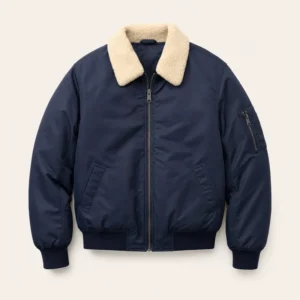 Sherpa Bomber$168
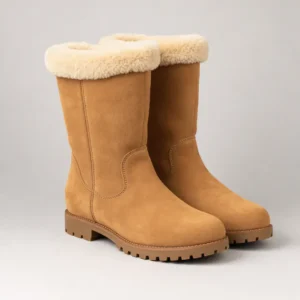 Ridge Boot$189
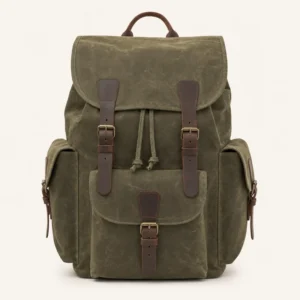 Canvas Pack 25L$96
 Algarve coast7 nights
 New York5 nights