












 NewBest sellerPrice drop







 New today
Matches for a product nobody has viewed
AI reads your titles, brands, descriptions and categories, so a new product has neighbours before its first visitor. Switched on in your catalog settings; it uses AI credits.
One switch for the whole account
While they’re on your site
AI Website PersonalizationContent and offers for each visitorB2B PersonalizationEach company sees its own industryProduct RecommendationsWhat each shopper wants nextContent RecommendationsThe next article each reader wantsA/B TestingA winning version for each audienceDynamic Landing PagesPages that match the ad they clickedAI Search & Chat AgentAnswers from your own pagesBanners & Pop-UpsShown by behavior, source, locationAI Promotion ManagerAI picks each shopper’s best offerSocial ProofLive ratings, stock and recent buysReach them after they leave
Email PersonalizationEmail series, picked for each readerPush & SMSTriggered by what they just didHosted Landing PagesPer-visitor pages, hosted by usKnow who they are
Behavioral TargetingAudiences that update themselvesAudience DiscoveryBuyers you didn’t know you hadWebsite AnalyticsSessions and revenue, per personWhat visitors tell you
Reviews & TestimonialsReviews from 17 sites, per visitorSurveys & NPSAsk a question; use every answerAI Chat AgentAnswers, then hands over to peopleMeeting SchedulerThe right visitors book a callAI tools and your stack
Personalization PlatformEvery tool on one visitor profileAI AgentDescribe a campaign; it drafts itIntegrationsHubSpot, Salesforce, Segment, GTMApp MarketplaceBuilt-in and reviewed partner appsAPIs, SDKs & AutomationREST API, server and mobile SDKsMCP ServerRun Personyze from your AI assistantProduct and content recommendations that learn what each visitor wants — on your ecommerce site, in your emails and in your app.
Choose from algorithms for every page — behaviour, AI similarity and merchandising — or a filter you write yourself, with fallbacks behind it. Shoppers can add to cart or save for later straight from the widget, and the same engine renders inside the emails you already send.
Not sure where to start? See recommendation ideas for your site 4.8
4.8
 4.6
4.6
Picks for every page of your ecommerce store — home, category, product, cart, thank-you and search — each with its own algorithm. Complete the look
Keep readers reading: what readers like them read next, more from the topic, or similar articles matched by AI. Go deeper on the topic Content recommendations
New, best seller, price drop or low stock on the picture — read from your catalog, switched on in the template.
On your site, in email at open time, in web push, and in your app as JSON.
In your ecommerce store, every shopper sees products picked for the page they are on — predicted from what shoppers like them viewed and bought, and there from their very first page. On a product page, where shoppers go next; in the cart, what goes with it.
Tuned to your kind of shopFashion Complete the lookElectronics Accessories that fitHome Complete the roomBeauty & grocery Time to restockSports Gear for the same activity
In the panel, Automatic is the first card when you set up a widget, and a new widget starts on it; pick All algorithms beside it to choose one yourself.
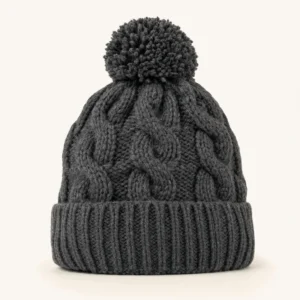
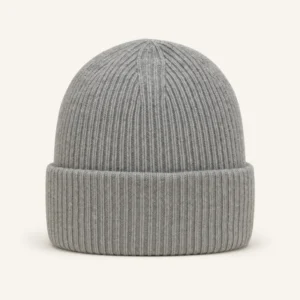 Merino Watch Cap$39
 Trail Runner Low$89
 Weekender Duffel$119
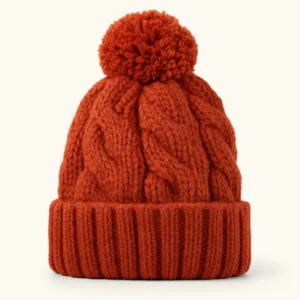
 Knit Beanie, Mustard$45
A first visit: nothing personal to go on yet, so it shows what is popular where they are.
Every algorithm in the panel is one of five kinds: predictive and popular, crowd wisdom, their own items, what just changed, your rules.
Intent isn’t clear yet, so the picks come from who the visitor is and what is popular.
Predicted for each visitor, learned from the shoppers who behave like them.
What shoppers in their location view most — so even a first visit gets picks that fit.
What sells, what is new and what just got cheaper, inside the category being browsed.
The most-bought products in the category being browsed — the strongest signal on a category page.
Products whose price dropped since the visitor’s last visit — a reason to come back to them.
Where shoppers go next, what they buy with it and what they viewed alongside it.
Learned from your shoppers’ own visits: the products they open right after this one, then the ones viewed together with it.
Learned from your orders: what your other shoppers bought together with this product.
What goes with the cart, and one step up while they are still deciding.
Learned from what your other shoppers bought together with the items already in it.
Higher-priced alternatives to what is in the cart.
The order is placed: show what goes with it, and what shoppers like them bought next.
Learned from your orders: what other shoppers bought together with what was just ordered.
Learned from visitors who viewed the same items and then bought.
Alternatives beside a short list of results, from the visitor’s own search and browsing.
Products matching the visitor’s last search — here, for headphones.
Products from the category the visitor viewed last.
Products picked when an email is opened, the top pick in a web push, and the same algorithms as JSON for your app.
One HTML snippet in the emails you already send — each recipient gets products picked for them when they open it.
Fetch them as JSON from one address and draw them yourself, or show native rails through the iOS and Android SDKs.
Four ways in, one engine: your store, your feed or files, your own site — and your past and in-store orders, so it learns from every sale.
Shopify, Magento, WooCommerce, BigCommerce or Shopware, connected once by API with your own keys. Products, prices and stock, past orders and customers stay up to date on their own, and it only reads.
The feed you already give Google Shopping or Facebook at its address, a file you upload, files your system drops by SFTP, or the REST API — in CSV, Excel, XML or JSON.
No feed at all? We visit your product pages and read each product’s name, picture and price.
Upload past orders — one row per order line — and the engine starts from what already sold together instead of waiting weeks. A recurring feed or SFTP keeps it learning from every sale, in-store included.
Comprehensive, self-learning: it weighs many signals at once, and every round goes into the next build of the picks.
Works on any site, whatever it is built on: one tag on any platform or custom build, with or without a store connection. Shopify also installs from its App Store. See Shopify, WooCommerce, Shopware or every integration. Your own fields: map products to up to two keys — Internal ID and SKU — so on-site events tie back, and add custom fields any time.
Show it as a slider, under the product.
Slider: One row that slides — on a phone, one card and a peek of the next. Under the product: In your page, after the element you pick — click the spot on your site, or give a CSS selector.
Quick add to cart: the widget’s Add calls your store’s own cart and the shopper stays on the page, and a heart saves a favourite. The slider and grid set their own count of cards for desktop, tablet and phone — and every word of it comes in your shoppers’ language.
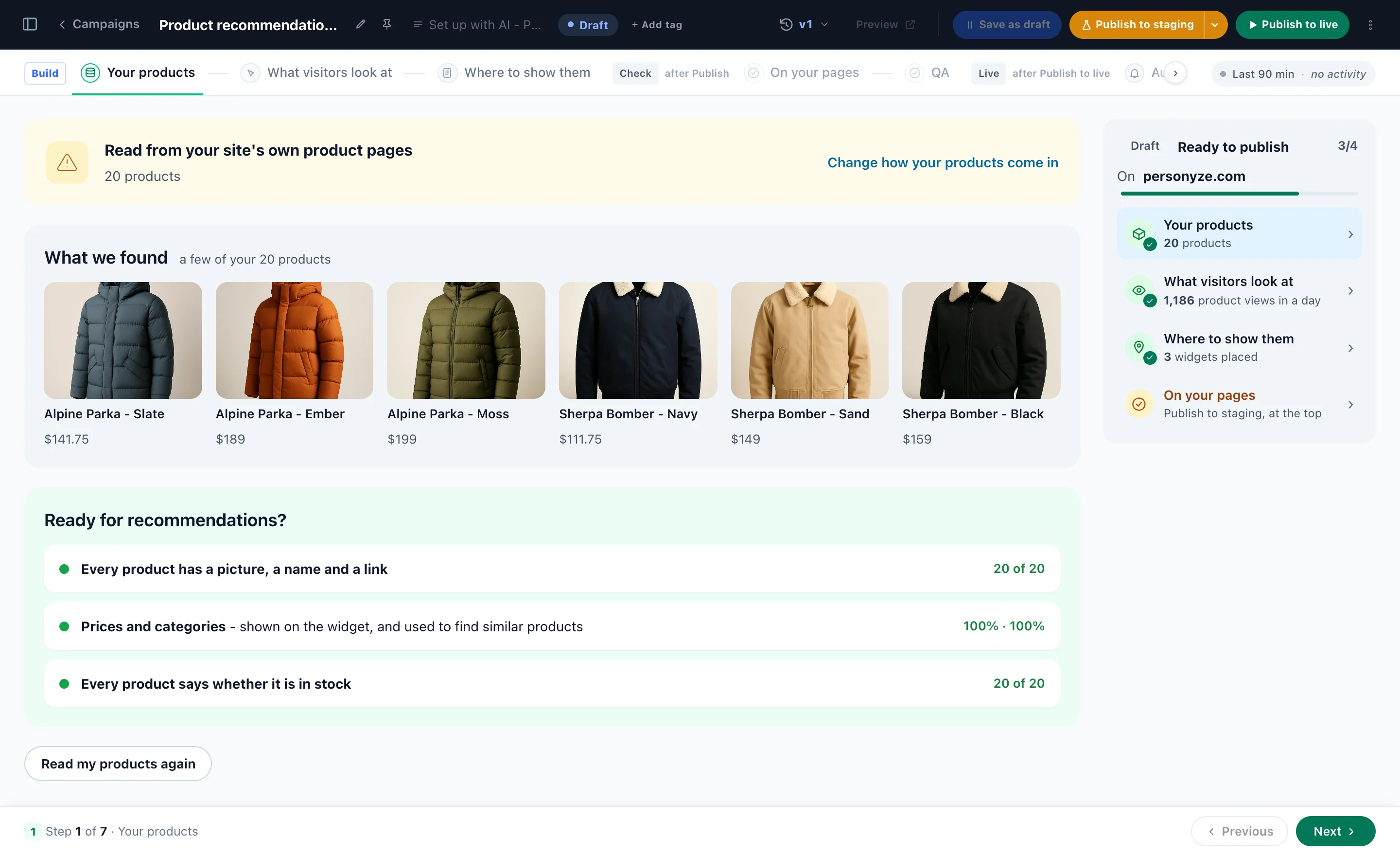
Connect your store and the AI does the rest: it reads your products and what your visitors look at, finds the spot on each kind of page, and places the widgets in your store’s look. Nothing changes on your site until you publish.
Shopify, Magento, WooCommerce, BigCommerce or Shopware. Or your product feed, or we read your product pages.
Your products, what visitors look at, and your kind of shop, so every algorithm is tuned to it.
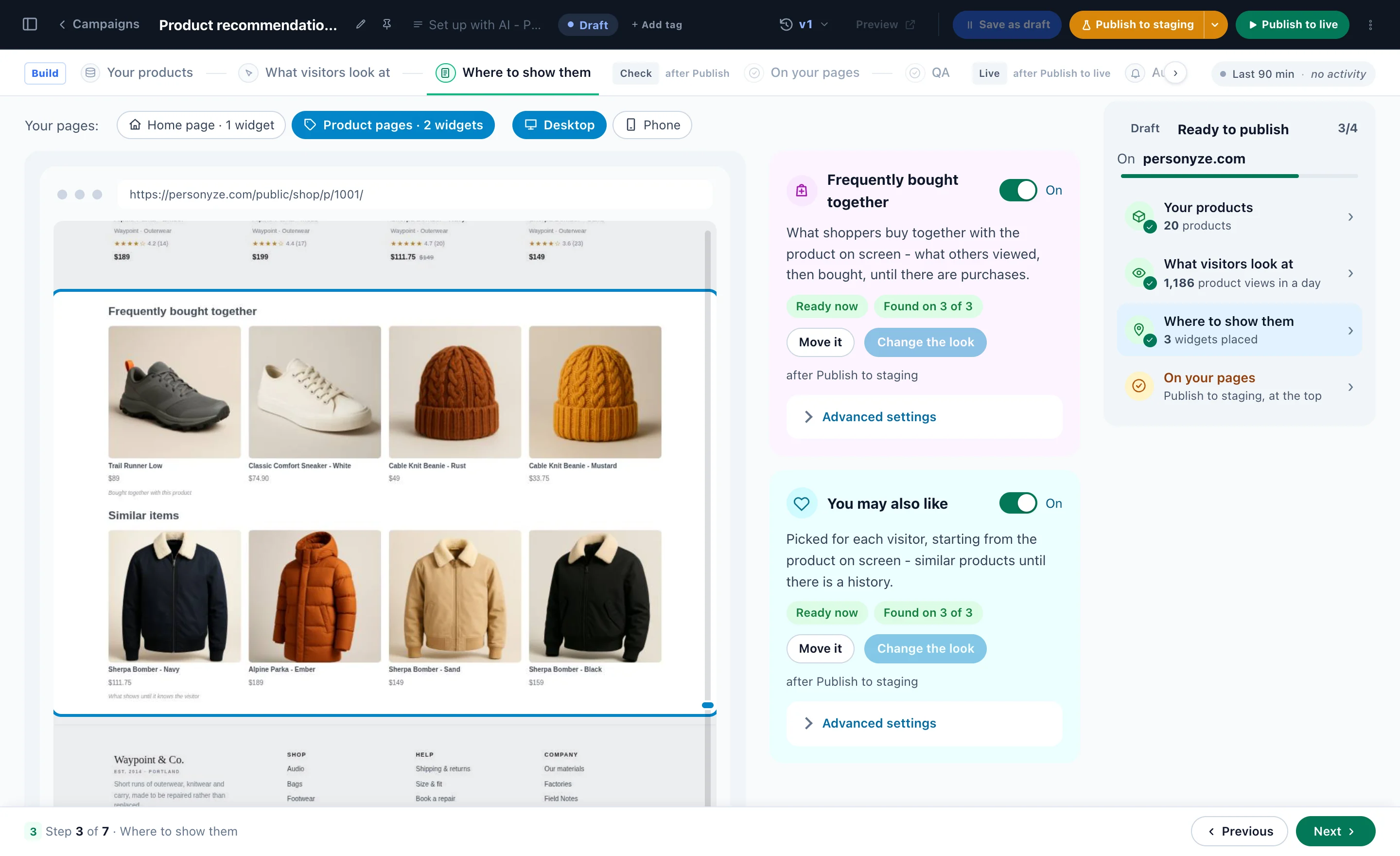
It finds the spot on your home, product and cart pages and places each widget in your store’s look.
Each widget is opened on a real page of yours. See it as a real shopper, then publish.
Or one widget at a time: point and click in the visual editor, start from the template gallery, or ask the AI assistant.

 Linen Shirt$64
 Classic Sunglasses$48
 Straw Sun Hat$38
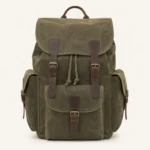
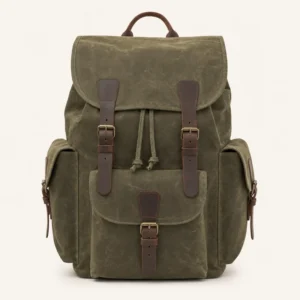 Canvas Backpack 25L$89
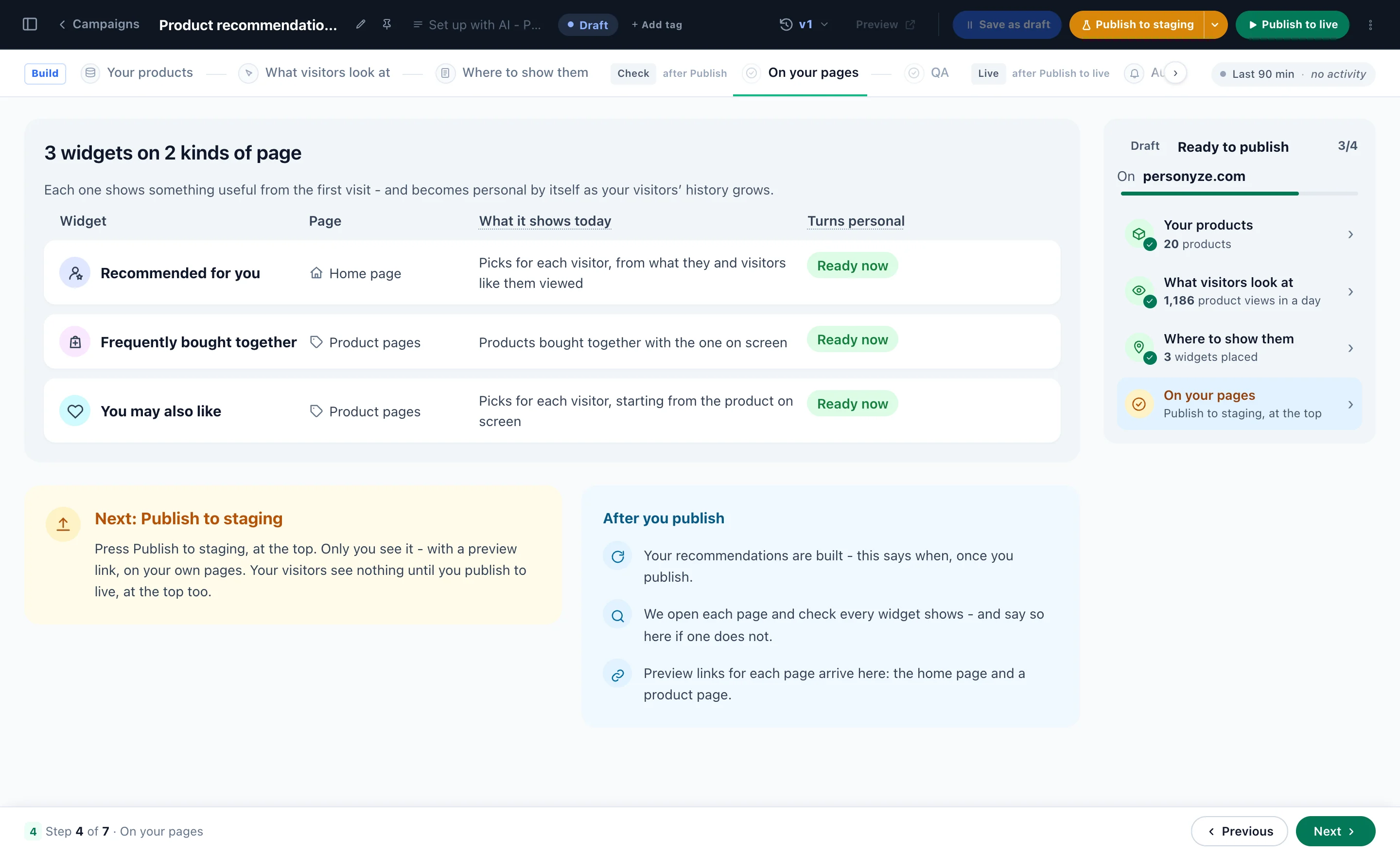
Nothing on your site changes until you publish.
 Shopify
 Magento
 WooCommerce
 BigCommerce
 Shopware
or your product feed · or we read your product pages
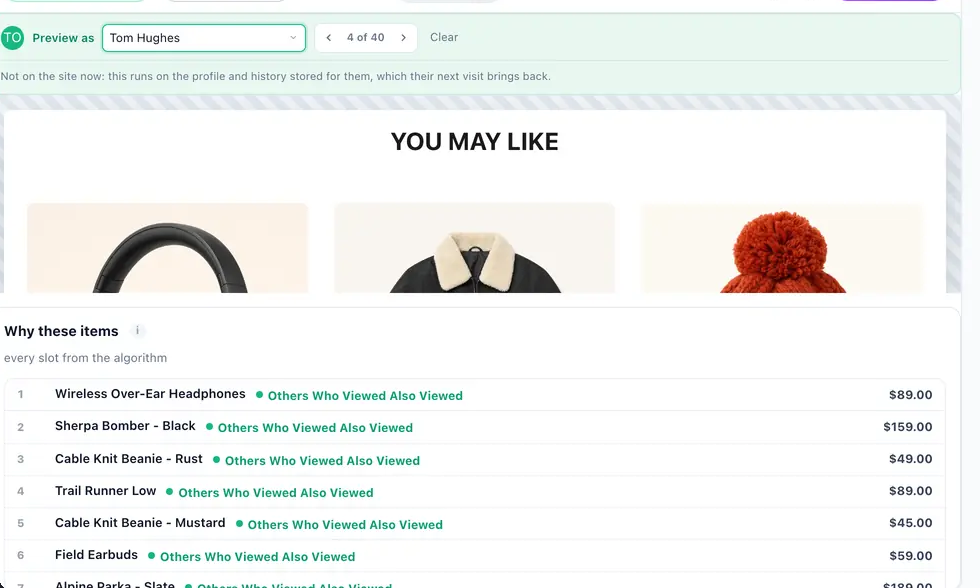
Pick a person and see the widget, the email or the promotion exactly as they would get it — with the reason for every item. No more publishing and hoping.
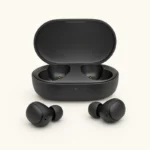
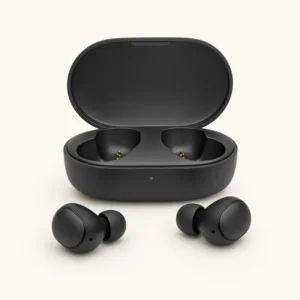 Field Earbuds$59Others Who Viewed Also Viewed
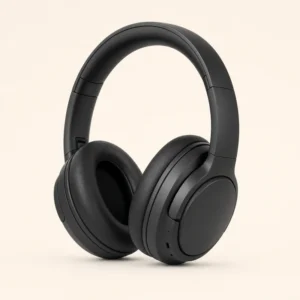 Over-Ear Headphones$89Others Who Viewed Also ViewedCanvas Backpack 25L$89Others Who Viewed Also ViewedKnit Beanie, Mustard$45Fallback: Best Sellers
Why the last one? The algorithm found three items for Maya; the fourth slot came from the fallback, Best Sellers.
Nothing to go on: every slot came from the fallback, Best Sellers — the honest worst case for any widget that depends on behaviour.
Find a visitor or a recipient — or a new visitor, never seen before — and see exactly what they would get.
Whether the algorithm, a fallback or the filler put each one there, named on every item.
Recommendations, promotions, reviews, emails, web push and the AI Product Finder.
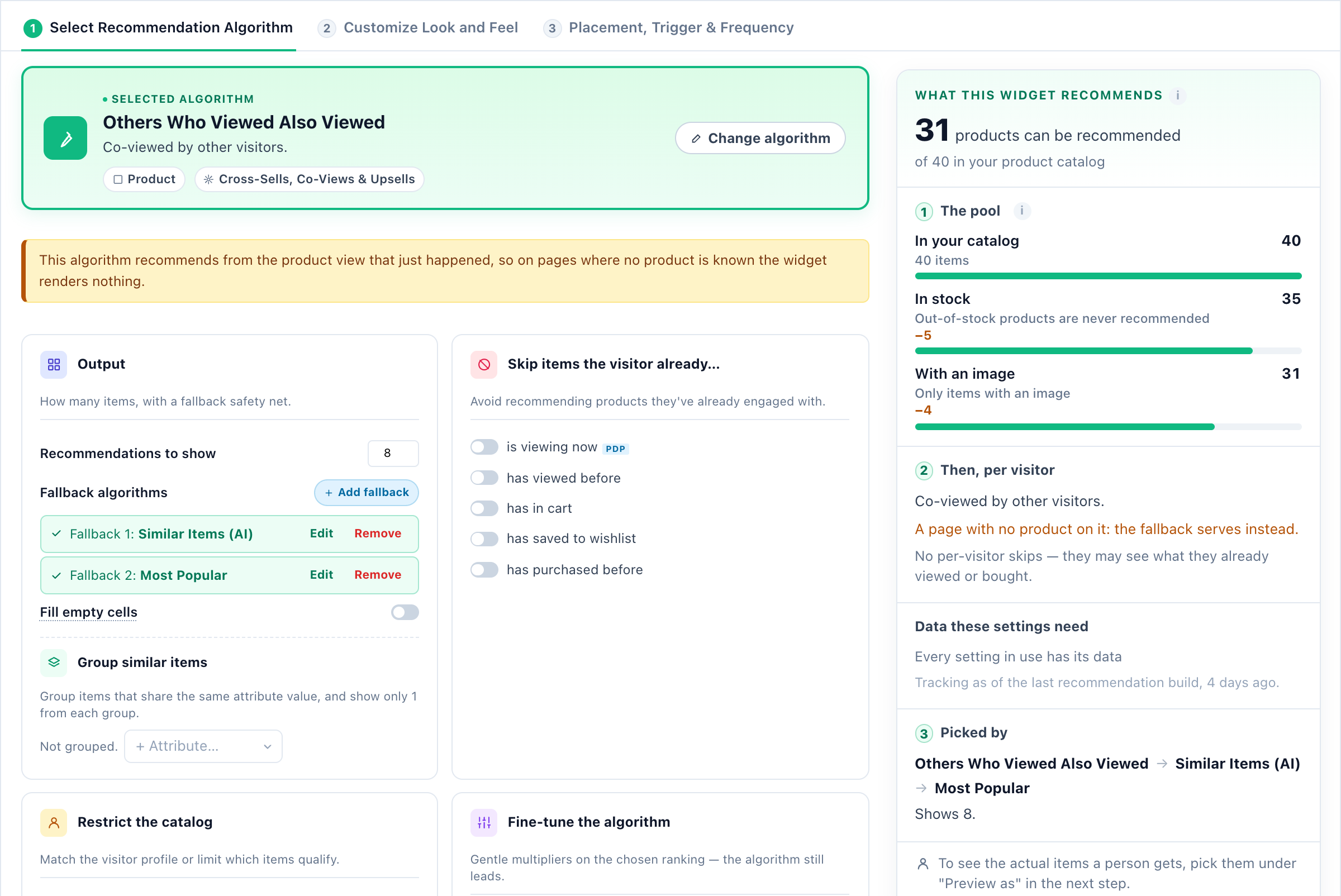
From your whole catalog down to the four products a shopper sees — in the order the engine takes them.
In stock, from your catalog. Where it comes from ↑
The one made for the page it sits on, tuned to your kind of shop. Page by page ↑
Viewed, in the cart, saved or bought: left out.
Never these categories, one per brand, a gentle lift.
What fits this shopper moves to the front. See it below ↓
Any empty slot is filled.
Four products — then measured: a purchase within 7 days of a click.
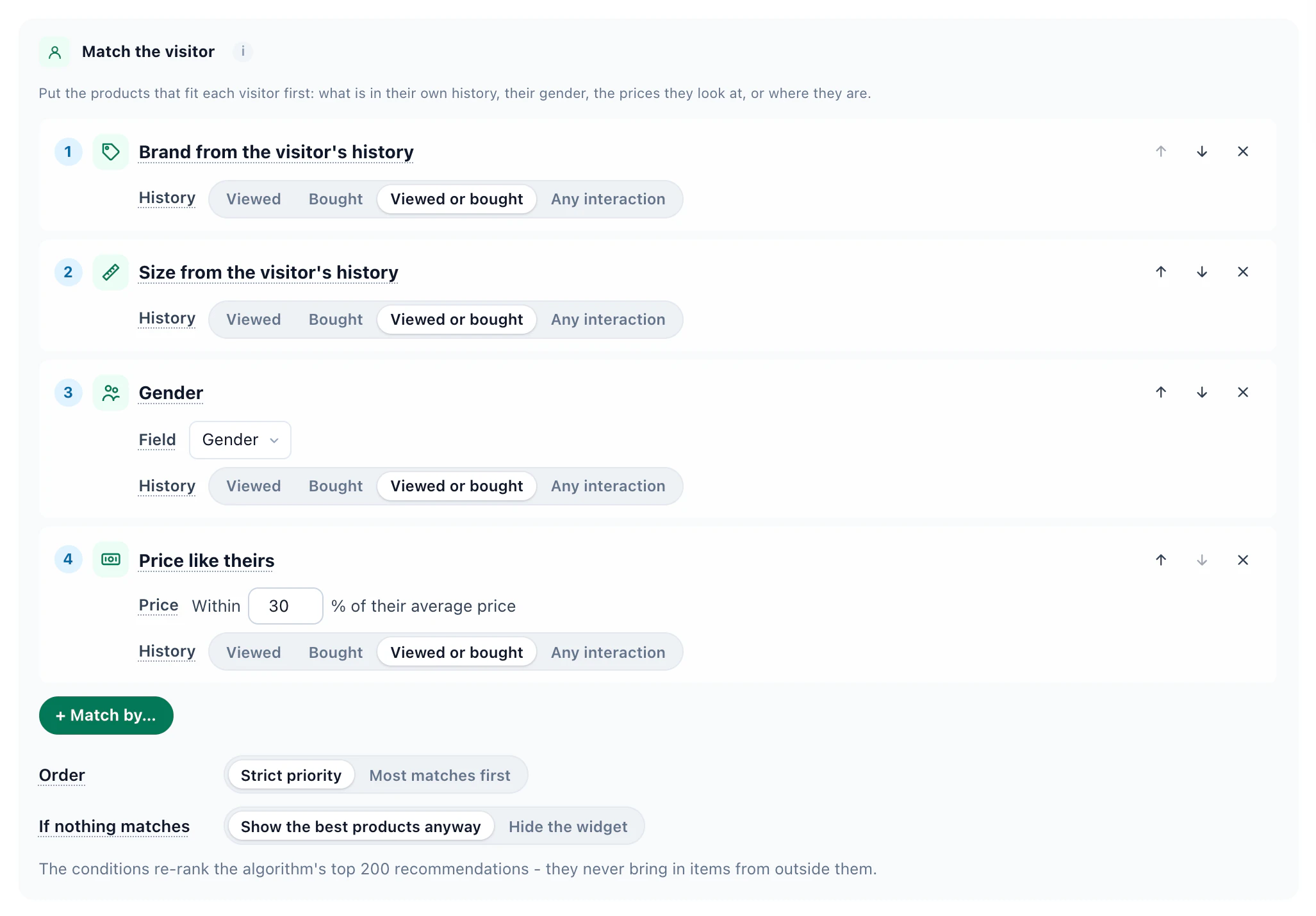
Stack a few match rules on any recommendation widget — brand, size or category from the visitor’s own history, their gender, prices like the ones they look at, where they are — and the products that fit each person move to the front. The algorithm still leads: the rules re-order its own top picks, and never fill the widget with random items.
No history and no known gender yet: every rule comes up empty, so the widget keeps the algorithm’s own order.
Viewed and bought men’s Northline jackets in size M, mostly mid-priced.
Browses women’s coats from Alder in size S, at the premium end.
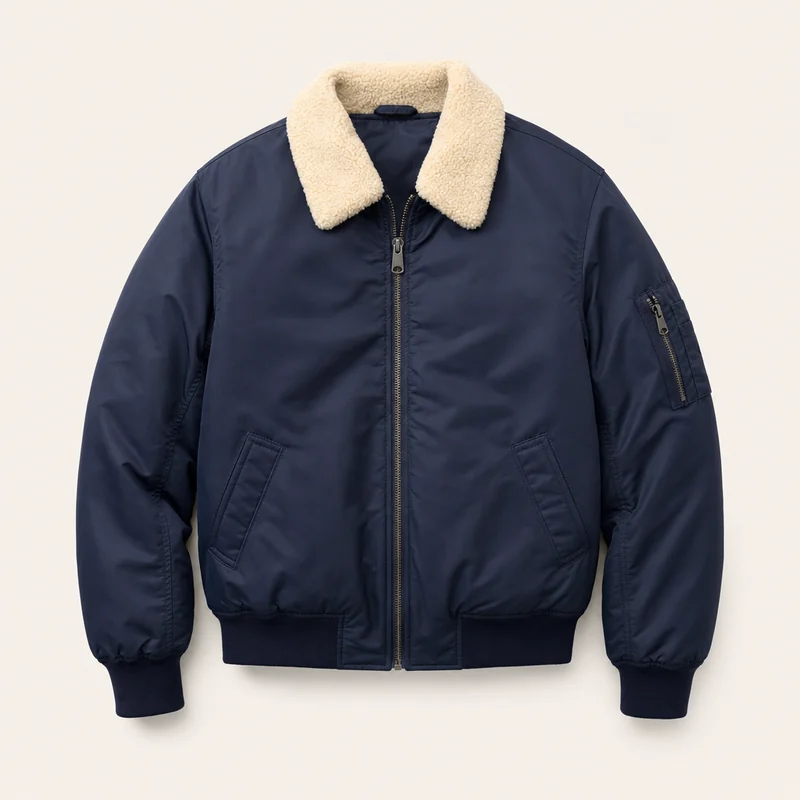


The same rules wherever recommendations run: on your site · in recommendation emails · in the Canvas Builder · in the JSON API & feeds. Also in the panel: products near the visitor first, for local stores, and more in stock first, for merchandising.
How Match the visitor works, with recipes for each kind of site →
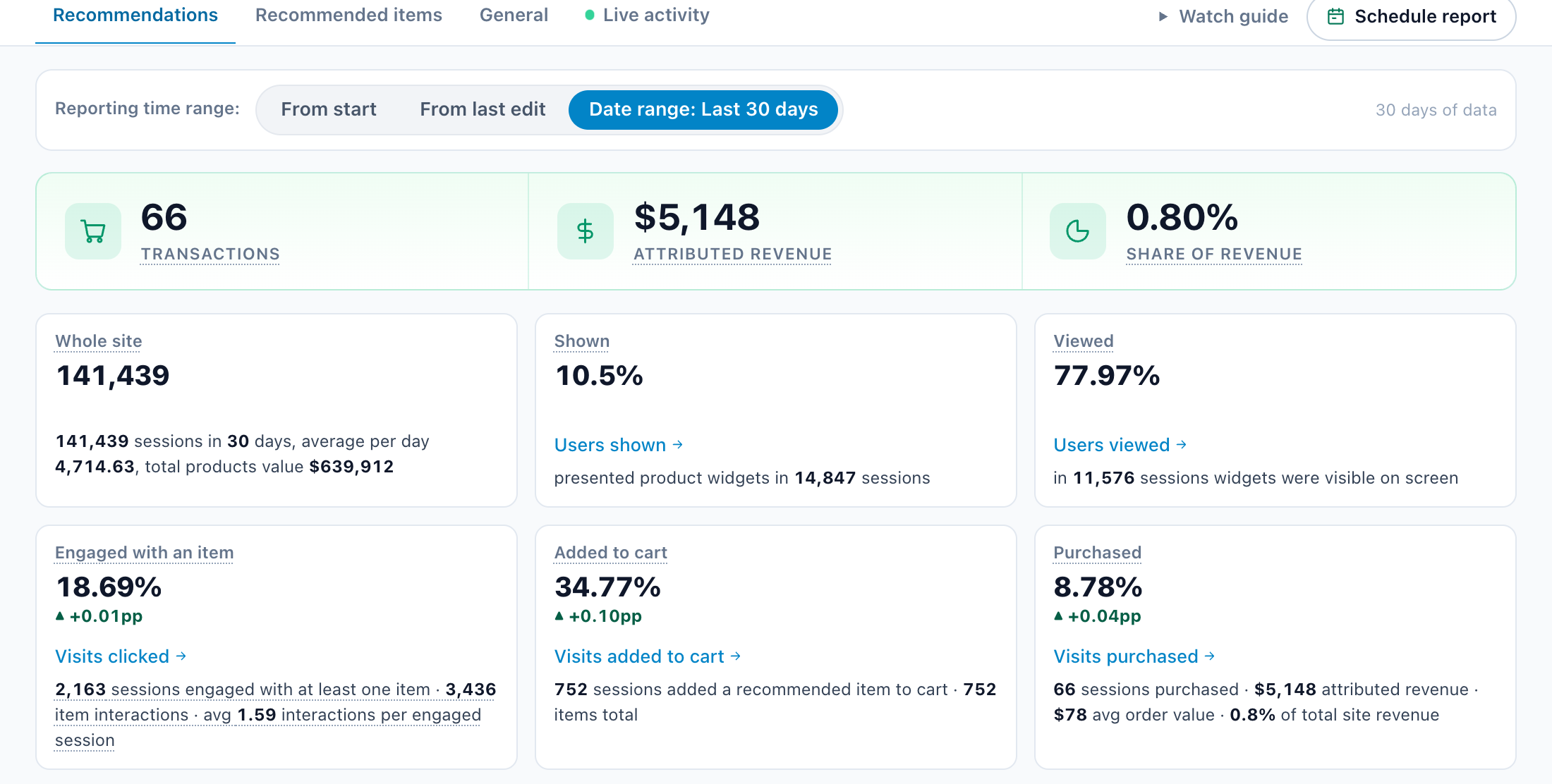
Crowd wisdom and AI pick the products; the report shows what each one did for your bottom line — every widget and every item, from shown to clicked to bought. Nothing hidden.
Times shown counts an item only when at least two thirds of it was on screen — not merely loaded.
A purchase counts for an item when it comes within 7 days of a click on it in that widget, and the widget’s revenue is priced from your catalog.
Items shown a lot but rarely clicked, and items clicked well but rarely shown, flagged for you — by widget or by item.
And the rest of your traffic, side by side: website analytics.
Promotions and coupons that pick themselves, products in the emails you already send, a finder that listens — and the test that proves it.
AI reads your titles, brands, descriptions and categories, so a new product has neighbours before its first visitor. Switched on in your catalog settings; it uses AI credits.
A bar at the foot of the page: a visitor types what they need, and the assistant picks products from your catalogue, with a reason for each.
The widget translates its own words — titles, the add to cart button, labels — for every shopper, and your feed carries each language: set it, map its fields, and names and descriptions follow.
A button beside Add to Cart: shoppers leave an email address or choose a browser notification, and hear when a sold-out product is back or its price drops.
Leaving with a full cart, a shopper sees what is in it and a small form. Leave an email and the cart arrives straight away, ready to finish on any device.
Paste a code once into Mailchimp, Klaviyo or any platform: each recipient sees products picked for them, or their own promotion, when they open it.
Banners, offers and coupons in one list. Each visitor sees the one they are most likely to take, and it learns from what they click and buy.
Banners drafted from your catalog — on sale, selling less than last week, overstocked or new — words and picture by AI. None shows until you approve it.
Show an offer only from — or up to — a cart value, and a bar that counts down to free shipping as the cart fills.
A unique code for each visitor, made in Shopify, WooCommerce or BigCommerce so checkout takes it — and the orders that used it are read back.
While orders trail the same time last week, your sale promotions move up; overstocked products get a boost; a sold-out one pauses until it is back.
Each visitor sees the offer valid at the location closest to them, and that store — open now, today’s hours, the distance and directions.
An email with the offer that suits each recipient, from your Promotions, and a code of their own — sent only when one fits them.
Two algorithms, two designs or a widget against none. New tests ask for 98% confidence and 1,000 sessions before a winner is called — and auto-pick can give the winner all the traffic.
Put in your own traffic, order value and conversion rate, and see what recommendations could be worth on your store.
Pick the algorithm, design the widget, check it as a real visitor, then see what it sold — every widget counts its views, its clicks and the purchases within 7 days of a click. Real screens from the panel.
Set it up with AI reads your products and what visitors look at, picks the widgets and places each on your own pages. Nothing reaches visitors until you publish.
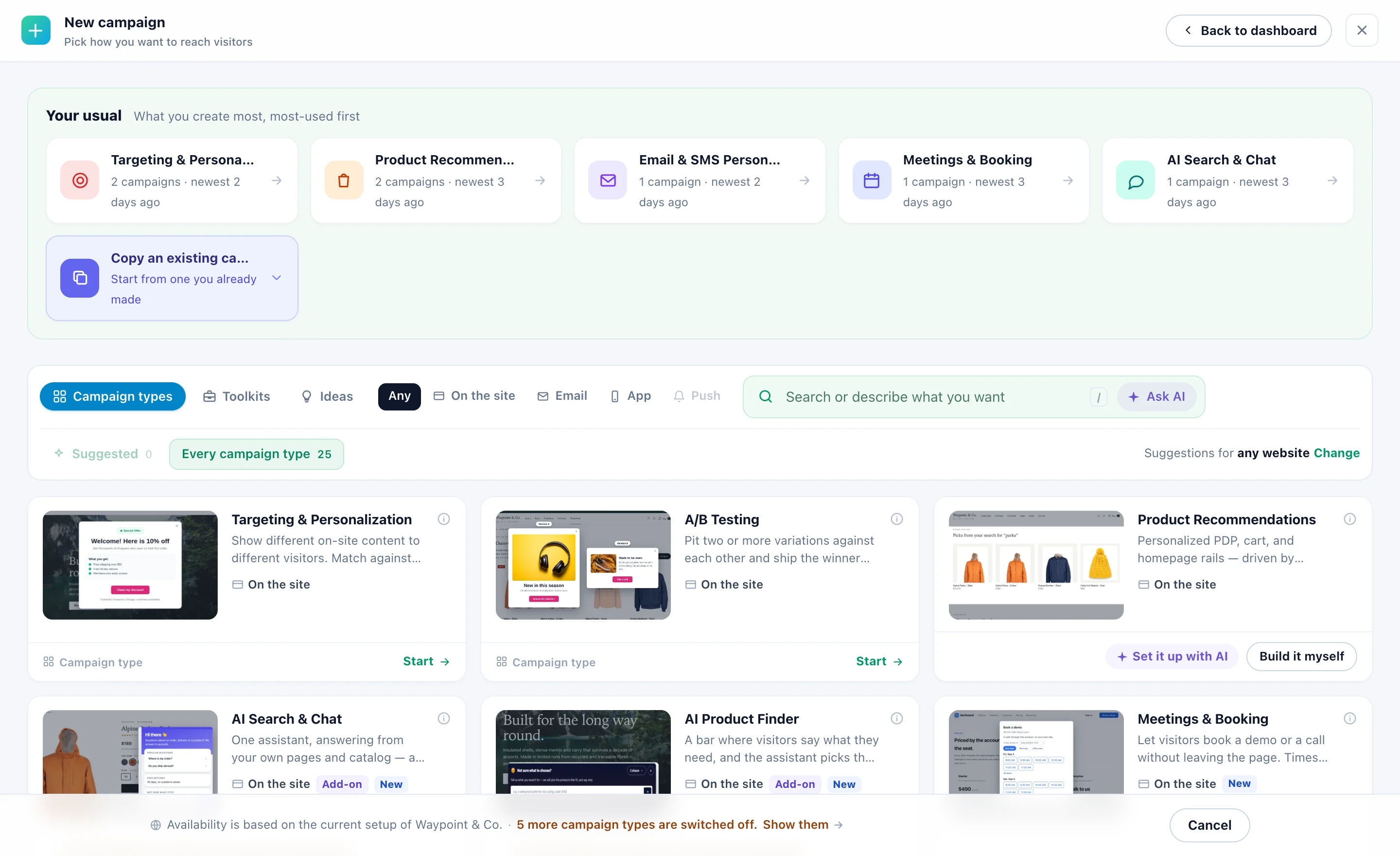
On the Product Recommendations card in New campaign: Set it up with AI does your whole store; Build it myself makes one widget.
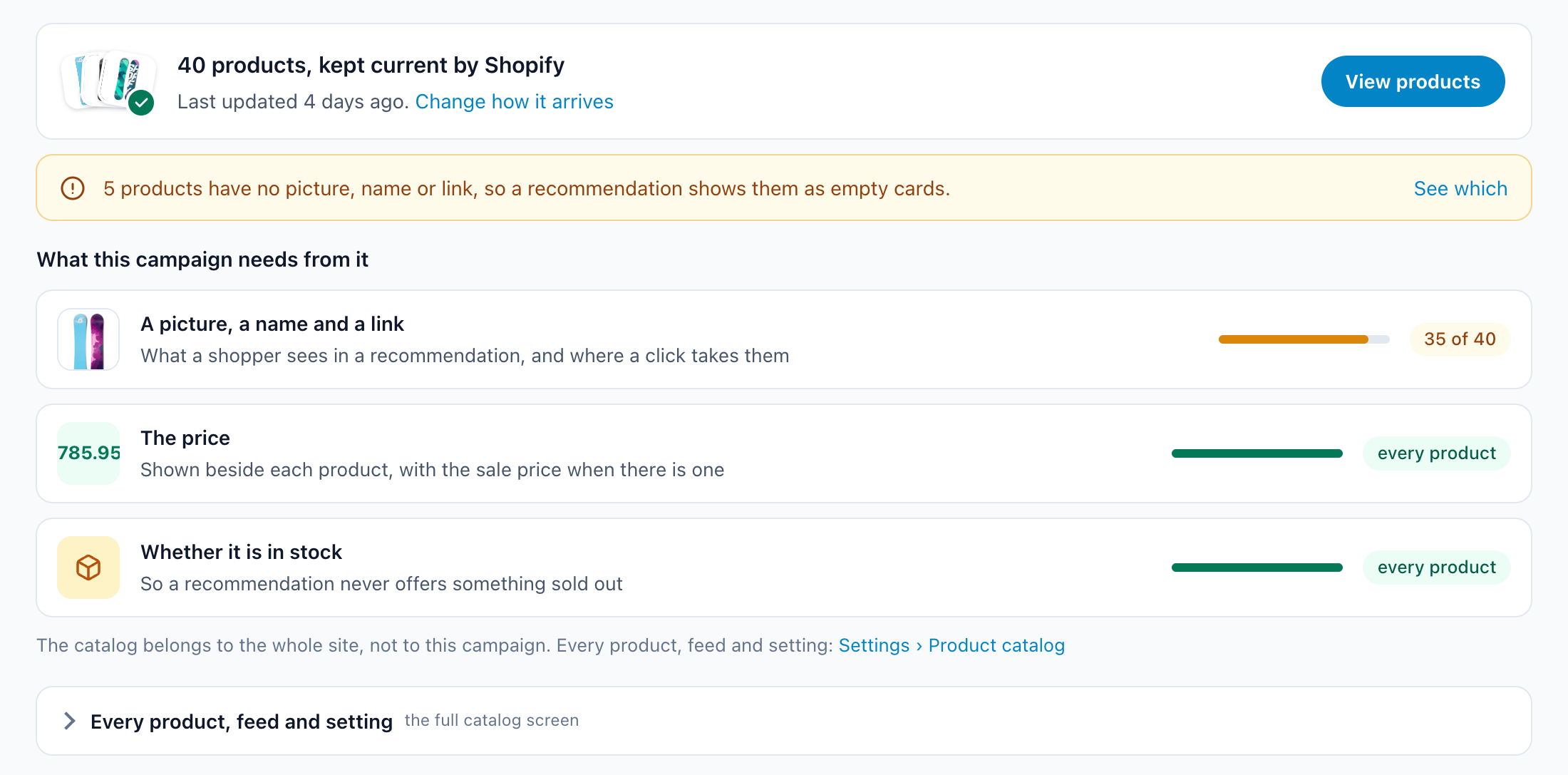
From your store, a feed or your own product pages — and checked for what recommendations need: a picture, a name and a link, prices and categories, stock.
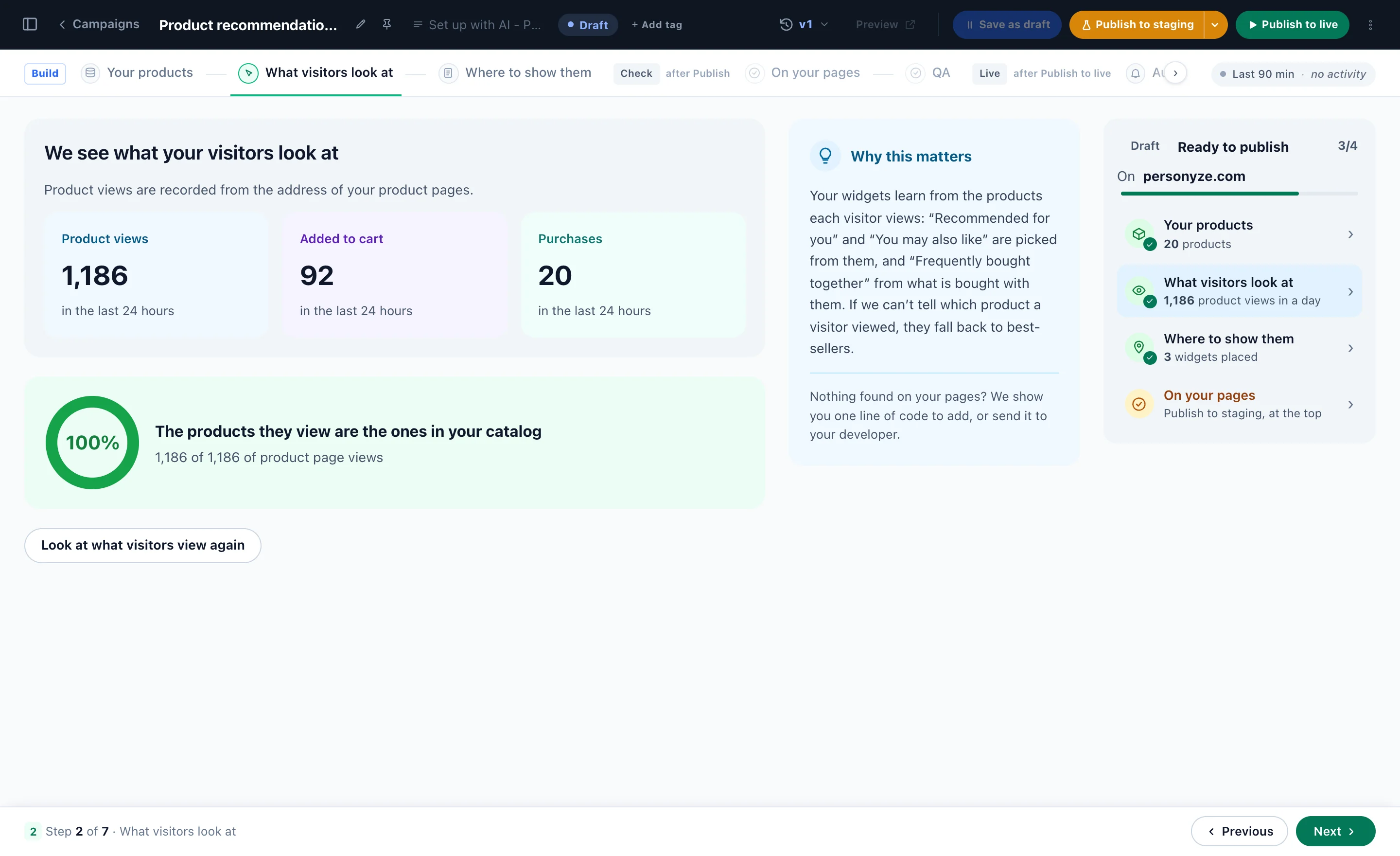
Views, adds to cart and purchases from the last day, matched to your catalog.
Each widget drawn on a picture of your own page, ready now, to move, restyle or switch off — on a computer and on a phone.
Every widget, its page, what it shows today and when it turns personal. Then Publish to staging, and only you see it.

Pick an algorithm for the page, design the widget — tabs included — and preview it as a real visitor, with the reason for each pick.
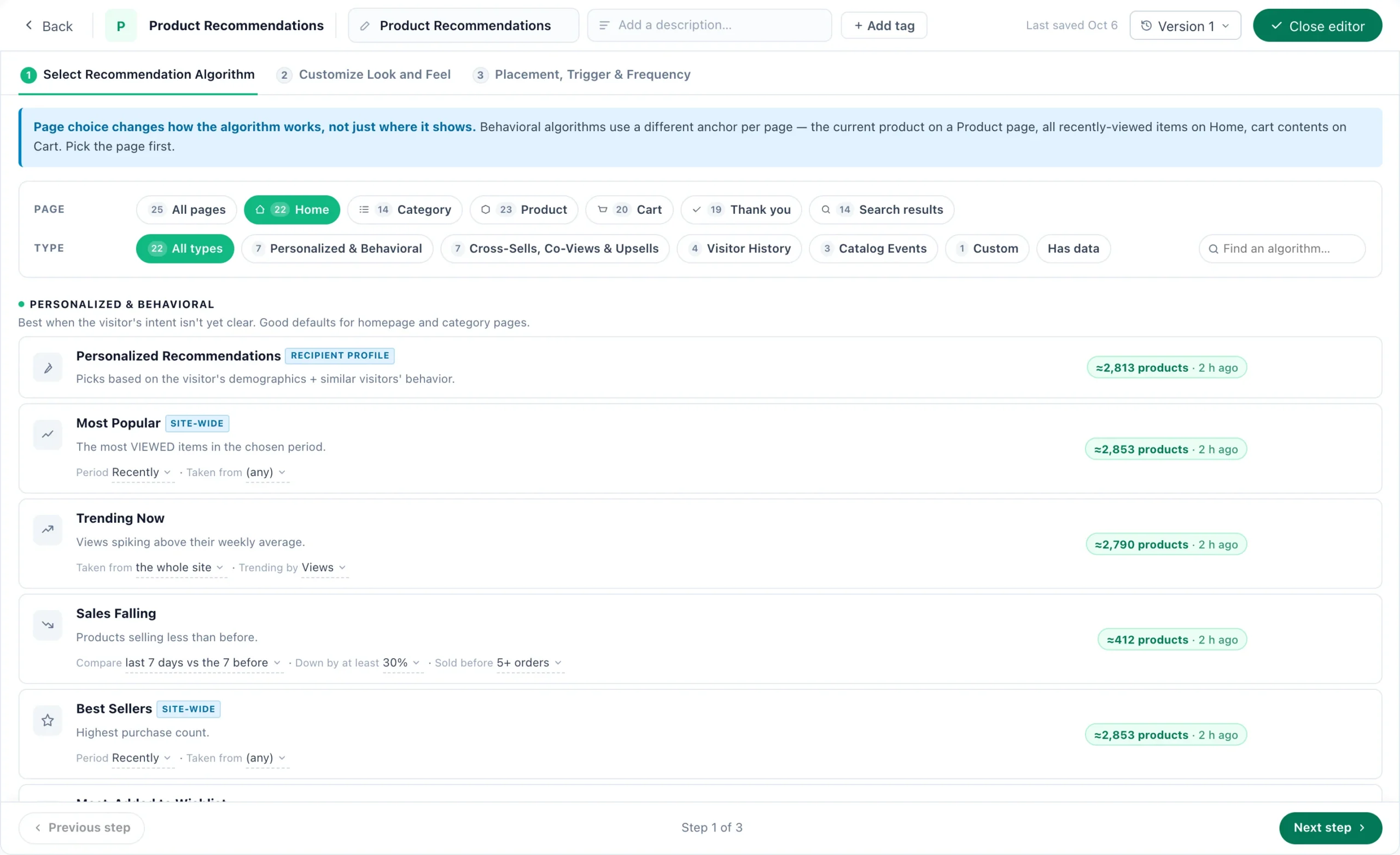
Pick the page first — home, category, product, cart, thank-you, search results — and see the algorithms that work there, each with how many products it has data for.
What the campaign needs from it — a picture, a name and a link, the price, the stock — and which products would show up as empty cards.
How the items are chosen, the fallbacks that fill an empty slot, what to leave out — and how many products can be recommended at all.
Brand and size from their own history, gender, a price like theirs — the algorithm still picks the products, the rules put what fits first.

A Multi-Recommendation Widget: For you, Similar and Best sellers, each tab with its own algorithm and its own products.
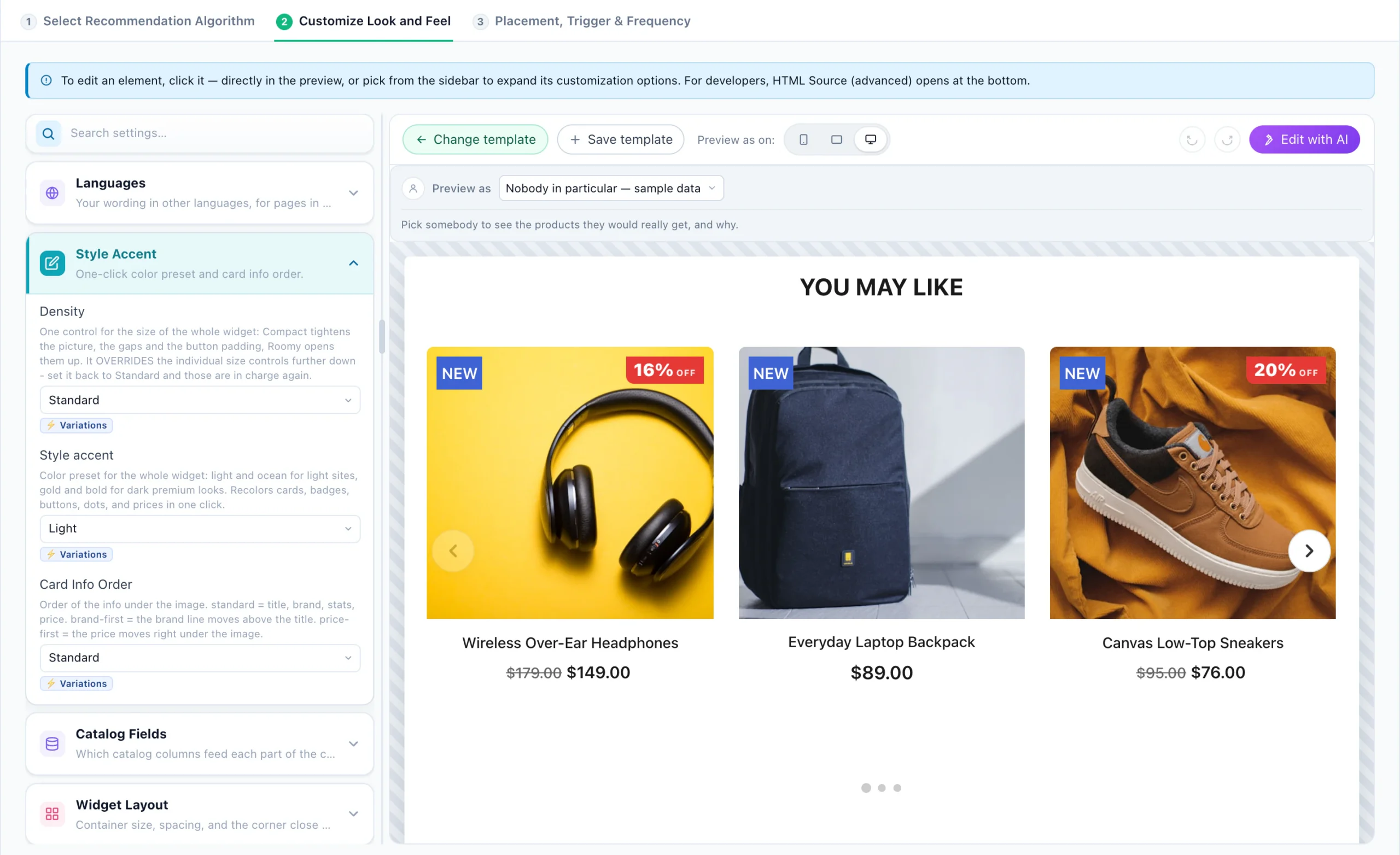
The widget on the right, its settings on the left — size, colours, what each card shows and in which order. Click any part of the preview to edit it.

For you, new since the last visit, trending and more — and article cards to show them in.
Pick a real visitor and see the products they would get, with the algorithm behind every slot.
QA sums up who it reaches and whether it runs, your own page shows which algorithm filled each slot, and the Simulator shows what it would pick for any product or a real visitor.
Orders and revenue attributed to the widget, and the funnel behind them: how often it was shown, seen, engaged with, added to the cart and bought from.
It decides by itself on each page — what shoppers view next on a product page, best sellers on a category page, what goes with the cart — and falls back step by step, so it is never empty.
Bought together on the product page: the catalog and events it runs on, a design, the algorithm and its place on the page — in the real panel.
The purchases and revenue it brought and its share of all sales — then each product it showed: how often it was shown, clicked and bought.
Your store, a product feed, your own site or a file — a quick check before import, then a catalog that keeps itself current.
Google Tag Manager, your own pages or a line your developer adds — each event checked as it arrives, and past orders uploaded so it starts from what already sold.
Free AI tool · Inspire me
Give Inspire me your address. It reads your pages the way a first-time visitor sees them and writes the recommendations worth running: which page, for whom, which algorithm, and how to measure it.
Like an idea? Describe it to our AI personalization agent and it builds the campaign for you.
1What kind of ideas?
2Your website
Free · nothing to install · it reads your public pages
Reading yourstore.com
As a new visitor would see it · about 4 minutes
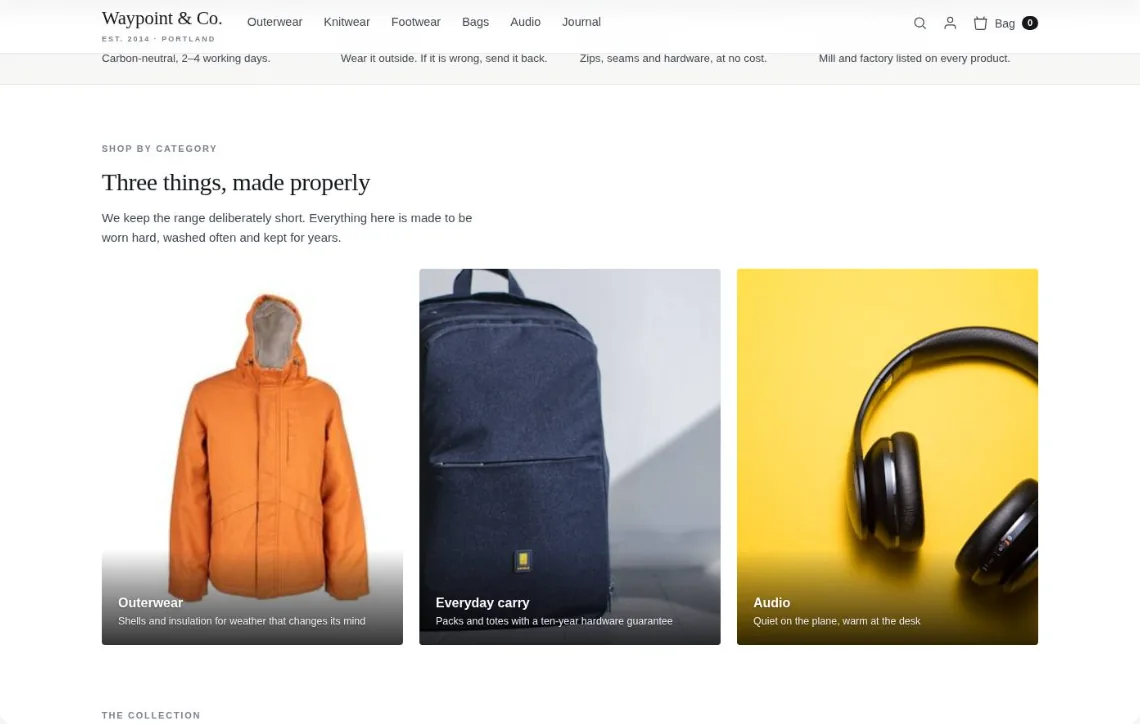
Waypoint & Co. Done
Only: Recommendations · your plan
1‘You might also like’: picks from what they viewed
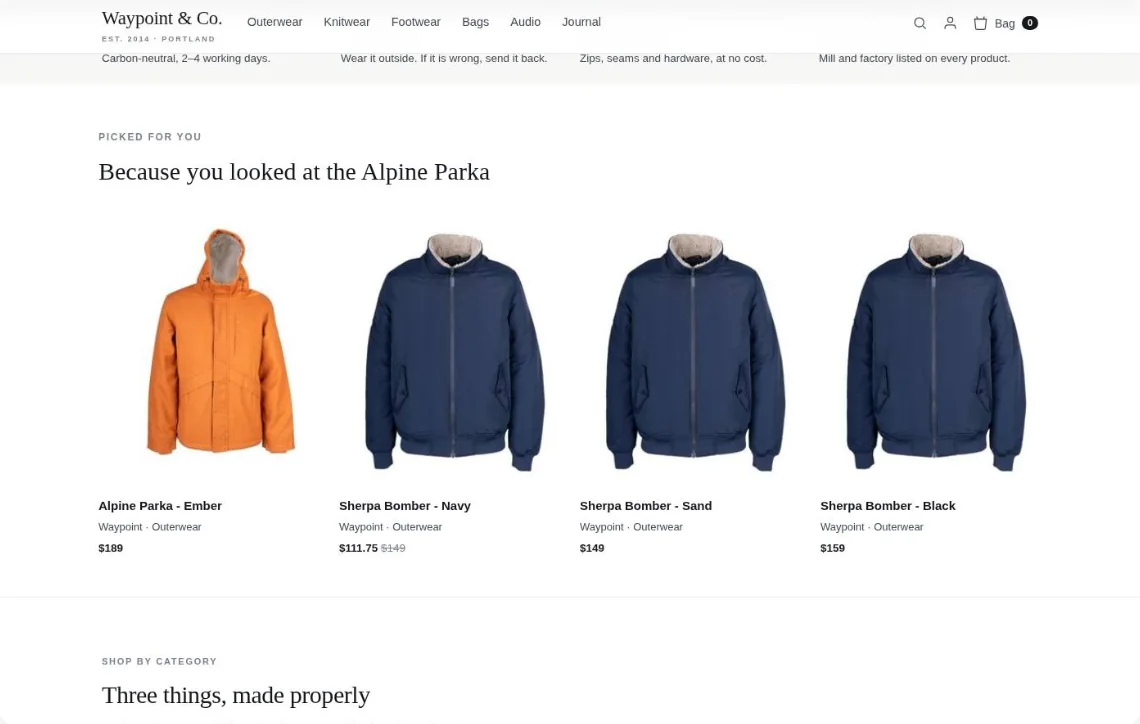
Drawn on your own page — for a returning visitor who viewed the Alpine Parka.
The questions teams ask most when evaluating a recommendation engine. Got something else? Bring it to the call.
Browse the help center →Software that decides, for each shopper, which products to show — on a product page, in the cart, in an email — from what shoppers like them viewed and bought. Personyze’s ecommerce recommendation engine runs from one tag on your site, with an algorithm for each page, your own rules, and the same picks in your emails and your app — and it learns from every visit.
Leave a widget on Automatic — the first card when you set one up, and where a new widget starts — and it chooses by itself on every page: where shoppers go next on a product page (Viewed Next), the best sellers on a category page, cross-sells for what is in the cart, then personalized picks, what is popular in the visitor’s country and what is trending, with the newest products last, so it is never empty. Or pick All algorithms beside it, or a page, to choose one yourself: predictive and popular ones, crowd wisdom around the product on screen (Viewed Next, Cross-Sells, Similar Items (AI)), the visitor’s own items, what just changed in your catalog, and your own rules.
Yes. Personyze reads your catalog, works out what kind of shop it is, and tunes the algorithms to it. In fashion it completes the look: a black hoodie gets matching track pants and sneakers, never twelve more hoodies. In electronics it shows the accessories that fit this exact product, so after a TV come the soundbar and the wall mount. In home and furniture it completes the room in the same style; in beauty, grocery and pet stores it brings a product back when a shopper usually runs out; in sports it keeps to the same activity; and on a blog it leads to the next step on the same topic. It also reads what each product looks like, so a new arrival gets good recommendations the day it is added. Nothing to configure.
Yes — any website, whatever it is built on: one tag on any platform or custom build, with or without a store connection. Your catalog and your orders then come in four ways. Your store: Shopify, Magento, WooCommerce, BigCommerce or Shopware, connected once by API with your own keys. Products, prices and stock, past orders and customers stay up to date on their own, and it only reads. Your feed or files: The feed you already give Google Shopping or Facebook at its address, a file you upload, files your system drops by SFTP, or the REST API — in CSV, Excel, XML or JSON. We read your site: No feed at all? We visit your product pages and read each product’s name, picture and price. Your orders, online and in-store: Upload past orders — one row per order line — and the engine starts from what already sold together instead of waiting weeks. A recurring feed or SFTP keeps it learning from every sale, in-store included.
As a slider, a grid, a list, a bought-together strip or tabs — under the product, in the cart, on the home page, before, after or inside any element, or as a popup in the centre, a corner or on exit intent. Shoppers add to cart from the widget without leaving the page, and the slider and grid set their own count of cards for desktop, tablet and phone.
Your way: ask the AI assistant and it builds the widget, matches your site’s look, places it and checks it on your page; or point and click the spot on your page in the visual editor; or start from the template gallery and describe any change for AI to make. Cards can carry badges, an add-to-cart button and a wishlist heart, and developers can edit the HTML.
Yes. Skip what the visitor is viewing now, has viewed, has in the cart, has saved or has bought; never recommend chosen categories; keep only products on sale, with an image or from chosen categories; write a filter on any catalog field; show one per brand; and nudge the order with gentle boosts — more in stock first, new items, profit margin. Out-of-stock products are never recommended.
Similar Items (AI) reads your titles, brands, descriptions and categories, so a new product has similar items before anyone has viewed it. It is switched on once for the whole account in your catalog settings and uses AI credits. New in Stock shows what arrived since the visitor’s last visit, a widget can boost new items or keep a slot for them, and fallbacks fill a short list.
Yes — it is self-learning. It weighs many signals at once: who the shopper is, what they view, add to cart, save, search for and buy, and where they are. Every round goes into the next build of the lists, clicks lift what works within limits, and an A/B test can hand the winner all the traffic.
Per widget and per product: times shown (counted only when at least two thirds of the item was on screen), clicks and the click rate, and purchases — a purchase counts when it follows a click on that item in that widget within 7 days. Revenue is credited per widget, priced from your catalog, and items shown a lot but rarely clicked are flagged for you.
Yes. Put one widget against another — two algorithms, two designs, or a widget against none. New tests ask for 98% confidence and 1,000 sessions before a winner is called, and with auto-pick on, the winner can get all the tested traffic. More on A/B testing.
Yes. The widget translates its own words — titles, the add to cart button, labels — into each shopper’s language automatically, and your catalog feed can carry several languages: set a language and map which feed fields go with it, so names and descriptions show in the shopper’s language too.
Yes. Native product rails in your iOS and Android apps come through our SDK — Product Recs for Apps, the same engine and the same picks as on the web. For anything else — your back end, a kiosk, an email template — the JSON API returns a visitor’s recommended products from one address, by user id, email or the item being viewed.
One HTML snippet goes into the emails you already send, from Mailchimp, Klaviyo or any other platform, and each recipient gets products picked for them at the moment they open it, from what is in stock then. More on open-time emails.
Yes. Articles have algorithms of their own — what readers open next, what readers of this article also read, the most popular in its category, trending reads, content recommended for each reader and more — for publishers, knowledge bases and media sites. See content recommendations.
Yes — it’s one engine shared across the platform. The same recommendations can render inside open-time emails sent through your existing email platform, the visitor signals behind them come from behavioral targeting, and you can A/B test algorithms and placements against each other. One tag, one visitor profile, every channel.
Self-learning recommendations, powered by machine learning on your shoppers’ behaviour: every view, search, cart and order goes into the next build of the picks, so what you show keeps up with what sells.


 +
+