
One template.
Every inbox different.
Send your campaigns from Personyze, or paste one block into the emails you already send — either way every recipient gets their own products, content and offers.
Blocks render at the moment of opening, so stock, price and behaviour are current even a week after the send. Send through us with per-recipient send times and frequency caps, or keep your ESP and paste one snippet.
Not sure what to send? See email and push ideas for your site 4.8
4.8
 4.6
4.6









Send it from Personyze, or paste it into what you already send.
Same recipient profile, same recommendation engine, same reporting. The only question is who puts the email in the inbox.
Build the campaign here and send it
Newsletters, sequences and promotions, composed in the same visual editor that builds your on-site personalization.
- A whole sequence in one campaign — emails and text messages, each follow-up reacting to what the person did
- Sent from your own domain, or through your own SMTP — checked live, warmed up for you
- Best time, one cap, a sunset rule — counted across every campaign, not inside one
- Replies come back to you — on the person’s profile and in your inbox, with a note naming the campaign
Best when you want the whole campaign, the audience and the reporting in one place.
Paste one block into the template you have
Swap the placeholder for your platform’s email tag and every future send is personalized — no new sender, same domain, same templates.
- Blocks render at the moment of opening — live stock, current price, this morning’s behaviour
- The same block works in order confirmations, newsletters and win-backs
- Fallback content for recipients you don’t know yet, so nothing arrives broken
 Mailchimp
*|EMAIL|* Klaviyo
{{ email }} HubSpot
{{contact.email}} Salesforce
%%email%% Marketo
{{lead.Email}} ActiveCampaign
%EMAIL% Brevo
Brevo{{contact.EMAIL}} Constant Contact
[[email]] SendGrid
{{email}} Customer.io
{{customer.email}} Iterable
{{email}} Omnisend
HTMLAnd anything else that sends HTML — Drip, Braze, MailerLite, your own SMTP.
Best when the sending stack stays exactly where it is and only the content gets smarter.
Using both? Many teams send newsletters and sequences from Personyze and keep order confirmations in their ESP — one profile feeds both.
Free AI tool · Inspire me
See email and push ideas for your site.
Give Inspire me your address. It reads your pages the way a first-time visitor sees them and writes the emails, push and text messages worth sending: what each says, to whom, when, and how to measure it.
Like an idea? Describe it to our AI personalization agent and it builds the campaign for you.
1What kind of ideas?
2Your website
Free · nothing to install · it reads your public pages
Reading yourstore.com
As a new visitor would see it · about 4 minutes
- Home page
- Outerwear
- Alpine Parka
- Sale
- Bag
Waypoint & Co. Done
Only: Email & push · your plan
1Picks chosen when the email is opened
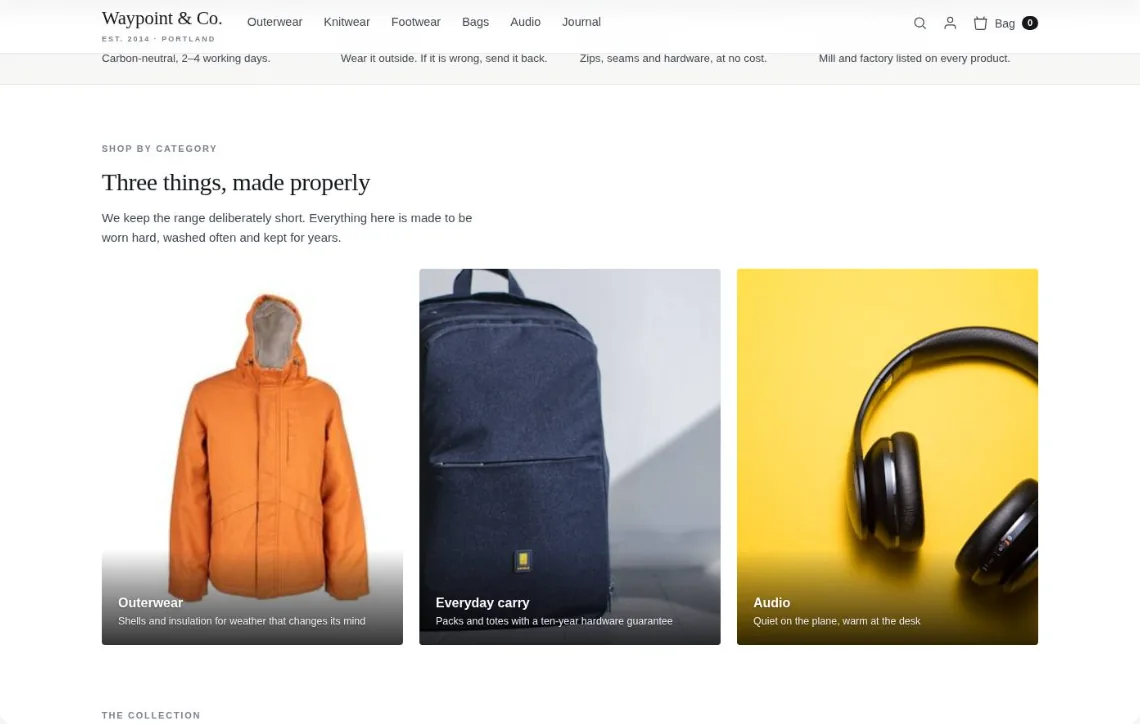
Your picks this weekWaypoint & Co. · nowThe Alpine Parka you viewed is back in your size.Drawn for your own store — an email picked at open, and a push to a phone.
One template. A million emails.
Build once, personalize per recipient. Newsletter, lifecycle, transaction-triggered, promo — the same engine, different content, every send.
Different content for every reader
Editorial newsletters where each block is personalized: featured stories by interest, products by category preference, offers by segment. One template, hundreds of variants.
- Content blocks personalized per recipient
- Recommendation widget with full recs engine
- Fallback rules if data is missing
Welcome, onboard, win-back
Trigger-based emails where the content adapts to where the user is in their journey. A welcome sequence or a win-back lives in one campaign: each email waits a few days after the last, and sends only if they did not open, click or reply.
- Triggers from CRM events or on-site behavior
- Each step can wait for an open, a click, a visit or a goal
- Buyers and unsubscribes leave the sequence; people who reply can too
Real inventory, fresh prices
Products and offers rendered at open mean inventory is current, prices are right, and sold-out items quietly disappear. No more apologies for stale promos.
- Live inventory & pricing on every send
- Auto-swap sold-out items for similar
- Personalized offers by purchase history
Emails fired by what just happened
A purchase, a return, a subscription renewal, an abandoned step. Personyze listens to events from your CRM, store, or product analytics — and sends the right follow-up email to the right person, automatically.
- Event listeners on CRM, e-commerce & product events
- Cross-sell recs tailored to what was just bought
- Win-back / replenishment fires on its own schedule
Different inboxes. Different emails.
Behind every send is a rich recipient profile. Personyze tracks 70+ live attributes — CRM data, on-site behavior, last purchase, location, weather, firmographics — then decides which content, which products, which subject line for each person.
An algorithm for every kind of email. AI picks what each reader sees.
Every placement in the email runs the algorithm made for its job — products they’re likely to buy, stories they’ll read, the offer that fits their segment, or for B2B the step that moves them down your funnel. AI ranks them for each reader at the moment of open, from live behavior, stock and price.
Live items they’re likely to buy
Pulls from your full catalog at open — respecting current stock, current price, and the recipient’s latest behavior. Sold-out SKUs auto-swap.
- Cross-sell, replenishment & cart recovery from one tag
- Live stock & price at the moment of open
- Trending, similar items, what goes with their last order
Articles, guides & case studies — the next step in your funnel
Same engine, your content catalog. Newsletters get the stories each reader cares about; B2B emails get the piece that moves them on — the case study, the webinar, the demo — for where they are in your funnel.
- Newsletter blocks, drip series & onboarding
- Ranked by read / watched / completed history
- B2B: matched to industry, role and funnel stage
The best offer for each reader, not one for the whole send
A Best offer block shows each recipient the promotion picked for them, from the same list your site uses — as an image, so it works in any email platform. Banners, hero images and CTA copy can change per recipient too, by segment, lifecycle stage, location or behavior, without splitting the campaign into ten ESP variants.
- Best offer: their own targeted promotion, as an image
- An unused code from a pool shows right in the email
- Nothing fits? A default banner, or nothing — never a gap
- Or the offer of their nearest store, with its name and address
Send time locks the content. Open time keeps it live.
Most email tools decide every block when the email is queued, so someone who opens it a week later sees last week. Personyze decides when they open it — behavior from this morning, stock from this minute, today’s price.
- Sold-out items swap for similar ones
- Today’s price and today’s promo
- What they did since the send
From purchase to personalized email — in real time.
A customer buys a TV. Your ESP sends the order confirmation. The Personyze snippet renders live recommendations the moment they open it — no manual setup per send.
One snippet, pasted once into your template
Add the Personyze snippet to your order confirmation template once. Replace the placeholder with your ESP’s email merge tag. Every future send is automatic.
Hi Marcus, your order #ORD-8821 is confirmed. Estimated delivery: 3–5 days.
<a href="https://pic.personyze.com/href/
   k=8qy0zs2vbzcv/email=*|EMAIL|*">
  <img src="https://pic.personyze.com/png/
       k=8qy0zs2vbzcv/email=*|EMAIL|*"/>
</a>
Each k= key identifies your widget; the email= parameter personalizes at open time.
Marcus buys a 65″ Samsung TV
When the order is placed, Personyze fires a purchase tracking event — linking Marcus’s email to the TV he just bought. This is the data that powers his recommendations.
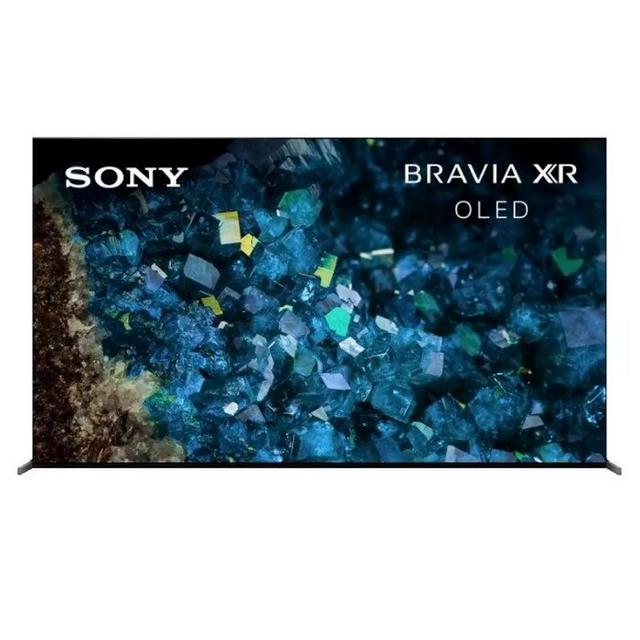
Personyze logs the purchase in real time
// Fires on the order confirmation page
window.personyze.push([
  'trackEvent', 'purchase', {
    order_id: 'ORD-8821',
    products: [{ product_id: 'TV-65-QLED' }],
    email: 'marcus@example.com'
  }
]);
This event links Marcus’s email to his purchase — so Personyze knows exactly what to recommend when the order confirmation email arrives.
Marcus opens the email — Personyze fires instantly
His email client renders the image tag, and the request hits Personyze with his email address. We render a fresh, personalized recommendation image right then — never cached, always current.
Your Samsung 65″ TV ships in 1–2 days.
What happens in milliseconds
Request received
Personyze receives: email=marcus@example.com
Profile looked up
Marcus’s purchase found: Samsung 65″ QLED TV, bought 2 hours ago
Algorithm runs
“Customers who bought this also bought” — checks live catalog for in-stock TV accessories
Image rendered & served
Personalized recommendation image returned and displayed in the email
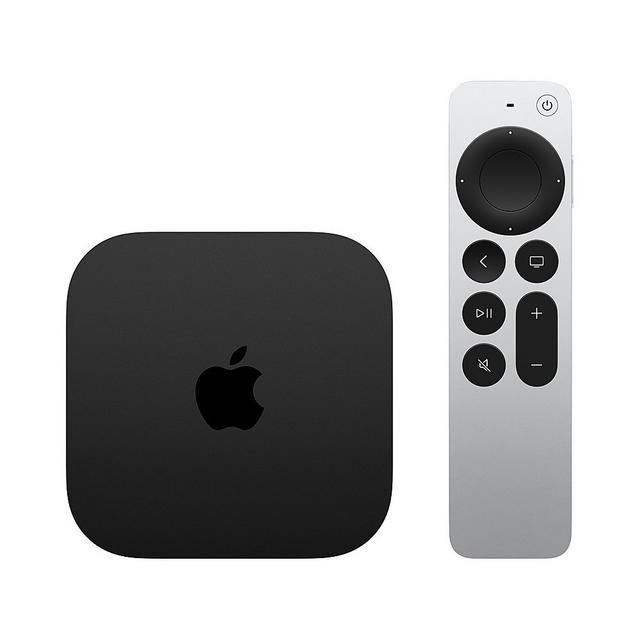
Marcus sees personalized TV accessories in his order email
Not static picks — the exact accessories other TV buyers purchased, rendered live at open time.
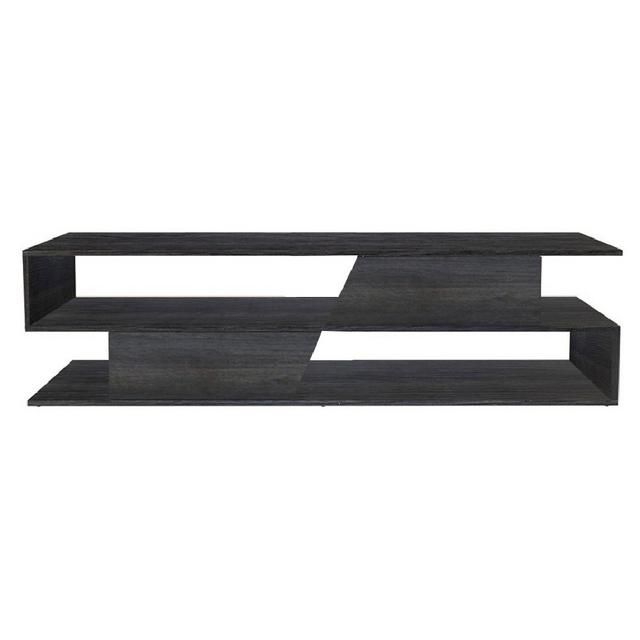
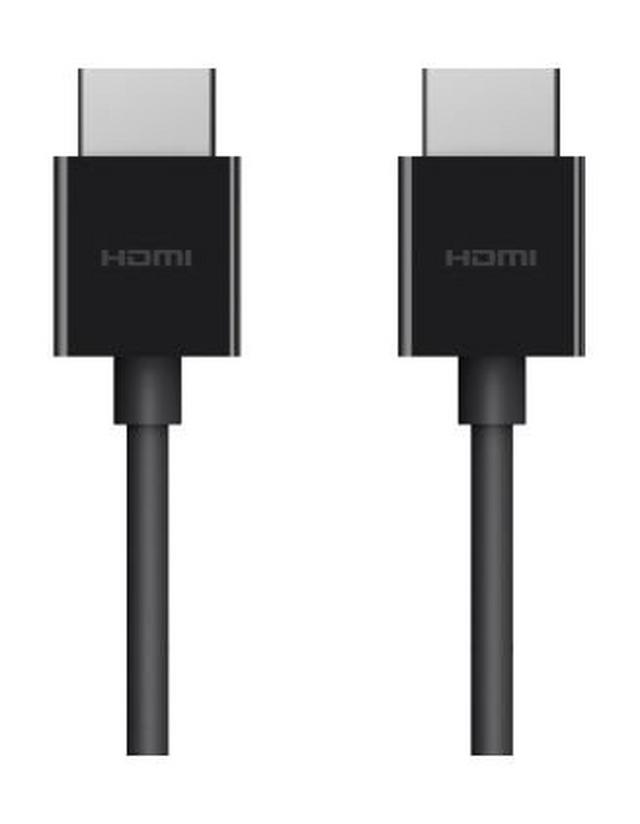
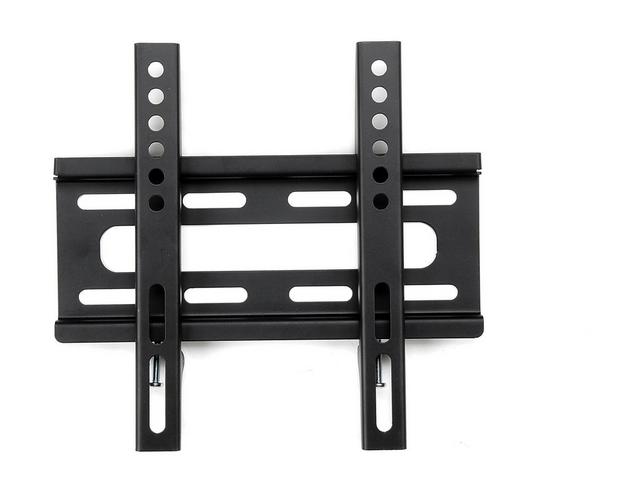
What happened — in order
Purchase tracked
Personyze logged the TV purchase via the on-site event script.
ESP sent the email
Order confirmation sent with the snippet already in the template.
Snippet fired at open time
pic.personyze.com received the request with Marcus’s email address.
Live accessories rendered
Algorithm ran, catalog checked, personalized image returned.
Add the snippet to your template once. Every future order email automatically shows personalized recommendations for that specific customer.
What makes one fire, and when it lands.
An email campaign here is not a one-off blast with a date on it. It is a standing rule that fires per person, for as long as you leave it running — so the timing controls matter more than the send button.
Pick the moment that starts it
Fifteen moments can start an email. Whatever you pick, it only goes to people in the campaign’s audience.
At an hour that suits them
The hour you pick lands in their time zone, or switch on best time and it waits for the hour they usually open.
Count it, cap it, stop it
Each email counts the way you choose, the account cap and the sunset rule apply across campaigns, and a speed limit protects your reputation.
Switch it on and each person’s email waits for the hour they usually open, within 24 hours.
No more than N marketing emails per person every D days, across every campaign. An email that must always go out can ignore it.
Five or more marketing emails in 180 days and no open, click or reply: they’re skipped, and checked again the next day. On by default.
The one-click Unsubscribe button Gmail and Yahoo show is built in, and your branded page lets people leave one newsletter or everything.
Check it before it goes
The QA step fills every field for one real recipient, says how many people match right now, and scores the email for spam.
And the click comes back to your site
People who clicked become an audience on your website: greet them on the landing page and skip the pop-up they already saw.
A whole sequence, in one campaign.
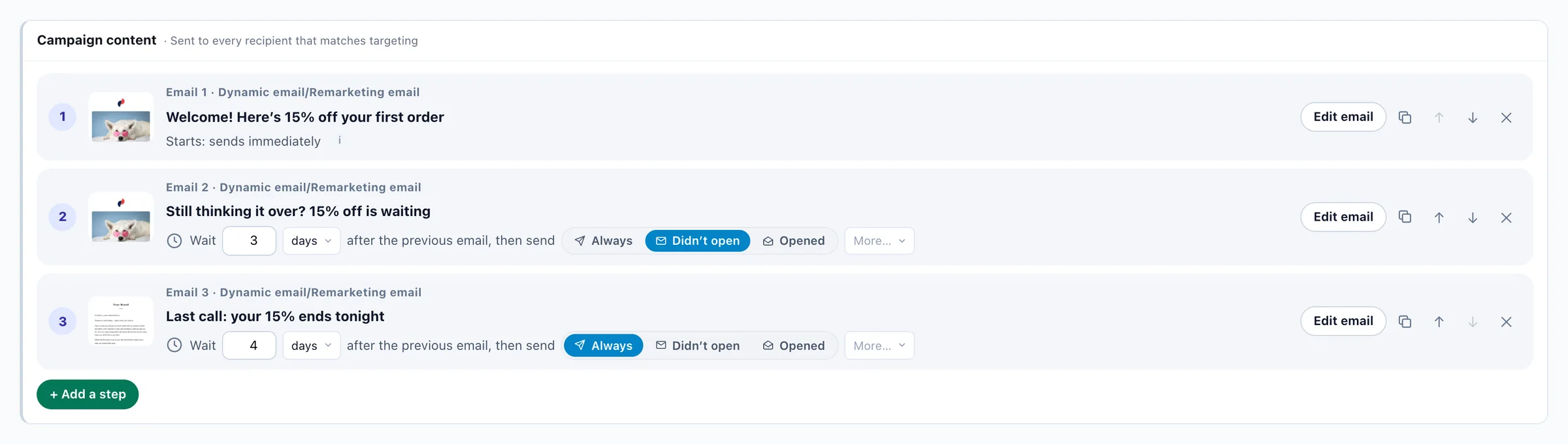
Each follow-up waits the days you set, then goes only to the people it fits — judged by what they did in the email and on your site. The profile that personalizes your website decides who gets the next one.
- Twelve ways to decide the next step
Didn’t open, opened, clicked, didn’t click, didn’t reply, came back to your site or didn’t, viewed a product, reached a goal or didn’t, used the coupon or didn’t.
- Any step, not only an email
A product or content recommendation email, a booking email or a text message can be a step too — up to ten in one sequence.
- A purchase or a reply ends it
Anyone who buys leaves the sequence, and so can anyone who replies. A follow-up more than a week late is skipped, never sent out of context.
- One audience, one report
No chain of separate campaigns held together by hand. A single email becomes a sequence with “Add a follow-up step”.



Everyone you can reach, in one place.
Your site, your CRM and your lists feed one table. Every email campaign starts there — how many people you can reach by email and by SMS, and how many have unsubscribed or been suppressed.
- Connect your CRM
Switch on HubSpot or Salesforce and every contact comes in on its own — names, the fields you map and who opted out of email. Any of those fields can be printed into an email.

 Shopify and Magento bring their customers too.
 - Capture on your site
Pop-up, banner and on-site forms, plus the sign-ups and logins your site already has. Every address keeps its consent wording, and double opt-in is one switch.
- Upload or sync a list
A CSV or a spreadsheet, mapped on the way in and de-duplicated — or a feed or SFTP drop that refreshes on its own.
- Push from your own systems
The REST API, Zapier, Make or n8n.
See who your email skips. Catch dead addresses first.
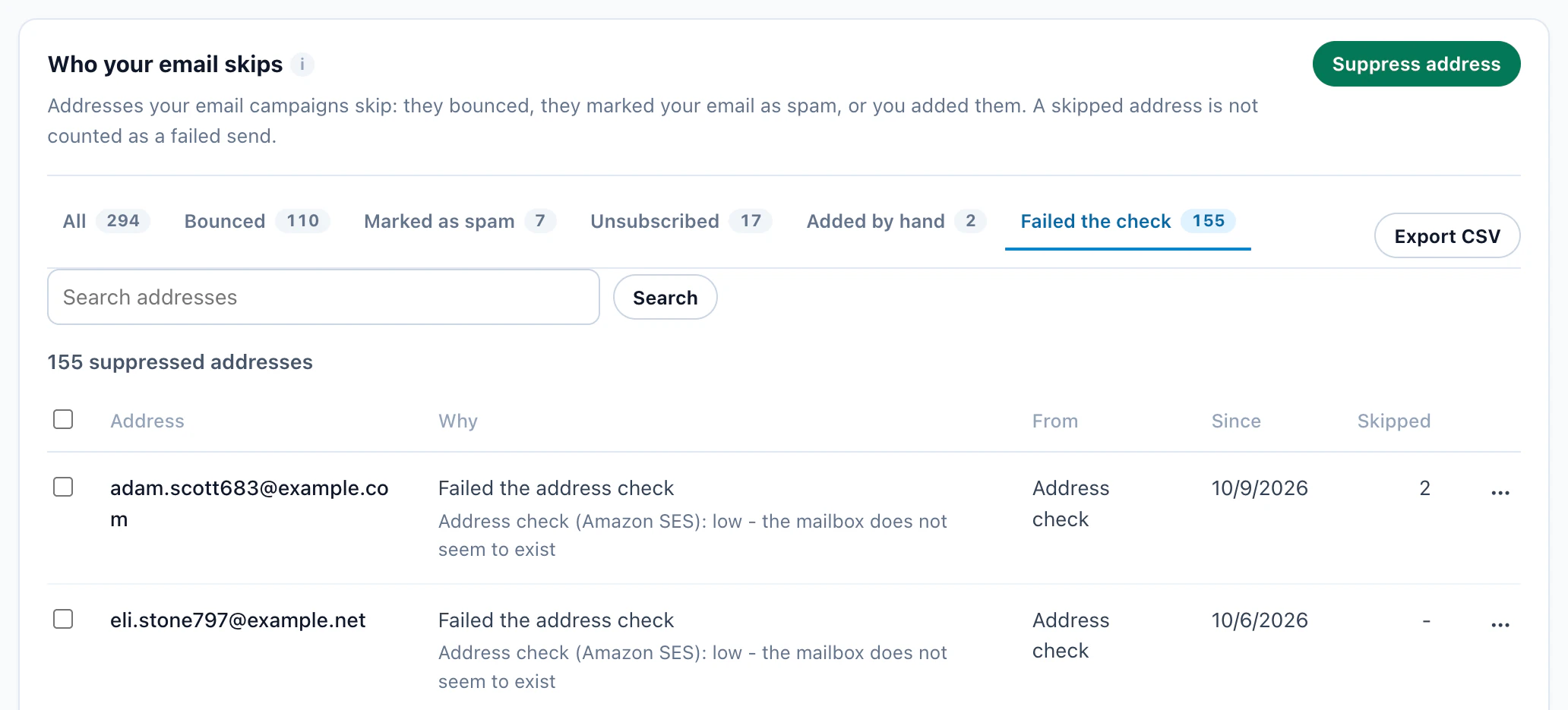
Bounces and spam reports are suppressed across every campaign automatically, so your sender reputation stays safe — and every address your email skips is in one list, with the reason.
Bounces & spam
One list of every address your email skips: bounced, with the mailbox provider’s own reason; marked as spam; unsubscribed; added by hand; or failed the check. Bounces and spam reports arrive on their own from Amazon SES, SendGrid and Mailgun.
- See which campaign and email each address bounced from, and since when
- Unbounce an address in one click, or bring many back at once
- Search the list, add an address by hand, export it as CSV
- Spam reports stay locked, to protect your sender reputation
Address check
Check your list before you send. On a campaign’s QA step, one button has Amazon rate every recipient’s address high, medium or low.
- Low-rated addresses — a mailbox that does not exist, a domain that takes no mail, a malformed address — are skipped by every campaign from then on, so they never bounce
- Each result is kept for six months, so no address is checked twice
- A skipped address never counts as a failed send
Smart warm-up for a new sending domain
A domain that has never sent starts slowly and builds its reputation with real recipients: 200 emails on its first day, 8,000 a day by the end of its first week. Nothing is lost — whatever is over the day’s limit waits in the queue for the next day.
- The first emails go to the people most engaged with you — recent visitors and buyers on your site as well as the people who open your email — so even a domain with no email history starts with people who know you
- It pauses itself for the rest of the day if bounces or spam complaints climb
- No fake opens and no warm-up networks: only your real recipients
- Moving from Mailchimp or Klaviyo? Mark a verified domain as already warm and skip the ramp
- Works with your own SendGrid, Mailgun or SMTP server too, with one switch
The campaign’s QA step shows how long its audience takes at the warm-up pace — and suggests checking the list first.
Test the subject. Test what’s inside.
Test up to three subject lines on one email, judged on clicks, and let Personyze switch everyone after that to the winner once it is sure. Or test versions of the whole email against each other — the recommendations, the content, the offer — and see clicks, orders and revenue for each. AI suggests subject lines from the email’s own content.
Judged on clicks, not opens. Apple Mail loads every email’s images, so opens run high for a big share of readers — clicks show what people chose. Once B was 98% sure, everyone after that got B.



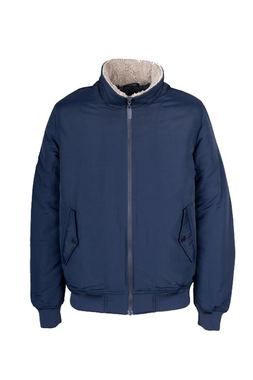
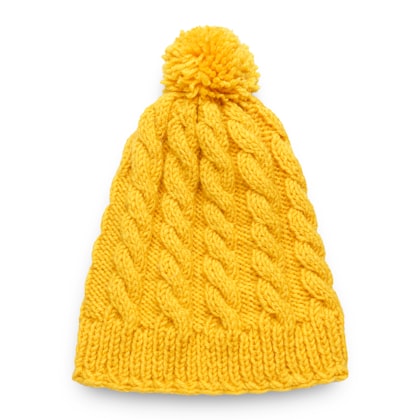

Two versions of the same email, split evenly. One recommendation block against another — the report shows clicks, orders and revenue for each, and the people behind every number.
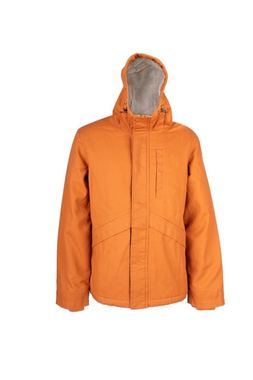
Test the whole layout, not one word. The hero, the headline, the order of the blocks — each version is a full email, and every block in it is still personalized for the reader.
Read it on revenue, not only orders. 10% off brought the most orders; free shipping brought the most money. The version with no offer shows what the discount actually bought you.
The numbers are illustrative.
See what it earned. Down to the block.
Delivery, opens, clicks, replies and revenue for every campaign, step by step through a sequence, with A/B tests that call their own winner — and for blocks pasted into your own ESP, everything after the open. These are the real screens: the reports, the settings behind them, and the contacts you bring in.
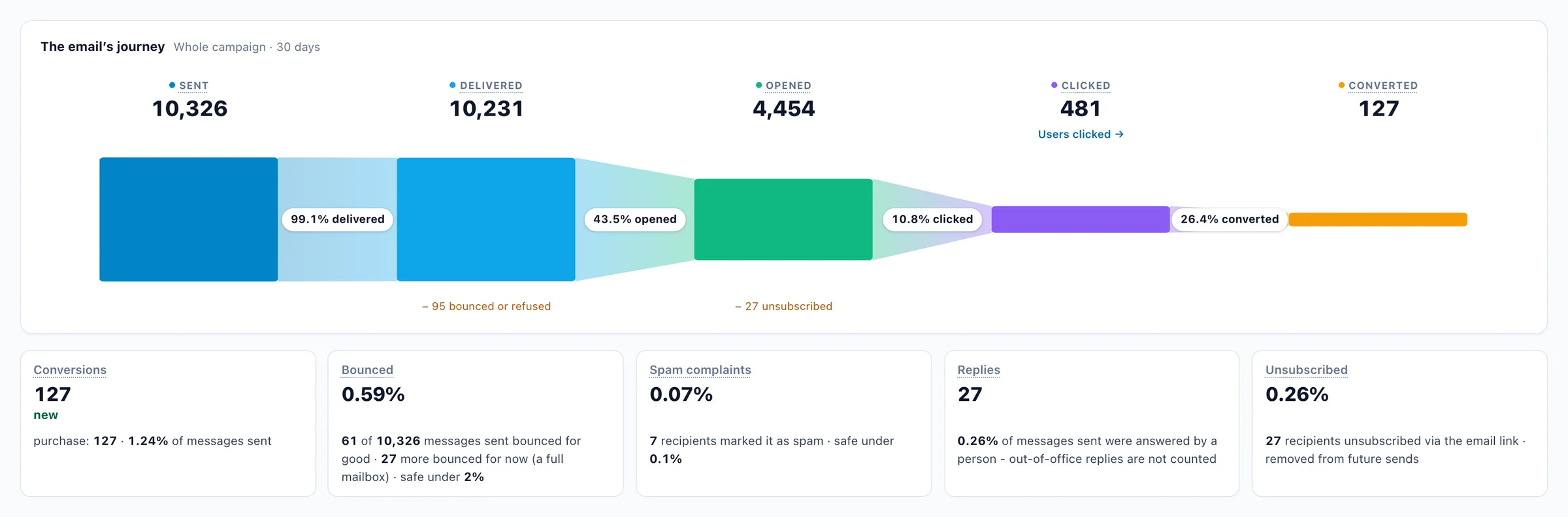

Every email’s journey, from sent to sale
Delivered, opened, clicked and converted in one funnel, with bounces, spam complaints, replies and unsubscribes beside it. Click any number to see the people behind it.
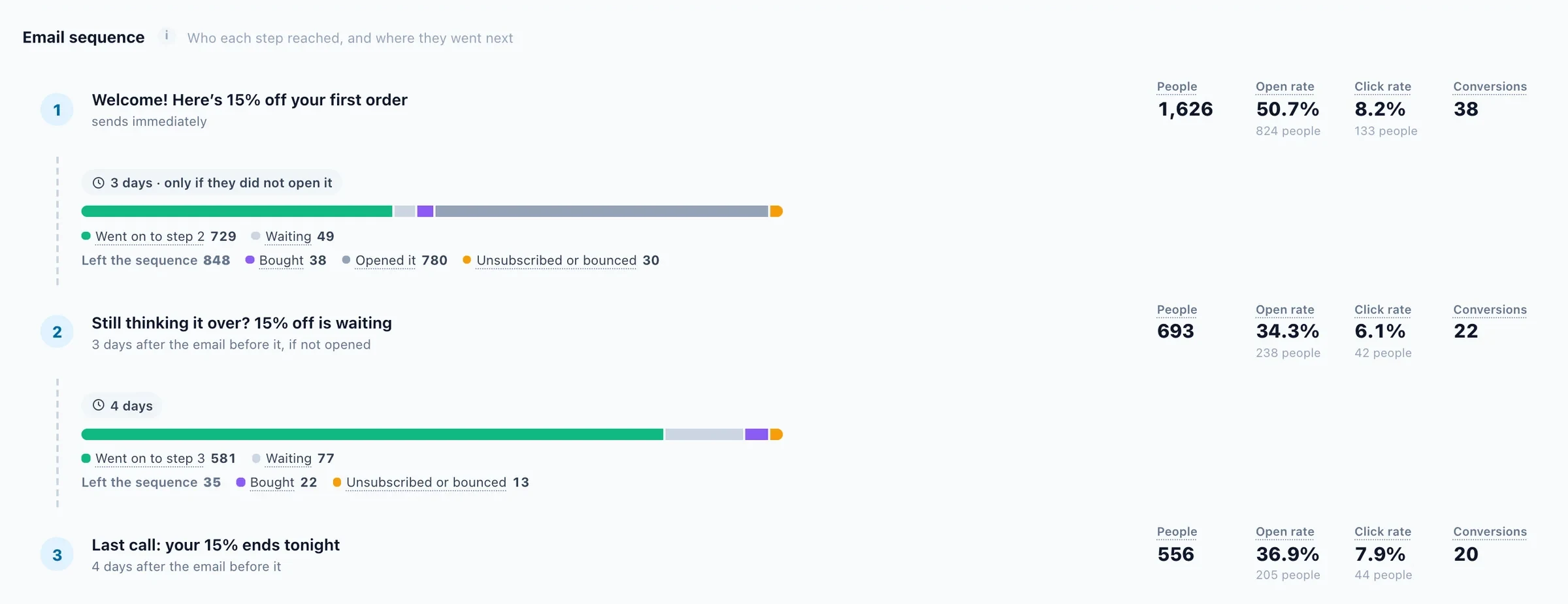
A sequence, step by step
Who each email reached, who went on to the next one, who is still waiting, and who left because they bought, unsubscribed or bounced.
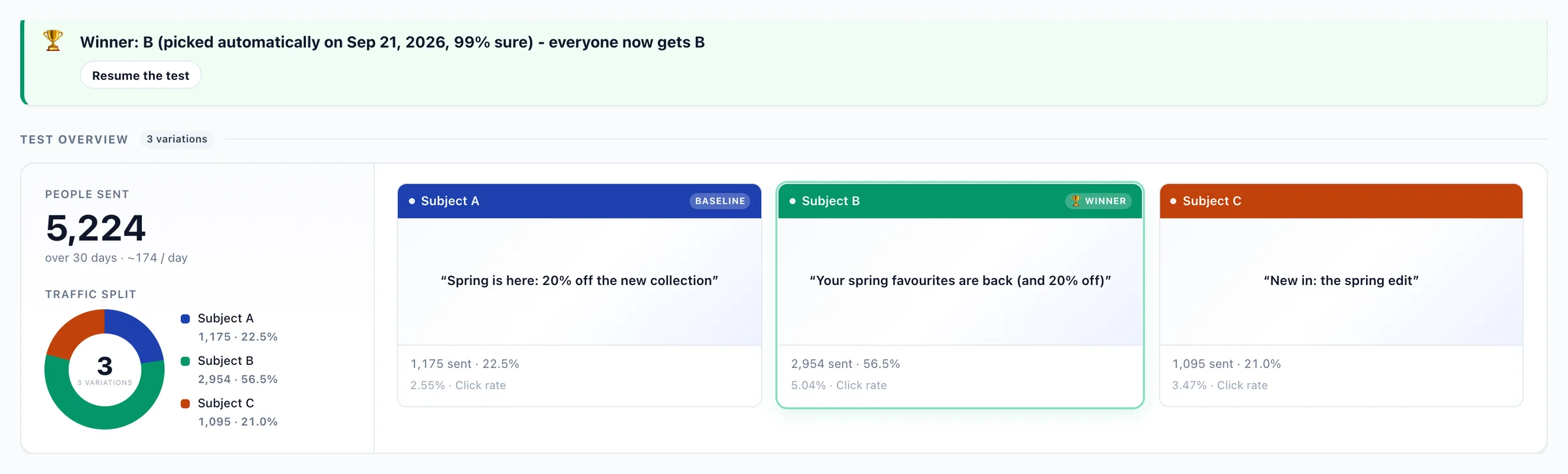
Subject tests that call their own winner
Three subject lines share the traffic. Once one is 99% sure, everyone gets it — nobody has to remember to check.
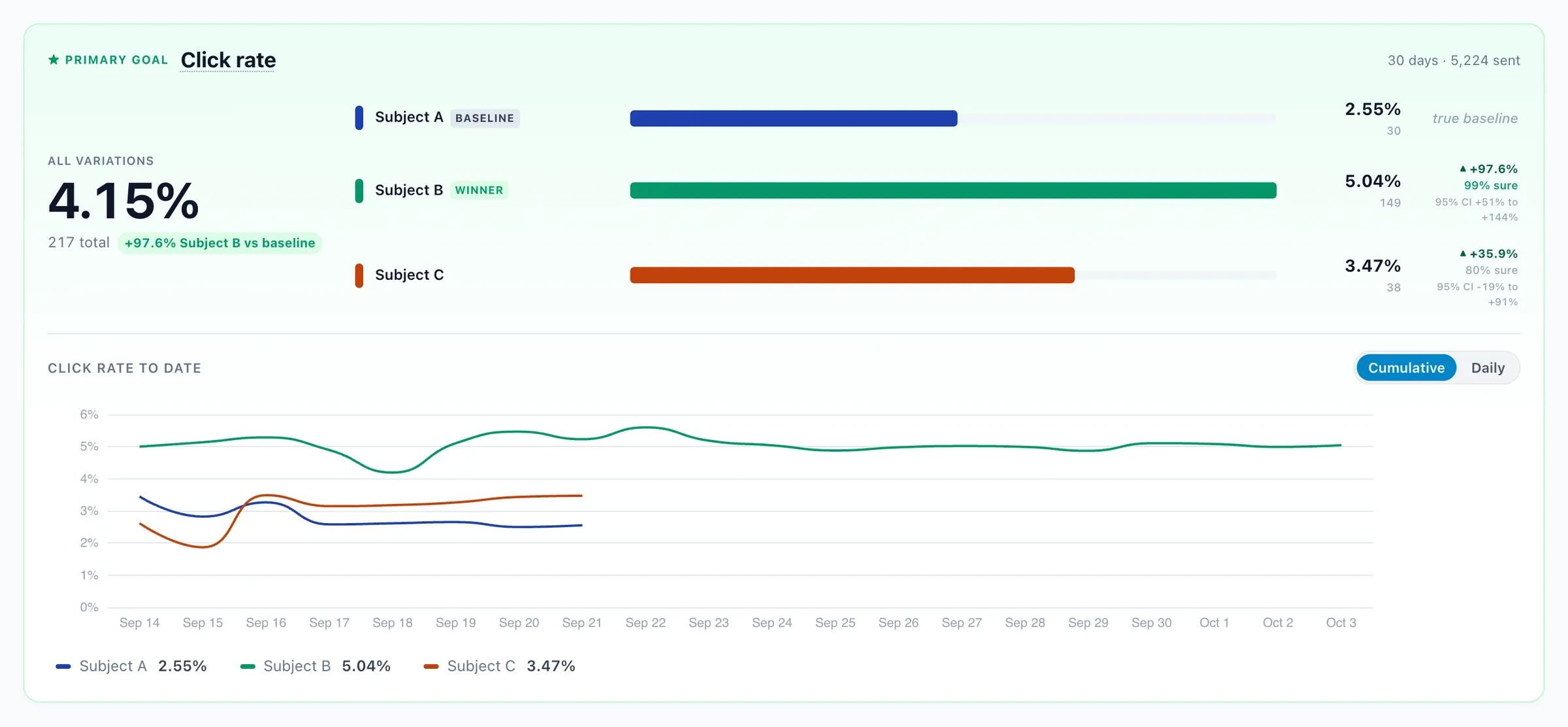
Judged on clicks, not opens
Apple Mail opens every email it receives, read or not, so variations are compared on click rate — each with its lift, its confidence and the range it could fall in.
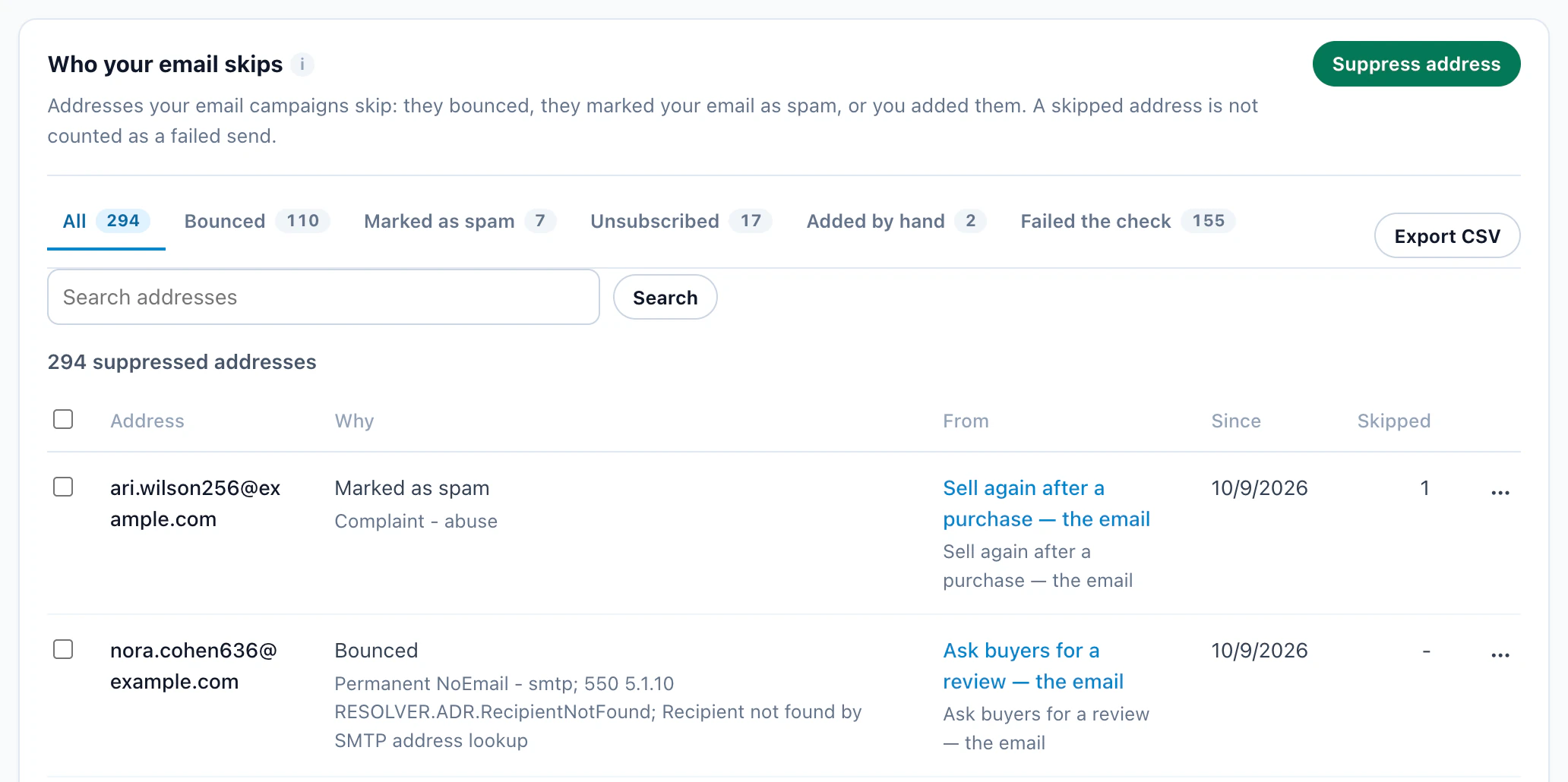
Every address your email skips, and why
Bounced, with the mailbox provider’s own reason; marked as spam; unsubscribed; added by hand; or failed the check — with the email it came from, since when, and how many sends it has saved.
One click rates every recipient
On a campaign’s QA step, Amazon rates each address high, medium or low. Low ones are skipped by every campaign, so they never bounce — and each address is checked once in six months.
Dead mailboxes caught before they bounce
The addresses the check rated low, each with its reason, kept off every campaign — unbounce one in a click if it comes back to life.
The whole sequence in one list
Each email, how long to wait before it, and who gets it: everyone, only the people who didn’t open the last one, or only those who did.
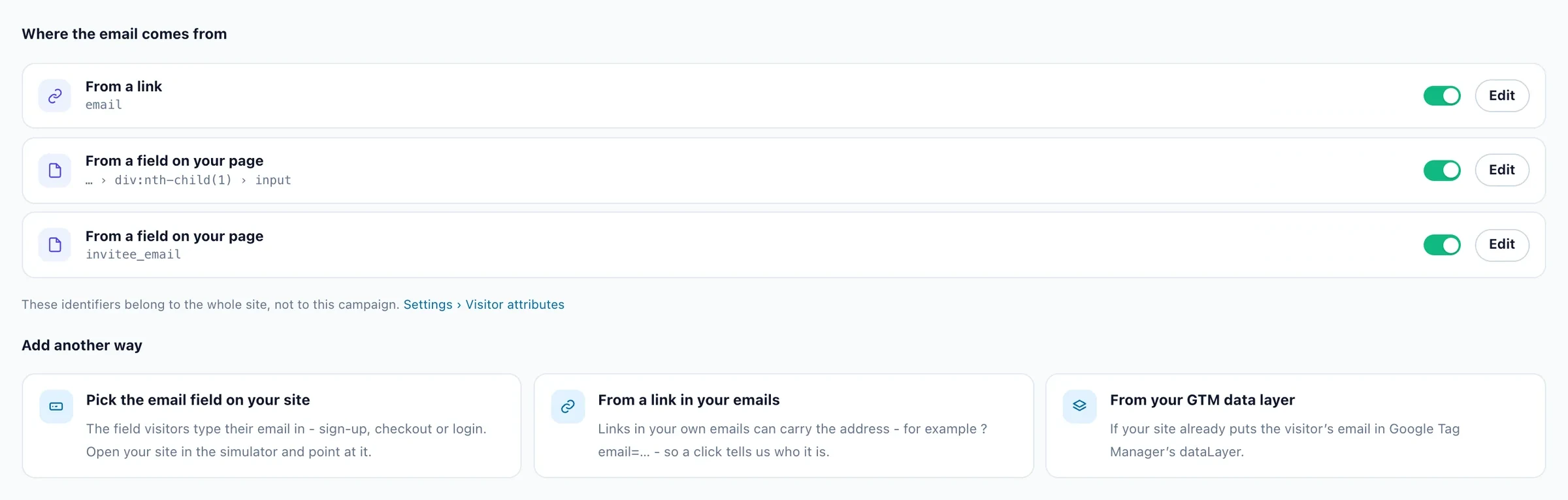
The address, from your own site
Personyze picks up the email from a link, a sign-up or checkout field, or your Google Tag Manager data layer — so visitors become recipients without a new form.
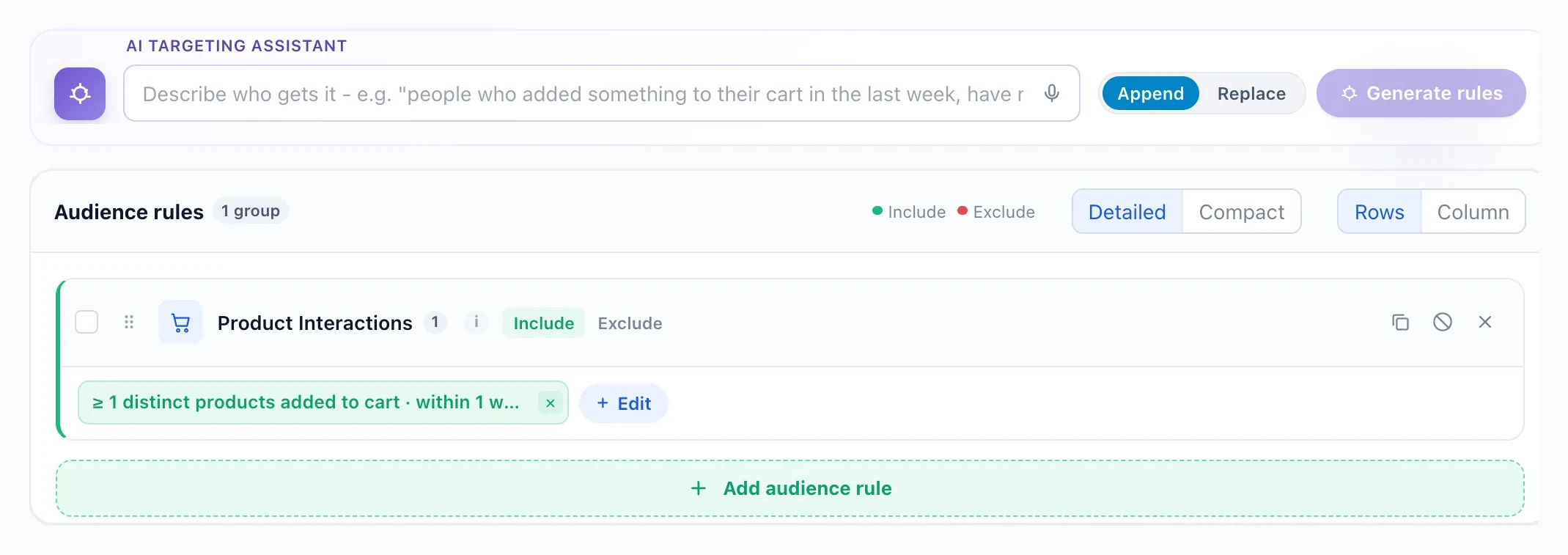
Say who gets it, in a sentence
Describe the audience in plain words and the AI assistant writes the rules — here, everyone who added something to their cart in the last week.
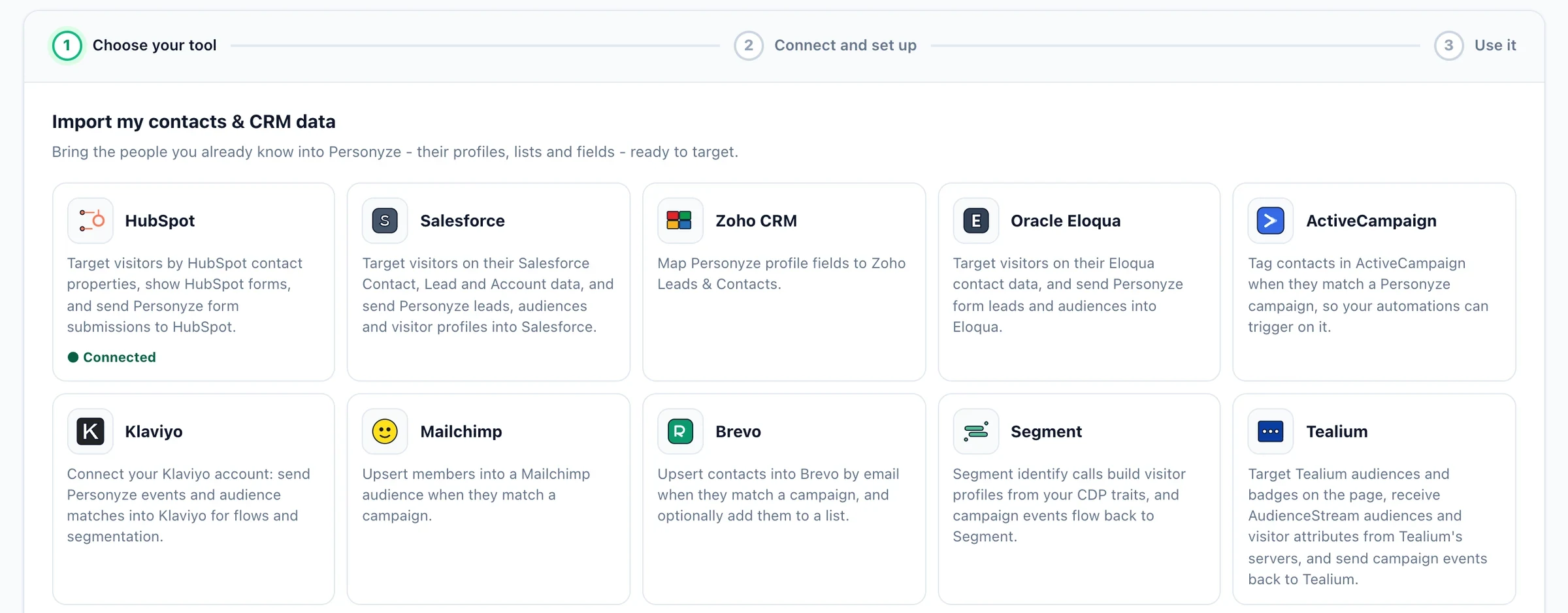
Bring in the contacts you already have
Connect HubSpot or Salesforce and switch on Import contacts: every contact arrives with its fields, ready to target and to fill your emails. Zoho, Eloqua, Klaviyo, Mailchimp, Segment and more connect from the same page.
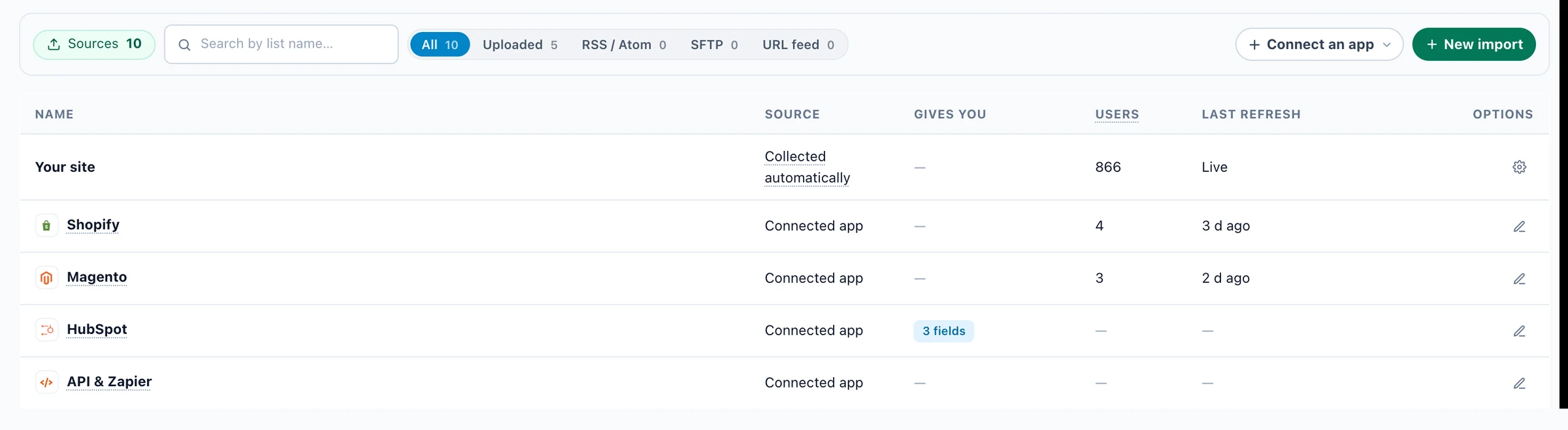
Every source, in one list
Your site, your store, your CRM, the API and the lists you upload — who each one brings in, and when it last refreshed.
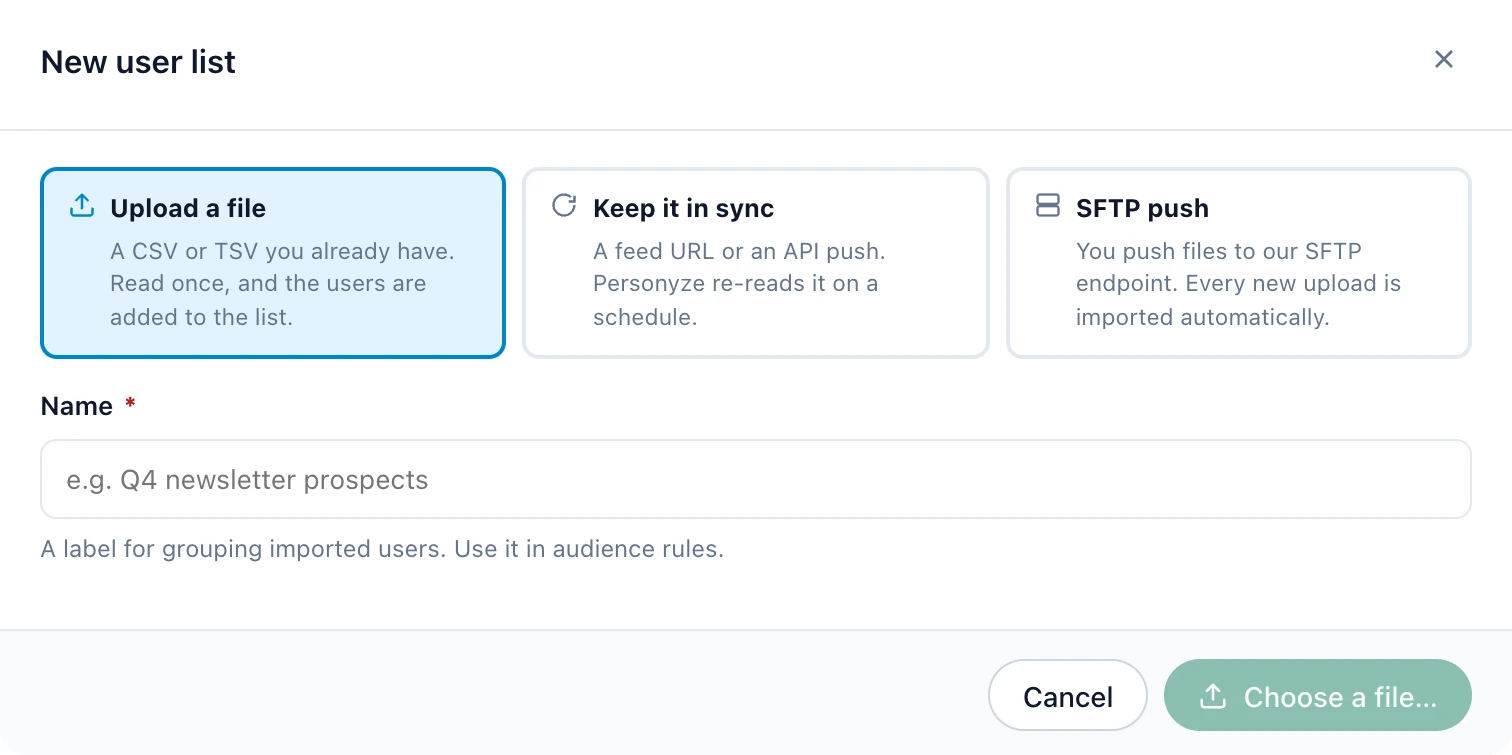
Upload a list, or keep it in sync
Upload a CSV once, point Personyze at a feed or an API push it re-reads on a schedule, or drop files on SFTP. Each list becomes an audience you can target.
The statistics, in one minute
The overview, a sequence step by step, every email side by side, a subject test and the recipient report — narrated, in the real panel.
Screens from a Personyze demo account. The numbers are illustrative.
One customer’s week, across every channel.
Every touch below is a campaign in Personyze, reading the same profile — the website, the email and the next visit.

Maya
Instagram ad → first order in 2 days
Journey running liveBrowses outerwear
Coats for the cold that turns upThe homepage hero follows what she reads: outerwear, in the size she browsed.
Leaves a cart
An hour later, an email with the parka she left — once per cart, and it stops if she buys.
A nudge where she said yes
She allowed notifications on her first visit, so the next reminder can come as a web push.
Back from the email
The link tells the site where she came from: the page leads with her parka, and the pop-up she already saw stays away.
Buys, then hears what fits
The purchase stops the cart reminders. A week later: the care guide, and the scarf that goes with it.

Sarah
LinkedIn ad → demo booked in 8 days
Journey running liveReads the pricing page
 Plans for logistics teams
The site knows her company from the visit, so the page leads with plans and stories from logistics.
Downloads the buyer’s guide
Her form fills in her profile, and the guide goes out a minute later.
A company like hers
She didn’t open the guide, so the follow-up leads with a customer from her industry.
Back from the email
The link tells the site where she came from: the page offers a meeting instead of the newsletter sign-up.
Books a demo
The last email goes only to people who haven’t booked, so it never reaches her.
One profile across every channel. Segments, recommendations and what each person did are shared — no rebuilding the same audience in four tools.
Email is one slice. Here’s the rest.
Email runs on the same platform as the rest of Personyze: an AI builder for your email, ready-made templates, reports down to the person, your data sources, and a team that helps you set it up.
An AI builder for your email
Describe the campaign in a sentence and the assistant builds it with you. Nothing goes out until you publish it.
Help from our team
Onboarding, training and help setting up your first campaigns, from people who know the platform and your use case.
Ready-made templates
Product, article and promotion blocks for email, plus designs for every on-site campaign. Pick one, make it yours, then send it or paste it.
Reports down to the person
Delivery, opens, clicks, replies and revenue for every campaign and every email — and the recipients behind each number.
Test as a real recipient
Fill every field for one real person before you send, see how many people match right now, and score the email for spam.
Connected to your data
Connect HubSpot or Salesforce and every contact comes in, with the fields you map — to target, to send to and to print into the email. Shopify, Magento, a feed or the REST API too.
Direct answers. No fluff.
Sending from Personyze, pasting a block into your own ESP, and what happens in production. Send anything else our way and we’ll answer fast.
How does email personalization with Personyze work?
Two ways, one engine. Send from Personyze: build the campaign here — one email or a whole sequence — and every block is filled from the recipient’s profile: what they browsed and bought, their CRM fields, their location and segment. Or keep your ESP: paste one Personyze block into the template you already send.
Either way the blocks are decided at open time, not send time. When the email is opened, Personyze renders the block from the latest data — current stock, today’s price, what they did since the send — so an email opened a week later still shows what is true now.
Do I keep my existing ESP, or replace it with Personyze?
Either. Personyze sends marketing email itself — under your domain, or through your own SMTP server — so you can move your newsletters and sequences here. Or keep your ESP and paste the Personyze block into its templates. Many teams do both, and keep order confirmations in their ESP.
Which email platforms does it work with?
Personyze open-time blocks work with any ESP that accepts HTML emails or merge tags. That includes Mailchimp, Klaviyo, HubSpot, SendGrid, Iterable, Marketo, Salesforce Marketing Cloud, ActiveCampaign, MailerLite, Constant Contact, Brevo, Omnisend, Drip, ConvertKit, AWeber, Customer.io, Braze, and many more.
You keep your existing send infrastructure — Personyze adds the open-time personalization layer on top.
Do I need a developer to set this up?
No. You connect your product feed or content, design the block visually, and Personyze generates the snippet. Paste it into your email template once, replacing the placeholder with your ESP’s email merge tag (*|EMAIL|* in Mailchimp, {{ email }} in Klaviyo, and so on).
That merge tag is how the block knows who is opening: your ESP writes each recipient’s address into the block’s link, so when the email is opened Personyze looks up that person’s profile and renders for them. The same snippet works in order confirmations, newsletters and win-backs.
What happens if the recipient’s email is not in our database?
You define a fallback when you build the widget. Personyze renders default content for unknown recipients — typically your top sellers, trending products, or featured content based on segment.
Recipients always see something relevant, never a broken email.
Can one campaign send a whole email sequence?
Yes. One email campaign can hold up to ten steps. Each follow-up waits the days you set after the step before, then goes to everyone or only to the people it fits: didn’t open, opened, clicked, didn’t click, didn’t reply, came back to your site or didn’t, viewed a product, reached a goal or didn’t, used the coupon or didn’t. A step can be an email, a product or content recommendation email, a booking email or a text message. Anyone who buys leaves the sequence, and so can anyone who replies; a follow-up more than a week late is skipped rather than sent out of context. One audience and one report cover the whole sequence.
Can I A/B test subject lines and content?
Yes. Test up to three subject lines on the same email: recipients are split evenly, opens and clicks come back per subject, and you can let it pick the winner automatically once it is sure enough. AI suggestions give you five angles to start from, and a spam check scores the email before it goes. To test whole versions of an email, use the campaign’s A/B groups.
Will personalization break my emails on Outlook, Gmail, or Apple Mail?
No. A pasted block is a linked image, which every mail client shows like any other image, and emails built in Personyze are standard HTML email — tables and inline styles.
Does it integrate with my CRM (HubSpot, Salesforce)?
Yes. Connect HubSpot or Salesforce and your contacts come in on their own: every HubSpot contact with an email address, or Salesforce’s contacts and leads — all of them, or the Campaigns you pick. Each arrives with its name, the fields you map and its email opt-out, and anyone who opted out in the CRM gets no marketing email.
From then on they are people you can target, send to and personalize for: any CRM field can be printed into an email like any other variable — company, industry, lifecycle stage, the account owner. Other systems can push people in through the REST API, Zapier, Make or n8n.
Can I send from my own domain?
Yes. Add your domain under Connected apps › Email delivery and Personyze shows the DNS records to add, checking each one live; a setup checklist covers the rest. A new domain warms up gradually, engaged recipients first, and any address at the domain can then send. You can also send through your own SMTP.
Do replies come back to us?
Yes, with Track replies on. A reply is recorded on the person’s profile and forwarded to your own inbox, with a note naming the campaign and a link to the person. Out-of-office replies are recognised and not forwarded as a reply. Nothing answers replies for you — they reach your team.
What happens to bounces, complaints and people who never open?
A hard bounce, a complaint or three soft bounces stops all email to that address in your account. People who got five or more marketing emails in 180 days without opening, clicking or replying are skipped, unless an email overrides it. Marketing emails carry the one-click Unsubscribe button Gmail and Yahoo show, and your branded page lets people leave one newsletter or everything. Every captured address keeps its consent record, and double opt-in is one switch.
Does email work with the rest of Personyze?
Yes — email is one channel of the same platform. Coordinate journeys with push notifications, and fill every send with personalized recommendations.
Emails people actually want to open.
When every email carries the products, stories and offers that fit the person reading it, more of them get opened, clicked and turned into orders — and you can see exactly which ones did.
The subject, the products and the offer are picked for each reader — not for the average of your list.
What’s in stock and what they did this morning, decided at the moment they open it.
Clicks, orders and revenue for every email, and the people behind each number.