20-minute walkthrough with 2–3 personalized examples on your real pages.
Email, chat, or 24/7 phone support included on every paid plan.
One visitor profile behind all of it. Anything you build in one place is available in the others.
A visitor-facing assistant that answers from your own pages and your own catalogue — and already knows the person asking, because the platform has been watching the session all along. It hands over to a person when it should, and tells you every question it could not answer.
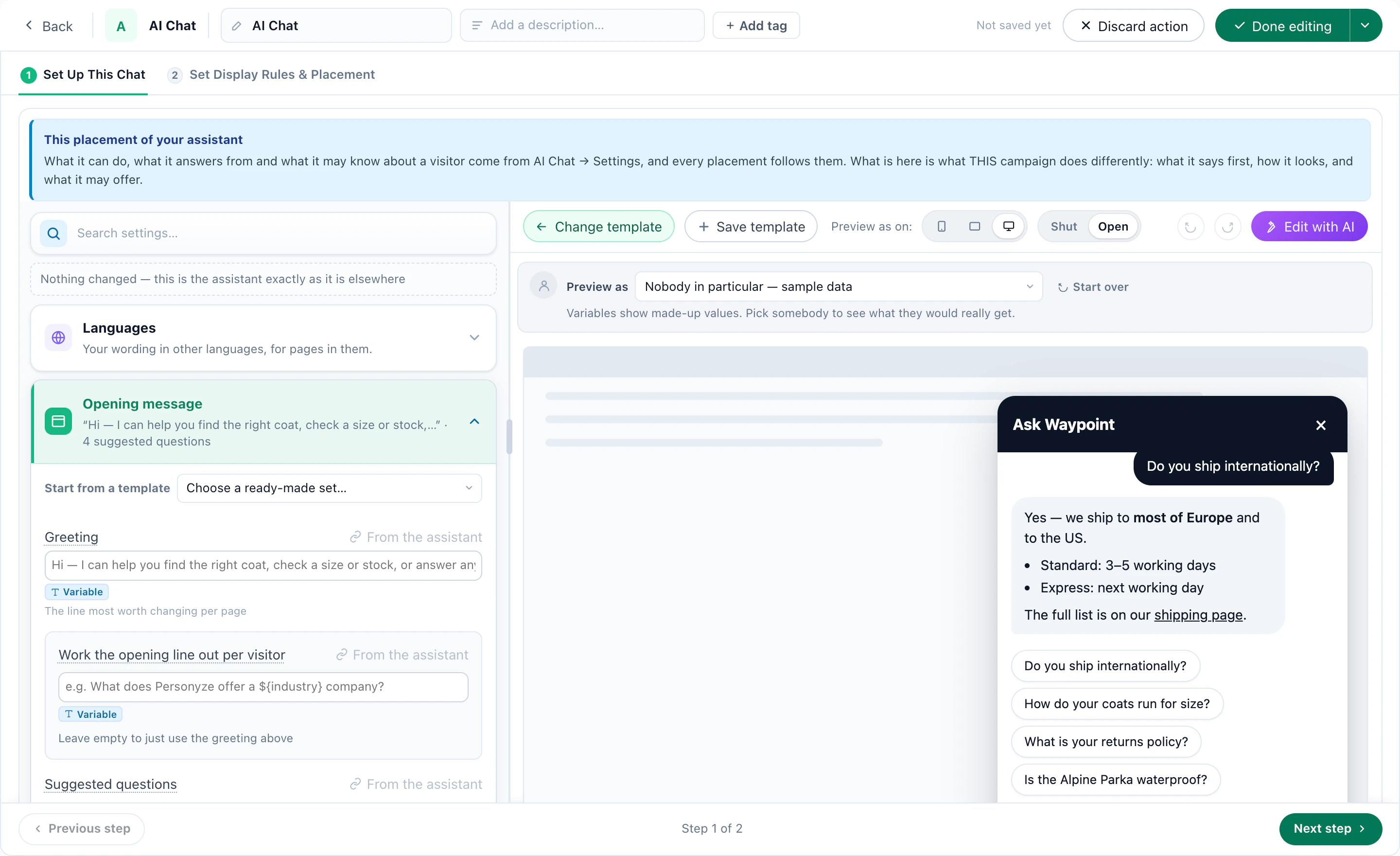
Because it already knows. The platform has been watching this session since the visitor arrived — the page they are standing on, the path that got them there, what they bought the last time. Pick a face and read what was actually said.
It never asked which coat. The page the visitor is standing on and the path they took to get there are two of the seven things you can let it see.
Catalogue lookups read the copy kept for serving visitors, not the reporting archive — because somebody is waiting on this one.
Leave the reply language blank and it follows the page the visitor is on, which is what a multilingual site wants. Set a code and it answers in that one, always.
A box scoped to one tag can be told to widen quietly, to widen and say that it did, or to refuse. This one refuses, which is the right setting beside a pricing table.
There is no tool that composes a deal or applies a coupon, so the machinery to promise one does not exist. An instruction can be argued with; an absent tool cannot.
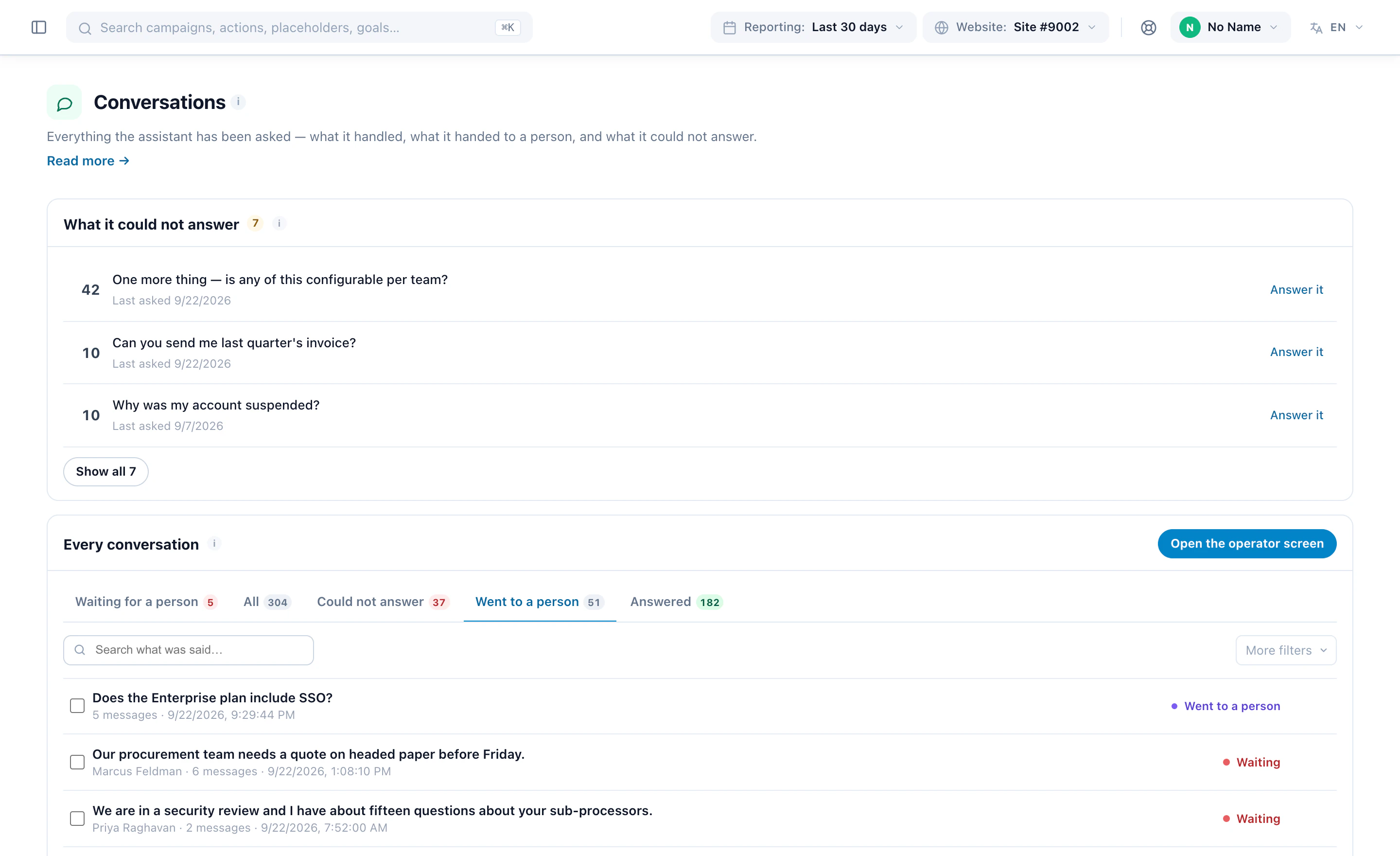
Every unanswered question lands on one list. That list is the most useful thing the chat produces, and it is a to-do list for your own pages.
The chat is an action inside a campaign, so everything you already use to target a pop-up targets an assistant too — audience, page group, cart value, device, referrer, how often it may appear. Point four campaigns at four audiences and you have four assistants on one site, each with its own slice of the knowledge base, its own tone, its own colours, and its own idea of who to wake up.
Scoped to the security and contract material, and told to refuse rather than widen into anything else.
Formal. Never quotes a list price. “Procurement” and “contract” skip straight to a person.
The named account manager, ahead of the general queue.
Delivery windows, returns and the warranty.
Offers a person in its first reply instead of waiting until it is stuck. Past this basket size, a lost order costs more than the operator’s five minutes.
Straight to a person. No email fallback on this one.
Onboarding and the integration guides. Nothing about pricing.
The suggested questions are the setup steps this account has not done, not a generic three.
Customer success, by email, with the account id attached.
Sizing, delivery and returns — the three things that stop a first order.
The greeting carries the code the campaign already holds. The assistant presents an offer; it still cannot compose one.
Email, and only if they ask.
All four sit on one account and one knowledge base. What differs is which tag each may answer from, what it has been told, and how fast it reaches for a person.
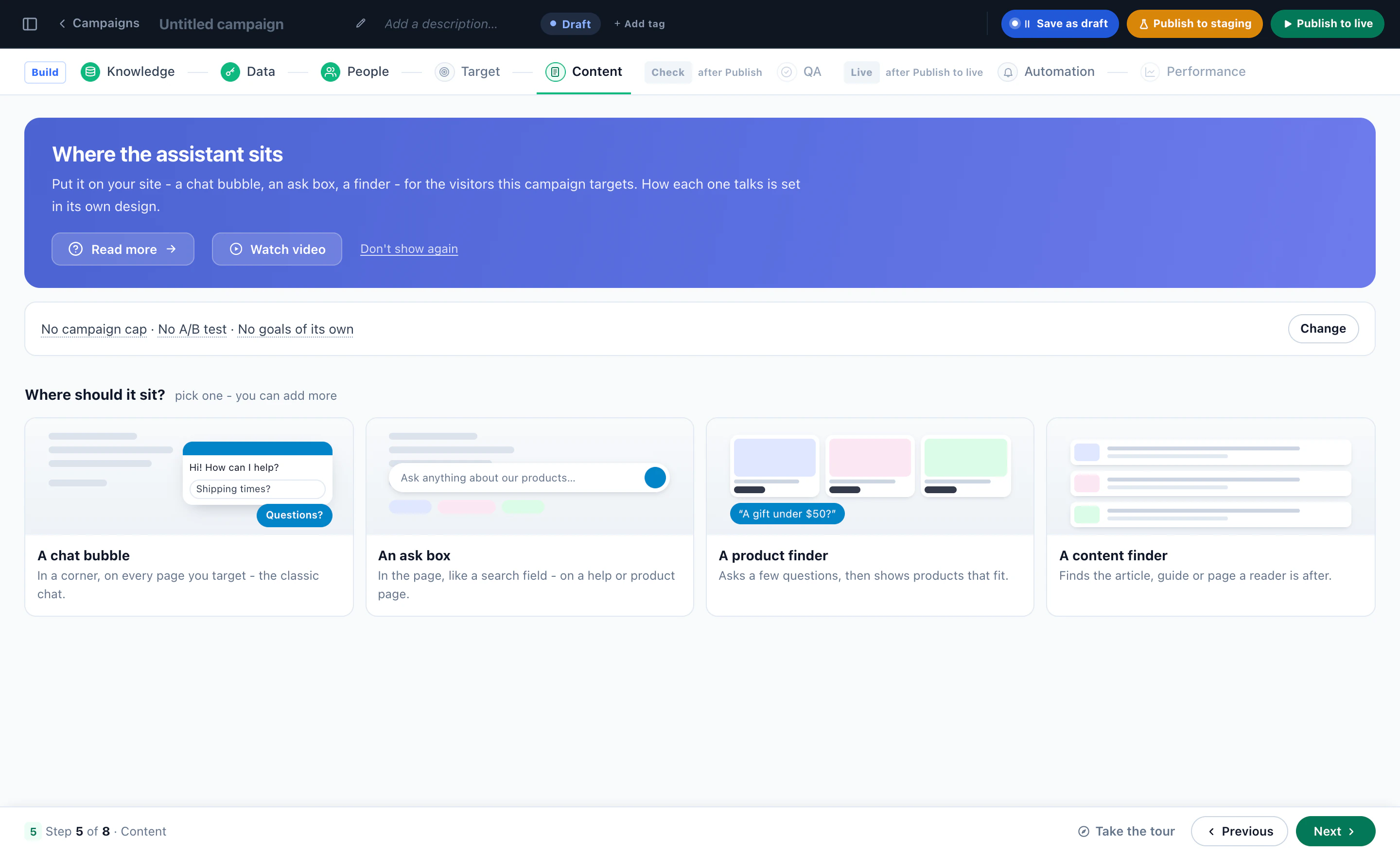
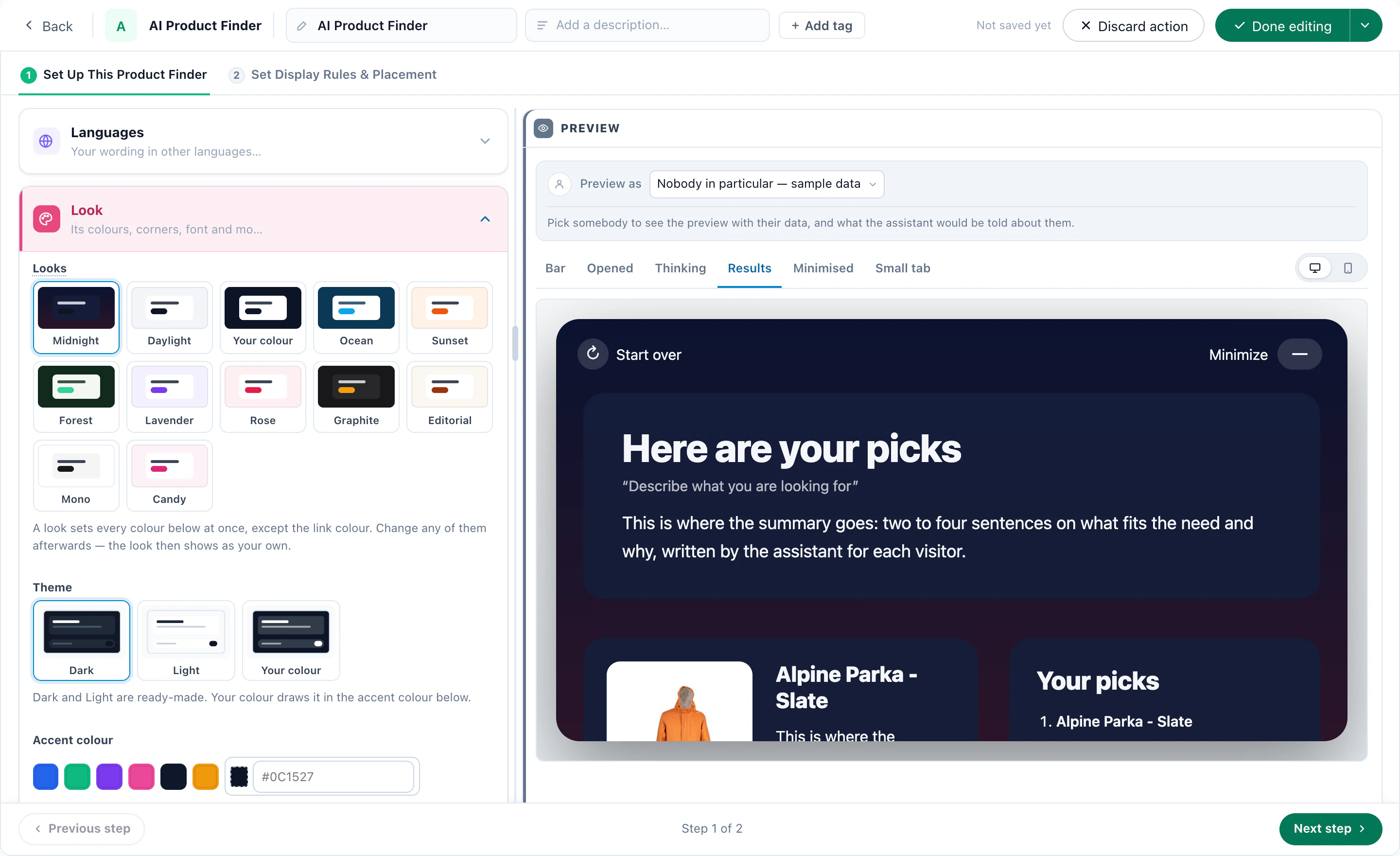
The same assistant also comes as a box you drop into a page. Point it at your product catalogue or your content catalogue and it does not stop at a paragraph: it answers in a sentence, then hands back the items themselves — ranked for the person searching by the same engine that orders your recommendations.
For rain and wind rather than cold, the waxed and shell layers do more than the wool does. All four are in stock in your size.
The same engine that orders your recommendations, ordering your search results. Keyword search returns the same four to everybody — this does not.
And it can be held to one part of the library. An ask box beside the pricing table can be told to answer from pricing only, and to say so rather than wander into the returns policy.
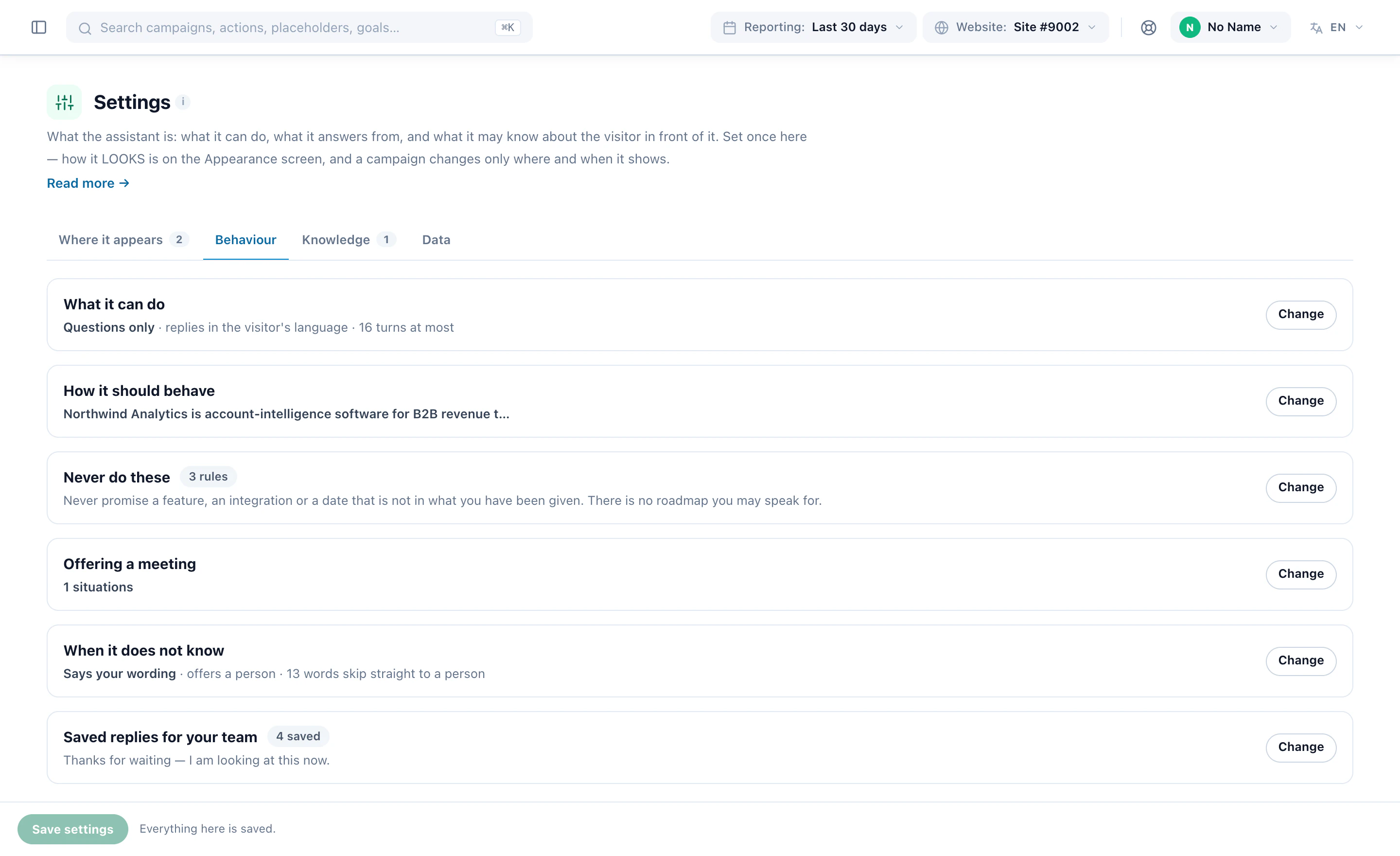
Six families of settings, each one a real field with a real default. This is the whole surface — there is nothing else waiting behind an account manager, and nothing here that only works in the demo.
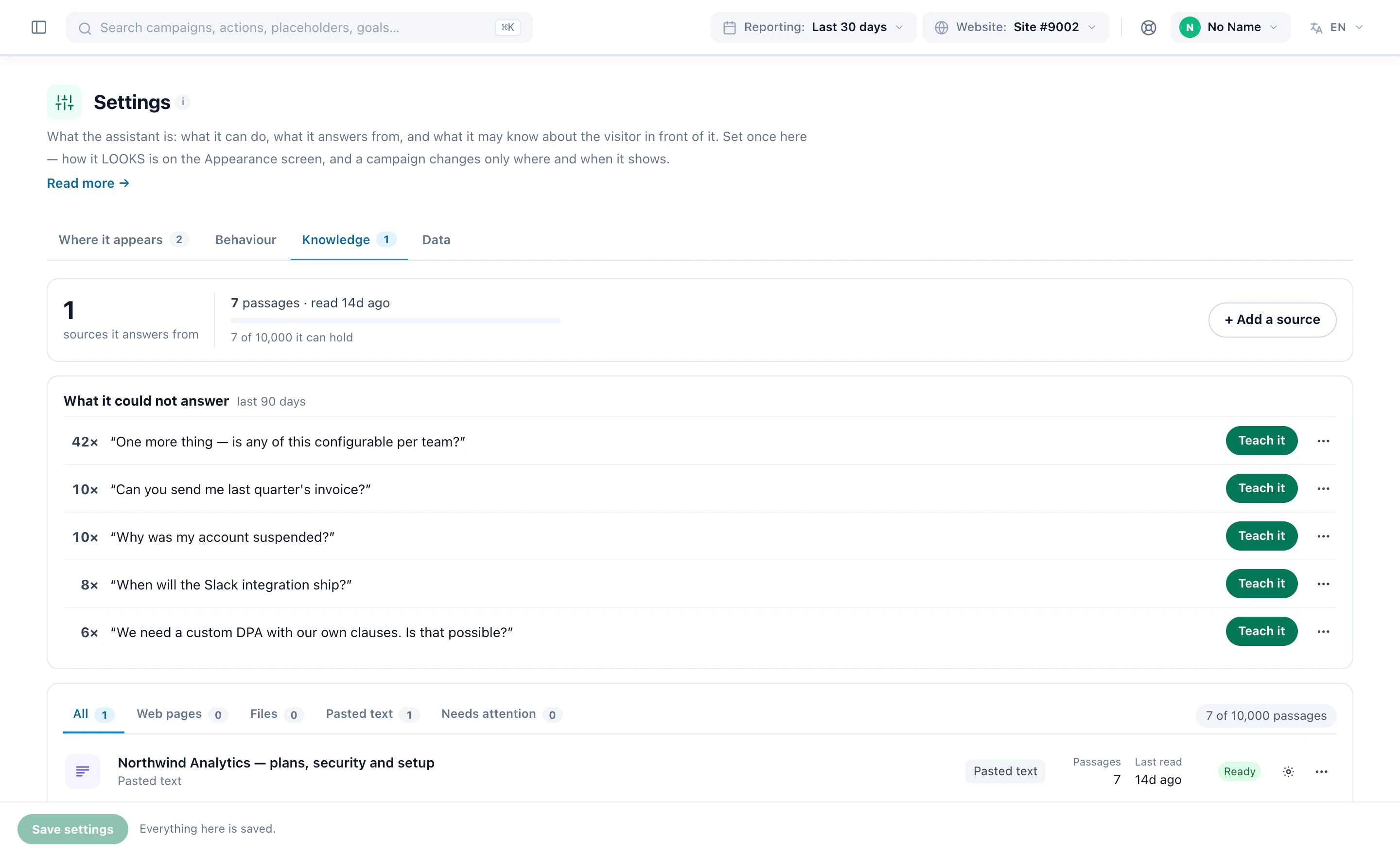
Point it at an address and it crawls; paste the answer you keep retyping and it keeps that too. Everything is cut into passages that carry their own heading, which is how an answer can show you the page it came from.
Instructions in your own words, guardrails one per line, and a sentence for the moment it does not know. Underneath sits a block of platform rules an account cannot override, because the counterparty is anonymous and often adversarial.
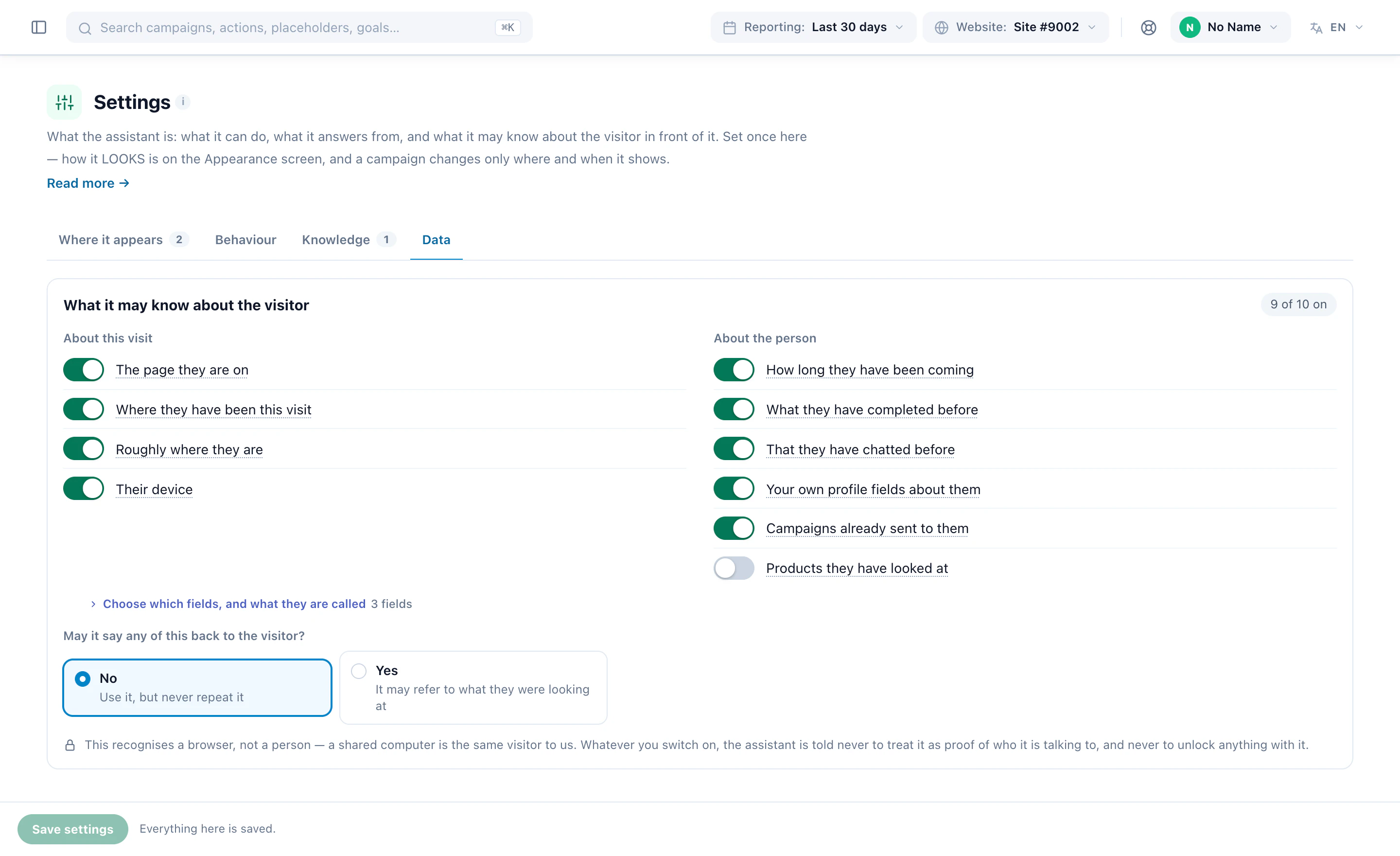
The platform has watched this visitor all session — pages, products, where they came from, what they bought before. Putting any of that into a prompt is a disclosure decision, so it is opt-in per category, in the words of what it reveals.
Most of what a public chat gets talked into is made impossible here rather than merely forbidden. There is no tool that composes an offer, applies a coupon or quotes a price the catalogue does not carry — so the machinery to promise one does not exist.
The account sets the defaults; a campaign overrides eleven of them for its own pages, and one that overrides nothing keeps following the account when you change it. The design step runs the real widget, not a second renderer that agrees until it does not.
A handover opens a ticket with a subject the model wrote from what was actually being discussed. The person answering reads the conversation itself, in order — and answers from a seat that can do this and nothing else.
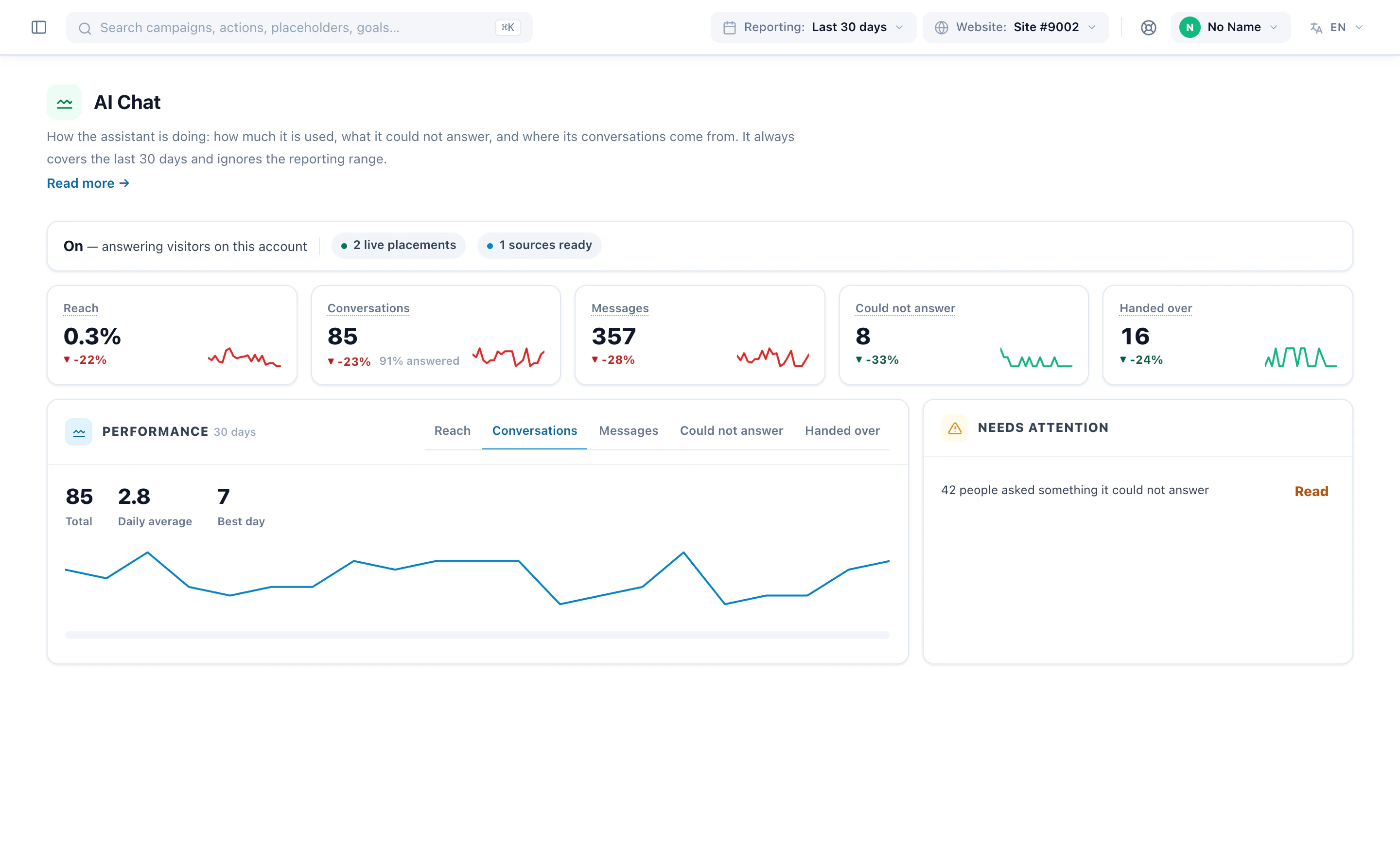
Not the transcripts — the list. Anybody who installs a chat finds out what their visitors actually ask, which is reliably not what the FAQ page covers. Every line here is a page you could write that would pay for itself, and the list getting shorter is the honest answer to “is this thing working”.
And the rest of the reporting, for when somebody asks what it is doing:
Where it shows, what it says first, how it appears, and whether it starts live or in testing — nothing is written until the last button. The order below is the one that matters, and step two is the one people skip.
A chat on a public page is the part of a platform most likely to be talked into something. These three are where the product refuses to be helpful, and they are the reason the rest of it can be trusted on a page you do not control.
The visitor identifier names a browser, not a person — a shared desktop, a family laptop, a demo device in a shop. So tailoring an answer is safe: “the coat you were looking at, here is its delivery time”. Reciting one hands somebody’s record to whoever happens to be sitting there. The default is that it may use what it knows without reading it back, and the prompt states the difference as a rule.
A public chat is asked for discounts it cannot give, told that “the last agent promised” things nobody promised, and instructed to ignore its instructions. Most of that is made impossible here rather than merely forbidden: there is no tool that composes an offer, applies a coupon, or quotes a price your catalogue does not carry. Instructions are advisory. A tool that does not exist is not.
Ninety days by default, and a hard ceiling of 730 that the purge job clamps anything above. These rows are whatever a visitor typed into a box on somebody’s website, and the one setting nobody should be able to switch off is the one that makes that data go away. The transcripts themselves are in no query profile at all — a table nobody can query is a table nobody can query wrong.
A visitor-facing assistant that answers questions on your site in plain language. This one answers from your own pages, files and catalogue rather than from general knowledge about your industry, and it already knows who it is talking to, because the platform has been watching the session since the visitor arrived.
From sources you point it at — a web address it crawls, an uploaded file, or text you paste. Everything is cut into passages that keep their own heading, so an answer can show the page it came from. On a shop it also searches your catalogue for price, stock and attributes exactly as stored, and invents nothing around them.
It hands over — to a person, or to an email address — with a subject written from what was actually being discussed rather than a generic “Chat request”. Every question it could not answer is also grouped onto one list, which is the most useful thing it produces.
Yes, and this is the part a bolt-on widget cannot do. The chat is an action inside a campaign, so all the targeting you already use applies to it: audience, page group, cart value, device, referrer, and how often it may appear. Four campaigns can put four different assistants on four parts of the site, each with its own knowledge, tone, colours and handover route.
Yes. Point the ask box at a product catalogue or a content catalogue; it answers in a sentence and then hands back the items themselves, ranked for that visitor by the same engine that orders your recommendations.
It is a paid add-on at $99 a month, with an allowance of 100 to 1,250 conversations depending on your plan, and a seven-day free trial bounded by the same allowance. Cost is also recorded per conversation rather than only per account, so you can see which kind of conversation is the expensive one.
Only the categories you switched on, and every category is off by default. Where they are enabled that means the page the visitor is on and how they got there, their device and rough location, what they have completed before — and a small set of profile fields: industry, account type, lead source, and your own custom fields. Stored contact details are not among them.
No. Email address, first and last name, phone number, birthday, postal code and geographic coordinates sit on the visitor profile and are never included in what the assistant is given. That is enforced in the code rather than left to configuration, and a test fails the build if anybody adds one of those columns to the query.
Three, and they are worth stating plainly. Your own custom fields: if you put an email address in a custom field it is sent, because the whole point of a custom field is that we do not know what is in it. Whatever the visitor types: if somebody types their own address into the chat, it is in the conversation. Handover: when a visitor asks to be contacted, they are asked for a name and email so somebody can reply — optional, given deliberately, and the one place personal data is collected on purpose.
It is never fetched. A category that is off is not read and then removed — it is simply not part of what gets looked up. The switches are the query plan, so “we only send what you allowed” is true of the database traffic and not just of the prompt.
No. Every query is scoped to your account, and conversations are stored in your account like any other Personyze data. Nothing is copied out to a shared store.
No. What it sees describes a browser, not a verified person — it may be a shared desktop or a family laptop. It is told to treat none of it as proof of who it is speaking to, never to accept a visitor’s claim to be someone as confirmation, and never to use any of it to grant access to anything.
Not unless you turn that on. Reciting profile details to the visitor is off by default: the assistant may act on what it knows — “the coat you were looking at” — without reading the record back.
Treat it as an inference. Enrichment of that kind is a guess made from a network or an email domain and is confidently wrong often enough to matter, so the assistant is told to treat it as a hint and never to state it back as fact.
For the retention period you set, 90 days by default and never longer than the platform ceiling of 730. One exception: a handover that is still open is kept until it is closed, so the person replying still has the context.
Those are contractual and infrastructure questions rather than things the software does, so they belong in the privacy policy rather than on a product page. See the privacy policy for the current position.
One campaign, four questions, and it is answering on the page — from what you taught it, about the person in front of it, and handing over the moment it should.