
Personalize Your Website with Salesforce Data — Even for Anonymous Target Accounts
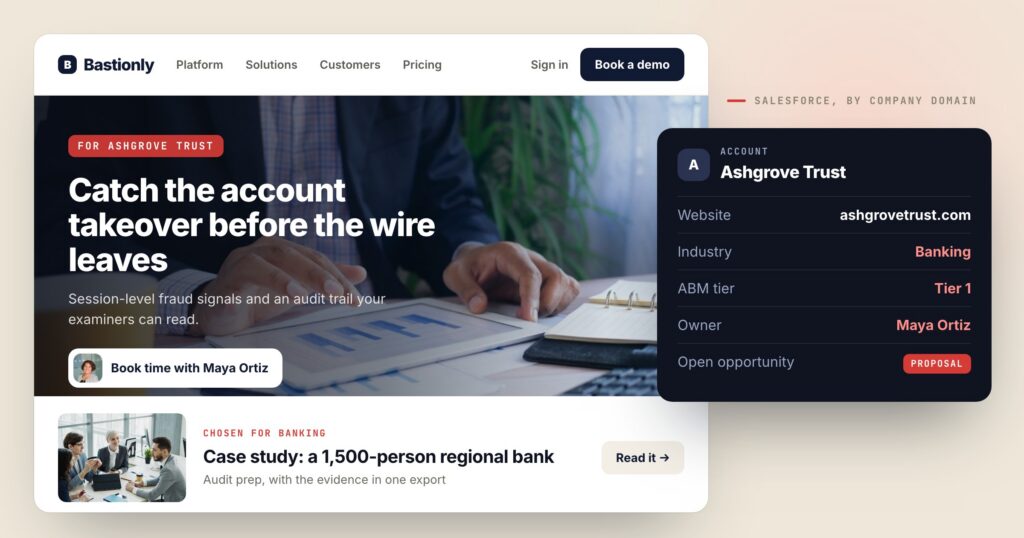
Salesforce is where your sales team keeps what it knows: the accounts you are going after, the deals that are open and how far along they are, who owns each lead, what industry each company is in. None of that has ever reached your website. A prospect in a late-stage deal and a student doing research land on the same homepage.
The Salesforce integration connects the two in both directions. Your CRM data personalizes the page — including for anonymous visitors from your target accounts — and everything the website learns about each lead goes back into Salesforce automatically.
Two directions, one CRM
A visitor Personyze knows by email gets their Contact, or their Lead if there is no Contact. A visitor from an identified company gets that company’s Account and its open Opportunity. And a Salesforce Campaign can become an audience.
Form leads update the matching Contact or Lead or create a new Lead. After each visit, the website data you choose is written to the person’s record, and each visit can be logged as a Task.
Target accounts, before anyone fills in a form
Most visitors from the companies you are selling to never fill in a form. Personyze reaches them through the company, not the person:
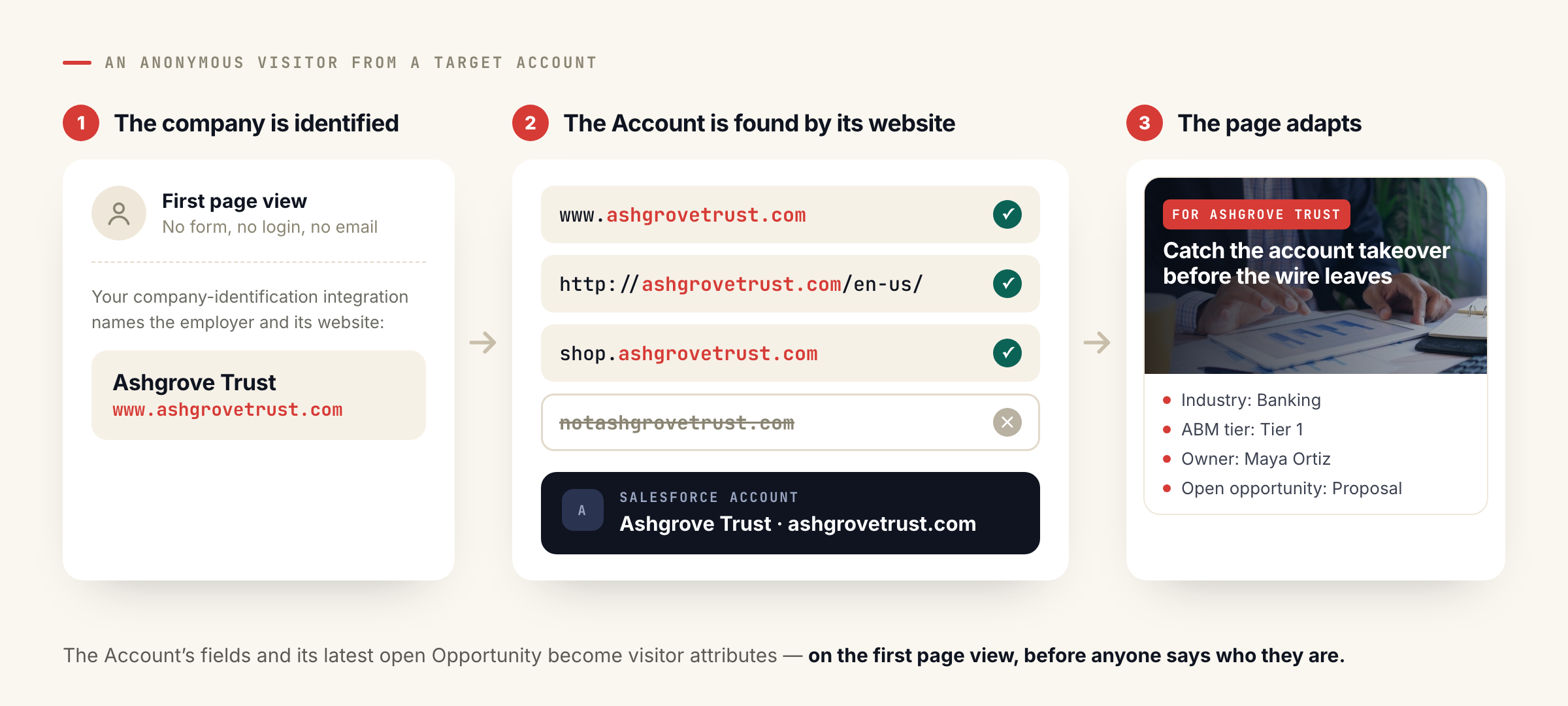
- The company is identified. A company-identification integration — ZoomInfo, 6sense, Leadfeeder, Albacross or Snitcher — tells Personyze which company the visitor works for, and its website domain.
- The Account is found. Personyze looks for the Salesforce Account whose website is that domain.
www.acme.com,http://acme.com/en-us/andshop.acme.comall matchacme.com; look-alikes such asnotacme.comnever do. - The page adapts on the first view. The Account’s fields — industry, type, owner, a tier field of your own — and its latest open Opportunity become visitor attributes, so the homepage can speak to that account before anyone has said who they are.
This is account-based marketing built on the CRM you already keep, rather than on a list you have to maintain somewhere else.
What the page can do with CRM fields
Any field you choose becomes a visitor attribute: lead status, rating, owner, the Account’s industry and type, the open deal’s stage, or any custom field. Once it is an attribute, it works like everything else in Personyze. A few illustrations — examples of what you can build, not customer results:
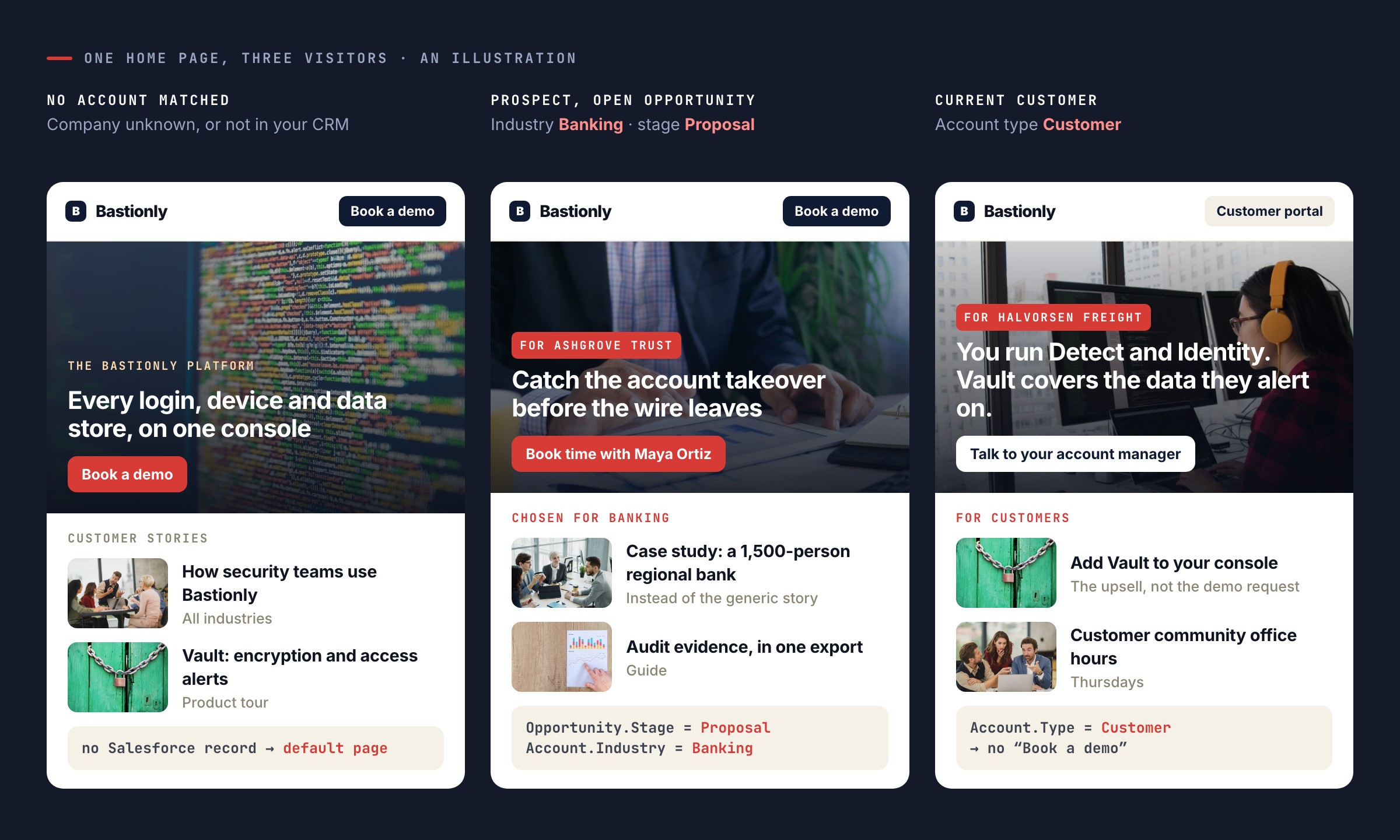
- A prospect in an open opportunity sees the case study for their industry instead of the generic one.
- A current customer — an Account whose type is Customer — sees the upsell offer instead of the demo request.
- A visitor from a Tier 1 target account gets their own homepage message on the first page view.
- A hot lead sees a meeting booker that names their account owner.
Fields can also be printed in content — “Welcome back, Dana from Northwind Bank” — and they show on each visitor’s profile next to what they did on the site.
What goes back into Salesforce
| From Personyze | Into Salesforce |
|---|---|
| A form or meeting booking | The Contact with that email is updated; if there is none, the Lead; if there is neither, a new Lead is created. Optionally added to a Campaign. When a duplicate rule blocks a new Lead, the record it matched is updated instead. |
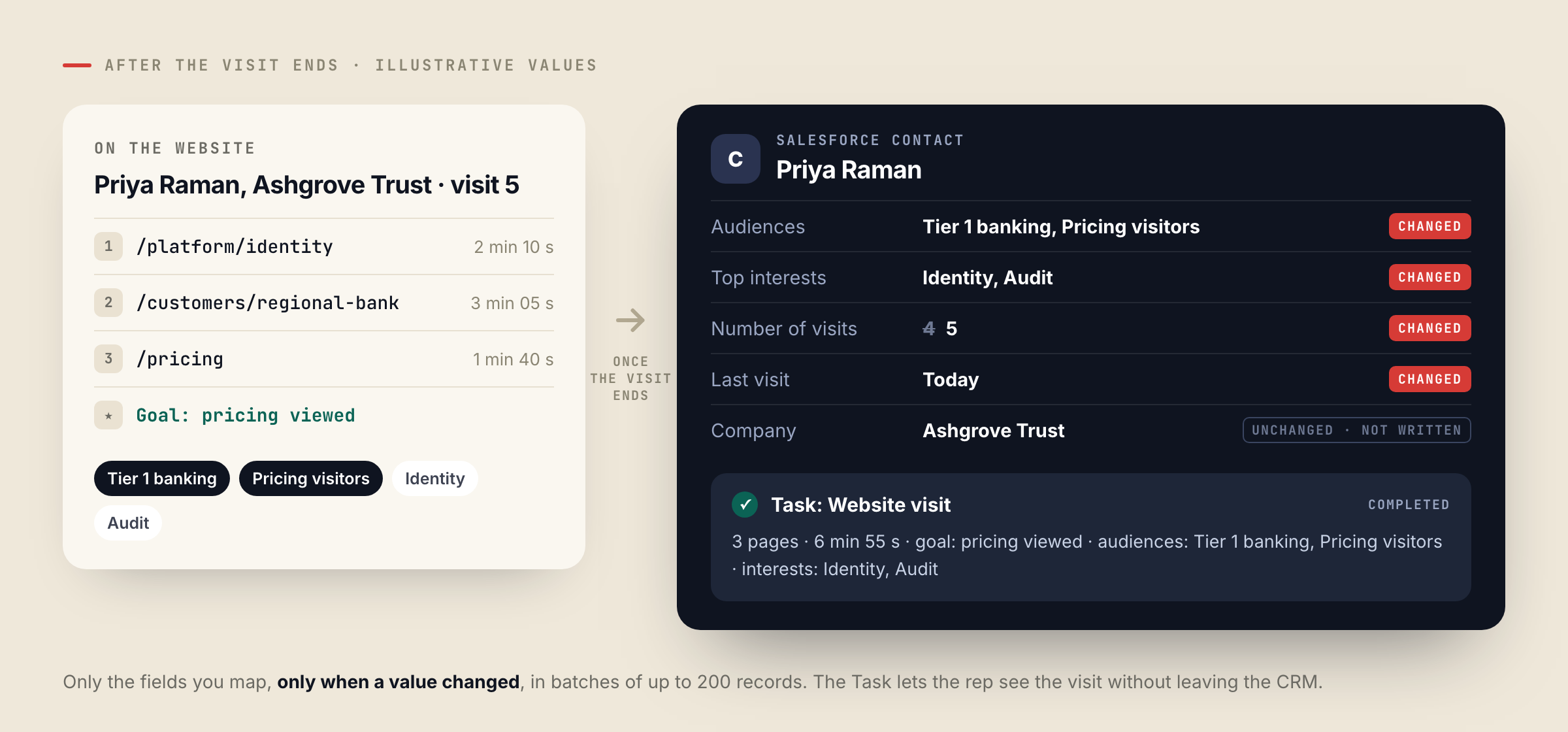
| Each visit, once it ends | The fields you map on the Contact or Lead: the audiences they are in, top interests, number of visits, last visit, company data — written only when something changed. |
| Each visit, if you want it | A completed Task on the record, with the pages viewed, time spent, goals reached, audiences and interests — so the rep sees what the lead did on the site without leaving the CRM. |
| A Personyze audience list | Members of a Salesforce Campaign. |
By default the profile sync updates people who are already in Salesforce. Creating new Leads for identified visitors is an option you switch on. Empty form fields never erase what Salesforce already has.
Setting it up
- Create an External Client App. Your Salesforce administrator adds a small app entry in your own Salesforce org. It takes about ten minutes, and the Salesforce drawer in Personyze walks through every step.
- Connect. In Personyze, go to Settings → Integrations → Salesforce, in the CRM category, and enter your Salesforce address, the Consumer Key and the Consumer Secret. Personyze checks them with Salesforce before saving.
- Choose the fields. Recommended setup maps a starting set — record type, job title, company, industry, account type, company size and opportunity stage — and you can add any other field of your org.
- Switch on what goes back. Add Salesforce to your forms’ destinations, turn on the profile sync and its visit Tasks, and choose the Campaigns you want as audiences.
You need a Salesforce edition with API access — Enterprise, Unlimited, Performance or Developer; Professional Edition with Salesforce’s API add-on. The setup guide has every step, including sandboxes.
Good to know
- Salesforce is asked once per visit per visitor — on the first page view, and again only if the email becomes known during the visit. Answers are remembered for ten minutes, and lookups pause when your org has used 90% of its daily API allowance.
- The profile sync writes after the visit ends, in batches of up to 200 records, and only when a mapped value changed.
- Campaign audiences refresh every hour.
- It is Salesforce CRM — Leads, Contacts, Accounts, Opportunities and Campaigns. Salesforce Marketing Cloud and Account Engagement are separate products this integration does not connect to.
- One Personyze account connects to one Salesforce org at a time; a sandbox works the same way as production.
Questions people ask
How does Personyze match a visitor to Salesforce?
By email when Personyze knows it — from a form, a login or an email link: the Contact first, the Lead if there is no Contact. Otherwise by company: the domain from your company-identification integration is matched to the Account whose website it is.
Does it work for visitors who have not filled in a form?
Yes, when their company is identified. The Account’s fields and its latest open Opportunity reach the visitor from the first page view.
Will it use up our Salesforce API allowance?
Very little of it: one lookup per visit per visitor, answers remembered for ten minutes, a pause at 90% of the daily allowance, and profile writes in batches of up to 200 records.
What does Personyze write into Salesforce?
Only what you switch on: form leads, the visitor profile sync with its visit Tasks, and audience lists added to Campaigns. The sync updates existing records unless you turn on creating Leads.
Book a demo with a personalization expert
30 minutes with a personalization expert. Bring your stack, your goals, your skepticism. We'll show you what changes when every visit feels like the only one.