
Automated Follow-Up for Identified Companies: Apollo, Hunter and a Page Written for Each One
Most of the companies that read your pricing page never fill in a form. If you run a company-identification tool such as Albacross or ZoomInfo, you already know some of their names: the provider recognises them from their office connections. Then the name sits in a report, and by the time anyone acts on it, the interest has cooled.
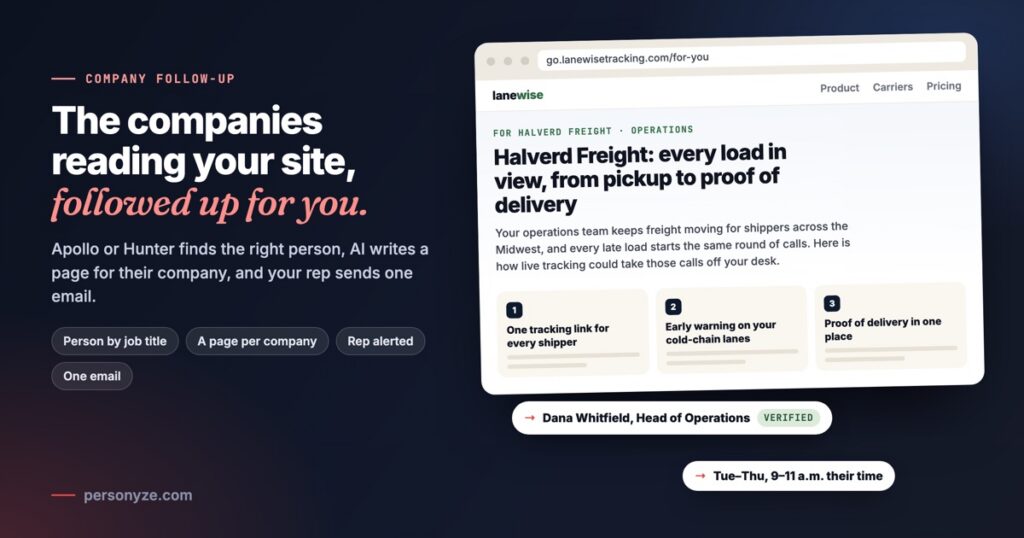
Company follow-up acts on it for you. When a company you can sell to reads your site, Personyze finds the right person there with your own Apollo account or Hunter key, has AI write a page for that company and that person’s role, alerts your rep, and sends the person one email from your rep with the link. The message is tailored to their company and to what you sell, and the whole process runs by itself, inside limits you set.
Companies read your site and leave no name
B2B buyers research quietly. An operations lead at a logistics company might read your tracking page, your integrations and your pricing over two visits, and never touch the demo form. Identification closes part of the gap: Albacross, Snitcher, Demandbase, ZoomInfo and Leadinfo name the companies they recognise, with their industry, size and country.
A company name is not a conversation, though. Before anyone is written to, someone has to:
- decide whether the company is worth a follow-up at all;
- find the person with the right job title, and a work address that will not bounce;
- write something about their business, not a template with the name swapped in;
- send it once, at a sensible hour, and not again next week.
Done by hand, that is a research job for every company. Company follow-up does all four, the same way every time.
How it works, in six steps
It starts with one action, Follow up identified company, added to a Targeting and Personalization campaign. From there, each company the campaign matches goes through the same six steps.
- A company is named. Several visitors from one company count as one.
- Your targeting picks it: an industry, a size, the pages that show interest. Your visitor sees nothing.
- The right person is found. Apollo is asked first for people with your job titles, at the ranks that decide: owners, founders, C-level, partners, VPs, heads and directors. Hunter is asked when Apollo has nobody, or works alone.
- A page is written for them, from the company’s own site and what you sell.
- Your rep is alerted on Slack and by email, with a note ready for LinkedIn.
- The person gets one email from your rep, on a Tuesday, Wednesday or Thursday between 9 and 11 in the morning, by the company’s own clock.
Apollo gets the company’s web address and your job titles, Hunter the web address alone; neither is sent anything about your visitor. Of the person, only their name, title, LinkedIn and email, with its status, are kept.
What gets written for each company
The email is short on purpose. The real message is the page behind its link: your hosted landing page, filled with words written for one company and one role.
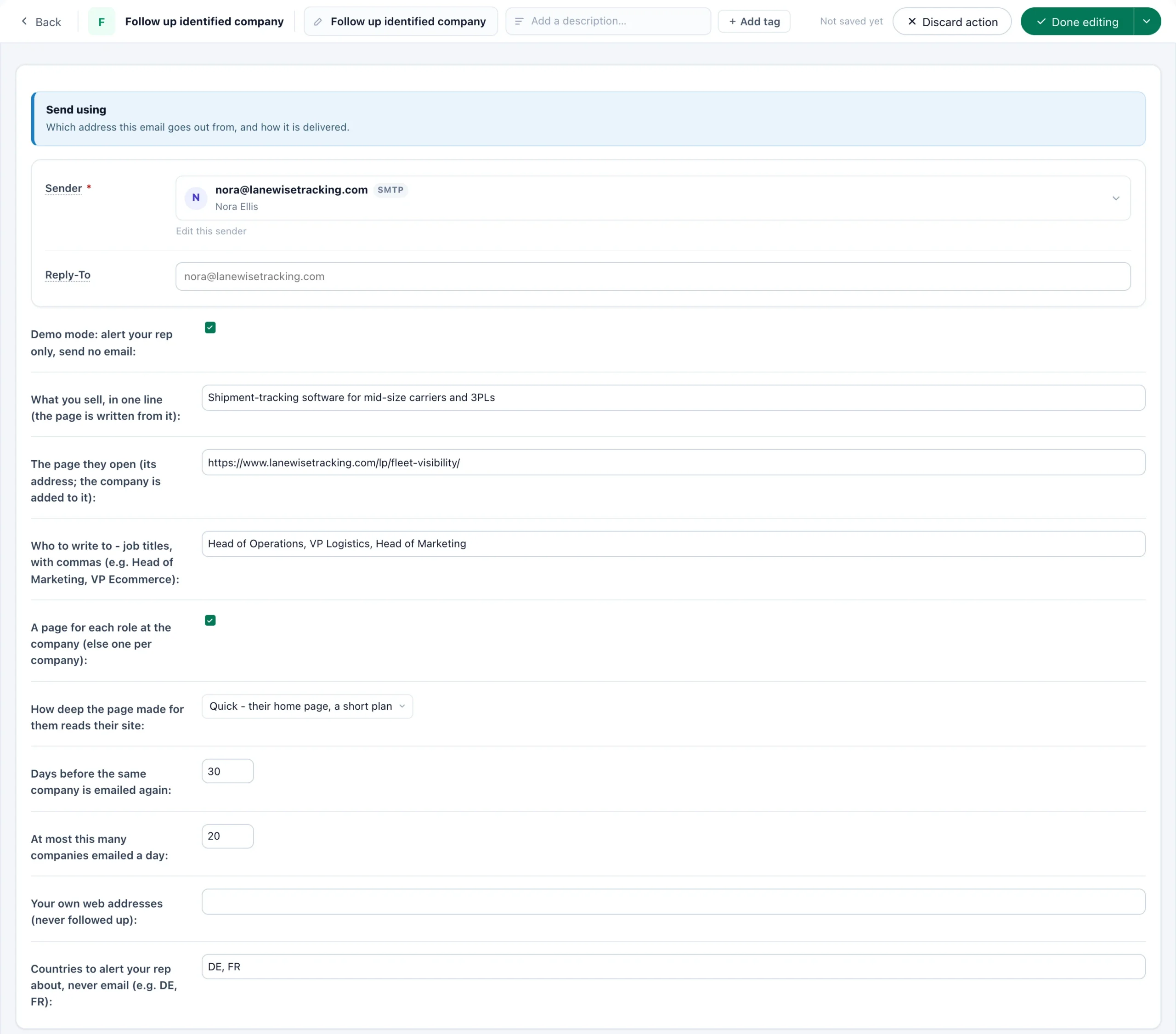
Take Lanewise, which sells shipment-tracking software to mid-size carriers and 3PLs. Halverd Freight, a Chicago logistics company of 1,200 people, reads Lanewise’s pricing and carrier-tracking pages. Apollo finds Dana Whitfield, Head of Operations, with a verified address at halverdfreight.com. This is the page her link opens:
- One line about what you sell. Every page is written from it, so each idea is how your product helps that company.
- A page per role, on by default: a head of marketing and a CTO at one company each get their own.
- Quick or Thorough: their home page, or more of their site.
- Not rewritten for 30 days. Pages use your AI credit.
The link carries the company and the role, never the person, and it opens their page for 90 days. Opened without it, the page shows none of the written parts, so give it words that stand on their own. Hosted landing pages explains how a page is built once and filled per visitor.
The safeguards: who gets an email, and who does not
Automatic outreach is only worth running if it is careful. These limits work from the start, and you can tune most of them in the action:
- Demo mode first. The action starts with your rep alerted and nobody emailed.
- A daily cap. 20 companies a day unless you change it; the rest wait for the next day.
- Once per company. A company is emailed at most once in the days you set, 30 unless you change it, and an alert counts too.
- Verified addresses only, at the company’s own domain. Anyone else goes to your rep instead.
- Companies you cannot sell to are never looked up. Webmail, internet providers, hosts, VPNs and coworking spaces, universities, government and your own domains are excluded, with the reason shown.
- Countries to hear about, never email, such as DE or FR.
- No paying twice. What Apollo or Hunter answers about a company is kept for 30 days, so repeat visits cost nothing.
Every company the action notes is on the Identified companies screen, under Analytics → Off-site campaigns, in tabs: All, Waiting, Rep alerted, Emailed, Excluded and Failed. Make pages writes the pages the companies you tick still need, Export downloads the people and page links as a CSV to send from another tool, and Queue again puts an excluded or failed company back in line.
What you need
- The Company follow-up add-on, with Email sending. Activate it, or start its free trial, on the Add-ons page.
- A company-identification integration that records the company’s web address. No identification yet? Personyze customers can start a free two-week Albacross proof of concept from the Albacross card in Integrations, with no card and no key to copy.
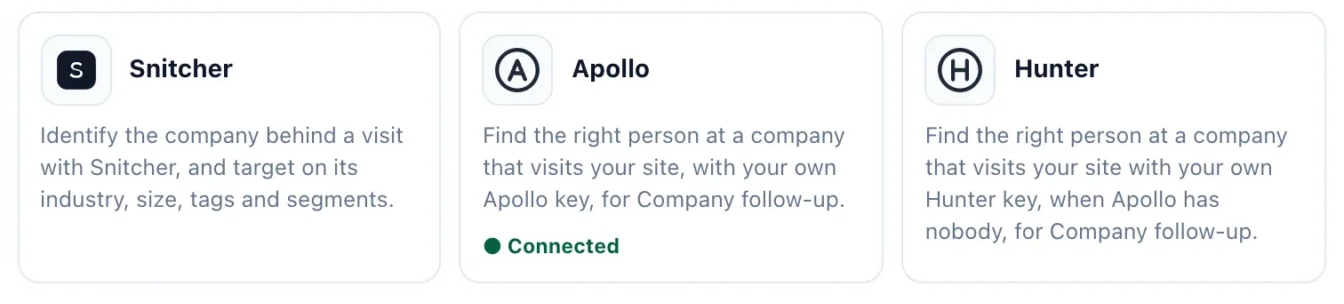
- Apollo (Connect with Apollo), a Hunter key, or both, connected in Integrations. They are your own accounts and credits: each person Apollo reveals uses one Apollo credit, and each company Hunter looks up uses one Hunter search. Apollo connects by signing in to Apollo and pressing Authorize, with no key to create or paste.
- A hosted landing page for the link to open, with places for the headline, the intro and the three ideas.
- Slack, connected in Integrations, if you want the alerts there as well as by email.
How to start: demo mode first
- Connect your identification integration, then Apollo (Connect with Apollo) or your Hunter key.
- Build the page once, in your own look, with the written parts dropped in.
- Add the action to a campaign whose targeting picks the companies you want: an industry, a size, the pages that show interest.
- Fill in the action: the sender, the one line about what you sell, up to ten job titles with the one you prefer first, and your own web addresses.
- Leave demo mode on. Every company is looked up and its page written; your rep gets every alert, and nobody is emailed.
- Company
- Halverd Freight · halverdfreight.com · Logistics · 1,200 staff · Chicago, US
- Read
- Pricing · Carrier tracking
- Person
- Dana Whitfield, Head of Operations (operations) · dana@halverdfreight.com (verified) · LinkedIn
- Their page
- go.lanewisetracking.com/for-you?cf=… Ready
Read a few days of alerts the way your rep will: the right company, the right person, a page you would be glad to send? Then switch demo mode off, and the next company that matches gets its email in the next weekday-morning window. Your site can greet those same companies while they read: see B2B personalization. Every setting is documented in the Company follow-up guide.
Questions people ask
How does Personyze follow up with companies that visit my website?
When your identification integration names a company and your campaign’s targeting matches it, Personyze finds the right person there by job title through your Apollo account or Hunter key, writes a page for that company and role, alerts your rep on Slack and by email, and emails the person a link to their page from your rep.
What does the person receive?
One email from your rep, sent on a Tuesday, Wednesday or Thursday between 9 and 11 in the morning by their own clock, with a link to a page written for their company: a headline naming it, an intro for their role and three ideas of how what you sell helps them, read from their own site. Nothing on it says they visited your site.
Do I need my own Apollo or Hunter account?
Yes. Personyze uses your own Apollo or Hunter account and your own credits: each person Apollo reveals uses one Apollo credit, and each company Hunter looks up uses one Hunter search. Apollo is asked first and Hunter when Apollo has nobody; either one also works alone. Answers are kept for 30 days, so repeat visits cost nothing.
Which identification tools does it work with?
Any company-identification integration that records the company’s web address, such as Albacross, Snitcher, Demandbase, ZoomInfo or Leadinfo. Personyze customers without one can start a free two-week Albacross proof of concept from the Albacross card in Integrations.
Could it email the wrong people, or the same company twice?
Only an address the provider verified, at the company’s own domain, is emailed; anyone else goes to your rep. A company is emailed at most once in the days you set, 30 by default, and at most 20 companies a day by default. Webmail, internet providers, universities, government and your own domains are never looked up.
Can I try it without emailing anyone?
Yes, and that is how it starts. In demo mode every company is looked up and its page written, your rep gets every alert, and nobody is emailed. Switch it off when the alerts look right.
Book a demo with a personalization expert
30 minutes with a personalization expert. Bring your stack, your goals, your skepticism. We'll show you what changes when every visit feels like the only one.