
On-Site Surveys That Change the Next Page
A survey tool usually ends at a report. You learn that a lot of the people who left the cart mentioned price, you nod, and the cart keeps looking exactly the same to the next person who hesitates over the total.
The Survey action in Personyze asks on your own pages and saves each answer on the visitor’s profile. That one detail is the difference: the answer is a targeting rule the moment it is given.
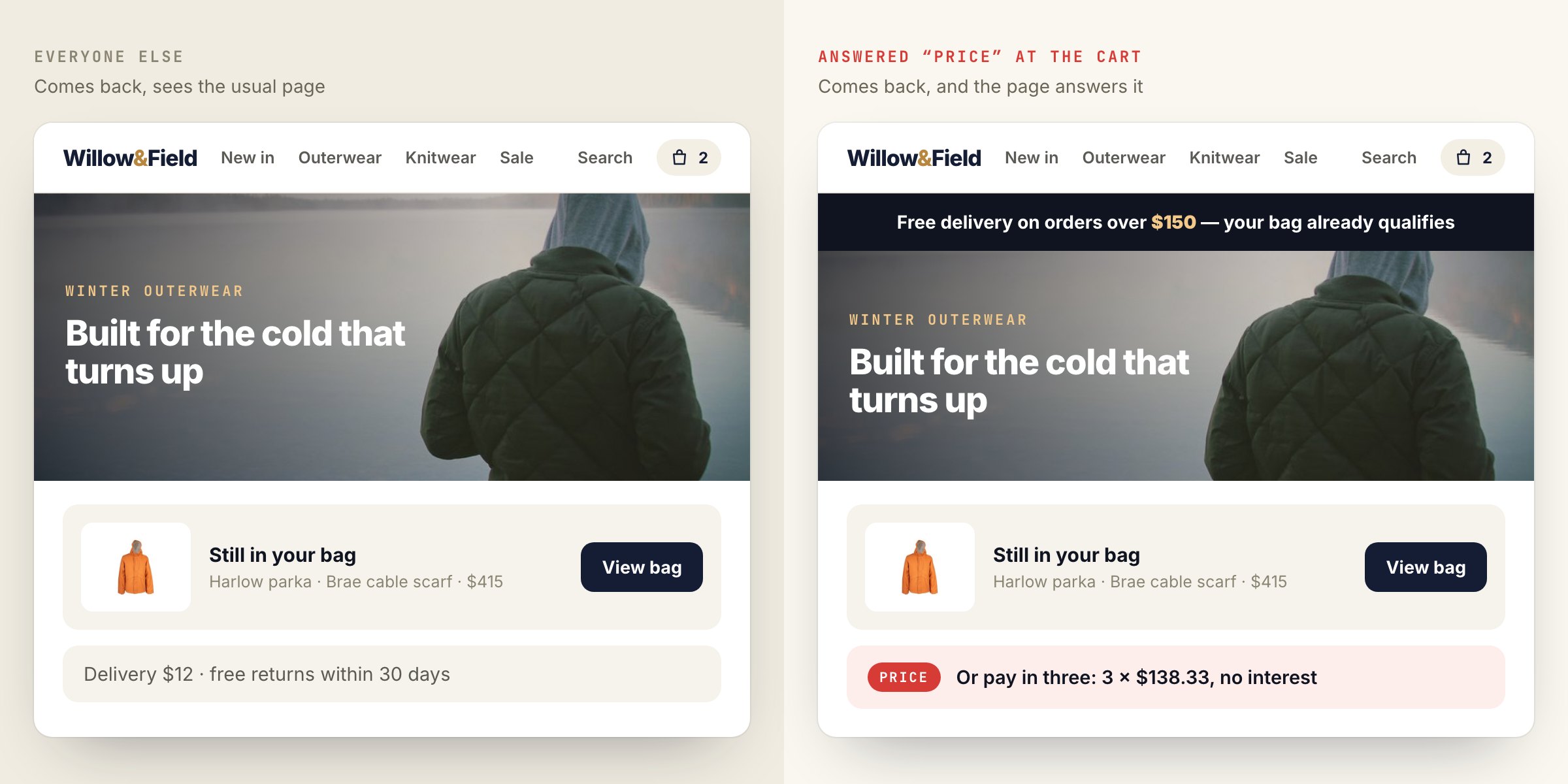
From one answer to a different next page
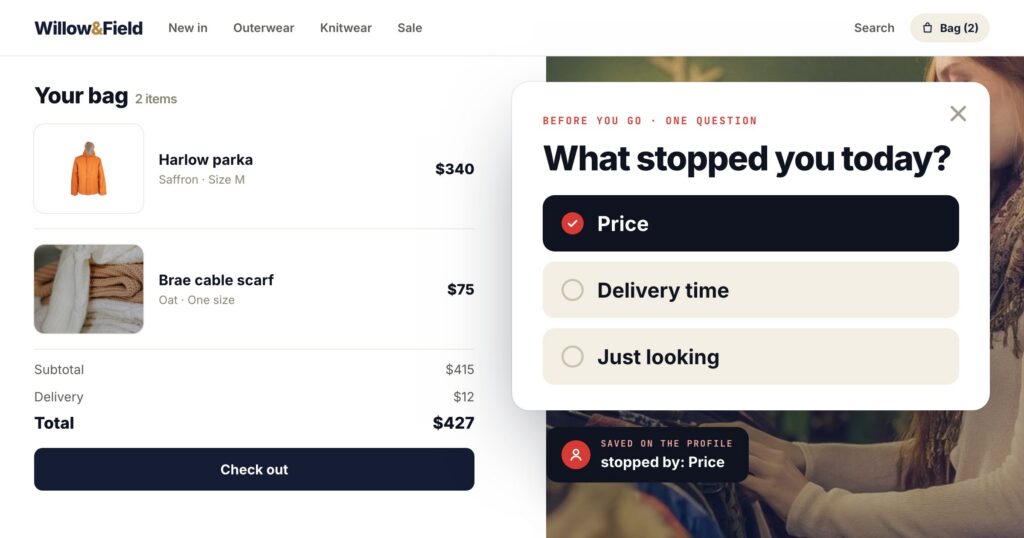
An exit survey on the cart: “What stopped you today?”
PriceDelivery timeJust looking
On their profile, as “stopped by: Price” — like any other attribute you target on.
A campaign for “chose Price” shows the free-delivery threshold or the payment-in-three option on their return.
The same pattern works everywhere a question has an obvious next step: a post-purchase survey that asks what they will use the product for and adjusts the recommendations; a reader survey that asks which topics they want and reorders the home page; a B2B survey that asks team size and shows the plan that fits.
Building the survey
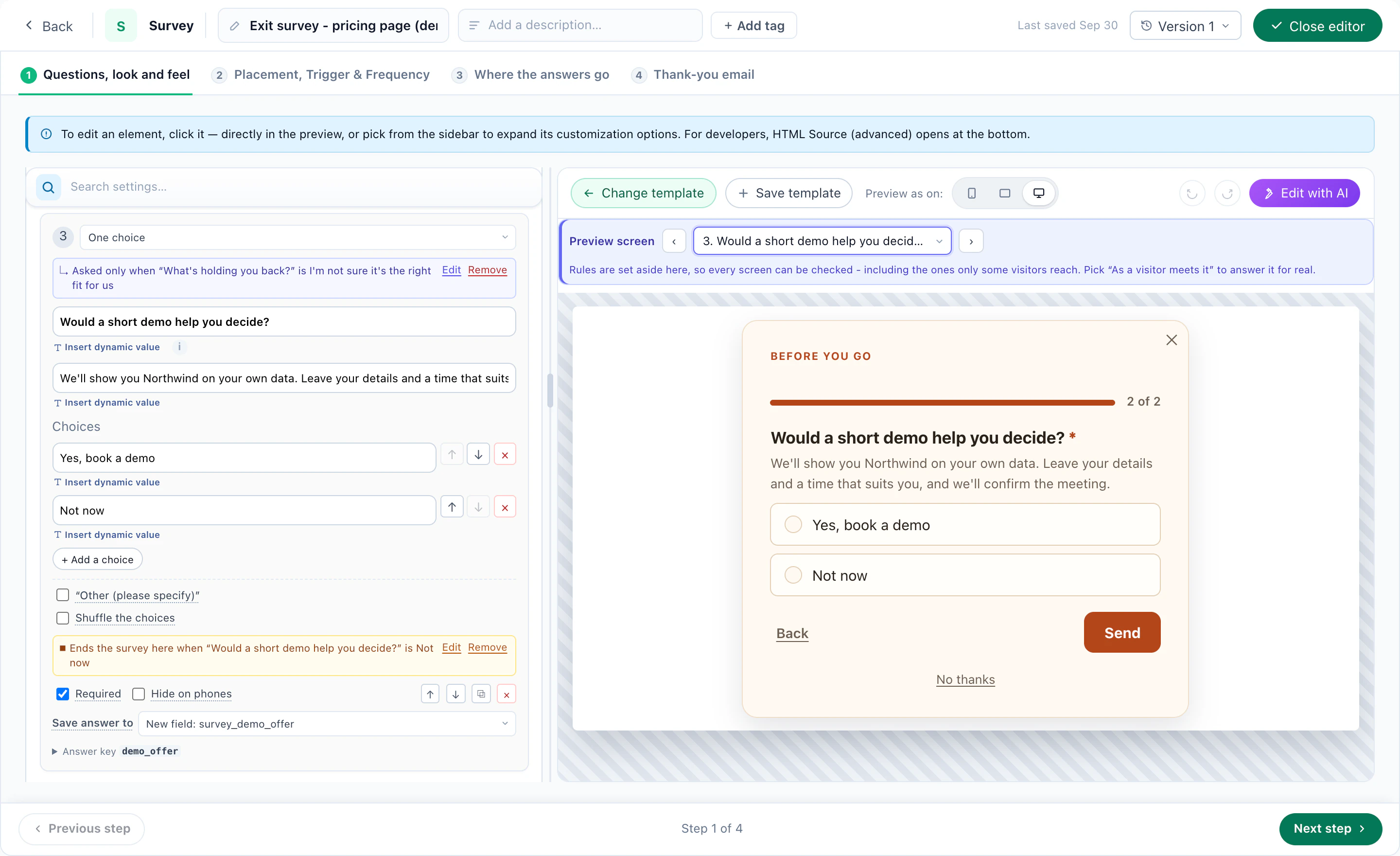
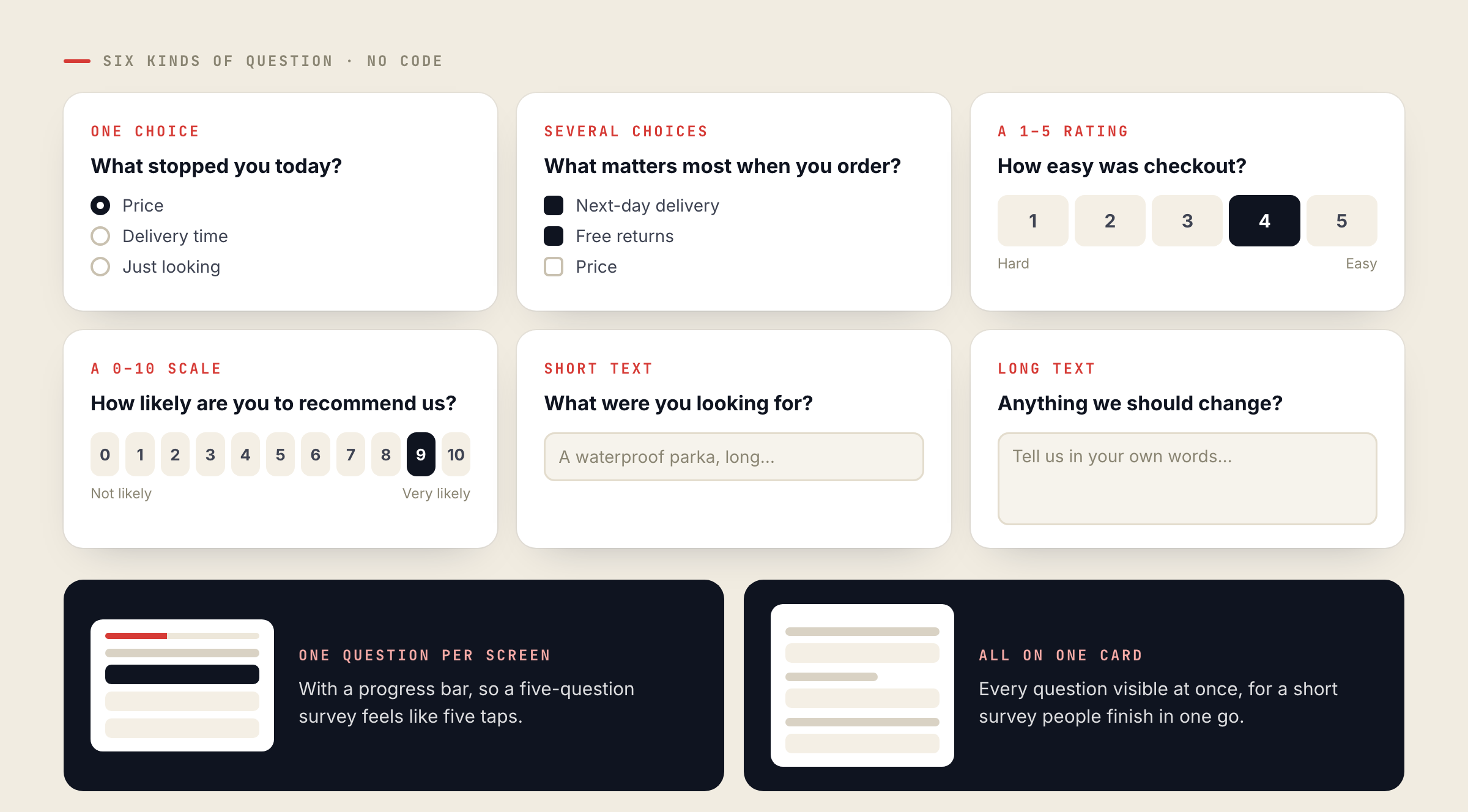
The question builder needs no code. Each question can be one choice, several choices, a 1–5 rating, a 0–10 scale, or short or long text. Show one question per screen with a progress bar, or all of them on one card. The ready-made designs are a Quick Poll (one question, one tap), a Customer Survey (five questions), an Exit Survey and a Post-Purchase Survey.
Like every Personyze action, a survey is targeted and timed: on exit intent, after the second visit, only to customers, only on one section of the site. It is also A/B testable, like a popup or any other campaign.
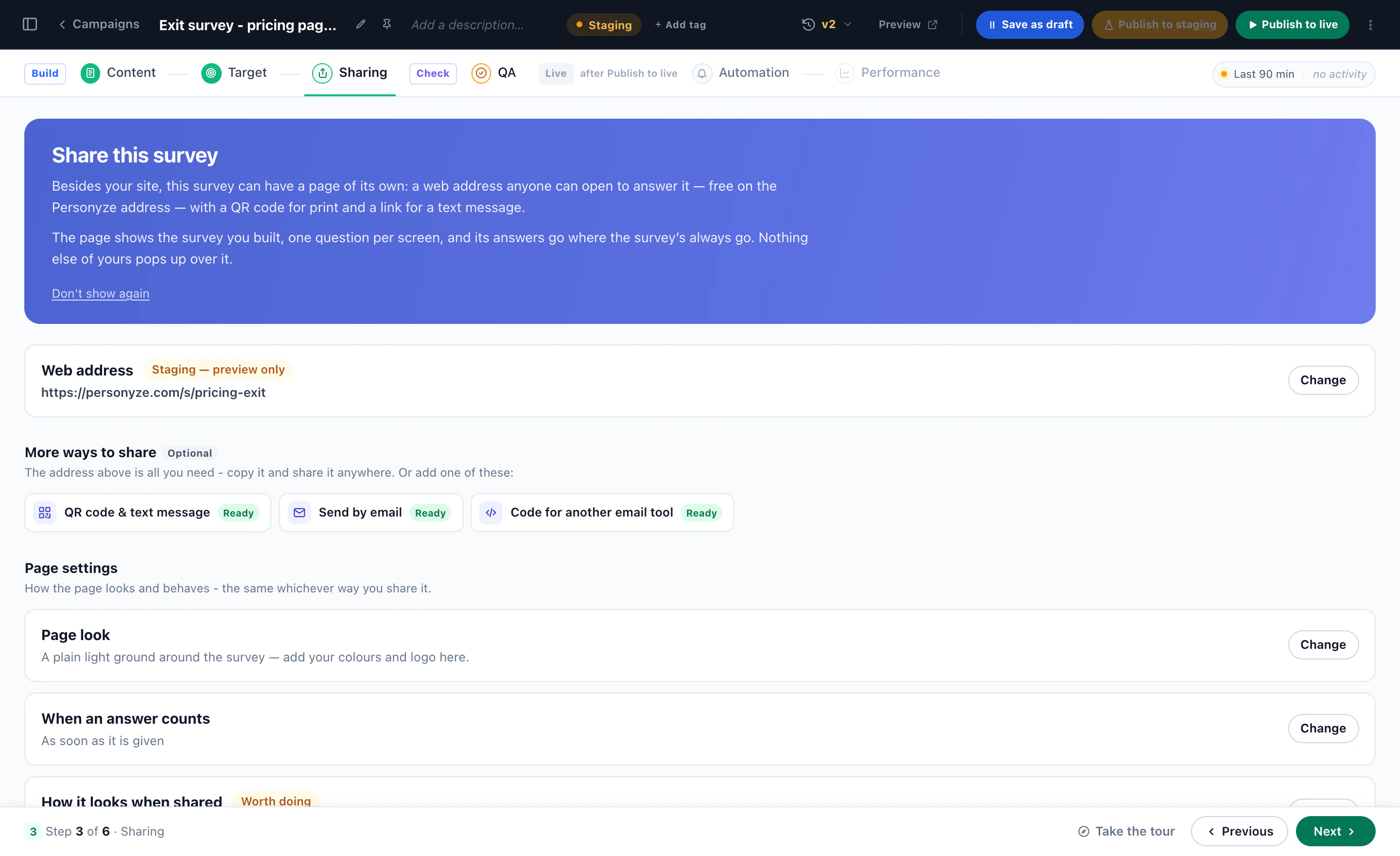
Publish the results, and only the results
The Survey Results action shows what visitors answered: bars and percentages, an average, or one line such as “82% of customers chose next-day delivery”. It is built to stay honest:
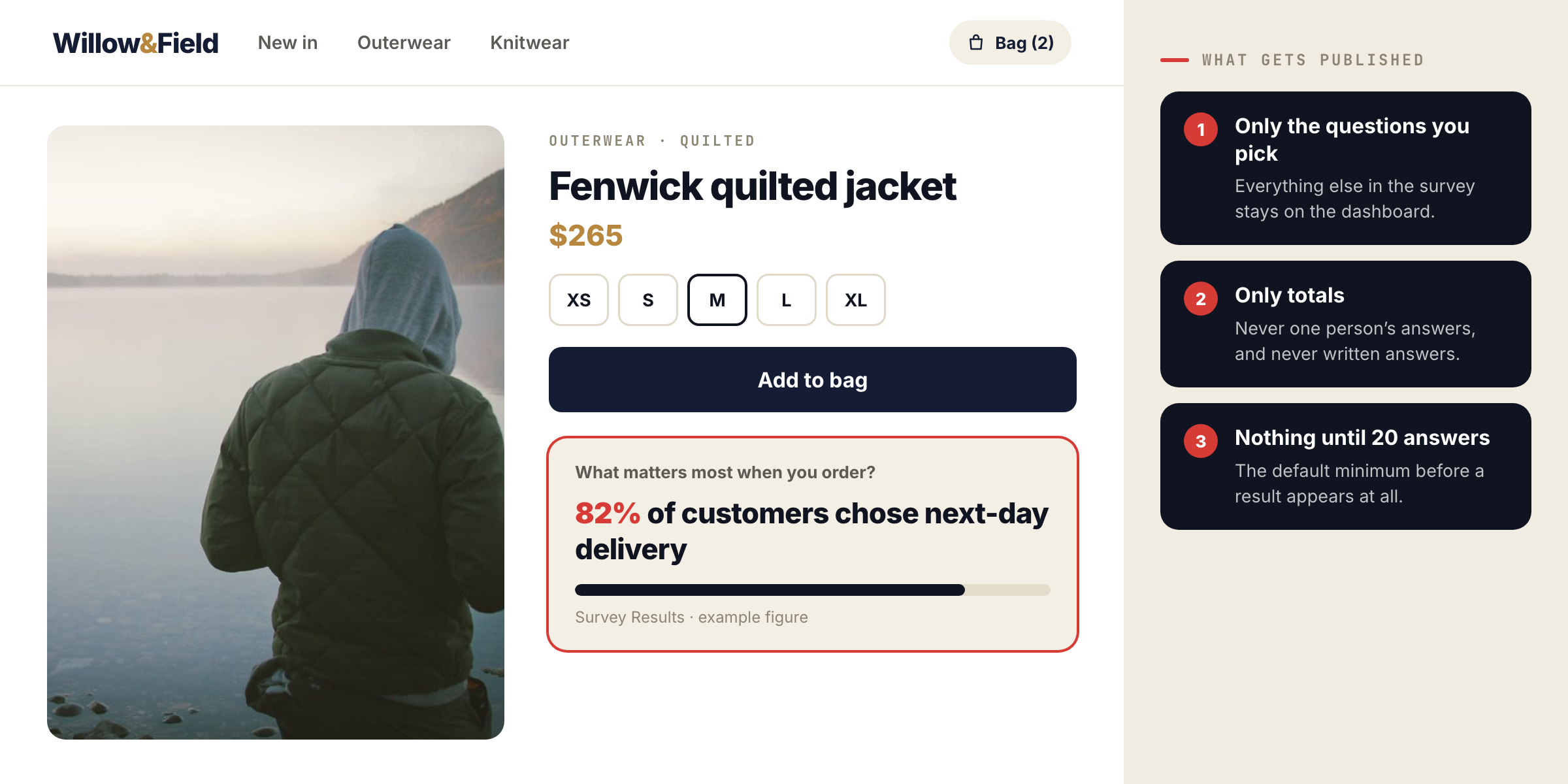
- Only the questions you pick are published.
- Only totals, never one person’s answers, and never written answers.
- Nothing shows until enough people have answered — 20 by default.
The Surveys dashboard
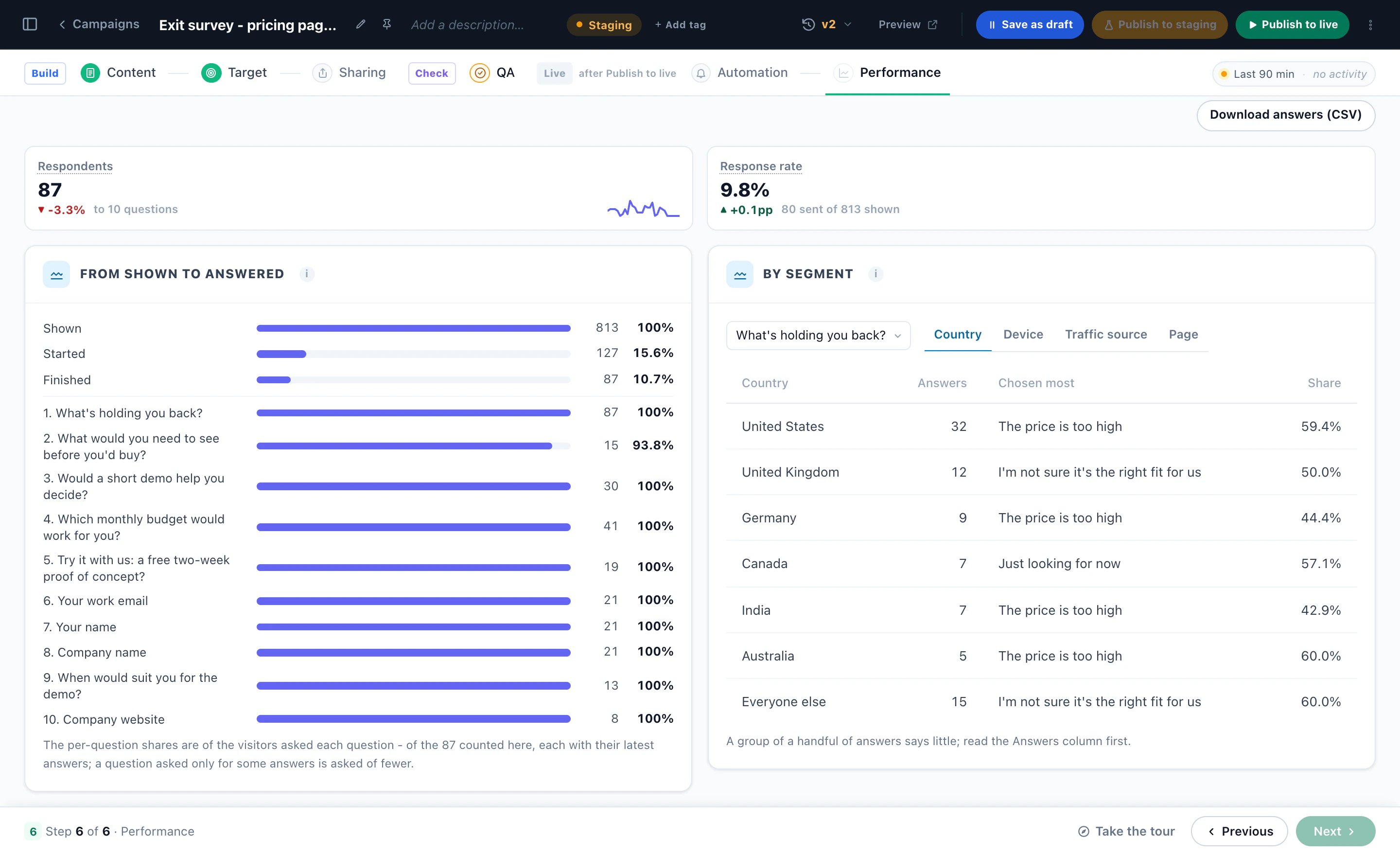
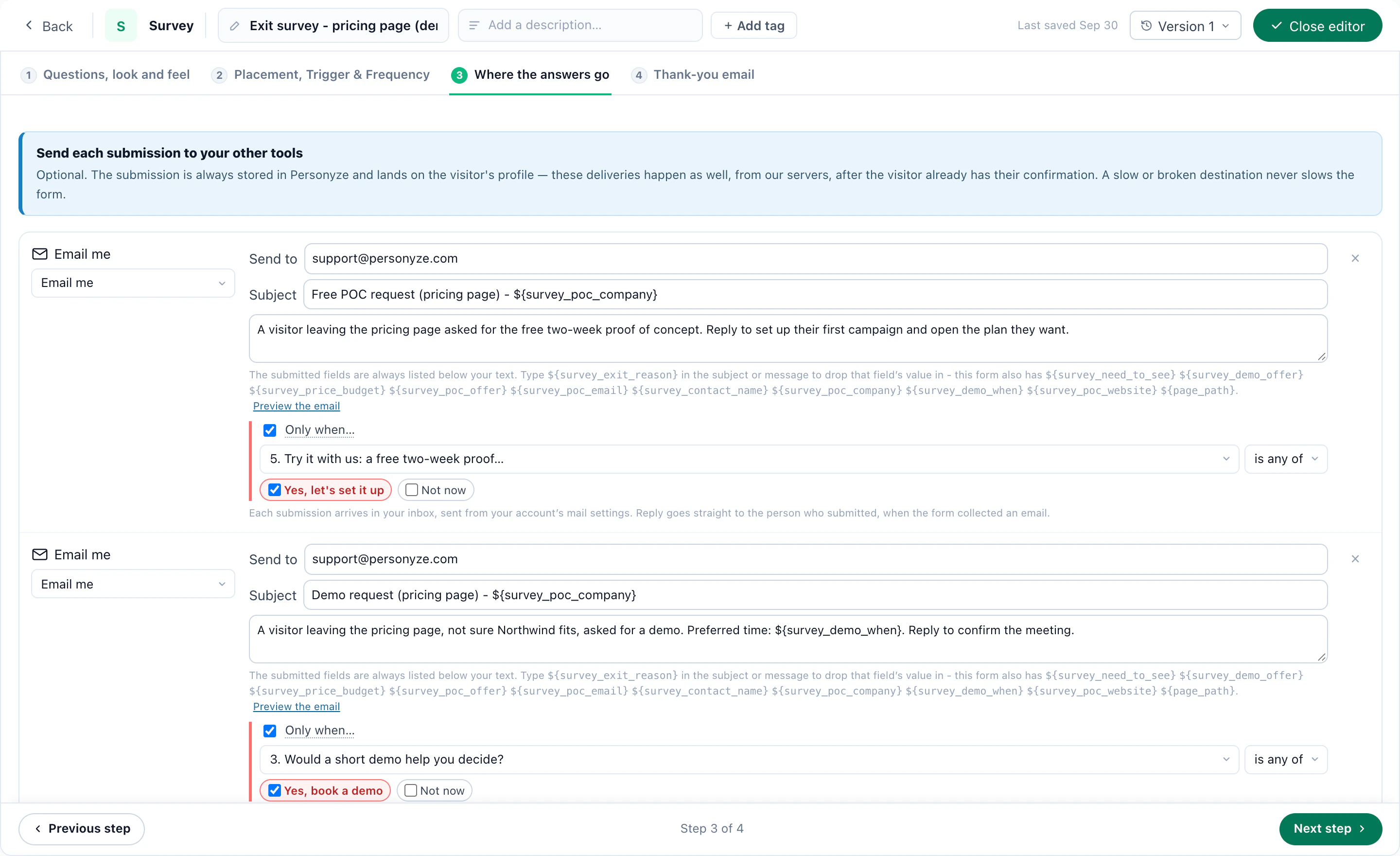
Each survey campaign has its own dashboard: respondents and response rate, NPS or averages, how many were shown the survey and how many answered each question, results per question and per audience, the latest written answers, and a CSV export. After each survey the answers can also go where your form submissions go — email, a webhook, Zapier, Slack, HubSpot — with an optional thank-you email.
Survey answers are private, not anonymous: they sit on the visitor’s profile, which is what makes them targetable. For a single quick question, the Feedback action is lighter — see the NPS post.
Ask the question your cart has been hidingStart from the Exit Survey design, or book a demo and see it on your own site.More on the feature: Surveys & NPS.
Questions people ask
Can I target a campaign by a survey answer?
Yes. Every answer is saved on the visitor’s profile, so “chose Price” is a targeting rule like country or pages viewed.
Are written answers ever shown on the site?
No. Survey Results publishes totals for the questions you pick, and only after the minimum number of answers. Written answers stay on the dashboard.
Are survey answers anonymous?
No. They are tied to the visitor’s profile. They are private — never shown to other visitors — but not anonymous.
Which question types are there?
One choice, several choices, a 1–5 rating, a 0–10 scale, and short or long text, shown one per screen or all on one card.
Book a demo with a personalization expert
30 minutes with a personalization expert. Bring your stack, your goals, your skepticism. We'll show you what changes when every visit feels like the only one.