Scan your siteA first AI personalization plan for your site: the best ideas drawn on your own pages, before you have any data.Starts right away · about 4 minutes · no email needed
An AI product finder that asks what they need. And picks from your own catalogue.
An AI shopping assistant on your page. Shoppers describe what they need in their own words — “something warm for walking to work in the snow” — and get picks from your own catalogue, weighed against everything they viewed and bought and ranked by your recommendation engine, each with the reason it fits.
Tell it what you need. Get a shortlist, with reasons.
A bar sits on the page, with a first line written for the shopper in front of it. They describe the need in their own words, and it answers with a short summary and up to four picks from your catalogue — each with the reason it fits — plus a few more worth a look.
YOUR PICKSa warm jacket for a week in the mountains, under €250
For cold, wet days on the trail you want insulation that stays warm when damp and a shell that packs small. All three are under €250; the first is the lightest.
Fjell Down Parka€229
Warm to minus fifteen, and packs into its own hood.
Warm when dampPacks smallYour size in stock
Ridge Quilted Jacket€189
One layer instead of two on a wet day.
WaterproofUnder €200Best seller
Tromsø Fleece Jacket€95
The mid layer for evenings in the hut.
LightGoes under a shellTrending
Ask about these picks…
Gear for your next tripHiking in Norway this spring? Tell us the trip, and we will pick the kit.WRITTEN FOR THIS VISITOR
a warm jacket for a week in the mountains, under €250Find
Boots for wet trailsA tent for twoLayers for minus ten
A SHORTLIST WITH REASONS — NOT A PAGE OF KEYWORD MATCHES
A card cannot invent anything
The AI writes the summary and the reasons; the picture, price, stars and link on every card come straight from your catalogue. A sold-out item never appears as a pick.
They can ask about the picks
Under the results, “Ask about your picks”: which one is warmer, does it come in navy — answered without starting over.
In the shopper’s language
It answers, and writes every reason, in the visitor’s language — and searches your catalogue in the catalogue’s own.
The picks follow them
Results stay for the whole visit: “See your picks” brings them back on the next page, in a whole page, a box or a side panel.
Private by design. What a shopper viewed and bought shapes the picks; it is never said back to them.
More than their words
It knows what they viewed and bought. Your engine ranks the picks.
The question says what they need. Their history says what they like: every product they viewed, carted and bought. The finder weighs both, and your personalized recommendation engine ranks the fits by how likely this shopper is to buy each one — the same scoring behind your recommendations.
What they ask
“Something warm for walking to work in the snow”
What they already did
Viewed 3 parkas, 2 pairs of boots
Carted merino socks
Bought a rain shell, in March
Size M, from past orders
What your store sells
TRENDINGMOST POPULARBEST SELLERSNEW ARRIVALSVIEWED TOGETHER
Ranked for this shopperLikely to buy
Insulated ParkaWindproof, with room for a layer
Winter BootsLined, and they grip on ice
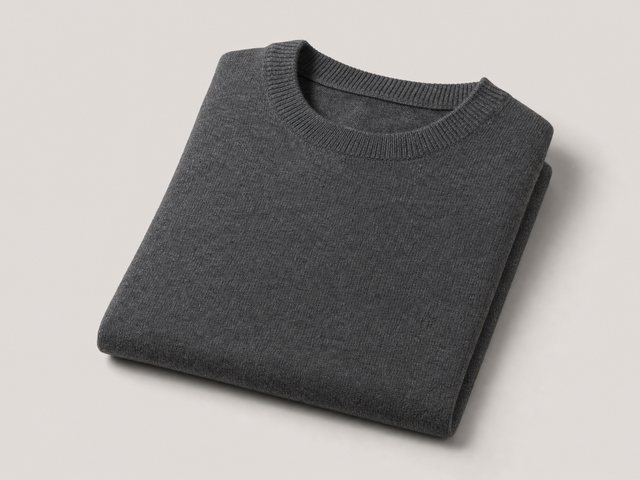
Merino CrewStays warm when damp
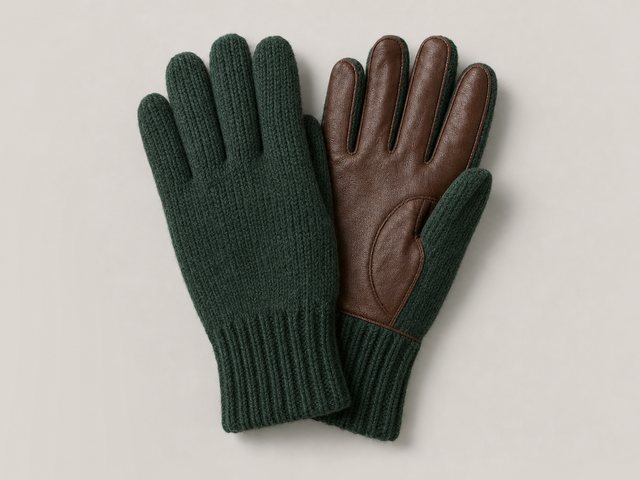
Knit GlovesTouch-screen tips for the walk
Shoppers see the picks and the reasons. What they viewed and bought shapes the order, and is never said back to them.
Their words decide what fits
Only products that answer the need are in the running — not every item that happens to share a keyword.
Their history decides the order
What they viewed, carted and bought, on this visit and the ones before, moves the likely ones to the top.
Your engine, not a second one
The ranking comes from your personalized recommendation algorithm, so the finder and your recommendation widgets agree on what this shopper will want.
After the picks
The results page sells the next step too.
Under the picks you choose what comes next, so a question can end in a cart, a coupon or a booking — without the shopper leaving the page.
Add to cart
Straight from a pick, where your store’s add-to-cart is set up in product tracking.
Your picks, in one list
Everything picked, side by side, with up to two buttons of your own — See the range, Book a fitting.
Also worth a look
Up to three more items under the main picks, for the shopper who wants options.
An offer, when it fits
Let it mention your offers, and the right coupon can appear with the picks.
A meeting, when it fits
Let it offer a meeting, and a calendar opens in the results for the shopper who wants a person.
Your own sections
Up to three of your other actions under the picks — reviews, a survey, social proof, recommendations, a form.
And in your search box
Ask it, and it answers with your catalogue.
The same assistant also comes as a box you drop into a page. Point it at your
product catalogue or your content catalogue and it does not stop at a paragraph: it answers
in a sentence, then hands back the items themselves — ranked for the person searching
by the same engine that orders your recommendations.
ANSWERS FROMProductsArticles
something warm for a wet Irish springAsk
For rain and wind rather than cold, the waxed and shell layers do more than the wool does. All four are in stock in your size.
Fabric & careWaxed cotton · passage 3 of 9DeliveryIreland · passage 1 of 11
FROM YOUR CATALOGUE · RANKED FOR THIS VISITOR
1Merino Travel Coat — FernWool · water-repellent€245NEW INYOU VIEWED THIS
2Waxed Cotton ParkaWaxed cotton · fully taped€189€235−20% THIS WEEK
3Packable Rain ShellShell · folds to a fist€120BACK IN STOCK
New in the last 30 days82Trending this week64What this visitor viewed57What people like them bought46In stock, in their size38
The same engine that orders your recommendations, ordering your search
results. Keyword search returns the same four to everybody — this does not.
A SENTENCE FIRST, THEN THE ITEMS — A SEARCH THAT ONLY RETURNS AN ESSAY IS NOT A SEARCH
And it can be held to one part of the library. An ask box beside the pricing table can be told to answer from pricing only, and to say so rather than wander into the returns policy.
1,500+
Brands running campaigns with Personyze
4.6/5
G2CapterraCrozdesk
Average rating from customer reviews
11
Languages its own buttons and messages come in
In the panel
See it in Personyze, screen by screen.
The wizard’s steps, then the designer with each of its settings open — real screens from the panel, one after another. Or watch both finders set up, start to finish.
The wizardThe designerWatch
Open full size ↗
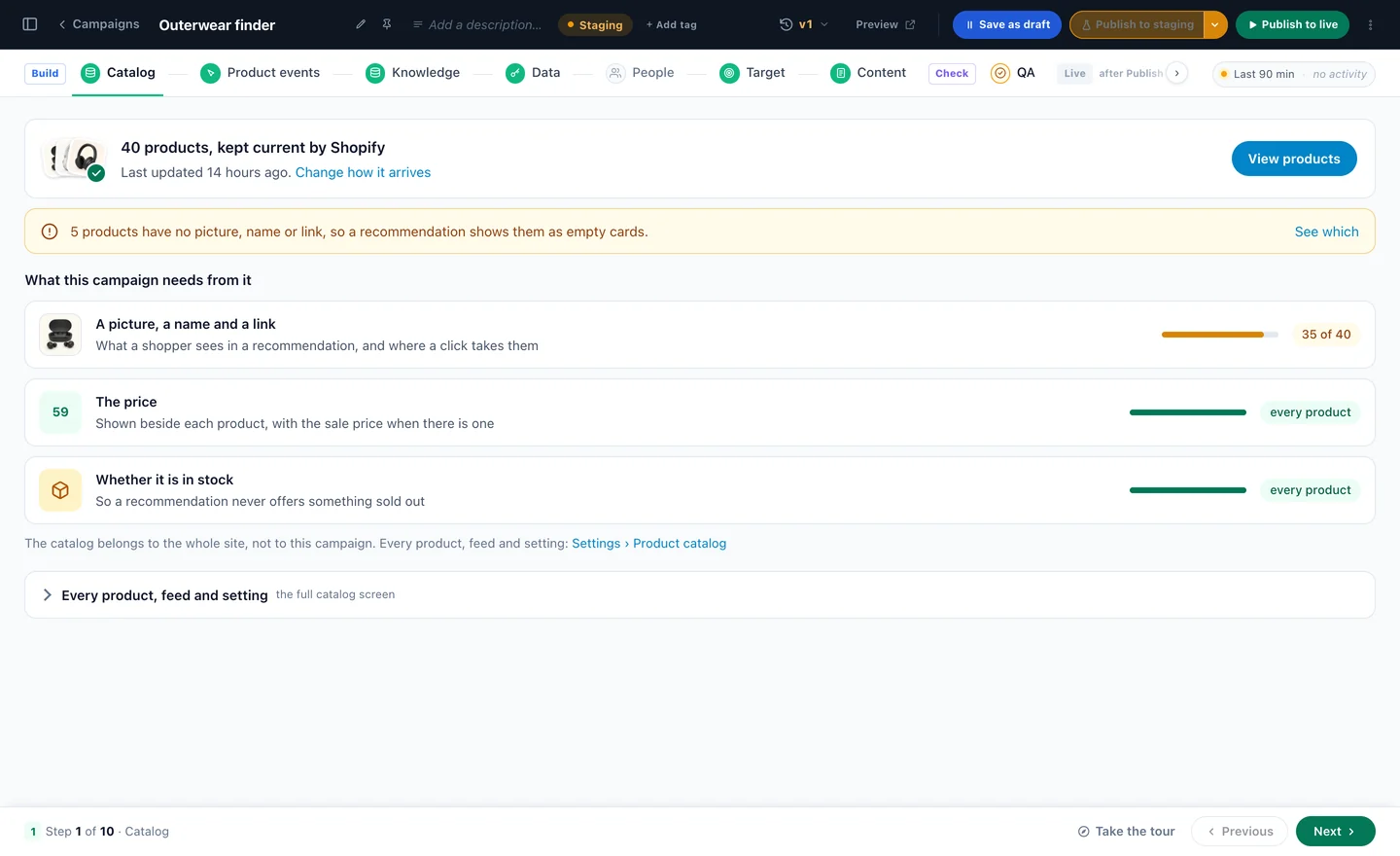
The wizard
Your products, kept current
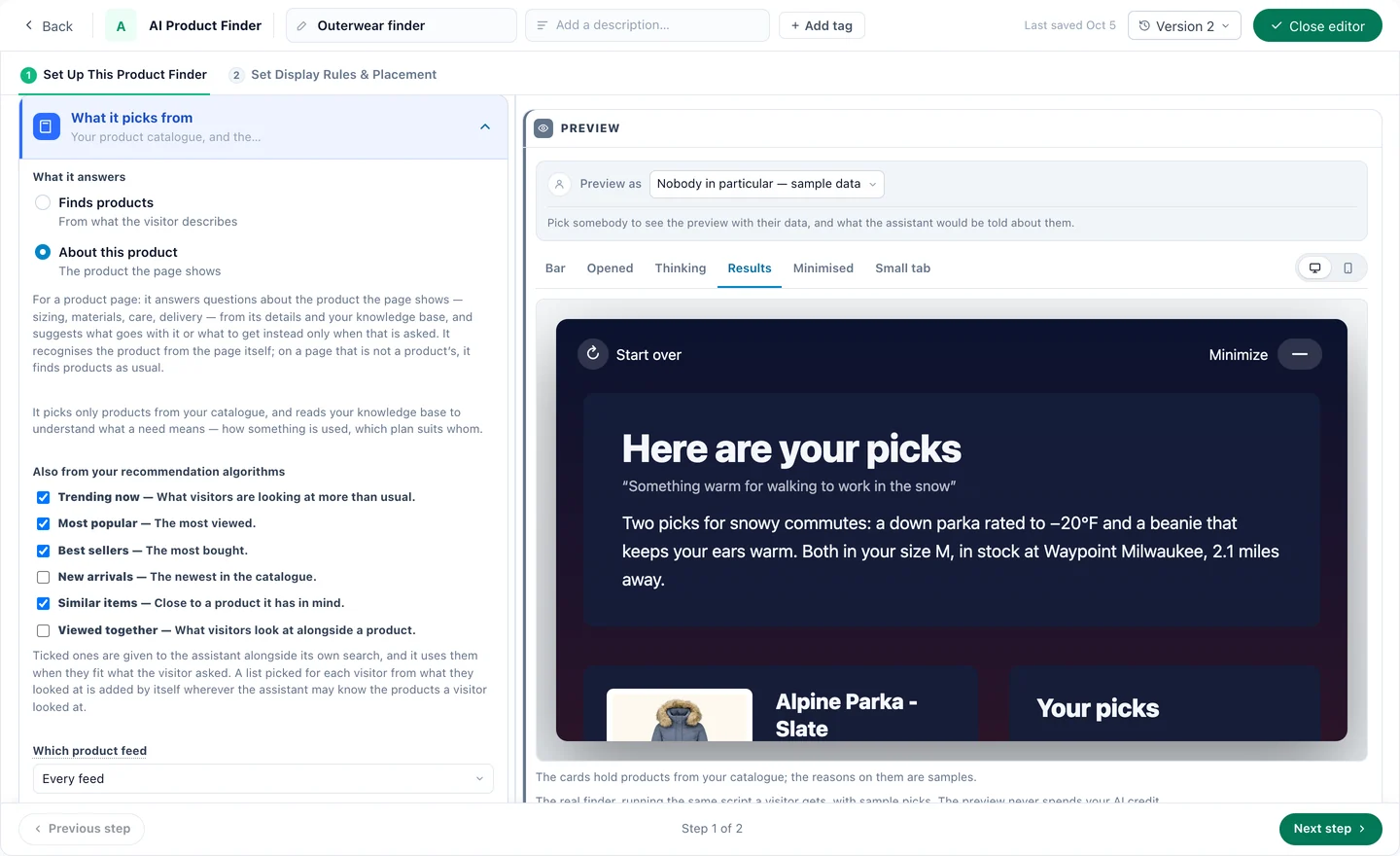
The first step checks what it picks from: how many products, where they come from, and what every card needs — a picture, a price, whether it is in stock.
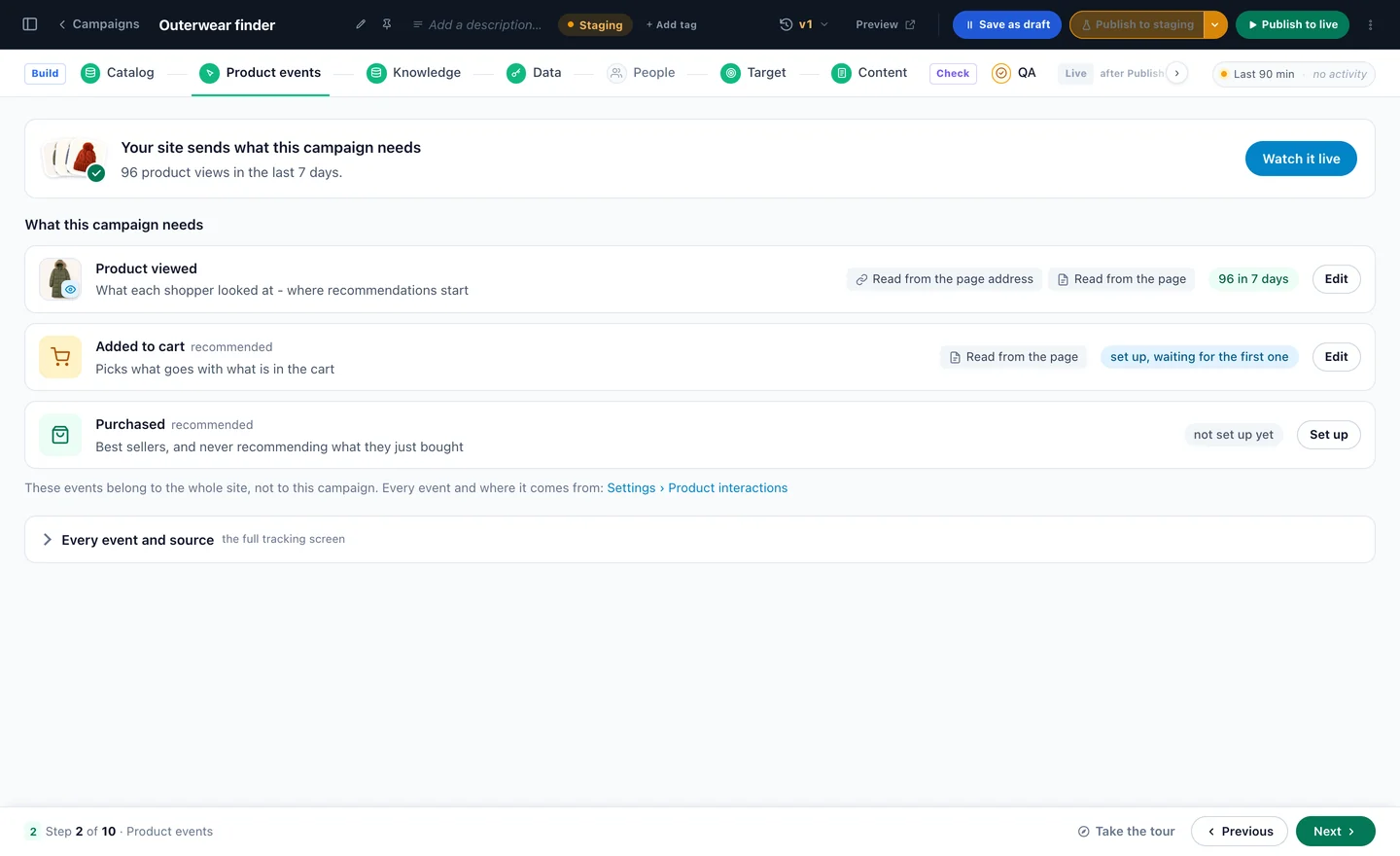
The wizard
What shoppers do with your products
Viewed, added to cart, purchased — the events behind the rankings, and behind what it knows about each shopper.
The wizard
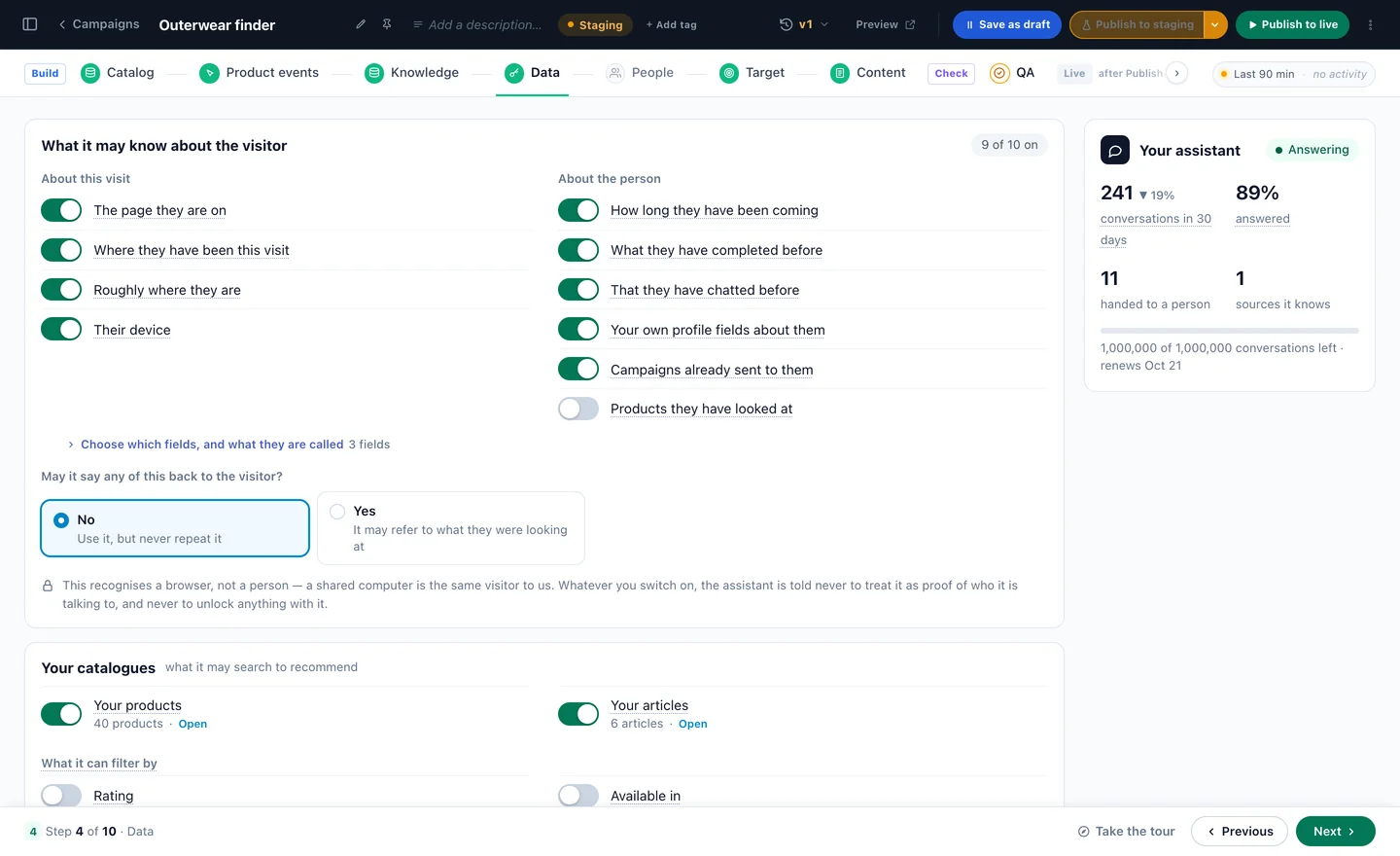
What it may know about the visitor
You switch on what it may use: the page they are on, this visit, earlier visits, what they finished before.
The wizard
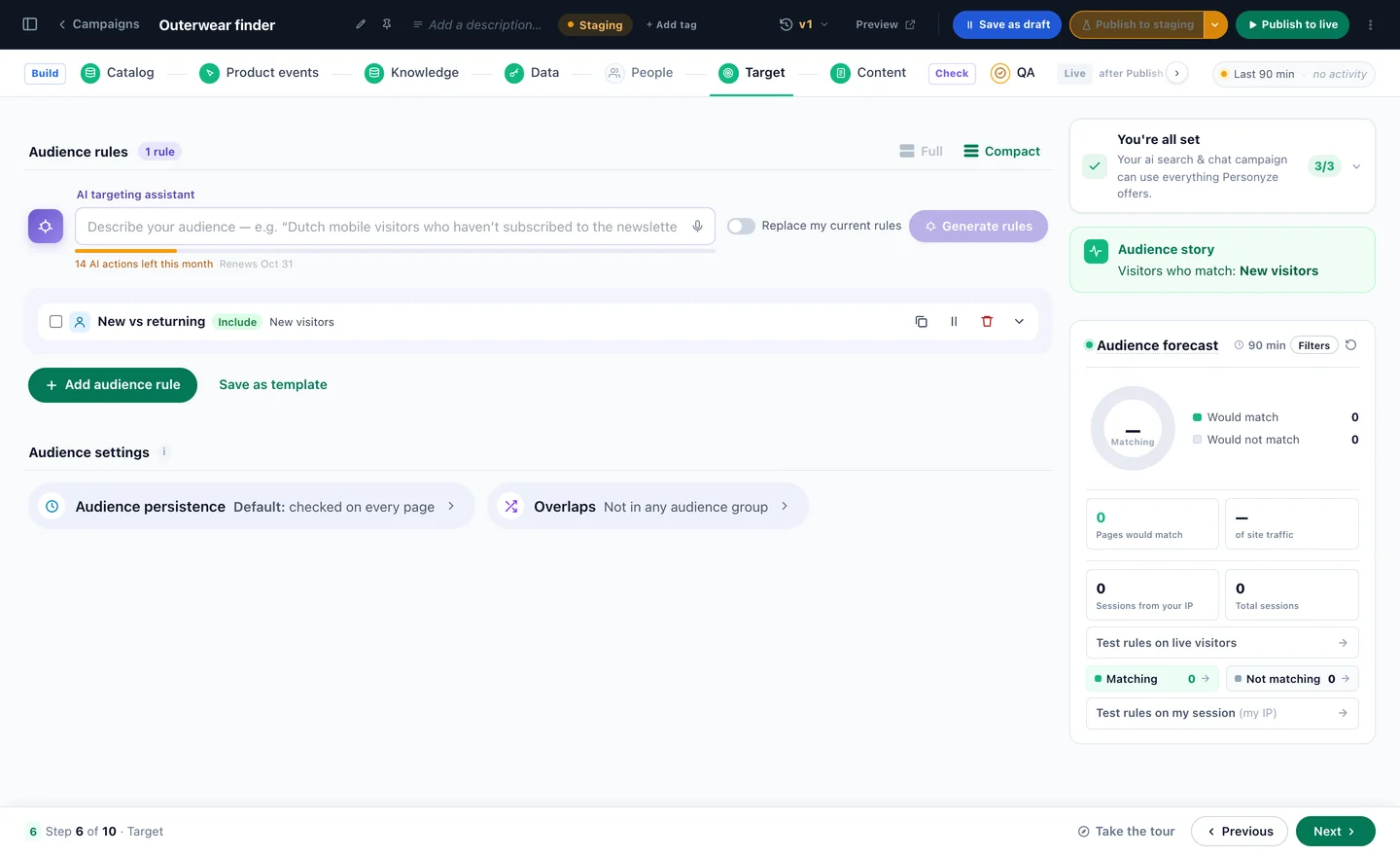
Who gets this finder
Audience rules in plain words or built from conditions, with a forecast of who will match.
The designer
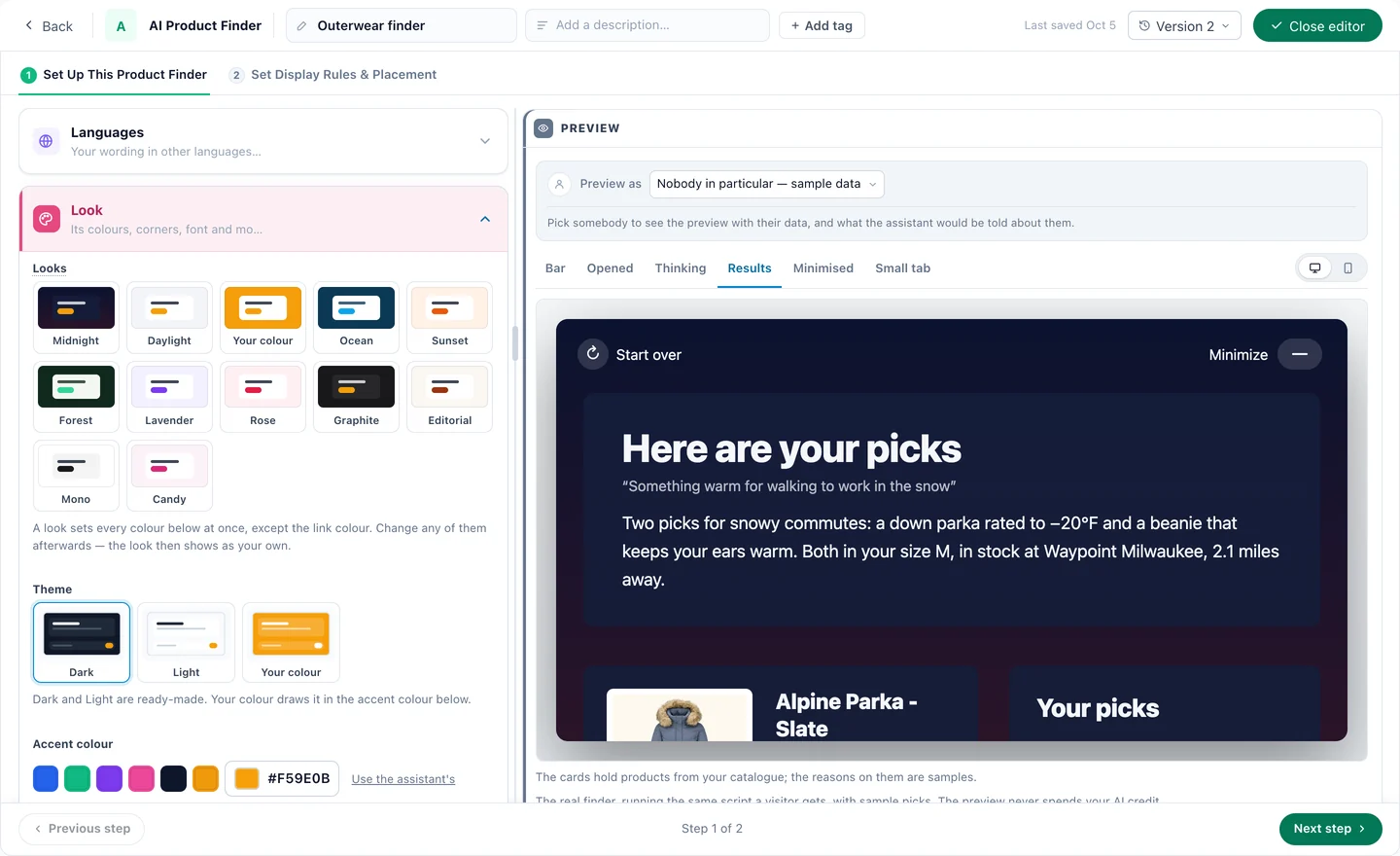
Twelve looks, or your own colours
Dark, light or your colour, then every surface, corner, font and the way it arrives — previewed beside you.
The designer
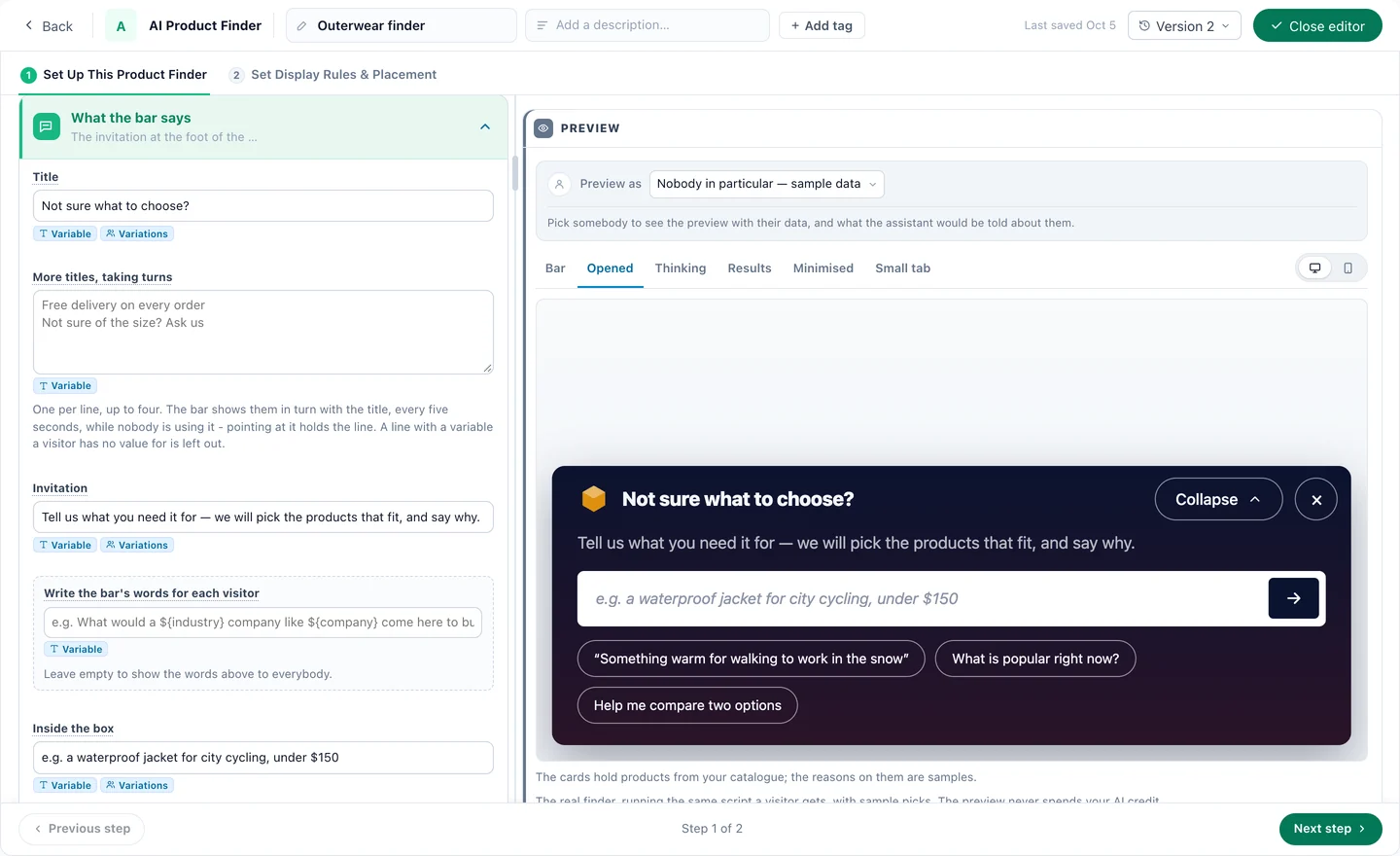
What the bar says
A title, more titles taking turns, the invitation and examples to tap — or words written for each visitor.
The designer
What it picks from
Your catalogue, plus the recommendation algorithms it may lean on — trending, best sellers, new, similar, viewed together — and “Only recommend” rules.
The designer
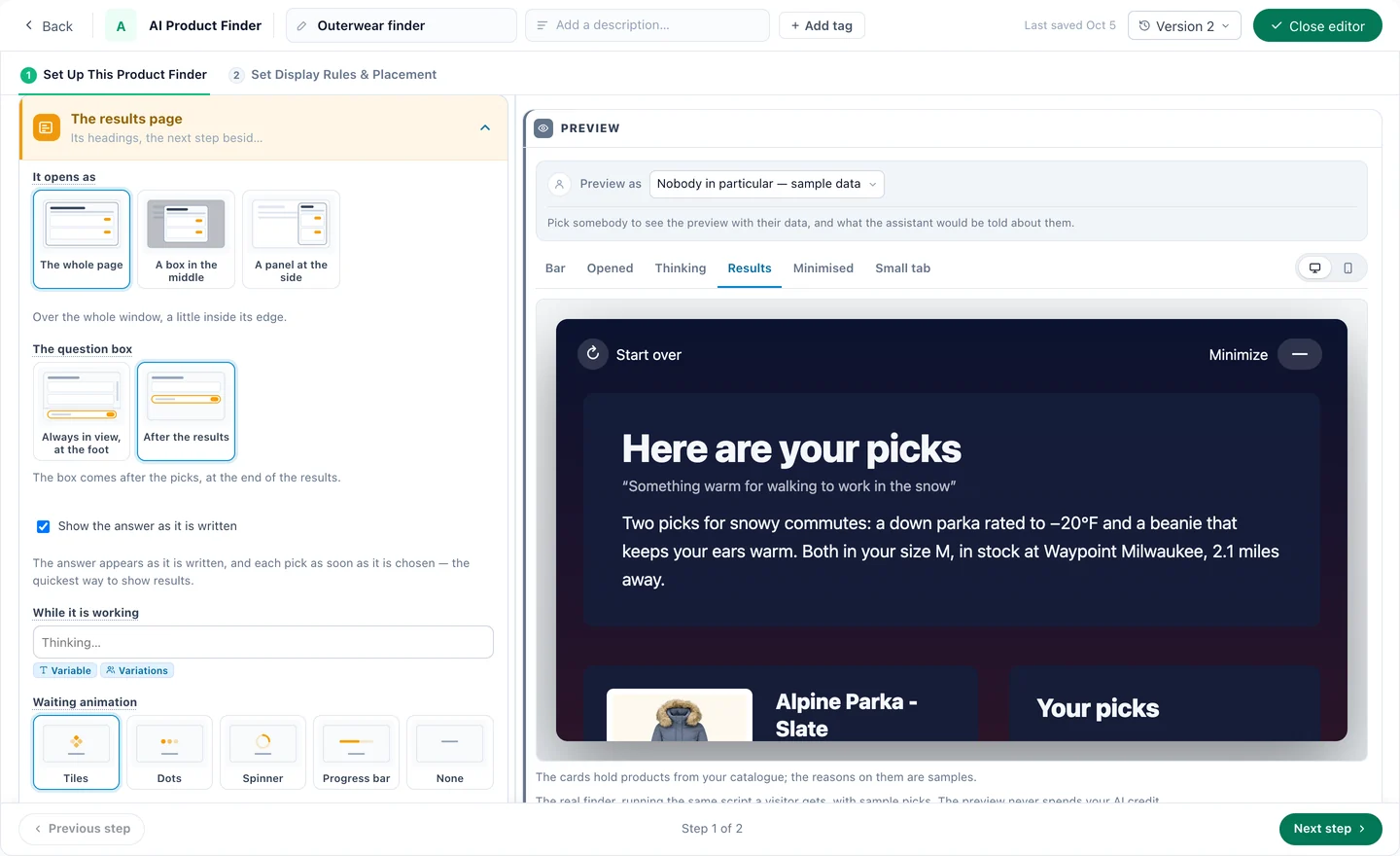
The results page
The whole page, a box or a side panel; the question box, the waiting animation and the next-step buttons.
The designer
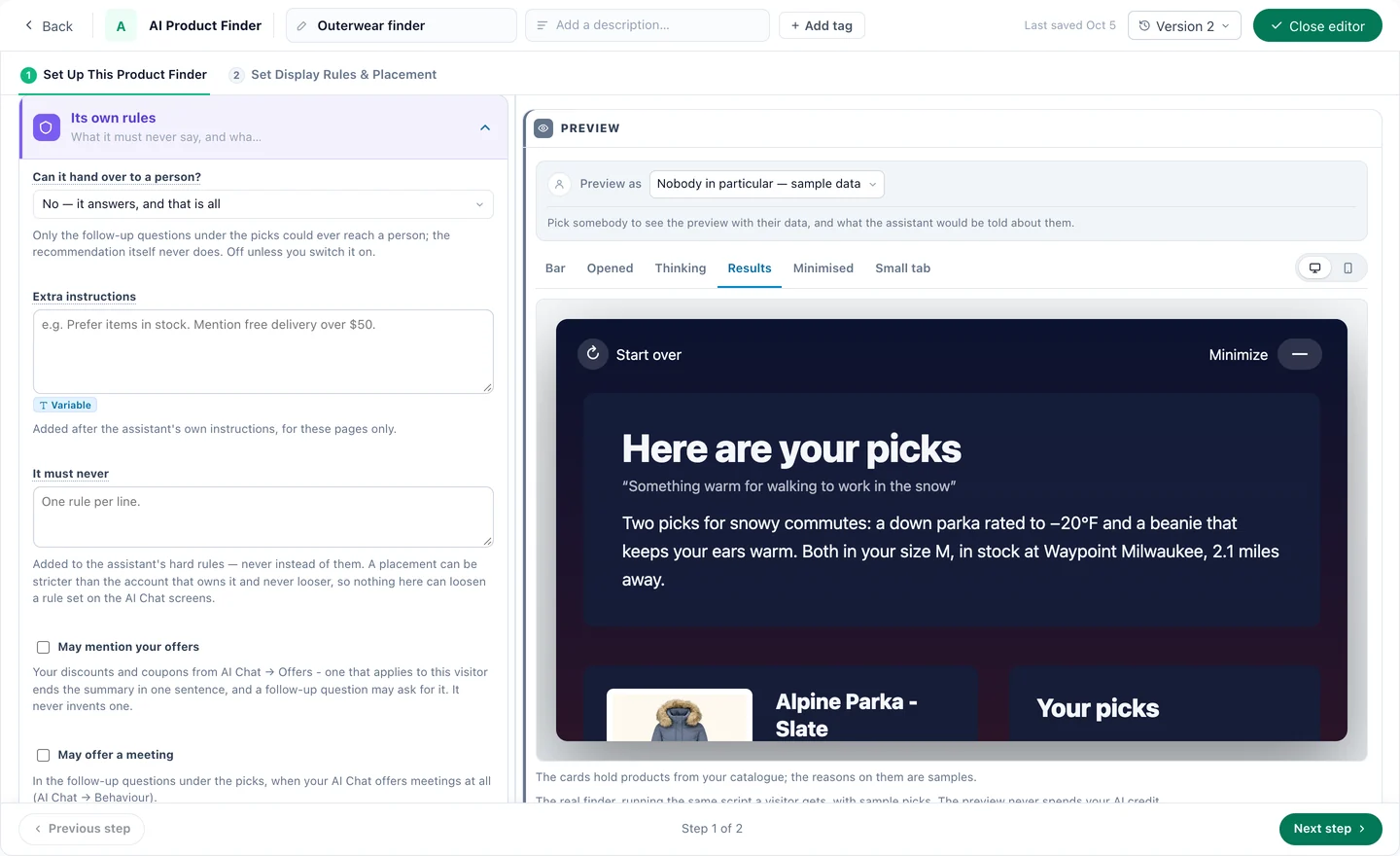
Its own rules
Whether it hands over to a person, extra instructions, what it must never say — and whether it may mention offers or a meeting.
The designer
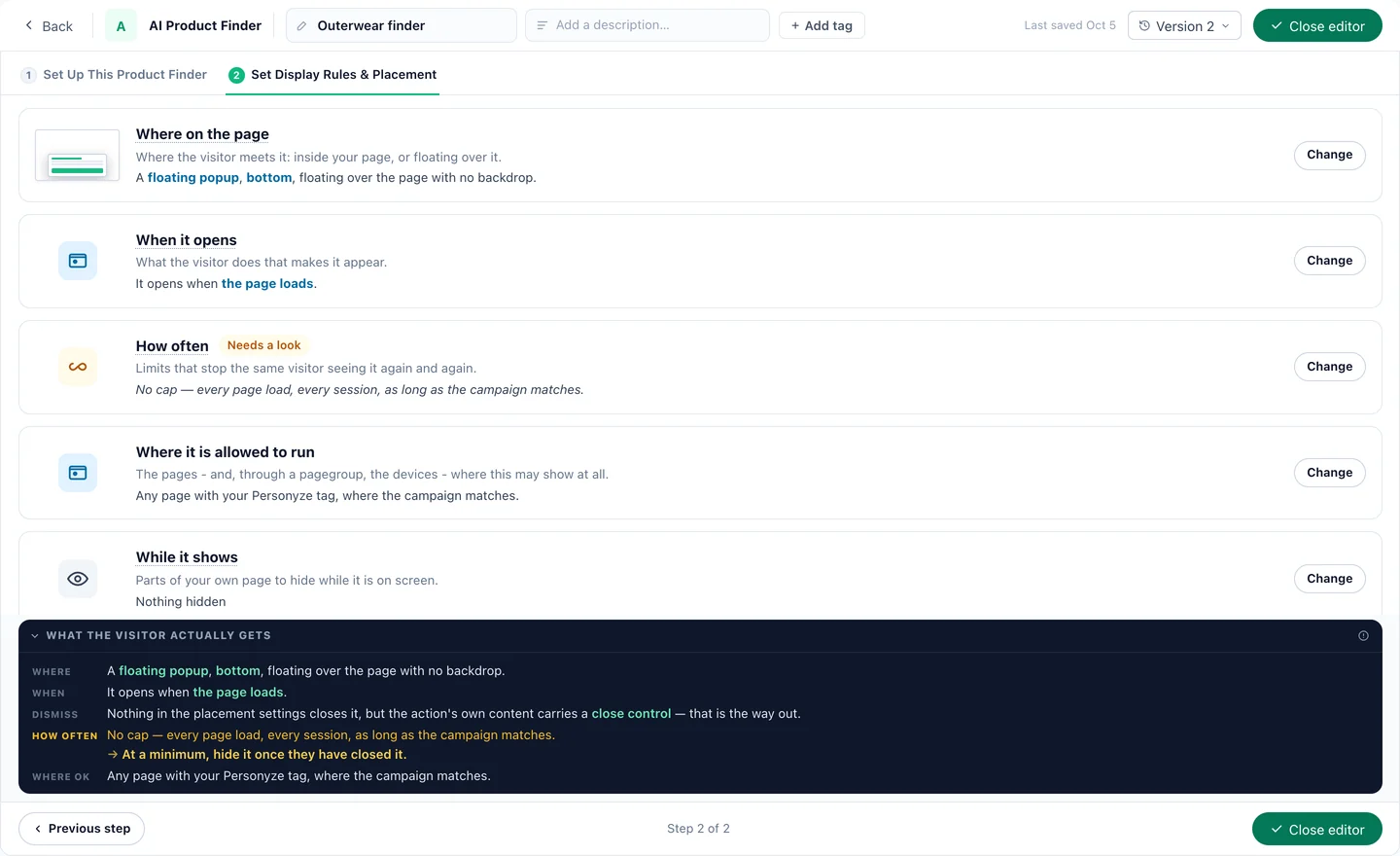
Where and when it shows
Where on the page, when it opens, how often and where it may run — with a summary of what the visitor actually gets.
Watch
AI Product Finder 1:53
A shopper describes a need, and the assistant picks the products — each with a reason.
Watch
AI Content Finder 1:56
A reader asks a question, and the assistant picks what to read next.
1 / 12
Screens from a Personyze demo shop. The products and numbers are illustrative.
Finder, quiz or recommendations
Three ways to help them find the right product.
A finder is not always the best one. All three run in Personyze on the same catalogue — use each where it works.
The way
The shopper
Best when
AI Product Finder
The shopperDescribes the need in their own words
Best whenThe range is wide and needs are specific: they know what it is for, not which item it is.
A quiz with pictures
The shopperTaps an answer, picture by picture
Best whenThere are a few clear paths — a size, a style, a use — and you want every answer kept for targeting.
Recommendations
The shopperAsks nothing; the page shows them
Best whenThey are browsing, not asking: what they viewed, what is trending and what goes together fills the page.
Nothing reaches a shopper until the last one — and even then it can start in testing, visible from a staging address only.
01
Step 1 · Your catalogue
Bring the catalogue
A connected store, a feed, a file, SFTP — or Personyze reads the products off your site. With several feeds, choose the one it picks from. The content finder also reads your site’s own pages.
02
Step 2 · Words and look
Write the first line
A title, the invitation and up to four examples to tap — or let it write the bar’s line for each visitor. Then one of twelve looks, your colour and your font.
03
Step 3 · What it may pick
Set the rules
“Only recommend” rules like your recommendation filters, the rankings it may lean on, a list of what it must never say, and whether it may mention offers or offer a meeting.
04
Step 4 · Who and where
Place it, then test it
A bar at the foot of the page, a side spot or inside your page, and the campaign decides who sees it. Preview it as a real visitor, then start it in testing.
Questions
The things people ask before they switch it on.
What is an AI product finder?
A bar on your store where a shopper describes what they need in their own words and gets a short list of products from your catalogue, each with the reason it fits. It is the conversation they would have with someone in the shop, answered from your own range.
Is it an AI shopping assistant?
Yes, in the sense shoppers mean: it helps them choose. It answers questions about the picks too — which one is warmer, which fits a small kitchen — and on a product page it can answer questions about that one product.
How is it different from site search?
Search matches keywords and returns the same page of results to everybody. The finder reads the whole sentence — the trip, the budget, the person it is for — and answers with a short summary and a handful of picks, each with its reason. The same assistant also comes as an AI search box that answers in a sentence.
How is it different from a product recommendation quiz?
A quiz asks fixed questions with fixed answers, so it works when there are a few clear paths. The finder takes one free-text question, so it works when needs are too varied to script. Personyze runs both: a quiz is a survey with picture answers, and every answer can be kept for targeting.
Where do the picks come from?
From your product catalogue only. The AI writes the summary and the reasons; every card is drawn from a catalogue row, so a card cannot show an invented product, price or link, and a sold-out item never appears as a pick. You can limit what it may recommend with the same rules as your recommendation filters.
Does it use what the shopper viewed and bought?
Yes. Their words decide what fits; their history decides the order. The finder weighs every product they viewed, carted and bought — on this visit and the ones before — and your personalized recommendation engine ranks the fits by how likely this shopper is to buy each one. What they viewed is never said back to them.
Do I need a product feed?
The product finder needs a product catalogue: a connected store, a feed, a file, SFTP, or Personyze reading the products off your site. The content finder picks from your articles and your site’s own pages.
Does it work for articles and guides?
Yes. The AI Content Finder is the same assistant pointed at your content: a reader asks a question and gets the articles that answer it, each with its reason.
Which languages does it speak?
It answers, and writes the reason on every card, in the visitor’s language, and searches your catalogue in the catalogue’s own. Its built-in buttons and messages come in eleven languages, and your own wording can be translated per language.
Can different visitors see a different finder?
Yes. A finder is an action in a campaign, so the targeting you already use applies — audience, page, country, device. Its words can change per audience, and its first line can be written for each visitor from what you know about them.
How do I see what it did?
The campaign report counts shows, clicks and goals, and its Conversations tab shows reach, conversations and what it could not answer. Every question shoppers asked is kept and searchable, so you can read what they wanted in their own words.
“Warm for the snow”Insulated Parka — stops the wind
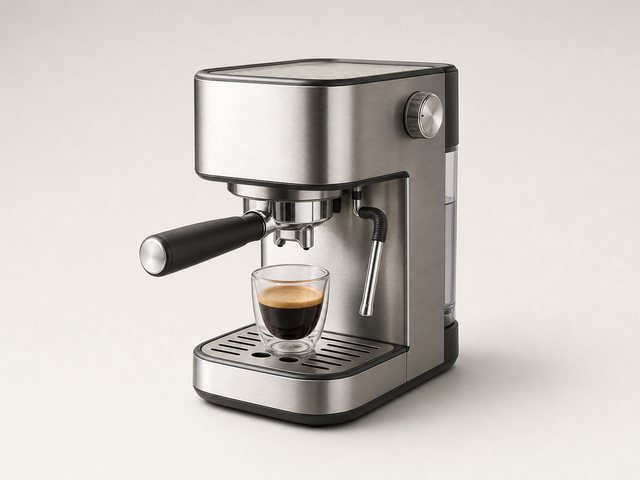
“Easy espresso at home”Compact Espresso — easy to clean
“My first 10K”Trail Runner — cushioned and light
“A gift for a new cyclist”Bike Light Set — seen on dark evenings
“Camping with two kids”Dome Tent — up in five minutes
“Carry-on for a week”Cabin Case — fits the overhead bin
“Warm for the snow”Insulated Parka — stops the wind
“Easy espresso at home”Compact Espresso — easy to clean
“My first 10K”Trail Runner — cushioned and light
“A gift for a new cyclist”Bike Light Set — seen on dark evenings
“Camping with two kids”Dome Tent — up in five minutes
“Carry-on for a week”Cabin Case — fits the overhead bin
“A gift for a new cyclist”Bike Light Set — seen on dark evenings
“Camping with two kids”Dome Tent — up in five minutes
“Carry-on for a week”Cabin Case — fits the overhead bin
“Boots that grip on ice”Winter Boots — lined, with grip
“Layers that don’t itch”Merino Crew — soft, warm when damp
“Hiking in the heat”Insulated Bottle — cold all day
“A gift for a new cyclist”Bike Light Set — seen on dark evenings
“Camping with two kids”Dome Tent — up in five minutes
“Carry-on for a week”Cabin Case — fits the overhead bin
“Boots that grip on ice”Winter Boots — lined, with grip
“Layers that don’t itch”Merino Crew — soft, warm when damp
“Hiking in the heat”Insulated Bottle — cold all day
“Boots that grip on ice”Winter Boots — lined, with grip
“Layers that don’t itch”Merino Crew — soft, warm when damp
“Hiking in the heat”Insulated Bottle — cold all day
“A coat for travel”Merino Travel Coat — packs flat
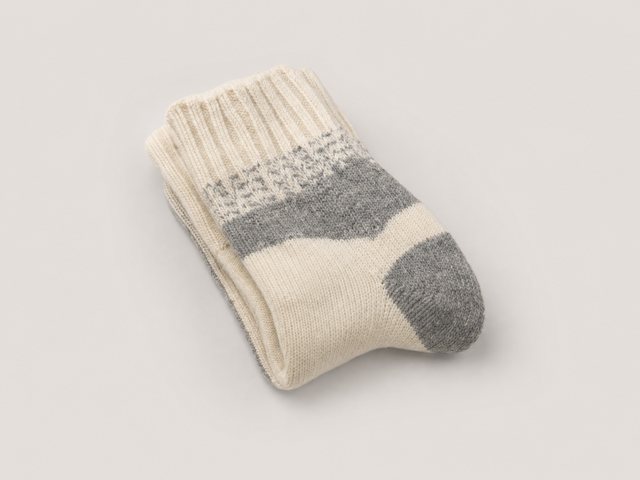
“Cold feet at my desk”Merino Socks — warm, not sweaty
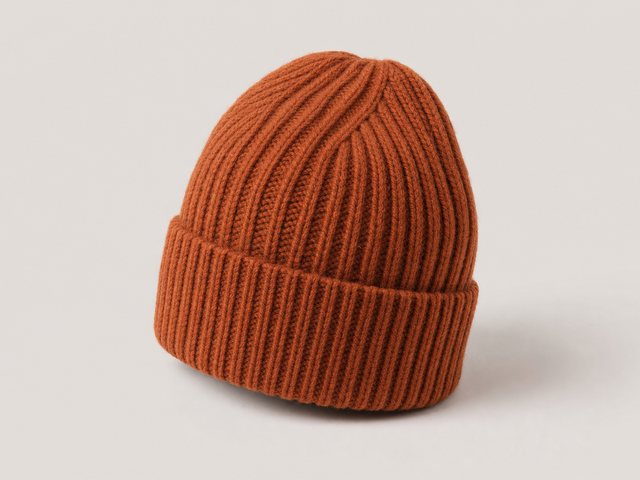
“Something under $30”Ribbed Beanie — $28, in rust
“Boots that grip on ice”Winter Boots — lined, with grip
“Layers that don’t itch”Merino Crew — soft, warm when damp
“Hiking in the heat”Insulated Bottle — cold all day
“A coat for travel”Merino Travel Coat — packs flat
“Cold feet at my desk”Merino Socks — warm, not sweaty
“Something under $30”Ribbed Beanie — $28, in rust
“A coat for travel”Merino Travel Coat — packs flat
“Cold feet at my desk”Merino Socks — warm, not sweaty
“Something under $30”Ribbed Beanie — $28, in rust
“Commuting by bike”Saddle Bag — keys, phone, a spare tube
“Gloves I can text in”Knit Gloves — touch-screen tips
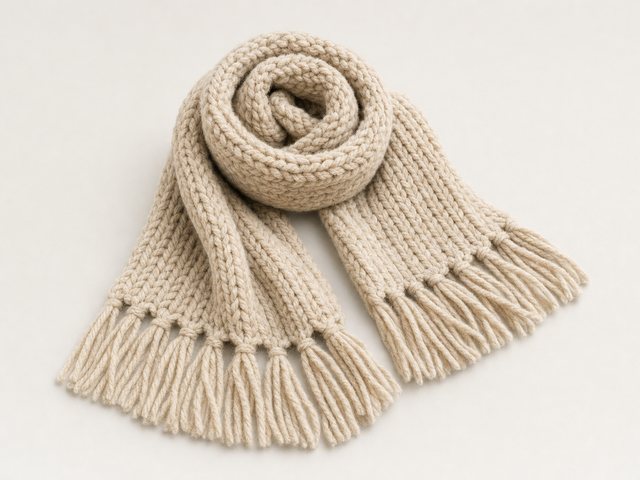
“A present for my mum”Wool Scarf — soft, in oatmeal
“A coat for travel”Merino Travel Coat — packs flat
“Cold feet at my desk”Merino Socks — warm, not sweaty
“Something under $30”Ribbed Beanie — $28, in rust
“Commuting by bike”Saddle Bag — keys, phone, a spare tube
“Gloves I can text in”Knit Gloves — touch-screen tips
“A present for my mum”Wool Scarf — soft, in oatmeal
“Commuting by bike”Saddle Bag — keys, phone, a spare tube
“Gloves I can text in”Knit Gloves — touch-screen tips
“A present for my mum”Wool Scarf — soft, in oatmeal
“Warm for the snow”Insulated Parka — stops the wind
“Easy espresso at home”Compact Espresso — easy to clean
“My first 10K”Trail Runner — cushioned and light
“Commuting by bike”Saddle Bag — keys, phone, a spare tube
“Gloves I can text in”Knit Gloves — touch-screen tips
“A present for my mum”Wool Scarf — soft, in oatmeal
“Warm for the snow”Insulated Parka — stops the wind
“Easy espresso at home”Compact Espresso — easy to clean
“My first 10K”Trail Runner — cushioned and light
Ready when you are
Let them ask for what they need.
Bring your catalogue, pick a look and write the first line — and shoppers get a shortlist with reasons instead of a page of keyword matches.