
1Start here
Create a campaign and choose Email & SMS. A campaign that sends from Personyze runs these steps:
- Your people — where the recipients come from: a list you upload, your CRM, your own site.
- Target — which of them get it, and who is excluded.
- Content — the email, or a sequence of them, with each person’s own details and products. The same step can send an SMS, or a webhook into another system.
- Sending — who it is from and where replies go.
- QA — the checks before anything goes out.
- Performance — what each email did, step by step.
Would rather keep your own ESP? Personyze recommendation and banner blocks paste into Mailchimp, Klaviyo or any other ESP and fill in when the email is opened — see the open-time recommendations playbook. A whole campaign built step by step: a personalized email invitation sequence.
2Your people: lists, CRM and your own site
Recipients can come from several places at once, and every field they bring can be printed into the email or used to target it.
Upload a list
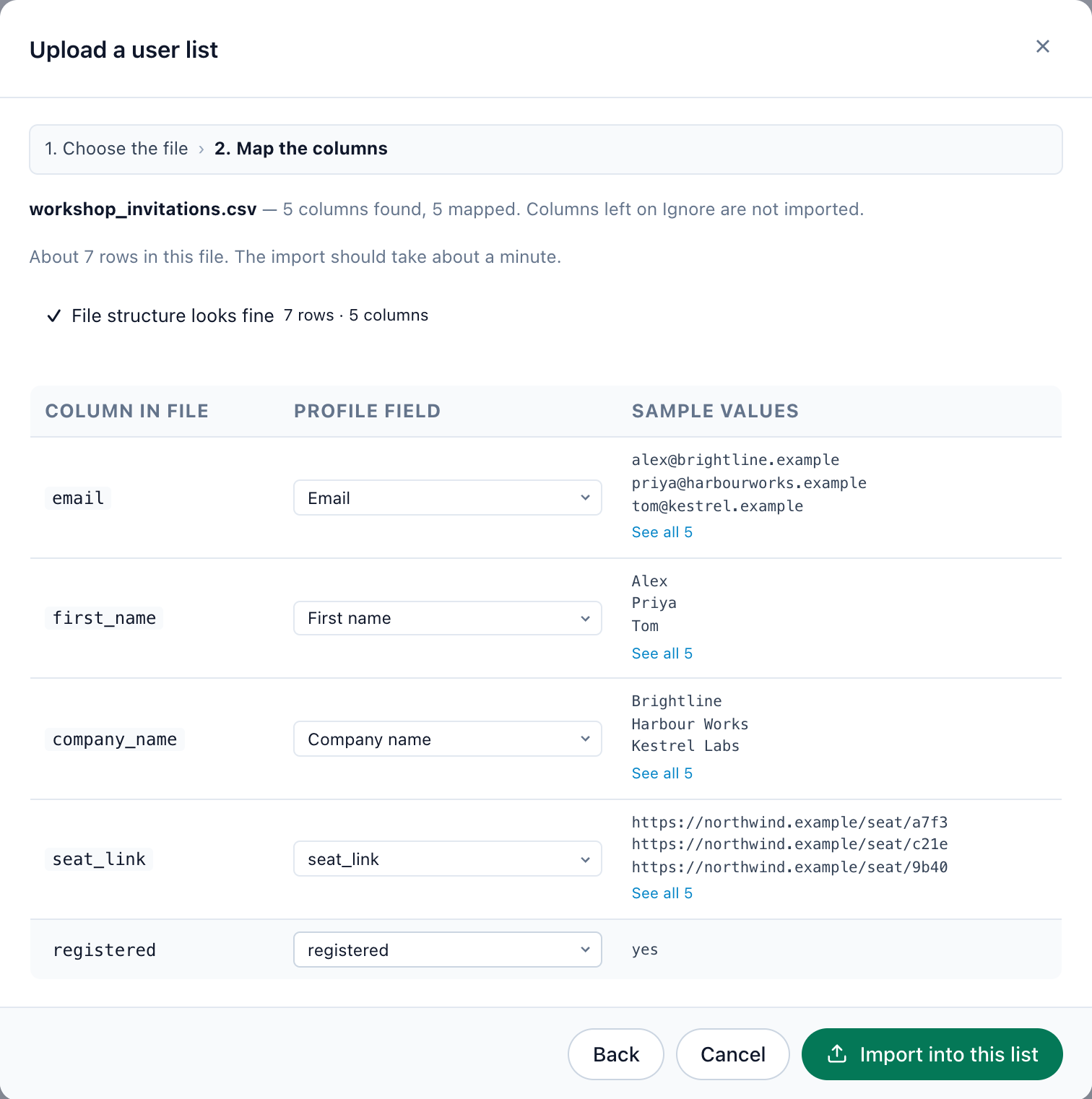
Upload a CSV under Imported user data › New import. Personyze reads the header row and suggests a profile field for each column; for a column that is yours alone, choose Create a field for this column. Nothing is imported until you confirm the mapping. A list can also be kept in sync from a feed, an API push or files on SFTP.
Bring in your CRM
Connect HubSpot or Salesforce and switch on Import contacts: every contact arrives with its fields. Zoho, Eloqua, Klaviyo, Mailchimp, Segment and others connect from the same Integrations page.
Pick it up on your own site
Personyze can take the address from a link in an email you sent, from a sign-up or checkout field, or from your Google Tag Manager data layer — so visitors become recipients without a new form.
3Who gets it
The Target step narrows your people to the ones this email is for. The rule most campaigns need first is User Lists → in <your list>. The second keeps it polite: an Exclude rule on whoever already did what you are asking — registered, bought, booked.
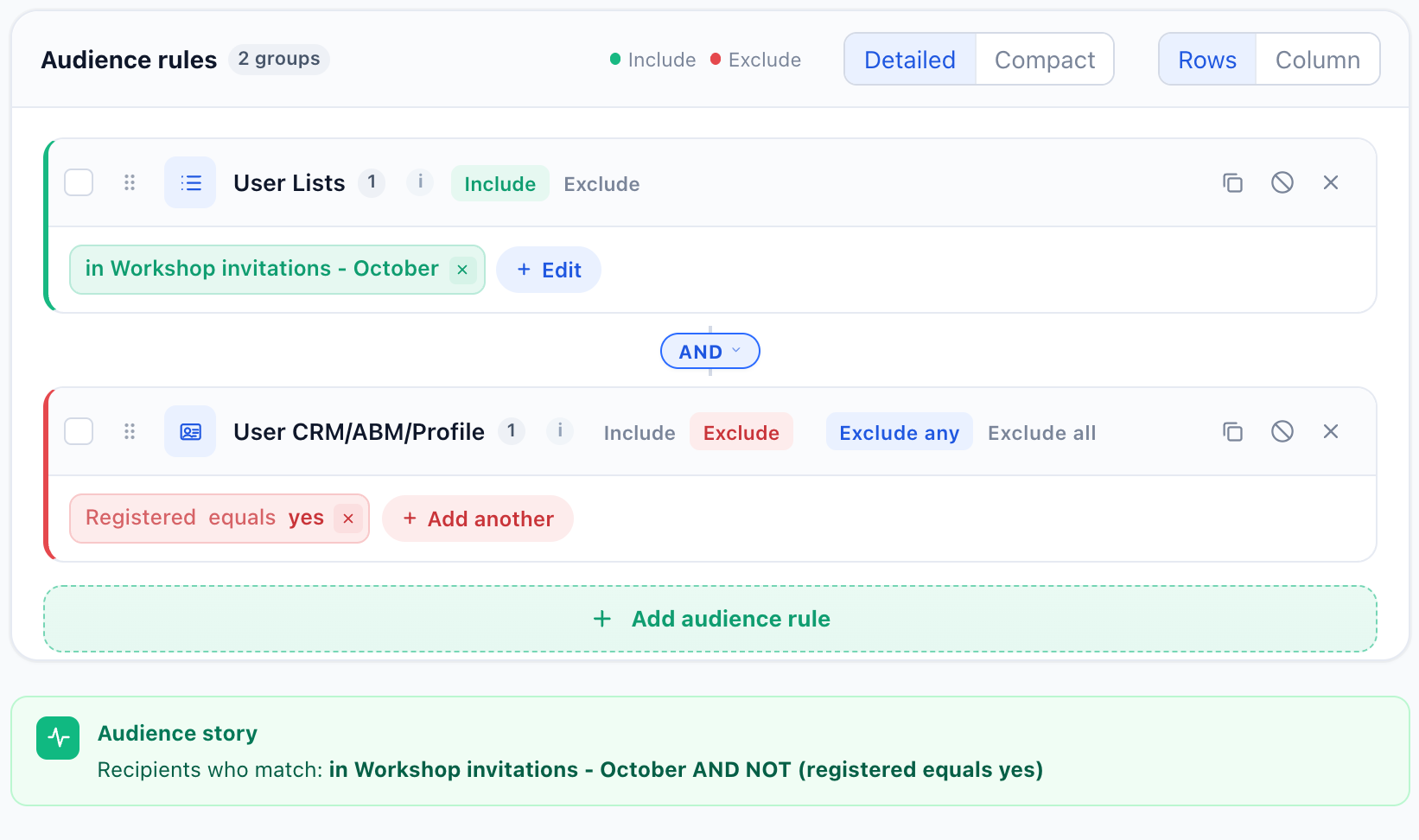
The audience is checked again each time an email is due, not once at the start — somebody who acts after the first email simply never gets the reminders. Unsubscribes are excluded automatically.
4Products in email
A recommendation block fills in each recipient’s own products when the email is sent. The algorithms built for email:
- Left in Cart ItemsWhat is still sitting in their cart.
- Left in Cart Items Now DiscountedCart contents whose price has changed since their last visit.
- Cross-Sells for Items in CartItems bought together with what is in the cart.
- Recently ViewedThe items they viewed, most recent first.
- Wishlist Now DiscountedSaved items whose price has changed since their last visit.
- Buy it AgainWhat they purchased before — for anything that runs out.
- New in StockRecently added, or new since their last visit.
- Personalized RecommendationsFrom their profile and similar people’s behaviour.
Every text in the email can carry a variable — any field you uploaded or imported — with a fallback, so an empty field never leaves a hole in the sentence:
Hi ${first_name:default('there')},Write in the email editor, or open HTML Source (advanced) to write the HTML yourself.
5Articles in email
For a newsletter or a digest, recommend articles instead of products:
- Content Recommended for You Published Since Your Last VisitWhat they missed, from the topics they read.
- Content Recommended for YouFrom their reading history.
- Most Read ContentWhat everyone is reading.
- Recently PublishedThe newest articles first.
6Send it as you
The Sending step decides who each email is from and where replies go: a sender of your own with a person’s name, a Reply-To address, and Track replies, which counts replies in the report while they still reach you.
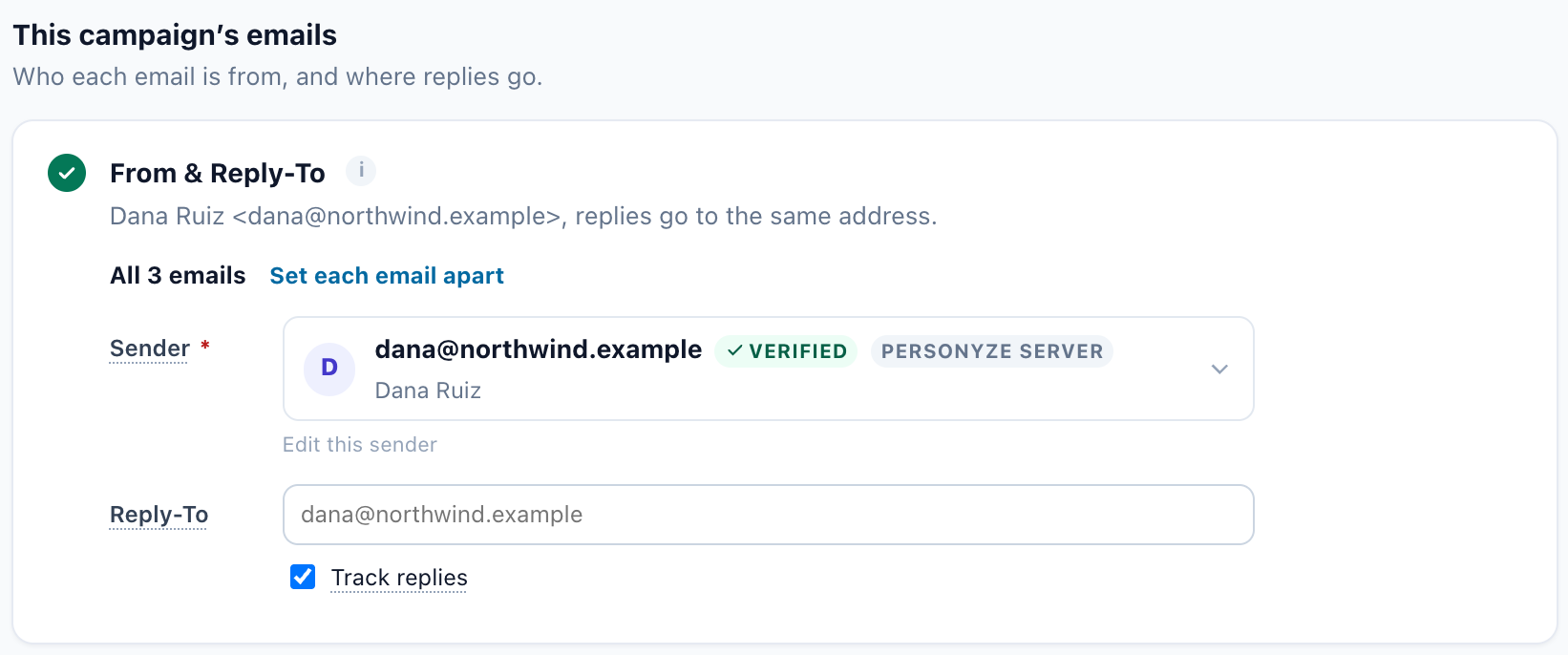
The rest is set once for the whole account, so your next campaign finds it done: your sending domain (verify it, and your email is signed with DKIM in your own name), your mailing address, your unsubscribe page, and single or double opt-in. Send me a test sends every email of the campaign to an address you type. Why the domain matters: send email from your own domain.
7The sequence, and when it goes
In the Content step, the first email starts when someone joins the audience — for an uploaded list, straight away. Add a step for each follow-up, then set how long it waits after the email before it and who gets it: always, only those who didn’t open, only those who opened, or a sharper rule such as did not click in it.
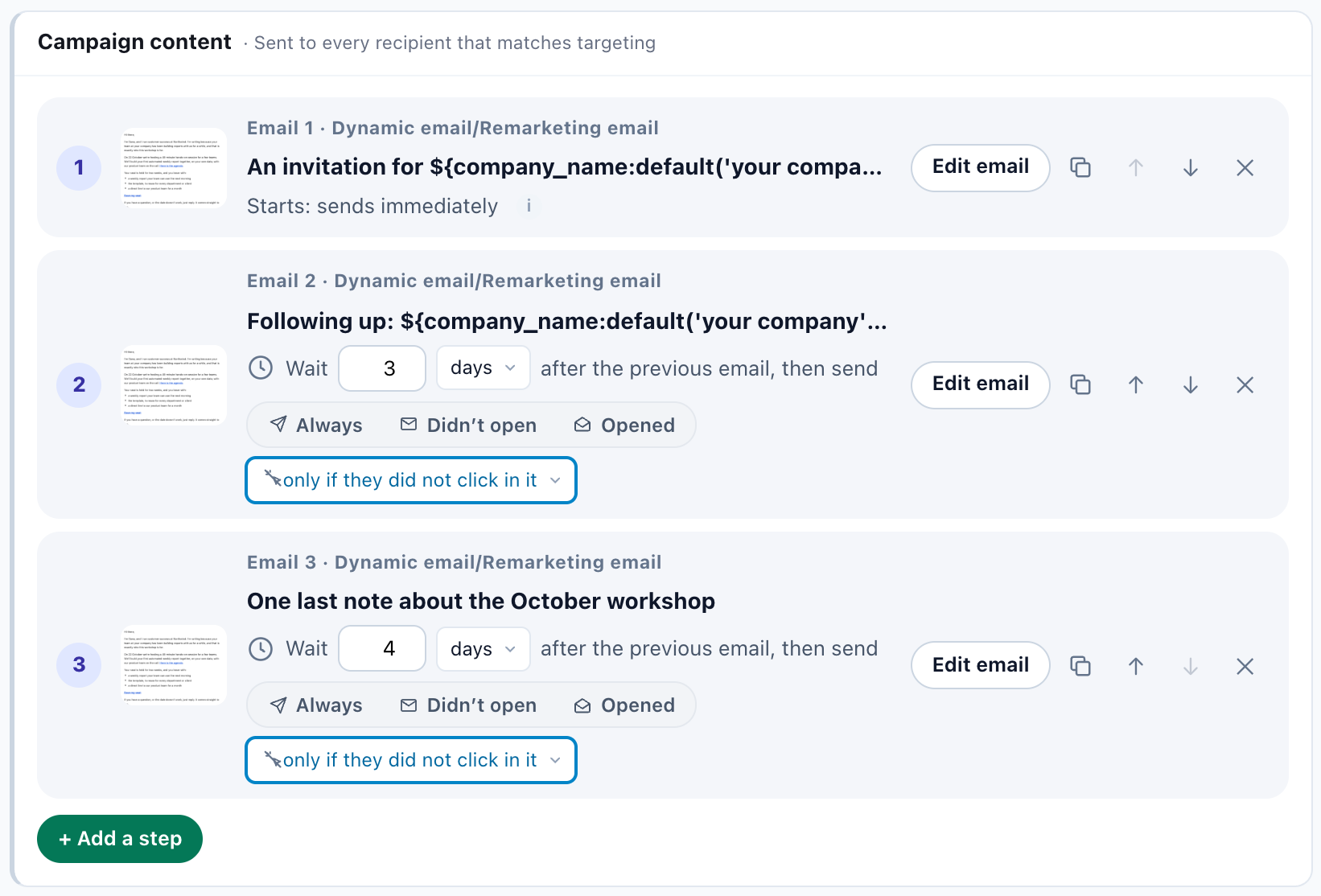
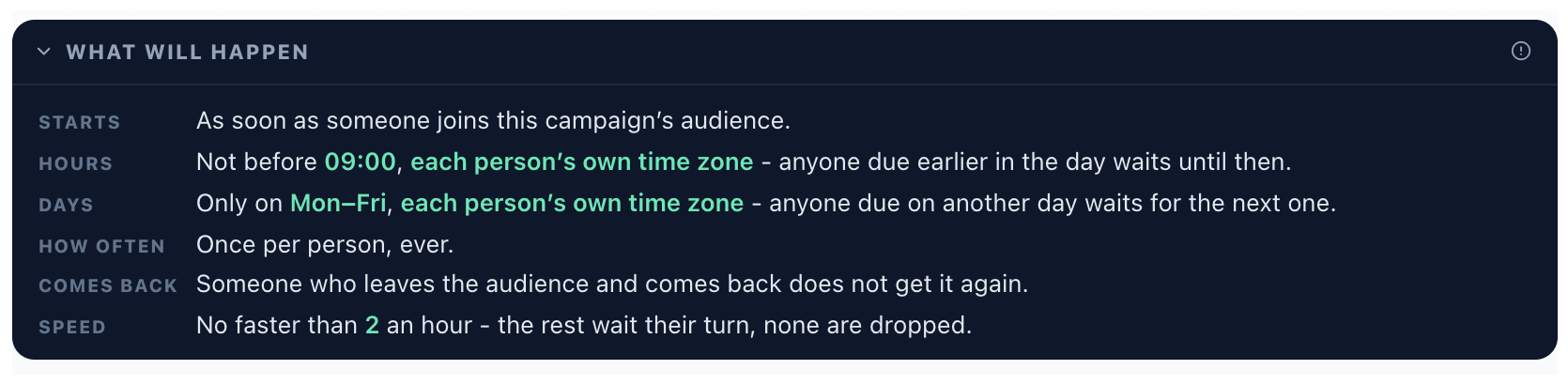
Each email’s Timing decides when it may go: the hour of day, in each person’s own time zone, the days of the week, how often one person may get it, and a send speed limit so a large list goes out at a pace your domain can carry.
Planning longer sequences that stop on their own: email sequences that know when to stop.
8Subject tests that call their own winner
Write the subject and the preheader side by side with an inbox preview on a desktop and a phone, so you see what the phone cuts off. Add up to three subject lines to one email: they share the sends, and with Pick the winner automatically everyone gets the winning subject once it is sure.
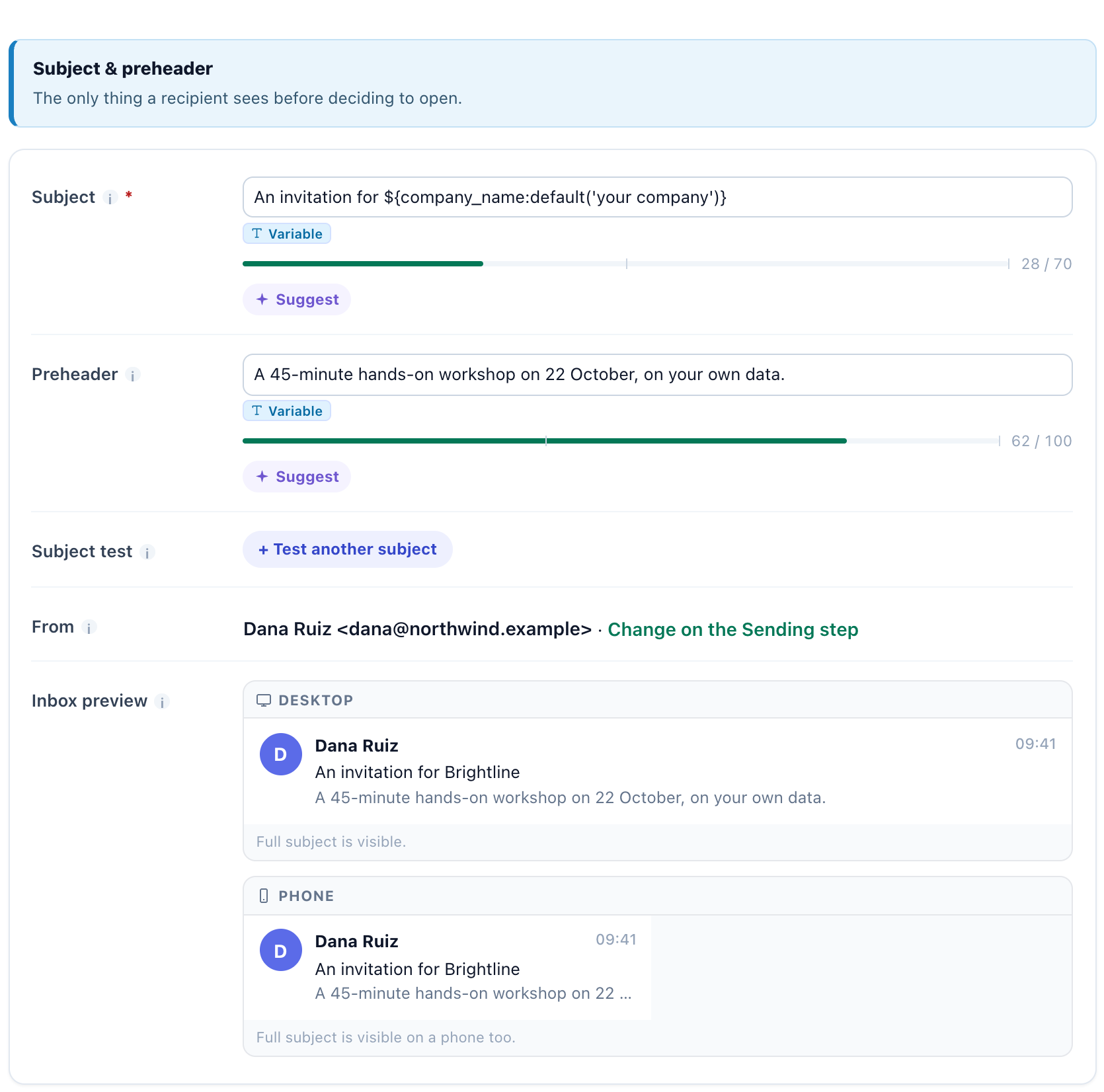
Subjects are judged on click rate, not opens: Apple Mail opens every email it receives, read or not. How to write and test both lines: the subject line and the preheader.
9Check it before it goes out
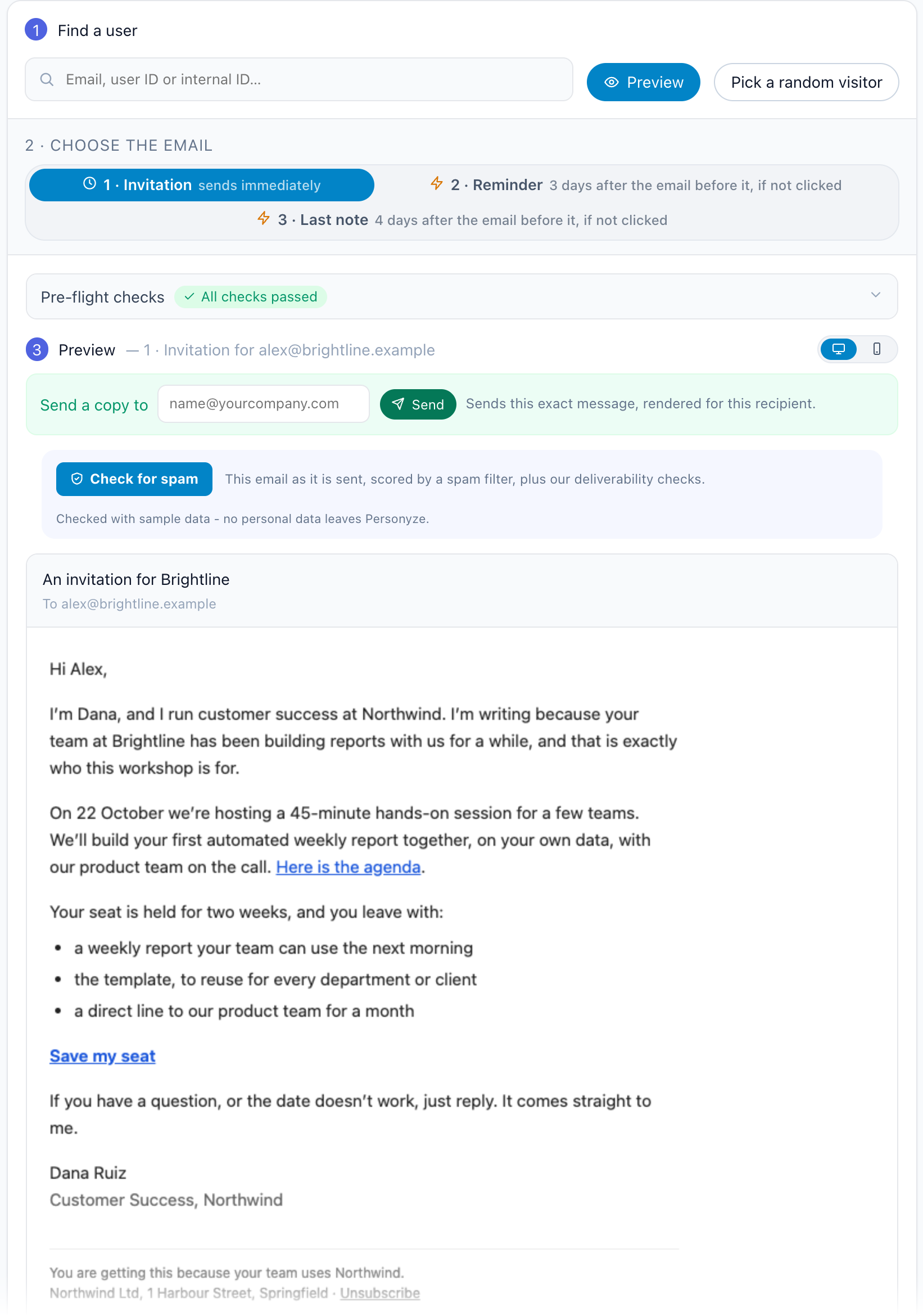
- Preview by user renders any email of the sequence exactly as one person will get it, with their own details. Try someone with empty fields to see the fallbacks.
- Send a copy mails that exact message to you.
- Check for spam scores the email with a spam filter and runs the deliverability checks: the unsubscribe header and link, a postal address, the subject and preheader, text against images, the links, the size, and whether your domain is verified and signed.
- Staging mode runs the campaign exactly as it will run — rules evaluated, waits counted — but sends every email to one test address.
- Sample recipients lists people who match right now, with what has been sent to each.
10Read the results
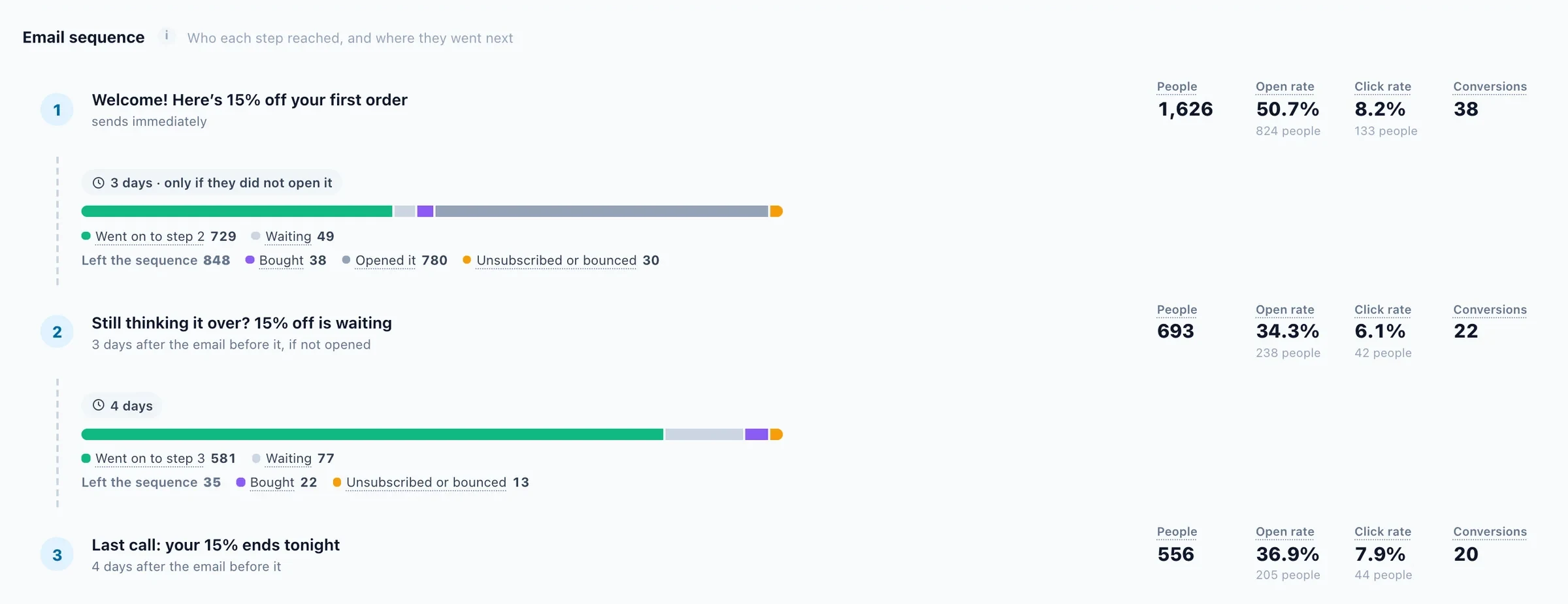
The campaign’s Performance step shows each email’s journey — sent, delivered, opened, clicked and converted, with bounces, spam complaints, replies and unsubscribes beside it — and a sequence step by step: who each email reached, who went on to the next, who is still waiting, and who left.
What each number means
- Opened — messages whose tracking pixel loaded. Blocked images undercount opens, and Apple Mail overcounts them.
- Clicked — messages with at least one link click.
- Purchased — recipients who completed a purchase on your site after the email.
- Share of site revenue — the revenue attributed to the campaign as a share of the site’s total in the period.