

A path for every applicant.
A playbook for universities, colleges, schools and online courses — the program each prospect came for, the next step for where they are, answers when they ask, and an advisor one click away.
Start Now →


Watch the playbook done
Five walkthroughs in the real panel — a whole campaign, recommendations from a catalog, a finder and a chat that answer, and an A/B test with a winner for each audience. They are filmed on demo accounts, not a school’s; the steps are the same with your programs.
1Set it up: one tag, your goals, your programs
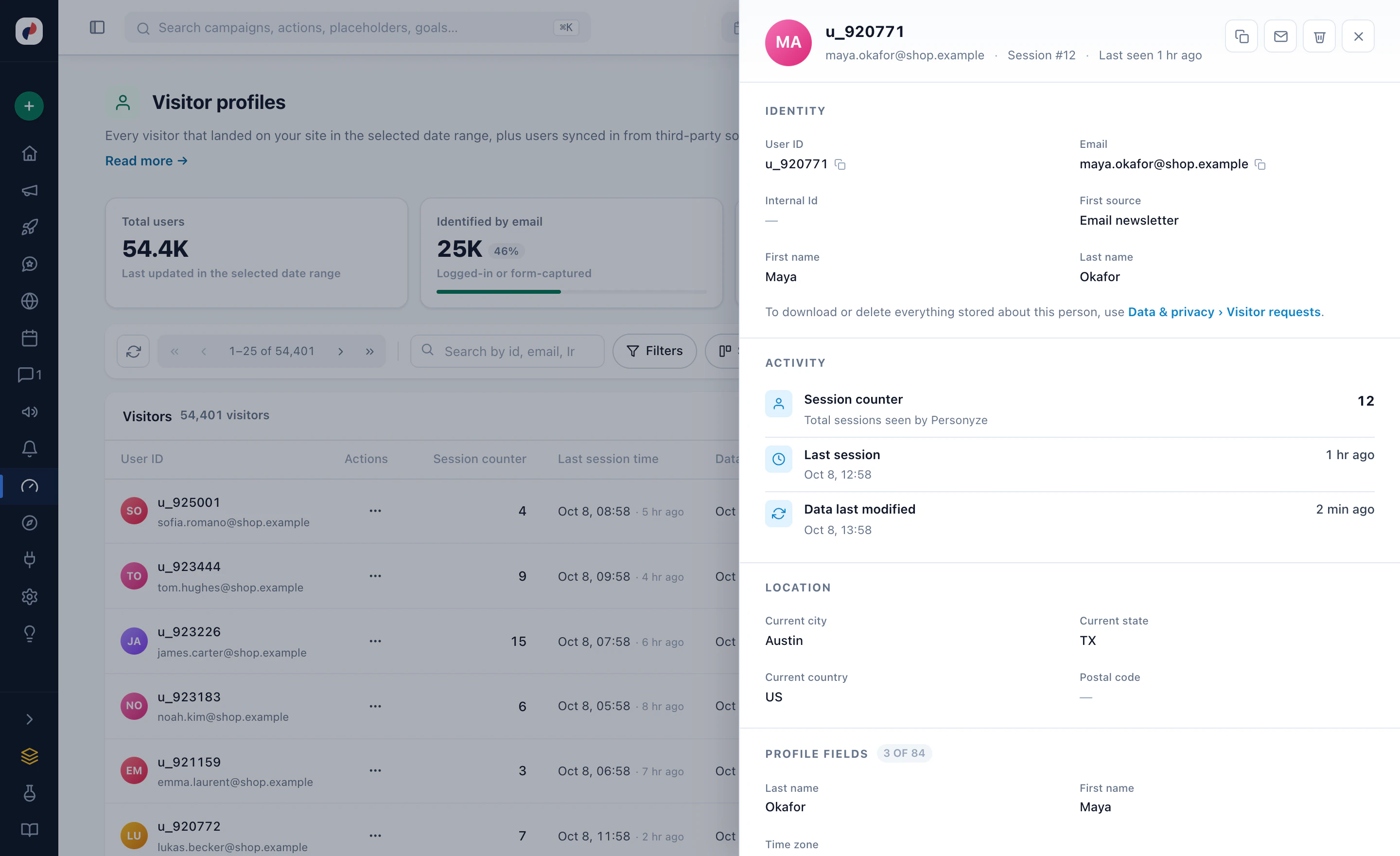
Add the Personyze tag to your site once. From the first page, every visitor has a profile of their own: the pages they read, how many visits, where they first came from and where they are — and, once they tell you or your CRM does, who they are.
Decide what counts
Before the first campaign, make the steps of your admissions funnel goals, so that every campaign is measured on them rather than on clicks:
- Request informationThe confirmation page of your inquiry form.
- Application startedThe first page of the application.
- Application submittedThe page that says it was received.
- Visit or open day bookedThe confirmation of a campus visit, an open day or a webinar.
A goal fires when a visitor reaches a page address, on a click, on a value read from the page, on an event you already track in Google Analytics or Google Tag Manager, or from your own code. Up to twelve goals count across the whole account; a goal made for one campaign alone uses none of the twelve.
Load your programs
Programs, courses and degrees are what most recipes below choose from, so put them in the content catalog. Let Personyze crawl your program pages from a start page or your sitemaps, or push them as a file (CSV, TSV or XLSX), a feed, SFTP or the REST API. Give each program its categories — the discipline, the level, the format — and the recommendations, the finder and the targeting rules can all use them.
2Recipe: lead with the program they came for
A visitor who has read three engineering pages has told you more than a form would. Let the home page, and the pages they open next, lead with engineering — the programs, the labs, the campus visit — while a visitor reading about nursing sees nursing.
Who: the signals
- Pages visitedThe program pages they read during this visit — /programs/engineering/, say.
- Views of specific pagesAt least two engineering pages this visit, rather than one stray click.
- Content interactionPrograms from the content catalog they viewed on earlier visits too, within a period you set, filtered by category.
- InterestsTheir strongest interest, once interest tracking is set up in the Recommendations settings.
- Last searchWhat they last searched for, on your site or in a search engine.
- Ad campaigns (UTM)The campaign that brought them: an engineering ad brings an engineering visitor.
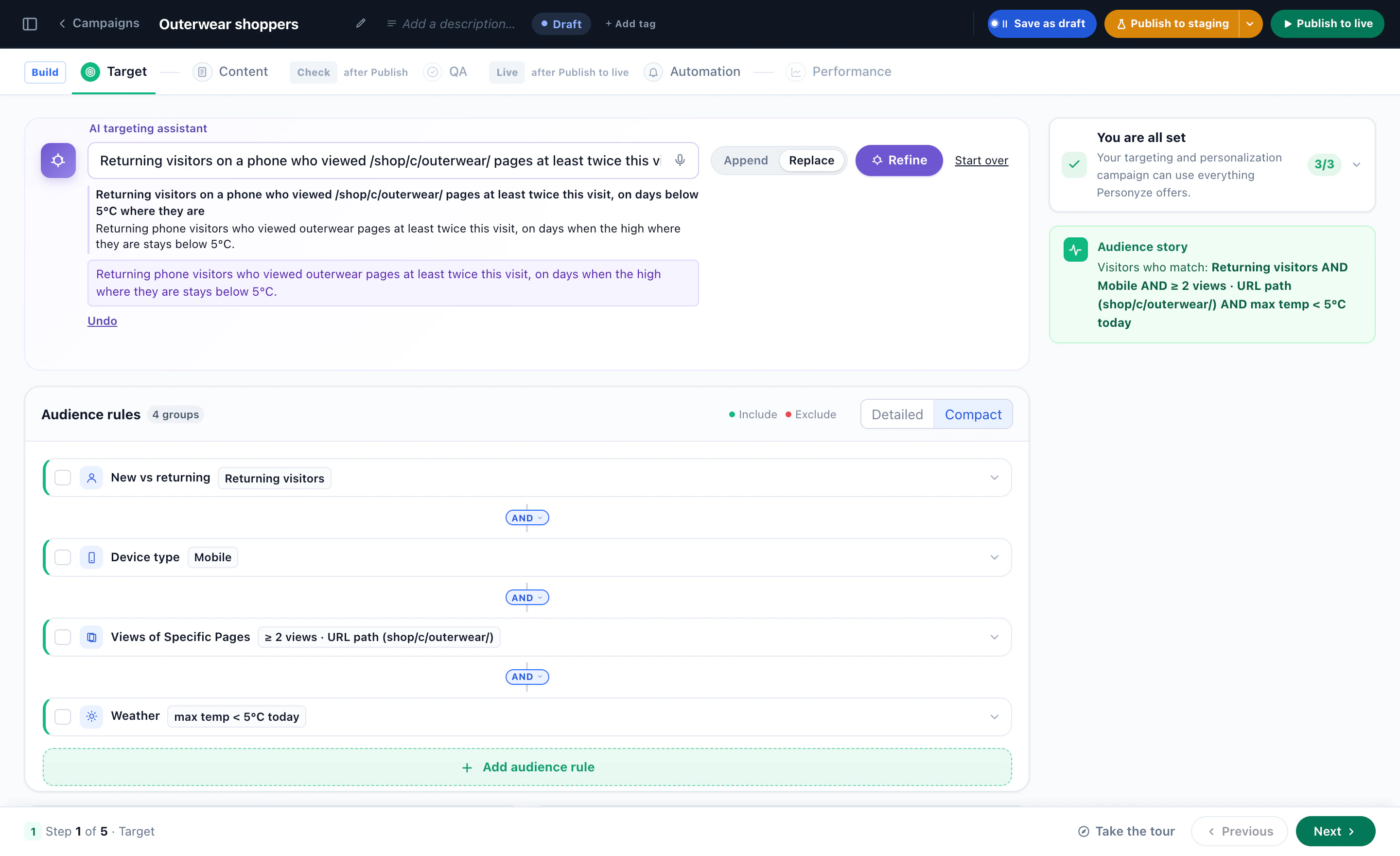
Or describe them in a sentence to the AI targeting assistant — “returning visitors who viewed /programs/engineering/ pages at least twice this visit” — and it writes the rules and reads them back in plain words.
What: change the page itself
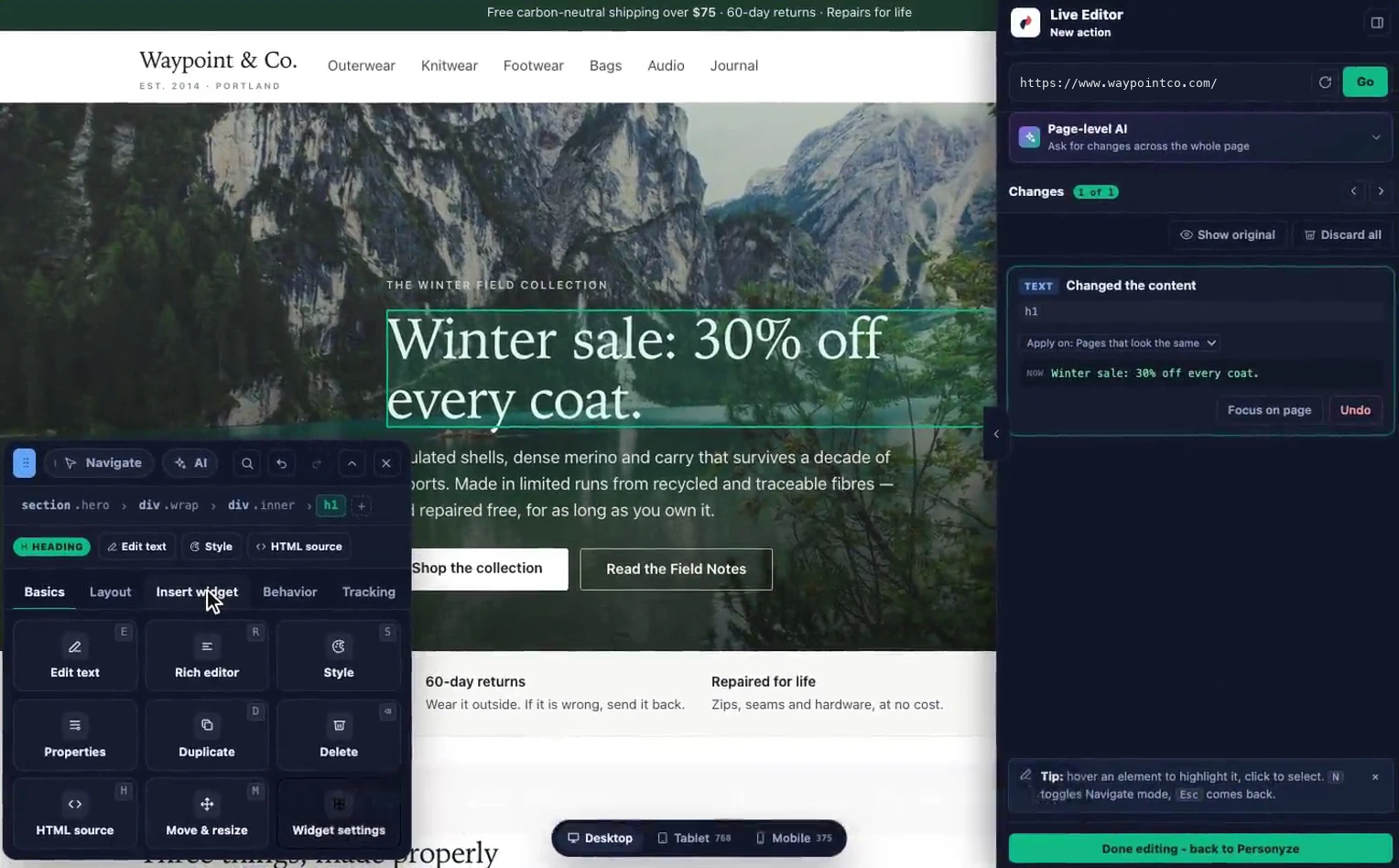
On the campaign’s Content step, open the page in the WYSIWYG editor: click the headline and rewrite it for engineering, change the hero image, move the engineering programs up. For a sentence that appears on many pages, Replace text, links or images finds it and swaps it on every page the campaign reaches. Everyone the rules do not match sees the page as it was.
Keep one campaign per discipline, so each is measured on its own: build engineering, duplicate it for nursing and for business, and change the rules and the words. In the Target step’s own words, a different message for a different audience is a second campaign with its own rules.
3Recipe: undergraduate, graduate, or a change of career
The same program page reads differently to a high-school senior, a working professional and a manager buying training for a team. Where they came from usually says which one they are:
- A high-school seniorCame from a search for undergraduate engineering, or an ad aimed at school leavers: lead with the campus visit and the application deadline.
- A working professionalCame from the MBA campaign and reads the part-time pages: lead with evening and online formats, and Request information.
- A career changerOn an online course site, arrived from a “change careers” ad: lead with the beginner track and the career support.
- A team buyerArrived from a campaign aimed at training managers, or from a company you can identify: lead with team plans and a call.
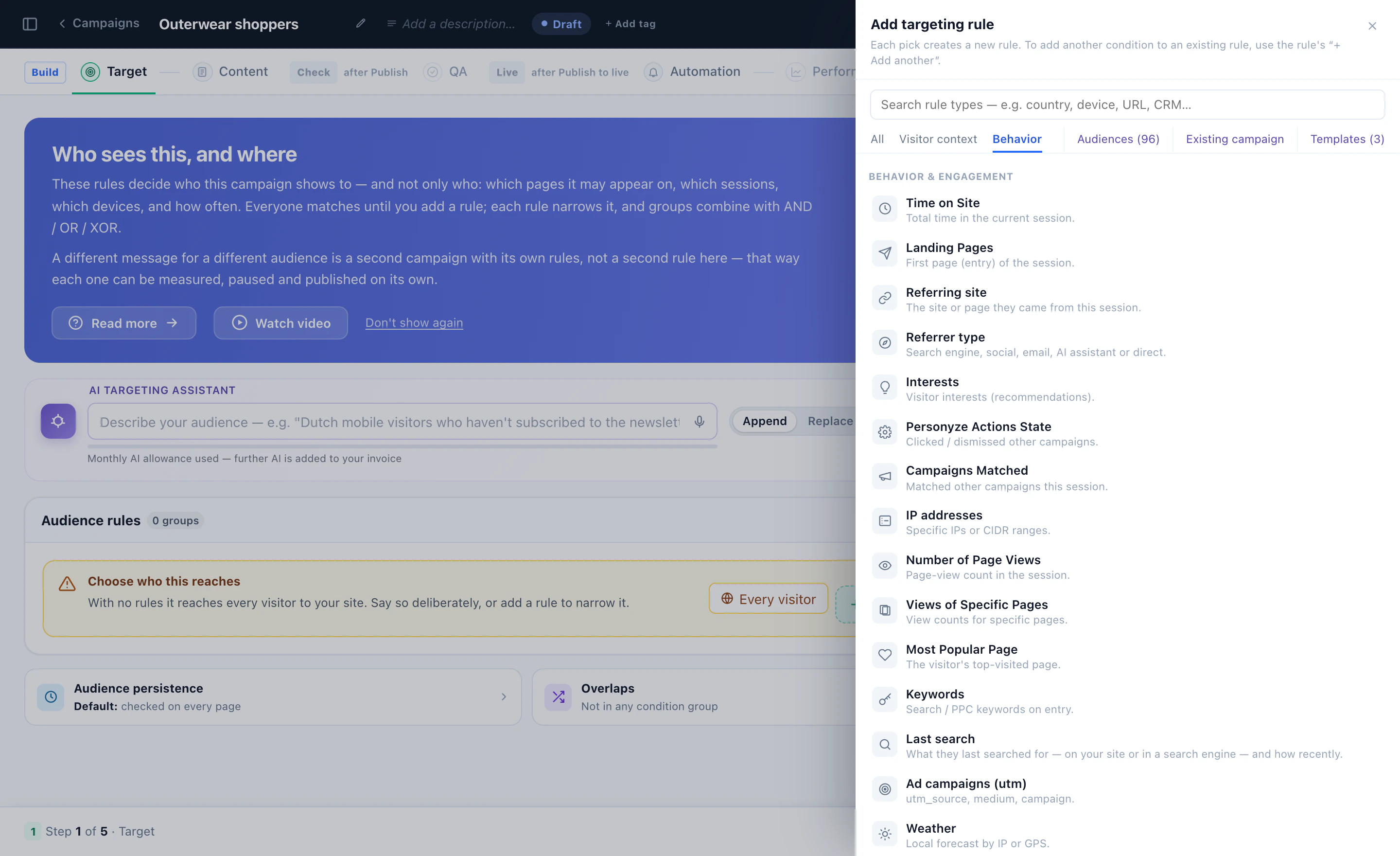
The rules for it are all in the rule picker: Ad campaigns (UTM), Referring site, Referrer type (a search engine, social, email, an AI assistant or direct), Landing pages and Keywords. First source and First landing page remember how they arrived the very first time, so the prospect who came from your graduate campaign and returns directly a week later is still a graduate prospect.
When they tell you
What a visitor tells you beats a guess. A request-information form can save each field onto the visitor’s profile — the level, the program, the start term — and a one-question survey can simply ask what they are looking for. Every answer is a targeting rule from the next page on.
Current students, parents and staff can be kept out of recruitment campaigns altogether: an Exclude rule on a value your signed-in pages already carry, read as a Session attribute (a cookie, a page variable, a form value), or on a list you upload.
Campaign traffic gets its own page
For recruitment campaigns, a landing page that Personyze hosts keeps one address and adds a version for each audience — the newsletter, the ad for school leavers, the QR code on the graduate fair’s flyer. Anyone who matches no version gets the default page, so the address always shows a page.
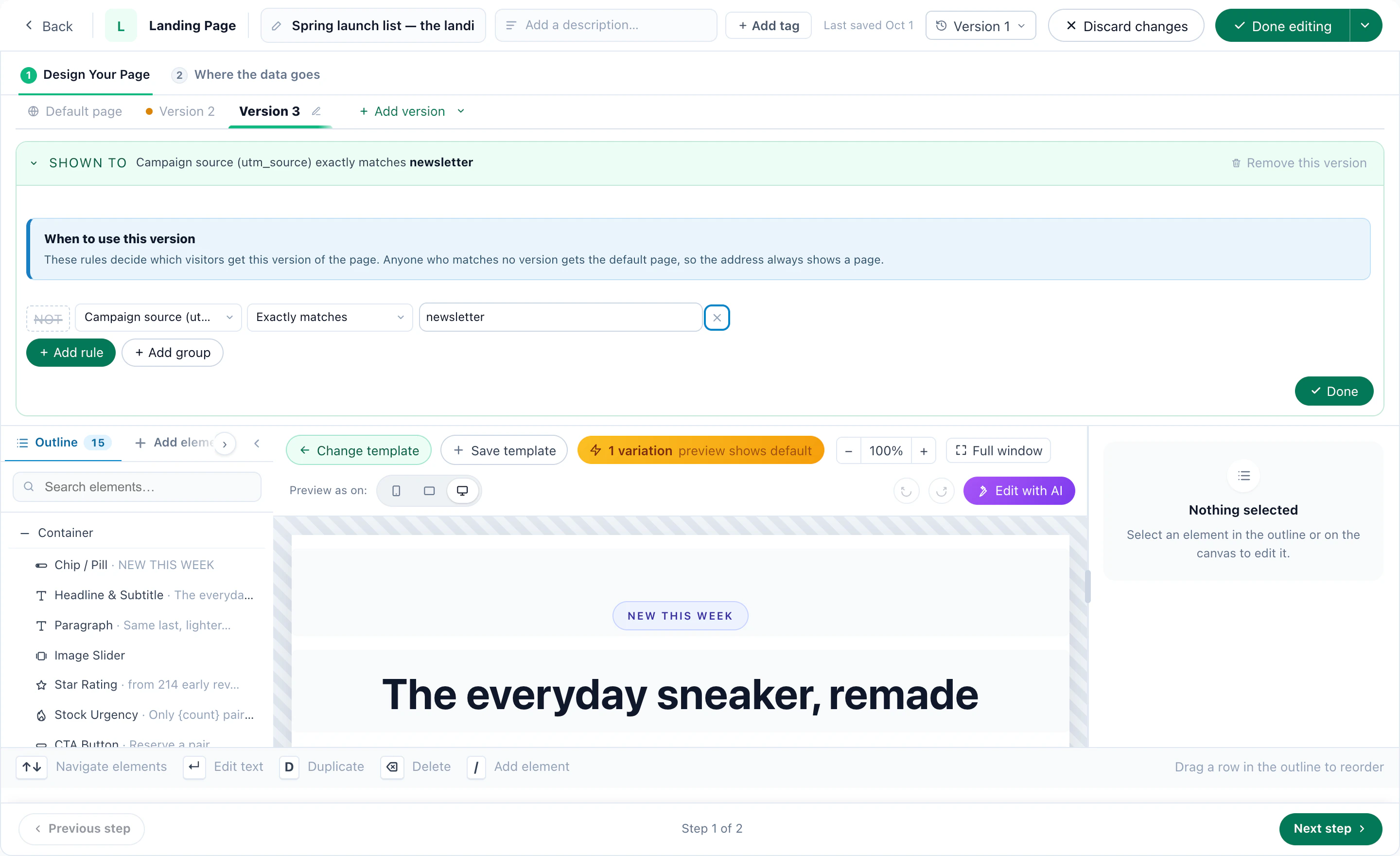
4Recipe: international and domestic applicants
An applicant in Lisbon and one an hour’s drive from campus need different first steps. The international applicant wants admission from abroad, scholarships and visa support; the local one wants the campus visit.
- Countries / citiesTheir country, region or city, from their IP address. Include a list — or exclude your own country to reach everyone abroad.
- Map areaWithin a distance of a point, such as your campus, by the same IP location: about city accuracy.
- Browser languageThe languages their browser is set to.
What each one sees
- International — the international admissions page first: entry requirements from abroad, scholarships for international students, visa support and English-language pathways, and an advisor for their region (see Book an admissions call).
- Domestic — the campus visit, the open day, and the fees and aid that apply to them.
- Several campuses — each visitor’s nearest campus first. With your locations uploaded, the nearest-location card of the Promotions add-on shows its distance, opening hours and directions (see the AI Promotion playbook).
In their language
A Replace text, links or images action can carry the same swap in other languages, each used on your pages in that language. The AI chat replies in the visitor’s language, and the meeting booker shows its times in the visitor’s own time zone, read from their browser.
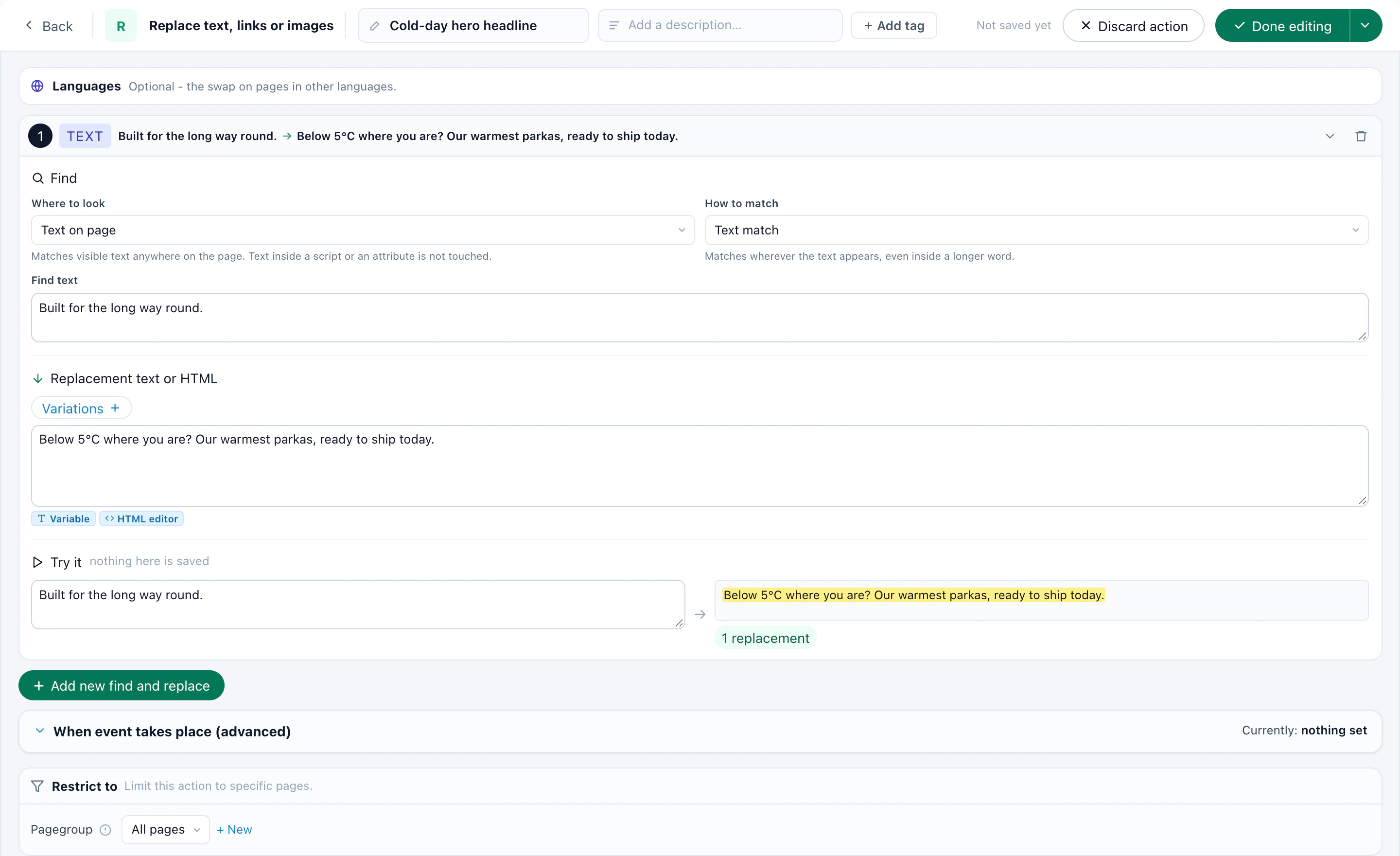
A location from an IP address is a city, not a street, and a visitor’s network sometimes sits somewhere else. Keep the default page right for everyone, and when an applicant tells you their country on a form, target by what they said.
5Recipe: returning applicants, back where they left off
Few applications are finished in one sitting. When an applicant comes back, the site should know their application is open, and show the way back into it before anything else.
1. Know whose application is open
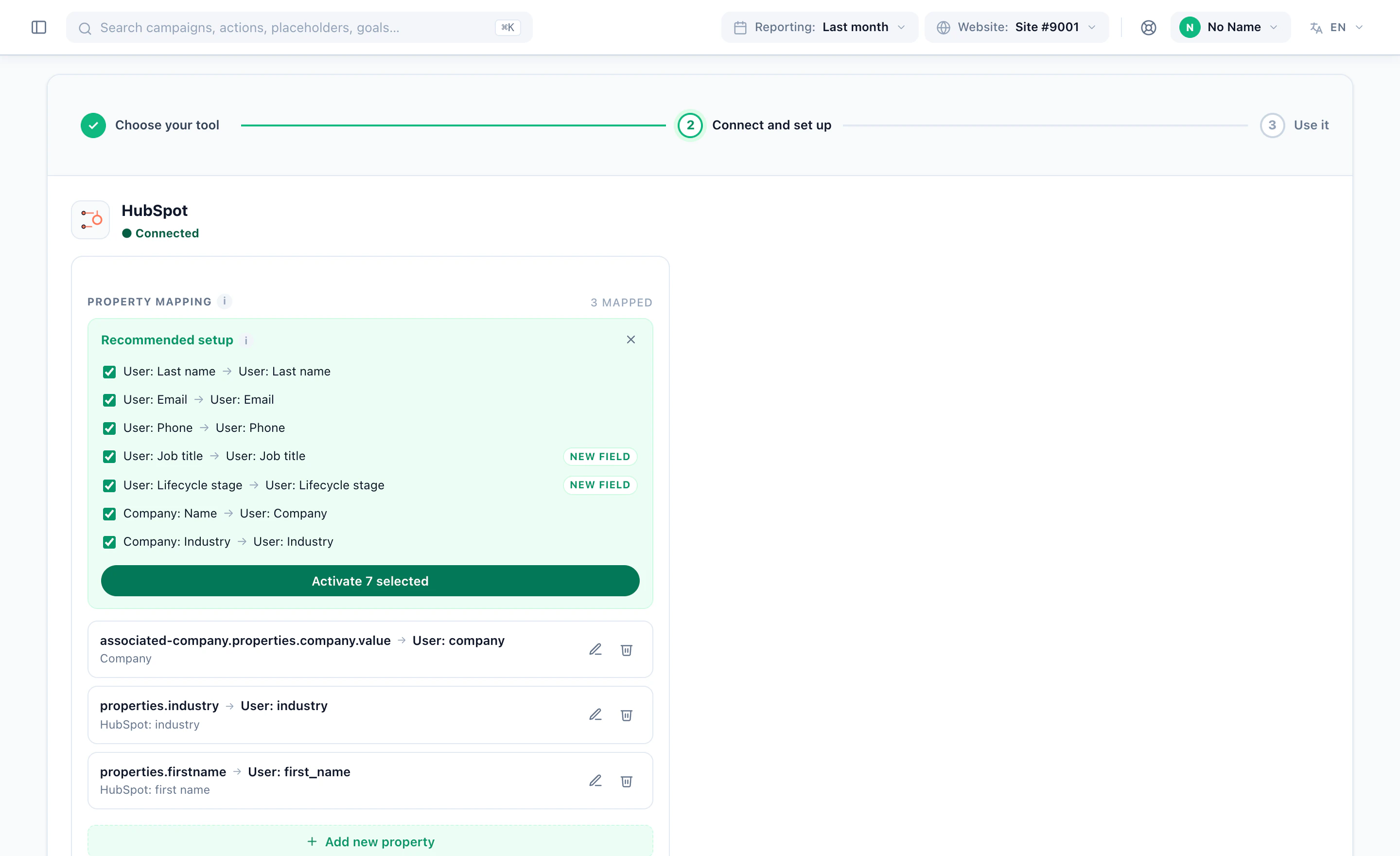
- From your CRM — connect HubSpot or Salesforce and map the field that holds the application status onto the visitor profile.
- From your admissions system — upload the list of open applications as a CSV under Imported user data, and keep it in sync from a feed, an API push or SFTP. An applicant who follows a link in your email is recognised by it.
- From your own pages — a cookie or a page value your application system already sets, read as a Session attribute or saved onto the profile.
2. On the site: the way back in
Target returning visitors (New vs returning) whose profile says the application is open, with an Exclude rule on submitted. Show them a bar on the home page and on their program’s page — “Your application is saved. Pick up where you left off” — with the deadline beside it and one button back into the application. A variable can print their first name or the program they applied to.
3. By email, until they submit
The same people can get a short email sequence from Personyze: the first email when someone joins the audience, then a reminder a few days later only to those who did not click. The audience is checked again each time an email is due, so an applicant who submits after the first email never gets the reminders. The whole set-up is in the email playbook.
For an online course, the same kind of email brings back a learner who started and went quiet: Time since last visit of two weeks or more, and the course they started, from a profile field or a list your learning platform exports.
6Recipe: program and course recommendations
With your programs in the content catalog, a Content recommendations campaign puts a row of programs on the home page and another under every program page — chosen for each visitor from what they, and visitors like them, read.
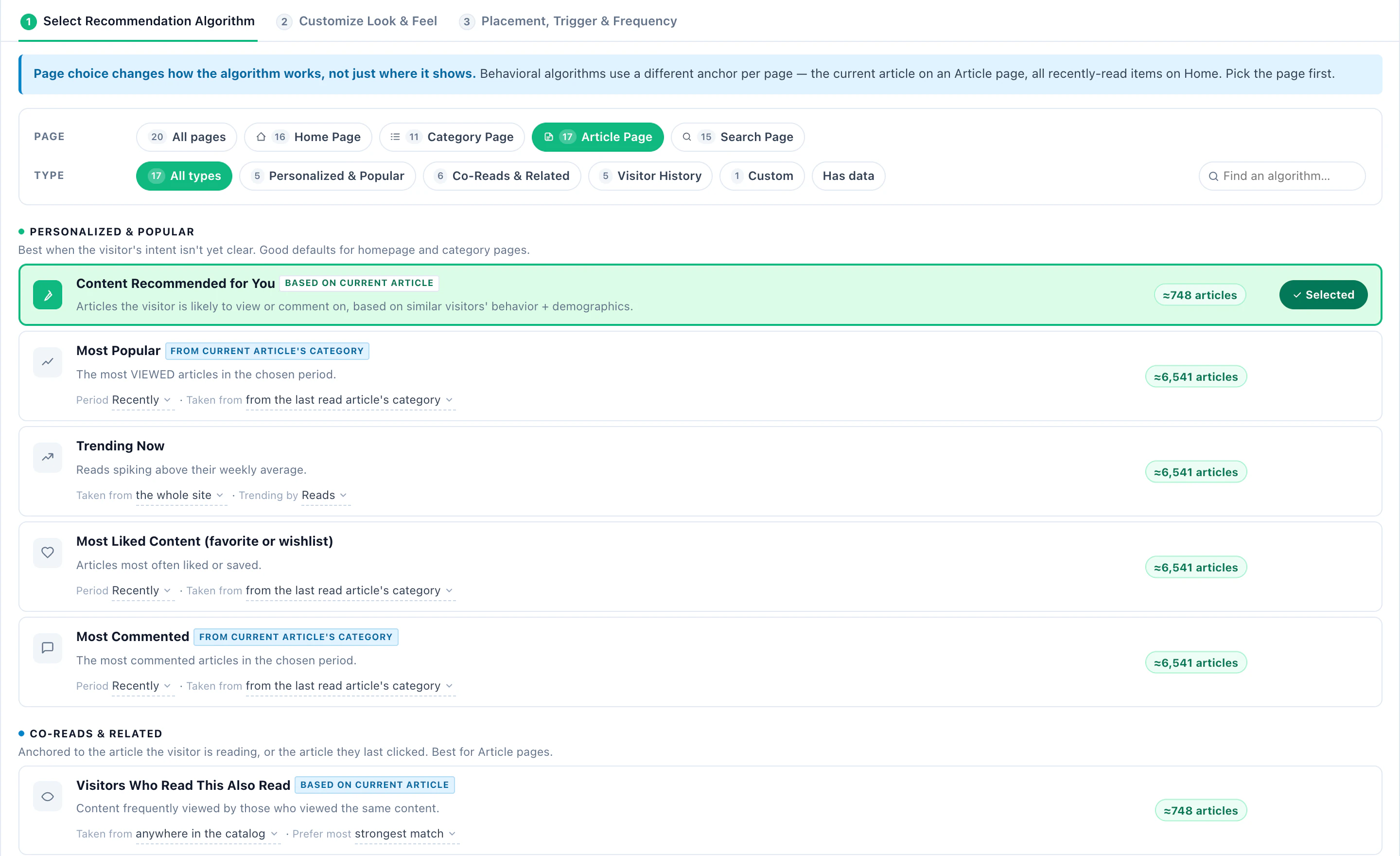
Create the campaign and choose Content recommendations. The editor walks it in order: Catalog, Content events, Content, Target, then QA before it goes live and Performance after. The content events are what teach it: a line on each program page reports the view, and another reports a goal reached on it, such as a request for information.
- On the home pageContent Recommended for You — programs they are likely to read, from similar visitors. Recently Viewed — the programs they looked at, a way back on a second visit.
- On a program pageVisitors Who Read This Also Read — the programs read alongside this one. More From This Topic — programs that share its interests.
- For a new programSimilar Content (AI) — similar programs learned from titles, topics and descriptions, so it works before anyone has read it.
- Toward an applicationWhat Readers Went On to Convert On — the programs that readers of the same pages went on to reach a goal on, such as a request for information.
Keep it to their discipline and level
Match the visitor puts the programs that fit first: the topic, the author or the tag — a category, a tag or an interest — from what each visitor has already read, in strict priority. When nothing matches, show the best programs anyway, or hide the widget. A custom filter rule compares any program field with a value or with a field of the visitor’s profile: graduate programs only, for the visitor who chose graduate on your inquiry form.
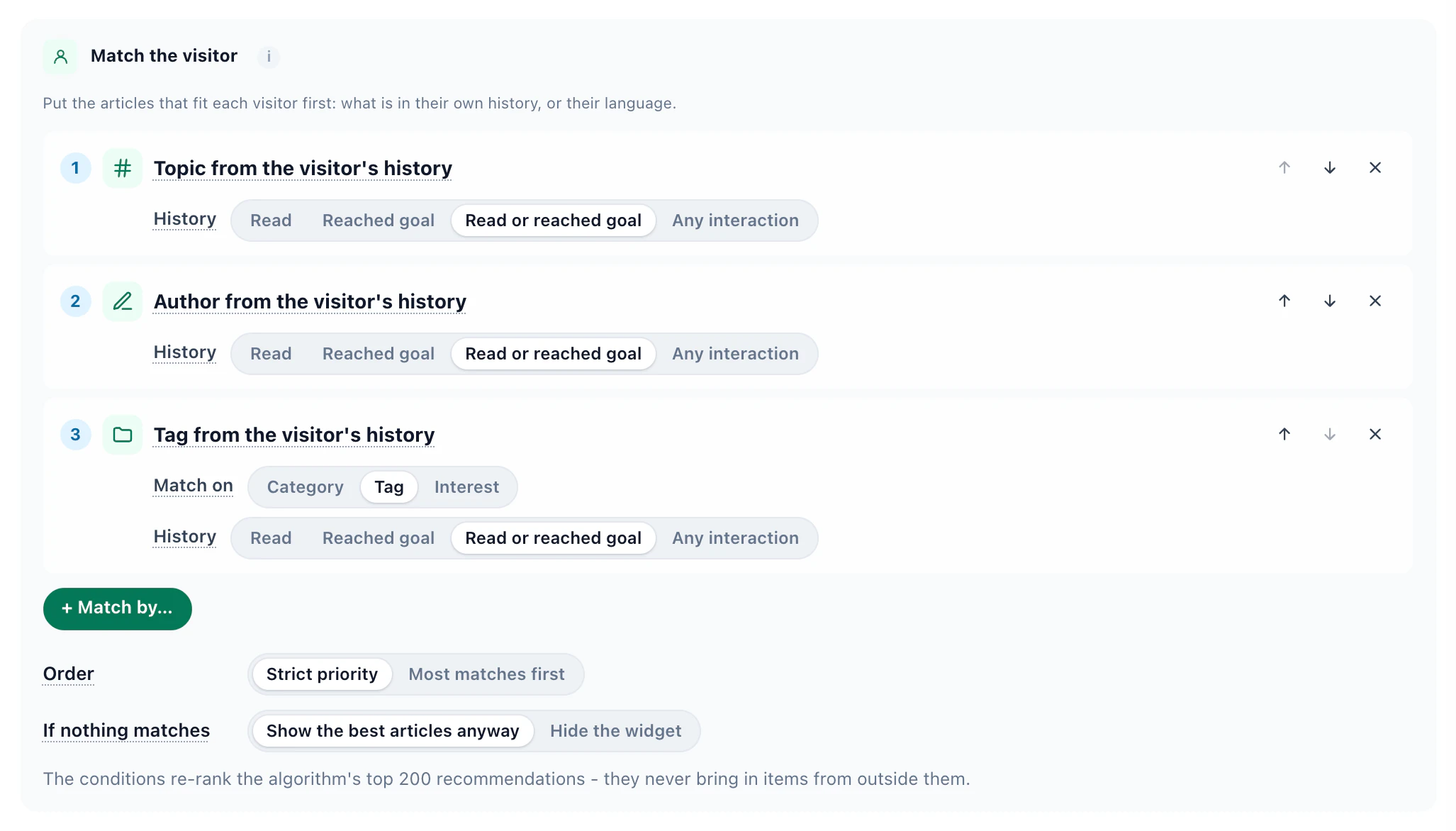
Under Skip items the visitor already…, leave out the program on the page being read. The same algorithms fill a recommendation block in an email, so a nurture email shows each prospect the programs closest to what they read. More on the engine: the content recommendations playbook.
7Recipe: a program finder, and a chat that answers
Some prospects know what they want and cannot find it in your menus; others have a question late at night, when admissions is closed. Personyze’s AI assistant takes both, in the places you choose.
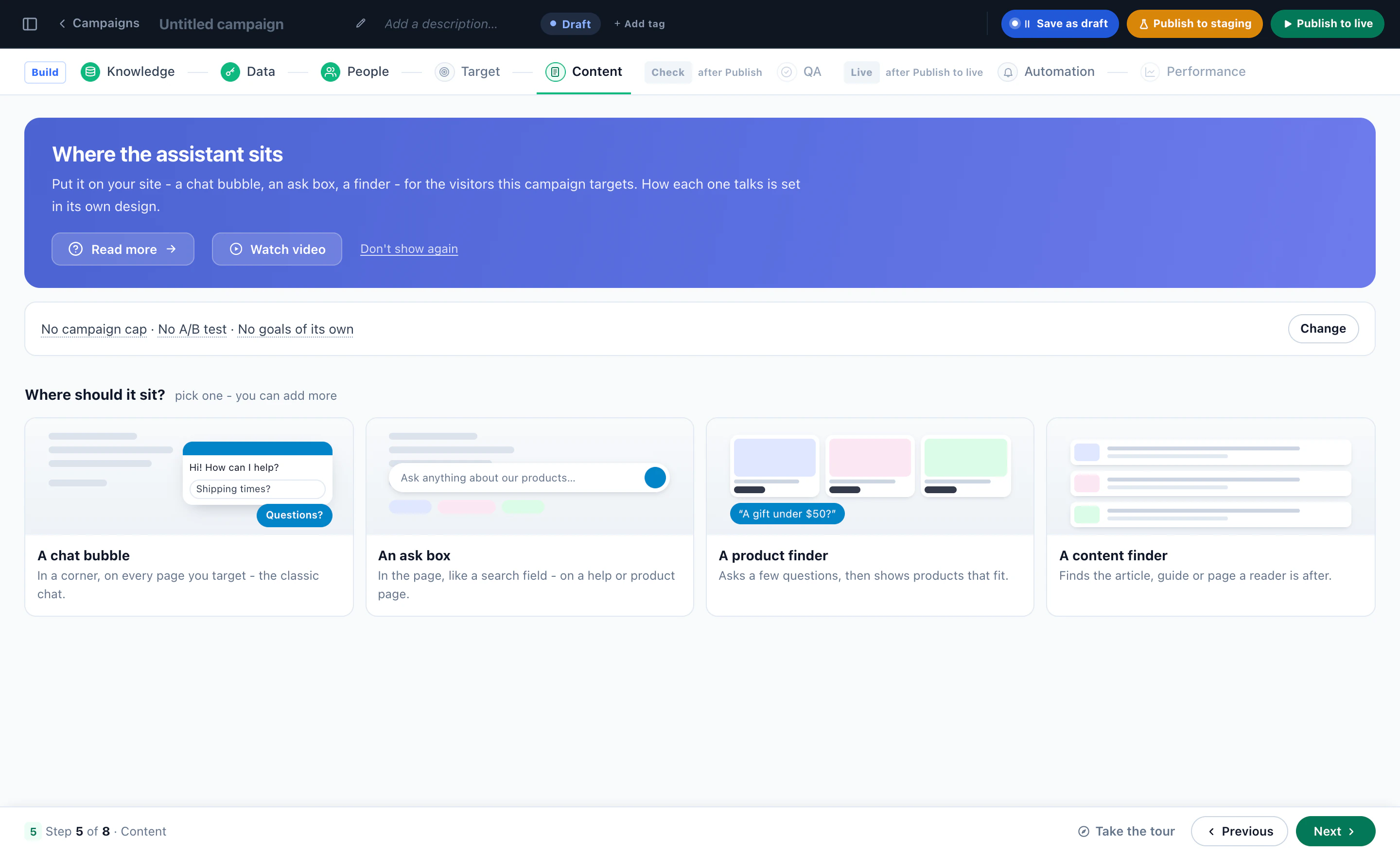
The AI Content Finder: a shortlist, with reasons
A bar at the foot of the page where a prospect writes what they are after — “a part-time data course I can do in the evenings”, “nursing, with a biology degree already”. The assistant reads it against your program pages and answers with a short summary, then the programs to read, each with the reason it fits, and a follow-up chat for more questions. The picks are ranked for that prospect by the same engine as your recommendations, and the finder can show the meeting booker on its results when the AI judges it relevant.
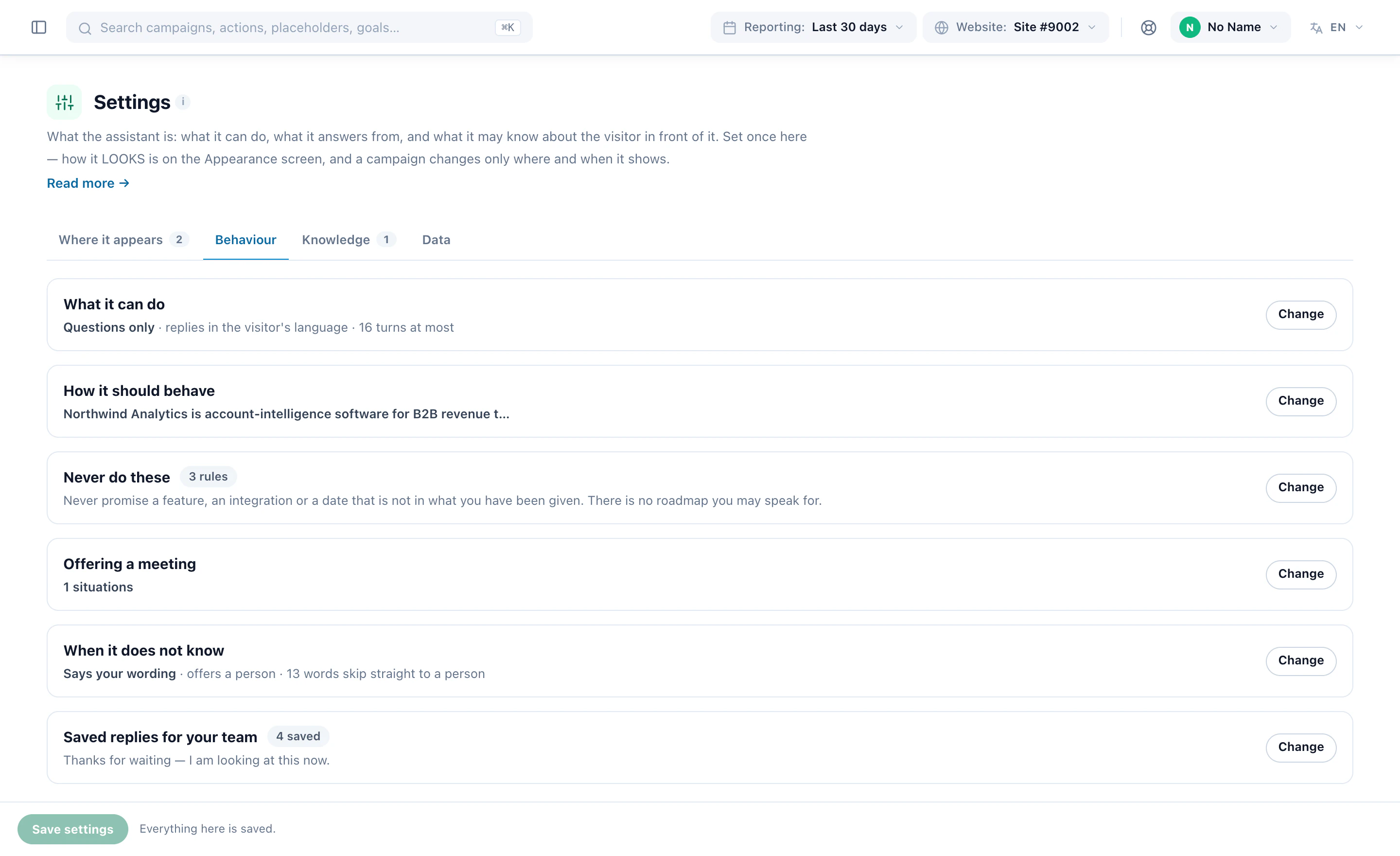
The AI chat: answers from your own pages
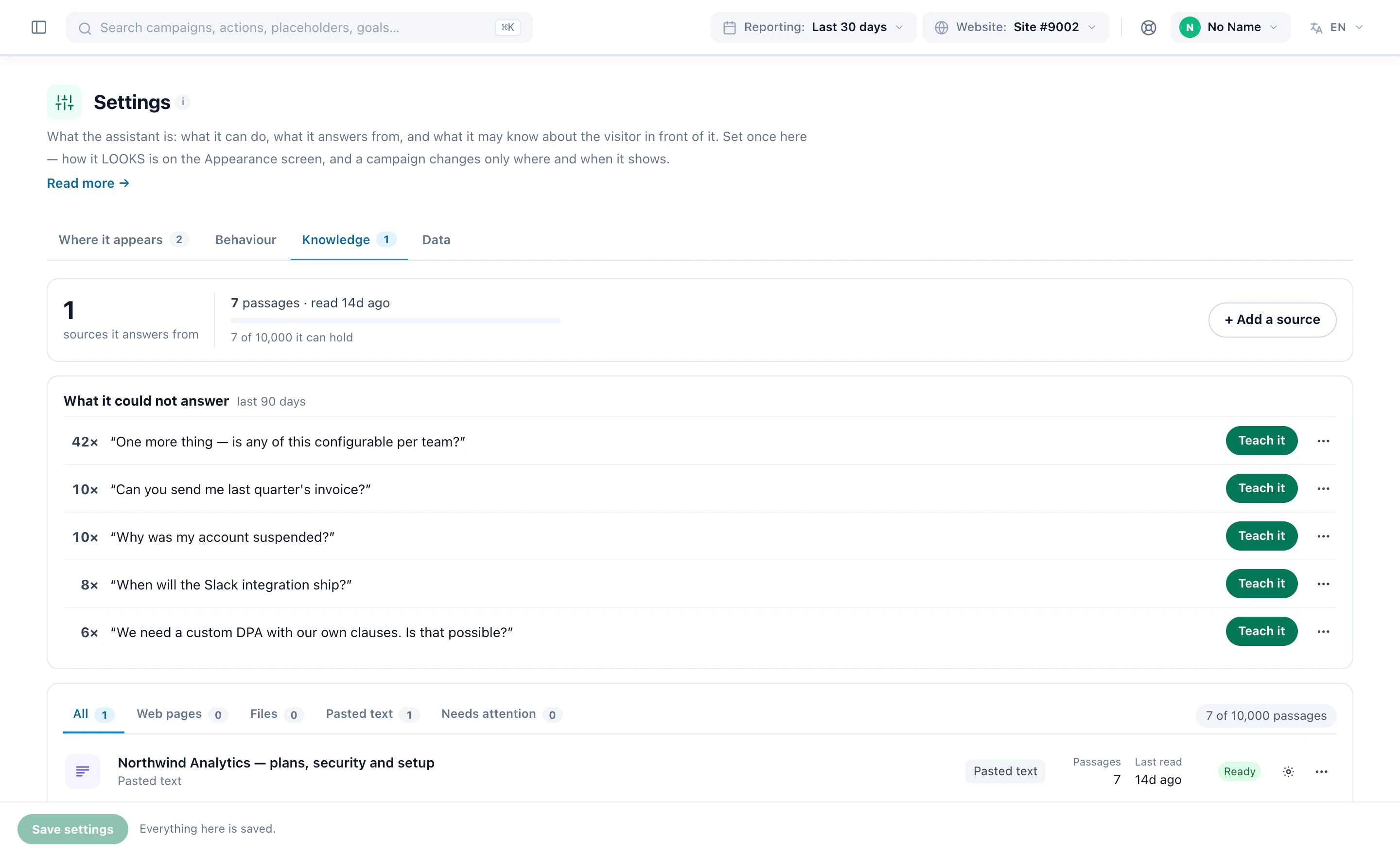
- Knowledge — point it at your admissions, fees and international pages, add the prospectus as a web page or pasted text, or paste the answer you keep retyping. An answer can show the page it came from.
- Never do these — hard rules, one per line: never promise a place, a scholarship or a visa.
- When it does not know — it says your wording, then offers a person or an email address, with a subject written from the conversation. Every question it could not answer lands on one list, most asked first, each with Teach it.
- Offering a meeting — in the situations you choose, it books the admissions call inside the conversation, with the same meeting types and advisors as the booker.
The chat is an action inside a campaign, so it is targeted like one: an assistant for international applicants on the international pages, answering from the international material only, and another for everyone else. AI Chat, with both finders, is a paid add-on with a seven-day free trial.
8Recipe: book an admissions call
For many applicants, a call with an advisor is the step before they apply. The Meeting Scheduler puts the booking on your own pages, offers it to the visitors it fits, and hands the advisor the whole visit with the booking.
Set it up in the order the campaign does
- Hosts — the advisors visitors can book, each with their time zone, Google Calendar and Zoom. A host is someone a visitor can book, not a Personyze login, so the whole admissions team can be bookable.
- Availability — each advisor’s weekly hours in their own time zone; what is already on their calendar blocks the slot.
- Meeting types — what can be booked: an undergraduate admissions call, a graduate program conversation, an international admissions call — each with its length, where it happens and who takes it.
- Target and Content — who is offered which meeting, and how the booker appears: in the page, as a pop-up, or as a page of its own.
- Sharing — the booker’s own web address, a QR code for the open-day flyer, a text-message link, and code for your email tool.
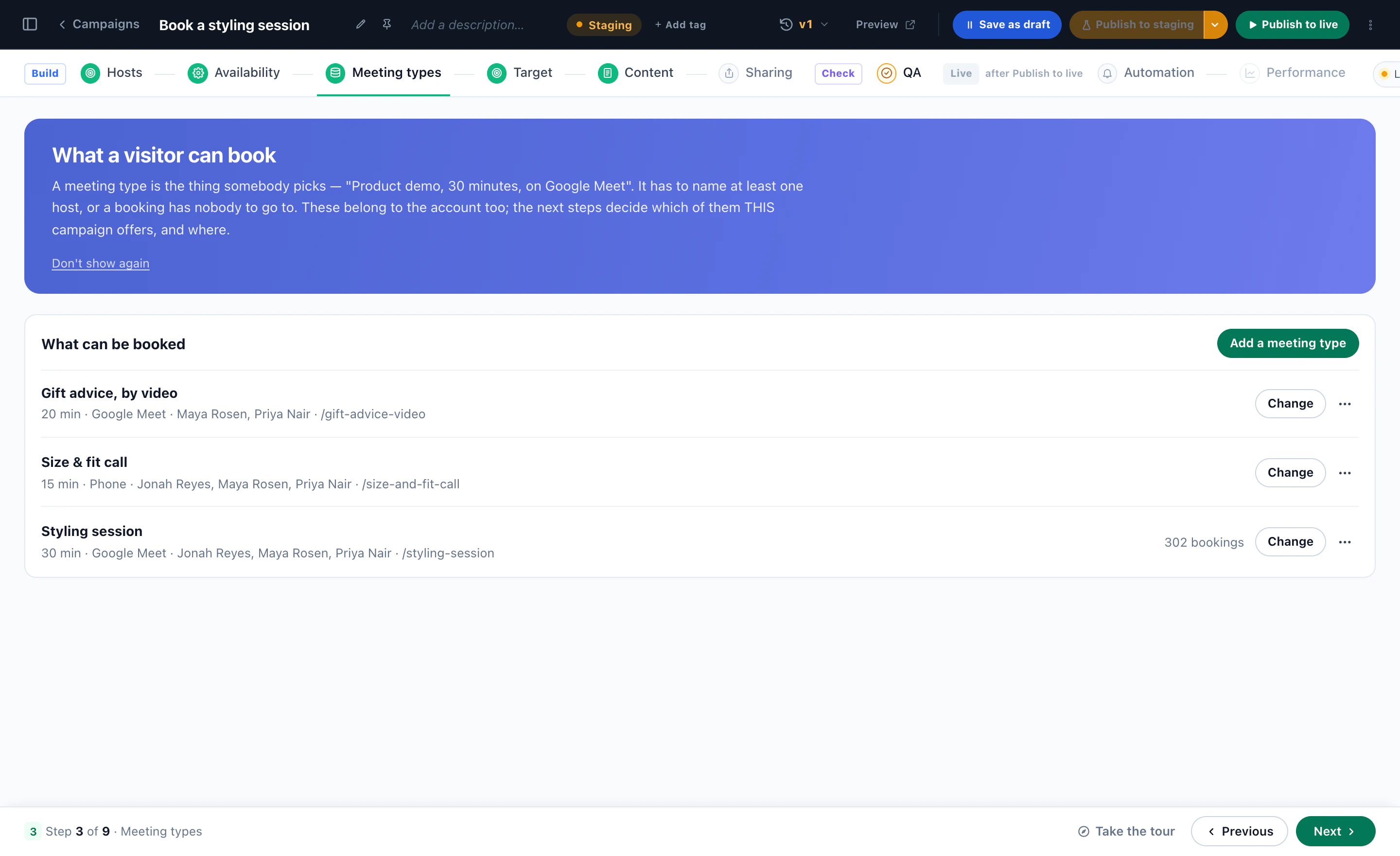
The right call for the right applicant
The booker is a campaign action, so the targeting rules decide who is offered a meeting at all: international visitors get the international team, a prospect on their third MBA page gets the graduate advisor, and a first-time reader of one blog post gets nothing yet. Visitors who match nothing see the page exactly as it was.
Times are shown in the visitor’s own time zone, read from their browser — which matters most to the applicant six time zones away. Connect Zoom or Google Meet once, and every booking gets its own link.
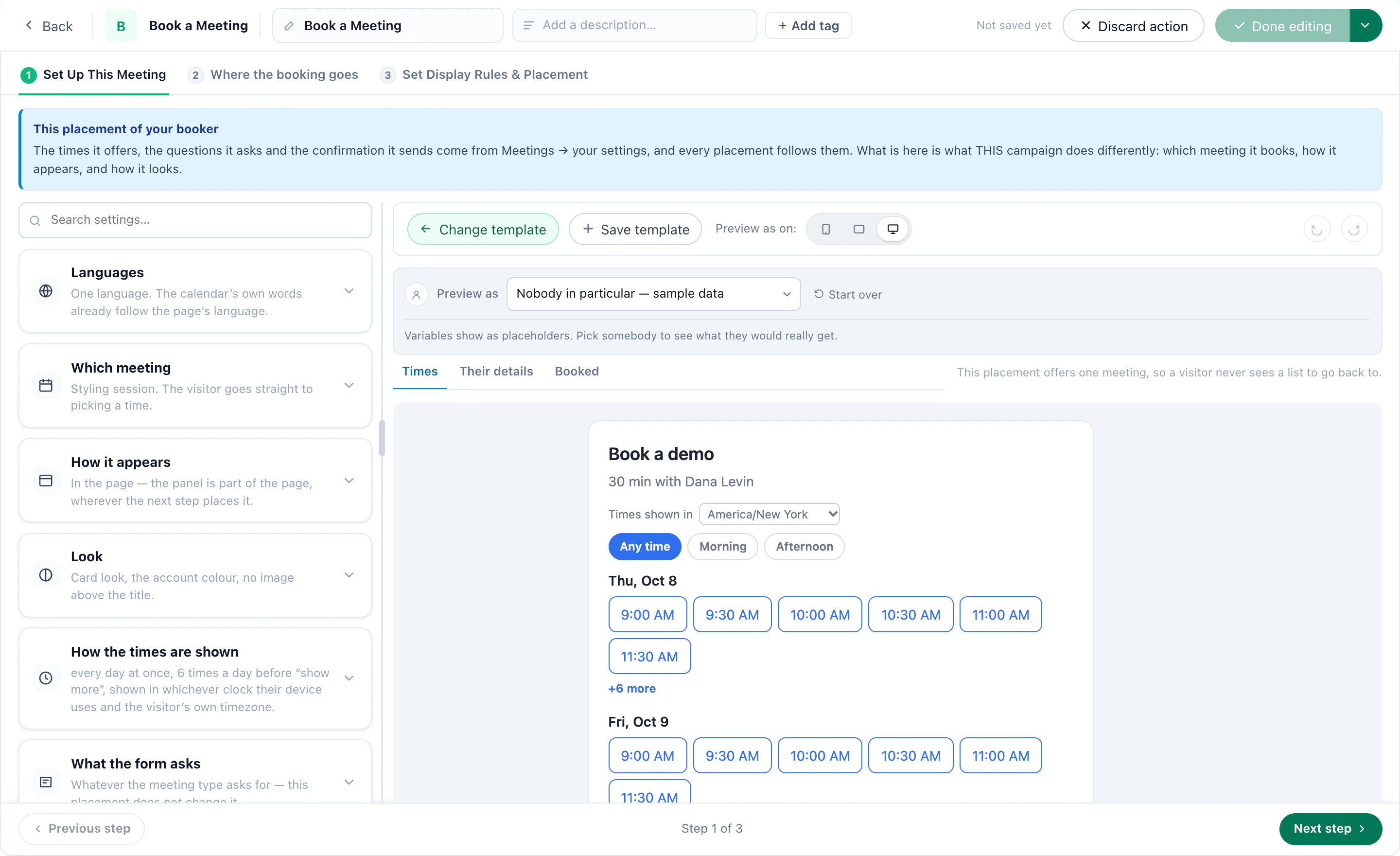
After the booking
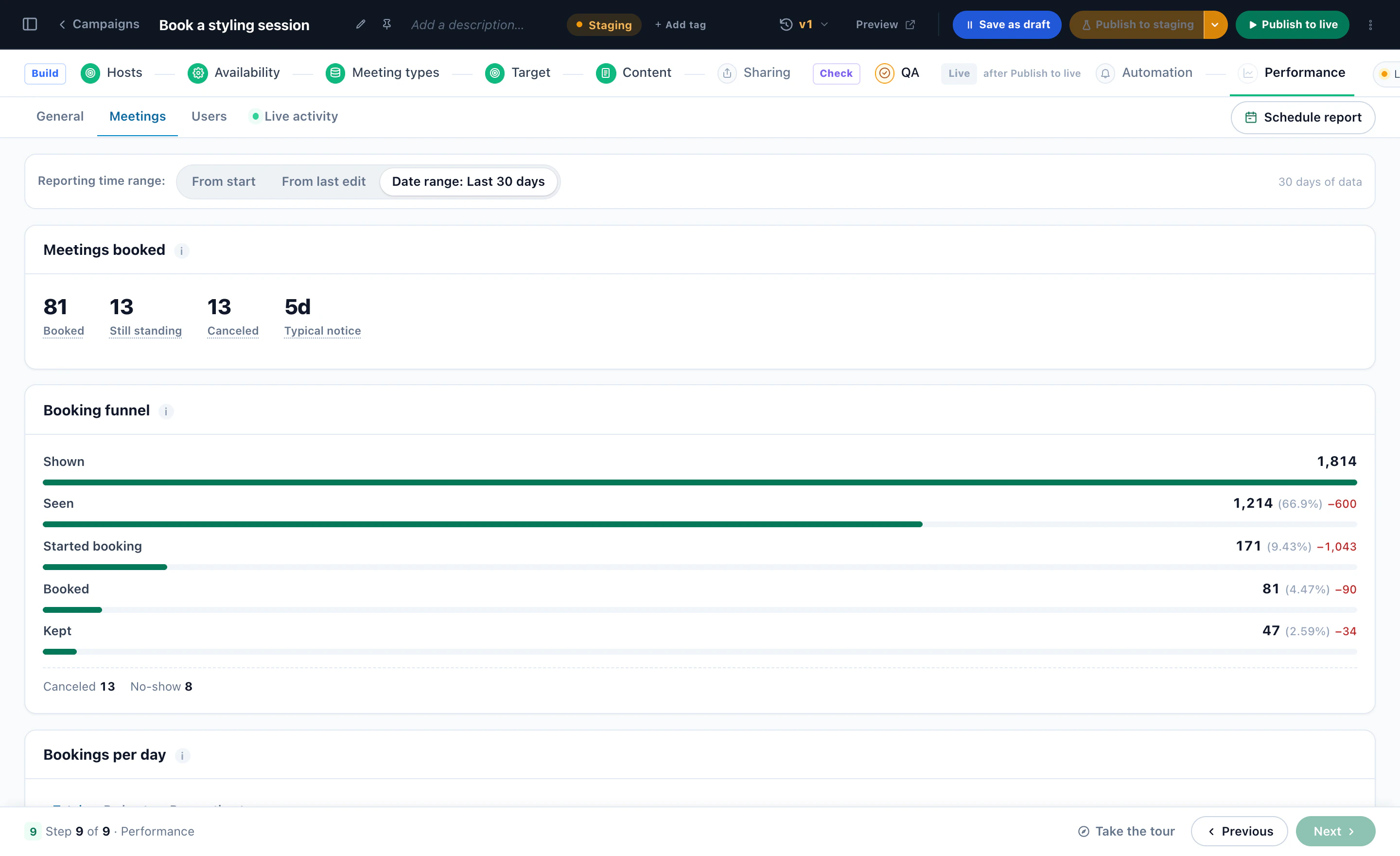
The booking lands on the visitor’s profile, where later campaigns can target “has booked” or “booked and did not turn up”, and goes on to email, Zapier, Slack, HubSpot or your own webhook. The Bookings list shows every meeting, the visitor behind it and the page they booked from.
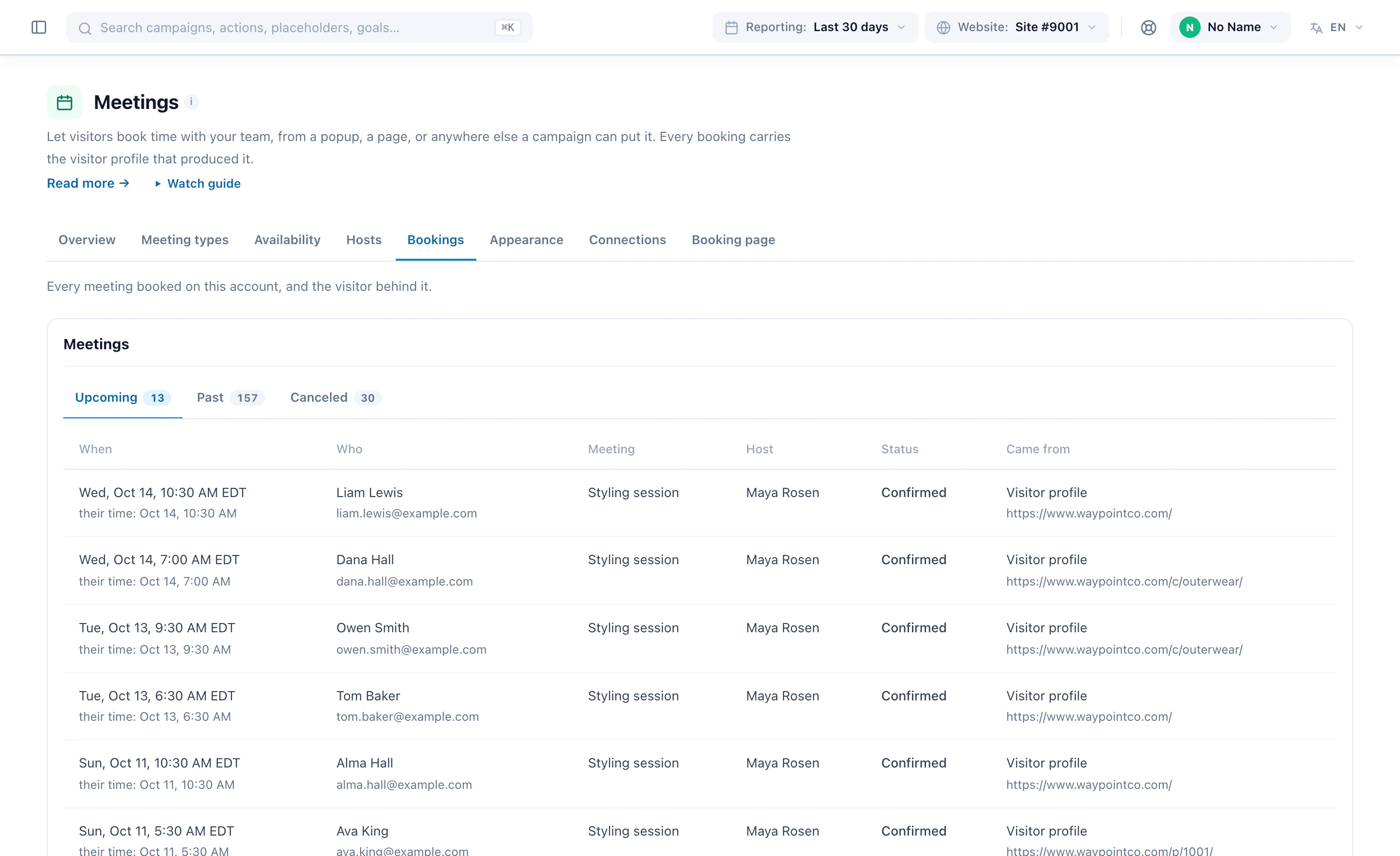
9Recipe: graduate stories for their program
A nursing prospect is persuaded by a nursing graduate, not by general praise. Keep your graduate stories, student reviews and testimonials in one library, tag each with who it is for, and show every visitor the ones that fit.
- Tag who it is for — on the Reviews page (Settings → Reviews), each review, testimonial or case study can carry page paths (/programs/nursing/), countries, regions, cities, interests, categories, or any field you keep on the visitor profile.
- Show Reviews — a campaign that matches those tags against each visitor. With Matches first, matching stories lead and the rest fill in, so nobody sees an empty widget.
- Collect new ones — a Review Form on your own site, where every new review waits for your approval before anyone sees it.
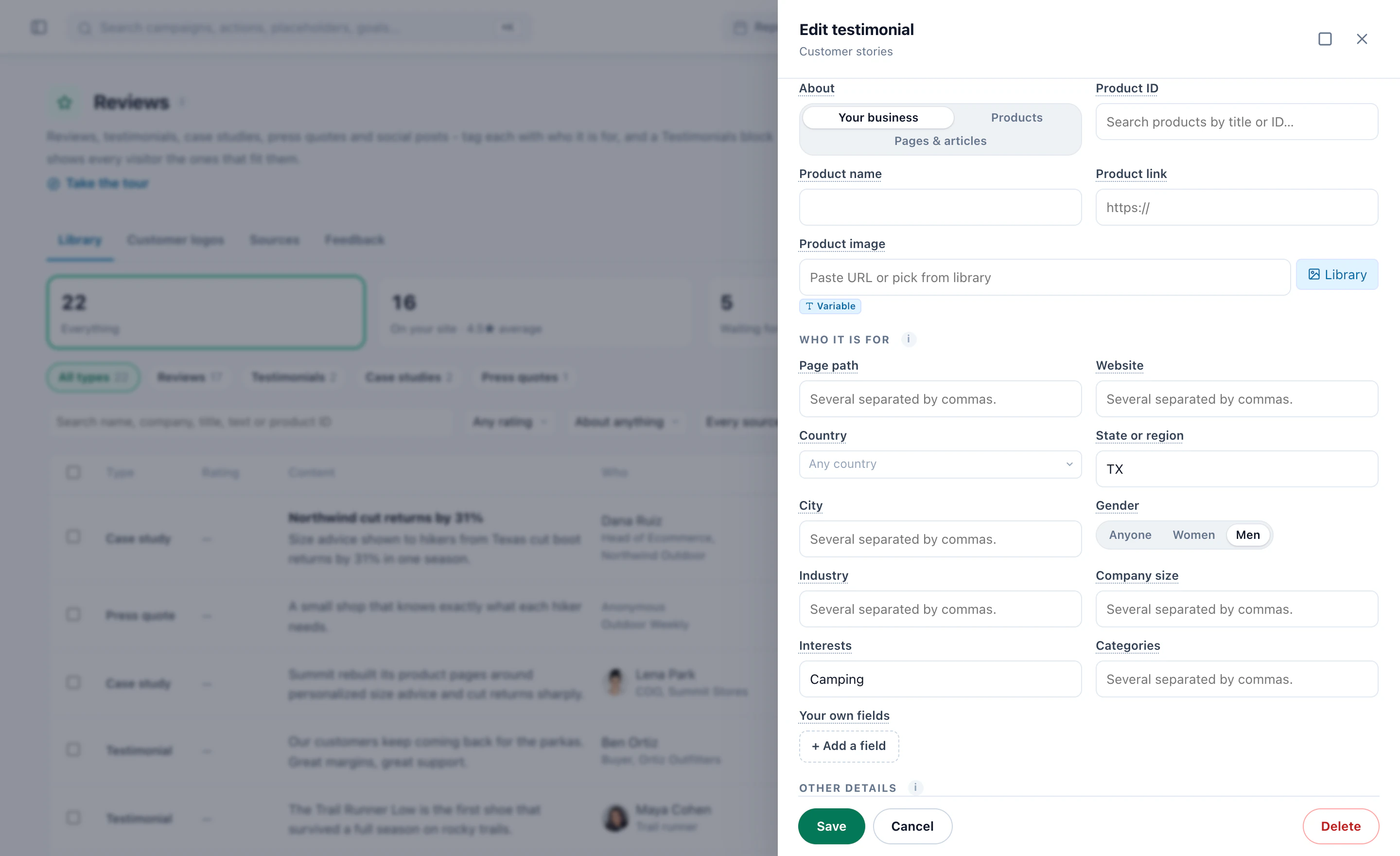
International graduates’ stories reach international visitors the same way, tagged by country. Reviews & Surveys is an add-on, included in the Power and Enterprise plans; the whole recipe is in the Reviews & Surveys playbook.
10Recipe: deadlines and open days, for the people they concern
A deadline helps the applicant weighing that program, and is noise to everyone else. Show it only where it applies.
- A countdown to the deadline — the Countdown Timer counts to a fixed date, or per visitor, and when time is up it shows zeros, shows a message, or hides itself. Target it at the visitors of that program who have not applied yet.
- A rotating bar of what is coming — the application deadline, the open day, the scholarship closing date, up to three in turn across the top of the page. With Promotions, each is a row of its own with its dates, its audience and its page categories, and the bar picks what fits the page being read — see the AI Promotion playbook.
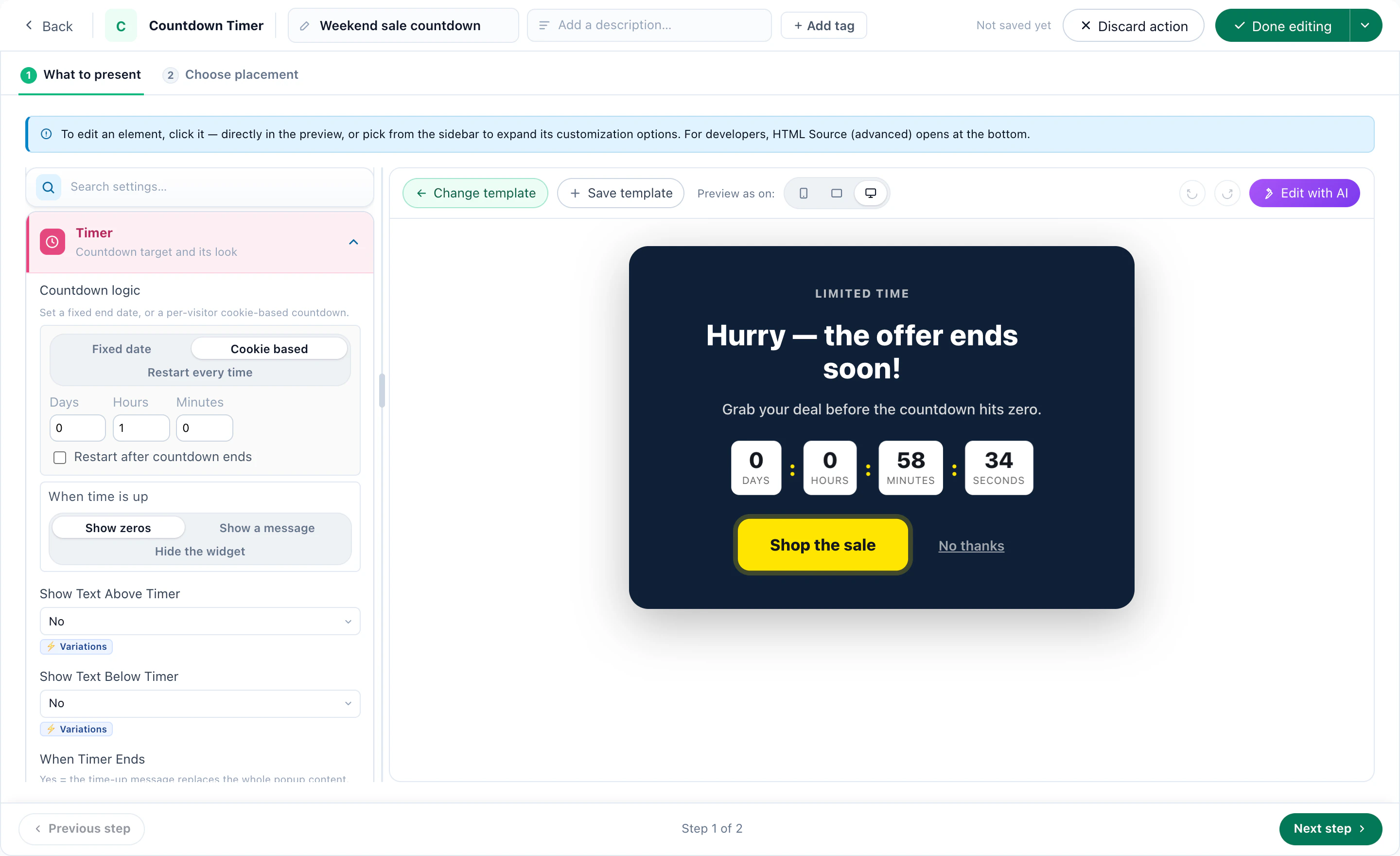
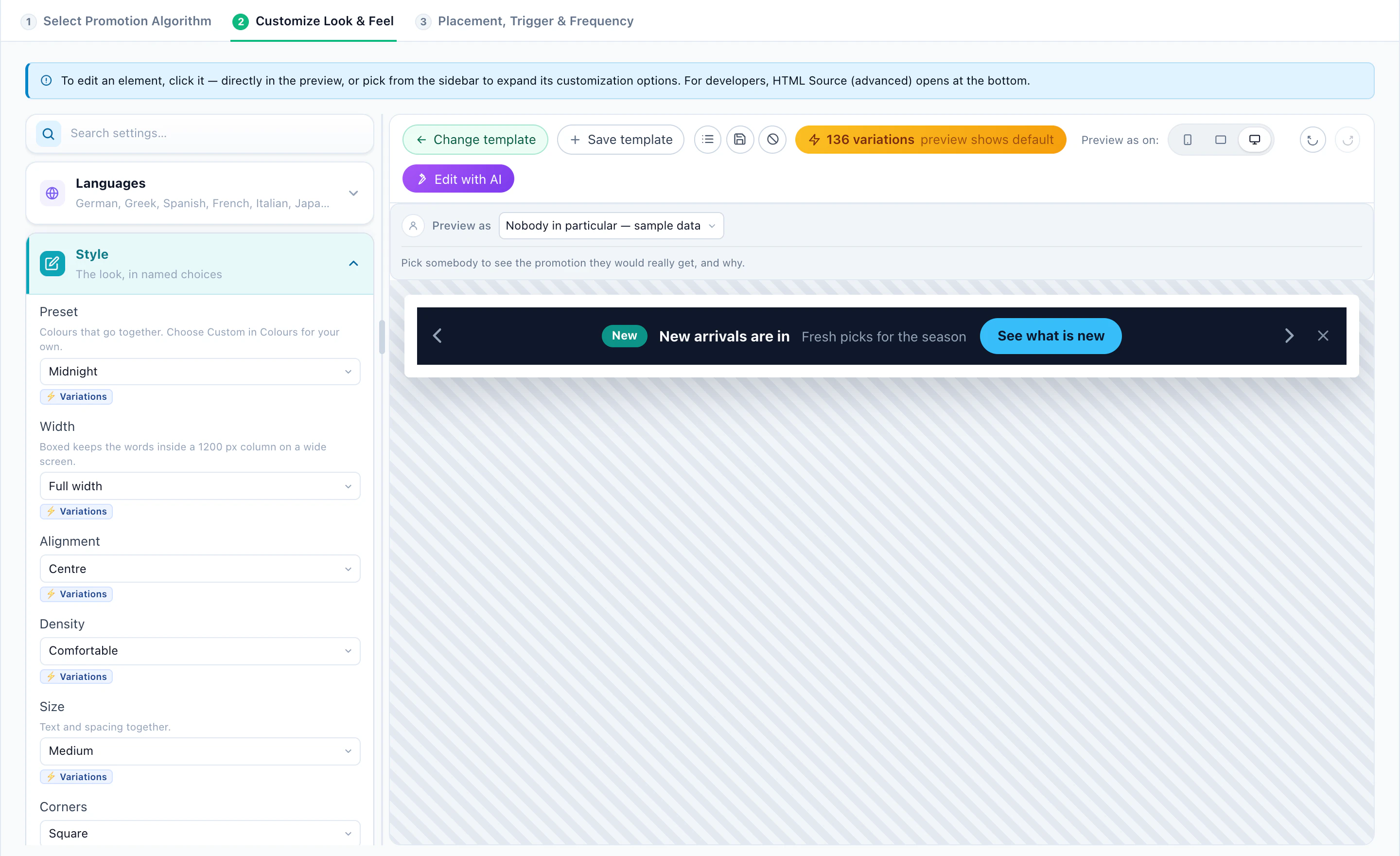
Count down to the real date, and let the countdown hide itself when the date has passed.
11Recipe: A/B test, and keep a winner for each audience
Test what you are not sure of — the hero for international visitors, “Request information” against “Book a call”, a deadline bar against none — and judge it on applications, not clicks.
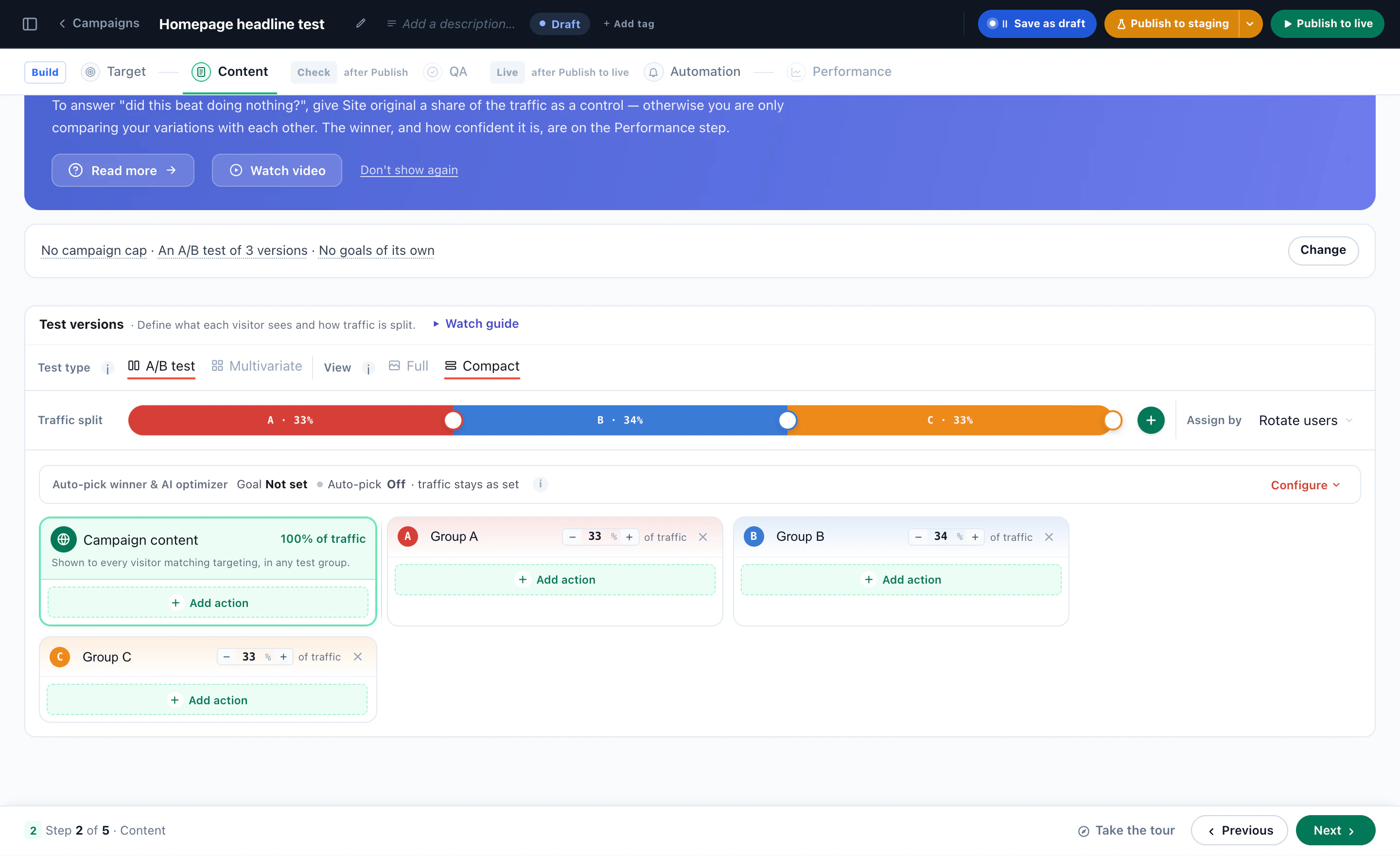
- On the campaign’s Content step, add the versions and drag the traffic split. Give Site original a share as a control, to learn whether any version beats doing nothing.
- Pick the goal — Request information or Application started — and let Auto-pick promote the winner once it is sure, or choose AI: optimize continuously for content that never ends, such as the home page hero.
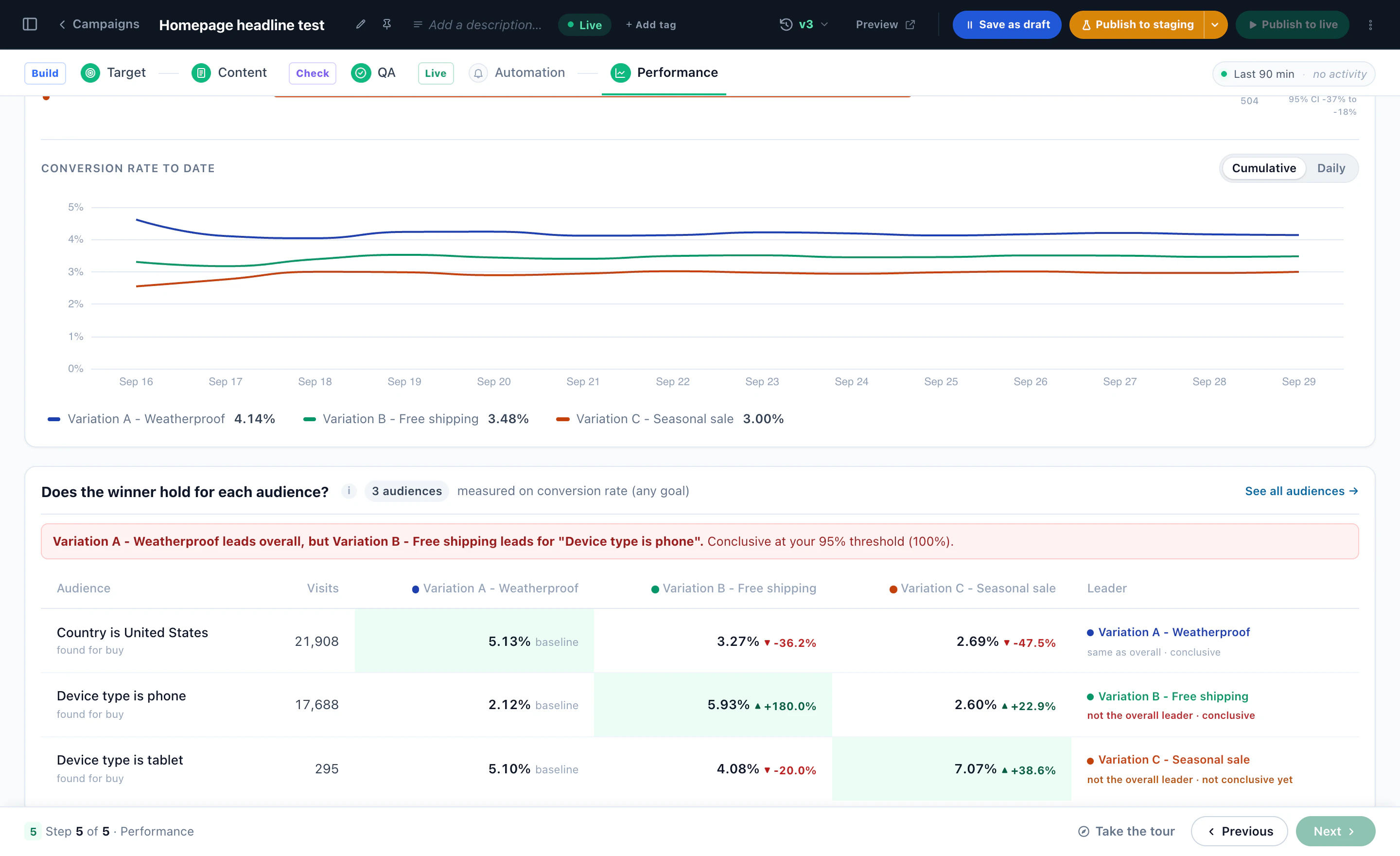
- Read the verdict on the Performance step, then Does the winner hold for each audience?
A test has one winner overall, but not always for everyone. Every test is also read audience by audience — the audiences Personyze discovered in your own data. Where an audience has a clear winner that is not the overall leader, tick it and apply: that audience sees the version that won it, everyone else the overall winner, and Undo puts the test back. Applying is offered on a running A/B test, not on a hosted landing page or a multivariate test.
12Measure it in applications
Every campaign reports on the goals you set in step 1, so the question is always the one admissions asks: did more people request information, start an application and submit it?
- Each campaign’s Performance step — the visits it ran in, views, clicks and conversions, against the period before.
- A control group — a share of visitors who see the site as it was, so the lift you report is the lift the campaign caused.
- Meetings — booked, held, cancelled and no-shows, and the campaign that produced each booking.
- The AI chat — conversations, the questions it could not answer, and those it handed to a person.
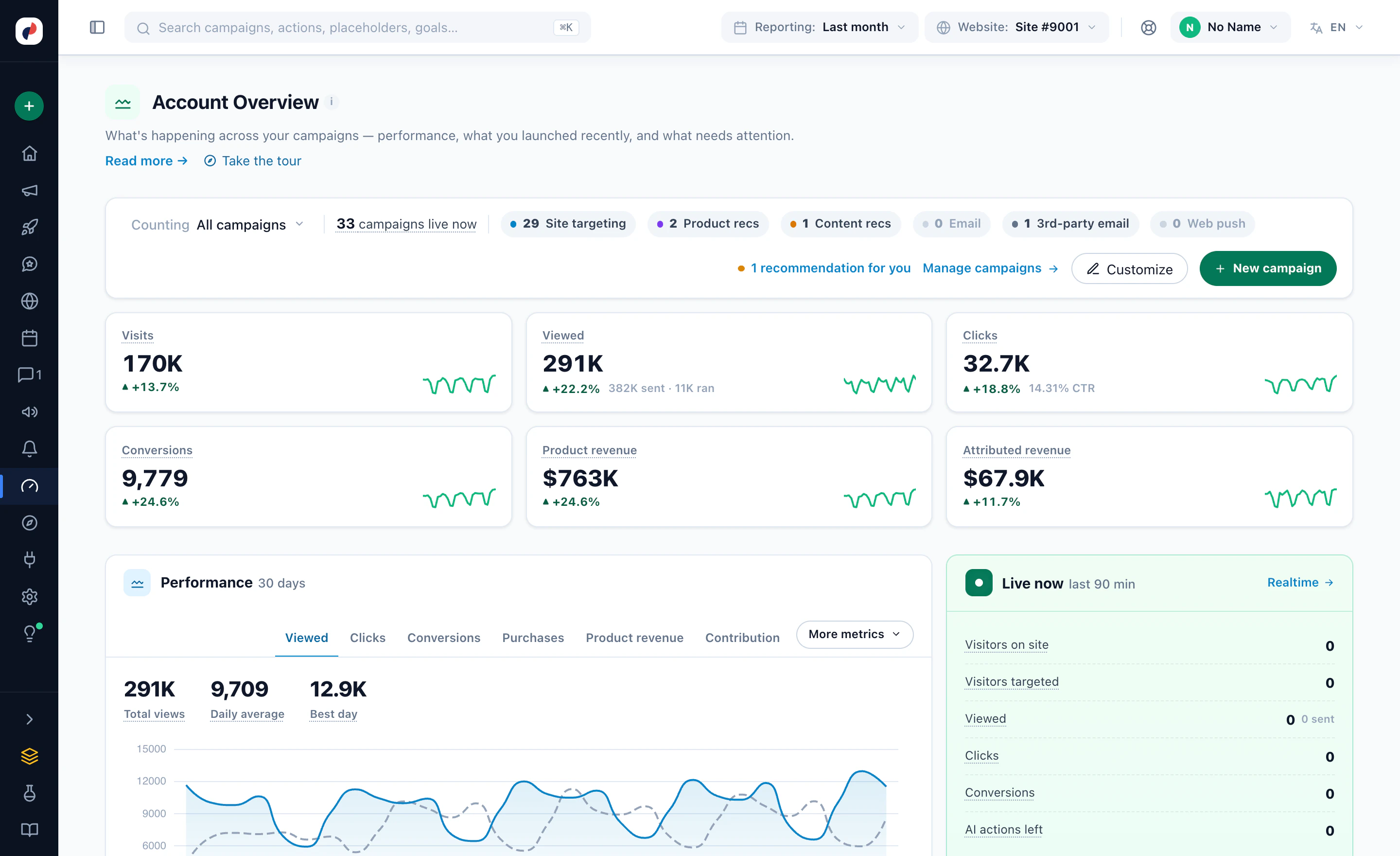
- The account overview — every campaign together, with what is live now. A scheduled report sends your figures by email on a timetable.
Start with one program and one audience, read the result after a few weeks, and grow from what worked. More on the product: Behavioral targeting, Content recommendations, AI chat agent, Meeting scheduler and A/B testing.