

Show Every Visitor the Review That Convinces Them
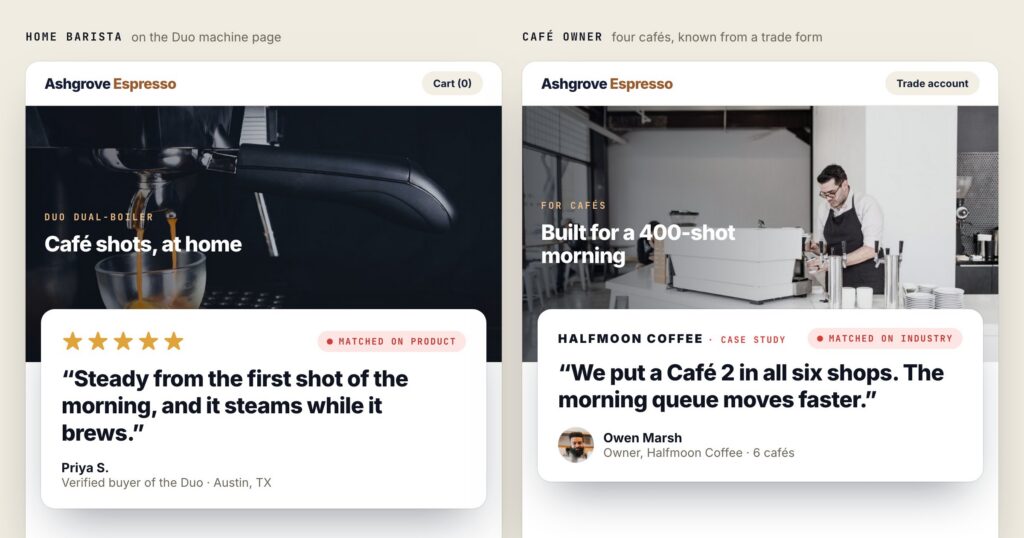
Most review widgets are a wall: the same six quotes, the same average, for everyone who scrolls past. That is fine for a shop with one product and one kind of customer. It is wasted space for everyone else, because the review that convinces a visitor is the one about them — the product on the screen, a company like theirs, someone from their town.
Personyze treats reviews the way it treats every other piece of content: as something picked per visitor. This post walks through how that works, where the reviews come from, and how to ask for new ones without breaking the rules the review sites set.
Same page, two visitors, two different reviews
“We now close our books in two days instead of nine, across forty-one companies.”
Case study · a bank · matched on industry★★★★★
“Warm enough for a minus fifteen morning, and it still packs down small.”
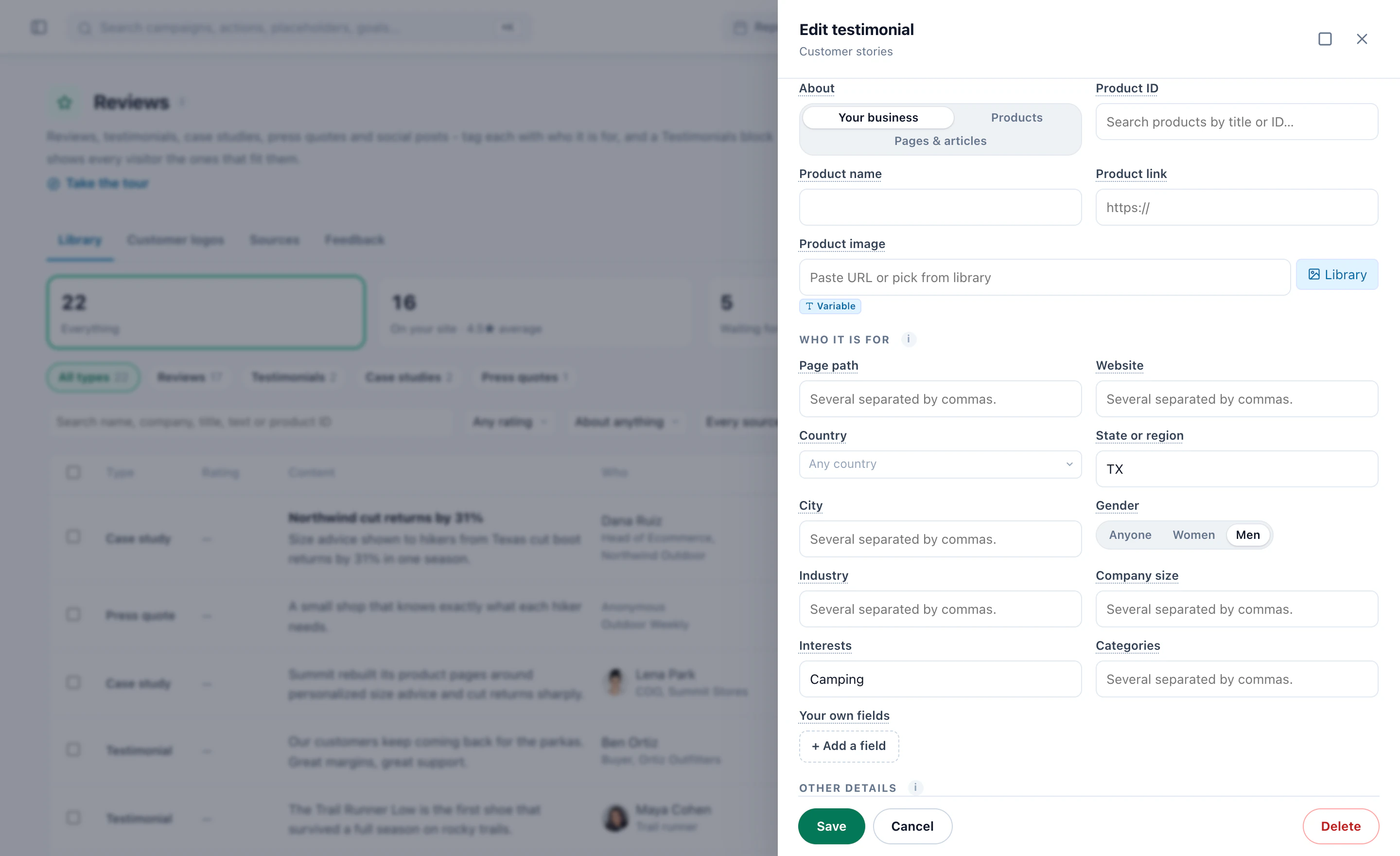
Review of this parka · verified buyer · matched on productEach review, testimonial or case study can carry who it is for: countries, regions, cities, industries, company sizes, websites, page paths, interests, product categories, or any visitor attribute you keep. The Show Reviews action then matches them to the visitor in front of it — the product on the page, the product they last bought, where they are, the industry of their company.
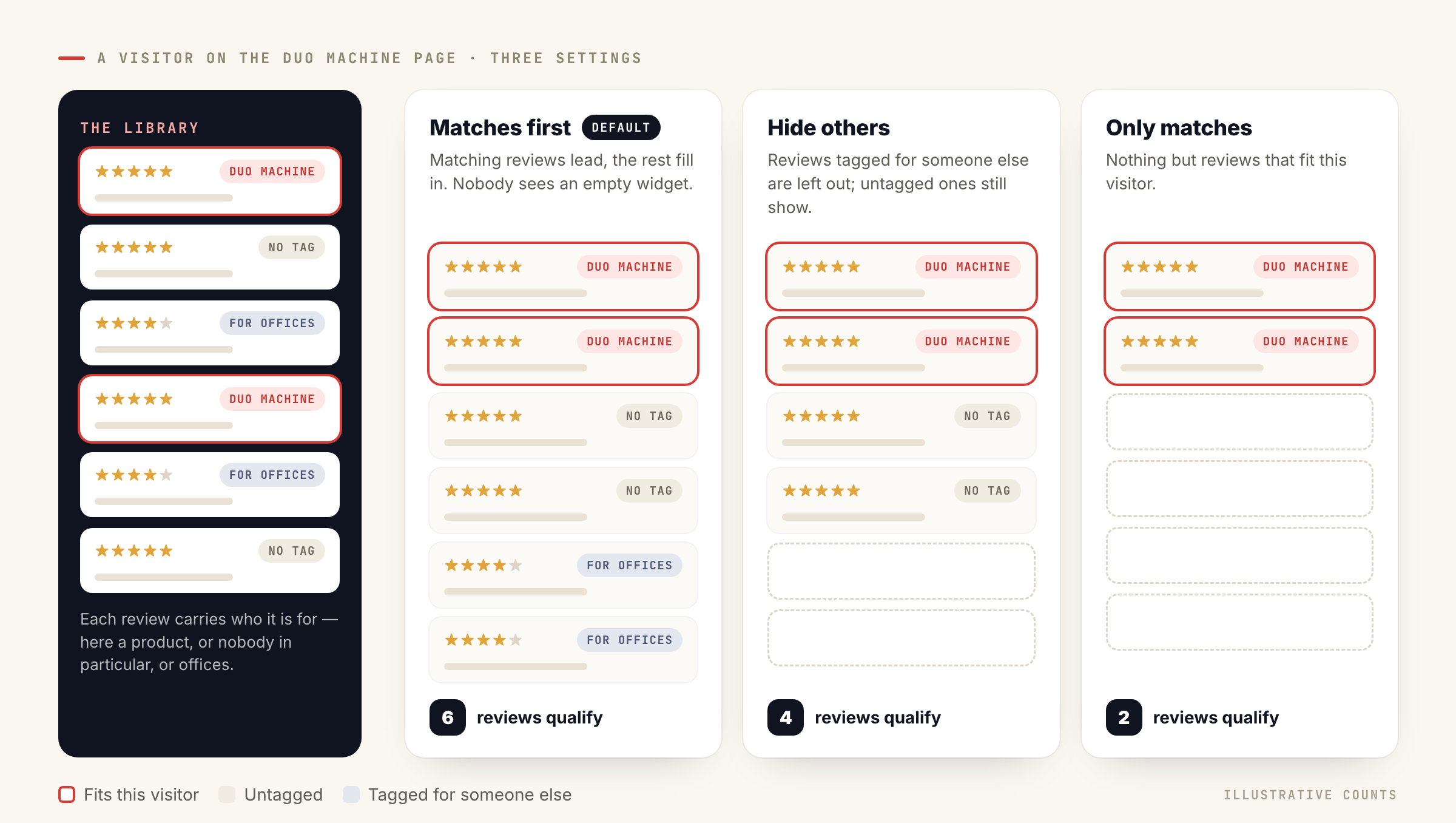
How strict the match is, is your call:
- Matches first — matching reviews lead and the rest fill in. Nobody sees an empty widget.
- Hide others — reviews tagged for someone else are left out; untagged ones still show.
- Only matches — nothing but reviews that fit this visitor.
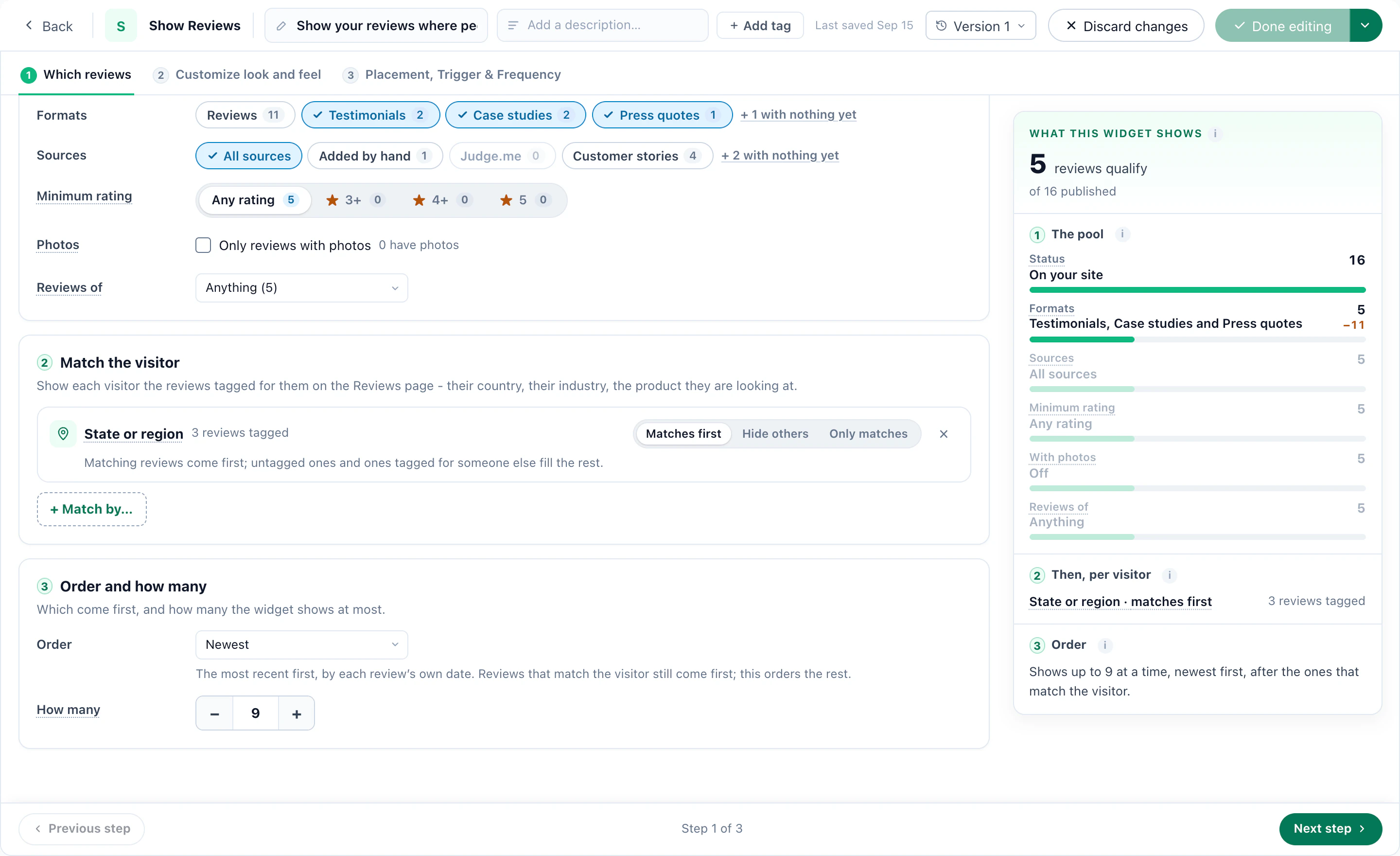
Beside the settings, a live count shows how many reviews qualify and which setting narrows them, so a widget never goes live with nothing in it by accident.
One library, fed from everywhere
The matching only works if the reviews are in one place. The Reviews page (Settings → Reviews) is that place, and it fills from four directions:
Judge.me, Trustpilot, Yotpo, Okendo, Stamped, REVIEWS.io, Senja, Loox, Trusted Shops, Feefo, PowerReviews, Testimonial.to, TrustMate, Kiyoh, Klantenvertellen, Shopper Approved and eKomi — read every night, so removed reviews disappear too.
CSV or Excel, or a link read on a schedule. Map the columns once; day-first dates, different rating scales and “Indonesia, Vietnam” in one cell are understood.
A Review Form under the product, the article or the order. Reviews land in the library tagged with who wrote them.
Testimonials, case studies with a picture and a link, press quotes and social posts, beside the star reviews.
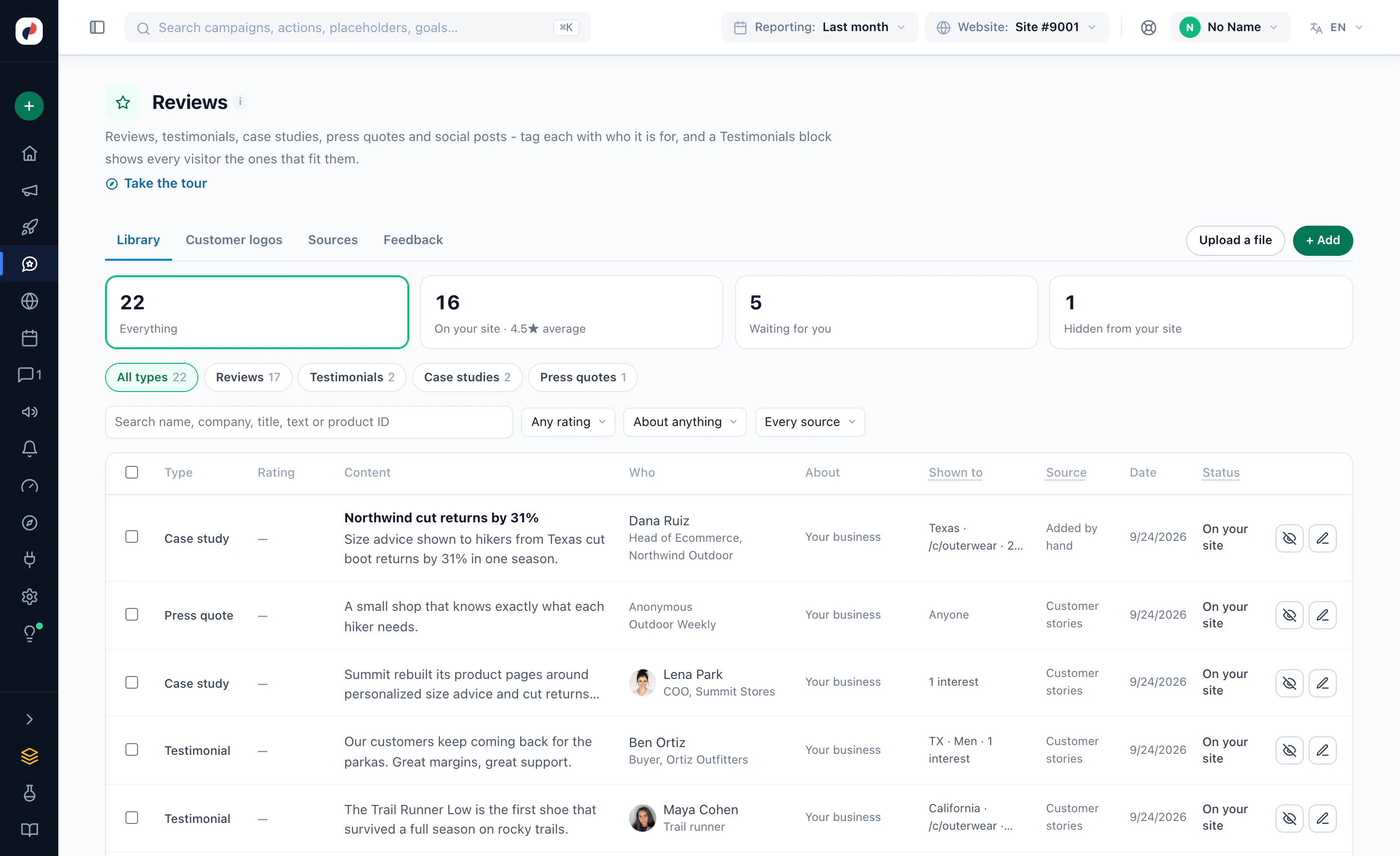
Reviews do not have to be about products, either. A “Rate This Page” form under an article collects reviews of that page, and the widget shows each page its own.
Asking for reviews, the way the review sites allow
The Ask for a Platform Review action puts a button to your Google, Trustpilot, G2, Capterra or Facebook page where it counts — the thank-you page, a past buyer’s next visit, a “review the product you bought” prompt. Those sites only accept reviews written on the site itself, so Personyze sends people there rather than posting for them.
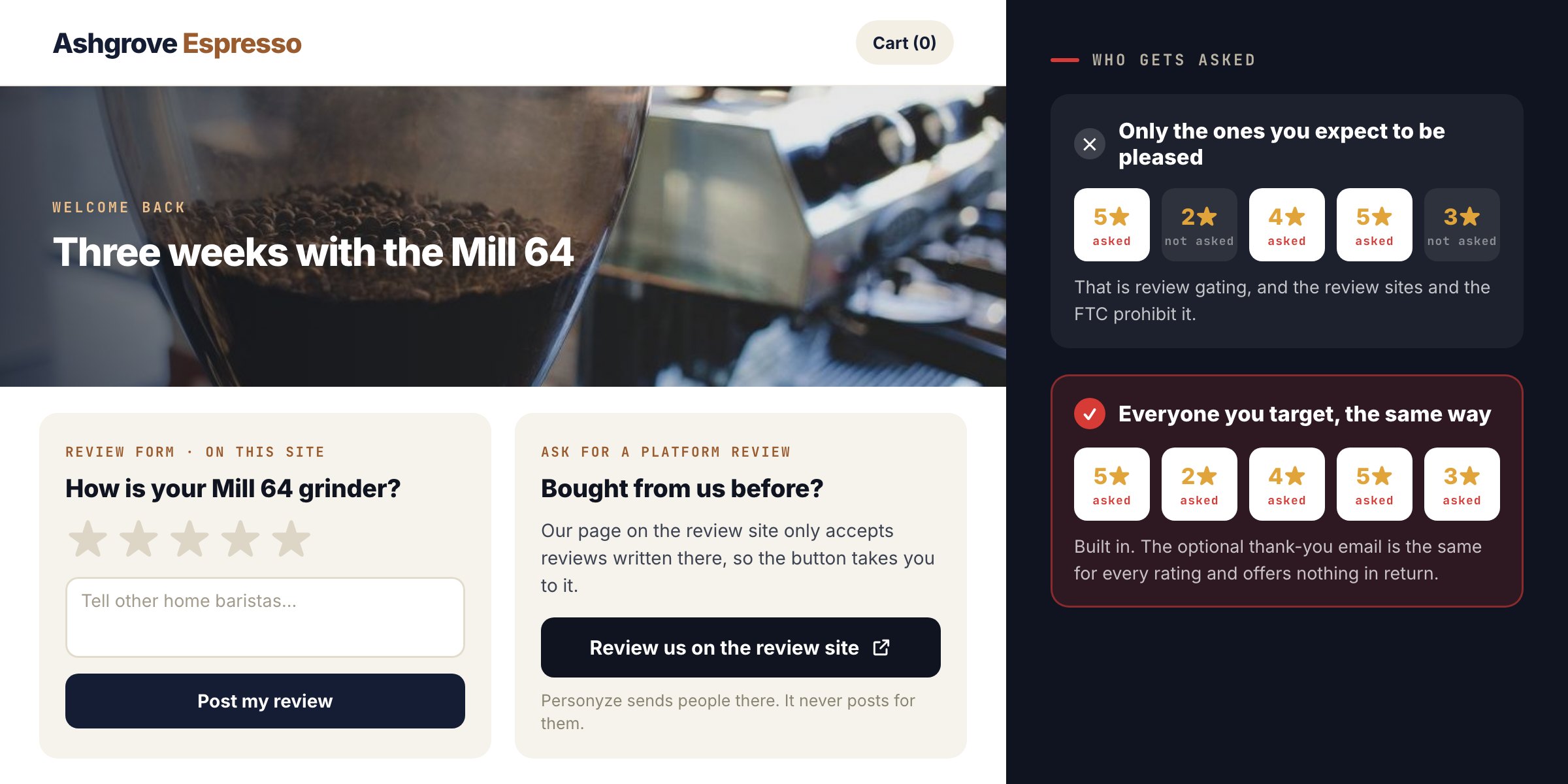
Where a platform offers it, you can instead connect your account and have the platform send its own invitation — Trustpilot, Trusted Shops (with the customer’s opt-in), Feefo, eKomi and others — or send a review collected on your site on to Judge.me, Yotpo, Stamped, REVIEWS.io, Senja or Testimonial.to.
One rule is built in: everyone you target is asked the same way, whatever they would rate. Asking only the customers you expect to be pleased is review gating, which Google, Trustpilot and the FTC prohibit. The optional thank-you email is the same for every rating and offers nothing in return.
What the reviews did
The Reviews dashboard shows who saw a review widget, who engaged with it, how many reviews each campaign collected and their ratings — and how visits that saw reviews converted beside the rest of the site.
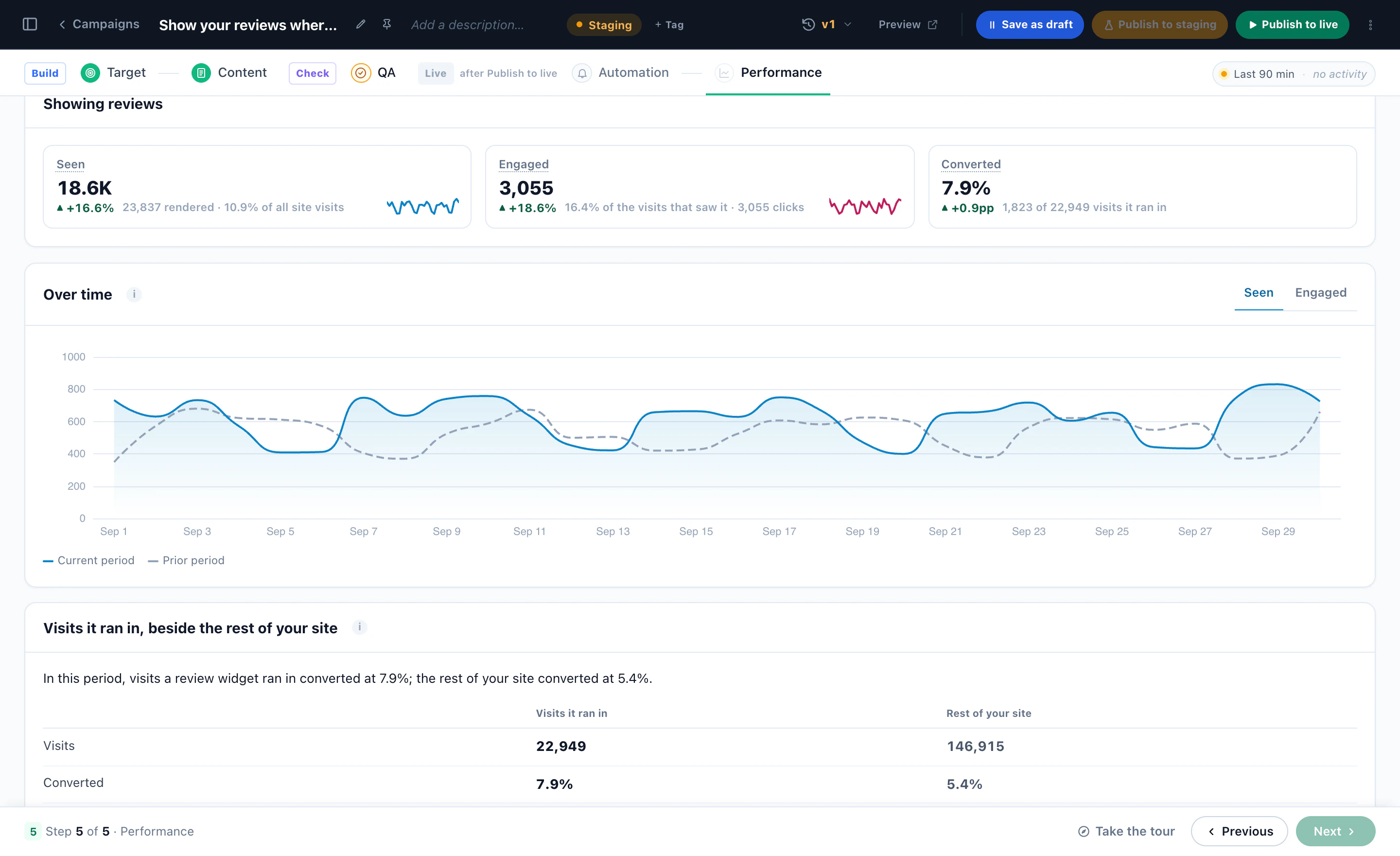
Read that last number as a comparison, not proof. People who scroll to reviews are often further along already. To know what the reviews themselves add, run the widget as an A/B test against a held-back group; it is one switch on the campaign.
Every rating a visitor gives is also written to their profile, so a campaign can react to it — a support offer for someone who had a bad experience, a referral ask for someone who loved it.
The B2B version: case studies and logos by account
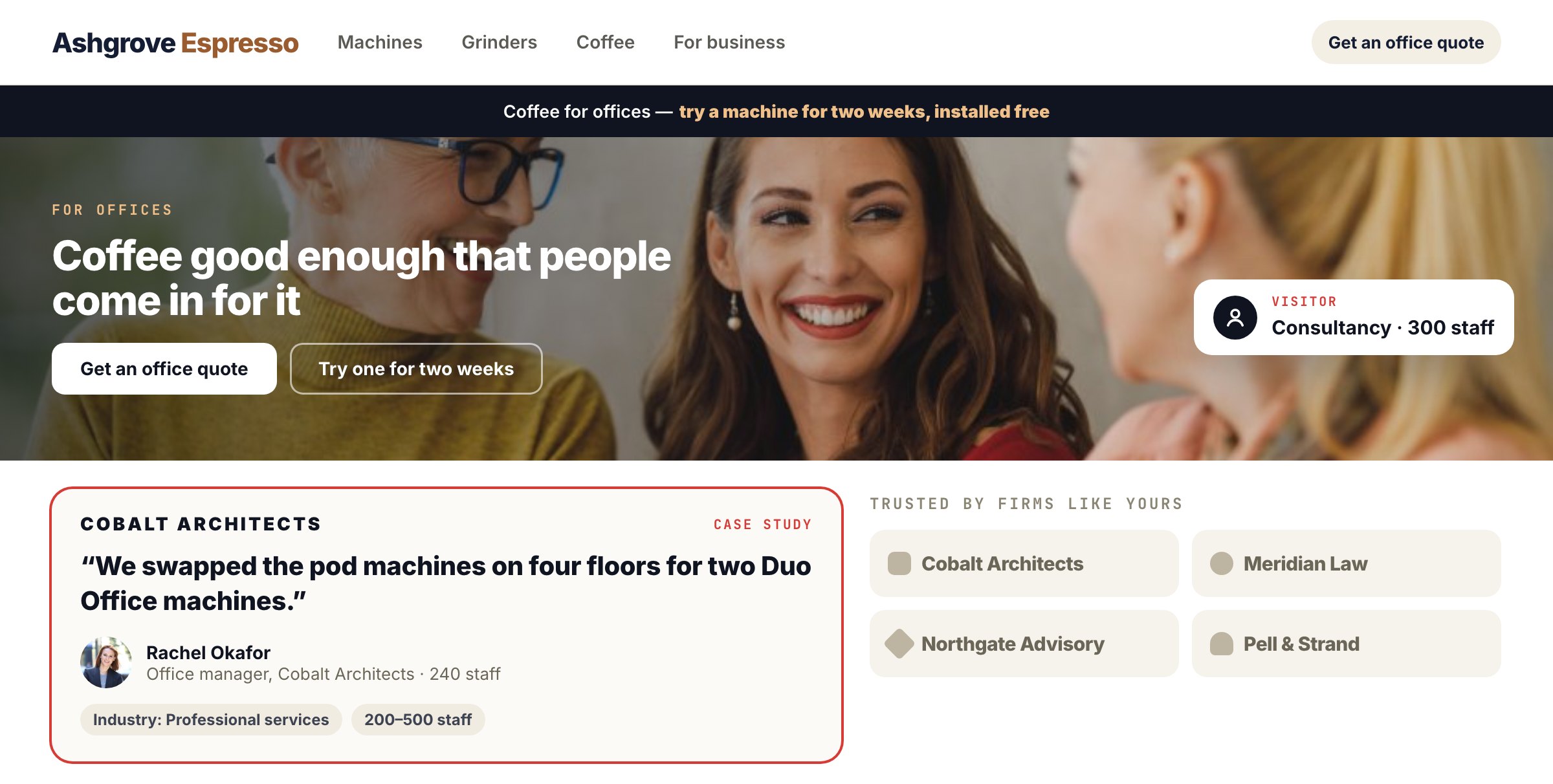
For B2B sites the same library holds case studies and customer logos. A testimonial wall shows a bank’s story to banks and a retailer’s to retailers, and a “trusted by” strip leads with the visitor’s own industry — more on that in the customer logos post, and on the account-based marketing page.
More on the feature: Reviews & Testimonials · Social proof.
Questions people ask
Does Personyze post reviews to Google, Trustpilot or G2?
No. Those sites accept only reviews written on the site itself. Personyze links visitors to your page there, or, where the platform offers it, asks the platform to send its own invitation.
Which review platforms can it import from?
Seventeen: Judge.me, Trustpilot, Yotpo, Okendo, Stamped, REVIEWS.io, Senja, Loox, Trusted Shops, Feefo, PowerReviews, Testimonial.to, TrustMate, Kiyoh, Klantenvertellen, Shopper Approved and eKomi. Anything else comes in as a file or a scheduled link.
What does a visitor see when no review matches them?
With the default, Matches first, they see your best reviews in the usual order. Only the strictest setting, Only matches, can leave a widget empty, and the live count warns you before you publish.
Is asking for reviews on the thank-you page review gating?
Not when everyone is asked. Gating means asking only the people you expect to rate you well. Personyze asks every targeted customer the same way, whatever they would rate.
Can I show reviews of an article, not a product?
Yes. A Rate This Page form under an article collects reviews of that page, and Show Reviews can show each page its own.
Book a demo with a personalization expert
30 minutes with a personalization expert. Bring your stack, your goals, your skepticism. We'll show you what changes when every visit feels like the only one.