
Stop Building One Campaign per Offer: Let AI Pick the Promotion
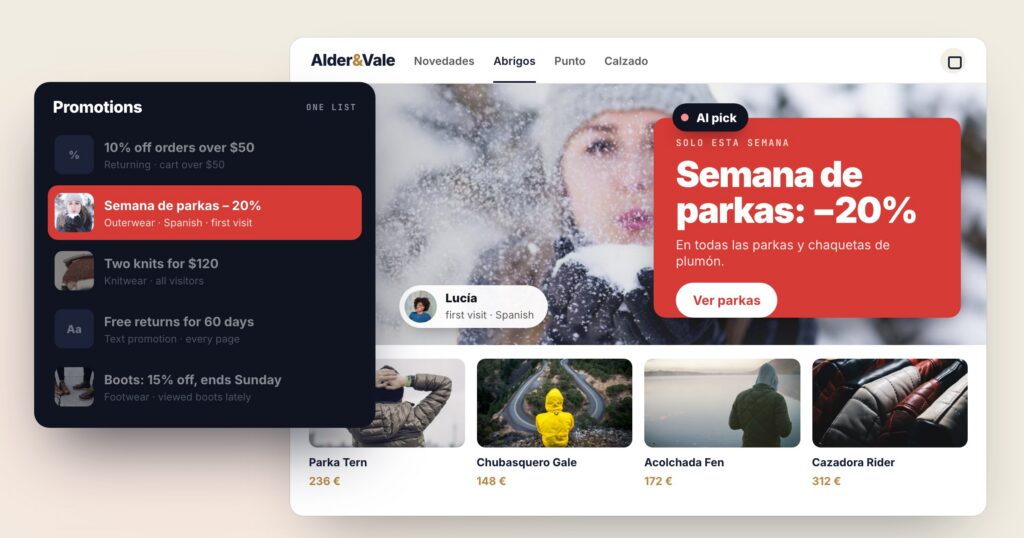
Most sites run promotions as campaigns. One banner, one audience, one set of dates — and then the next offer gets a campaign of its own. Ten offers later there are ten campaigns, each one a guess about who should see it, two of them fighting over the same spot on the category page, and no clear answer to which one actually sold anything.
Promotions in Personyze works the other way round. You keep your promotions in one list, and for every visitor the AI picks the one most likely to convert them — learned from what visitors like them bought — then keeps learning from every view, click and purchase.
Each row with its dates, pages, audience, language and code. A new offer is a new row.
Among the promotions that fit this visitor, the one visitors like them were most likely to act on.
Winners are shown more, the rest keep being tried, and a held-out group shows the lift.
What a row in the list holds
A promotion is one of three kinds: an image banner, a text promotion (a line such as “Free returns for 60 days”) or a coupon with its code. Every row carries what a campaign used to carry:
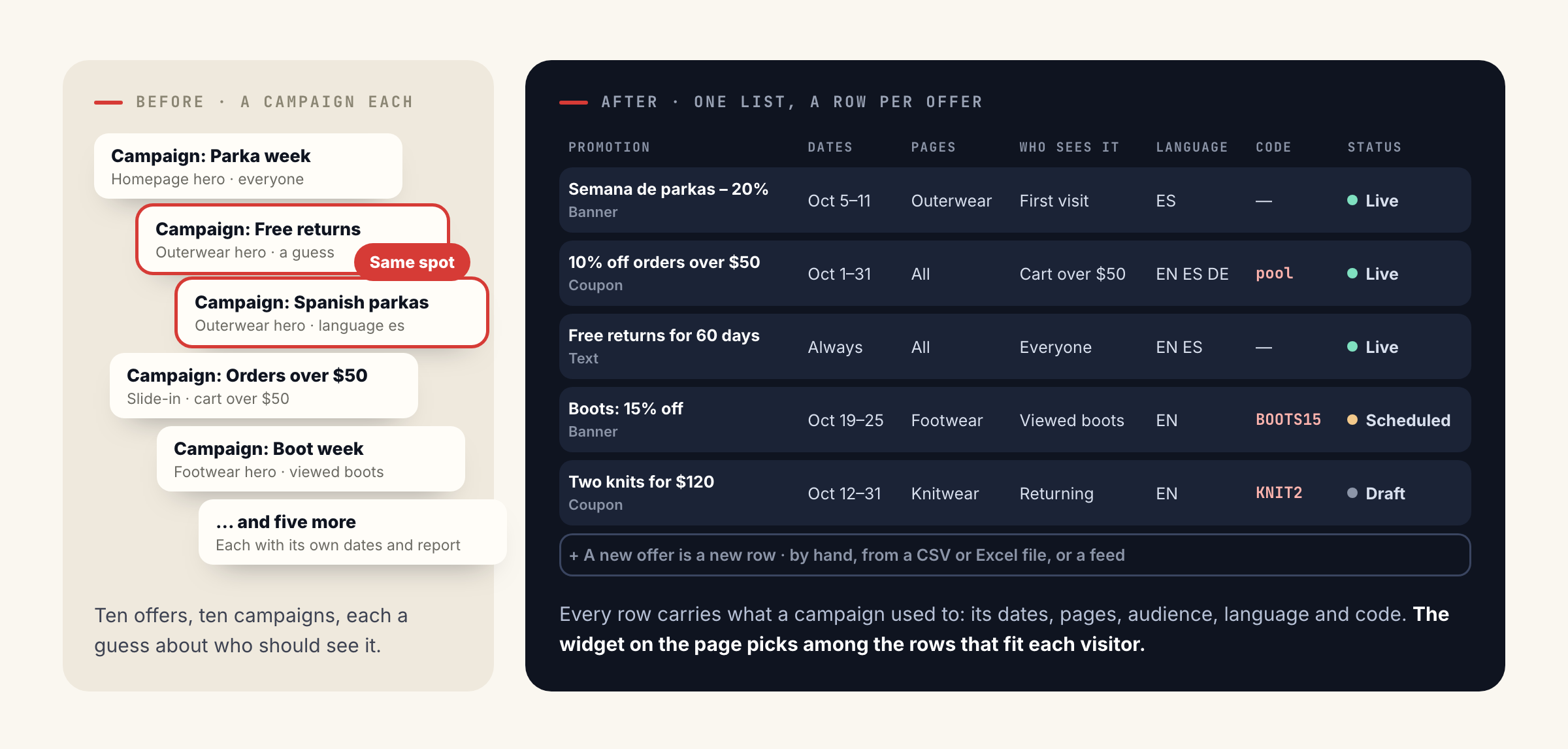
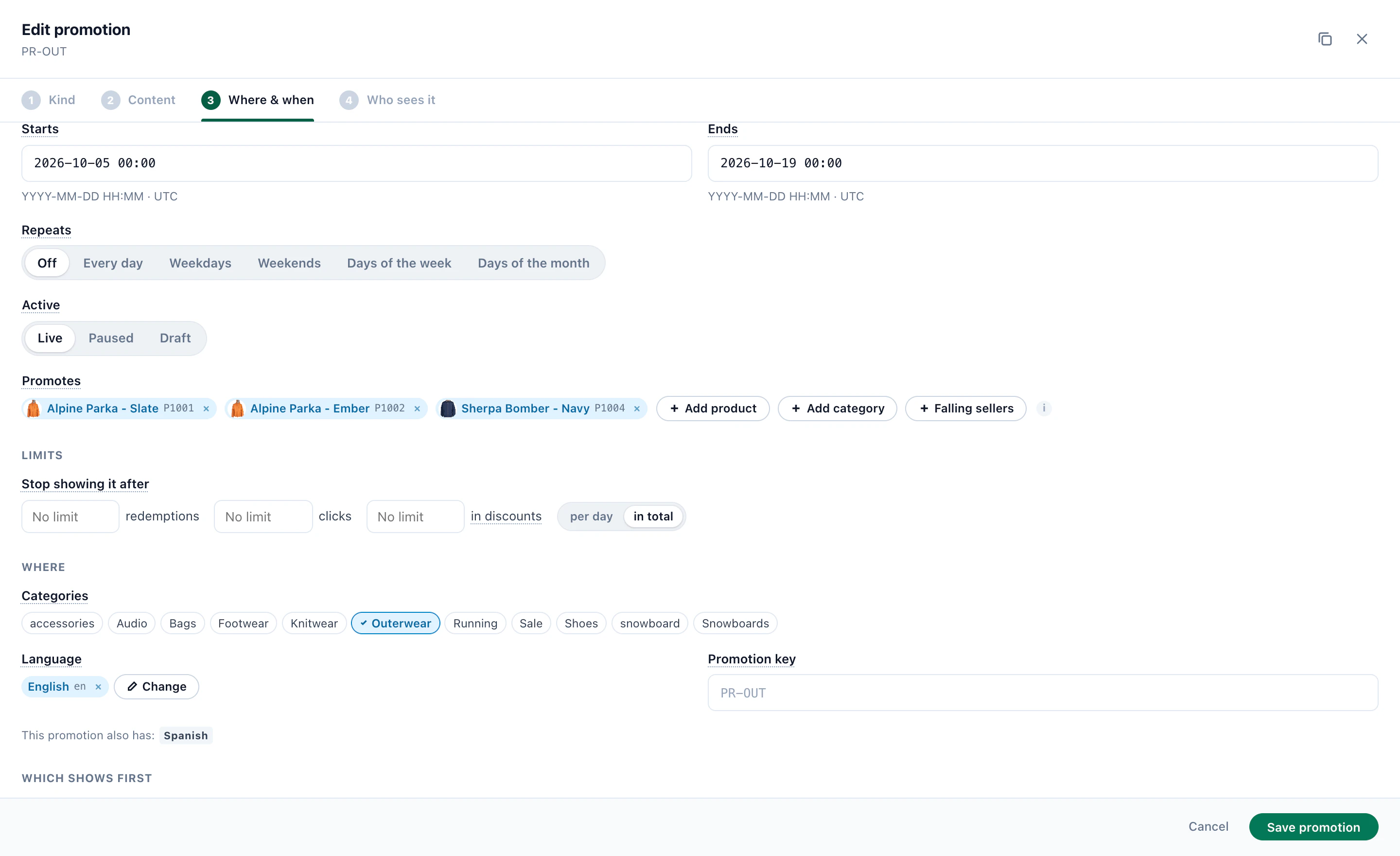
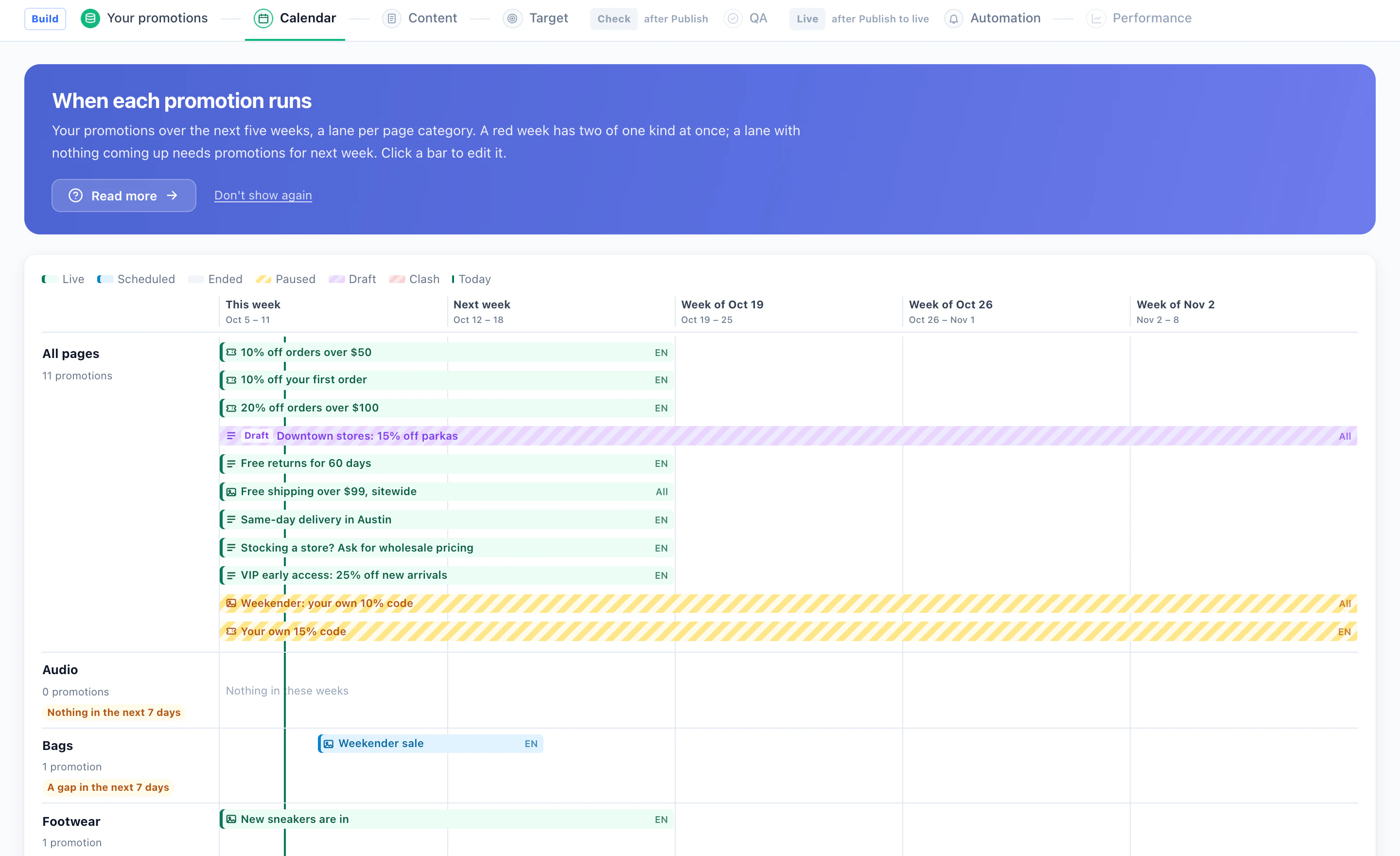
- Dates — it starts and ends on its own, and the list sorts it into Live, Scheduled, Ended, Paused or Draft.
- Pages — the categories it belongs on, so the outerwear offer stays on outerwear.
- Who sees it — country or distance from a place, cart value, lifecycle stage, CRM and profile fields, categories viewed lately, device, or having redeemed another promotion. Set with pickers, per row.
- Language — one promotion in several languages; each visitor gets theirs, and the design’s own buttons (“Copy code”, “Ends soon”) follow the visitor’s browser language.
- Code — a shared code, a code that depends on the cart, or a code of the visitor’s own — from a pool you upload, or generated from a pattern such as SAVE-{6}.
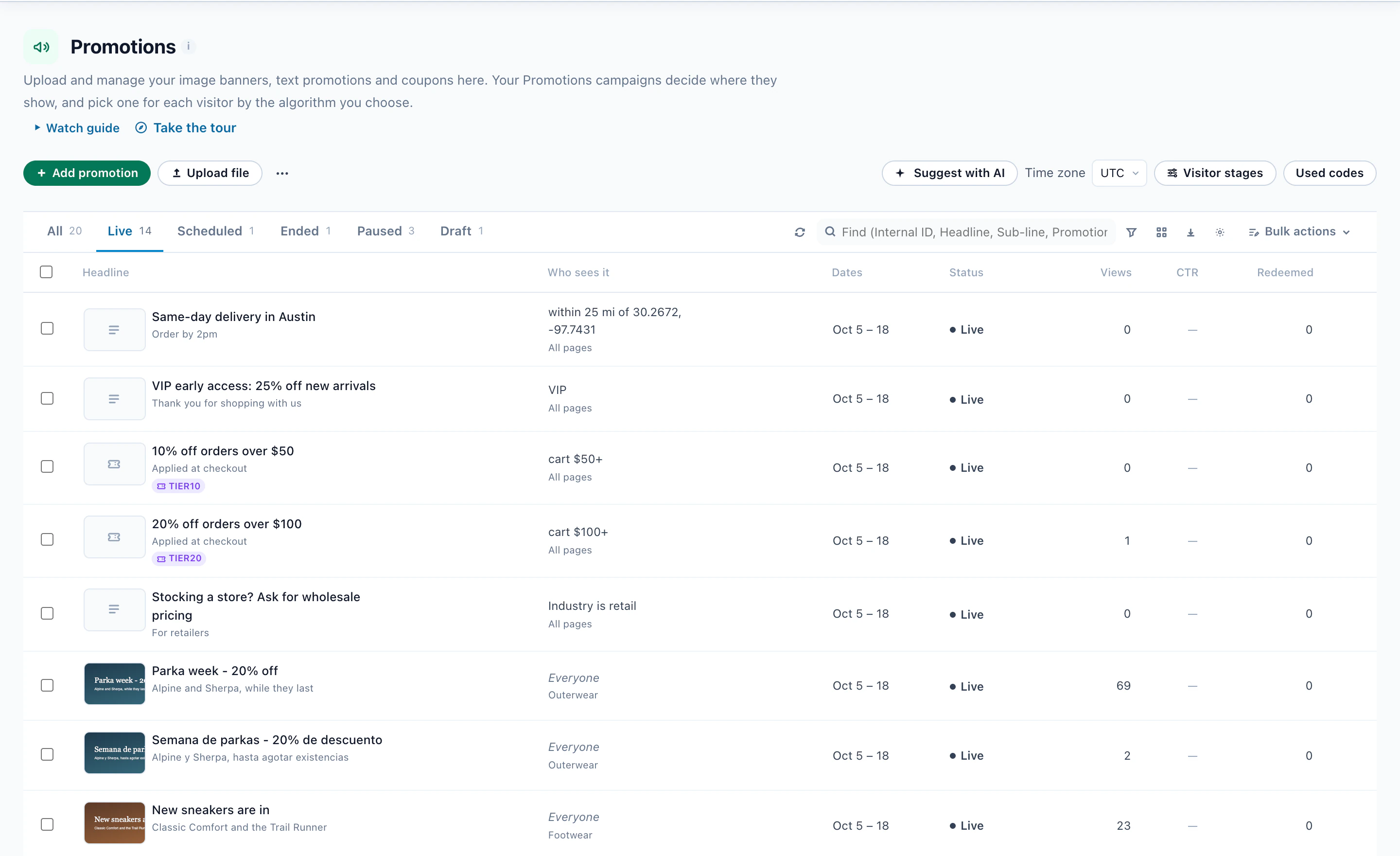
Rows go in by hand, from a CSV or Excel file, from a Google Merchant Center promotions feed, or from a feed address that Personyze reads again on a schedule. Write with AI drafts headlines, variants to test and translations; its drafts wait in the Draft tab until you approve them.
How the AI picks
Only promotions that fit the visitor are in the running: their dates, pages, language and audience must all match. Among those, the widget chooses. The default learns two ways at once:
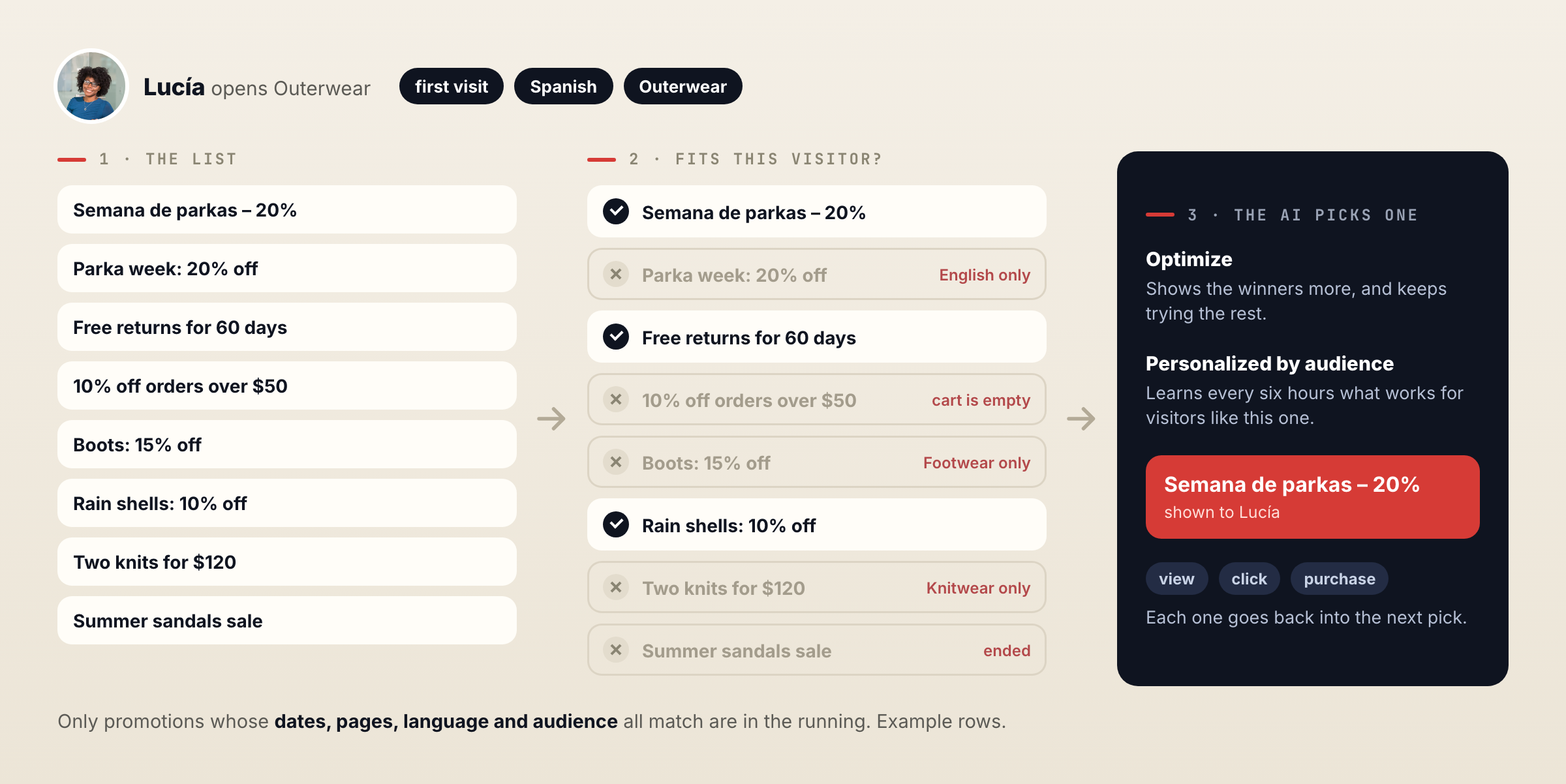
- Optimize shows each promotion, sees which ones earn clicks, purchases or the goal you choose, shows the winners more — and keeps trying the rest, so a better offer added next week still gets its chance.
- Personalized by audience learns, every six hours, which kinds of promotion work for visitors like this one — by device, traffic source, and new or returning.
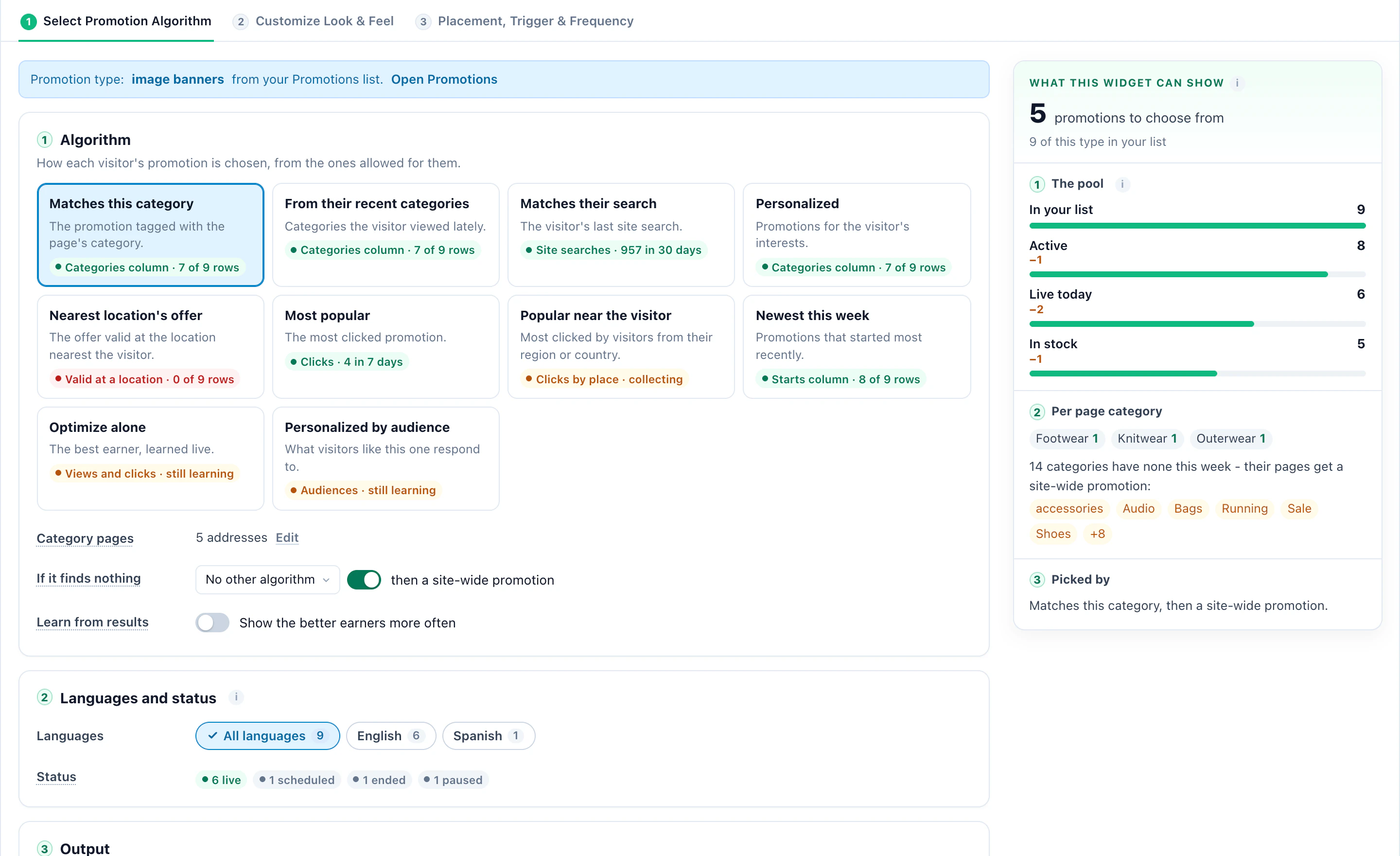
A widget can also use a simpler rule. There are ten in all — Matches this category, From their recent categories, Matches their search, Personalized, Nearest location’s offer, Most popular, Popular near the visitor, Newest this week, Optimize alone and Personalized by audience — and each one tells you whether your data supports it yet.
One page, three visitors
The same list behaves differently for every business that uses it. Three examples, from the illustrations on the Promotions page:

Opens Outerwear in Spanish.
Semana de parkas – 20%
Same page, a $64 cart.
10% off orders over $50
Searched Paris, flies from Boston.
Paris city breaks, 15% off
Searched for two adults, two children.
Kids stay free this autumn
Day 12 of 14, on Pricing.
20% off the first year, with a code
Your CRM: a bank with 2,400 staff.
A 30-day pilot, not a couponIllustration: the businesses and visitors are examples, not customers.
Nobody built a campaign for “Spanish speakers on outerwear” or “trial users in their last days”. Each of those promotions is a row with its own audience, and the widget on the page chose among the rows that fit.
The details it looks after
A promotion whose products are all out of stock pauses on its own. An optional boost puts promotions with plenty of stock first.
A banner a visitor keeps ignoring takes a rest. Promotions they already clicked or redeemed can be skipped.
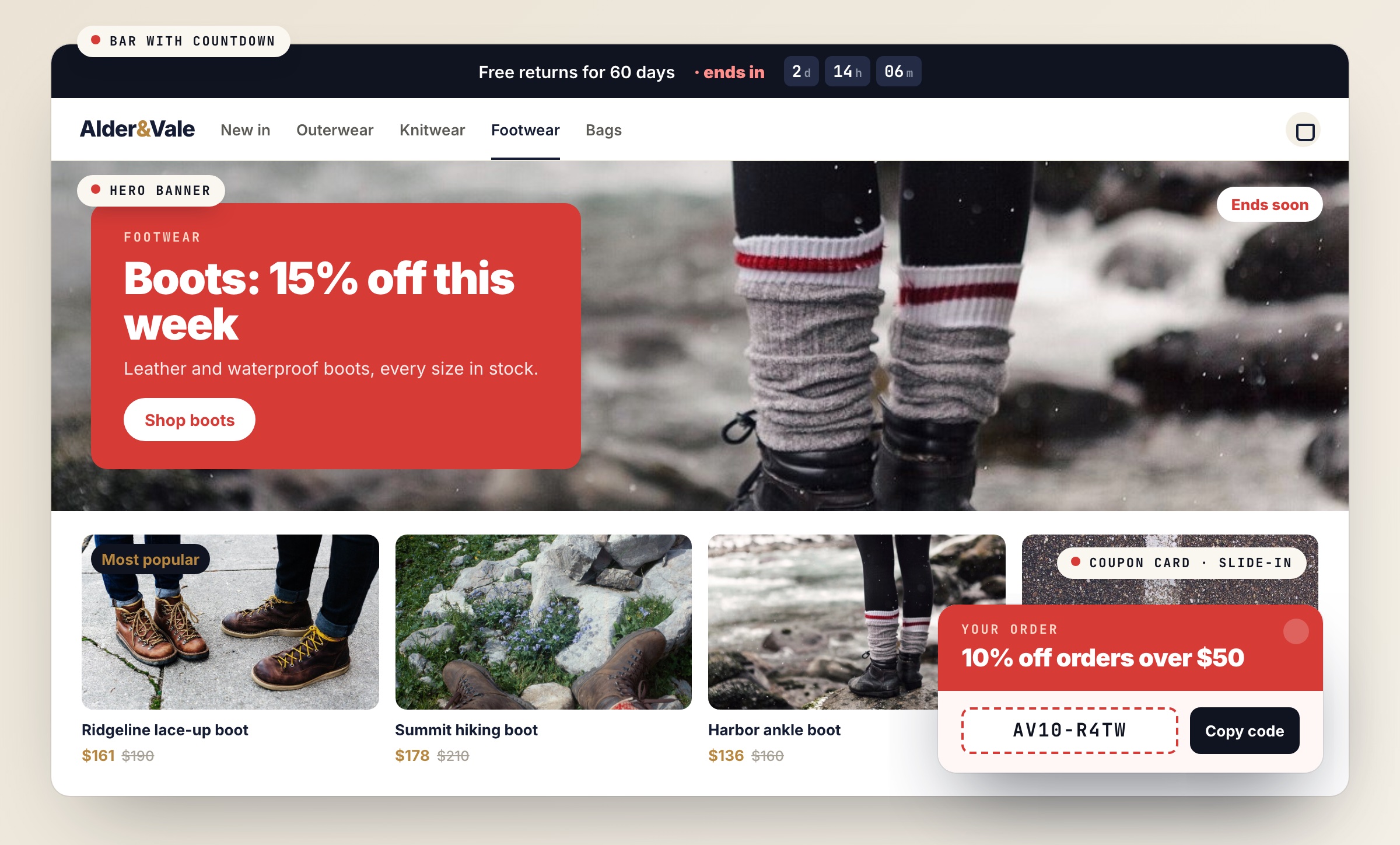
Most popular, Most redeemed, Used today, Trending, New and Ends soon appear only when they are true, with a countdown from the end date.
What runs where, with gaps flagged before a page goes quiet and clashes where two promotions want one spot.
Shown where it fits, wherever your visitors are
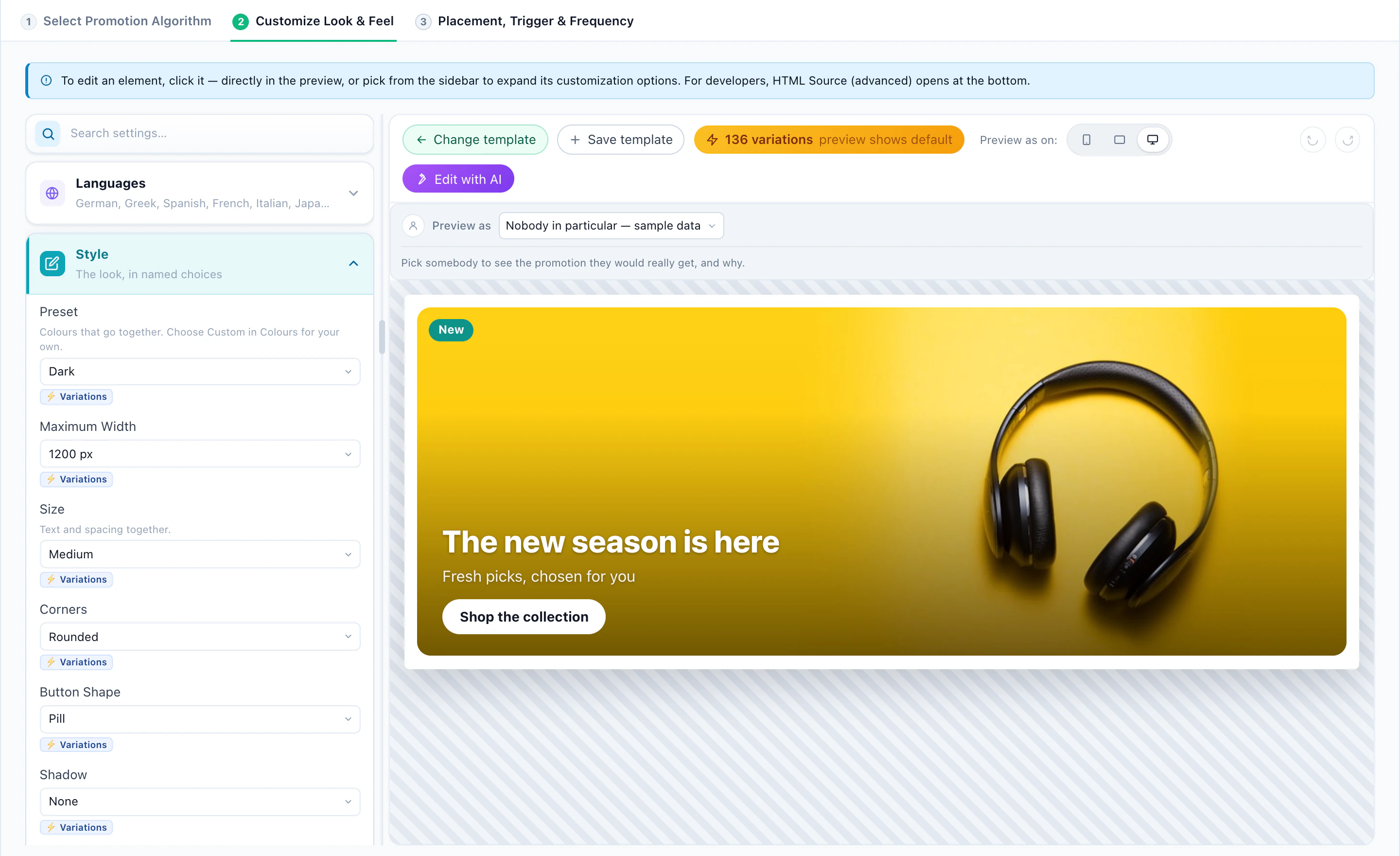
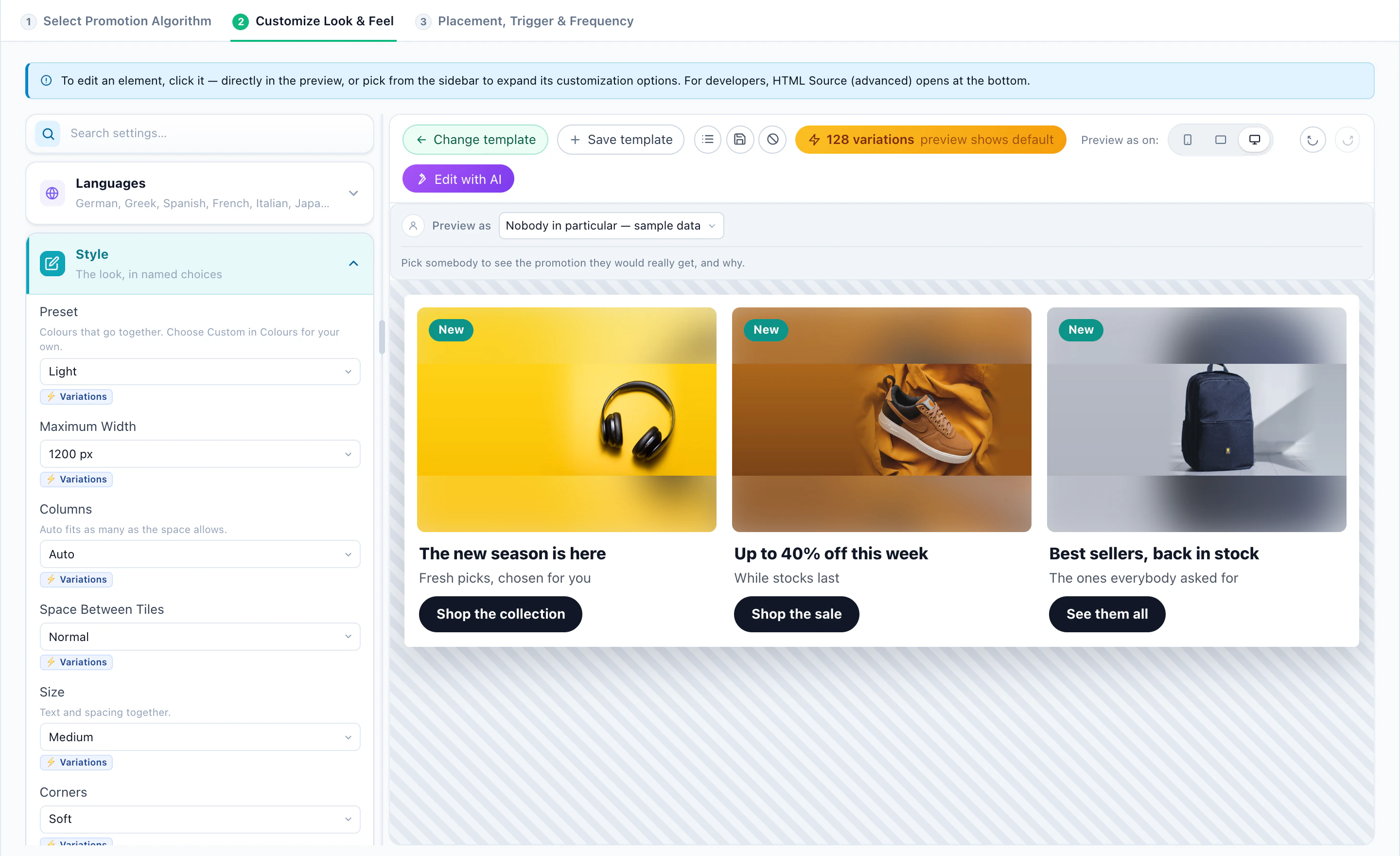
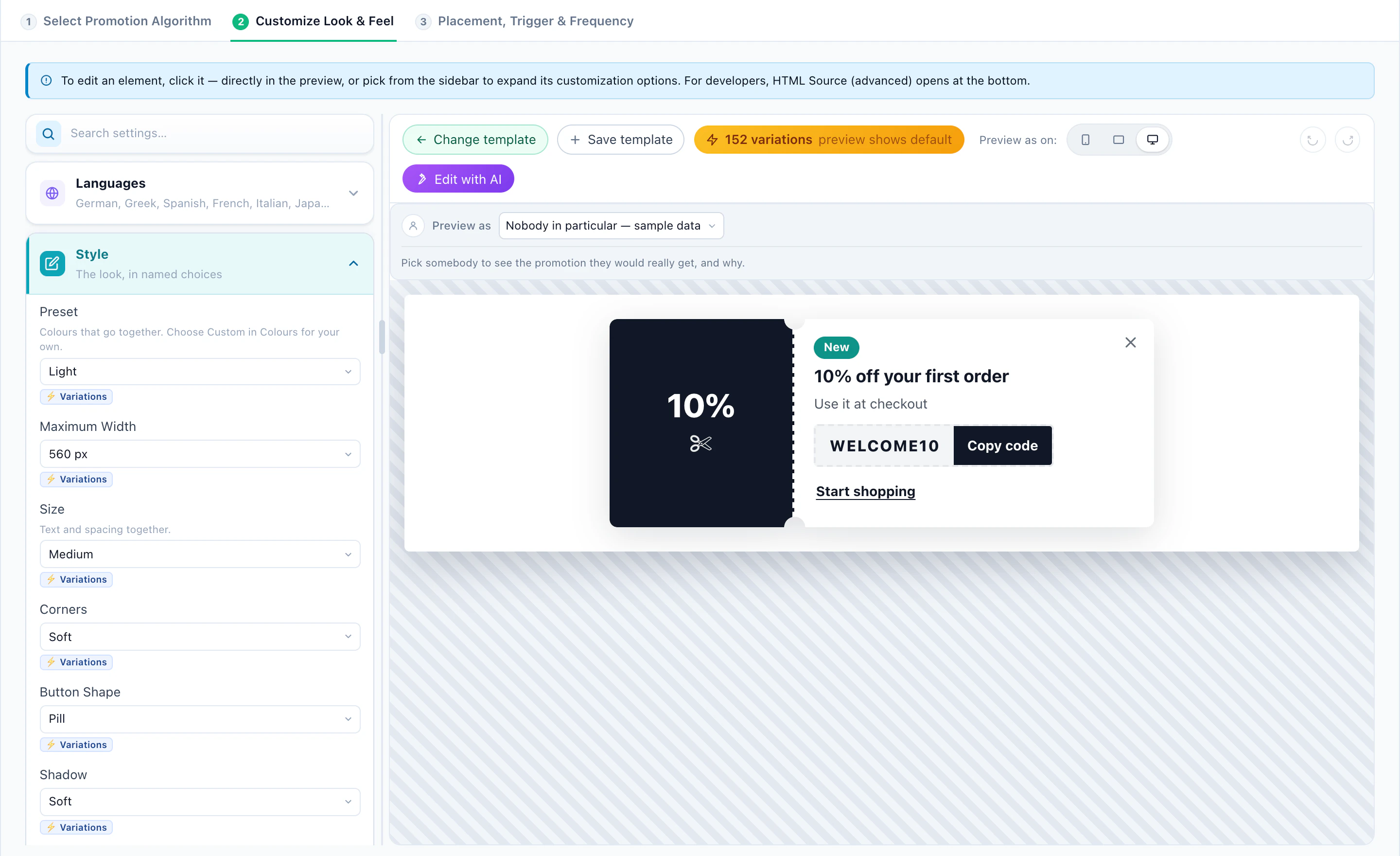
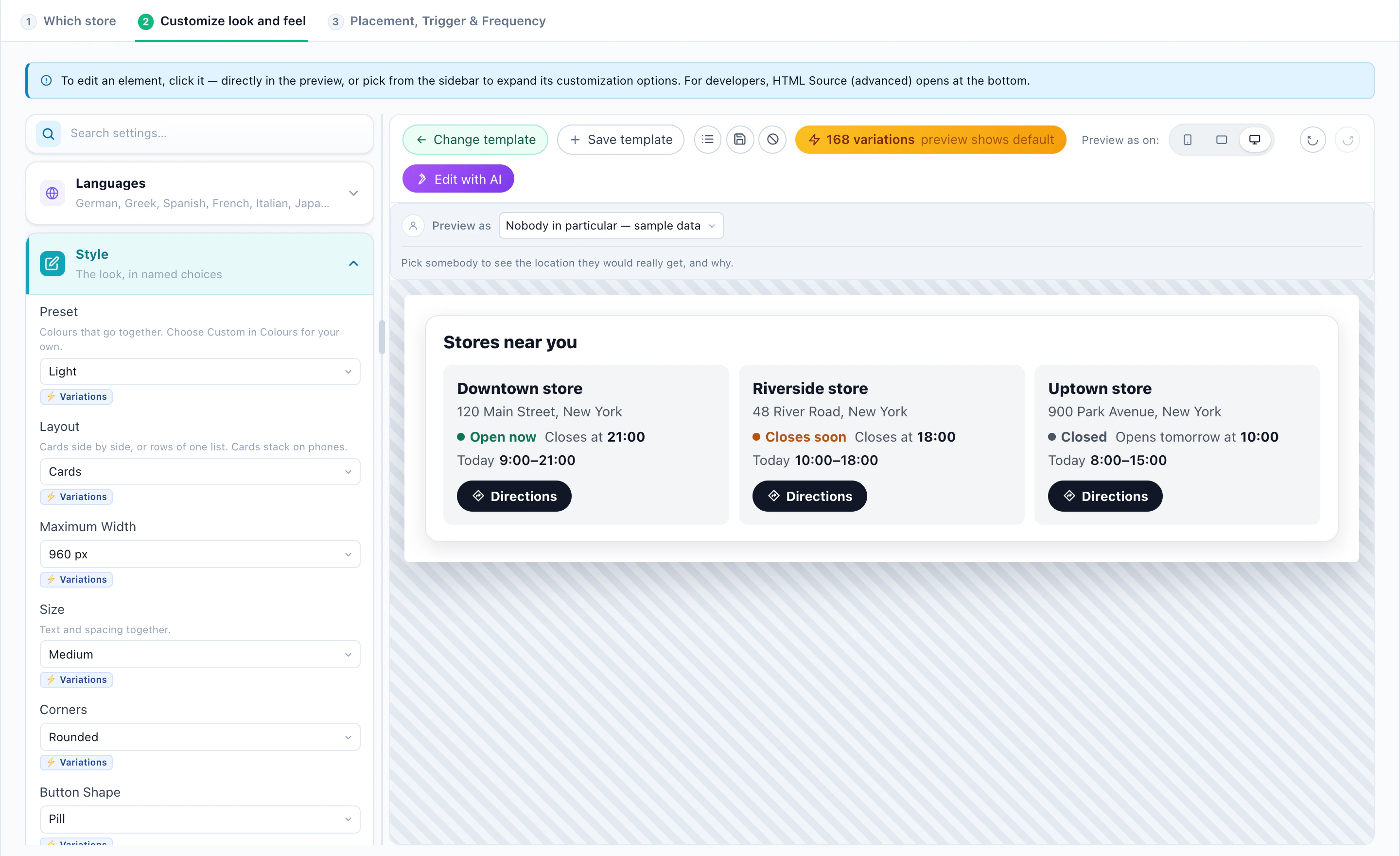
Promotions come with designs of their own — a hero banner, a slider, a text strip, a bar with a countdown, a coupon card and a coupon bar. Place one in a spot on the page, as a bar, a slide-in or a pop-up, and fire it on page load, on scroll, after a delay, on exit intent or when the visitor goes idle, with the same frequency caps as any Personyze campaign.
The same list feeds the other channels too: a personalized banner in your emails, web push, mobile apps, and the AI Chat, which can offer a visitor who asks about a discount the promotion that fits them — with its code.
Promotions or Banners & Pop-Ups?
They answer different questions. With Banners & Pop-Ups you decide who sees each message: you build the audience, choose the page and the moment, and the campaign shows exactly that. With Promotions you list the offers and the AI decides which one each visitor sees, learning as it goes. Many sites use both — a targeted pop-up for one audience you care about, and a promotions widget on every category page.
See AI Promotion ManagementHow the list, the AI pick, personal codes and the lift report fit together — for a store, a travel site or a SaaS product.Questions people ask
How does Personyze decide which promotion a visitor sees?
Only promotions whose dates, pages, language and audience fit the visitor are considered. Among those, the AI learns which promotions visitors like this one acted on — by device, traffic source, new or returning, and what they browsed — and shows the one most likely to convert, while Optimize keeps testing the rest.
Do I still need a campaign per offer?
No. A new offer is a new row in the list. A Promotions campaign holds the widgets that show the list, and each widget picks from it per visitor.
Is it only for online stores?
No. Any site with offers can use it: a store, a travel or booking site, a SaaS pricing page or app, a subscription or an education site.
Can I import promotions?
Yes. Upload a CSV or Excel file, connect a Google Merchant Center promotions feed, or give a feed address that Personyze reads again on a schedule. You can also add rows by hand, or let AI draft them for your approval.
How is Promotions priced?
Promotions is an add-on, included in the Power and Enterprise plans. On other plans you can try it free from the Add-ons page. See the plans.
Book a demo with a personalization expert
30 minutes with a personalization expert. Bring your stack, your goals, your skepticism. We'll show you what changes when every visit feels like the only one.