

Personalize Your Website with Oracle Eloqua Contact Data — and Send the Leads Back
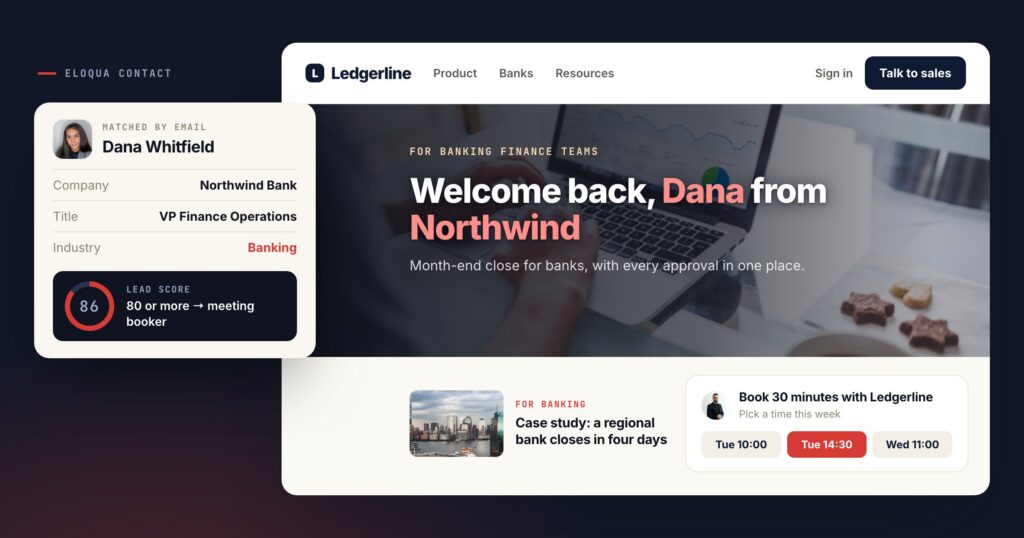
Eloqua is where many B2B marketing teams keep what they know about each contact: the company, the job title, the industry, and a lead score that says how close they are to talking to sales. That knowledge drives the emails. Until it reaches the website, the same contact who opened three of those emails still lands on the homepage everyone else sees.
The Oracle Eloqua integration connects the two in both directions. Eloqua contact fields personalize the page; the leads and audiences Personyze collects go back into Eloqua.
Two directions, one contact
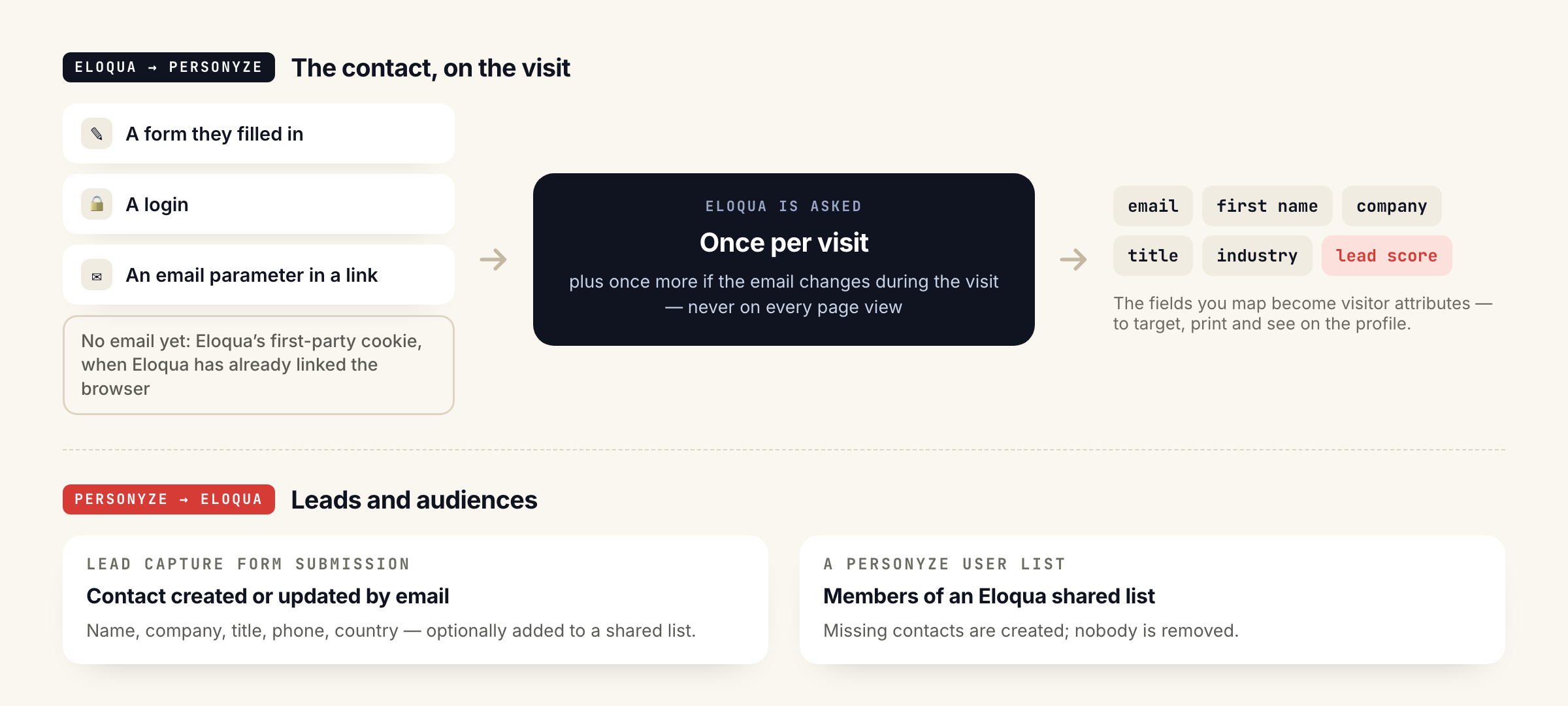
When Personyze can identify a visitor by email — a form they filled in, a login, or an email parameter in a link — it looks up their Eloqua contact and copies the fields you chose onto the visitor.
Lead Capture Form submissions create or update Eloqua contacts by email, and a Personyze user list can be sent to an Eloqua shared list.
What the page can do with an Eloqua contact
Any Eloqua contact field can become a visitor attribute: email, first and last name, company, title, country, city, industry, or a custom field such as your lead score or rating. Once it is an attribute, it works like everything else in Personyze:
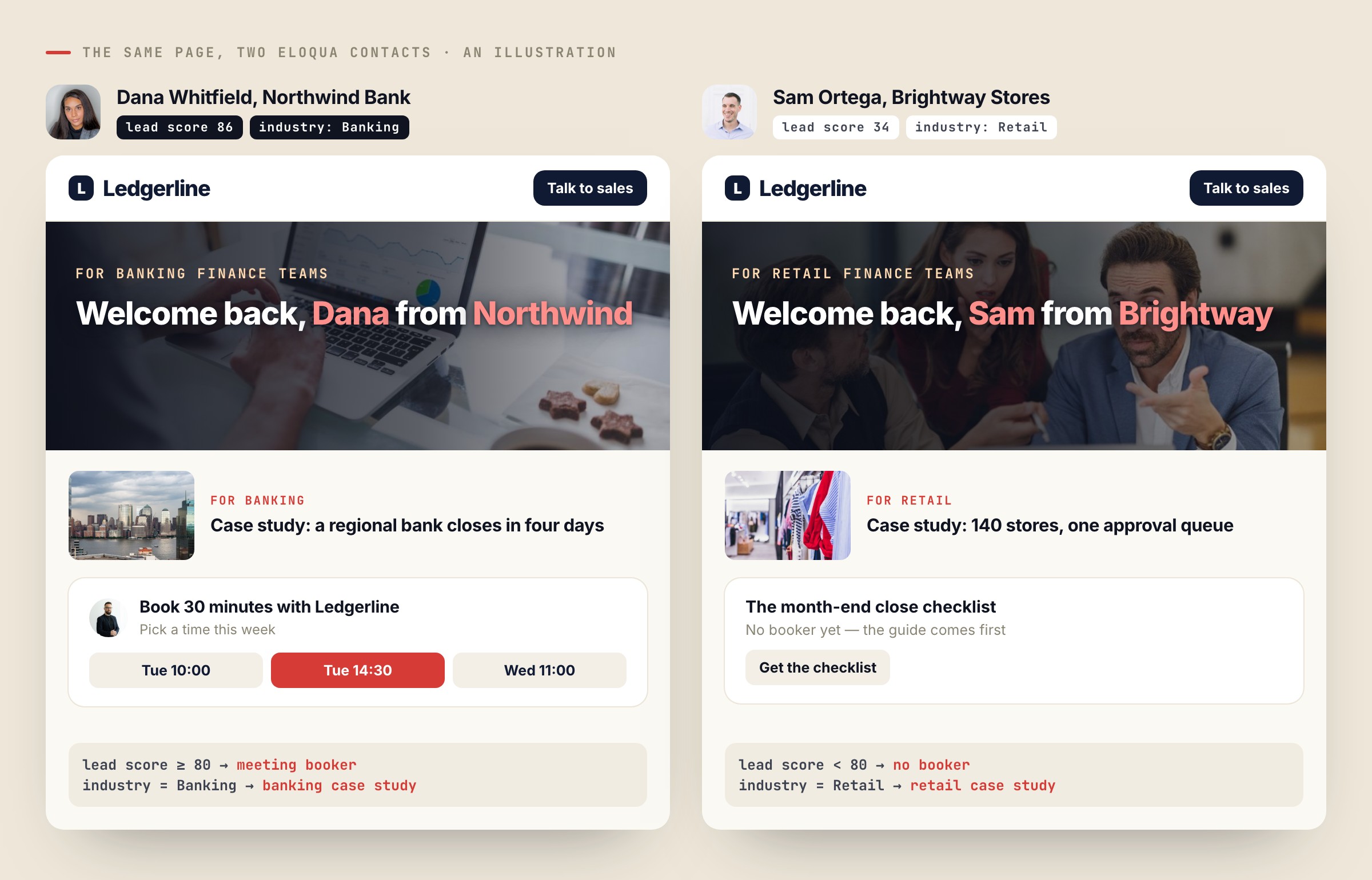
- Target on it. Contacts with a lead score of 80 or more see a meeting booker; contacts in banking see the banking case study.
- Print it. “Welcome back, Dana from Northwind” — the name and company come from the contact record.
- See it. The fields show on the visitor’s profile, next to what they did on the site.
It pairs naturally with account-based marketing: the company and industry you already keep in Eloqua decide which story each account reads.
What goes back into Eloqua
| From Personyze | Into Eloqua |
|---|---|
| A Lead Capture Form submission | A contact, created or updated by email: name, company, title, phone and country, plus any form field named after an Eloqua field. Optionally added to a shared list. |
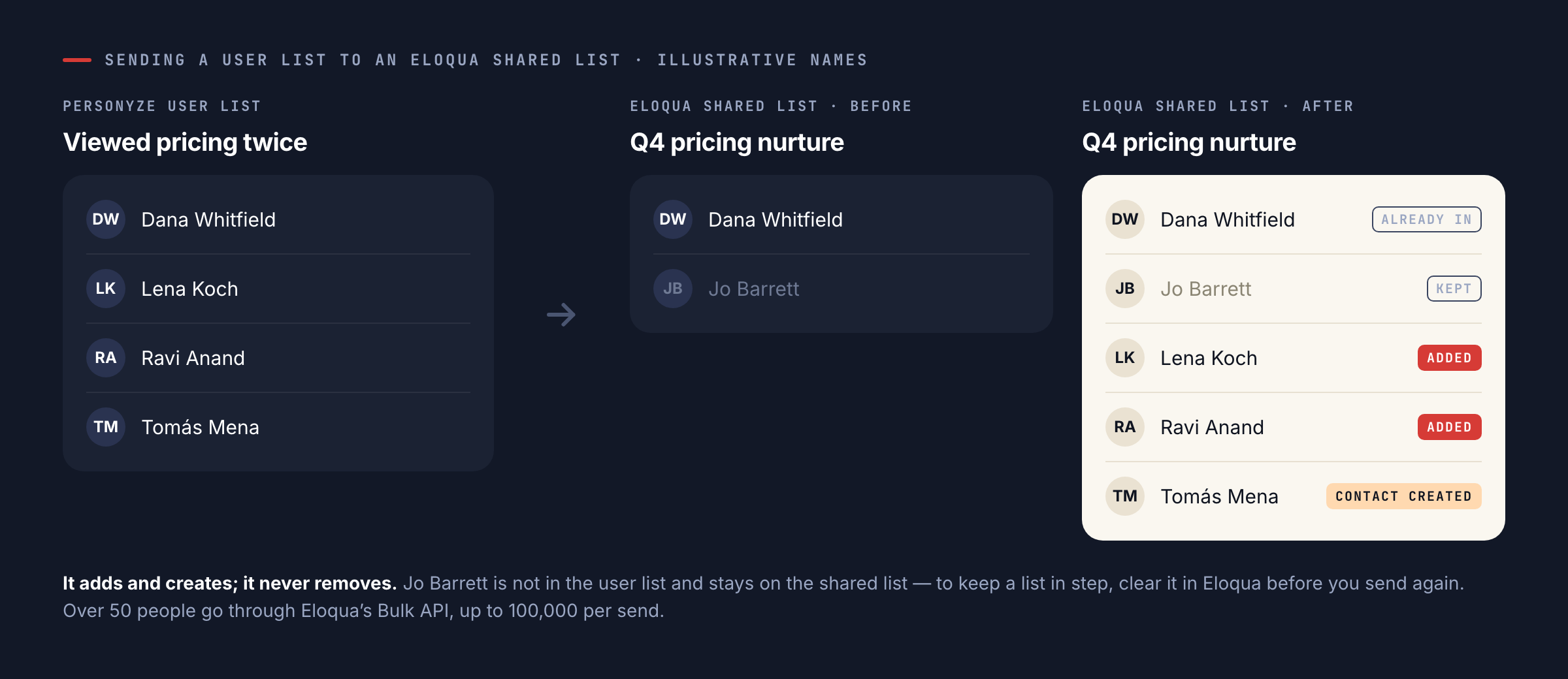
| A Personyze user list (an audience) | Members of an Eloqua shared list. Contacts Eloqua does not have yet are created; nobody is removed. Over 50 people go through Eloqua’s Bulk API, up to 100,000 per send. |
Setting it up
The connection uses an Eloqua user made for Personyze, so it keeps working when someone leaves or changes a password.
- In Eloqua, create a user (for example
personyze.api) in the API Users security group, which carries the Consume API permission, and in Advanced Users – Marketing. - In Personyze, open Settings → Integrations → Oracle Eloqua and enter your Eloqua company name, the user name and the password. Personyze checks them with Eloqua before saving.
- Under Property mapping, choose the fields to put on your visitors — Recommended setup picks email, name, company, title, country, city, and industry and lead score when your Eloqua has them.
- Optionally, add Oracle Eloqua to a Lead Capture Form’s “Where the data goes” step, or send a user list to an Eloqua shared list from the same drawer.
The full step-by-step guide is in the Personyze wiki.
Good to know
- Light on your API allowance. Personyze asks Eloqua about a visitor at most once per visit, plus once if their email changes during the visit — never on every page view.
- Matching is by email. Without an email it can still match a visitor when your site uses Eloqua’s first-party tracking cookie and Eloqua has already linked that browser to a contact.
- Changes arrive on the next visit. A field you change in Eloqua reaches the site the next time that contact visits.
- Password changes are safe. If Eloqua rejects the password, Personyze stops using it at once, so the Eloqua user is not locked out, and asks you to enter it again.
More: the Oracle Eloqua integration · CRM targeting.
Questions people ask
What does Personyze read from Eloqua?
The contact fields you map — standard ones such as email, name, company, title, country, city and industry, or any custom field, including a lead score or rating.
What does Personyze write into Eloqua?
Contacts from Personyze Lead Capture Forms, created or updated by email and optionally added to a shared list, and the people in user lists you send to an Eloqua shared list.
How are visitors matched to contacts?
By email address, from a form, a login or an email parameter in a link. Visitors without a known email can still be matched through Eloqua’s first-party tracking cookie when Eloqua has already linked their browser to a contact.
Does it use up our Eloqua API allowance?
No. Personyze asks about a visitor at most once per visit, plus once more if the email changes during the visit.
Does sending a list remove people from the Eloqua list?
No. It adds people and creates missing contacts, but never removes anyone. To keep a list in step, clear it in Eloqua before you send again.
Book a demo with a personalization expert
30 minutes with a personalization expert. Bring your stack, your goals, your skepticism. We'll show you what changes when every visit feels like the only one.