
Is Your Discount Moving Anyone? Measure Promotion Lift with a Holdout
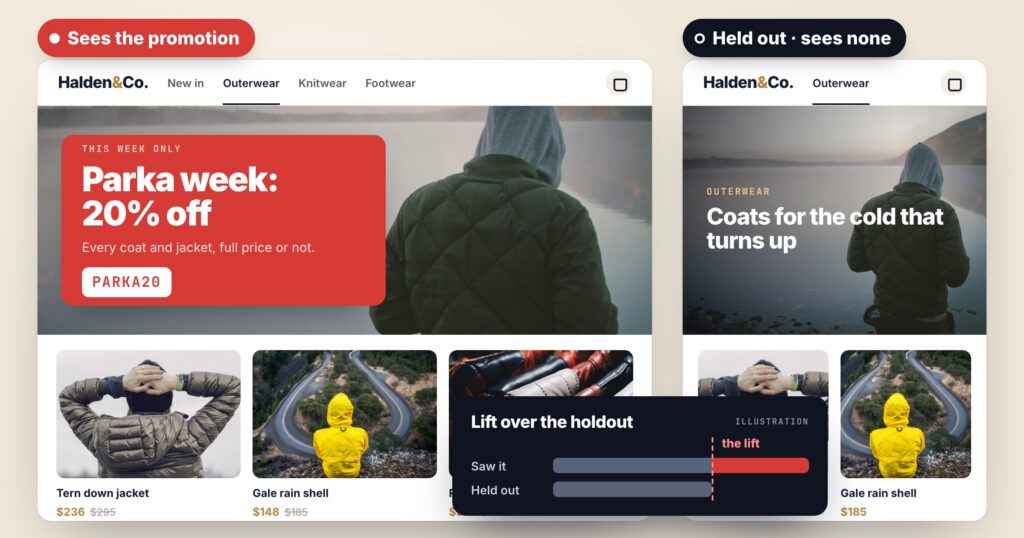
Every promotion report shows redemptions. A code was used 388 times; a banner was clicked 812 times. Those numbers say who used the offer — not who bought because of it. A customer who was going to check out anyway, saw a 10% code on the way and used it, counts as a redemption. To the business, that is a discount given away.
The question that matters is the lift: how much more did people buy because they saw the promotion? The only honest way to answer it is to compare them with people who did not see it.
Hold back a share of visitors
In Promotions, any widget can keep a holdout: a share of visitors who see no promotion at all. Everyone else sees whatever the widget picks for them. The report then shows the lift — how much more the visitors who saw promotions bought, or how much more often they reached your goal, compared with the held-out group. It starts showing once 50 visitors have been held out.
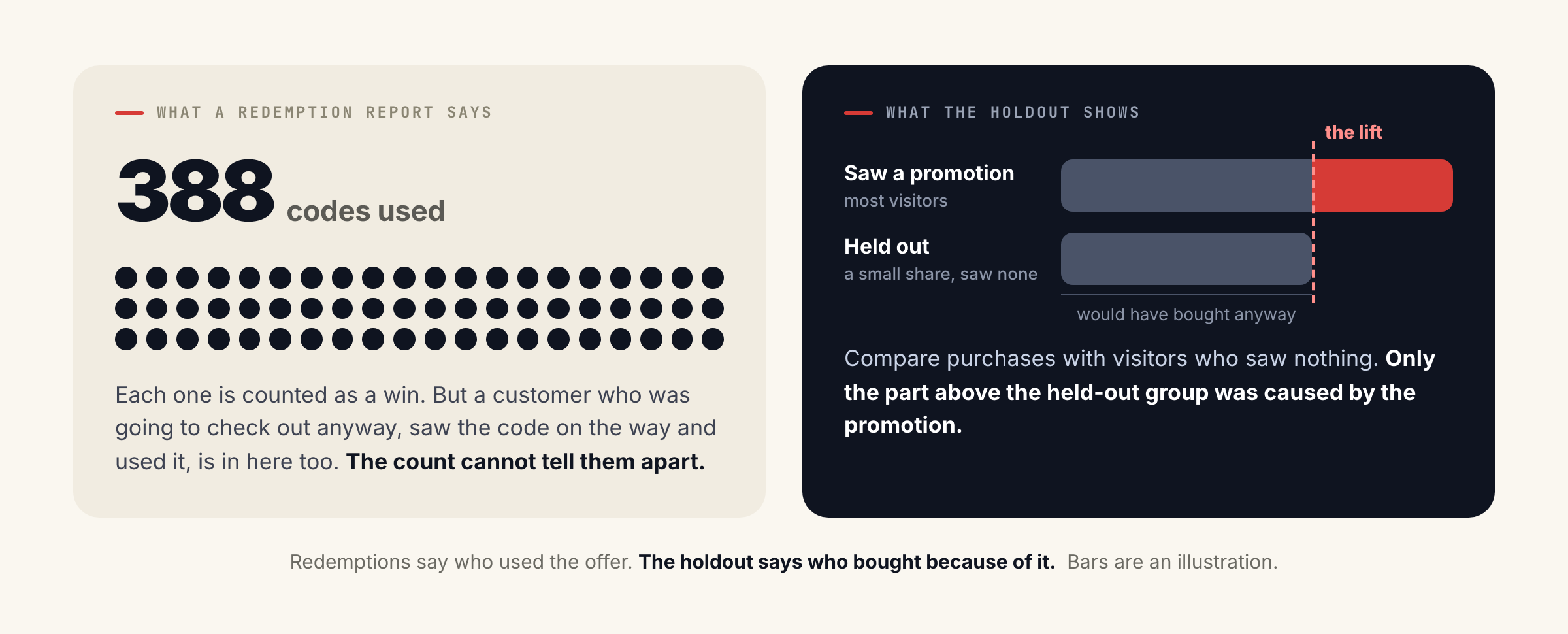
Their views, clicks, codes revealed, redemptions, purchases and revenue are counted per promotion.
They are the baseline. What they buy anyway is what the promotions have to beat.
Read it audience by audience
One lift number for the whole site hides the most useful thing: a promotion moves some people a lot and others not at all. The report filters by widget, page category, language and audience, so you can see who a promotion really moves.
The line is zero: the held-out visitors. Bars to the right bought more than they did; the VIP row bought just as much without a discount.
In this illustration, Spanish-speaking shoppers on outerwear respond strongly to the promotion in their own language, returning shoppers with a full cart respond to a code that rewards a bigger order — and VIP customers buy just as much with no discount at all. That last row is the money: keep the discount for the visitors it moves.
The AI uses the same signal. Personalized by audience learns every six hours which kinds of promotion work for visitors like this one — device, traffic source, new or returning — and Optimize shows the promotions that earn the most more often, while still trying the rest. The report’s “Who responds to what” view shows what it has learned. To find audiences you had not thought to check, Audience Discovery reads your own data the same way.
Codes that cannot leak
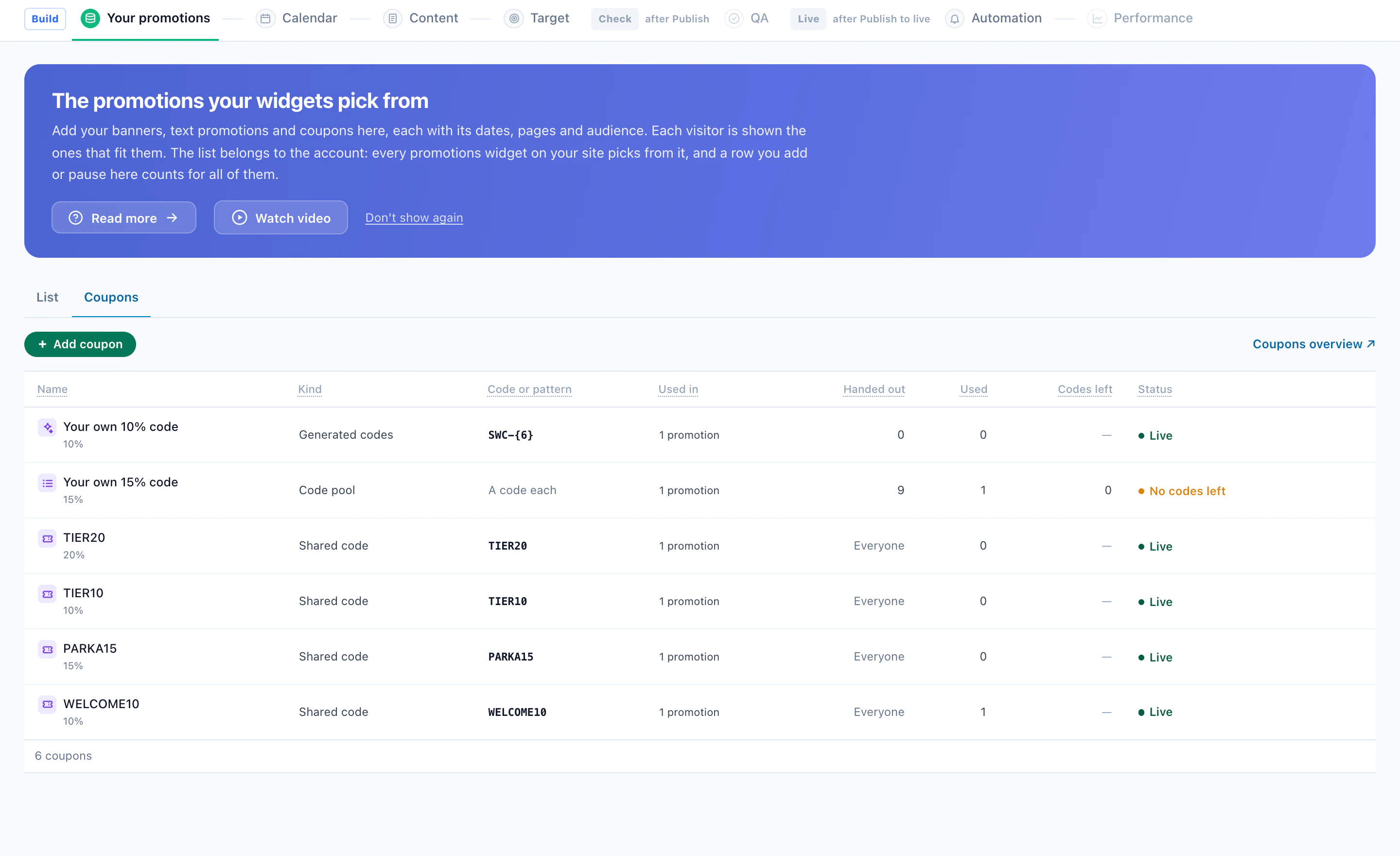
A shared code can end up on coupon sites, and from then on it is redeemed by people the promotion was never meant for — which also makes its numbers meaningless. A pool of codes fixes both: load the codes, and each visitor is handed one of their own — the same one when they come back.
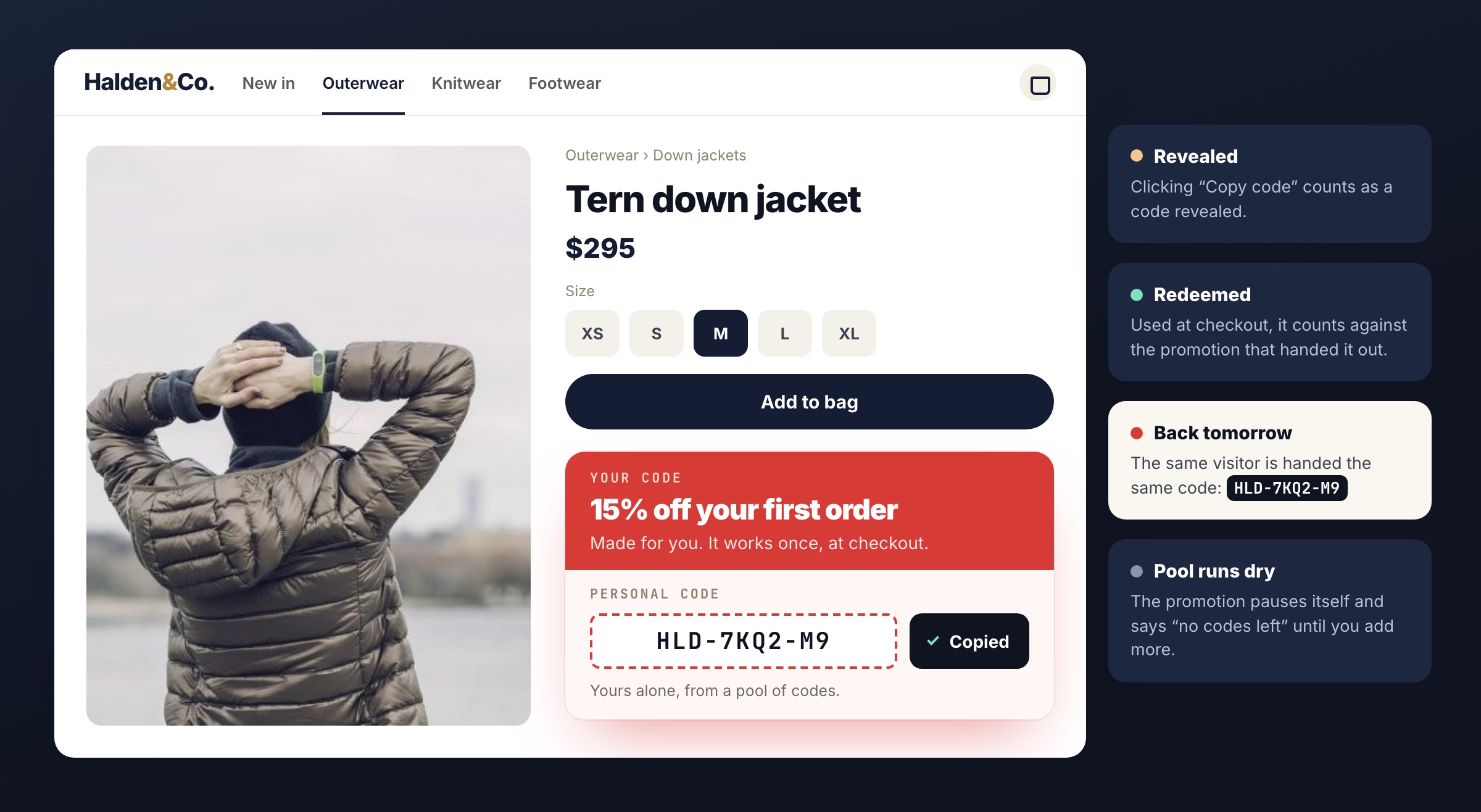
- Revealed — a visitor clicking “Copy code” counts as a code revealed.
- Redeemed — a code used at checkout counts as a redemption, against the promotion that handed it out.
- Out of codes — a promotion whose pool runs dry pauses itself and says so (“no codes left”) until you add more.
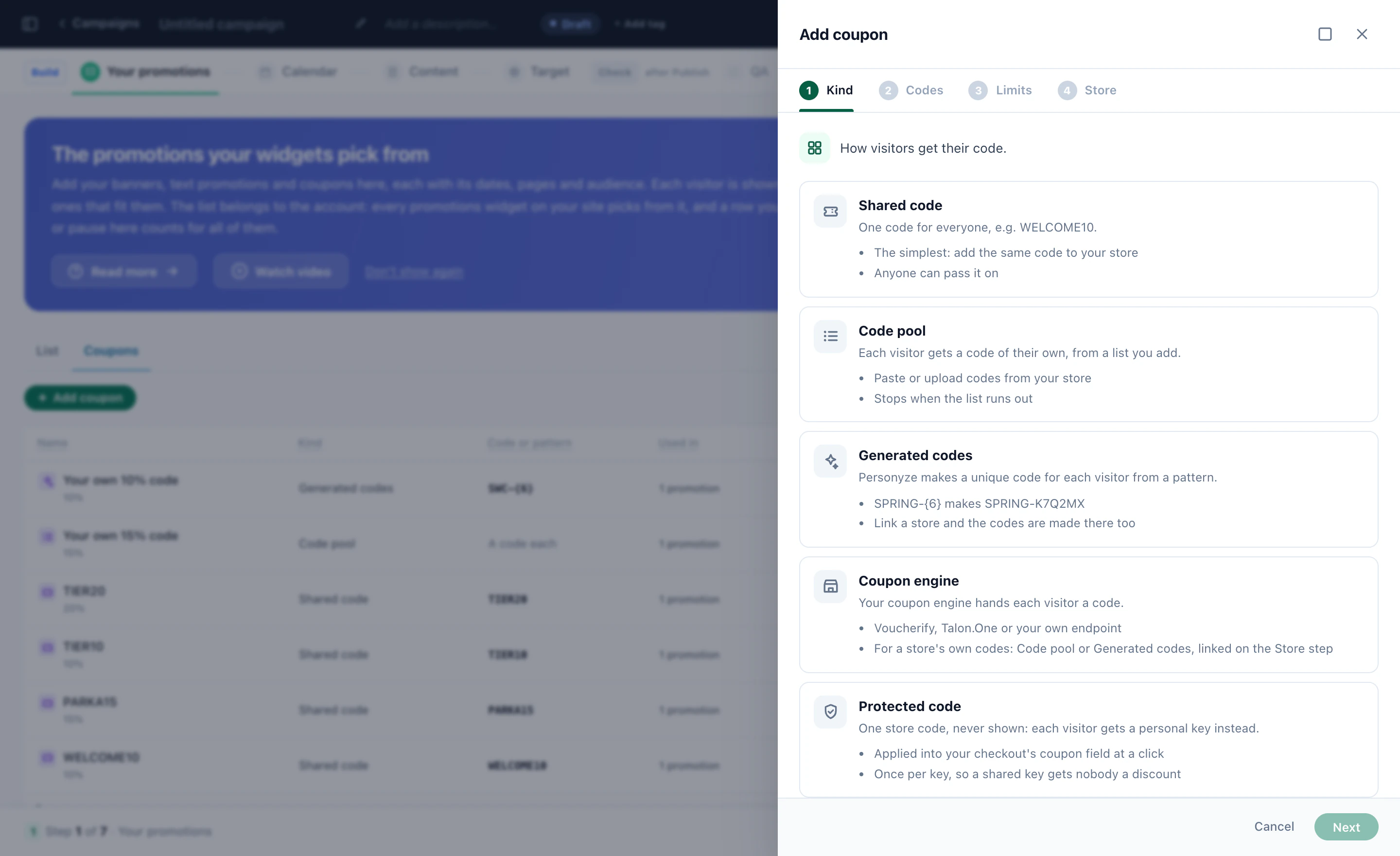
A code of their own can also be generated from a pattern such as SAVE-{6}, issued by your own coupon engine, or kept hidden behind a personal key that applies the store’s code at checkout. Shared codes and codes that depend on the cart value work too, wherever a personal code is more than you need.
See why each visitor got what they got
When the numbers look odd, the first question is “what did this visitor actually see, and why?”. Preview as shows a widget as a real visitor and lists every promotion with the reason it was shown or skipped — shown as Optimize’s pick, fits but not picked this time, skipped because the company is under 1,000 staff, skipped because the visitor signed up twelve days ago.
| Promotion | For this visitor |
|---|---|
| Upgrade now: 20% off your first year | Shown · trial day 12, Optimize’s pick |
| Annual plan: two months free | Fits · not picked this time |
| A 30-day pilot, set up by our team | Skipped · company under 1,000 staff |
| Agency partner discount | Skipped · industry is not agency |
Illustration: a SaaS pricing page, previewed as a trial user.
The whole program on one screen
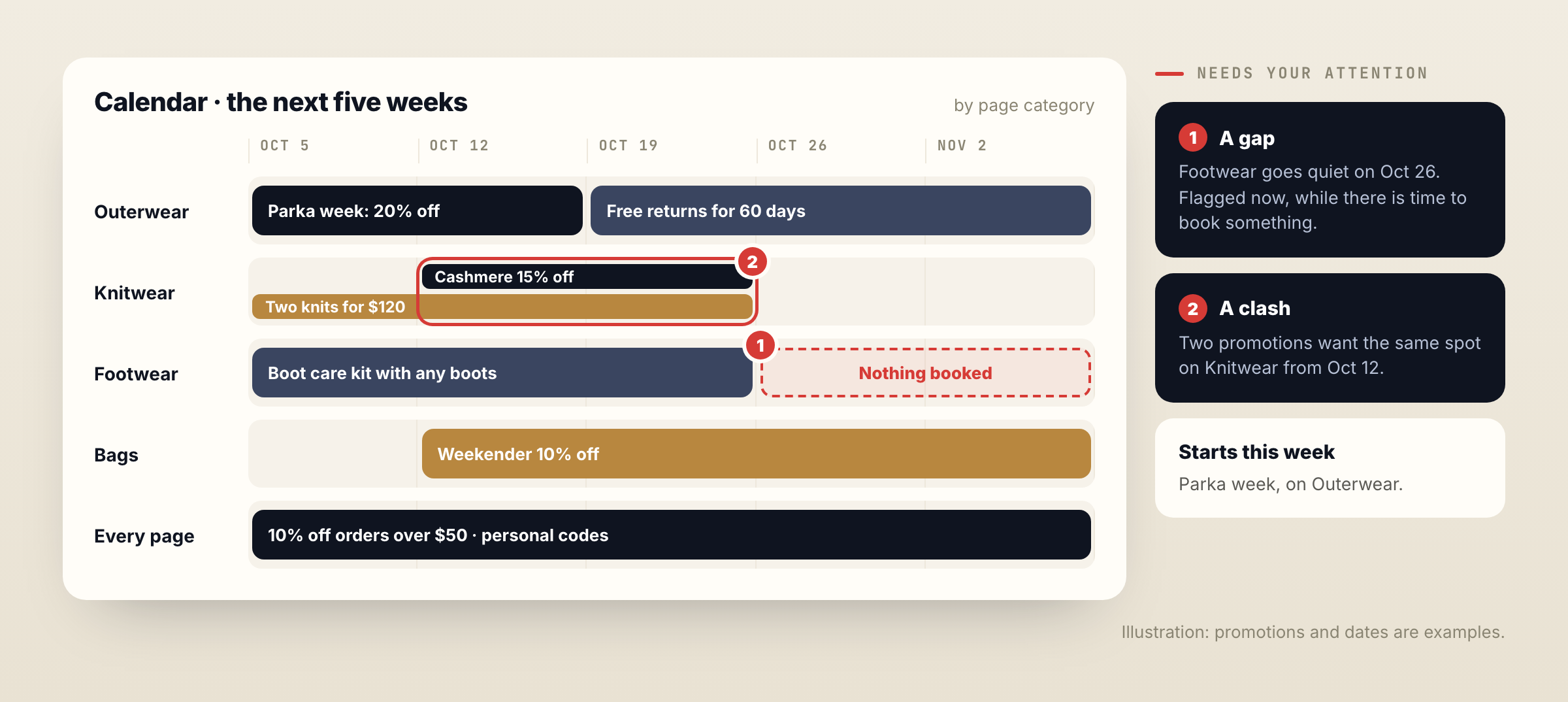
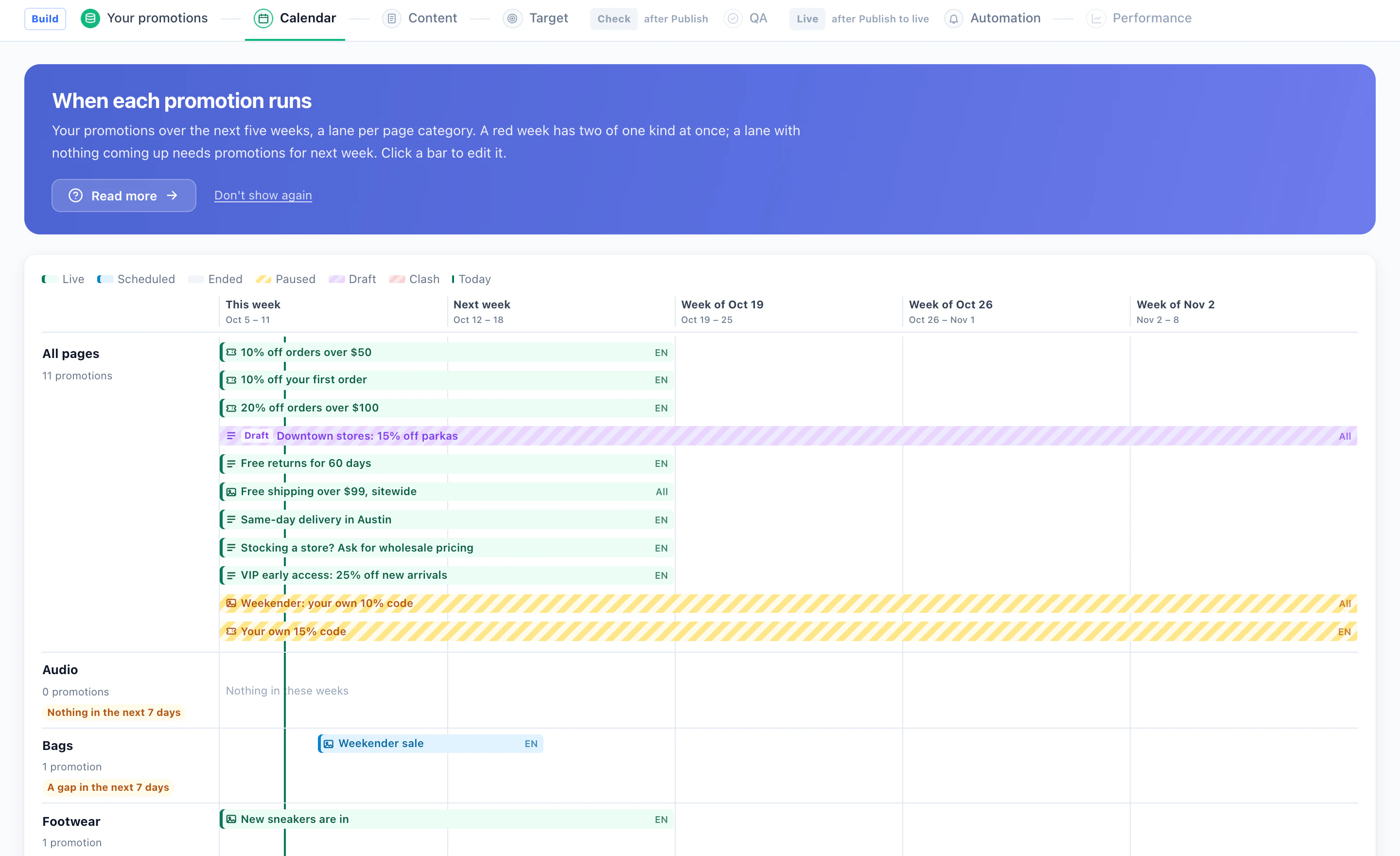
The Overview answers the morning questions: is it on, how the numbers compare with the period before, what needs your attention, which promotions lead, and what starts or ends this week. The Calendar lays the next five weeks out by page category, flags a gap before a page goes quiet, and shows a clash where two promotions want the same spot.
Put together, it changes the conversation about promotions from “how many codes were used” to “which offers made people buy, and who should get them” — the same discipline as an A/B test, applied to every offer you run.
See the lift report in AI Promotion ManagementHoldout, lift by audience, personal codes and “why this banner” — on the Promotions page.Questions people ask
What is promotion lift?
How much more visitors bought, or how much more often they reached a goal, because they saw a promotion — measured against a held-out group of visitors who saw none.
How large should the holdout be?
Big enough to be a fair baseline and small enough not to cost much. Personyze shows the lift once 50 visitors have been held out; a small share, such as 5%, is often enough on a busy page.
Why are redemptions not enough?
A redemption says a code was used, not that the promotion caused the purchase. Customers who would have bought anyway still redeem codes they see.
Can each visitor get their own coupon code?
Yes. Load a pool of codes and each visitor is handed one — the same one when they come back. Copying it counts as revealed, using it at checkout as redeemed.
Can I see the lift for one audience?
Yes. The report filters by widget, page category, language and audience.
Book a demo with a personalization expert
30 minutes with a personalization expert. Bring your stack, your goals, your skepticism. We'll show you what changes when every visit feels like the only one.