
The right product for every stage of life.
A playbook for banks, insurers, pension firms and lenders — the product that fits each visitor’s stage of life, a quote page that matches the ad, the application they left half done, and an adviser they can book on your own site.
Start Now →


Watch the playbook done
Four walkthroughs in the real panel — audience rules, a landing page with a version for one audience, customers recognized from your CRM, and an A/B test’s winner given to each audience. Then build the recipes on your own site.
1Start with what you already know about each visitor
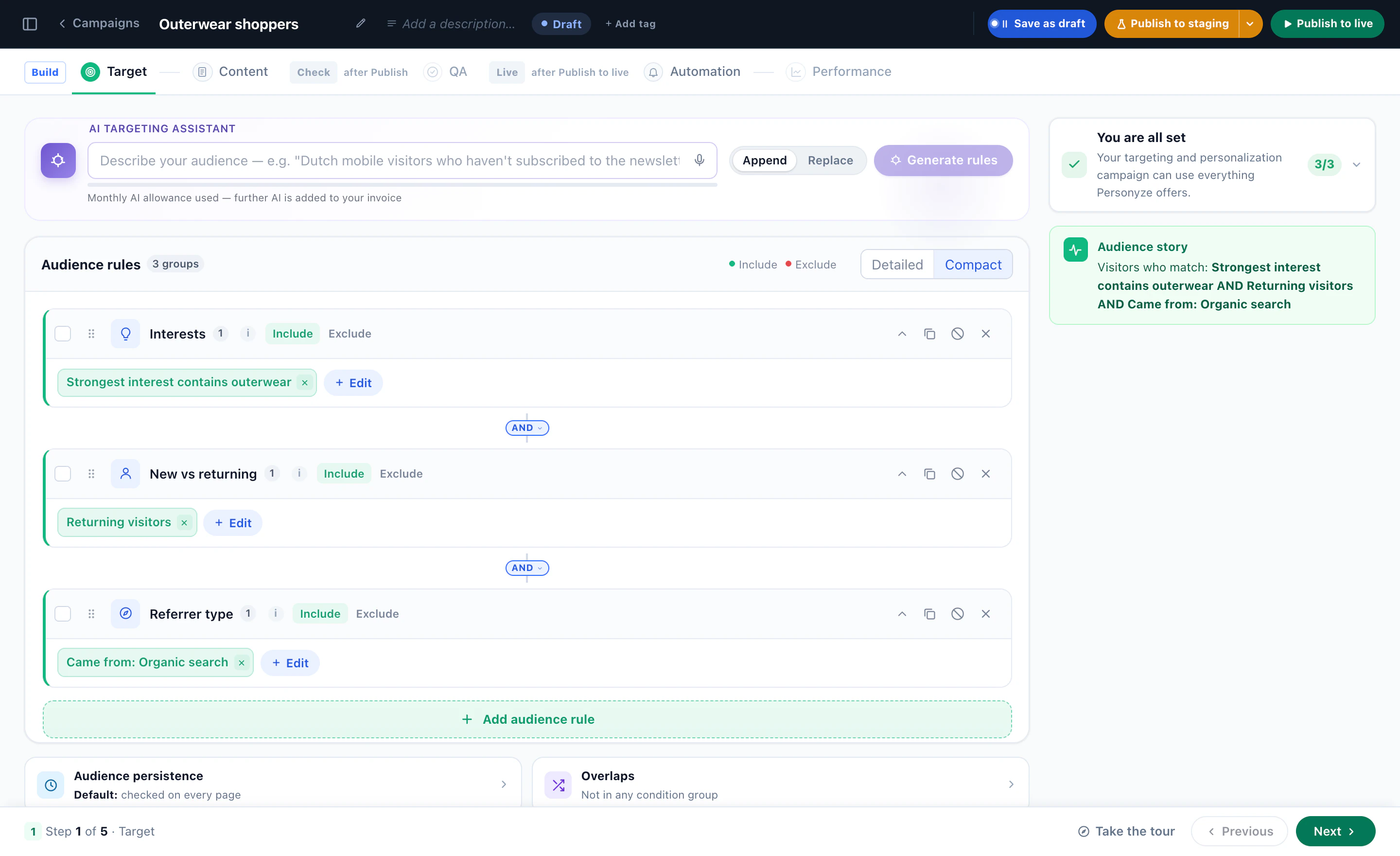
Every recipe below is a Personyze campaign: who it is for (the Target step), what it shows (Content), a check before it goes live (QA) and what it did (Performance). Who it is for comes from four places, and a bank, an insurer or a lender usually has all four:
- The ad they clickedThe campaign, the ad group or the keyword on the link they arrived from, read by the Ad campaigns (utm) and Keywords rules.
- What they readThe pages they view on this visit, and their strongest interest across visits, from the products and articles they looked at.
- Your CRMCustomer or not, the products they hold, an age band, their branch — once the visitor is recognized.
- Where they areCountry, region and city from their IP address, and the device they are on.
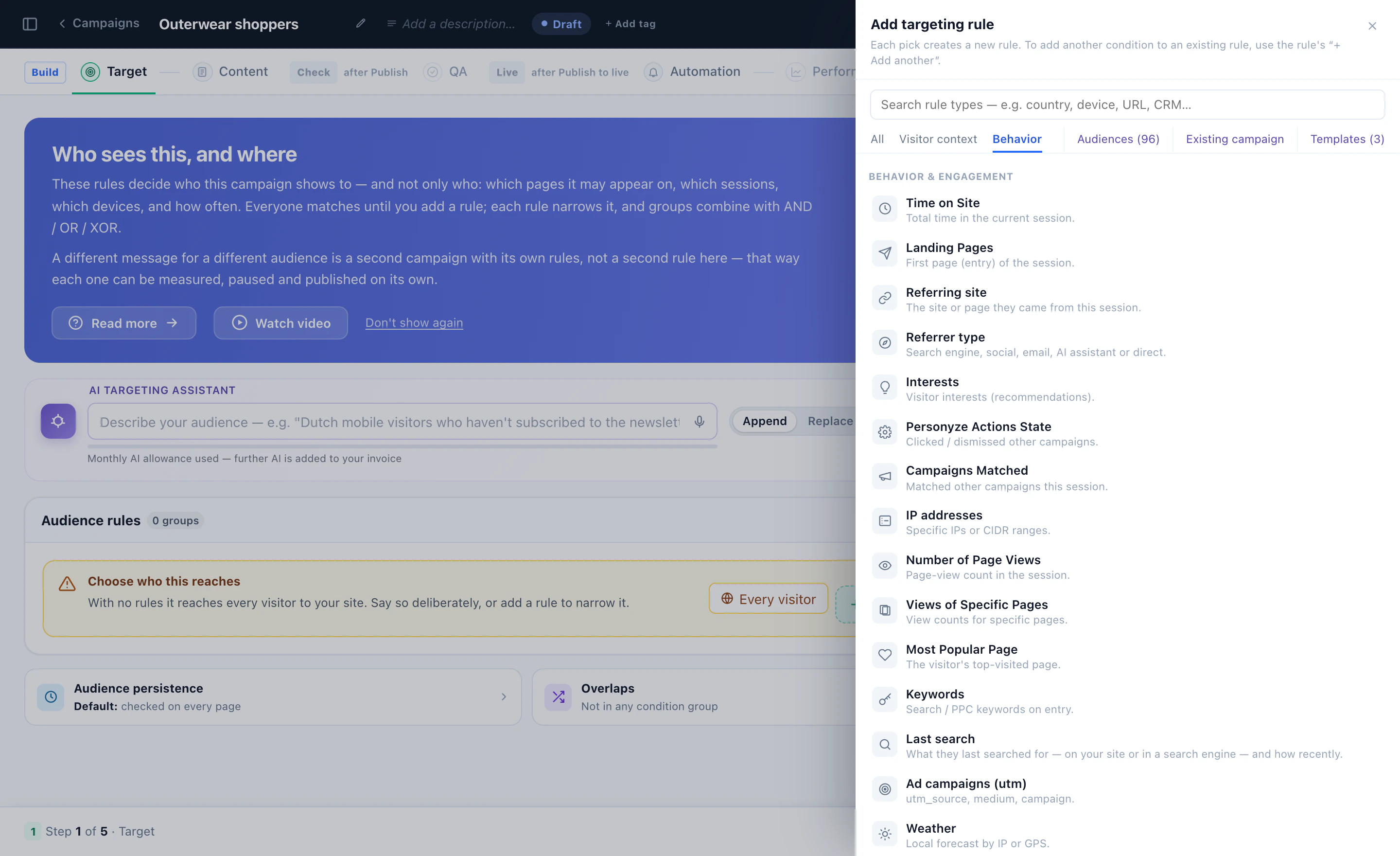
Or describe the audience in a sentence — “returning visitors from the pension ad who read the retirement guide” — and the AI targeting assistant writes the rules and reads them back in plain words. A different message for a different audience is a second campaign with its own rules, so each one is measured, paused and published on its own.
2Recipe: products for each stage of life
A 28-year-old and a 58-year-old land on the same homepage for different reasons. One is saving for a first home; the other is planning a pension. Show each the product, the guide and the next step that fit them, and leave the rest of the page as it is.
Know the stage, without guessing
- From your CRMA customer’s age band, imported onto their profile and read by a CRM rule once they sign in.
- From the adAn ad aimed at an age group carries it on its link — utm_campaign=first-home-25-34 — so the visitor arrives already in that audience.
- From what they readThree first-home guides, or the pension calculator twice: the pages say what they are planning.
- From one question“What are you planning for?” as a one-question survey. The answer is saved on their profile, ready to target.
Then change what leads
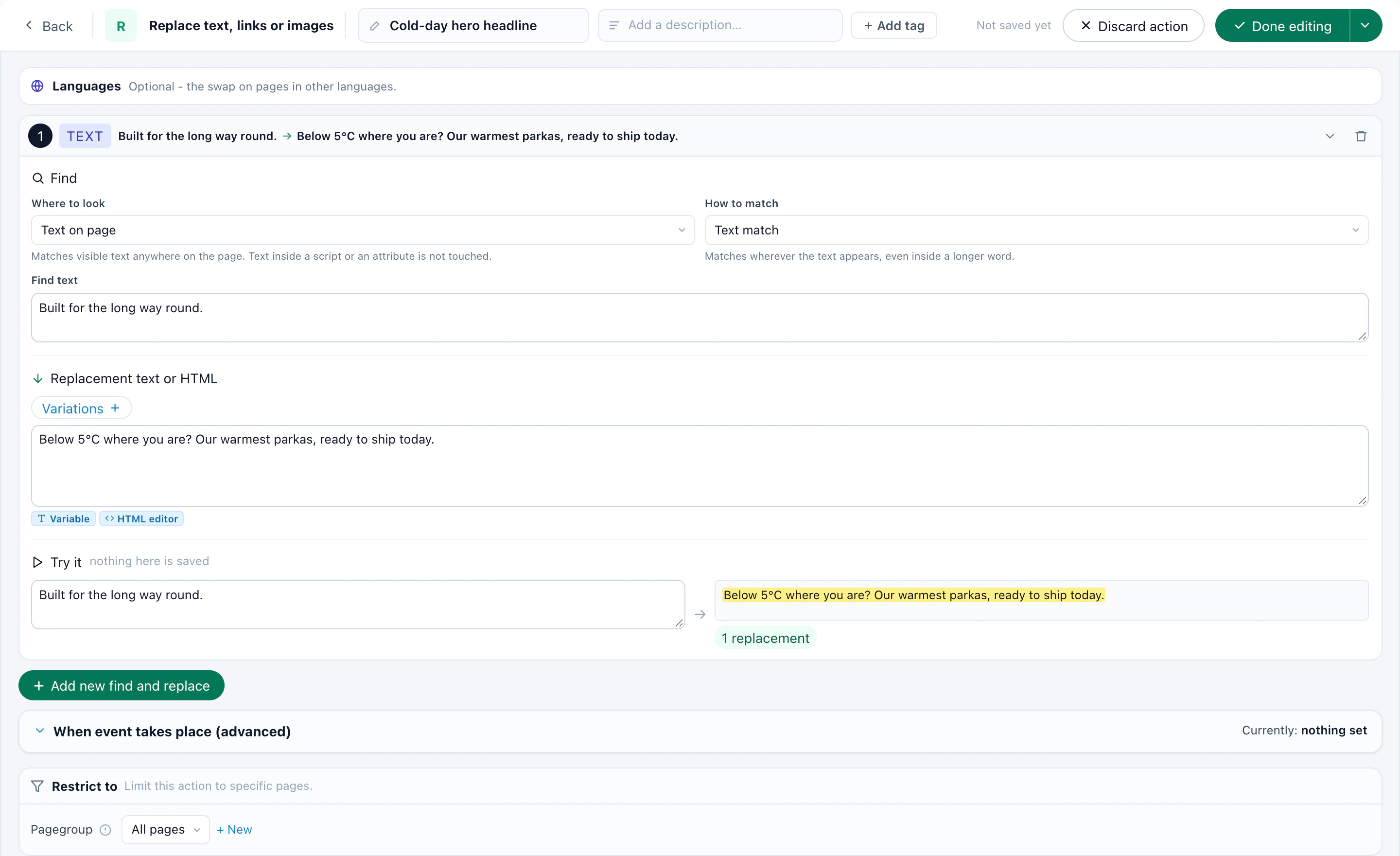
- The hero line. Replace words and images swaps your headline for each stage: “Your first home, one deposit at a time” for young savers, “Your retirement, talked through with an adviser” for visitors near it. Both are lines you have approved; the campaign only decides who reads which.
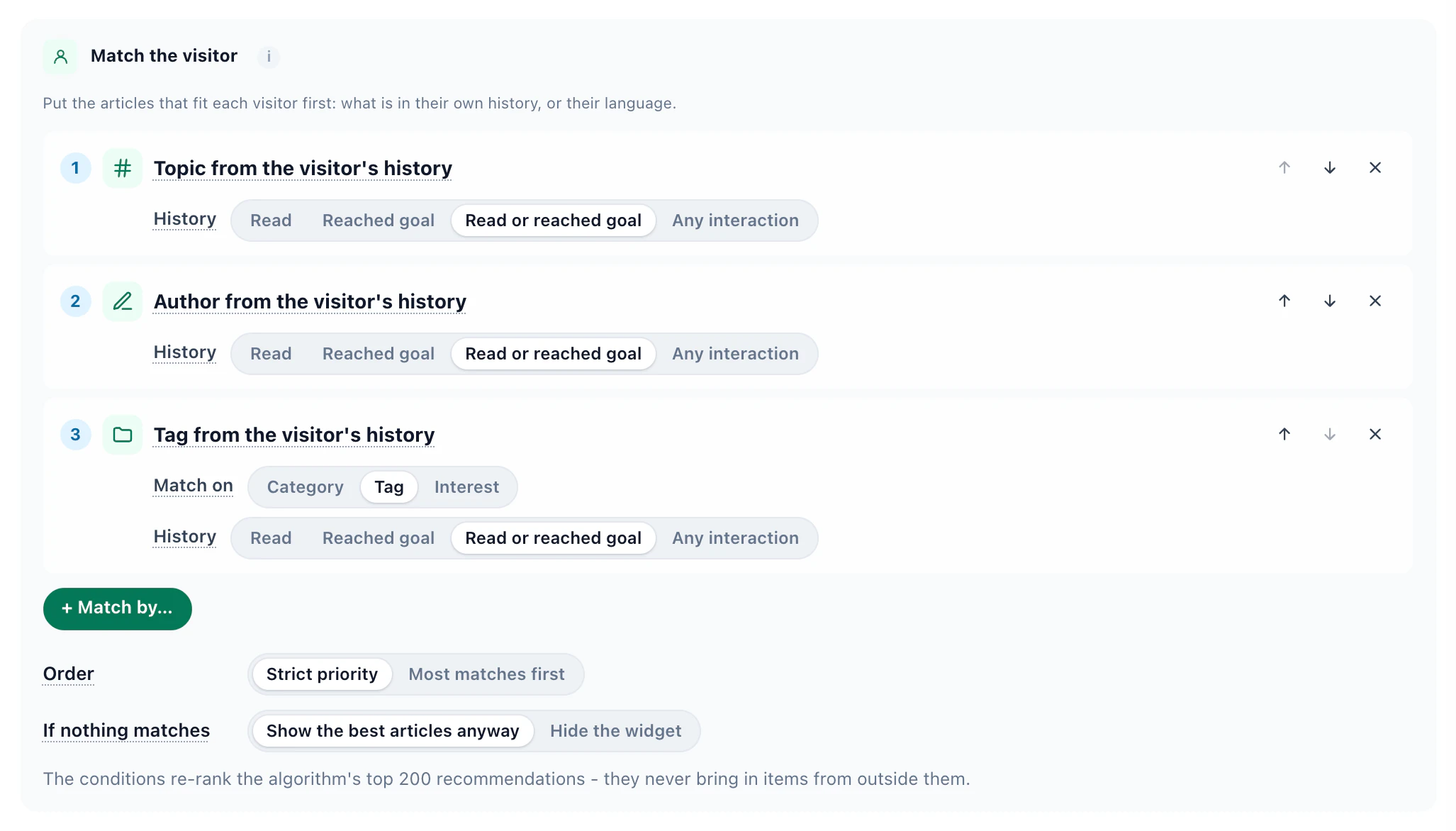
- The product cards. A recommendation widget over your product pages, with Match the visitor: add a life-stage column to your product catalog, and the products whose life stage equals the visitor’s come first. Everyone else still sees your usual products.
- The guides. A content recommendation that puts the topics and tags from the visitor’s own reading first — the next first-home chapter, not the one they just finished.
Life stage is a good way to choose which guide, savings product or next step leads. Before a credit offer differs by age, or by anything else a visitor cannot change, ask your compliance team.
3Recipe: a quote page that matches the ad
Someone who clicked an ad for “car insurance quote” should land on the car quote, not on a homepage that asks them to choose again. The same holds for “home insurance”, “travel insurance” or “personal loan”.
The ad tells you which. The Keywords rule reads the paid search keyword a visit arrived with, and Ad campaigns (utm) reads any parameter on the ad’s link — utm_campaign, utm_term or one of your own. Google does not pass organic search keywords, so organic visitors keep your standard page.
Two ways to build it
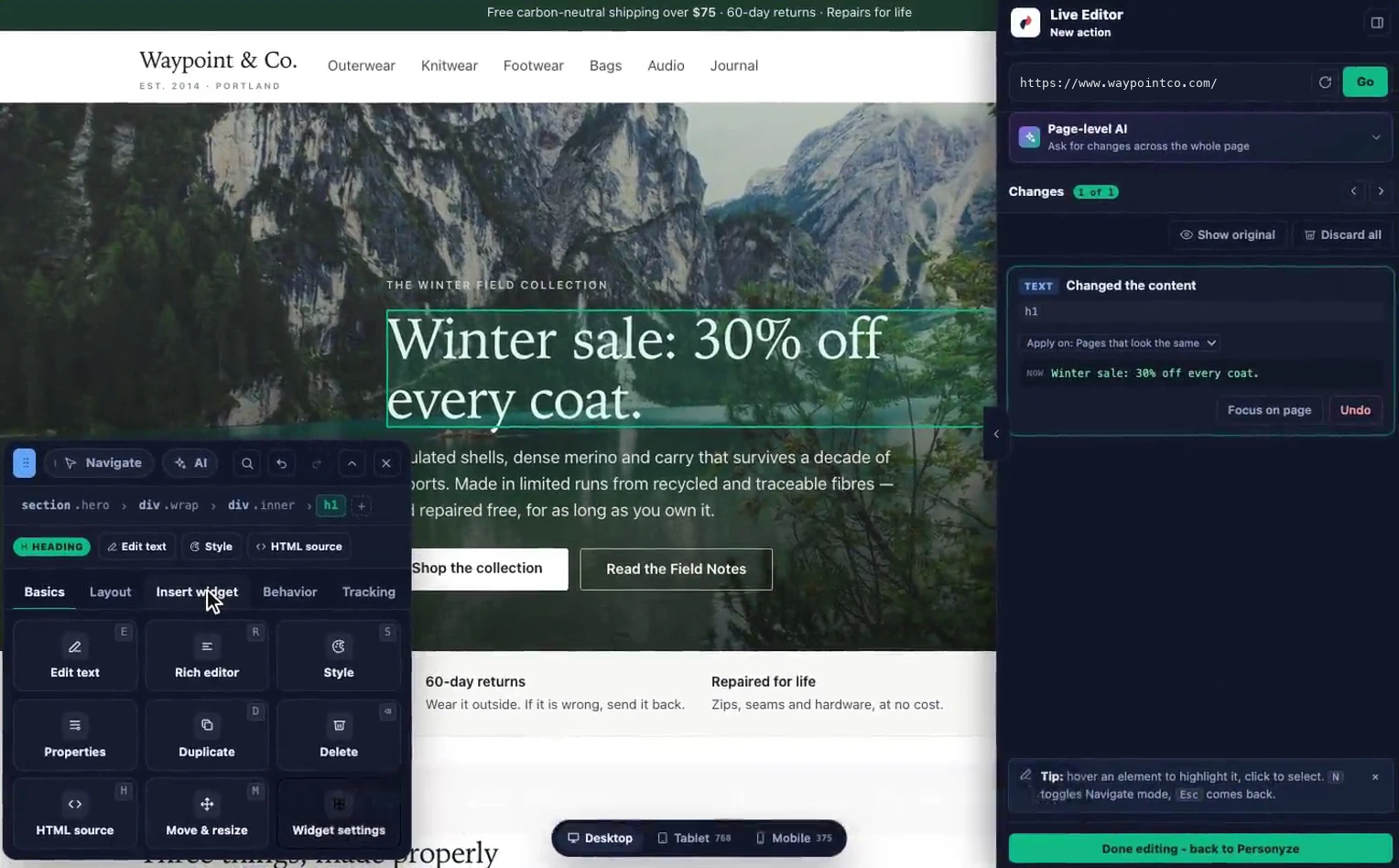
- On the page you already haveEdit the page opens your quote page in the visual editor: rewrite the headline, put the car tab first, change the button — for this audience only.
- On a landing page Personyze hostsOne web address with a version for each ad group. Visitors who match no version get the default page, so the address always shows one.
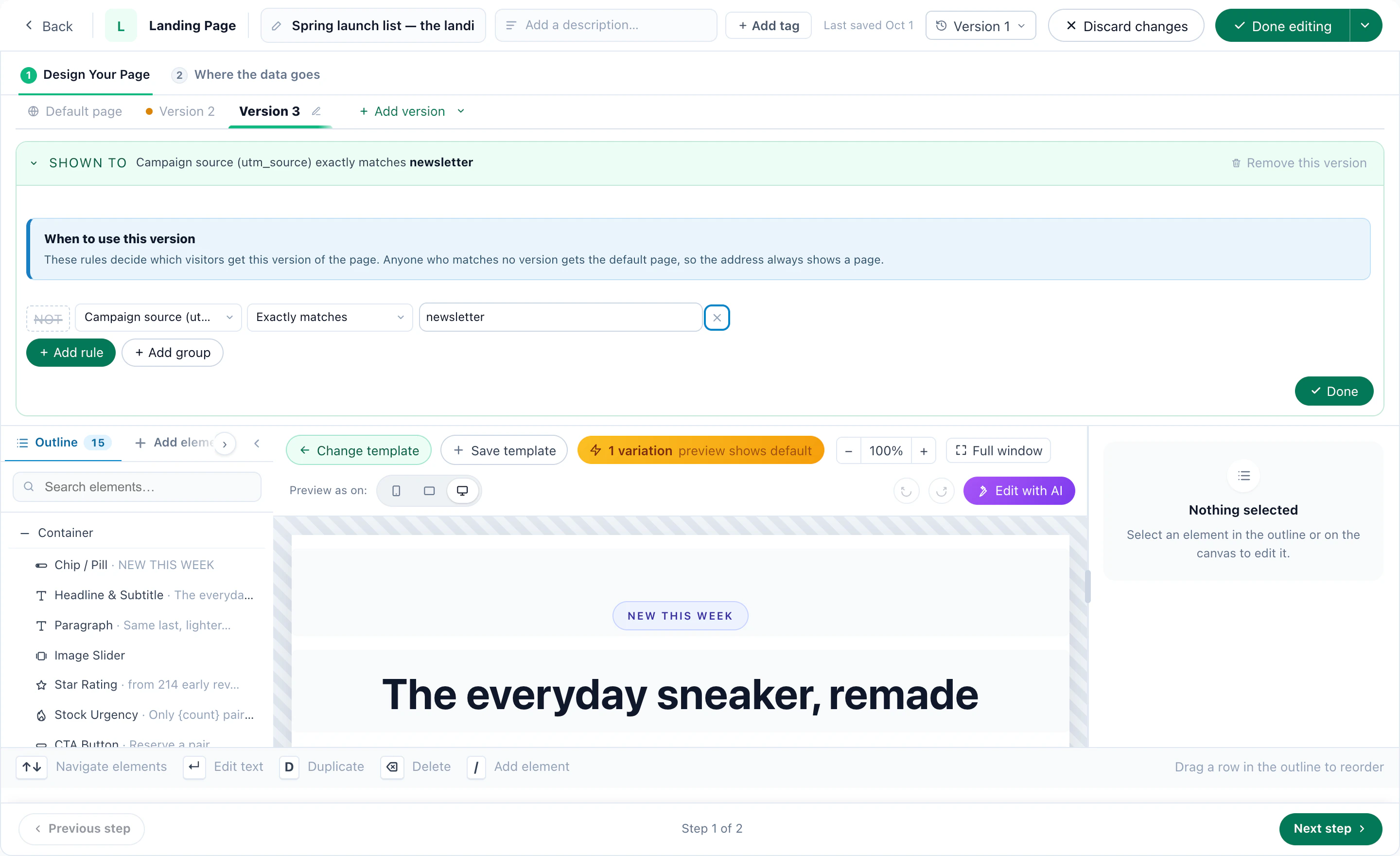
Keep a share of the paid clicks on the standard page as a control group, so the lift of the matched page is measured, not assumed. Hosted landing pages are an add-on; editing your own pages is part of every plan. More in the Dynamic Landing Pages playbook and the insurance quote example.
4Recipe: pick up a half-finished quote or application
Quotes and applications rarely happen in one sitting. Someone stops at the documents step, or to check a number, and comes back days later. Greet them with where they left off, not with step one.
- Keep the step on their profile. Create a visitor attribute — Quote step reached — and choose Add it to the visitor profile: it is there on every later visit, and across devices. Fill it from the page: a CSS selector, a hidden element, a page variable, part of the address, or your tag manager’s data layer.
- Keep the finish too. A second attribute, Quote finished, filled on the confirmation page.
- Target the gap. Quote step reached is 1, 2 or 3, and Quote finished is empty: started, not finished.
- Show the way back. A bar across the top, or a line in the hero — “Your car quote is at step 2 of 4. Continue” — linking to that step. The step prints from their profile as a variable.
Your quote form keeps the answers they gave; Personyze tells them where they are and takes them back to it.
Ask before they leave
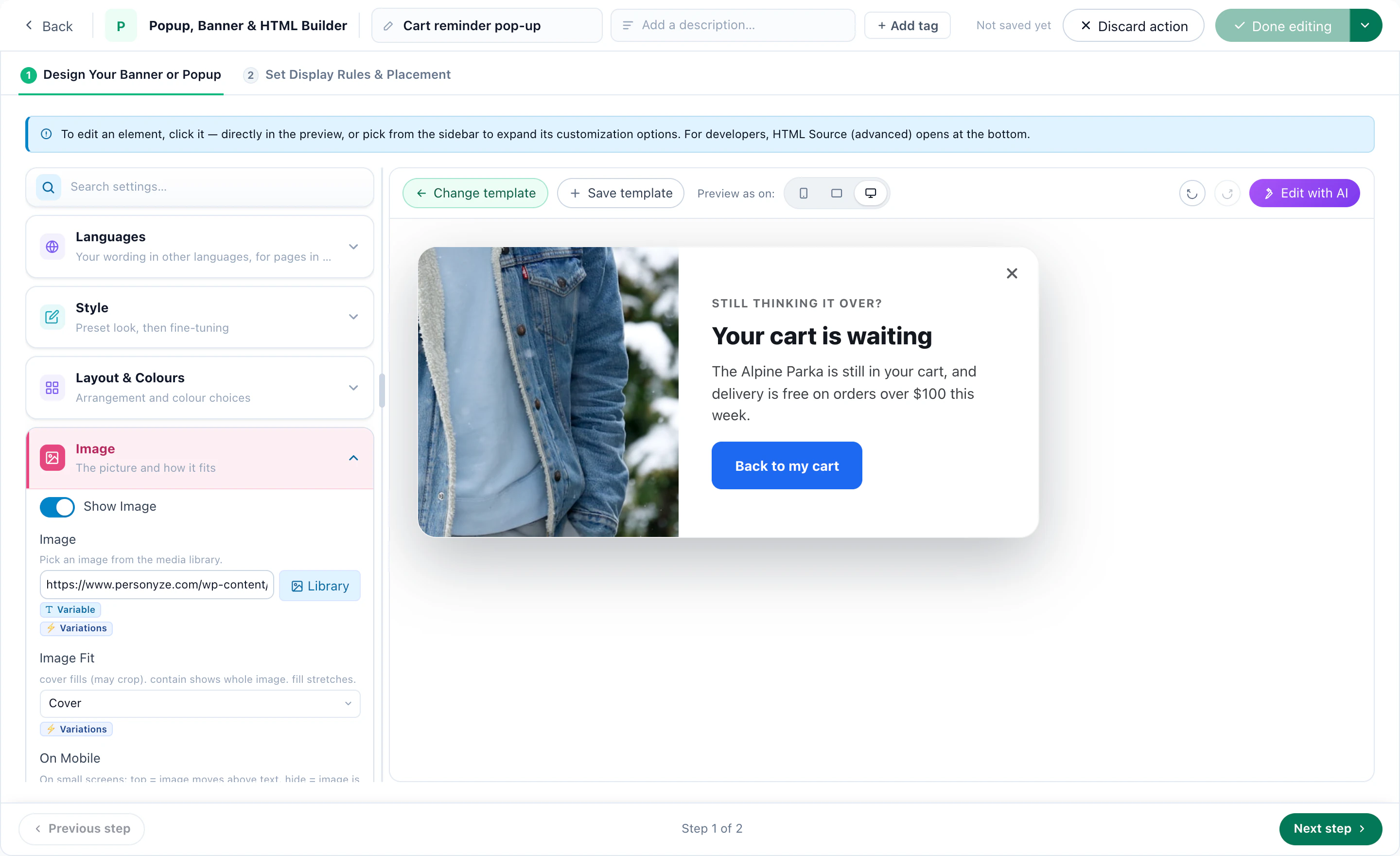
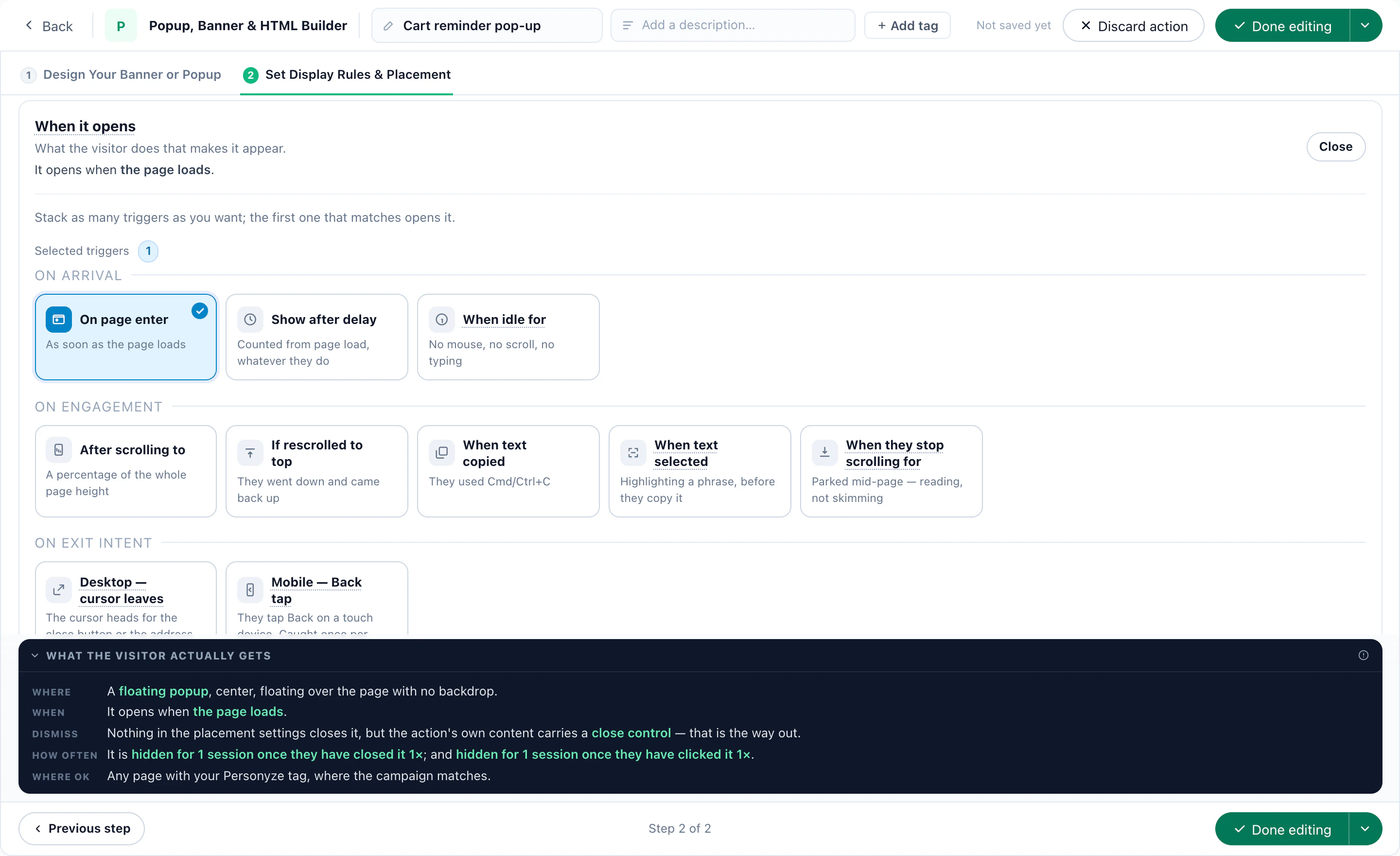
On the application itself, an exit-intent pop-up — when the cursor heads for the close button on a computer, or the visitor taps Back on a phone — can ask one question: What’s stopping you? The answer is saved on their profile, so the next visit can respond to it: the documents checklist for “I need my documents”, an adviser for “I have a question”.
5Recipe: one homepage for customers, another for prospects
A customer who signs in to check a balance does not need “Open an account in minutes”. A newcomer does. Same homepage, same address, two campaigns.
Recognize who is a customer
- At sign-inPersonyze reads the customer ID from the signed-in page — an element, a page variable or a cookie — and links the visit to their record.
- From your emailsA customer ID on the link (?uid=…) recognizes them from the click, before they sign in. Put an ID in links, never an email address.
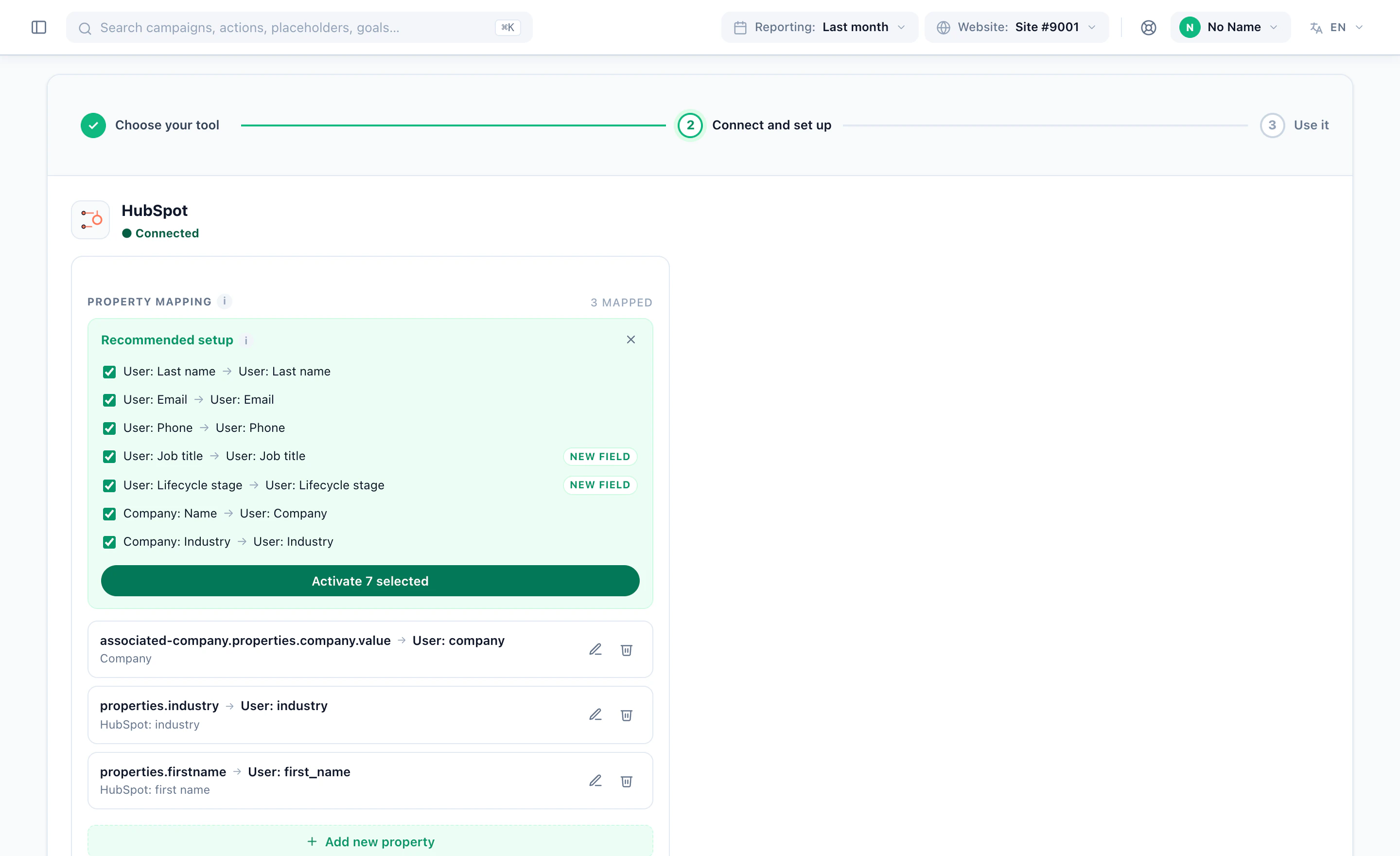
- From your CRMHubSpot, Salesforce and the other CRM integrations bring fields such as lifecycle stage onto the profile; a file upload or the API does the same for the rest.
Then split the homepage
- Customers — a CRM field or a list — see their tools first, a greeting with their first name (with a fallback for when it is empty) and their next product (the next recipe).
- Prospects see how to open an account, what it takes and where to ask.
- New-customer offers exclude the customer audience, so a welcome offer never reaches someone who already banks or insures with you.
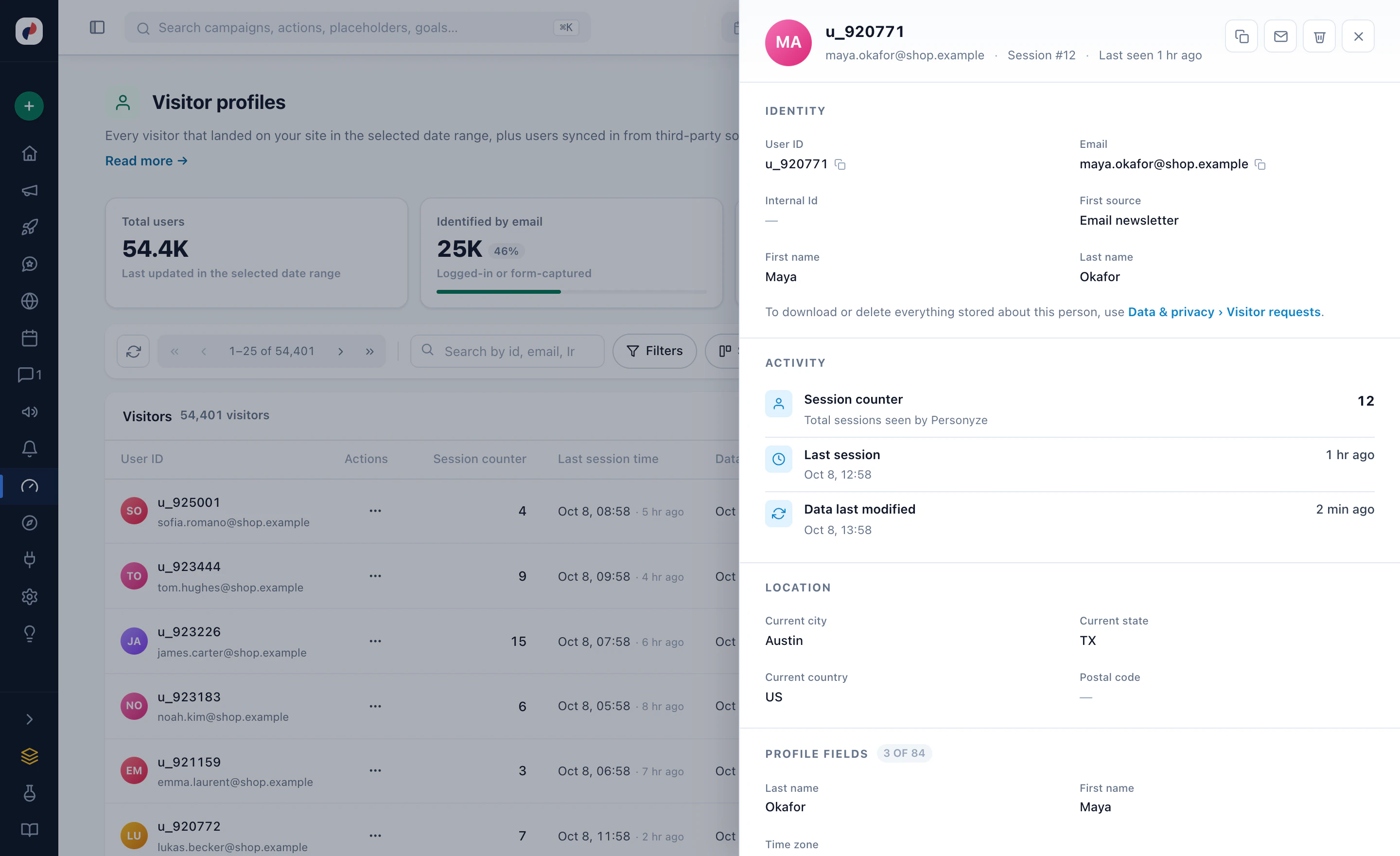
See it on a bank’s homepage in the bank example.
6Recipe: cross-sell to customers, never what they already hold
A customer’s next product depends on what they already have. Bring that across as a field — Products held — and let each campaign include by it and exclude by it.
- A current account, no savingsThe savings account, on the homepage after sign-in.
- A home policy, no car policyCar insurance as a second policy, on the policy page.
- A mortgageHome insurance — and no more mortgage ads.
- A pension, near retirementA review with an adviser (see Book an adviser).
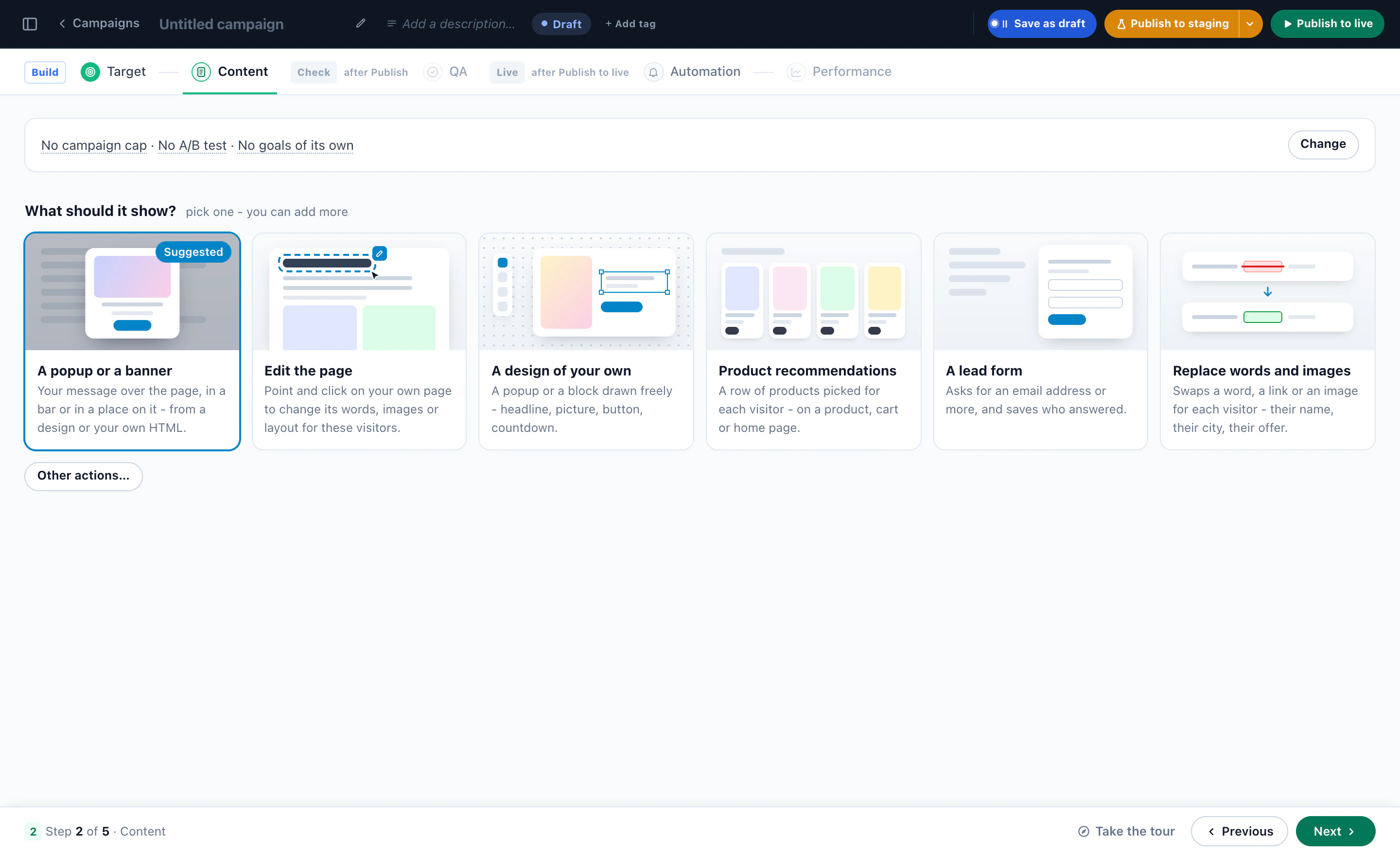
Then pick what the campaign shows: a banner on the account page, a change to the page itself, a pop-up, a row of products, or a form. Give it a frequency cap so a customer who closed the offer is not shown it again on the next page.
7Recipe: the nearest branch, open now
Some decisions still end at a branch: a mortgage appointment, a document to sign, a question about an account. Show each visitor the branch near them, and whether it is open.
- Upload your branches once. A sheet, or a Google Business Profile export, with addresses, phone, a photo, weekly opening hours and special hours. “Open now” is kept current every 10 minutes, in each branch’s own time zone.
- Three designs. One branch card, the three nearest branches, or a slim open-now bar, each with Open now, Closes at 17:00 or Opens tomorrow at 9:00, today’s hours, phone and directions.
- The right branch, not only the nearest. Tag branches by what they offer, such as mortgage advice or business banking, and lead with the ones that match what the visitor is looking at.
- A branch’s own offer. An offer or event valid at chosen branches, or at branches with a tag; Nearest location’s offer shows each visitor the one at the branch nearest them.
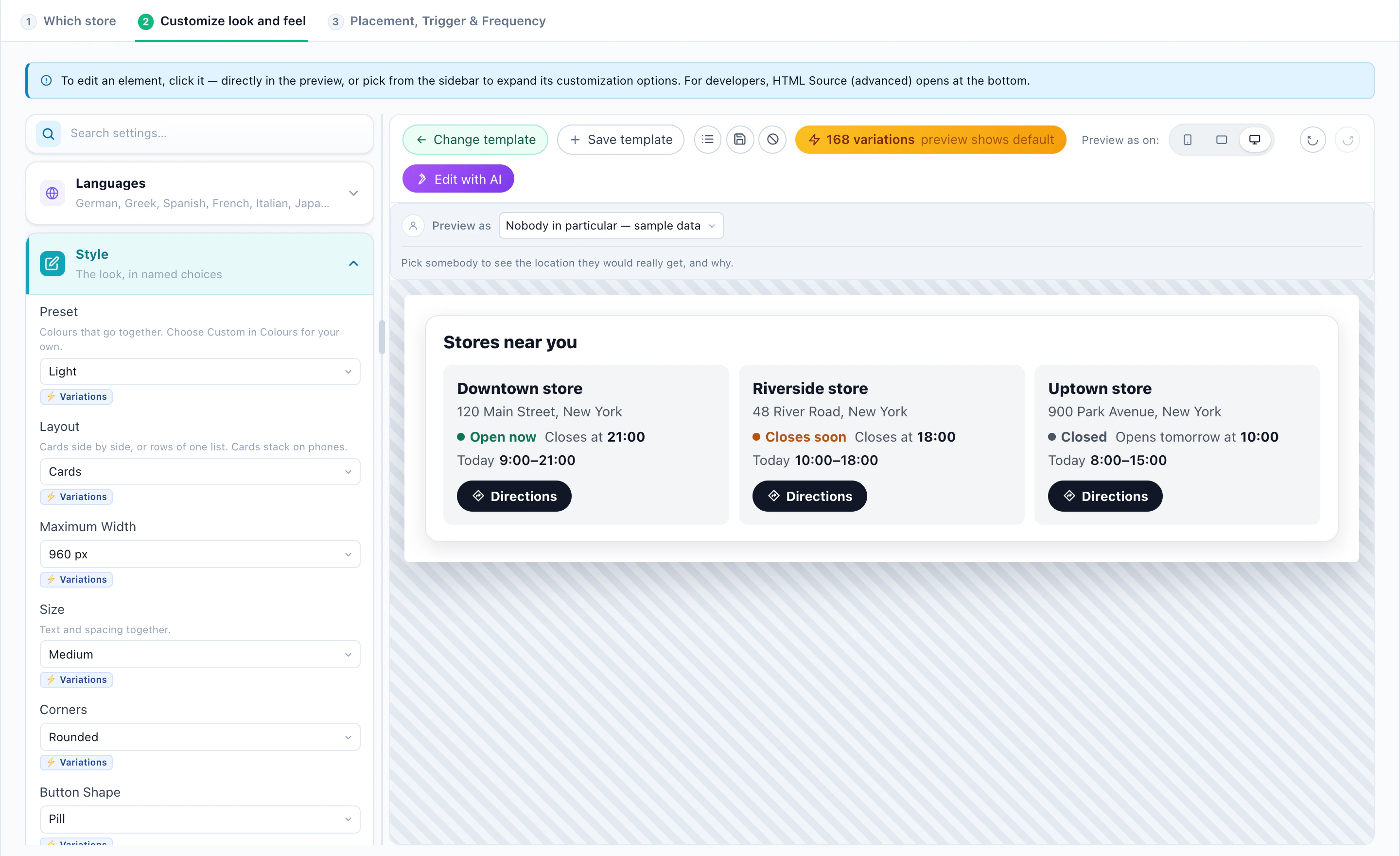
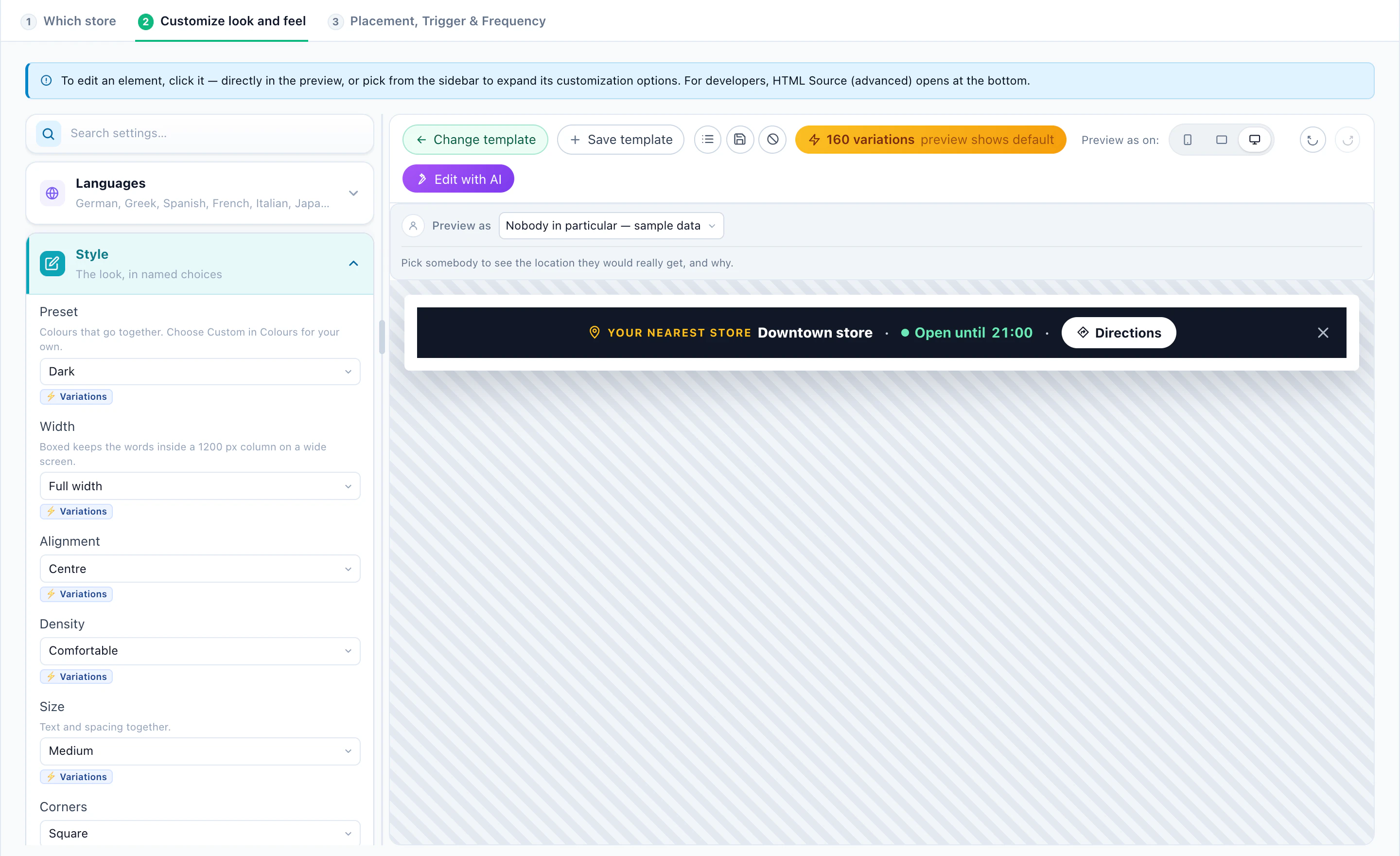
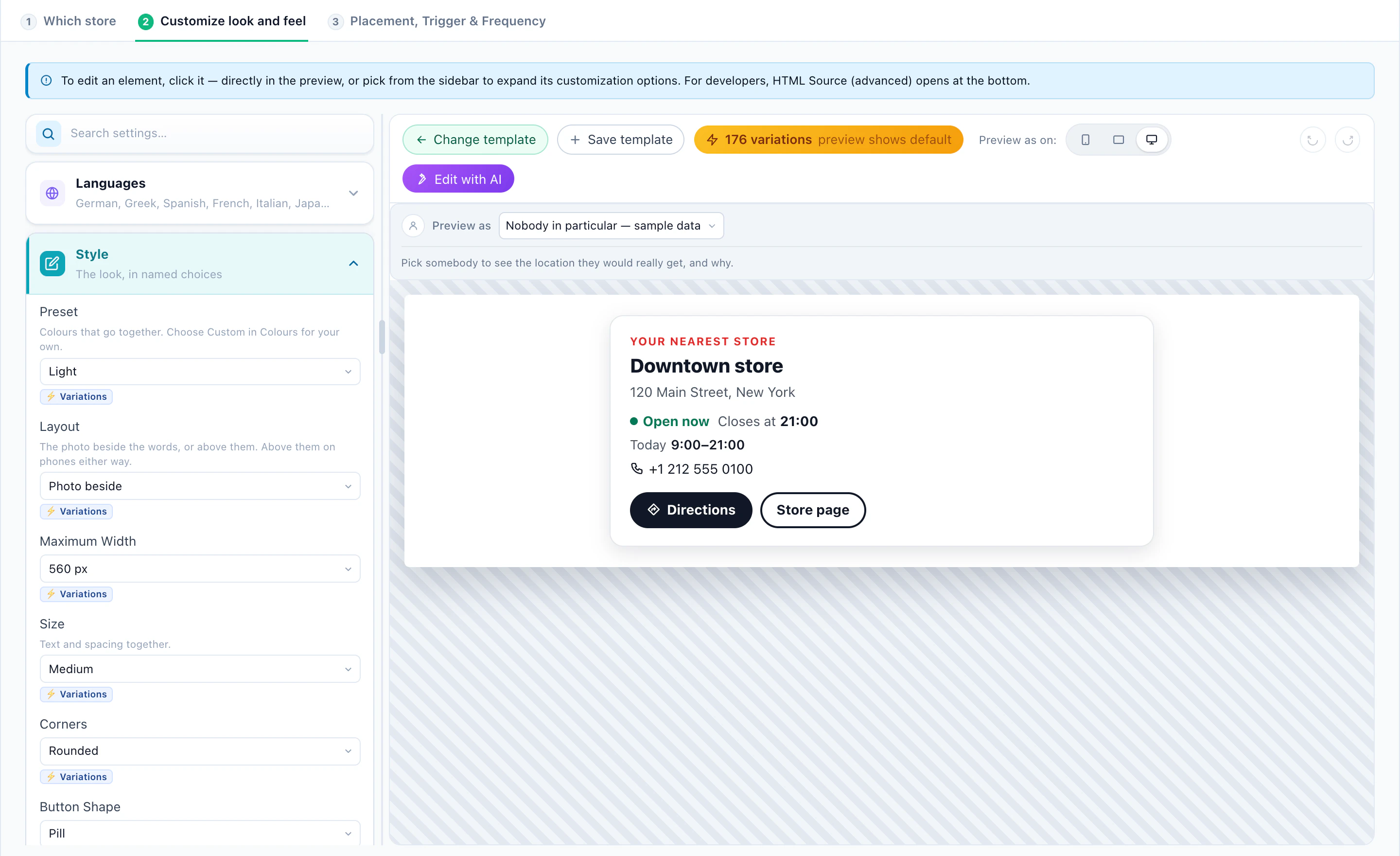
Nearest is worked out from the visitor’s city, from their IP address — never a street-level position. The branch designs come with Promotions, included in Power and Enterprise. More in the AI Promotion playbook.
8Recipe: book an adviser on your own site
Pension reviews, mortgage appointments, a call about cover: a visitor who is ready to talk should pick a time on the page they are reading, not fill in a callback form and wait.
- Hosts — the advisers people can book, each with their time zone and calendar. A host is someone a visitor can book, not a Personyze login.
- Availability — each adviser’s weekly hours.
- Meeting types — a 45-minute pension review by video, a mortgage appointment in person at a branch, a 15-minute call about cover — each with its length, the notice it needs, how far ahead it opens, a daily cap and who can take it.
- Who is offered it — the Target step, like any campaign: customers near retirement who used the pension calculator, returning visitors who read the remortgage pages.
- Where — in the page, as a pop-up, or on a booking page of its own with a QR code and a text-message link.
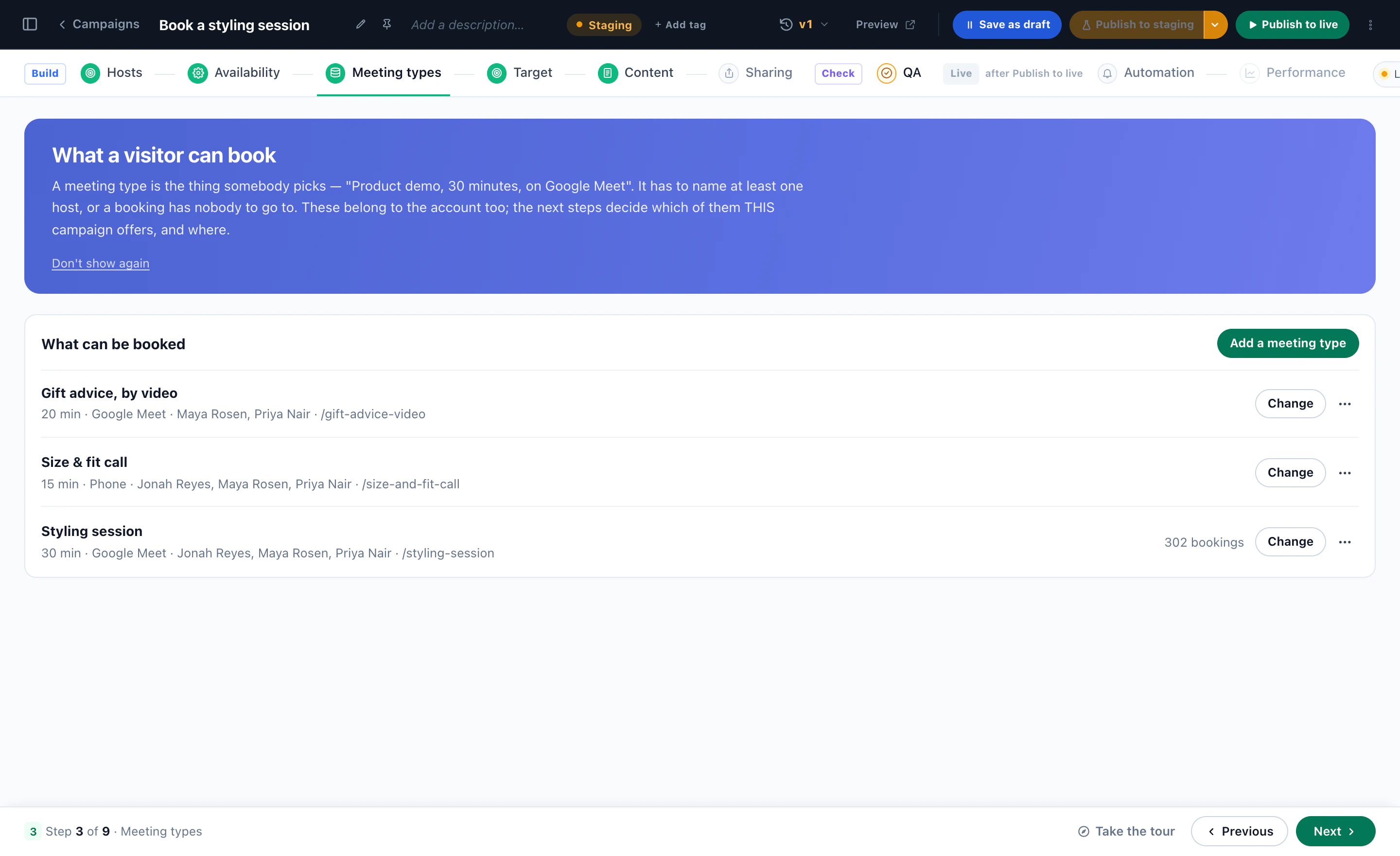
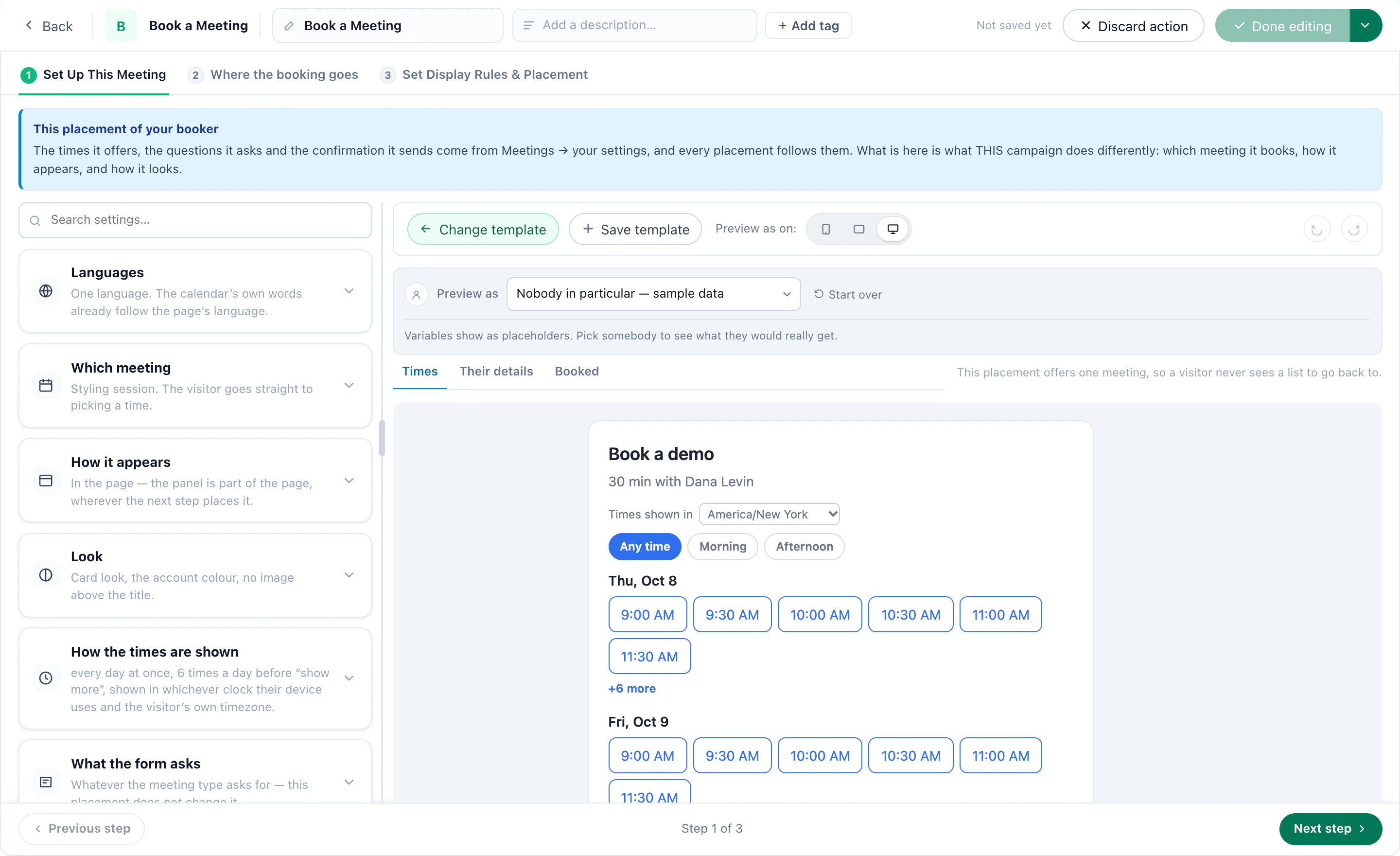
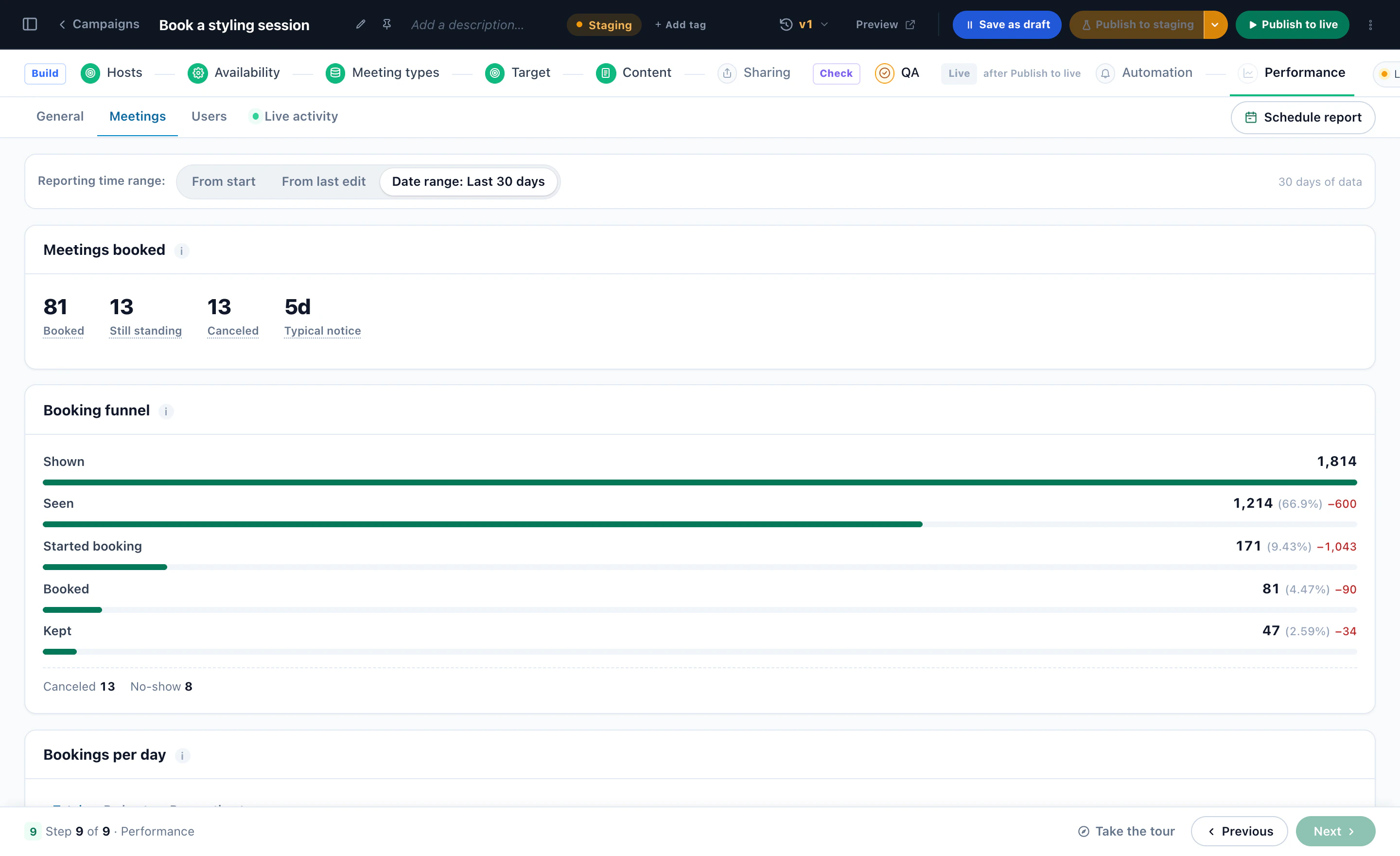
Connect Zoom or Google Meet and each booking gets its own video link; connect an adviser’s Google Calendar and the times already taken are blocked. The booking lands on the visitor’s profile with the page it came from, so the adviser starts the meeting knowing what they read, and goes on where you send it: an email, Slack, Zapier, HubSpot or your own webhook. Count a booking as a goal, and campaign reports show the meetings each campaign led to.
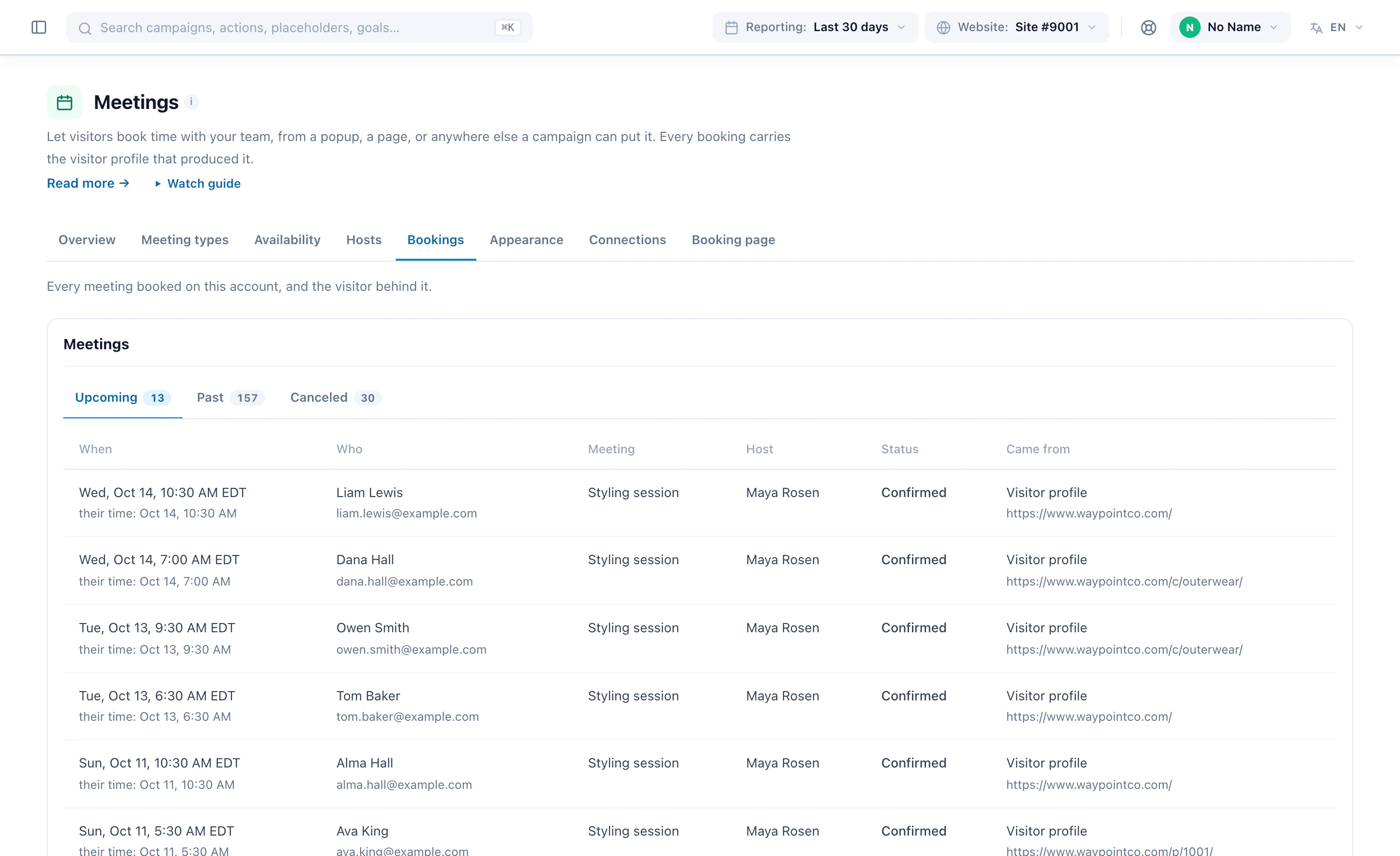
The meeting type’s title, its description and the questions the booking form asks are yours to write. Use the words your compliance team uses for the kind of conversation it is.
9Recipe: A/B test, and keep a winner for each audience
Test what moves a financial site: the quote form’s first question, “Get a quote” against “See my price”, the calculator above the fold or below it. Then check who each version won for — customers and prospects, or phone and desktop, may not agree.
Set the test
Pick the goal first: a quote completed, an application submitted, a meeting booked. Then how the test decides — pick a winner at significance, with the confidence, sessions, days and minimum improvement it needs before the call, or AI: optimize continuously, which moves the split toward what performs every night and always keeps 10% exploring.
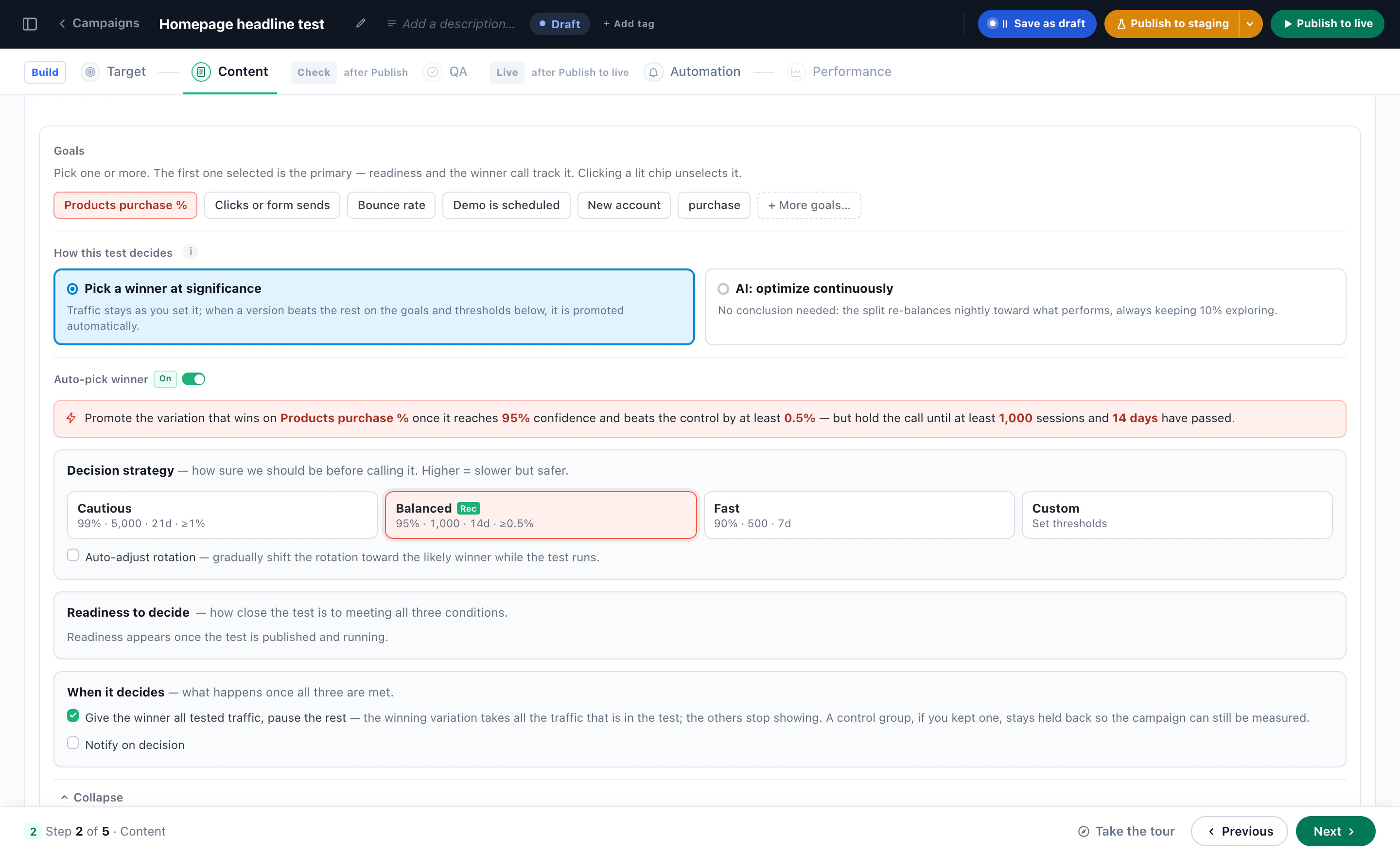
A winner for each audience
- Test inside each audienceOne test campaign for customers and one for prospects: each keeps its own winner.
- Test once, read it per audienceA/B tests by audience reads every test against the audiences Audience Discovery found in your data. A Clear winner is marked only when it holds up — corrected for how many audiences were checked, ahead in both halves of the test, with enough data behind it. Tick the audiences and apply: each sees the version that won it, the test ends, and the campaign is saved as a new version you can undo.
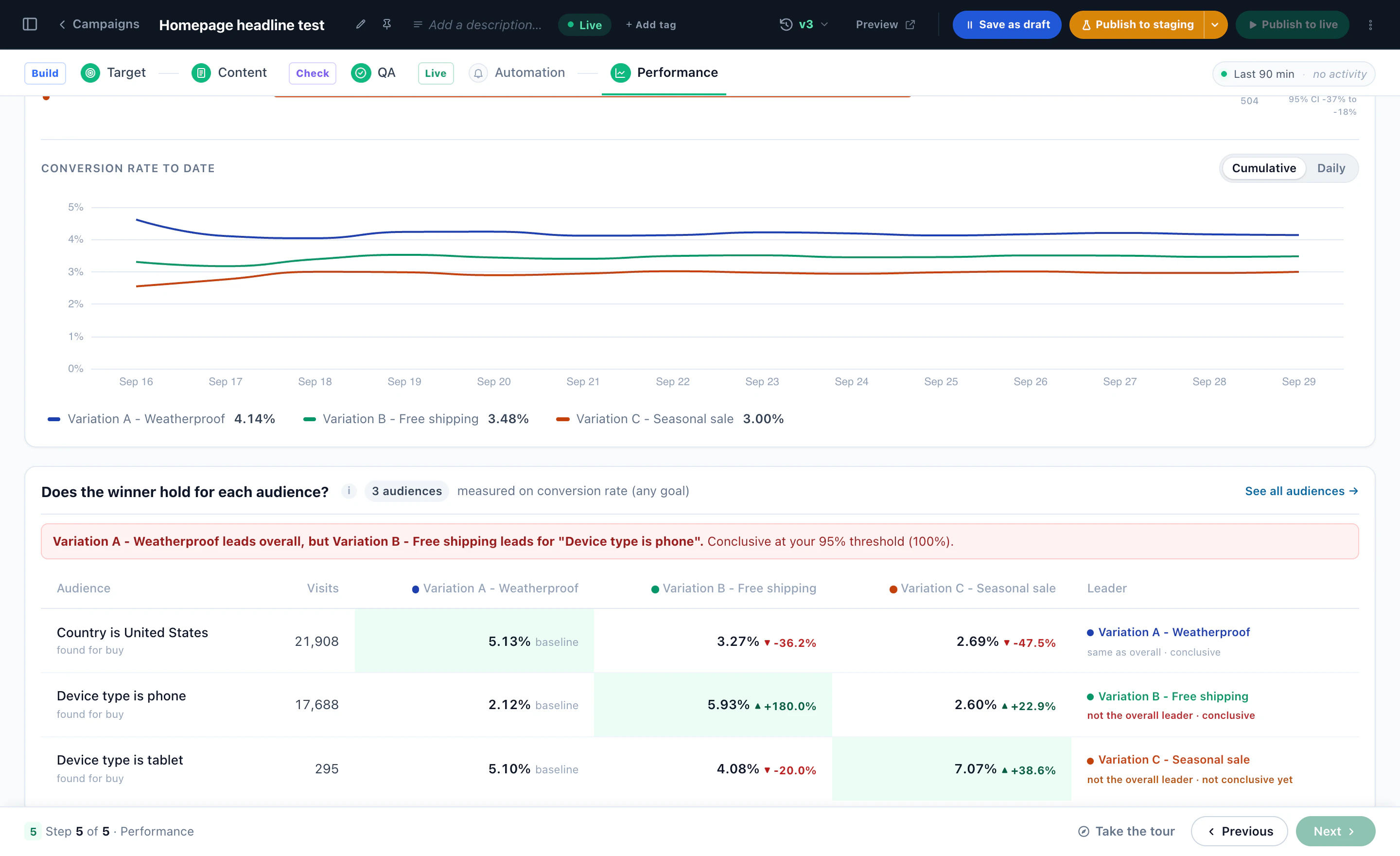
Audience Discovery is an add-on. See the winner-by-audience example and the A/B Testing playbook.
10Keep compliance in the loop
On a regulated site, personalization changes who sees which approved message. It should not change the terms, and nothing should reach visitors before the people who sign off have seen it.
- Your words, as approved. Every version, headline and button is text you write. Edit with AI drafts a change only when someone asks for one, and nothing goes live until it is saved and published.
- Staging first. Publish to staging shows a campaign only to visitors on your staging IP addresses — your office, your compliance team — while everyone else keeps what is live now.
- See what one person gets. Preview as a real visitor, or as someone you know nothing about, shows exactly what they would get and why. The QA simulator tests the whole campaign as any visitor.
- Exclusions are rules. Customers out of new-customer offers, existing borrowers out of a new-loan campaign — written once, applied on every page.
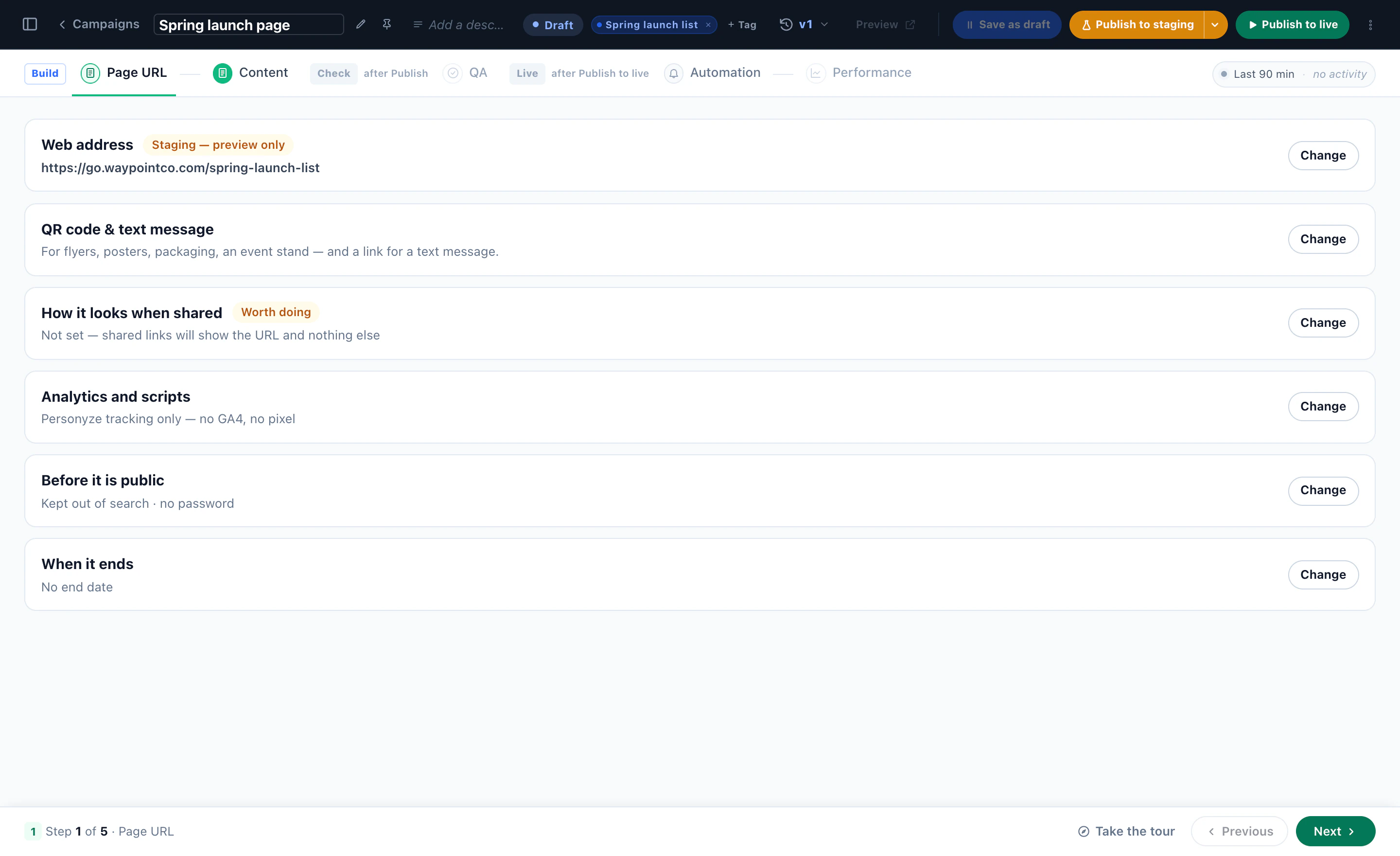
- Hosted pages stay private until you say. A landing page can be kept out of search, put behind a password, and given an end date.
Visitor data
- Tracking can wait for your cookie banner, with ready instructions for Cookiebot, OneTrust, Usercentrics, IAB TCF and Google Consent Mode, and can honor the Global Privacy Control signal.
- Email addresses and tokens can be kept out of the page addresses Personyze records.
- Each kind of data — profiles, visits, form and survey answers, meeting bookings — can be kept for a period you set, shorter than the defaults.
- One person’s data can be found, exported or deleted across Personyze, with a receipt and a log of every request.
- Visitor ids are pseudonymous, and IP addresses are used to find the location, not stored in profiles.
These help you meet GDPR and CCPA requests. Whether a campaign is right for your market stays your compliance team’s call. More on the Security page.
11Measure what each recipe did
- Name the outcomes as goals — quote completed, application submitted, account opened, meeting booked — on the pages that confirm them.
- Keep a control group — a share of visitors who see your standard page, so what a campaign added is measured, not assumed.
- Read each campaign’s Performance — views, visitors, conversions and the conversion rate against the period before, and each goal.
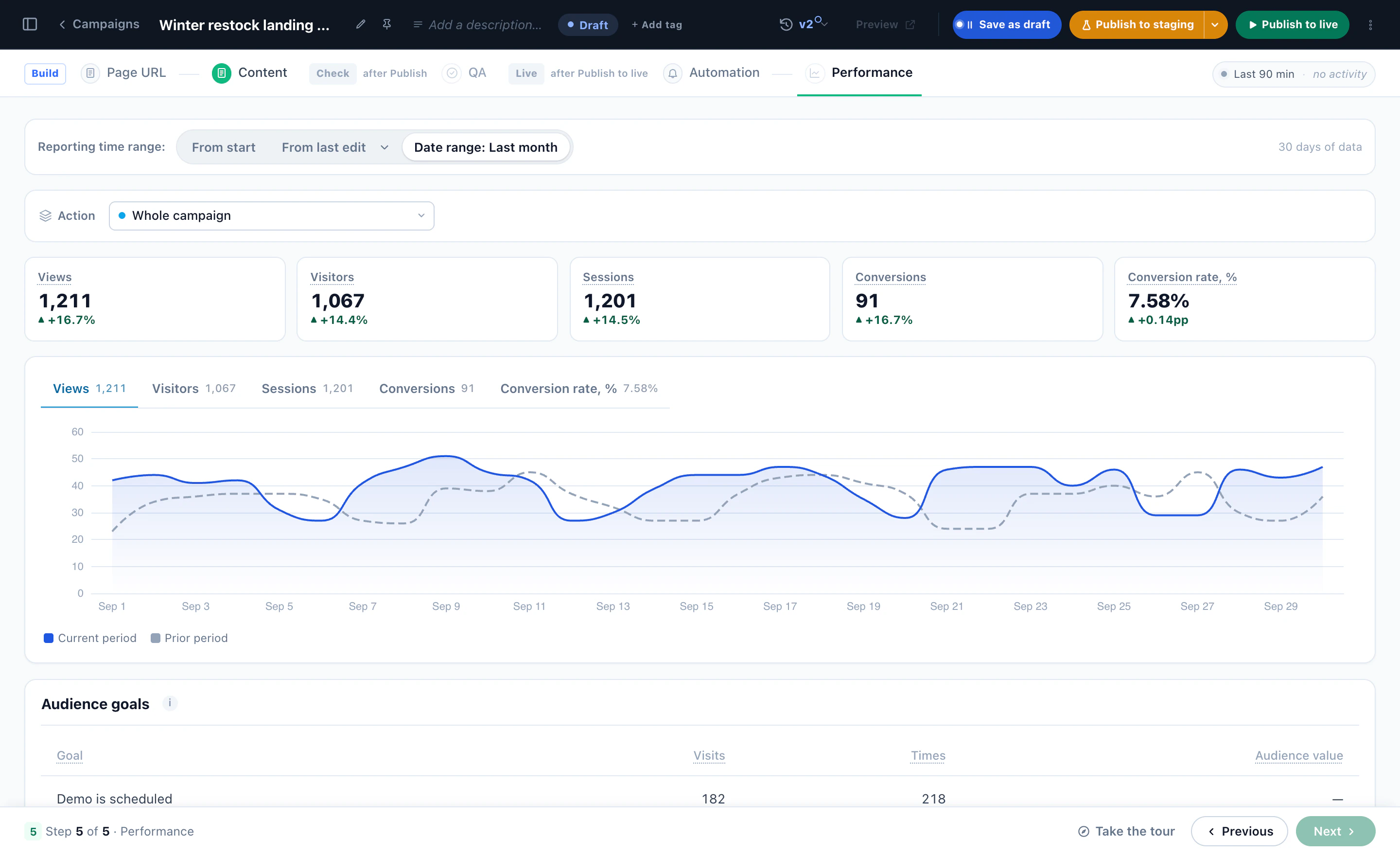
Read a result over a span that fits the decision: a mortgage takes longer to decide than a car quote, and a test called too early has only seen the quick decisions. More scenarios in the pension example, the insurance quote example and the bank example.