
Product Recommendation Examples: 14 Ready-Made Designs
Most product discovery no longer happens through your menu or your search bar. It happens in the strip of suggestions that says “you may also like,” “frequently bought together,” or “recommended for you.” Those blocks do a lot of the selling, if they show the right thing to the right person.
Below are 14 product recommendation examples, page by page, each with a picture of the widget. Under each one you’ll find where it goes, which algorithm picks the products, and the ready-made design it’s drawn in, linked to its setup guide. All of them run on Personyze’s recommendation engine, and all of them are part of the ecommerce personalization playbook.
The store and products in these pictures are illustrative. The designs are drawn after the real templates, which take your own products, colors and wording.
Homepage product recommendations
The homepage has no product to anchor to, so these work from the visitor, their country, or the crowd.
1. Best sellers for first-time visitors
When a brand-new visitor lands, you have no history to work from, so lead with proven winners. Best Sellers works well as the fallback algorithm: it needs nothing from the visitor, and it fills the slot whenever a personal algorithm comes back short.
 BestsellerHouse Blend Beans (214)$18Add to cart
 Wireless Earbuds (96)$89Add to cart
 25% OFFWhite Court Sneakers (148)
 Canvas Daypack (71)$49Add to cart
2. “Pick up where you left off” (recently viewed)
Most people don’t buy on the first visit. They browse, get distracted and leave. When they return, show the items they were looking at. Recently Viewed reads this visitor’s own profile, so the row is waiting for them on the next visit. It has nothing to show a first-time visitor, so give it a fallback.
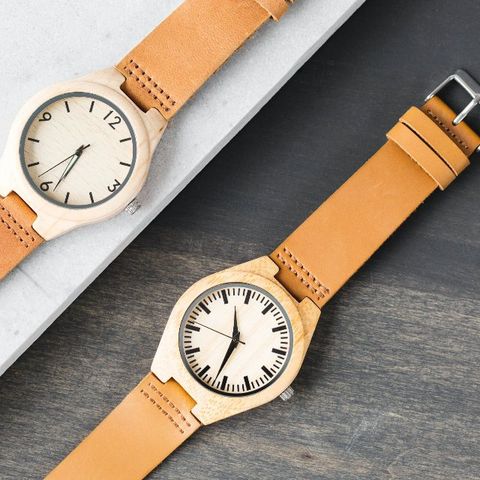 Leather Field Watch$129
 Leather Weekender$189White Court Sneakers$79
3. “Popular in your country” (location-based)
A visitor’s country is known before they view anything, so this one works from the very first page. Popular in the Visitor’s Country shows the items most viewed by visitors from the same country. A country with too few visitors has no list, and the widget moves on to its next algorithm.
 PopularPatterned Armchair (52)$349
 Round Side Table (38)$79
 Oak Coffee Table (44)$219
 PopularSoy Candle Jar (120)$24
4. Trending now
Different from best sellers: this is what is gaining momentum right now. Trending Now picks the items whose activity today jumps above their own weekly average, so the row keeps the store current without anyone curating it by hand. Per-card “viewed today” counts add a reason to look.
 Road Running Shoes$11038 viewed today
 NEWYellow Rain Shell$9827 viewed today
 PopularQuilted Puffer$12964 viewed today
 Trekking Poles$7219 viewed today
Product page recommendations
On a product page the anchor is the item being viewed. These answer “what else?”, “what goes with it?” and “is there something better?”
5. “Others who viewed this also viewed”
The classic row on a product page, for a shopper who is still comparing. Others Who Viewed Also Viewed shows the items other visitors looked at together with this one, from your site’s own browsing data rather than a list someone keeps up to date. Show it on a full-bleed design and the product photos carry the row.
 Leather Hiking Boots$149Trekking Poles$72Yellow Rain Shell$98
6. “Frequently bought together” with one-click add-all
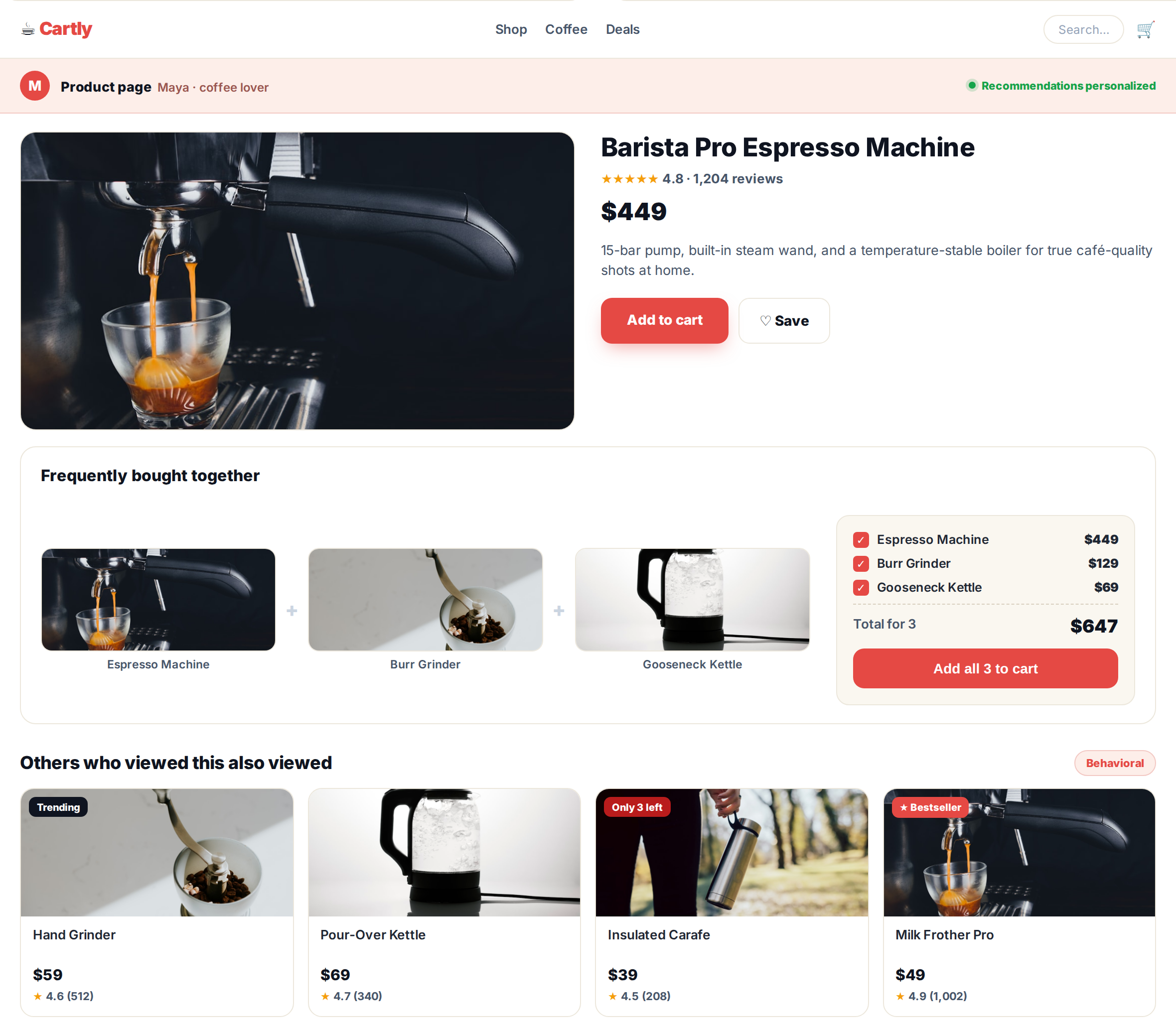
Instead of nudging shoppers to add complements one by one, show the natural set and let them add it all at once. Cross-Sells learns what is bought together with this product. The Buy Together design shows each item with its own switch, a live total, and one button for the whole selection.
 Home Espresso MachineThis item$449.00
 Burr Coffee GrinderAdd to bundle
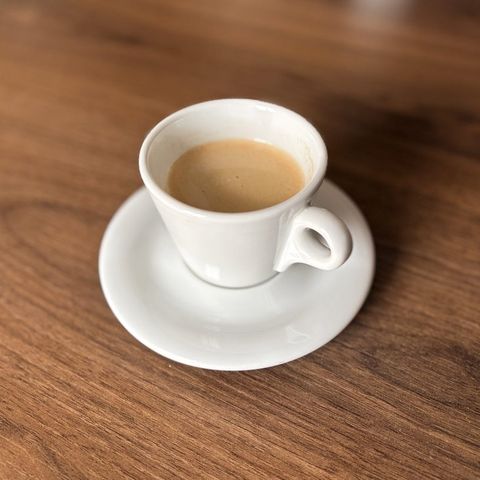 Porcelain Espresso CupAdd to bundle
7. Cross-sell: complete the look
Complementary products that finish the job: cushions with the sofa, a grinder with the espresso machine, a case with the phone. Complete the look picks items of other kinds that go with this product, and it carries the name your kind of store would use, such as Complete the room or Goes well with. It works for brand-new items, once AI has read your products. Managed Cross-Sells use a list you upload yourself instead.
 Cactus Print CushionSoft cotton with a hand-drawn cactus print.$39Round Side Table$79Oak Coffee Table$219Patterned Armchair$349Soy Candle Jar$24
8. Up-sell to a better version
When a visitor is on a mid-range product, a tasteful nudge toward the better version can lift the order without feeling pushy. Up-Sells shows higher-priced alternatives to the product being viewed. On a product page it starts from an up-sell list you upload, and it can use items bought or viewed together instead.
Wireless Earbuds (96)$89A step up Studio Headphones (133)$179View this one
Cart and checkout recommendations
The shopper has decided. These add to the order without getting in the way of it.
9. Cart cross-sell with a free-shipping nudge
The cart is the moment for one more relevant item, especially beside a threshold. The free shipping bar reads the cart in the shopper’s browser and moves as items go in and out, and Cross-Sells suggests what gets them there. Switch on the filter that skips items already in the cart, so nobody is offered what they have.
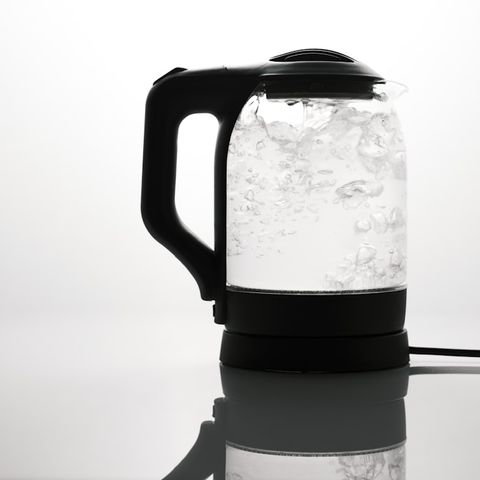 Glass Electric KettleQty 1$59.00You’re $12.50 away from free shippingGoes well with your kettleHouse Blend Beans$18Add
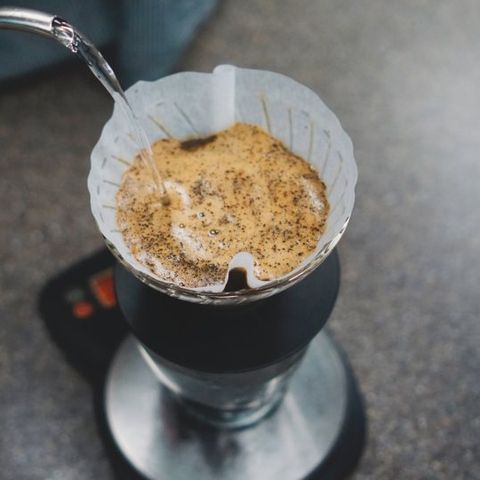 Pour-Over Brewer$34AddPorcelain Espresso Cup$14Add
10. Low-cost add-ons at checkout
By checkout the decision is made, so this isn’t the place for big-ticket items. Small extras fit better. Use a custom filter rule to keep the row under a price you choose, and a quick add to cart button so nobody has to leave the page.
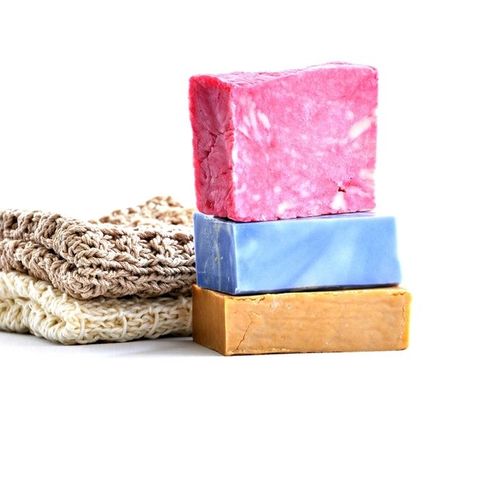 Handmade Soap Set$12AddSoy Candle Jar$14Add
 Gift Box$6Add
Recommendations for returning shoppers
These work from what this person did before, so they are the most personal, and they show nothing to someone new.
11. Buy it again / reorder
For consumables such as coffee, skincare, supplements and groceries, the most useful recommendation is the one they already love. Buy it Again lists what this visitor bought before, and Time to restock shows what they buy again and again once their usual time to buy it has come.
House Blend Beans$18.00Add to cartHandmade Soap Set$12.00Add to cartSoy Candle Jar$24.00Add to cart12. Price-drop & back-in-stock nudges
When an item drops in price or returns to stock, that is a reason to come back. Price Dropped finds items cheaper than at the visitor’s last visit, and Back in Stock finds items that returned after selling out. The Multi-Recommendation Widget puts several lists in one spot as tabs, and the same picks can go out by push or email (more below).
 25% OFFLeather Jacket25% OFFQuilted Puffer15% OFFLeather Weekender15% OFFLeather Field Watch
Badges, push and email recommendations
Two things you can add to any of the examples above.
13. Recommendations with social-proof badges
A recommendation card gives a shopper more to go on when it carries a reason to trust it. The designs come with badges for a discount, NEW, Popular, Bestseller and low stock, plus star ratings and “bought today” counts. Each threshold, text and style is yours to edit. They get their own section below.
NEWYellow Rain Shell (41)$98BestsellerRoad Running Shoes (207)$11012 bought today5 left in stockLeather Hiking Boots (88)$14925% OFFCanvas Daypack (71)14. Off-site recommendations: push and email
The shopping journey doesn’t end when someone leaves the page. The same personal picks can follow them into a push notification or an open-time email, where the products are chosen when the email is opened rather than when it was sent.
Price drop on the jacket you viewedThe Leather Jacket is now $209. Tap to see it.Back in stockThe Quilted Puffer you saved is back.Picked for you this weekChosen when you open this emailYellow Rain Shell$98Leather Hiking Boots$149Road Running Shoes$110Product recommendation examples by goal
If you know the outcome you want, this is the shortest path to an example:
- Give new visitors something good to look at — Best sellers or Popular in your country.
- Raise average order value — Frequently bought together, Complete the look, Up-sell, or the free-shipping nudge.
- Keep people browsing — Others who viewed or Trending now.
- Bring shoppers back — Recently viewed, price-drop nudges, or push and email.
- Earn the repeat order — Buy it again.
- Lift the order at the last step — Low-cost add-ons.
See it in context: full pages for two shoppers
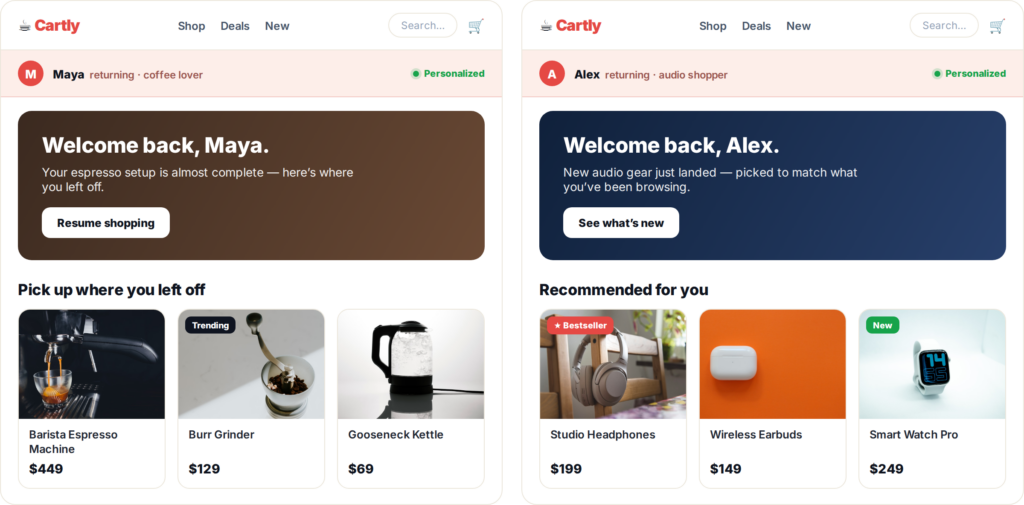
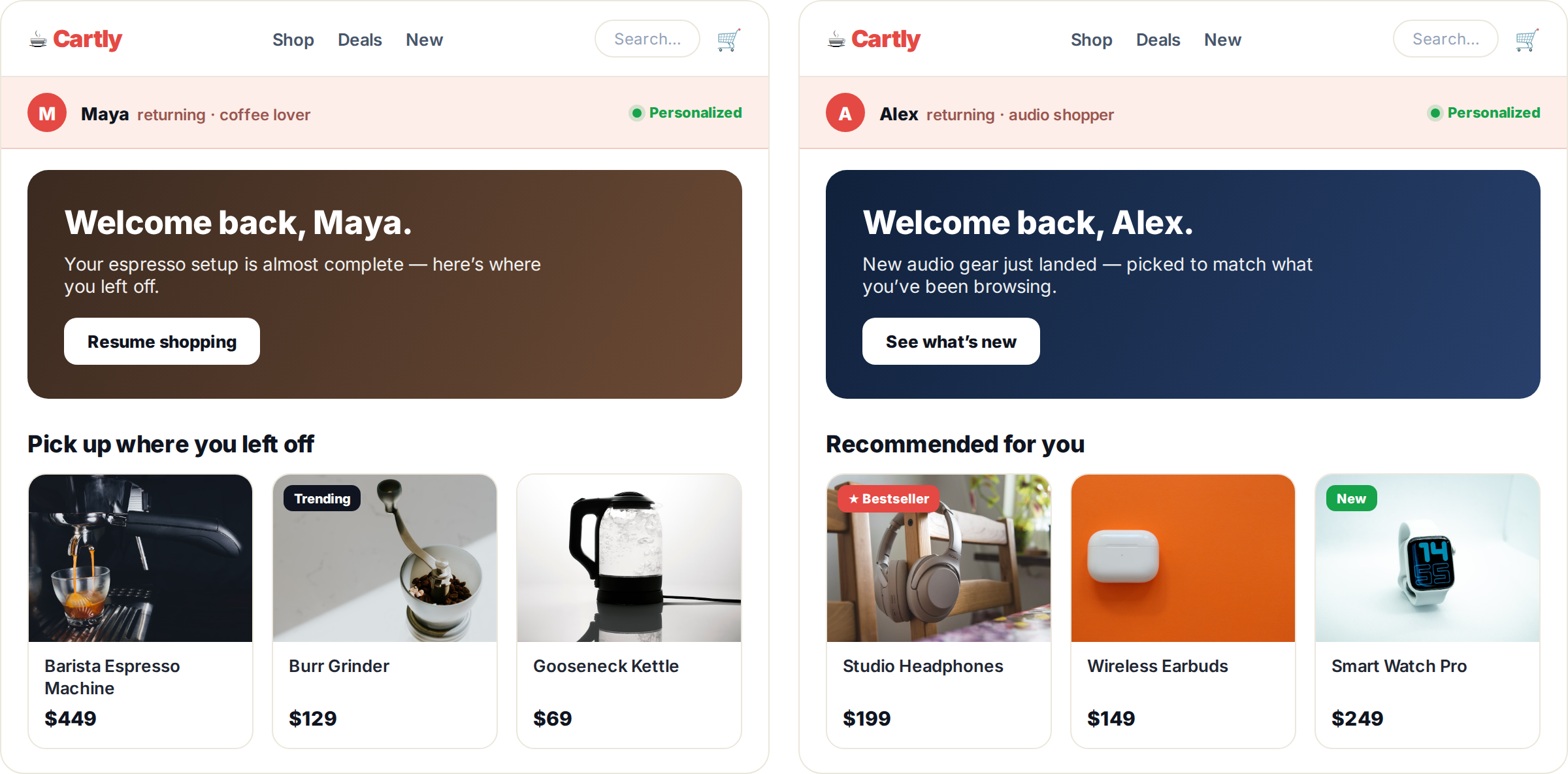
The examples above rarely appear alone. They stack across the journey, and they re-rank for each visitor. Here’s the same store, Cartly, seen by two shoppers: Maya, a returning coffee enthusiast, and Alex, a returning audio shopper. Same catalog, same widgets, different products, because the engine reads each profile.
On the homepage, the hero banner and the very first recommendation row both change by visitor:
On a product page, a frequently-bought-together bundle handles the cross-sell while a behavioral row keeps the visitor browsing:
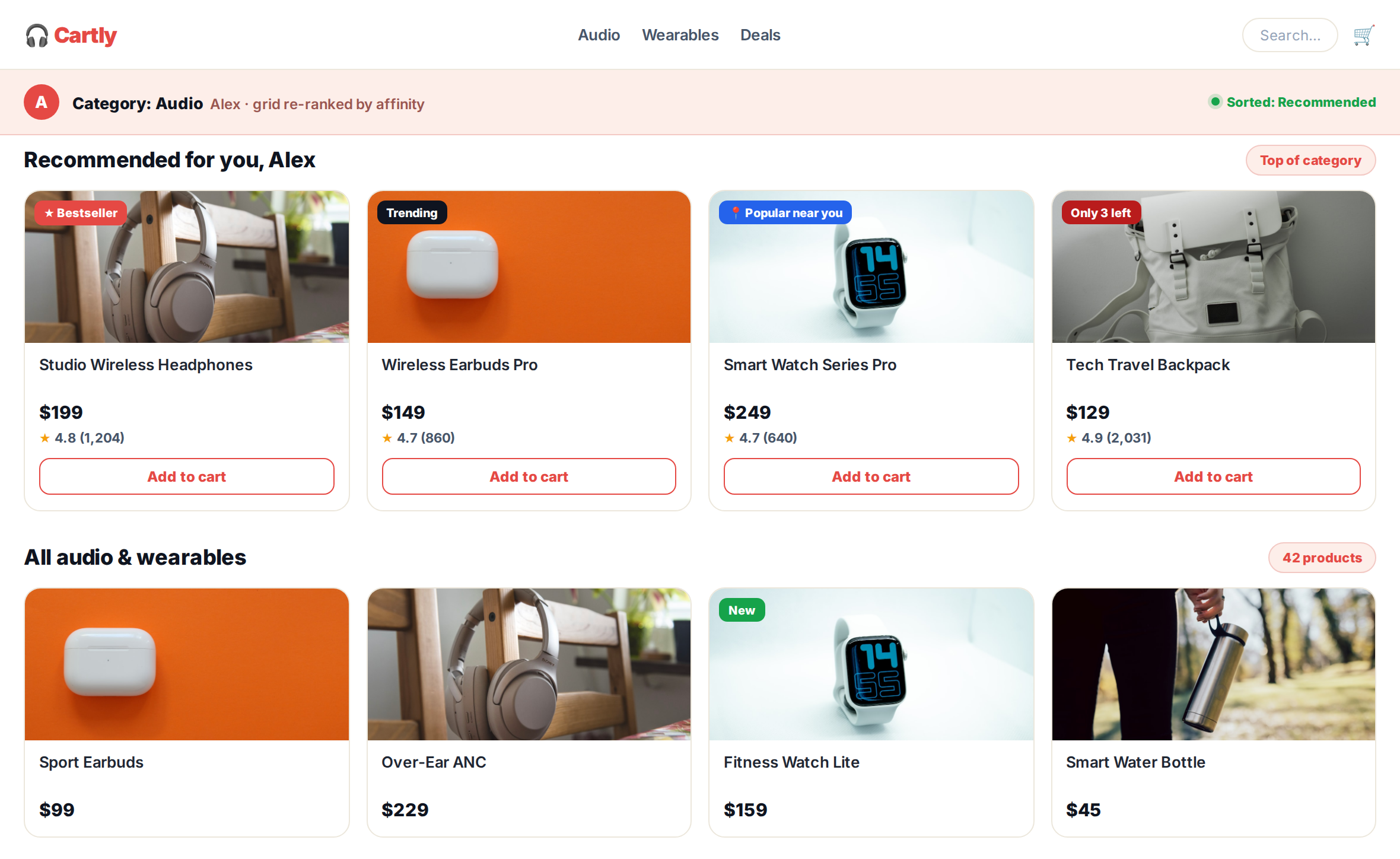
On a category page, the grid leads with a personalized rail and re-ranks the rest by affinity, with social-proof badges on the cards:
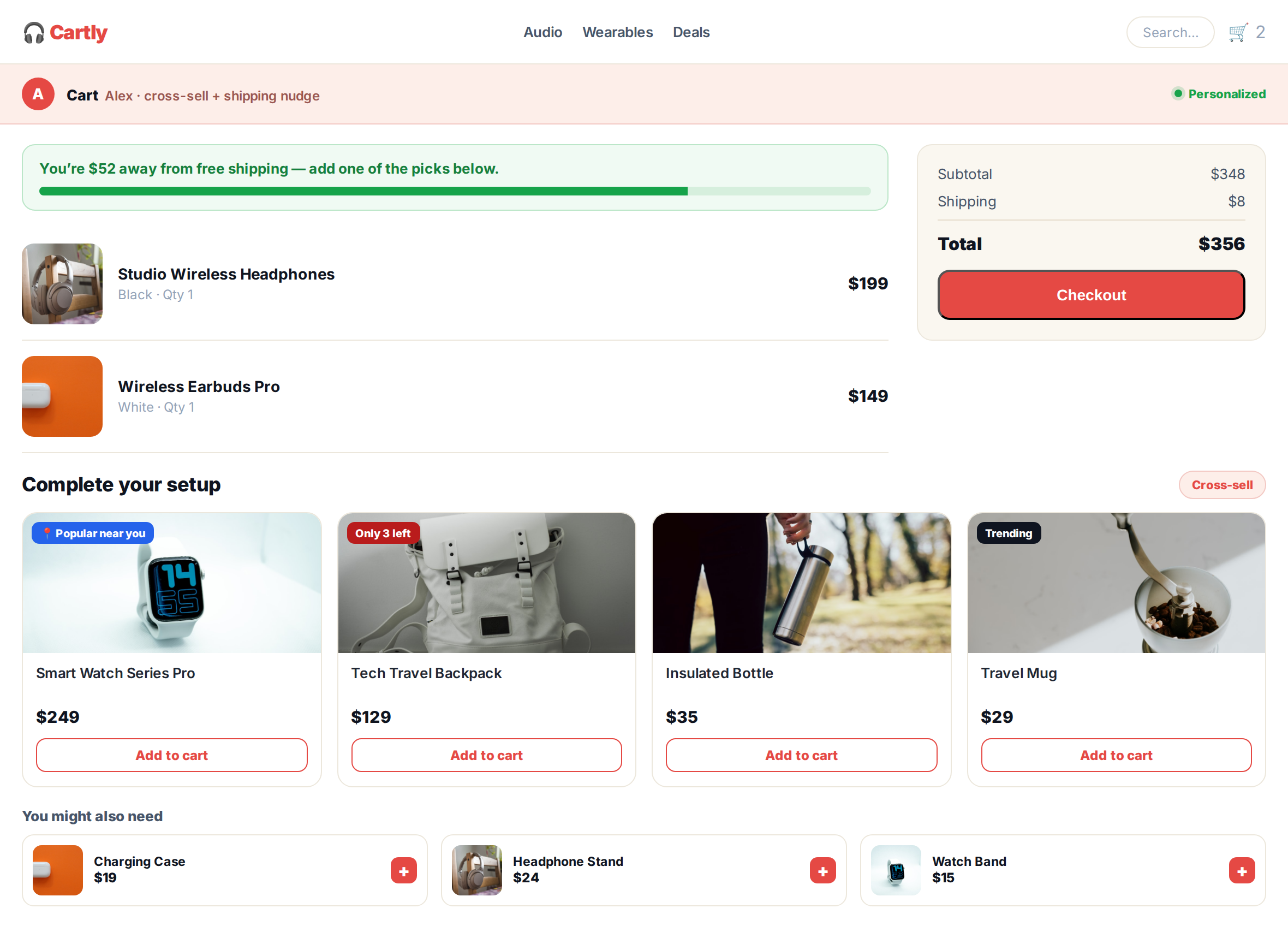
In the cart, a free-shipping nudge and a ‘complete your setup’ cross-sell add to the order before checkout:
Make recommendations hard to ignore: social-proof badges
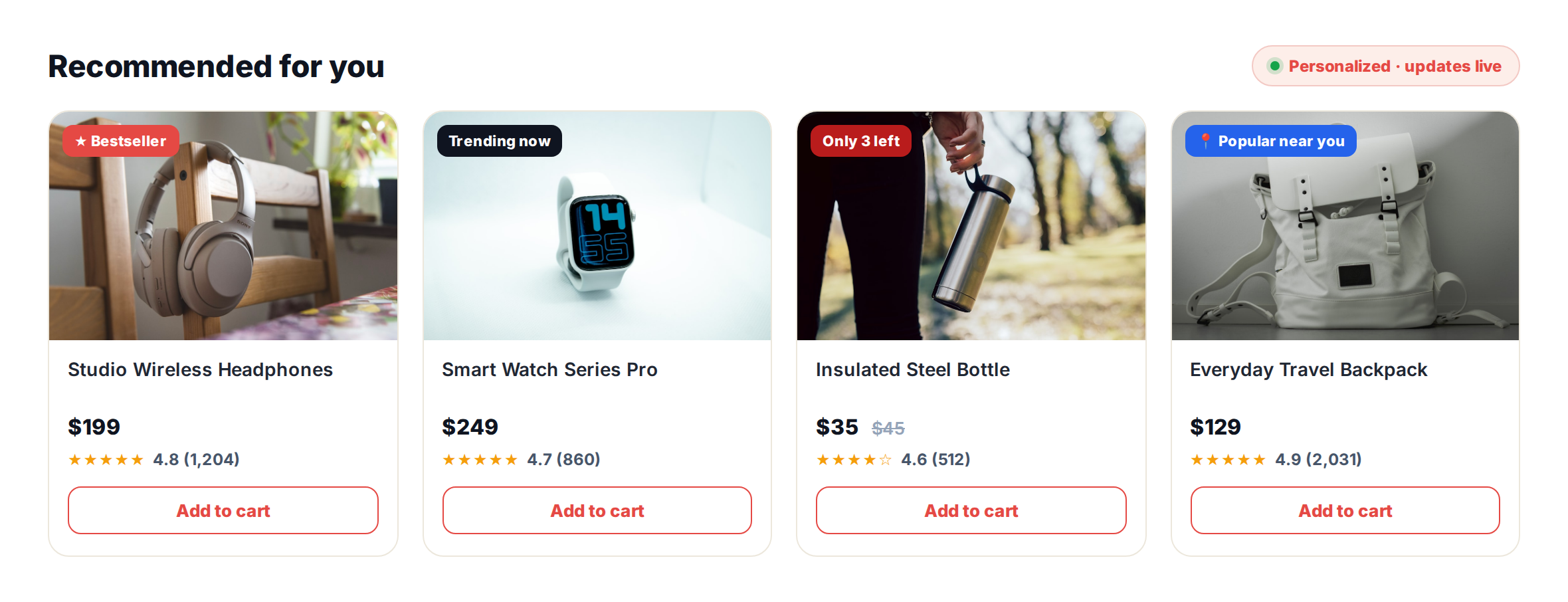
People look to others when they’re unsure. So give every card a reason to believe: a star rating, a “Bestseller” tag, a scarcity cue like “5 left in stock,” or a count of who bought it today.
In Personyze, these are recommendation badges and social-proof widgets driven by your own data — real ratings, real stock levels, real popularity — not hardcoded labels. And because the engine picks the products per visitor, the badges land on the items that visitor is most likely to want.
- Trust — star ratings and review counts from your own data.
- Demand — “Bestseller” and “Popular” for your top items, and “viewed today” or “bought today” counts.
- Scarcity — “5 left in stock,” tied to your stock levels.
- Value — a discount percent, and “NEW” for items added in the last two weeks.
One click, whole bundle: personalized quick add-to-cart
Asking a shopper to add three complementary items one at a time is three chances to drop off. The fix is a bought-together widget where they add the entire set in a single click. The bundle itself is personalized too, because the algorithm chooses the complements for this product, this cart, or this customer’s history.
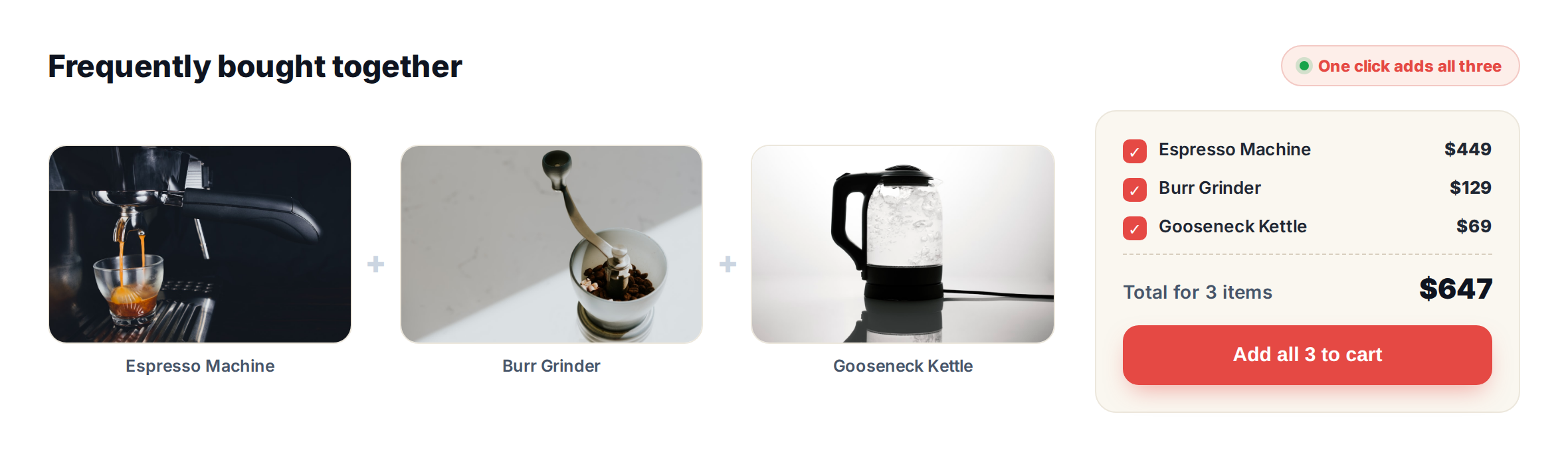
Personyze ships this ready-made in two looks: Buy Together, a bundle builder with a switch on each item, and Bought Together, the classic strip of photos joined by plus signs with a total price box. Browse the full template library or see more on the examples hub.
Win shoppers back: push notifications and email recs
Most visitors leave without buying. Personalized recommendations are how you bring the right ones back: not with a generic blast, but with the specific items they viewed, saved, or left in the cart.
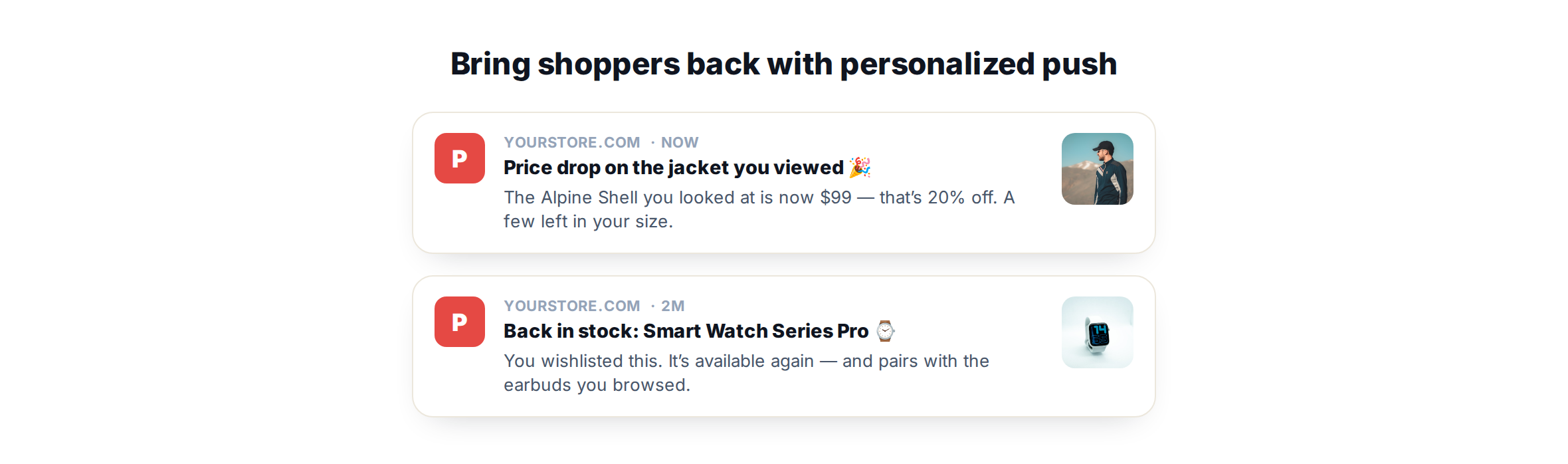
- Push notifications — price-drop, back-in-stock and abandoned-cart alerts pointed at the items that visitor engaged with.
- Email recommendations — open-time email recs that are chosen when the email is opened, so the picks are current rather than whatever was true when you hit send.
The point is consistency: the same profile powers recommendations on the site, in push and in email, so a shopper’s experience stays coherent wherever they meet your brand.
The engine behind every example
Every example above is the same three choices: a page (where it shows: home, product, cart, category, search, thank you), an algorithm (what logic picks the products) and a design (how it looks). You set a fallback for visitors you don’t know yet, and you can restrict the catalog by category, brand, price and more.
The list covers the patterns you’ll recognize from every store you shop on, and each one is explained, page by page, in every recommendation algorithm.
How Personyze builds every one of these
You can build them one at a time, with no developer, or have them built for you:
- Connect your catalog. Personyze reads your product feed, so every recommendation reflects your prices, stock and attributes.
- Let AI set it up, or do it yourself. The AI setup reads your products, chooses the widgets and draws each one on your own pages for you to check. Or pick the page, algorithm and design yourself.
- Or use one widget for every page. The Automatic choice decides what to show on each page by itself, and falls back by itself when a step has too little.
- Set a fallback. First-time visitors get a list that needs no history; known visitors get personal picks.
- Customize the widget. Layouts, badges and styling are yours to edit, to match your brand.
- Test and prove it. A/B test any widget and see what each one sells, so you know which recommendations earn their spot.
Product recommendation best practices
- Give every widget a fallback. A personal algorithm shows nothing to someone with no history. An empty slot helps nobody.
- Skip what no longer helps. Filter out what’s in the cart and what they already bought, and leave that filter off only for a repurchase reminder.
- Match the widget to the moment. Browsing widgets early, complements on the product page, small extras at checkout.
- Say why in the title. “Goes well with your kettle” tells a shopper more than “You may also like.”
- Test one placement before ten. Start where your traffic is, and compare against the page without it.
Put these recommendation examples to work
You don’t need to build all 14 at once. Start with one high-traffic placement, such as a bought-together block on your top product page or a “recommended for you” row on the homepage. Personalize it, badge it and measure it. Book a demo to see the recommendation engine on your own catalog, or explore plans and pricing.
Related reading
- Personyze product & content recommendations — the full feature overview.
- Every recommendation algorithm, page by page — what each one picks.
- Social proof and recommendation badges — how the trust signals work.
- Website popup templates — 16 ready-made designs, the same way.
- Website personalization examples — recommendation widgets in context.
Product recommendation examples: FAQ
What is a personalized product recommendation?
It’s a product suggestion chosen for a specific visitor using their behavior, country and history, rather than the same static list shown to everyone. The goal is relevance: showing items that visitor is more likely to want.
Which recommendation works best on each page?
A good starting point: on the homepage, Personalized Recommendations, Popular in the Visitor’s Country and Trending Now. On a category page, Best Sellers and Most Popular from that category. On a product page, Complete the look, Others Who Viewed Also Viewed and Similar Items. In the cart, Complete the look and Cross-Sells. Test them against each other on your own traffic.
Do recommendations work for first-time visitors with no data?
Yes. Most Popular, Best Sellers, Trending Now and Popular in the Visitor’s Country work on a visitor’s very first page view. Set one as the fallback, and the widget uses it whenever a personal algorithm has nothing to show yet.
Can a shopper add a whole bundle to the cart at once?
Yes. The Buy Together design shows the set with a switch on each item, a live total and a single button, so the visitor adds the whole selection in one click.
Can I show the same recommendations in push and email?
Yes. The same visitor profile powers recommendations on the site, in push notifications and in open-time emails, where the products are chosen when the email is opened.
Do I need a developer to set this up?
No. You connect your product feed, then either let the AI setup choose and place the widgets on your pages, or pick a page, an algorithm and a design yourself. Nothing reaches your visitors until you publish it.
Book a demo with a personalization expert
30 minutes with a personalization expert. Bring your stack, your goals, your skepticism. We'll show you what changes when every visit feels like the only one.