
Vibe Prospecting Is Shutting Down: What to Do Before December 2, and the Alternatives
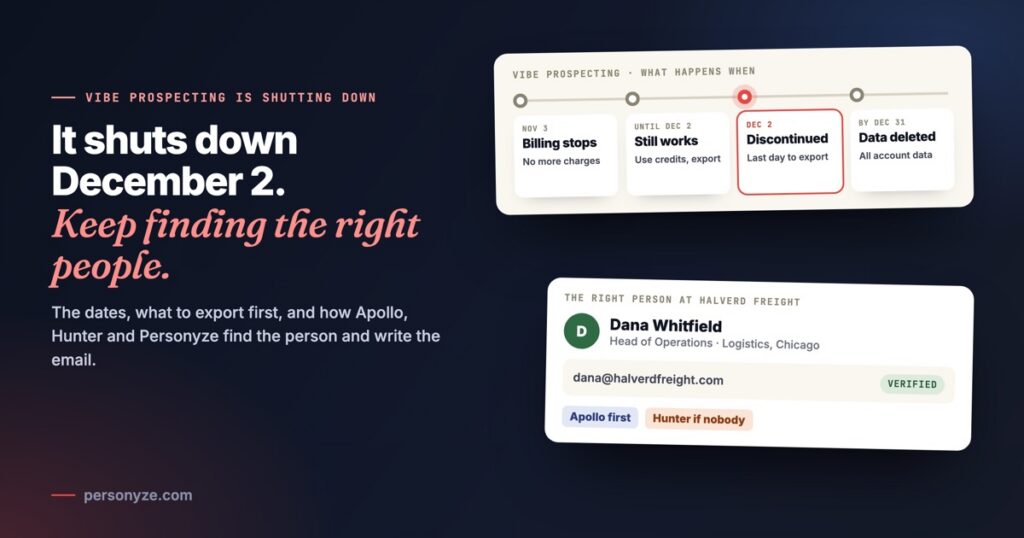
Vibe Prospecting is shutting down. Explorium is ceasing operations, and it told Vibe Prospecting users by email on November 3, 2026 that the product is discontinued. It stays fully available until Wednesday, December 2, 2026: export your lists and use your credits by then. Credits still unused on that day are refunded within 30 days, and all data is deleted no later than December 31.
If you used it to find prospects for your outreach, the two closest alternatives are Apollo, to find the people at a company by job title, and Hunter, to find and verify the addresses at a company’s domain. Below are the dates, a checklist for the next four weeks, how the two compare, and how Personyze uses either one to find the person and write the personalized email.
When does Vibe Prospecting shut down?
Vibe Prospecting was Explorium’s prospecting tool inside the chat: you described the companies or people you wanted in plain English, and it searched, enriched and exported them, in its own app, as a connector (MCP) in your AI assistant, or through its API. This is what Explorium’s email says happens to it:
- TuesdayNovember 3, 2026Automated billing stops
- No more automatic charges.
- Explorium tells its users by email.
- Until thenUp to December 2Everything still works
- Search, enrich and export as usual.
- Use the credits you have left.
- WednesdayDecember 2, 2026Vibe Prospecting is discontinued
- The last day for data exports.
- Credits still unused are refunded within 30 days, to the original payment method.
- No later thanDecember 31, 2026Your data is deleted
- All data and account information.
- Only limited billing records are kept, where the law requires them.
Explorium published the same terms for AgentSource, the API that Vibe Prospecting was also available through. If your systems call it, the same December 2 date applies to them.
What to do before December 2
Four weeks is enough, if you start with what cannot be recovered afterwards: your data.
- Export every list you still need. Your exported datasets are in the Hub, each with its status; Download is offered once a dataset is ready. Keep the lists you are still working, and the ones you already wrote to, so nobody is contacted twice.
- Export the enrichment too. Files you uploaded to the Hub and enriched there are data you paid for. Download the enriched version, not only the file you started from.
- Keep a record of your exclusion lists. The companies and people you chose to leave out should stay left out in whatever you use next.
- Use your credits, or let them refund. Credits still unused on December 2 come back within 30 days to the original payment method. Automated billing stopped on November 3.
- Write down what depended on it. Lists that fed your email sequences, the connector or plugin in your AI assistant, enrichment written into your CRM, scripts that call the API. Each needs a replacement by December 2.
- Claim a free month of Personyze. Vibe Prospecting customers get one month of Personyze free when they show a current or recent Vibe Prospecting invoice; claim it through our support team.
- Ask Explorium what this list does not answer: support@explorium.ai, from the email address of your Vibe Prospecting account.
Vibe Prospecting alternatives: Apollo and Hunter
No tool is a copy of a chat-first prospecting app. For the two jobs most outreach depends on, finding the right person at a company and getting an address that will not bounce, Apollo and Hunter each do one of them well.
Apollo: the right person, by job title
Apollo describes itself as one connected go-to-market platform: data, intelligence and execution. The part that replaces prospecting is people search: give it a company and the job titles you sell to, and it finds the people in those roles and reveals their work email, enriched with what Apollo knows about them.
In Personyze, you connect your own Apollo account with Connect with Apollo: you sign in to Apollo and click Authorize, with no key to create or paste. Personyze may only search people and reveal their work emails, and writes nothing to your Apollo account. Before connecting, it checks that your Apollo plan lets it search people. The Apollo guide has every detail.
Hunter: the address, found and checked
Hunter starts from a company’s web address. It finds the people with their own addresses at that domain, never a shared one such as info@, and says whether each address is valid. If you already know which companies you want, and need the person and an address that will be delivered, it is the shorter path.
In Personyze, Hunter connects with your Hunter API key: paste it into the Hunter card and click Connect, and Personyze checks it with Hunter before saving it. When the people at a company asked Hunter not to process their data, Hunter gives nobody there, and nobody there is written to. See the Hunter guide.
Apollo vs Hunter: which to pick
| Side by side | Vibe ProspectingUntil December 2 | ApolloAsked first | HunterThe fallback, or on its own |
|---|---|---|---|
| You start from | A sentence in a chat: who you are looking for | A company, and the job titles you sell to | A company’s web address |
| You get | Companies and the people at them, with enrichment such as firmographics, technographics, funding and contact details | The people in those roles, at the ranks that decide, and their work email | The people with their own addresses at that domain, never a shared one such as info@ |
| The email check | — | Personyze writes only to an address Apollo calls verified, at the company’s own domain | Personyze writes only to an address Hunter calls valid; any other goes to your rep |
| What it uses | Vibe Prospecting credits; unused ones are refunded after December 2 | One Apollo credit per person revealed; the search itself is free | One Hunter search per company looked up |
| In Personyze | — | Connect with Apollo: sign in to Apollo and click Authorize, with no key to paste | Paste your Hunter API key; Personyze checks it with Hunter before saving it |
- Pick Apollo if you search by role: the Head of Operations, the VP Ecommerce, whoever decides at a company you have not spoken to.
- Pick Hunter if you start from a list of company domains and need a verified address at each.
- Or connect both. Personyze asks Apollo first and Hunter only when Apollo has nobody at a company, so a company Apollo answers for uses none of your Hunter searches. Either one also works alone.
Both are your own accounts, with your own credits. What either answers about a company is kept for 30 days, so the same company is never paid for twice in that time.
Finding the person and writing the email, in one place
A prospecting tool gives you a list. What you do with it, the page each person sees and the email each person gets, happened somewhere else. In Personyze the two meet, and AI does the writing.
Company follow-up: the right person at a company that reads your site
The prospects most worth writing to are often the companies already reading your pricing page. When your company-identification tool, such as Albacross, Leadfeeder, Snitcher, ZoomInfo or Demandbase, names one, Company follow-up checks that it fits: its industry, size and country, and the pages it read. It finds the right person there with your Apollo account, or Hunter when Apollo has nobody, writes a page of three ideas for their own site, and has AI write one short email from that page. Your rep approves each email before it goes.
- From
- Jordan Ellis, Lanewise
- To
- Dana Whitfield
- Your rep approves each email, under Identified companies or on a phone, straight from the alert: Approve & send, Edit, Skip, or Copy to send it from their own mailbox. What your rep approves is what is sent, from your rep, in the recipient’s working hours.
- Your rep’s alert comes on Slack and by email, with the company, why it fits, the person, and a LinkedIn note of up to 300 characters to copy. LinkedIn is never automated.
- Demo mode first. Everything runs except the sending, until you start it.
- Limits: a company is noted once, however many of its people visit, and followed up again only after 30 days, at most 20 a day. Your own domains, your customers and your competitors are never followed up.
- Replies go to your rep, and into the panel’s Inbox. For each company you see what happened: sent, opened, opened their page, replied or bounced.
Our Company follow-up post walks through a whole example, and what each company sees on your site while it reads is on B2B personalization.
AI emails for the people you already exported
The lists you take out of Vibe Prospecting do not have to sit in a spreadsheet. Under Settings › Imported user data, an uploaded file puts them on a list, keyed on email, with columns such as first name, last name and industry filling their profile.
Hi Sam,
At a distribution company, every late load starts the same round of calls to dispatch. Lanewise gives each load one live tracking link your customers can open themselves.
Would a 20-minute walkthrough be useful? Jordan
Then an Automatic AI emails campaign writes to each person as they join that list: their own email, from your instructions, a few emails you wrote yourself as examples, and what is known about them and their company. It is told never to invent a price, a date or a promise. Up to five follow-ups can come after it, and the sequence ends when the person replies.
- Publish first, then upload. Only people who join a list after the campaign is published are written to.
- Big imports wait for you. When more than 100 people join at once, nobody is written to until you press Email them or Skip them.
- Review first is the default. Each draft waits on Activity for your OK, until you choose Send by itself.
- Caps you set: 5 to 60 emails an hour and 20 to 300 a day for the campaign.
For the conversations that follow a demo or a call, Personal emails writes one email to one person from your note, and you send it. When their address is at a company’s own domain, the AI also reads what Personyze found on that company’s site. Both are part of email personalization; as with any outreach, write only to people you may email.
The short version
Export everything by Wednesday, December 2, and let the unused credits refund. Then use Apollo or Hunter for finding the people, and Personyze for what they see on your site and what they are emailed: Company follow-up for the companies reading your site, and AI emails for the lists you already have.
Questions people ask
Is Vibe Prospecting shutting down?
Yes. Explorium is ceasing operations, and it told Vibe Prospecting users by email on November 3, 2026 that the product is discontinued. It stays fully available until Wednesday, December 2, 2026.
Will I get a refund for unused Vibe Prospecting credits?
Yes. Credits still unused on December 2, 2026 are refunded within 30 days to the original payment method, Explorium says. Automated billing stopped on November 3, 2026.
How do I export my data from Vibe Prospecting?
Your exported datasets are in the Hub, where Download is offered once a dataset is ready. Data exports are available until December 2, 2026 only, and all data and account information is deleted no later than December 31, 2026.
What is the best Vibe Prospecting alternative?
It depends on how you used it. Apollo finds the people at a company by job title and reveals their work email. Hunter finds and verifies the addresses at a company’s domain. Personyze can use both: Apollo first, and Hunter when Apollo has nobody.
Can I use Apollo with Personyze?
Yes. In Integrations, click Connect with Apollo, sign in to Apollo and click Authorize; there is no key to paste. Company follow-up then uses your own Apollo account and credits to find the right person at a company that reads your site. AI writes them a page and a short email, and your rep approves each email before it goes.
Can Personyze write personalized emails to the list I exported?
Yes. Upload the CSV into a list under Settings, Imported user data, and an Automatic AI emails campaign writes each person who joins that list their own email. Publish the campaign before you upload: only people who join after it is published are written to.
Who do I contact at Explorium with questions?
Explorium asks you to write to support@explorium.ai, with the email address of your Vibe Prospecting account.
Book a demo with a personalization expert
30 minutes with a personalization expert. Bring your stack, your goals, your skepticism. We'll show you what changes when every visit feels like the only one.