
LinkedIn Ads and Personalization: What the Click Can Actually Carry
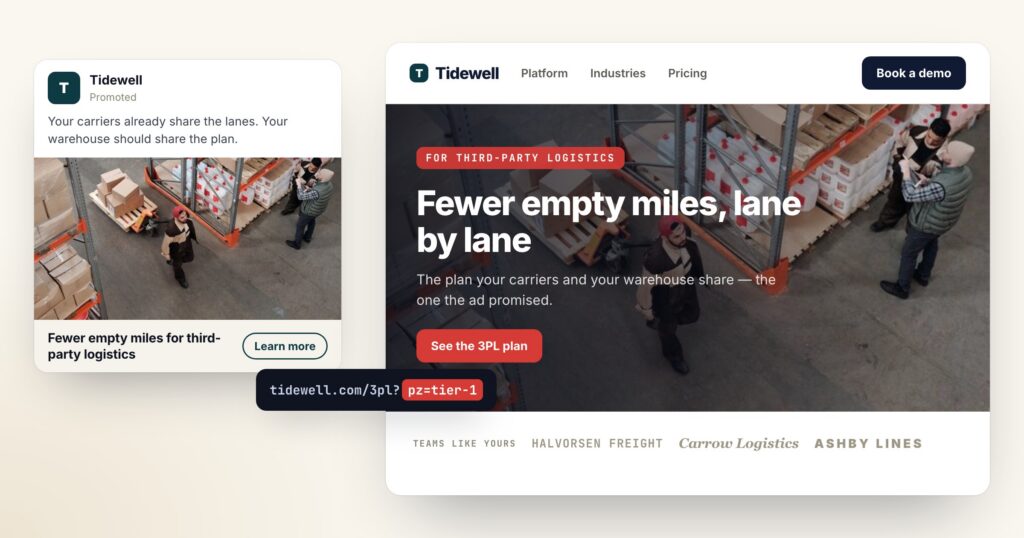
Two questions come up every time a B2B team asks whether LinkedIn is worth it for personalized campaigns. The strategic one — should we advertise there at all — and the mechanical one, which everybody asks first: can the ad pass the visitor’s company name into the landing page URL, so the page can greet them by it? The second question has a short answer. No. There is no macro for it, and there never has been. What follows is what LinkedIn does hand you, what to do instead, and the numbers to decide whether the channel earns its place.
What a LinkedIn click actually carries
LinkedIn supports dynamic URL parameters in Campaign Manager, and they are real — they just describe your campaign, not the person clicking it. You can append the ad account, the campaign, the ad set and the ad, by id or by name, at the account and campaign level.
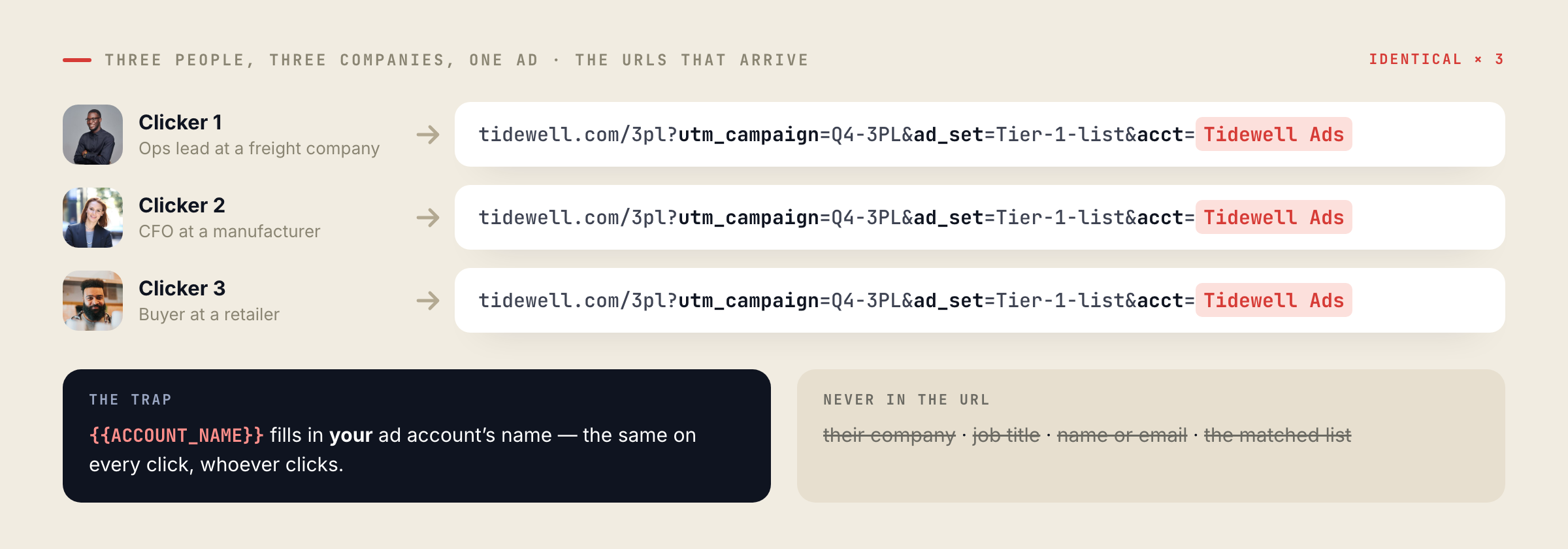
{{ACCOUNT_ID}}/{{ACCOUNT_NAME}}— your ad account, not the viewer’s employer{{CAMPAIGN_ID}}/{{CAMPAIGN_NAME}}{{AD_SET_ID}}/{{AD_SET_NAME}}{{AD_ID}}/{{AD_NAME}}- Any static parameter you type yourself
- Their company
- Their job title or seniority
- Their name or email
- The matched-audience list they came from
- Which of your target accounts they work for
LinkedIn renamed these parameters in October 2025: the old CAMPAIGN_GROUP_* became
CAMPAIGN_*, CAMPAIGN_* became AD_SET_*, and CREATIVE_* became
AD_*. Existing ad sets were migrated; anything you build now uses the current names.
The trap is {{ACCOUNT_NAME}}. It reads like the visitor’s account; it is the name of your LinkedIn ad account, identical on every click. There is no member-level macro for the URL at all — no company, no title, no industry, no name.
Macros for the member do exist, but they live in the creative: %FIRSTNAME% in a message ad, profile fields in a Dynamic Ad, prefilled fields in a Lead Gen Form. They personalize what the member reads inside LinkedIn, and none of them survive the click. Anything your page is going to know, it has to work out for itself.
So name the segment in the link yourself
The workaround is older than LinkedIn ads and it still beats every clever alternative: stop trying to identify the person, and identify the list you targeted. You already know who is in each ad set — you built it. One ad set per list, a parameter on that ad set’s link, and the page reads the parameter.
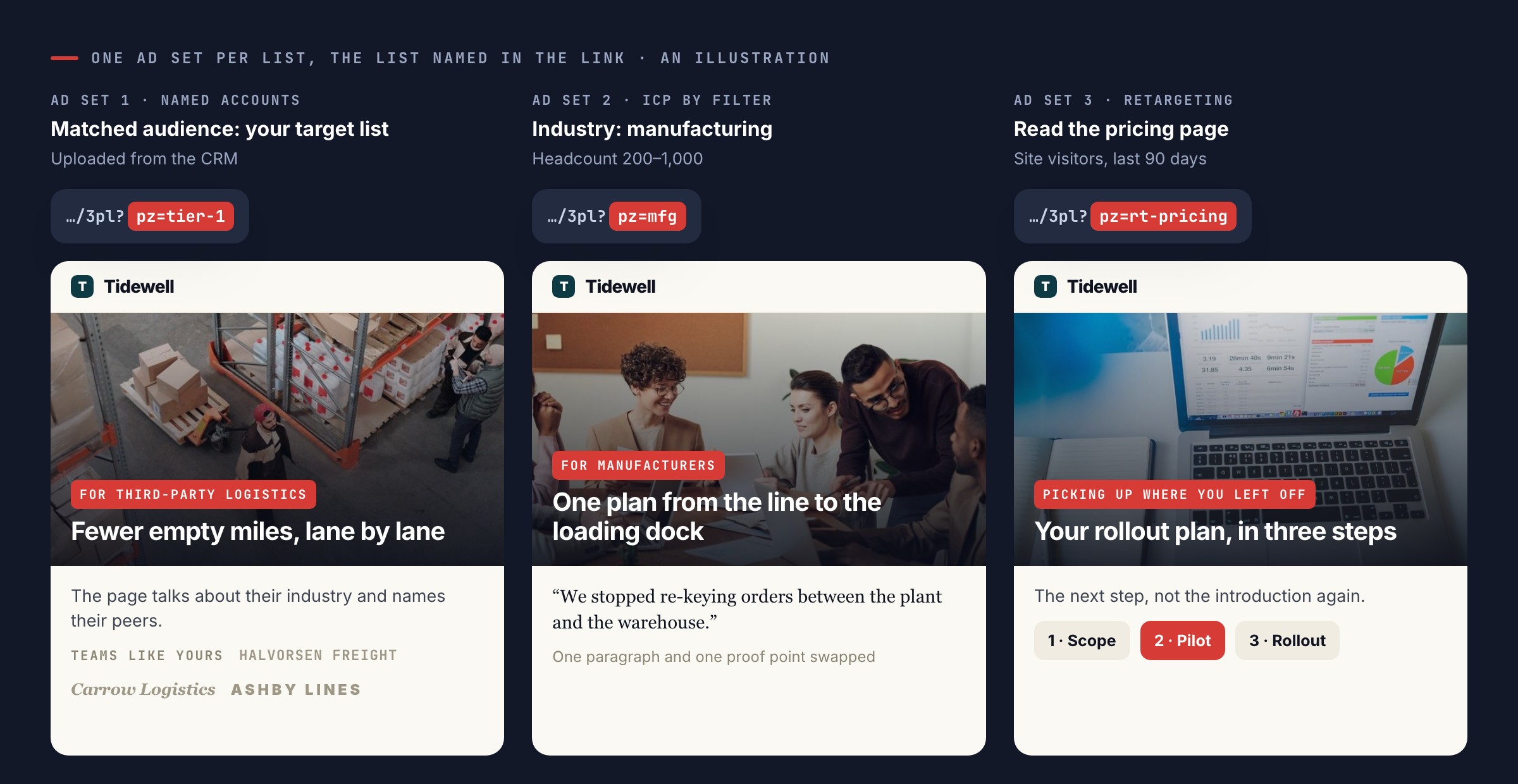
- Named accounts — a matched audience uploaded from your target list, tagged
?pz=tier-1, landing on a page that talks about their industry and names their peers. - ICP by filter — industry and headcount, tagged with the industry, landing on the same page with one paragraph and one proof point swapped.
- Retargeting — people who already read a specific page, tagged with what they read, landing on the next step rather than the introduction.
- One account, one ad set — worth it for a handful of accounts, and only those: it is the one way a LinkedIn click can arrive knowing exactly which company is on the other end.
In Personyze that parameter is the same mechanism account-based campaigns already use: upload the list or set a feed, put ?pz=<id> on the links you send, and the record is matched on arrival — no login, no form, before the page paints. The click can come from an ad, an email, a sales message or a QR code on a conference flyer; the page behaves the same way.
Then the landing page has to be worth the click. One page per tier, built and tested at the same address, is a twenty-minute job rather than a sprint ticket — and it can be split into an A/B test so you find out whether the personalized version actually beat the generic one.
For the traffic you never tagged
Tagged links only cover the people who clicked your link. The rest — organic search, a colleague forwarding the page, the second visit two weeks later with no parameter — needs a different answer, and that is reverse IP.
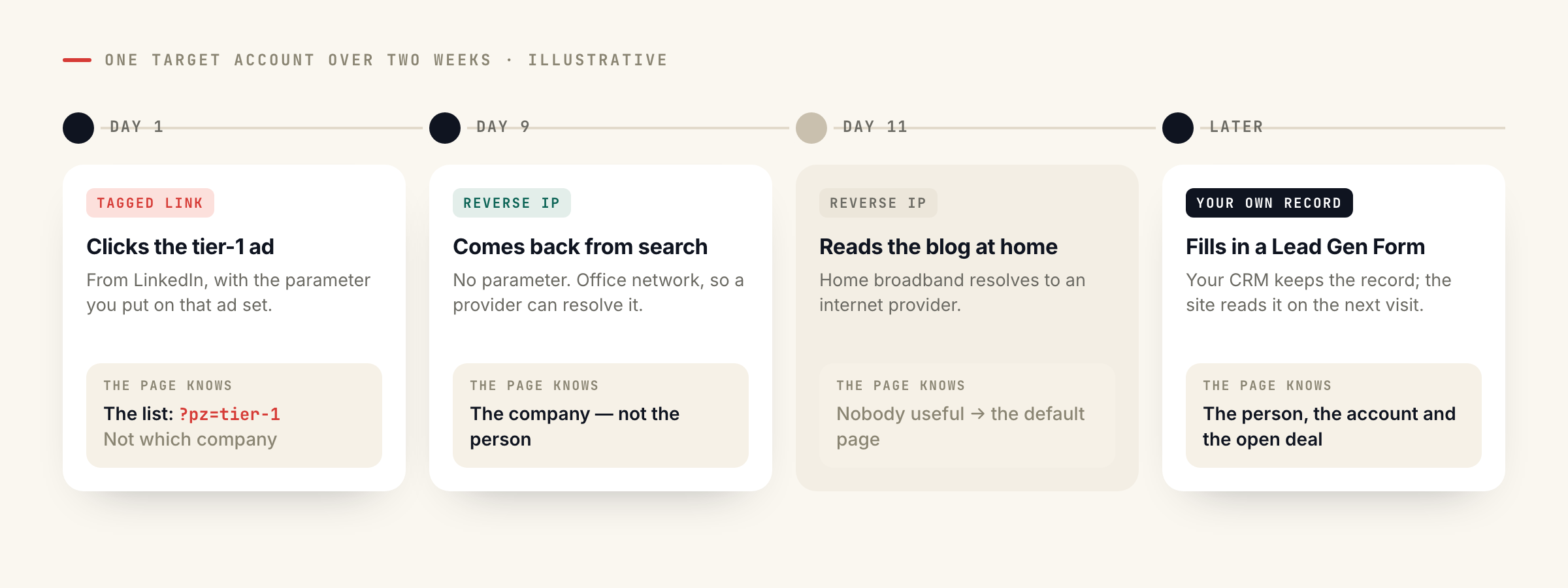
?pz=8f42c1, or your own
parameter. The page knows the segment before it paints.
Covers: everyone who clicks that ad. Costs: nothing. Limit: the segment, not the individual account — unless you run an ad set per account.
Covers: the companies that provider recognises, on office networks. Costs: their subscription. Limit: no person, and home or mobile connections resolve to nobody useful.
Covers: people who filled something in. Costs: nothing extra. Limit: it starts on the second visit, not the first click.
Be honest with yourself about what it returns. A provider resolves the companies it recognises, on connections that belong to an office. Home broadband and mobile resolve to an ISP, and no vendor fixes that. It gives you a company, not a person. And since HubSpot retired standalone Clearbit, the practical list is Albacross, ZoomInfo, Leadfeeder, 6sense and Leadinfo — most of them through a vendor key. Leadinfo is the exception in Personyze: it is read from the script already on your page, in the browser, so there is nothing to configure beyond the switch, and the default fields are the company name and city.
Used well, the two stack. The tagged click tells you which list somebody came from; reverse IP tells you which company came back on Thursday without clicking anything, which is the visit your sales team actually wants to hear about.
The people you already know
The strongest personalization on a LinkedIn click usually has nothing to do with LinkedIn. It is the record you already hold. A Lead Gen Form is the cheapest way to get one: LinkedIn prefills the fields from the member’s profile, so the form is two taps instead of eight, and you receive the name, the email, the company and the title without anyone typing them. That is also why in-platform forms tend to cost meaningfully less per lead than a landing page form.
From that point the site does the work: CRM targeting reads the account, the tier and the open opportunity, and the page changes for the person rather than for the segment — the case study their industry cares about, the plan they are already evaluating, the sales owner’s name on the booking link.
Is LinkedIn worth it at all?
For one job, unquestionably: reaching a list of companies you have already chosen. Nowhere else can you upload 300 target accounts, filter to the four job titles that matter inside them, and be reasonably sure the impression landed on the right desk. For the opposite job — cheap volume at the top of the funnel — it is the most expensive click in B2B, and the gap is not close.
| What you pay for | B2B SaaS range, 2026 | What moves it |
|---|---|---|
| Click | $8–15 | Seniority and industry filters; tight ICP targeting lands nearer $5–8 |
| Lead, in-platform form | $75–150 | Prefilled fields convert about twice as well as a landing page form |
| Lead, landing page | $100–250 | The page, the offer, and whether it matches the ad |
| Sales-accepted opportunity | $300–600 | The only number worth optimizing; lead cost alone hides the junk |
Ranges from 2026 B2B SaaS benchmark sets, not from Personyze accounts. Treat them as the price of entry: if your average deal cannot carry a $400 opportunity, the channel is the wrong one before you tune anything.
Two consequences follow from that table. The first is that retargeting and account lists come before cold prospecting, always: the same budget buys perhaps five times the clicks from people who already know your name. The second is that a $12 click cannot land on a generic homepage. At that price the landing page has to be the personalized one, or you are paying a premium for the audience and then throwing the advantage away at the door.
A six-week test with a stop rule
If you have not run LinkedIn before, run it as an experiment with a defined end, not as a channel you now own. The shape below is what we would do with a small budget, and the stop rule matters more than the creative.
- Weeks 1–2 — retargeting only. Site visitors from the last 90 days, one offer, one page. This is the cheapest audience you will ever buy on LinkedIn, and it tells you whether the offer works at all.
- Weeks 3–4 — your account list. Upload the target accounts as a matched audience, one ad set per tier, each tier tagged in the link and landing on its own version of the page.
- Weeks 5–6 — one cold ICP filter. Industry plus headcount plus seniority, nothing clever. This is the expensive one, and it exists to prove whether cold is worth continuing.
Budget: roughly $2,000–3,000 across the six weeks — below that you are measuring noise. Stop rule, written before you start: if week six ends with no sales-accepted opportunity and a cost per lead above your own ceiling, you stop and put the budget into retargeting, where it was working.
Measure it the way you measure anything else: one conversion goal that means something commercially, attribution that survives the gap between the click and the deal, and per-audience reporting so a tier that works is not averaged away by two that do not. If you already run A/B tests on the landing page, keep them running during the test — the ad and the page are one funnel, and you want to know which half moved.
What to set up before you spend anything
- The LinkedIn Insight Tag and your own tracking on every landing page, checked on a real click, not in a preview.
- A parameter scheme you write down once — one value per ad set, readable six months later.
- One landing page per tier, or one page that reads the parameter and swaps its headline, proof and CTA.
- A record source for the people who convert: the form, the CRM, or both, joined to the same account.
- An alert for the visits that matter, so a named account browsing pricing reaches a human while it is still happening.
- A stop rule and a number, agreed before the first ad goes live.
None of that is LinkedIn-specific, which is rather the point. The channel buys you attention from a list you chose; what happens in the four seconds after the click is your own site’s job. See how account-based campaigns work in Personyze, or book a demo and bring your target list.
Book a demo with a personalization expert
30 minutes with a personalization expert. Bring your stack, your goals, your skepticism. We'll show you what changes when every visit feels like the only one.