
AI Shopping Assistant: What It Does on Your Store, and How to Set One Up
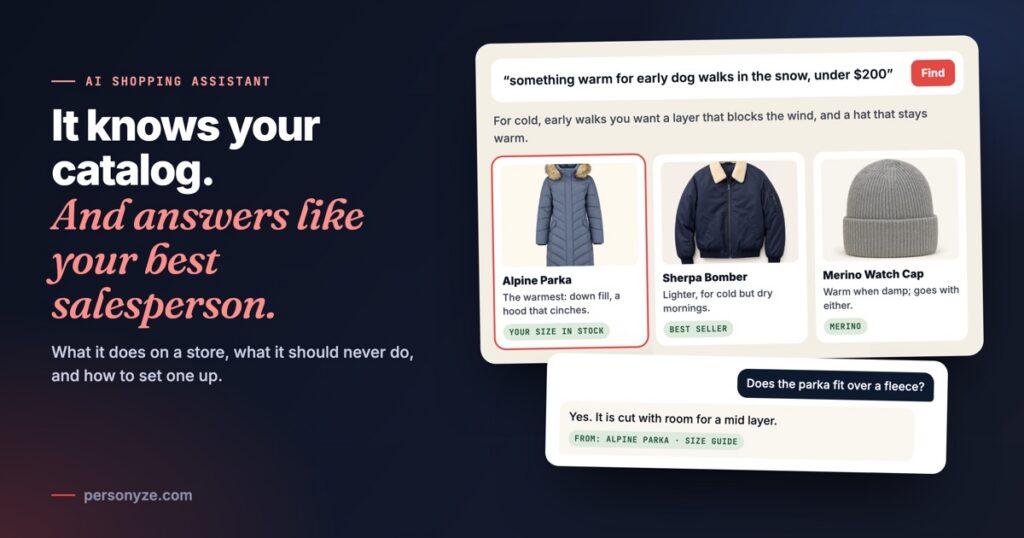
An AI shopping assistant is the help a good salesperson gives, on your own store and at any hour: it answers questions about your products from your catalog, helps a shopper choose from one sentence about what they need, understands a search typed the way people talk, and knows when to hand over to a person. Done well, it never invents a price, a product or a promise.
Below is what each of those jobs looks like on a store, what a shopping assistant should never do, and how to set one up with Personyze: the AI chat for questions and the AI product finder for choosing, both drafted by AI from your own site and catalog, and tried before a single shopper sees them.
What does an AI shopping assistant do?
Four jobs, which a shopper meets in different places on your store:
- It answers questions about your products, delivery and returns, in a chat window, from your own pages and catalog.
- It helps them choose. A shopper describes the need in a sentence and gets a few picks, each with the reason it fits.
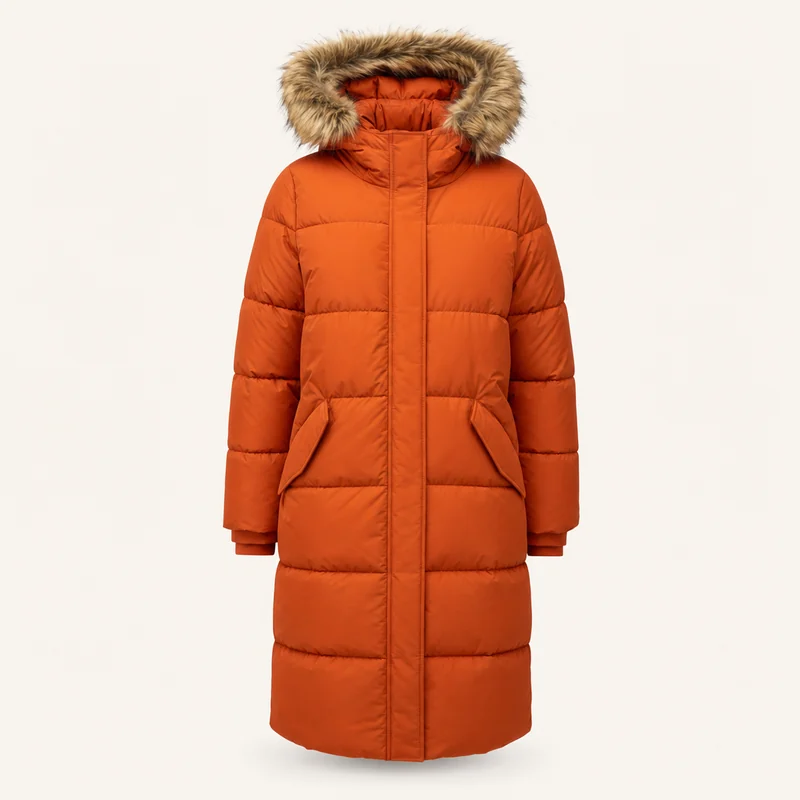
- It searches the way people ask. A search box that understands “a warm parka for a winter city break”, answers in a sentence, then lists the products.
- It shows what fits before anyone asks: recommendations on every page, and the products that match what a shopper searched for last.
It is not the shopper’s own AI agent, comparing stores and buying on their behalf. That is agentic commerce, and it changes what your catalog has to expose. A shopping assistant works for your store, on your store.
It answers questions about your products
Most questions a shopper asks have an answer somewhere on your site: the size guide, the delivery page, the returns policy, the product page itself. The Personyze AI chat reads those pages and answers from them, and from your catalog, in the shopper’s own language. Each answer can show the page it came from.
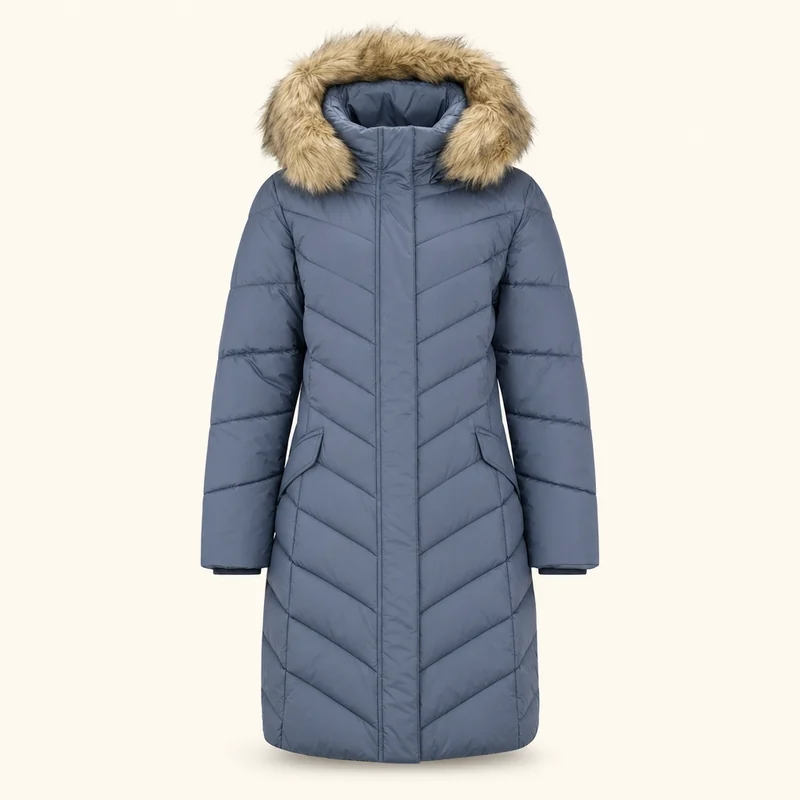 Alpine Parka, Slate$189
WELCOME-7Q2MYour offer, as you wrote it
- From your pages and catalog only. It searches your products in the catalog’s own language and gives prices exactly as your feed writes them.
- Product cards in its answers carry Add to cart, which runs your store’s own add-to-cart once it is set up.
- Offers only you wrote. Each offer is a line you wrote for one audience, with a coupon code for each shopper. With no offer for them, it does not mention a discount at all.
- Order questions on Shopify. Given the order number and the email together, it finds that one order and tells its status, carrier and tracking link.
- A person when it should. A question it cannot answer, words you list or a shopper who asks: the conversation goes to your team’s inbox, and the reply lands in the chat window the shopper already has open.
It helps them choose: an AI product finder
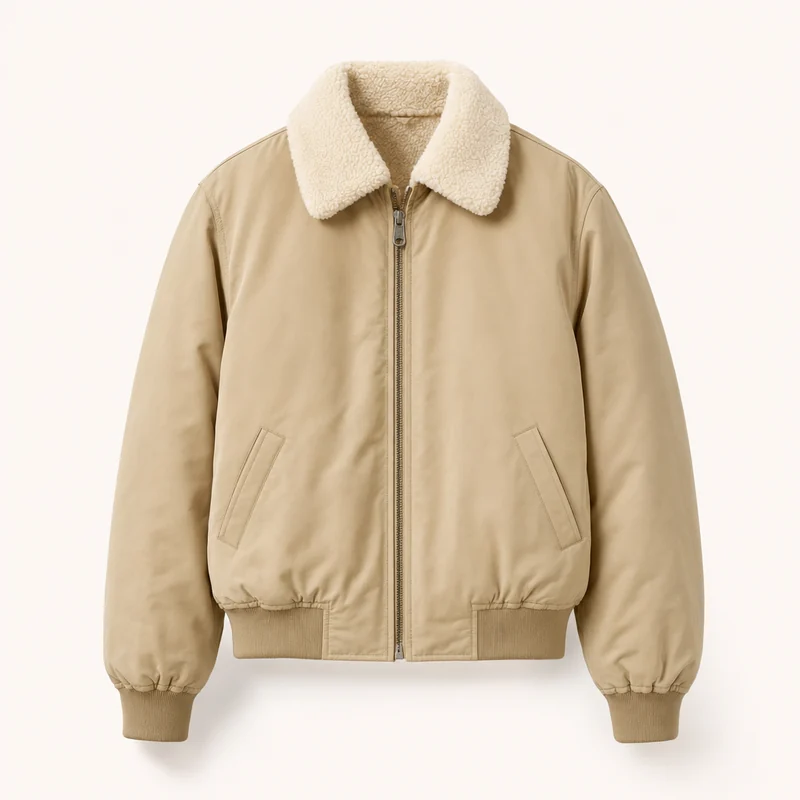
A shopper often knows the situation, not the product: a trip, a gift, a cold morning. The AI product finder is a bar on the page where they say it in their own words. They get a short summary, up to four picks from your catalog, each with the reason it fits, and a few more worth a look.
For cold, early walks you want a layer that blocks the wind, and a hat that stays warm. All three are under $200; the parka is the warmest.

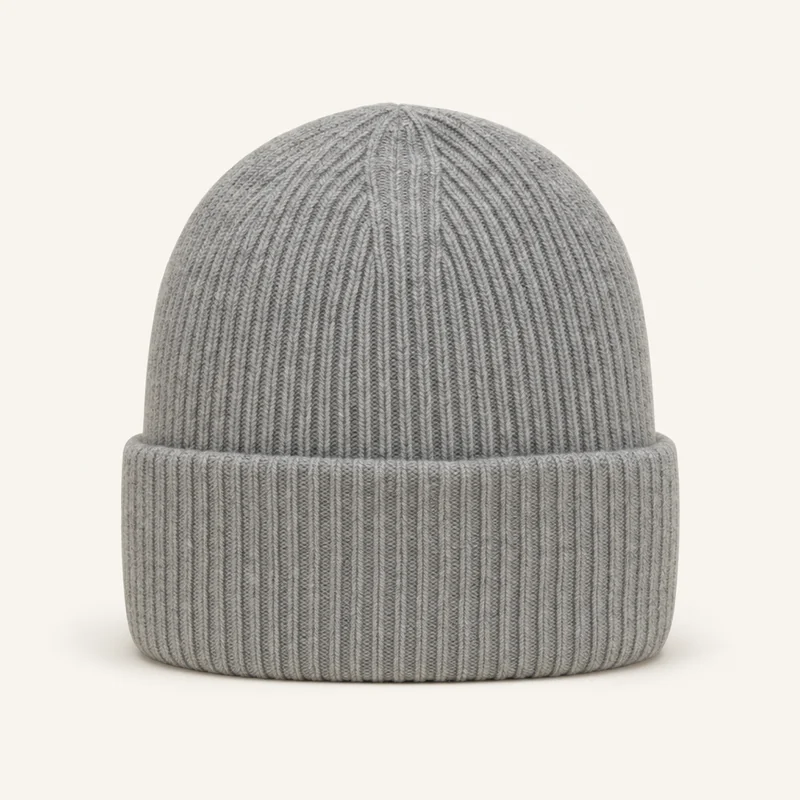
Under the picks, “Ask about your picks” answers the next question without starting over: which one is warmer, does it come in navy. Each pick has Add to cart. Where you allow it, the right coupon can appear with the picks, or a calendar for the shopper who wants to talk to someone. And on a product page the same finder can answer questions about that one product.
The picks are ranked by your recommendation engine, from everything the shopper viewed, carted and bought, so two people asking the same question can see a different order. If your choices are few and clear, a quiz with fixed questions can be quicker than typing; AI product finder vs. product recommendation quiz compares the two, and when each one wins.
It searches the way shoppers ask
Keyword search matches words, and returns the same page to everybody. The same assistant can sit in your page as a search box that answers: a shopper types a sentence and gets a short answer, then the products themselves, ranked for them by the same engine behind your recommendations. Set it to only list what it found, and it is a search box that understands a sentence, with no answer written above the rows.
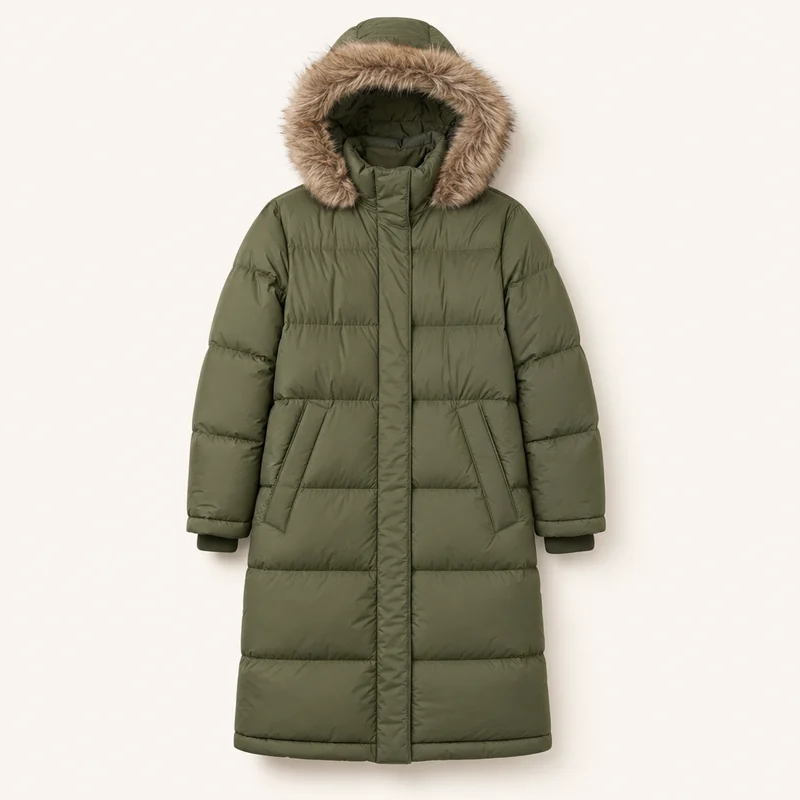
 Alpine Parka, Moss$189
 Alpine Parka, Ember$189Alpine Parka, Slate$189
A search is also the clearest thing a shopper ever tells you. Personyze keeps each visitor’s last search on their profile, from your site’s search box or search page, or from the search ad that brought them. A recommendation widget set to Matches Their Search shows the products that match it, on any page; a campaign can target everyone who searched for a phrase in the last few days; and on a store that tracks purchases, it is still there on their next visit.
It shows what fits before they ask
Most shoppers never type anything. For them, product recommendations pick for the page they are on: on a product page, where shoppers go next; in the cart, what goes with it; on a first visit, what is popular where they are. Match the visitor puts what fits this shopper first, such as their brand and size from their own history and a price like the ones they pay. Because the finder ranks its picks with the same engine, the assistant and your widgets agree on what each shopper is likely to want.
What it should never do
A shopping assistant is only as good as the trust it keeps. These are the rules Personyze holds it to:
- Never invent a product, a price or a discount. The AI writes the summary and the reasons; every card is drawn from a catalog row, and a discount comes only from an offer you wrote.
- Never recommend what you cannot sell. A sold-out item is never a pick, and “Only recommend” rules hold the finder to what you choose, with a list of what it must never say.
- Never say back what it knows. What a shopper viewed and bought shapes the picks; it is not repeated to them.
- Never trap a shopper with a bot. Words such as “refund” can skip the assistant entirely and go straight to your team.
- Never change an order. It can tell where one is; changing or refunding it goes to a person.
- Never go live by itself. Everything starts on staging, seen only on your own testing devices.
What it could not answer is listed for you, the most asked first, each with an Answer it button, so the assistant learns from the questions your shoppers actually ask.
How to set one up on your store
Both parts are set up with AI. You check what it drafted, try it, and publish.
- Put Personyze on your store. On Shopify, install the Personyze Shopify app, or contact your account manager. On WordPress and WooCommerce, the plugin adds it; on any other store, one snippet in your pages’ head.
- Bring your catalog. A connected store, a feed, a file, SFTP, or Personyze reading the products off your site. Product events (viewed, added to cart, bought) let the picks follow each shopper and let Add to cart work.
- Set up the chat. On the AI Search & Chat card, press Set it up with AI. It reads your site: for a store it ticks the pages shoppers ask about (help, delivery, returns, contact, your categories and products), drafts the greeting, starter questions, instructions and what it must never say, and draws the chat bubble on a picture of your own home page. Then you ask it five test questions and see each answer with its source.
- Set up the finder. On the AI Product Finder card, press Set it up with AI. It reads your products in stock, writes the finder’s title, its invitation and up to four examples to tap, draws it on your home page for a computer and a phone, and tries each example.
- Publish to staging, then to live. Staging shows it on your own testing devices only. Nothing reaches a shopper until you publish to live.
Watch it set up, in the panel
Three short films: the chat, the product finder, and a shopper’s last search put to work.
Read the transcript
AI Search and Chat lets visitors ask in their own words, and answers from your own pages. On a software site: does it work with our tools? On a news site: that story about night trains.
On a university site: how do I apply? One assistant answers each. Here is how to set it up.
This is the setup. It reads your site, drafts how the assistant talks, shows where visitors ask, and you try it before you publish. Press Start the setup.
It makes a draft, which reaches no one. Now choose. Set it up for me, and the AI agent finds the right pages and fills in every setting.
Or check each step yourself. It opens the last step, with everything it decided for you. Step one, what it knows.
It answers only from pages it has read. It ticked the ones visitors ask about. Tick any others, and press Read.
Anything still missing is listed: write the answer yourself. Step two, how it talks. A greeting, starter questions and instructions, drafted from your site.
Change any word, and the chat beside it follows. Below, its name and colour, and what it does for visitors: search your articles, offer a meeting, pass them to your team. Step three, where it shows.
The bubble is drawn on your own home page, on a computer and a phone. Choose its corner, its pages, and how it opens. Step four, try it.
Press Ask, and your real chat answers what a visitor would ask, from your own pages, with its sources. And when a visitor asks for a person, it passes them to your team. Publish to staging, and only you and your testers see it.
Nothing reaches your visitors until you publish to live. AI Search and Chat. Set yours up.
Read the transcript
The AI Product Finder is a bar where shoppers say what they need, and get the best products from your catalog, with a reason for each. In a store, the right headphones. At an industrial supplier, the right kit.
On a travel site, the place to stay. Here is how to set it up. This is the setup.
It reads your catalog, writes the finder’s words, draws it on your own page, and you try it before you publish. The AI agent can set it up for you: press Set it up for me. Or go through each step yourself.
Below, what it picks from: your products in stock, with their categories and brands. Here, we let the agent do the work. In a moment, the words are written, the finder is drawn, and each example is tried.
These are real products from your catalog. Open any step to change it. Step two: the finder’s words.
Change the title, and the picture of your page follows. Then the examples a shopper can tap. Replace one with a question in your own words: the try will search it.
Step three: how it looks, and where it sits, drawn on your own home page for a computer and a phone. Light or dark. A bar at the foot of the page, a small button, or a spot you choose.
Last step: review, and try it. Press Try these examples, and see what each one finds. Your own question finds the cameras.
Then choose where it shows: on every page, or only on some. Publish to staging, and only your own testing devices see it. Nothing reaches your visitors until you publish to live.
AI Product Finder. Set yours up.
Read the transcript
When a visitor searches your site, Personyze remembers it, and your campaigns can use it. See what they searched for. Target by it.
And recommend what matches it. It is read from your site’s search box or search page, and kept on the visitor’s profile. In Live traffic, the Last search column shows each visitor’s latest one.
On a campaign’s Target step, press Add audience rule, and search for it: Last search. Choose how it matches, and type a phrase. Contains jacket also matches winter jacket.
Then say where they searched, and how recently. Press Done, and the Audience story reads it back in plain words. In a product recommendation, All algorithms has Matches Their Search.
It picks the products in your catalog that match the visitor’s last search. On the right, it says who gets what. Anyone who has not searched yet gets your most popular items instead.
Last search. Show them what they asked for.
The short version
An AI shopping assistant answers, helps shoppers choose, searches the way they ask and shows what fits, and every word it says about a product comes from your own catalog and pages. With Personyze, the AI drafts the chat and the product finder from your site, you try both on staging, and you decide when shoppers see them.
Questions people ask
What is an AI shopping assistant?
An assistant on your store that helps a shopper the way a good salesperson would: it answers questions about your products from your own catalog and pages, helps them choose from one sentence about what they need, understands a search typed as a sentence, and hands them to a person when it should.
Is an AI shopping assistant the same as a chatbot?
A chat window is one way to meet it. In Personyze the same assistant, with the same knowledge and rules, can also be a product finder that answers with picks and their reasons, or a search box that answers and then lists the products.
Can it make up prices, stock or discounts?
No. It states a price or a stock level only as your catalog returned it, prices exactly as your feed writes them, and it may mention a discount only from the offers you wrote for that shopper’s audience. A product card is drawn from your catalog, so it cannot show an invented product, price or link.
Does it use what the shopper viewed and bought?
Yes, in the product finder and the search box: their words decide what fits, and what they viewed, carted and bought decides the order. It is never said back to them. What the chat may know about a visitor is switched on one switch at a time, and every switch starts off.
Does it work on Shopify?
Yes. Install the Personyze Shopify app, or contact your account manager. On a Shopify store the chat can also look up one order, given the order number and the email together, and tell its status and tracking link. It never changes or refunds an order: that goes to a person.
Does it go live by itself?
No. The AI setup drafts everything, and you publish it to staging first, where only your own testing devices see it. Publishing to live is always your own press.
Which languages does it speak?
It answers, and writes the reason on every pick, in the shopper’s language, and searches your catalog in the catalog’s own.
Book a demo with a personalization expert
30 minutes with a personalization expert. Bring your stack, your goals, your skepticism. We'll show you what changes when every visit feels like the only one.