
Dynamic Landing Pages for PPC
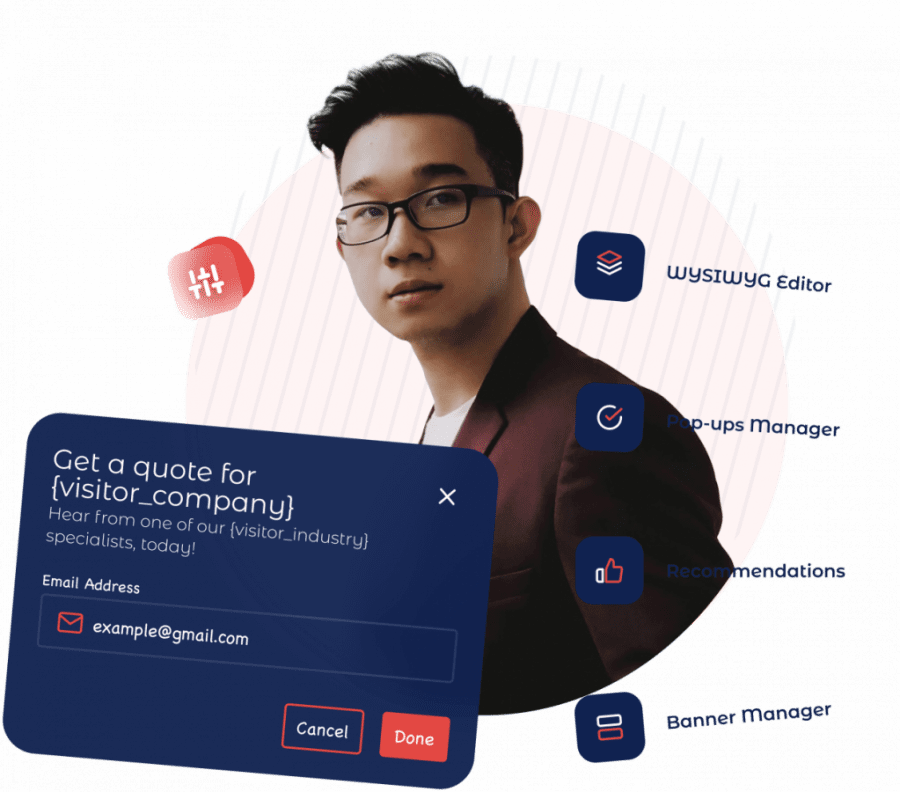
How to turn one page into a dynamic, personalized landing experience for visitors from Google Ads, LinkedIn, and other paid sources — without cloning a page for every campaign.
Prove ROI on every account — one page, personalized per client campaign.
See agency results →
Greet each shopper with the category they clicked. Lift AOV per segment.
Boost store conversions →
Recognize the company before the form and match the headline to their industry.
Personalize for ABM →
Same page, same ad spend — the headline, audience, and CTA adapt to who clicked.
See it live on real sites → website personalization examples
Why static PPC landing pages waste spend
Every paid click arrives with context: the keyword searched, the ad clicked, the campaign, the audience, and on B2B traffic often the company. When the headline on the page doesn’t echo the ad that was clicked, visitors hesitate and bounce — and you’ve paid for that click either way. The usual fix is to clone landing pages by campaign, which doesn’t scale and turns every test into a build ticket.
How Personyze personalizes PPC landing pages
Personyze reads the signals that come with each click — URL and UTM parameters, the matched keyword, referrer, geo, device — and combines them with unified visitor data from your CRM or ABM source. Its algorithms then swap the headline, subhead, hero image, CTA, offer, and social proof in real time to match the visitor in front of you. It runs on any site from a single snippet, with no separate page to build and no engineering required. See it applied across industries in our website personalization examples.
Content & Visual Editor
WYSIWYG editor. No code required.
Edit text, images, and CTAs on any element of your live site — visually. Drop in dynamic variables (first name, company, last viewed product). Inherit your site’s CSS for instant brand consistency, or drop into raw HTML/CSS when you need full control.
- AI Content Copilot — “make this CTA fun for a summer sale” → HTML/CSS generated
- Per-segment creative — ask the Copilot to suggest a tailored headline, image, and CTA for each audience segment, then A/B test the winners
- Dynamic content injection — pipe any visitor attribute into copy and creatives
- Conditional logic per asset — one popup, ten greetings, swapped by context
- 20+ widget types — hero swaps, banners, popups, sticky bars, countdowns, forms
Dynamic keyword insertion vs. true personalization
Dynamic keyword insertion simply repeats the searched term back on the page — useful, but shallow. Personyze personalizes the full experience using behavior, audience, location, and CRM data together, so two visitors who searched the same keyword but represent different accounts still see the page most likely to convert them. See dynamic keyword insertion.
Test as you go
Because personalization and testing live in the same platform, you can A/B test each dynamic variant by audience — not just by site-wide average — and measure conversion and cost-per-acquisition lift per segment. Want to size the upside first? Try the behavioral targeting ROI calculator, then explore A/B testing.
Frequently asked questions
What is a dynamic landing page for PPC?
A dynamic landing page changes its content — headline, CTA, imagery, offer — based on the ad, keyword, and audience behind each paid click, instead of showing every visitor the same static page. Tighter message match lifts conversion rate and ad relevance.
Do I need a separate landing page for every campaign or ad group?
No. One Personyze-powered page personalizes itself per campaign, keyword, or audience in real time, so you stop cloning pages and managing dozens of near-identical URLs.
How is this different from dynamic keyword insertion?
Dynamic keyword insertion only echoes the searched keyword. Personyze personalizes the entire experience — headline, content, CTA, social proof — using behavior, location, and CRM or ABM data together, not just the keyword string.
Does it work with Google Ads and LinkedIn Ads?
Yes. It reads UTM and URL parameters from any paid source, and for LinkedIn and ABM traffic it can recognize the visitor’s company from firmographic data to tailor the page by industry or account.
Will it slow my page down or hurt Quality Score?
No. Personyze runs from a single lightweight snippet and renders personalization in real time. Faster, more relevant pages tend to help ad relevance, not hurt it.
Do I need a developer to set this up?
No. The visual editor and targeting wizards let marketers build and launch dynamic variants without engineering, after a one-time snippet is installed.
Get started
Book a demo or view plans to get started.
Book a demo with a personalization expert
30 minutes with a personalization expert. Bring your stack, your goals, your skepticism. We'll show you what changes when every visit feels like the only one.