
Hosted Landing Pages: Personalized on the Server, Fast from the CDN
Almost everything written about landing page personalization quietly assumes something: that you already have the landing page. You have a URL, a developer who can deploy to it, and a release window. Then personalization goes on top — swap the headline, match the ad, move the call to action.
That is a fair assumption for a homepage. It is a bad one for a campaign that launches on Thursday.
So the dynamic landing pages page has two halves. The first is the familiar one: personalize the pages you already own. The second is for when there is no page to personalize yet — you build the whole thing in Personyze, and we serve it.
A page that does not need anywhere to live
A hosted landing page is built in the same Canvas as every other piece of content in Personyze — the same 34 blocks, the same variations, the same reporting. The difference is where it ends up. Instead of being injected into a page on your site, it is the page, at its own address.
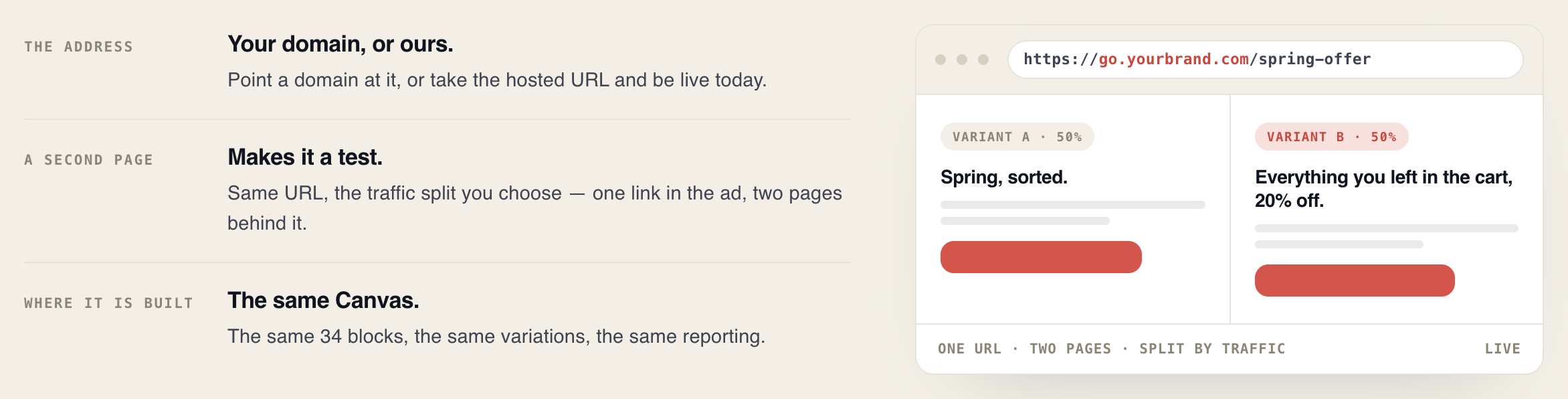
Two options for the address. Point a domain you own at it — go.yourbrand.com, or whatever subdomain your DNS lets you spare — or take the hosted URL and be live today, which is usually what happens when the ad is already booked.
And because we are serving it, the delivery is ours to worry about rather than yours. The page is assembled on the server — personalized before a single byte reaches the browser — and served from the CDN. No build step on your side, no deploy queue, and no third-party script racing the paint to rewrite a headline the visitor has already read.
The page writes itself around the visitor
This is the part worth leading with, because it is what makes a hosted page different from a page builder. The headline is not a fixed string. Any text field in the Canvas — headline, body, button label — can carry tokens that resolve per visitor, at the moment the page is served.
So the subhead on a finance page reads “Fund CNC lines without touching working capital — priced for ${company}” in the editor, and reads the visitor’s actual company name on the page. Same for the industry they are in, the city they are browsing from, the search term that brought them, or any field you keep on the profile.
Three kinds of token
What the session already knows. ${country}, ${city}, ${srch_word}, the referrer, the page they are on. Nothing to configure — the tracker has these on every account.
What the link carries. ${_:param('utm_source'):default('your campaign')} pulls any URL parameter straight into the copy, which is how one page serves fifty ad groups and each one reads like it was written for that ad.
What you know about them. ${first_name}, ${company}, industry, plan, renewal date — any column on the visitor profile, whether it came from your CRM, a form, or the company lookup behind an anonymous B2B visit.
And a default on every one of them
Every token takes a fallback: ${first_name:default('there')}. If the field is empty — or the account does not have that field at all — the default is what prints. Not a blank, not a broken token, not undefined in a headline in front of a customer. That single detail is what makes it safe to write personalized copy you are not going to proofread fifty times.
Beyond substitution, whole variations swap: a different headline, image and call to action per audience. Manufacturing over 500 staff sees one pitch, a Series B SaaS company sees another, and the page is not two pages — it is one page that knows which it is looking at.
Where the company name comes from
All of that assumes you know something about the visitor. On a B2B landing page you usually do not — they clicked an ad, they have filled nothing in, and the form is still the first thing standing between you and any data at all.
This is where the account data providers come in. A reverse-IP lookup identifies the company behind an anonymous visit and returns firmographics with it: industry, headcount, revenue band, location. Personyze plugs into the one you already use — Albacross, Leadfeeder, Clearbit, ZoomInfo, 6sense and LeadRebel — or takes your own data over the API if you keep it somewhere else.
The important part is what happens to those fields once they arrive: they land on the visitor profile like any other. So the same industry that decided which audience the visitor belongs to is also the industry you can print in the headline. One lookup, both jobs — targeting and copy — with nothing exported between them.
Including the form
A hosted page usually exists to collect something, and knowing the account pays twice here. The page can carry a form built for that industry — different fields, different phrasing, a different qualifying question — and it can be a shorter form, because you do not need to ask for the company name, the size or the sector when the lookup already returned them.
A manufacturer lands on a page about equipment finance with three fields. A Series B SaaS company opens the same URL and gets a page about borrowing against ARR, with a different three. Same campaign, same link in the ad. How the account resolution works →
A second version makes it a test
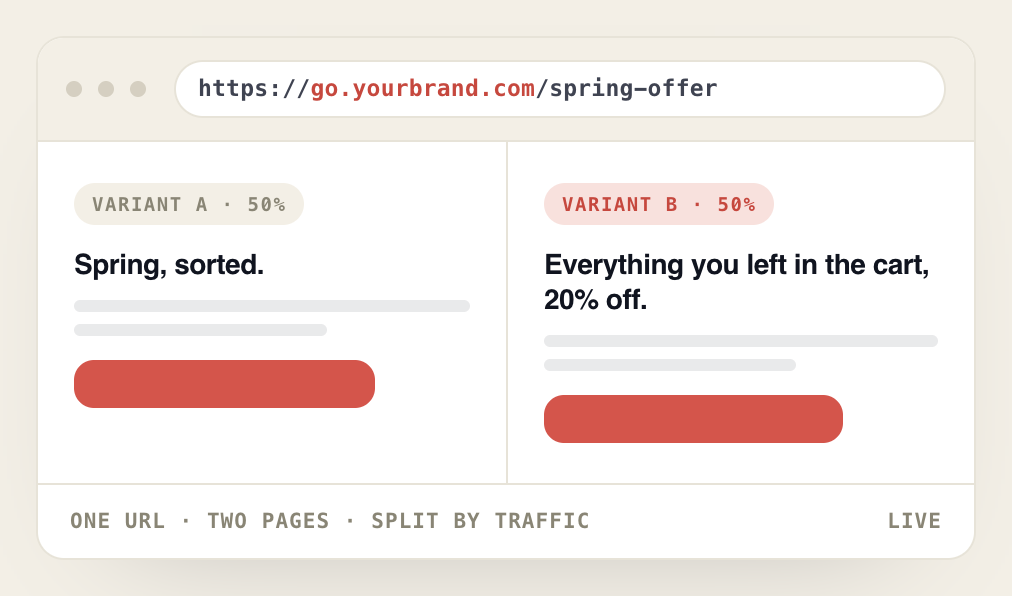
This is the part that is easy to miss. Add a second version of a hosted page and you have not created a second URL to manage. You have created a test: one link in the ad, two pages behind it, split by whatever traffic share you choose.
The media buyer keeps one destination. You keep the ability to change your mind about what is on the other end of it, mid-flight, without touching the campaign in the ad platform. That separation is the whole point — the people who buy the traffic and the people who write the page stop blocking each other.
Three ways the page decides
A hosted page is not one mechanism. Depending on what a variation depends on, the decision happens at a different moment.

Decided before it paints
Geography, traffic source, time of day — things knowable from the request itself are resolved on the server while the page is being built. The visitor never sees one version briefly and then another replacing it, because there was only ever one.
Adjusted a moment later
Anything that depends on behaviour — what they have browsed, what is in the basket, whether they have been here before — is applied by the tracker once it knows who arrived. Those parts catch up without holding the page back.
Or handed to a full campaign
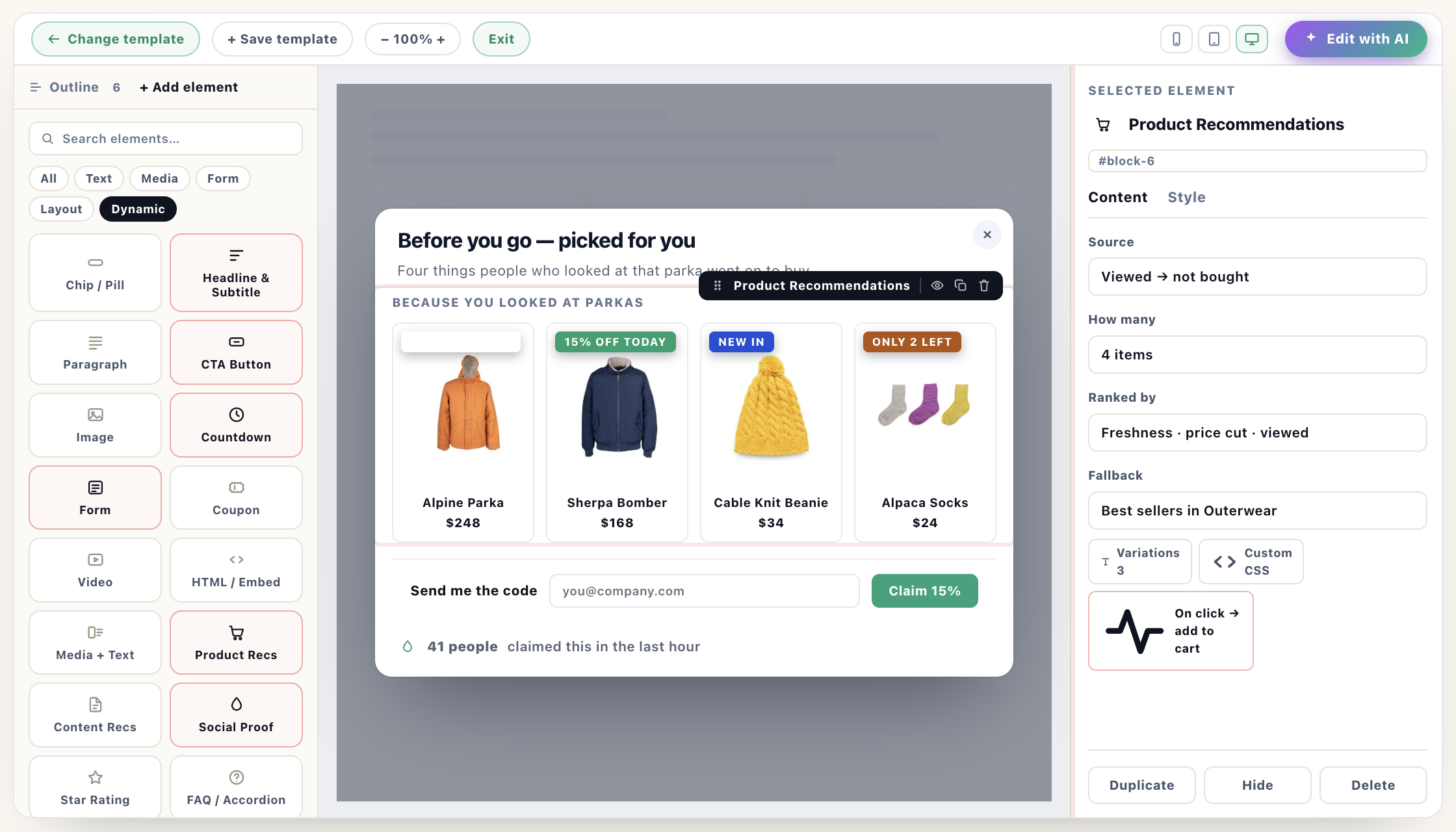
Attach an ordinary Personyze campaign to the URL and everything that works on the rest of your site works here too: every targeting rule, every block, every test. A hosted page is not a lesser surface with its own reduced feature set.
What this is actually for
Three situations come up over and over.
The campaign that cannot wait for a deploy. Paid social starts Monday, the page does not exist, and the next release train is a fortnight out. Build it, take the hosted URL, point the ad at it.
The test nobody will let you run on the real site. A radically different pitch is worth testing and will never survive a conversation about the homepage. Run it on its own address instead, at whatever traffic share you like, and bring back numbers rather than an opinion.
The page per audience. One ad set for enterprise, one for self-serve, one for a region — and a page behind each that reads like it was written for them, because it was.
It is the same engine underneath
Nothing here is a separate product with its own editor, its own targeting model and its own reporting to reconcile. The blocks are the blocks. The audiences are your audiences. The A/B results land in the same place as every other test you run, using the same metric definitions, which is what makes them comparable.
The only thing that changes is that the page has nowhere else to live — so it lives with us.
Where to read the details
The knowledge base has the step-by-step for each piece of this:
Hosting and the page itself — Landing Pages: host a page at its own URL, the Canvas builder and the WYSIWYG editor.
Dynamic variables — inserting dynamic variables into a landing page, and CRM variables and tags for dynamic content.
Account data providers — Albacross, Leadfeeder, Clearbit, ZoomInfo, 6sense and leadREBEL.
Putting it to work — an ABM lead form personalized by industry, targeting visitors from specific companies, the lead form action and targeting rules.
See hosted landing pages on the feature page → · Book a demo →
Book a demo with a personalization expert
30 minutes with a personalization expert. Bring your stack, your goals, your skepticism. We'll show you what changes when every visit feels like the only one.