Personyze
On your site
Website PersonalizationContent, offers and layout shaped to each visitor — one profile across every page and every session.Recommendation EngineWhat each visitor wants next, ranked by the algorithm you pick or one you write.A/B TestingA winner per audience, promoted mid-campaign rather than after it.Dynamic Landing PagesThe whole page recomposed per visitor — headline, imagery and offer from the ad they clicked and their own interests. On pages you already run.AI Search & Chat AgentAnswers from your own pages and catalogue, and a search box that replies in a sentence.Banners & Pop-UpsRight message, right moment, right page — without a developer.Social ProofLive scarcity, ratings and what other people just did.
Off your site
Email PersonalizationContent and recommendations picked per reader at open time — sent from Personyze or pasted as one block into your ESP.Push, SMS & WhatsAppFired by what they just did rather than by a schedule.Hosted Landing PagesThe same per-visitor page, served by us — your domain or ours, no site to deploy to.
Know who they are
Behavioral TargetingSegments that update themselves from what people actually do.Audience DiscoveryPlain-language audiences found in your own data — visitors who convert several times more often than average, targetable in a click.ABM MarketingThe company behind an anonymous visit, joined to your CRM.Website AnalyticsSessions, bounce and revenue — then click a row and there is a person.
Build & connect
MCP ServerRun your account from Claude, ChatGPT or any MCP client.IntegrationsHubSpot, Salesforce, Twilio Segment, Tealium, GTM and the REST API.APIs, SDKs & AutomationOne REST endpoint over every object, server and mobile SDKs, rules and reports that run on their own.
PricingVideosProduct TourShort narrated videos of the real platform, one feature at a time.
← All articles
PersonalizationSeptember 22, 2026

Personyze Is Now in the ChatGPT App Directory
P
Personyze TeamPersonalization experts
Personyze Is Now in the ChatGPT App Directory

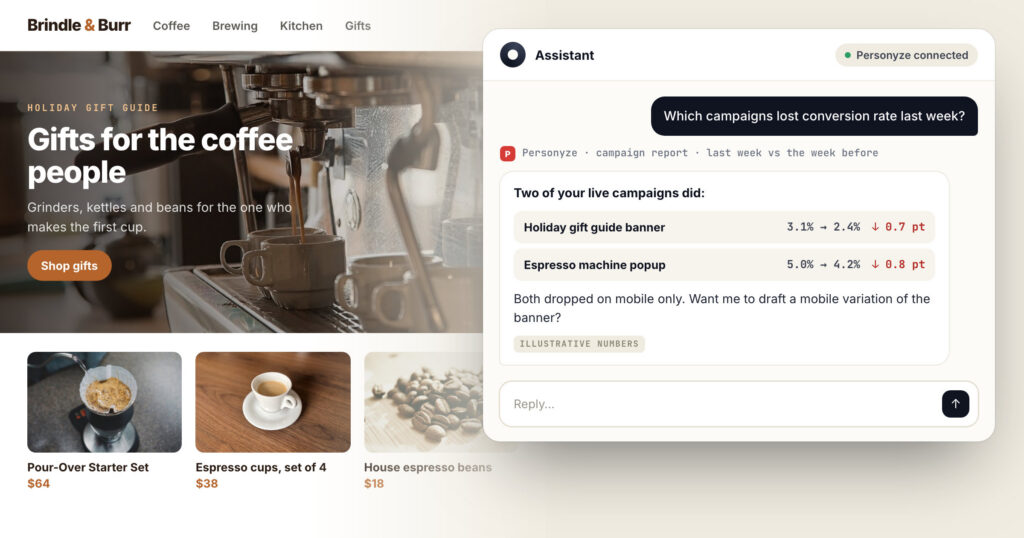
Personyze is now listed in the ChatGPT app directory. The connection itself is not new — the Personyze MCP server has been open to any assistant for a while, and ChatGPT could reach it by pasting a URL. What changed is the friction: it installs in one click now, and the approval screen does the rest.

If you already connected it by hand, nothing breaks and there is nothing to redo.

What people ask it first

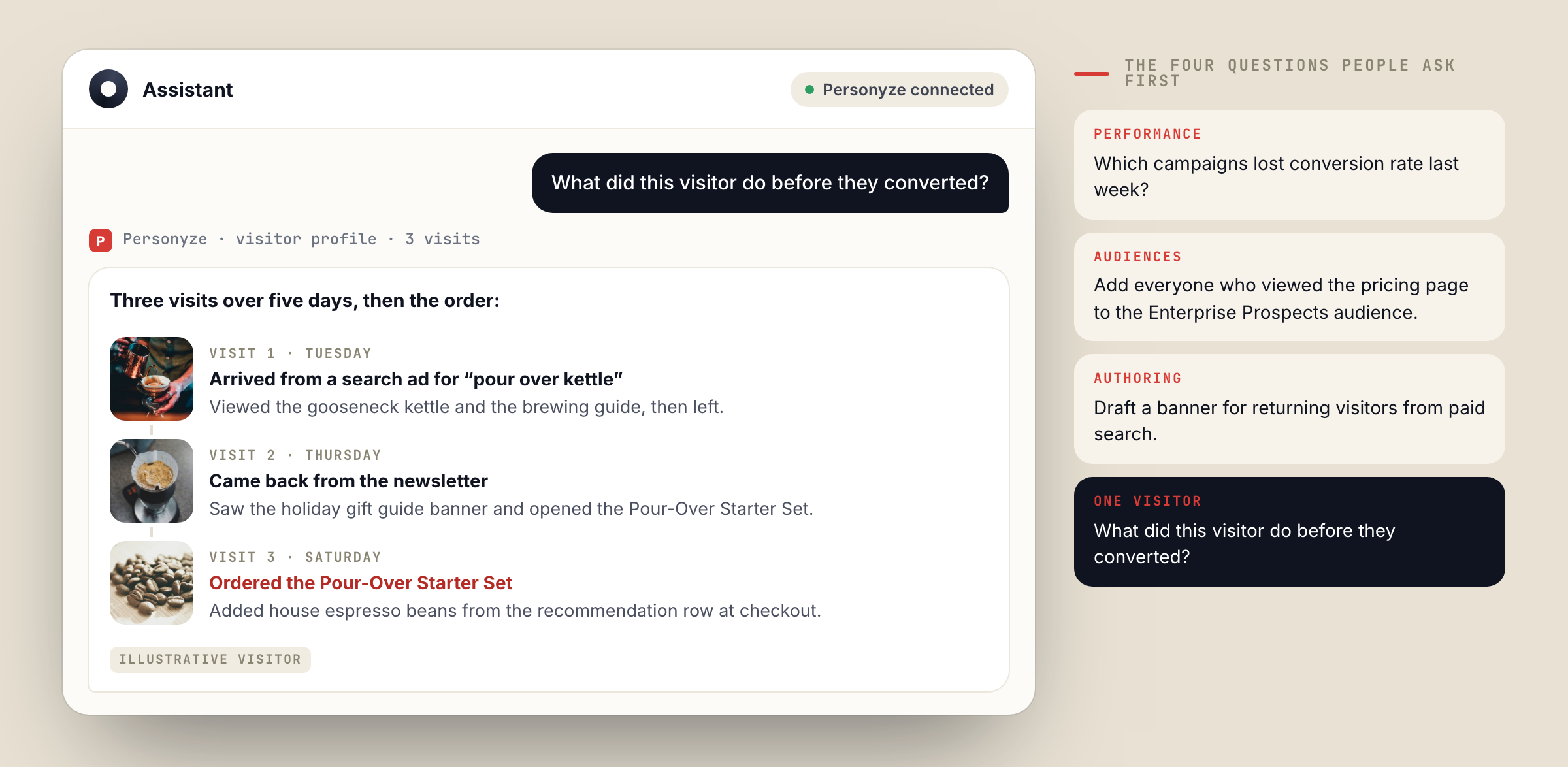
PerformanceWhich campaigns lost conversion rate last week?
AudiencesAdd everyone who viewed the pricing page to the Enterprise Prospects audience.
AuthoringDraft a banner for returning visitors from paid search.
One visitorWhat did this visitor do before they converted?

Those four are the shape of it: a question about numbers, a change to an audience, a draft of something new, and one visitor’s history. All of it in conversation, none of it requiring the panel to be open.
Read and write — and what that means

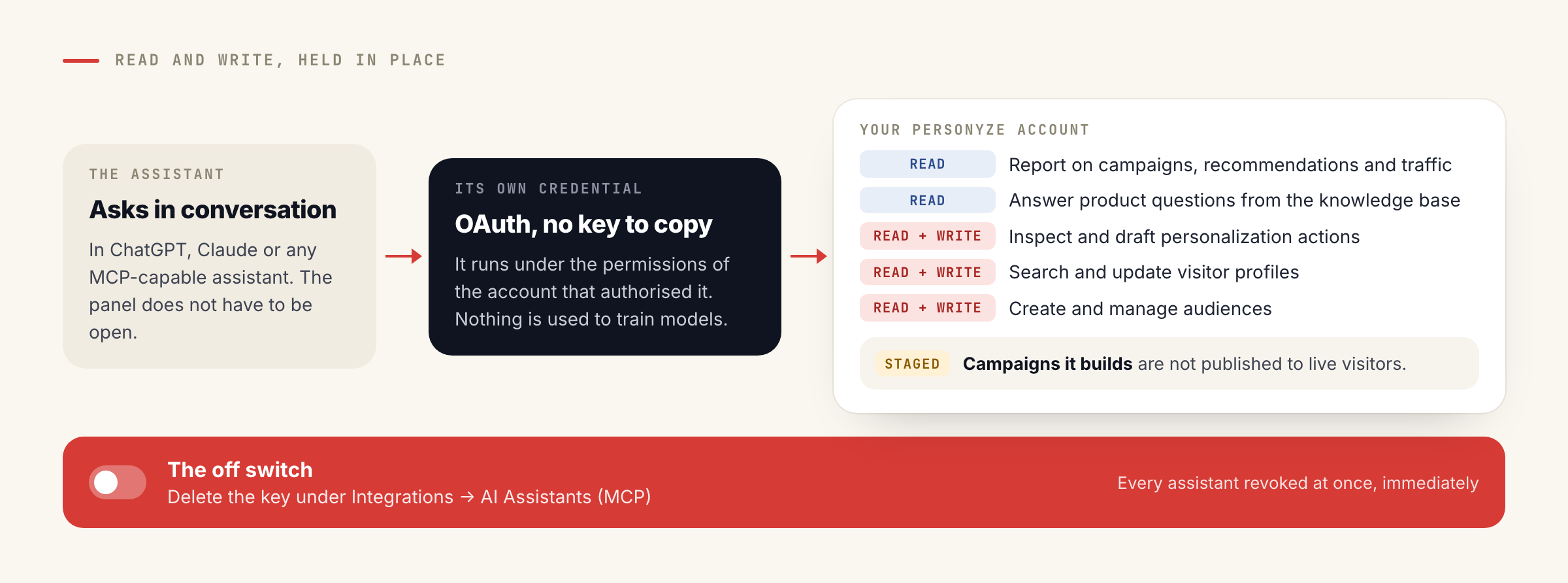
The connection is not read-only, which is the part worth being precise about. ChatGPT can create and change things in your account, so the permissions and the off switch matter more than the feature list.
What it can do

  • Report on campaigns, recommendations and traffic
  • Inspect and draft personalization actions
  • Search and update visitor profiles
  • Create and manage audiences
  • Answer product questions from the Personyze knowledge base

What holds it in place

  • It runs under the permissions of the account that authorised it
  • Campaigns it builds are staged, not published to live visitors
  • The assistant gets its own credential through OAuth — no key to copy
  • Deleting that key under Integrations → AI Assistants (MCP) revokes every assistant at once, immediately
  • Nothing is used to train models

Installing it

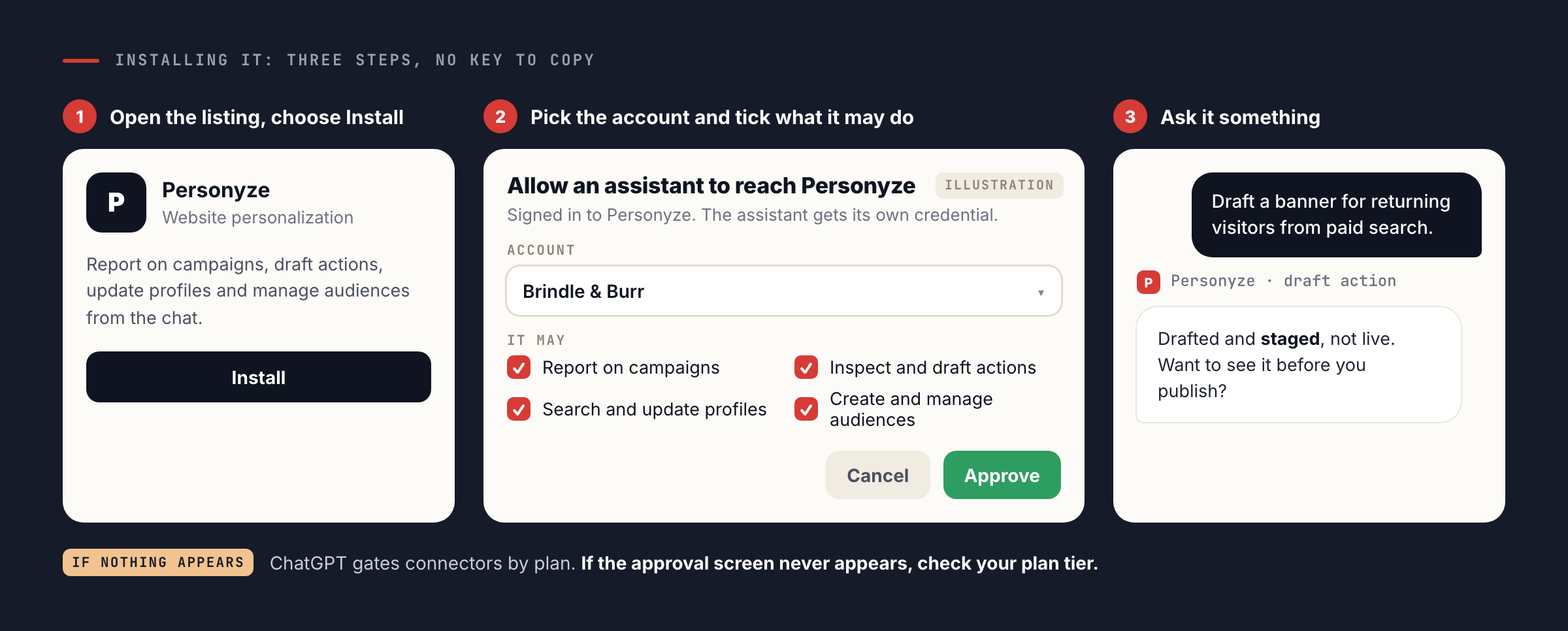
Open the listing and choose Install. ChatGPT sends you to a Personyze screen, you pick which account it may reach and tick what it may do there, and that is the setup. The one thing that catches people out is plan tier: ChatGPT gates connectors by plan, so if the approval screen never appears, that is where to look.
Claude, ChatGPT, or anything else

It is one server behind both listings. Personyze has been in the Claude connector directory since August — that was its own announcement — and the tools are identical in either. Any other MCP-capable assistant still connects the original way, with the server URL as a custom connector; the MCP server page has the URL, the three setup steps and the full tool list.

The reason to care about a directory listing at all is not convenience. It is that an assistant which can reach your personalization platform directly stops being a place you copy things out of and into. The question “which campaigns lost conversion rate last week” is answered from your own numbers, not from a model’s guess about what a campaign is.

Questions

How do I install Personyze in ChatGPT?Open the Personyze listing in the ChatGPT app directory and choose Install. ChatGPT sends you to a Personyze screen where you pick the account and approve what the assistant may reach; it then holds its own credential, so there is no API key to copy.
What can ChatGPT actually do in my account?Read and write, both. It can report on campaign and recommendation performance, inspect and draft personalization actions, search and update visitor profiles, and manage audiences. Everything runs under the permissions of the account that authorised the connection, and campaigns it builds are staged rather than published to live visitors.
How do I disconnect it?Delete the API key under Integrations → AI Assistants (MCP) in Personyze. Revocation is immediate and covers every assistant connected that way, in ChatGPT and anywhere else.
Is this different from the Claude connector?No — it is the same MCP server and the same tools. Personyze is listed in both directories, so Claude and ChatGPT each install it in one click, and any other MCP-capable assistant connects with the server URL as a custom connector.
Do I need a paid ChatGPT plan?ChatGPT gates connectors by plan tier, so check yours if the approval screen never appears. On the Personyze side the connection uses the same external API as the full-featured API, under the same permissions.
Let's talk

Book a demo with a personalization expert

30 minutes with a personalization expert. Bring your stack, your goals, your skepticism. We'll show you what changes when every visit feels like the only one.