

Product Recommendation Examples: 14 Personalized Ways to Sell More
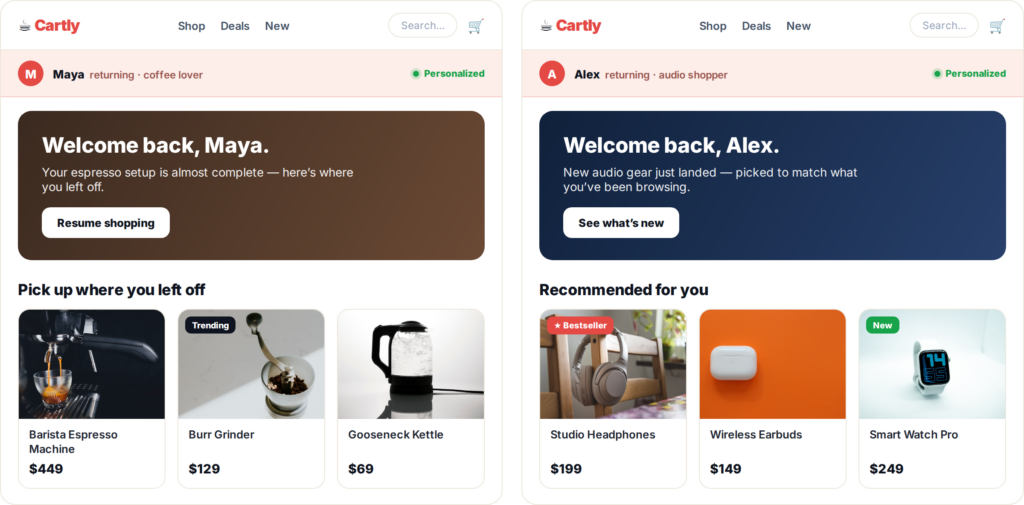
Most product discovery no longer happens through your menu or your search bar. It happens in the strip of suggestions that says “you may also like,” “frequently bought together,” or “recommended for you.” Those blocks quietly do a huge share of the selling — if they show the right thing to the right person.
Related: ecommerce personalization playbook
That’s the difference between a recommendation and a personalized recommendation. A generic “best sellers” row is fine. A row tuned to what this visitor just browsed, where they are, and what they’ve bought before is what actually moves conversion and average order value. And shoppers increasingly expect it: in one Statista survey, 47% of Gen Z and 46% of millennials said they want personalized product recommendations when shopping online.
Below are 14 product recommendation examples across the shopping journey — each with a note on how to make it personal, plus how Personyze’s recommendation engine builds it. We’ll also spotlight three tactics that consistently lift results: social-proof badges, one-click bundle add-to-cart, and push notifications.
The engine behind every example
Before the examples, it helps to see what they have in common. Every recommendation in Personyze is three choices: a context (where it shows — homepage, product page, cart, category, search, even email), an algorithm (what logic picks the products), and a template (how it looks). You either pick the algorithm yourself or let AI decide, set a fallback for visitors you don’t know yet, and optionally restrict the catalog — by category, brand, price, or even the visitor’s gender and age.
Here’s the actual algorithm picker from the Personyze action editor. Every example further down is just a different combination of these choices:
The algorithm list covers the patterns you’ll recognize from every store you shop on: best sellers, others-who-viewed-also-viewed, what-others-viewed-then-bought, cross-sells, up-sells, frequently-bought-together pairings, inspired-by-category, recently viewed, buy-it-again, price-dropped, back-in-stock, and wishlist nudges. Pair any of them with a fallback and a template, and you have a working example.
14 product recommendation examples (and how to personalize each)
1. Best sellers for first-time visitors
When a brand-new visitor lands and you have no behavioral data yet, lead with proven winners. In Personyze, Best Sellers works beautifully as the fallback algorithm — it fills the slot instantly, then quietly swaps to personalized picks the moment the visitor reveals any intent.
2. “Pick up where you left off” (recently viewed)
Most people don’t buy on the first visit — they browse, get distracted, and leave. When they return, show the items they were looking at. Because Personyze keeps a unified visitor profile across sessions and devices, that row is already waiting for them, no matter how they come back.
3. “Popular near you” (location-based)
Resolving a visitor’s city or region from their IP lets you add a local flavor: “most loved in your area” or “trending in [city].” It makes the store feel like it gets them, and Personyze can target the recommendation by country, region, or city.
4. “Others who viewed this also viewed”
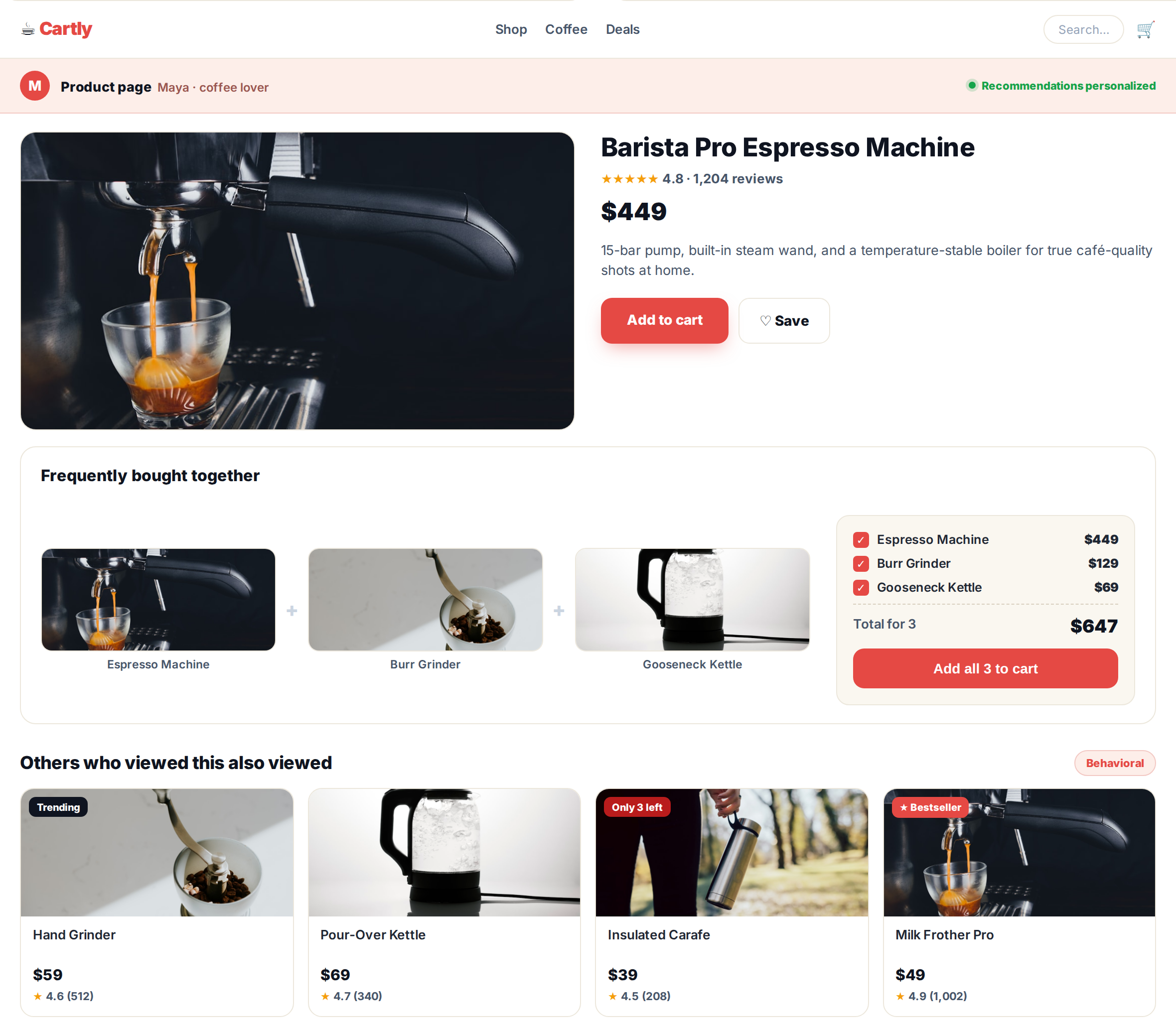
The wisdom-of-the-crowd row on a product page. Shoppers are strongly influenced by what their peers look at and buy, so a behavioral co-view block reliably lifts click-through. Personyze builds this from real, live browsing data rather than a static list.
5. “Frequently bought together” with one-click add-all
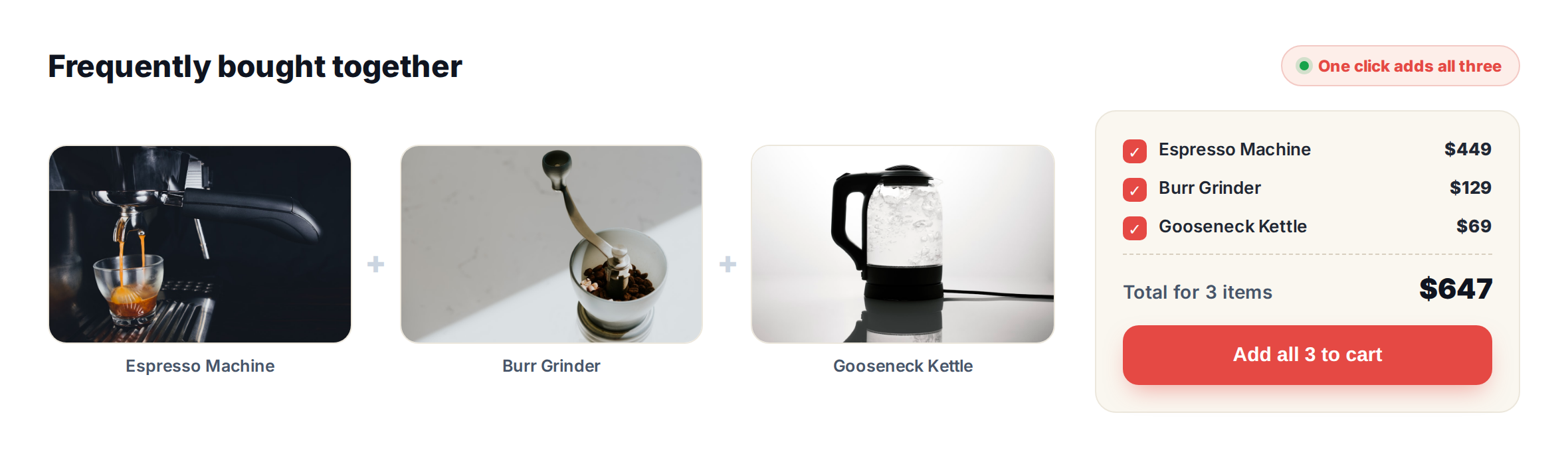
Instead of nudging shoppers to add complements one by one, show the natural set — and let them add the whole thing at once. This is one of the strongest AOV levers there is, and Personyze has a dedicated template for it (more on that below).
6. Cross-sell: “pairs well with” / complete the look
Complementary products that finish the job — cushions with the sofa, a grinder with the espresso machine, a case with the phone. Personyze’s Cross-Sells and Pairings algorithms generate these for the current product, the cart, or items the visitor already bought.
7. Up-sell to a better version
When a visitor is on a mid-tier product, a tasteful nudge toward the premium version can lift order value without feeling pushy. The Up-Sells algorithm surfaces the stronger alternative in the same line.
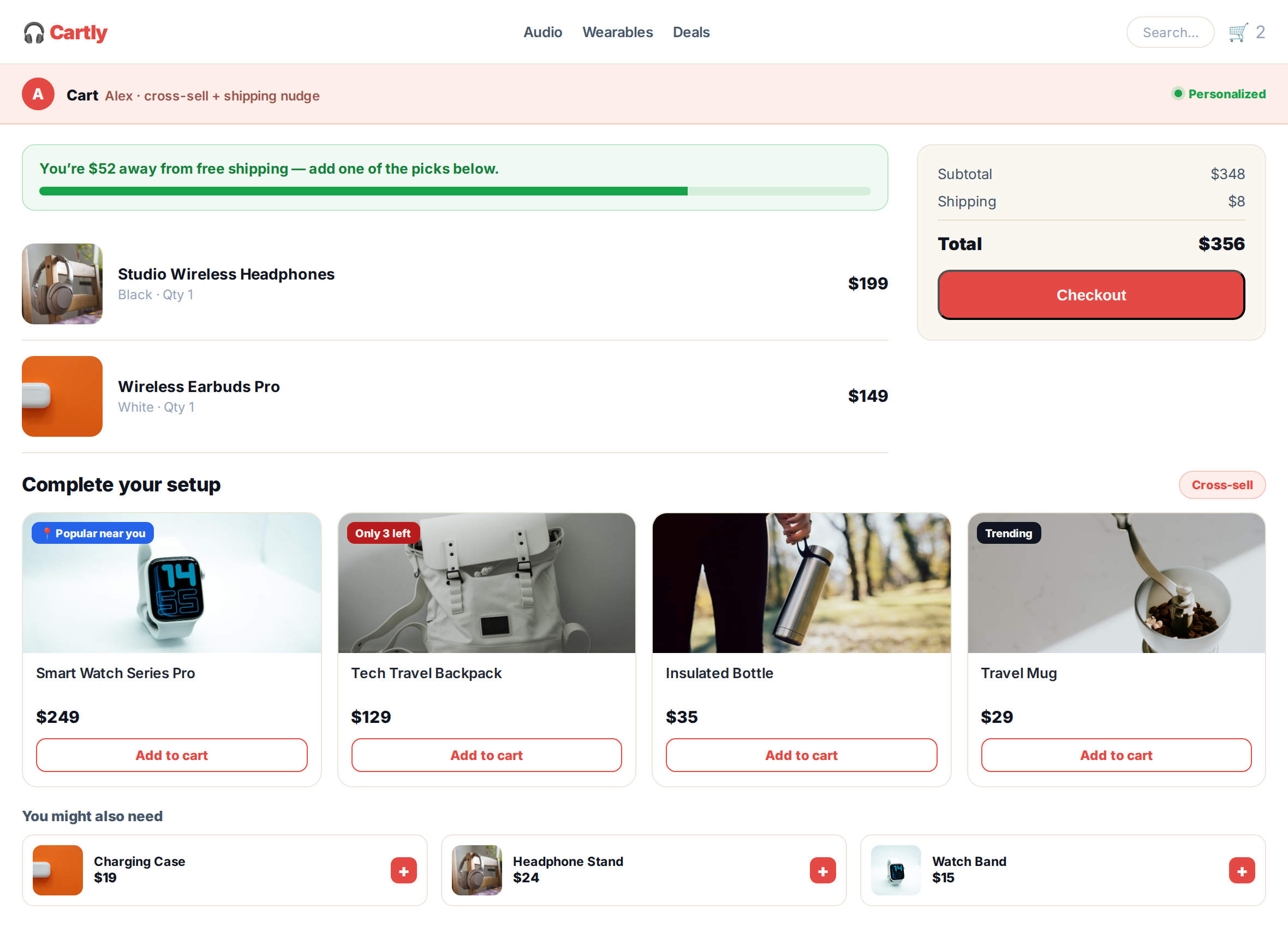
8. Cart cross-sell with a free-shipping nudge
The cart is prime time for one more relevant item — especially paired with a threshold: “add $20 to unlock free shipping” alongside a suggested add-on that gets them there. Just remember to exclude what’s already in the cart, which Personyze handles automatically.
9. Low-cost add-ons at checkout
By checkout, the decision is made — so this isn’t the place for big-ticket items. Small, impulse-friendly extras (“you might also need…”) convert well here. Personyze can target these to the contents of the order so they’re genuinely relevant.
10. Trending now
Different from best sellers — this is what’s gaining momentum right now. A “trending this week” block adds a gentle sense of urgency and keeps the store feeling current without daily manual curation.
11. Buy it again / reorder
For consumables — coffee, skincare, supplements, groceries — the most useful recommendation is the one they already love. Personyze’s Buy it Again and Past-Orders algorithms turn repeat purchases into one-tap reorders, driving retention without a loyalty program.
12. Price-drop & back-in-stock nudges
When a viewed or wishlisted item drops in price or returns to stock, that’s a reason to come back. Personyze has dedicated Price Dropped and New in Stock algorithms — and can deliver the nudge on-site, by push, or by email (more below).
13. Recommendations with social-proof badges
A recommendation card converts harder when it carries a reason to trust it. Badges do that — and they’re important enough to get their own section next.
14. Off-site recommendations: push and email
The shopping journey doesn’t end when someone leaves the page. The same personalized picks can follow them into a push notification or an email — covered in its own section below, too.
See it in context: full pages for two shoppers
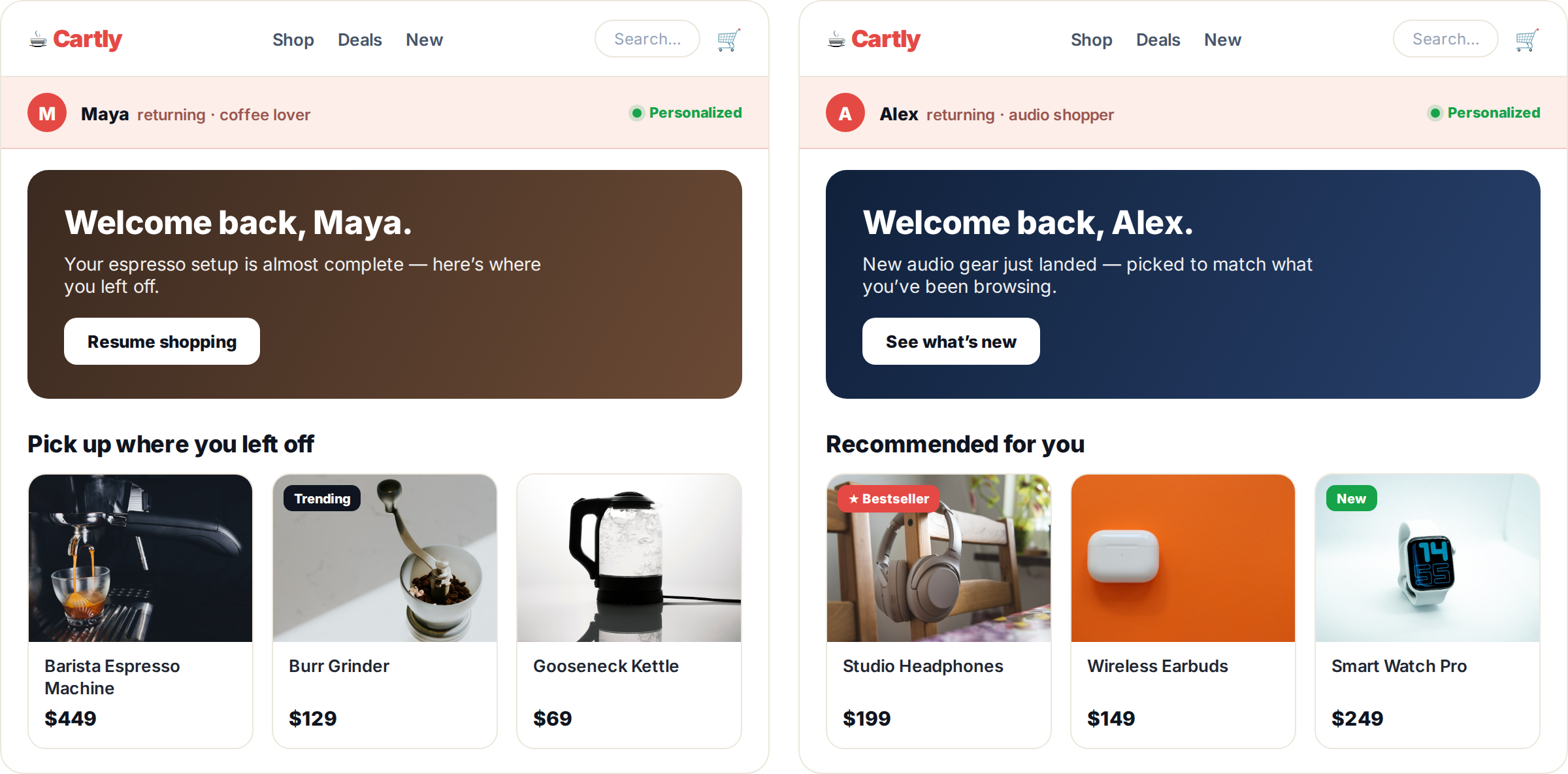
The examples above rarely appear alone — they stack across the journey, and they re-rank for each visitor. Here’s the same store, Cartly, seen by two shoppers: Maya, a returning coffee enthusiast, and Alex, a returning audio shopper. Same catalog, same widgets — different products, because the engine reads each profile.
On the homepage, the hero banner and the very first recommendation row both change by visitor:
On a product page, a frequently-bought-together bundle handles the cross-sell while a behavioral row keeps the visitor browsing:
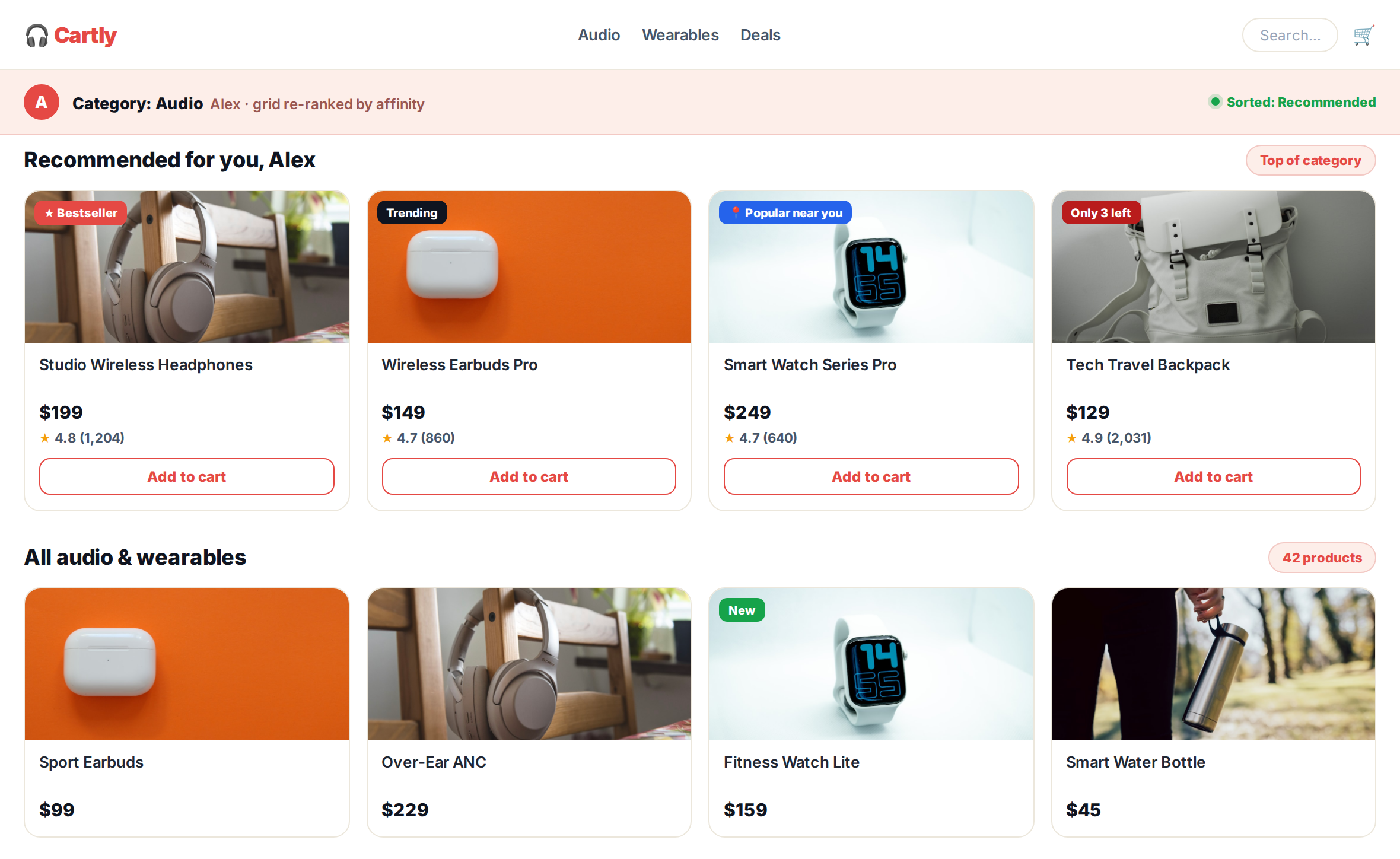
On a category page, the grid leads with a personalized rail and re-ranks the rest by affinity — with social-proof badges on the cards:
In the cart, a free-shipping nudge and a ‘complete your setup’ cross-sell lift the order before checkout:
Make recommendations impossible to ignore: social-proof badges
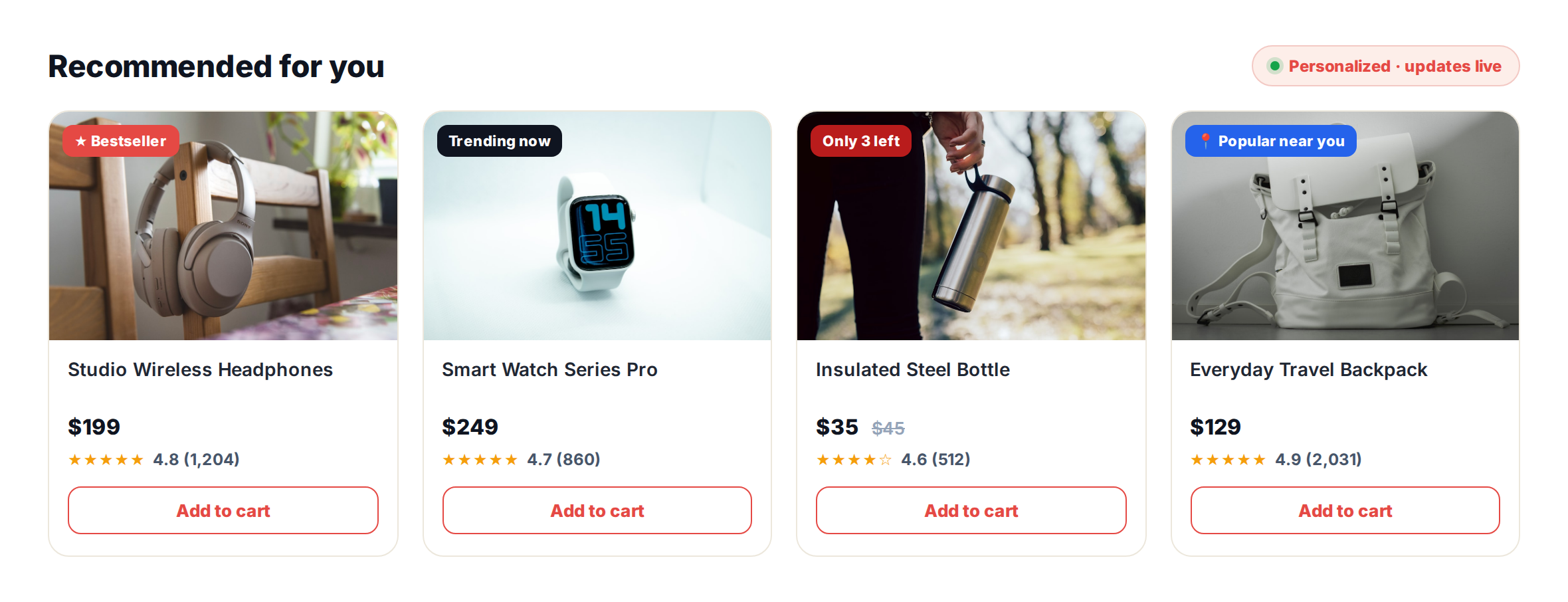
People look to others when they’re unsure — the classic social-proof principle. So the fastest way to lift a recommendation’s click-through is to give every card a reason to believe: a star rating, a “Bestseller” tag, a “Trending” flag, a scarcity cue like “Only 3 left,” or a local signal like “Popular near you.” The row at the top of this page shows four of them at once.
In Personyze, these are recommendation badges and social-proof widgets driven by live data — real ratings, real stock levels, real popularity — not hardcoded labels. And because they sit on top of the recommendation engine, they personalize too: “popular near you” uses the visitor’s location, and scarcity badges reflect actual inventory for the items that visitor is most likely to want.
- Trust badges — star ratings and review counts pulled from your real data.
- Authority & demand — “Bestseller,” “Trending now,” “Most wishlisted.”
- Scarcity — “Only 3 left,” “Selling fast” tied to live inventory.
- Local relevance — “Popular near you,” based on the visitor’s region.
One click, whole bundle: personalized quick add-to-cart
Asking a shopper to add three complementary items one at a time is three chances to drop off. The fix is a bought-together widget where they add the entire set in a single click. It’s a direct lever on average order value — and the bundle itself is personalized, because the algorithm chooses the complements for this product, this cart, or this customer’s history.
Personyze ships this as a ready template: pick the bought-together algorithm, choose the “add all to cart” layout, and the widget shows the set with a running total and one button that drops everything into the cart. You can browse the full template library or see it running on the live examples hub.
Win shoppers back: push notifications and email recs
Most visitors leave without buying. Personalized recommendations are how you bring the right ones back — not with a generic blast, but with the specific items they viewed, wishlisted, or left in the cart.
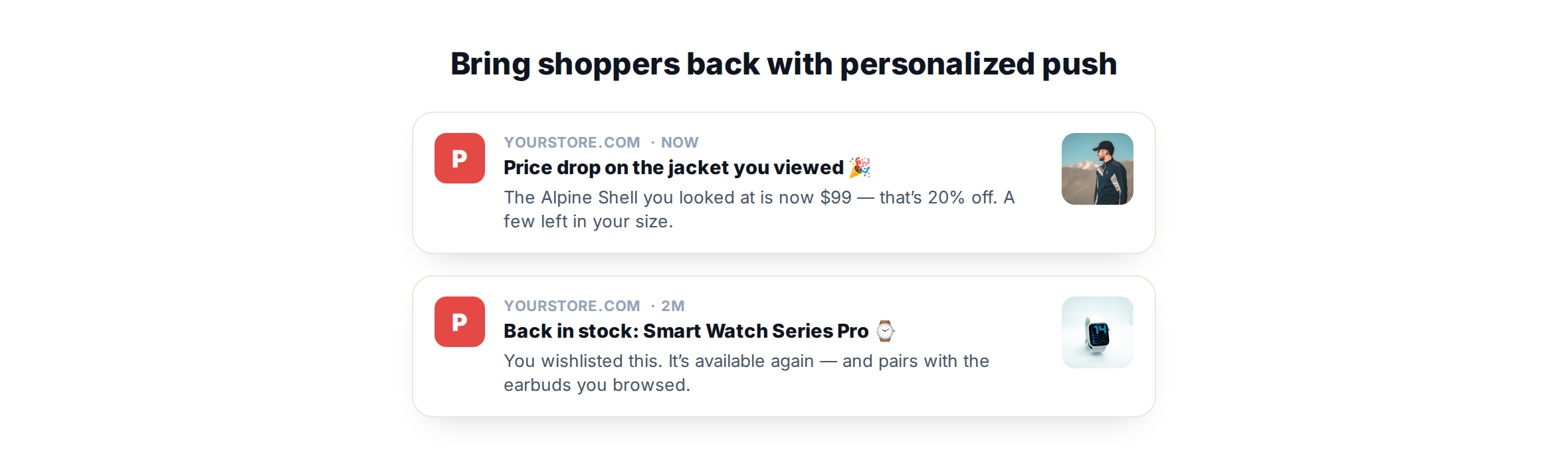
- Push notifications — price-drop, back-in-stock, and abandoned-browse alerts pointed at the items that visitor actually engaged with.
- Email recommendations — open-time email recs that render fresh when the email is opened, so the picks are current rather than whatever was true when you hit send.
The point is consistency: the same unified profile powers recommendations on the site, in push, and in email, so a shopper’s experience stays coherent wherever they meet your brand.
How Personyze builds every one of these
Each example above comes from the same short setup — no developer required:
- Connect your catalog. Personyze ingests your product feed so every recommendation reflects live pricing, stock, and attributes.
- Pick the algorithm — or let AI decide. Choose the logic yourself, or hand it to AI and let it optimize per visitor.
- Set a fallback. First-time visitors get proven best sellers; known visitors get personalized picks, automatically.
- One profile, every channel. The same recommendations run on-site, in push, and in email from a single visitor profile.
- Customize the widget. Layouts, badges, and styling are fully editable to match your brand.
- Test and prove it. A/B test any widget and track revenue and ROI per placement, so you can see exactly which recommendations earn their slot.
Put these recommendation examples to work
You don’t need to build all 14 at once. Start with one high-traffic placement — a bought-together block on your top product page, or a “recommended for you” row on the homepage — personalize it, badge it, and measure the lift. Book a demo to see the recommendation engine on your own catalog, or explore plans and pricing.
Related reading
- Personyze product & content recommendations — the full feature overview.
- Social proof and recommendation badges — how the trust signals work.
- Website personalization examples — live recommendation widgets in context.
Product recommendation examples: FAQ
What is a personalized product recommendation?
It’s a product suggestion chosen for a specific visitor using their behavior, location, and history — rather than the same static list shown to everyone. The goal is relevance: surfacing items that visitor is genuinely more likely to want.
Which recommendation works best on each page?
On the homepage, best sellers (for new visitors) and recently viewed (for returning ones) work well. On product pages, “others also viewed,” cross-sells, and frequently-bought-together perform. On the cart and checkout, complementary add-ons and free-shipping nudges lift order value.
Do recommendations work for first-time visitors with no data?
Yes. You set a fallback algorithm — usually best sellers — that fills the slot instantly, then Personyze swaps to personalized picks the moment the visitor shows any intent.
Can a shopper add a whole bundle to the cart at once?
Yes. Personyze’s frequently-bought-together template shows the set with a running total and a single “add all to cart” button, so the visitor adds every item in one click.
Can I show the same recommendations in push and email?
Yes. The same visitor profile powers recommendations on-site, in push notifications, and in open-time emails, so the experience stays consistent across channels.
Do I need a developer to set this up?
No. You connect your product feed, choose a context, pick an algorithm (or let AI decide), and drop in a widget template — all without code.
Book a demo with a personalization expert
30 minutes with a personalization expert. Bring your stack, your goals, your skepticism. We'll show you what changes when every visit feels like the only one.