

Describe Your Audience in a Sentence: How the AI Targeting Assistant Builds the Rules
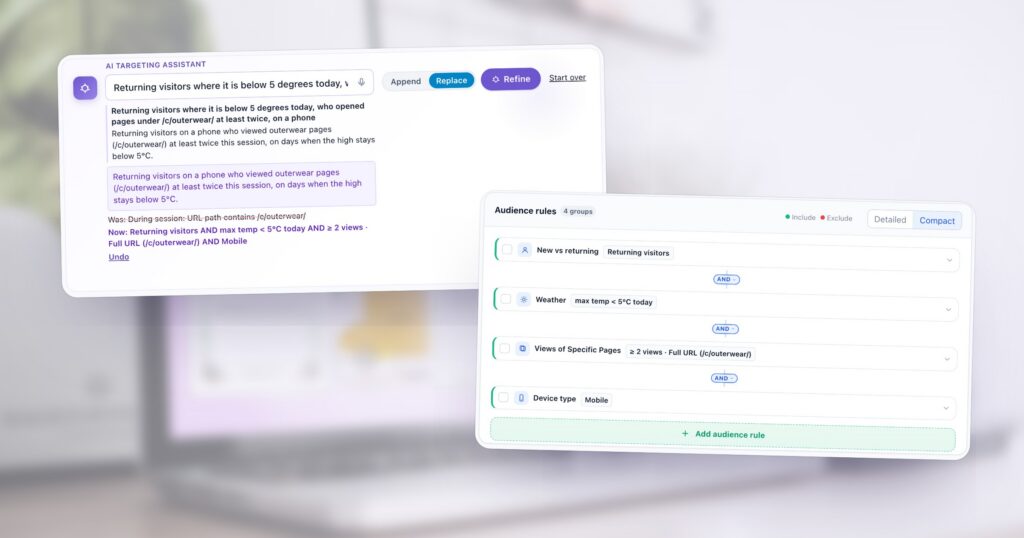
Targeting rules are exact, which is their point, and assembling them is slow: a rule for the visit, another for the device, one for the pages, one for the weather, each with its own operator and value. Most people already know the audience in a sentence — “returning visitors on a phone who looked at coats twice, on a cold day” — and the rules are a translation of it.
The targeting assistant does that translation. It sits at the top of every campaign’s Target step: you describe the audience, and it builds the rules as ordinary rule cards you can read, edit and undo. When the sentence depends on something only you know, it asks first. Below is one request taken through the whole conversation, on a demo account.
Describe the audience the way you would say it
Type the sentence into the box, or press the microphone and say it. Name what you would name to a colleague: who (new or returning, from a list, with a value in your CRM), where (a country, a city, the pages they viewed), when (a time of day, a day of the week, the weather where they are), on what (a phone, a tablet) and how much (“at least twice”, “more than three minutes”). It knows the rule types Personyze offers and your own account’s fields and lists, so “in my VIP list” or “plan is Enterprise” works the same way “on a phone” does.
Then Generate rules. The request we used:
Returning visitors where it is below 5 degrees today, who viewed outerwear
at least twice, on a phone
When it asks back
“Outerwear” is clear to a person and not to a website: it could be a part of the web address, or a category in your product catalog. Both are reasonable, and they target different pages. So instead of picking one and mentioning it in small print, the assistant asks:
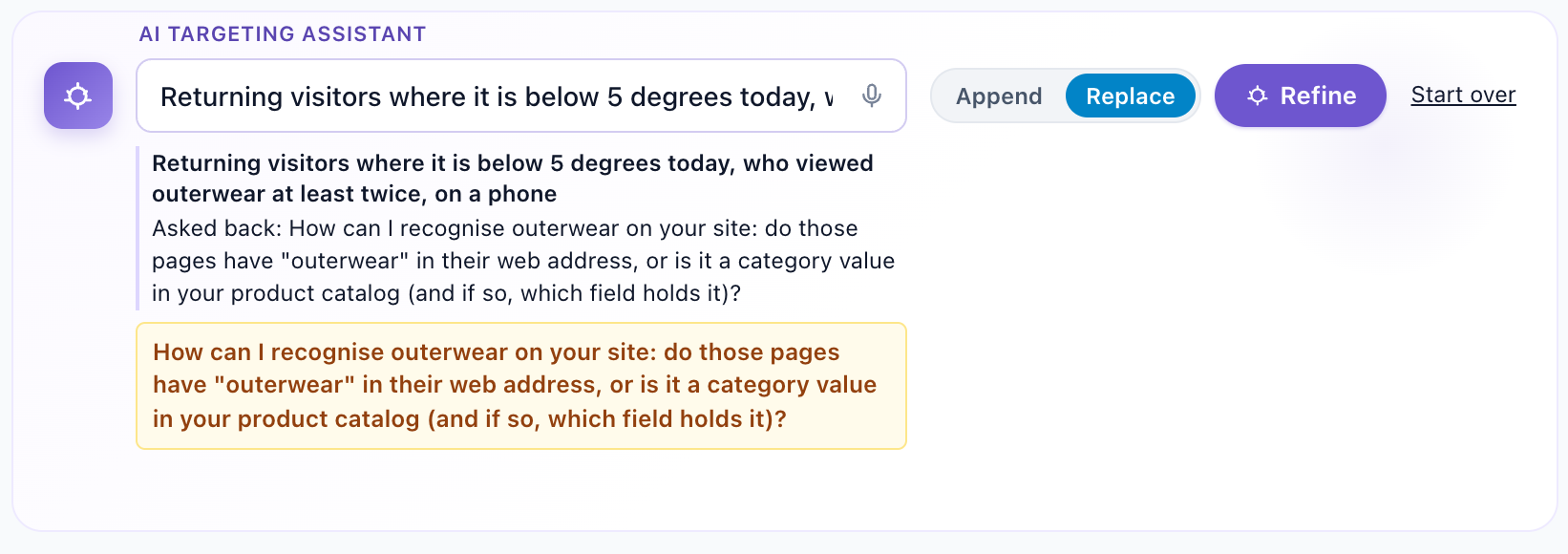
It asks only in two cases: when the request depends on a value only you can supply — an address, a threshold, the name of a field — or when two different audiences would both be fair readings of it. When a default is obvious from your account’s own data, it uses it and says so instead. It does not fill a gap with a guess, because a guessed rule looks exactly like a right one until somebody reads the cards.
Read what it built
With the detail it asked for — outerwear is the pages under /c/outerwear/ — it builds the rules and answers in three lines: your request, the audience it understood in one sentence, and what changed.
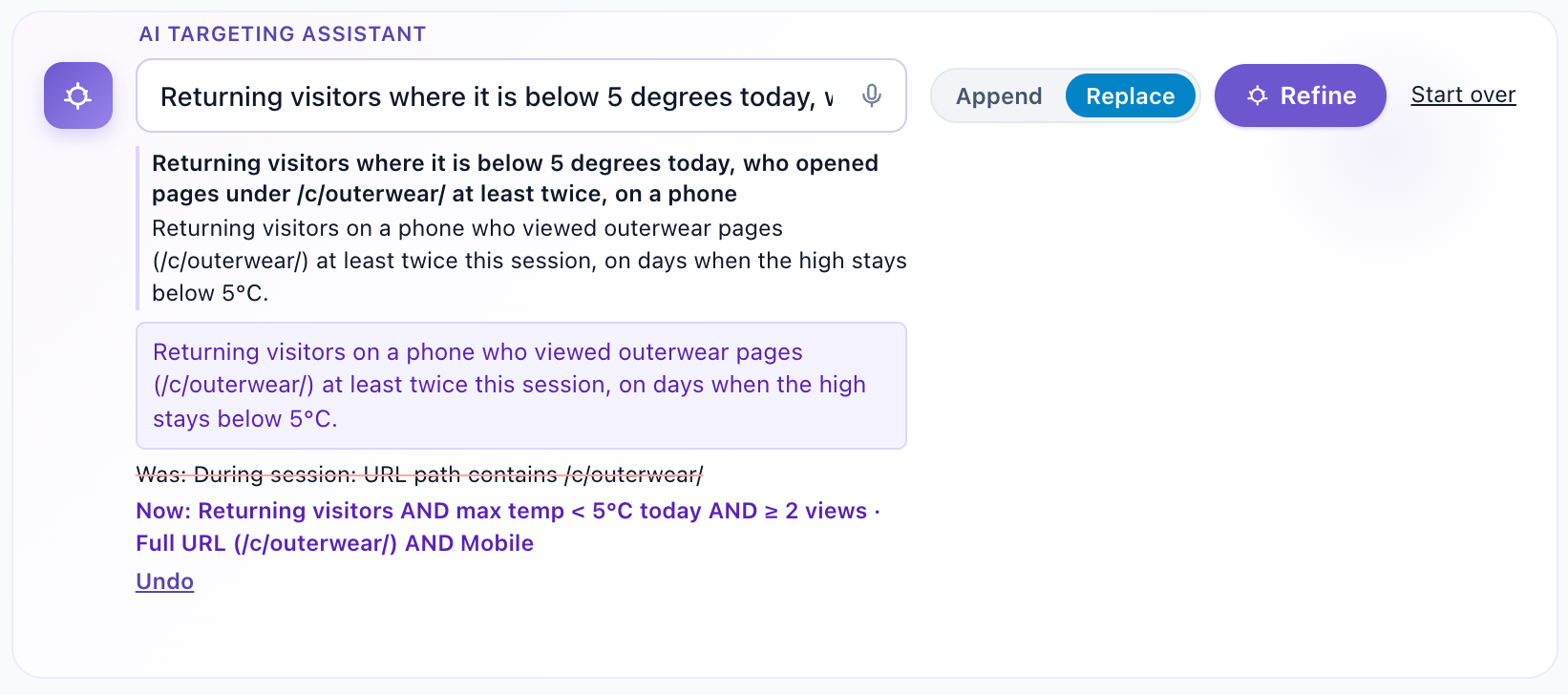
Read the sentence first. If it says something you did not mean, that is faster to spot in a sentence than in four rule cards. Then the cards themselves:
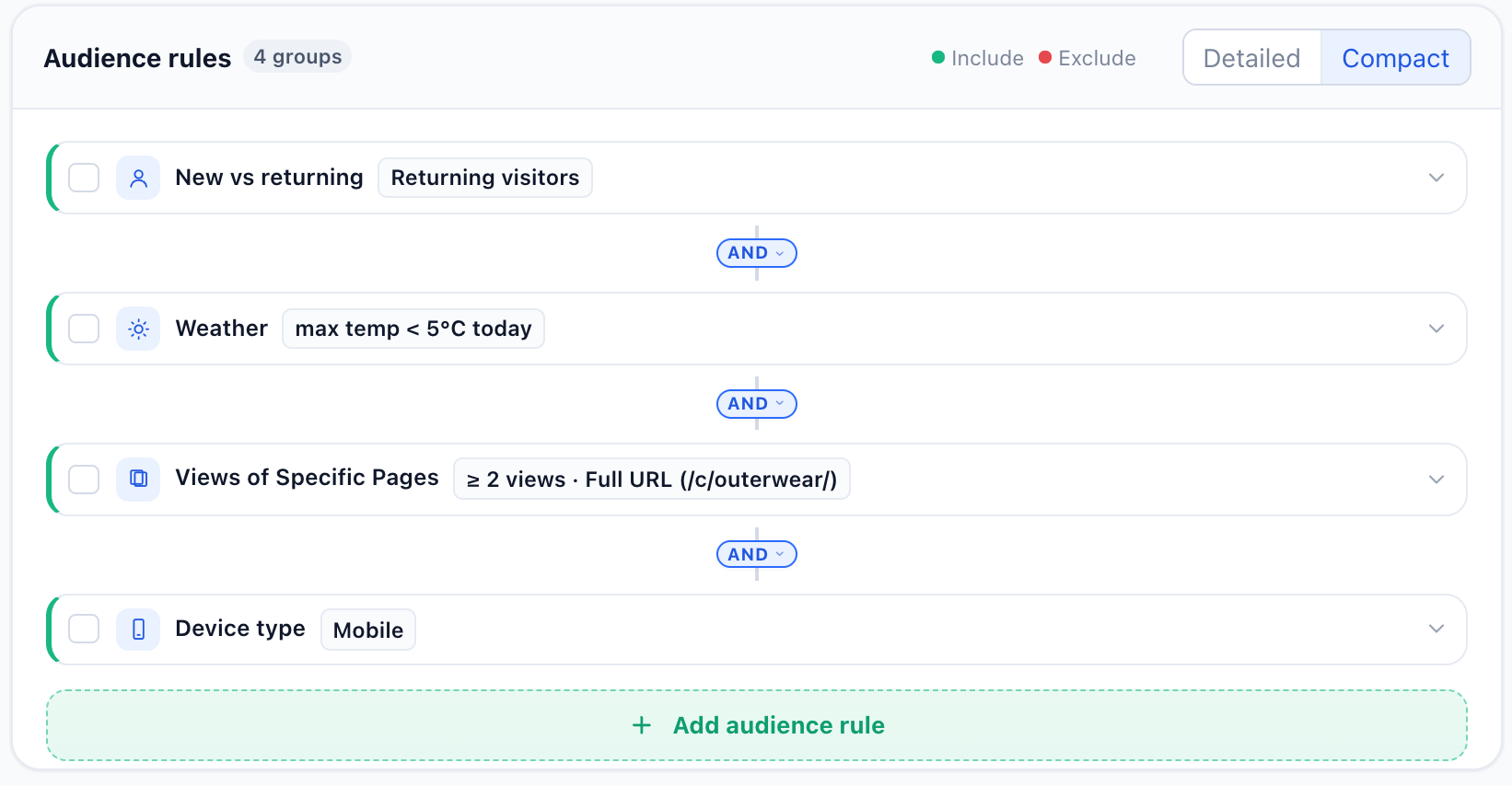
/c/outerwear/, AND a phone — in the Compact view. Detailed opens every card with its settings.These are the same rules you would have built by hand. Open a card and change the threshold, switch a rule to Exclude, or delete it; the Audience story under the rules says the whole audience again in one line after each change. The live audience forecast below it shows how many recent sessions would have matched.
Append, Replace, Refine, Start over
Four controls decide what a request does to the rules already there:
- Append adds the new rules alongside the existing ones. It is the default, so a campaign’s page or device rules survive a request about something else.
- Replace wipes the existing rules and starts fresh from the request.
- Refine continues the conversation. After the first answer the button changes, and the next message is read as a change to what it just built: “only on weekdays”, “drop the weather”, “tablets too”. You do not have to repeat the whole audience.
- Start over forgets the conversation, for a new audience from scratch.
Undo puts the rules back exactly as they were before the last generation. It is offered only while the rules are still exactly what the assistant produced: once you edit a card yourself, Undo goes away, so it can never quietly throw your edit out with the AI’s.
If a request fails — the assistant could not build anything, or the service is busy — nothing on the campaign changes, and your sentence stays in the box to try again or reword.
Rules you already have: another campaign, a template, a discovered audience
Not every audience needs describing. Add audience rule also opens:
- Existing campaign — copy another campaign’s targeting into this one, beside this campaign’s own rules or in place of them. The other campaign stays unchanged.
- Templates — rules saved once and reused. Copy them, or link them, so that editing the template updates every campaign that links it.
- Audiences — when Audience Discovery is on, the groups it found in your own data that reach an outcome far more often than average. Pick one and its rules are pasted in; an under-performing group comes in as an exclusion. How to read discovered audiences explains the cards.
Tips for a sentence that works the first time
- Put numbers in: “at least twice”, “below 5 degrees”, “in the last 30 days”.
- Name pages by their address when you know it: “pages under /c/outerwear/”.
- Name your own data by its name: the list, the field, the value.
- Say “not” for exclusions: “not customers who bought in the last month”.
- Keep the content out of it. Targeting decides who sees the campaign and where; what they see is the next step.
- One audience per campaign. A different message for a different audience is a second campaign, so each can be measured on its own.
Each request uses the account’s monthly AI allowance. For what each rule type can do, see how visitor targeting and segmentation work.
Questions people ask
Can I edit the rules the AI builds?
Yes. They are ordinary rule cards: open any of them to change a value or an operator, switch it to Exclude, or delete it. The Audience story under the rules restates the audience after every change.
What happens if my description is ambiguous?
If the request depends on a value only you can supply, or two different audiences would both be reasonable readings, the assistant asks a question instead of building rules, and nothing on the campaign changes. Answer it and it builds them.
Will it remove the rules I already have?
Not unless you ask. Append, the default, adds the new rules alongside the existing ones; Replace wipes them and starts fresh. Undo restores the rules from before the last generation while they are still unedited.
Can I change the audience without describing it again?
Yes. After the first answer, Refine reads your next message as a change to what it built, such as “only on weekdays” or “drop the weather”. Start over begins a new conversation.
Does it know my own data?
It knows the rule types Personyze offers and your account’s own fields and lists, so you can name them in the sentence.
Book a demo with a personalization expert
30 minutes with a personalization expert. Bring your stack, your goals, your skepticism. We'll show you what changes when every visit feels like the only one.