

Let Visitors Say What They Need: AI Product Finder and AI Content Finder
Site search is built for people who already know the name of the thing. Most visitors do not. They know the situation — “a lamp for my home office”, “how do I run an A/B test” — and a keyword box answers that with a page of loose matches and leaves the choosing to them.
AI Product Finder and AI Content Finder turn “search” into “tell me what you need”. The visitor describes the need in their own words and gets a short list, with a reason for each pick.
What the visitor sees
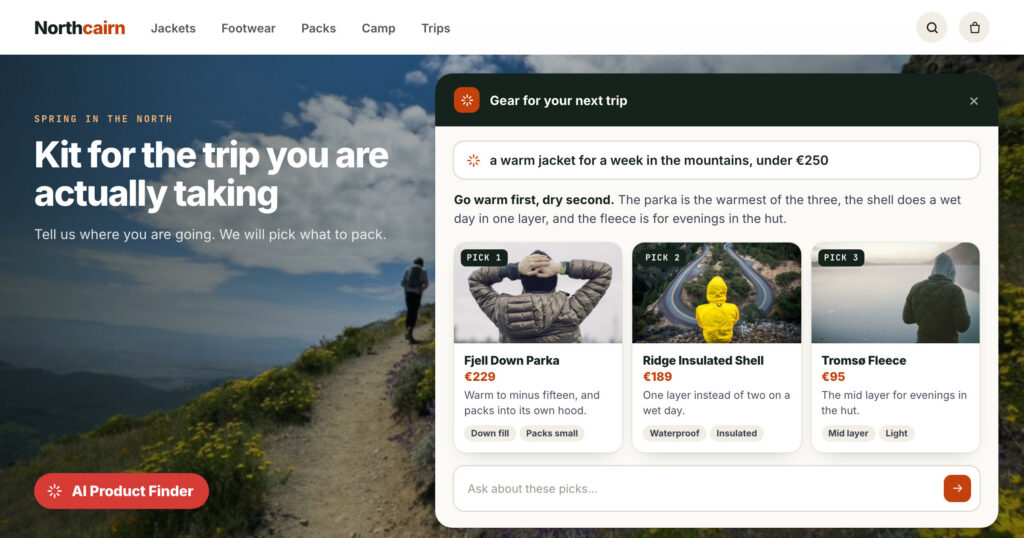
Hiking in Norway this spring? Tell us the trip, and we will pick the kit.
Warm to minus fifteen, and packs into its own hood.
One layer instead of two on a wet day.
The mid layer for evenings in the hut.
- The bar sits at the foot of the page, at a side, or inside the page. It carries a title, an invitation, a question box and up to four example chips to tap.
- The results page opens over the page: two to four sentences on what fits and why, a card per pick with a picture, the price, one line on why it fits and three reasons, a “Your picks” list, up to two buttons such as “Book a demo”, and up to three sections of your other campaign content.
- Follow-up questions run as a short chat about the picks; a new question starts a new results page.
The Product Finder picks from your catalogue — price, stock, sale price — and can blend in the rankings your recommendation engine already keeps: best sellers, trending, most viewed. The Content Finder does the same for articles and site pages, with trending, most read and newest. Results stay for the whole visit, and the finder folds to a bar that brings them back.
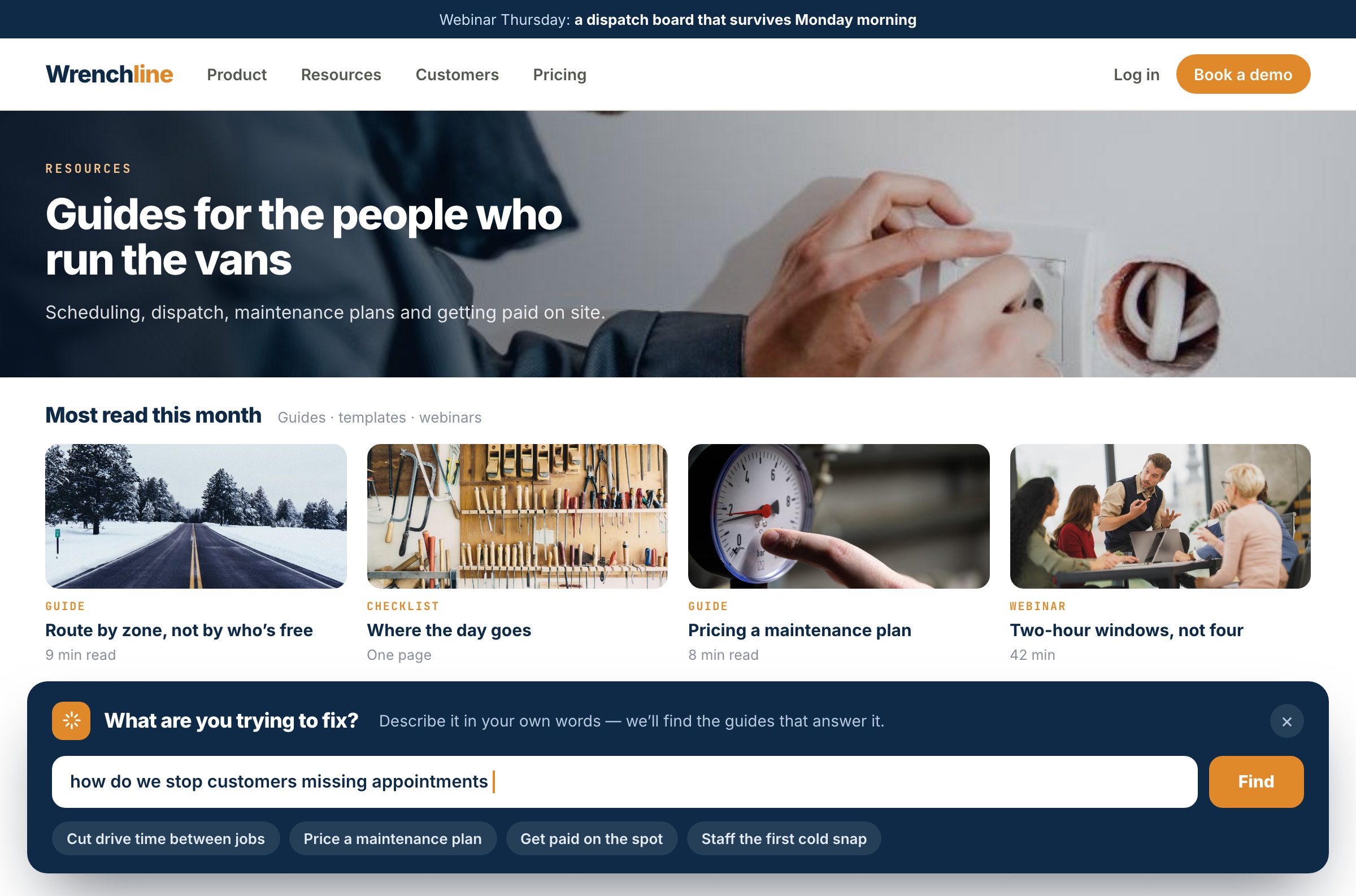
The summaries and reasons are written in the visitor’s language.
Personal before they type
Every word the finder shows can change with the visitor, using the data you already hold:
| Tool | Example |
|---|---|
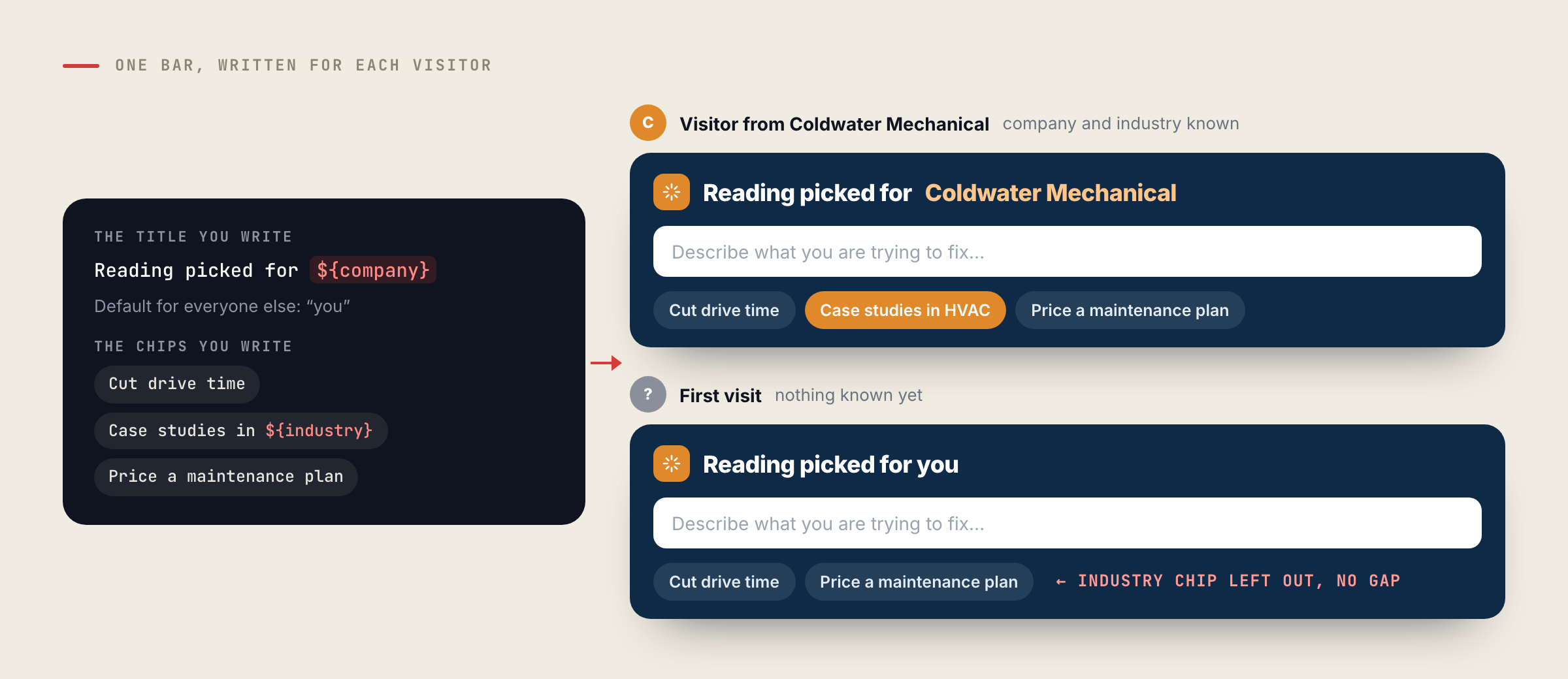
| A variable in any text | “Reading picked for ${company}” shows the visitor’s company, with a default for everyone else |
| Variations per audience | One invitation for returning customers, another for first visits |
| The bar’s words, written per visitor | A question you write — “Invite somebody from ${company}, based in ${current_country}” — answered by the assistant as one short line |
| Chips that skip a missing value | “Case studies in ${industry}” appears only for visitors whose industry is known, never with a gap |
The designer previews it all as a real recent visitor, including the line the assistant writes for them.
Your brand, without a developer
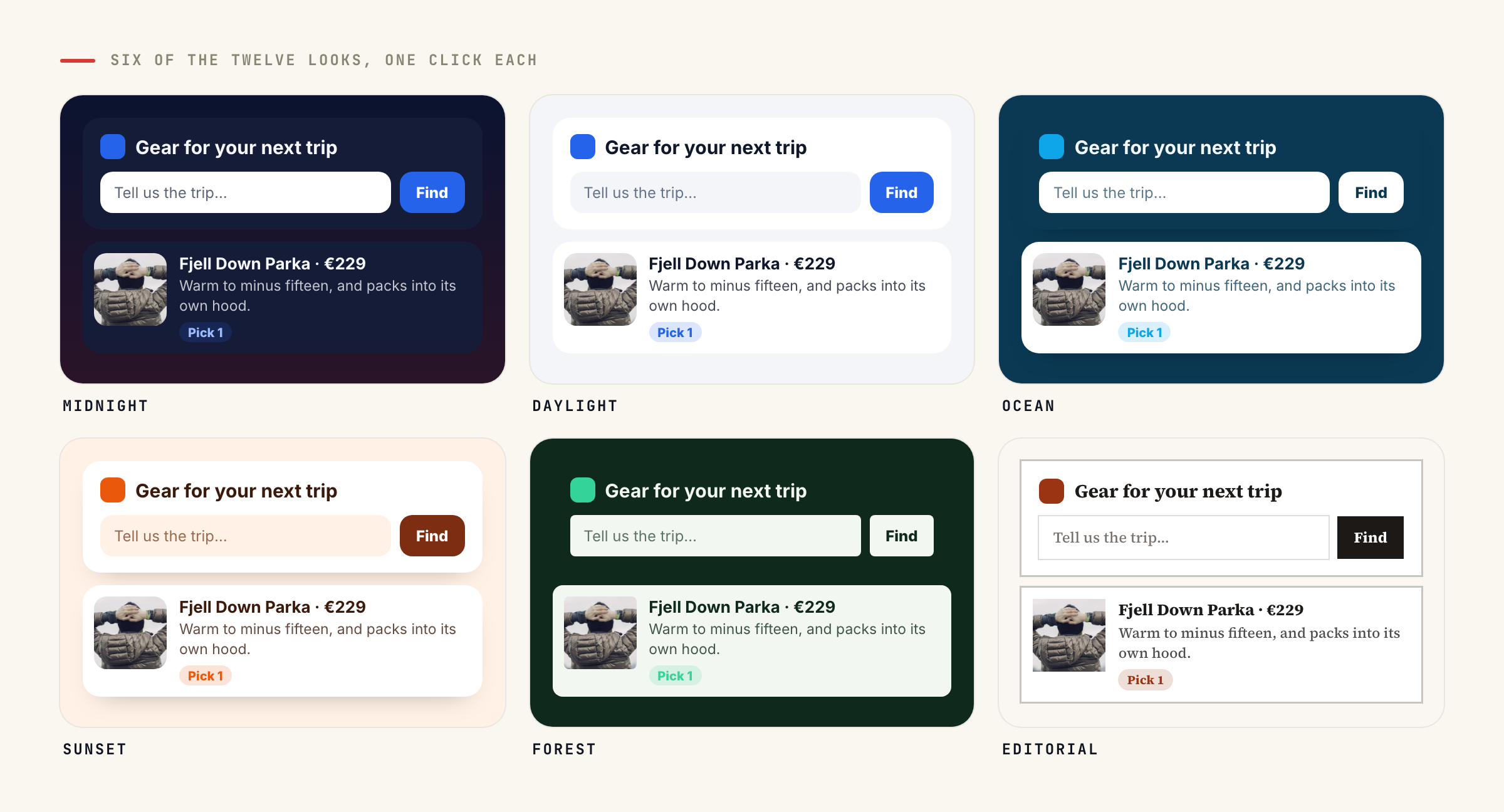
Pick one of twelve looks in one click — Midnight, Daylight, Your colour, Ocean, Sunset, Forest, Lavender, Rose, Graphite, Editorial, Mono, Candy — then change any part: a colour for the page behind the results, the bar, the boxes and their text, the buttons, the question field and the accent. Edges, corners and fonts are settings, including the font of the site the finder is on. Text contrast is measured for every surface, so a custom colour never produces unreadable text. A logo sits at the left of the bar, and it can be a variable — a visiting company’s own logo.
Out of the way when they want it
The × either hides the finder or folds it into a small tab with the logo and title, which reopens it in one click. You choose when a closed finder comes back — next visit, after a day, a week or 30 days, or never on that browser — and whether it starts as the bar or as the tab. A finder placed inside the page is part of the page and has neither.
Inside any page you build
In the Canvas Builder, both finders are elements, beside AI Chat, AI Search and Existing action, which places any campaign content you already run — an offer, a recommendation widget, a lead form, a booking widget, reviews, a customer-logo strip — inside the design. Each piece still runs as itself, with its own A/B test and report, and a paused one leaves no gap. The “Personalized page” design in the Canvas gallery starts you with your own actions assembled into one page.
Private by design
A line many visitors share — the finder’s per-visitor invitation, and the opening answer of an AI Chat that greets with an answer — is written only from the question and your site. Anything personal comes in through the question’s own variables, which is also what gives each segment its own line. Nothing about one visitor’s profile or browsing reaches the next.
It also keeps the cost down: a shared line costs one AI answer per distinct question per hour, so a line for “a logistics company in the Netherlands” is written once, not once per visitor.
What it needs
- The AI Chat add-on, or a trial, with conversations left. When they run out, finders switch themselves off like the chat, and the designer says so.
- Something to pick from: a product catalogue feed for the Product Finder, articles or site pages for the Content Finder.
- About five minutes: Campaigns → New → Targeting & Personalization, then Add action and search “Finder”.
More: the finders on the AI Chat Agent page.
Questions people ask
How is a finder different from site search?
Search matches the words typed. A finder reads the need described, picks a few products or articles, and says why each one fits.
Does it need the AI Chat add-on?
Yes, or a trial, with conversations left. A finder is the AI assistant in another shape, and it switches itself off when the conversations run out.
Is one visitor’s data used in what another visitor reads?
No. A line shared across visitors is written only from the question and your site. Personal details reach it only through the variables you put in the question.
Can visitors close it?
Yes. The × hides it or folds it into a small tab, and you choose when it comes back, from the next visit to never.
Which languages does it answer in?
The visitor’s. Summaries, reasons and the per-visitor line are written in the language the visitor uses.
Book a demo with a personalization expert
30 minutes with a personalization expert. Bring your stack, your goals, your skepticism. We'll show you what changes when every visit feels like the only one.