
One invitation list. Three emails that know when to stop.
An invitation and two polite reminders from a list you upload, written to each person — and every reminder stops for whoever already clicked or said yes. Pick a person and see what reaches their inbox.
Four people on one list. Four different inboxes.
Northwind invites its customers to a workshop: an invitation, a reminder three days later and a last note four days after that. Switch between four people — or let it play — and step through Day 0, 3 and 7.
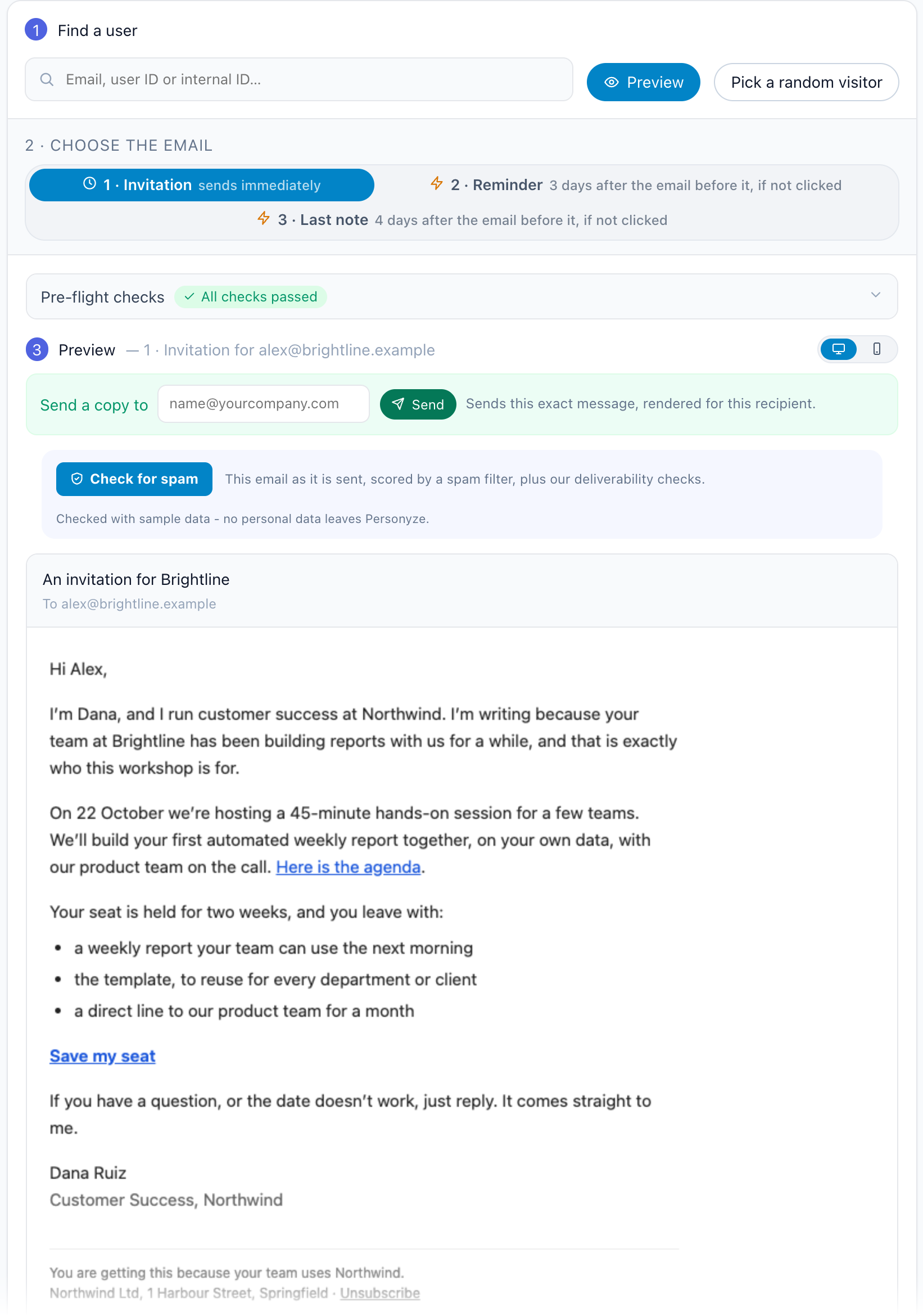
An invitation for Brightline
Hi Alex,
I’m Dana, and I run customer success at Northwind. I’m writing because your team at Brightline has been building reports with us for a while, and that is exactly who this workshop is for.
On 22 October we’re hosting a 45-minute hands-on session for a few teams. We’ll build your first automated weekly report together, on your own data, with our product team on the call.
Save my seat
If the date doesn’t work, just reply. It comes straight to me.
Dana RuizCustomer Success, Northwind
Free AI tool · Inspire me
See ideas like this for your own site.
Built in Personyze, step by step.
The real screens of a campaign like this one, with the names, addresses and wording replaced. The full walkthrough is in how to build a personalized email invitation sequence.
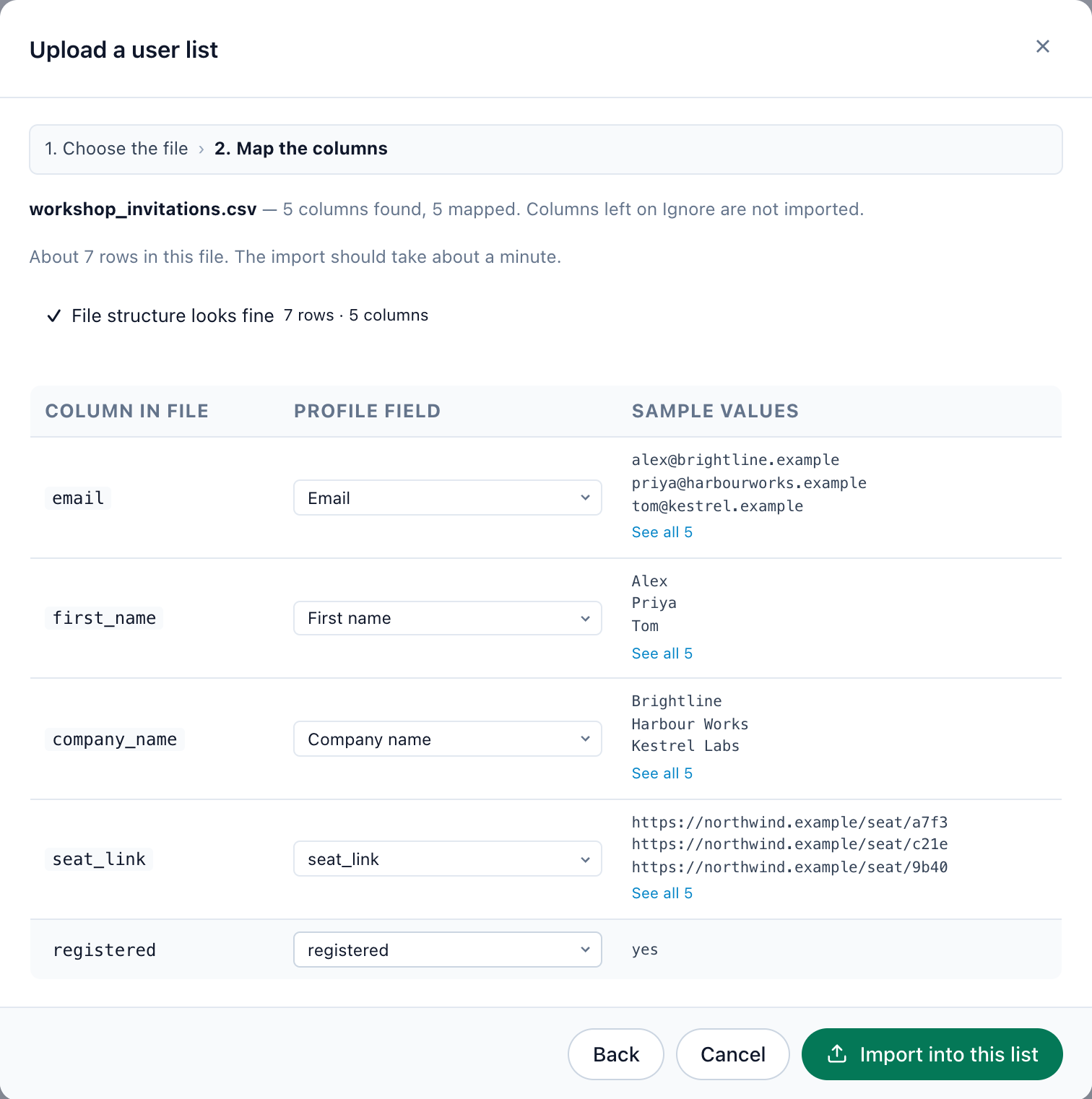
Upload the list, with your own columns
A CSV under Imported user data › New import. Personyze suggests a profile field for each column; a column of your own — a personal link, a registered flag — becomes a field with Create a field for this column.
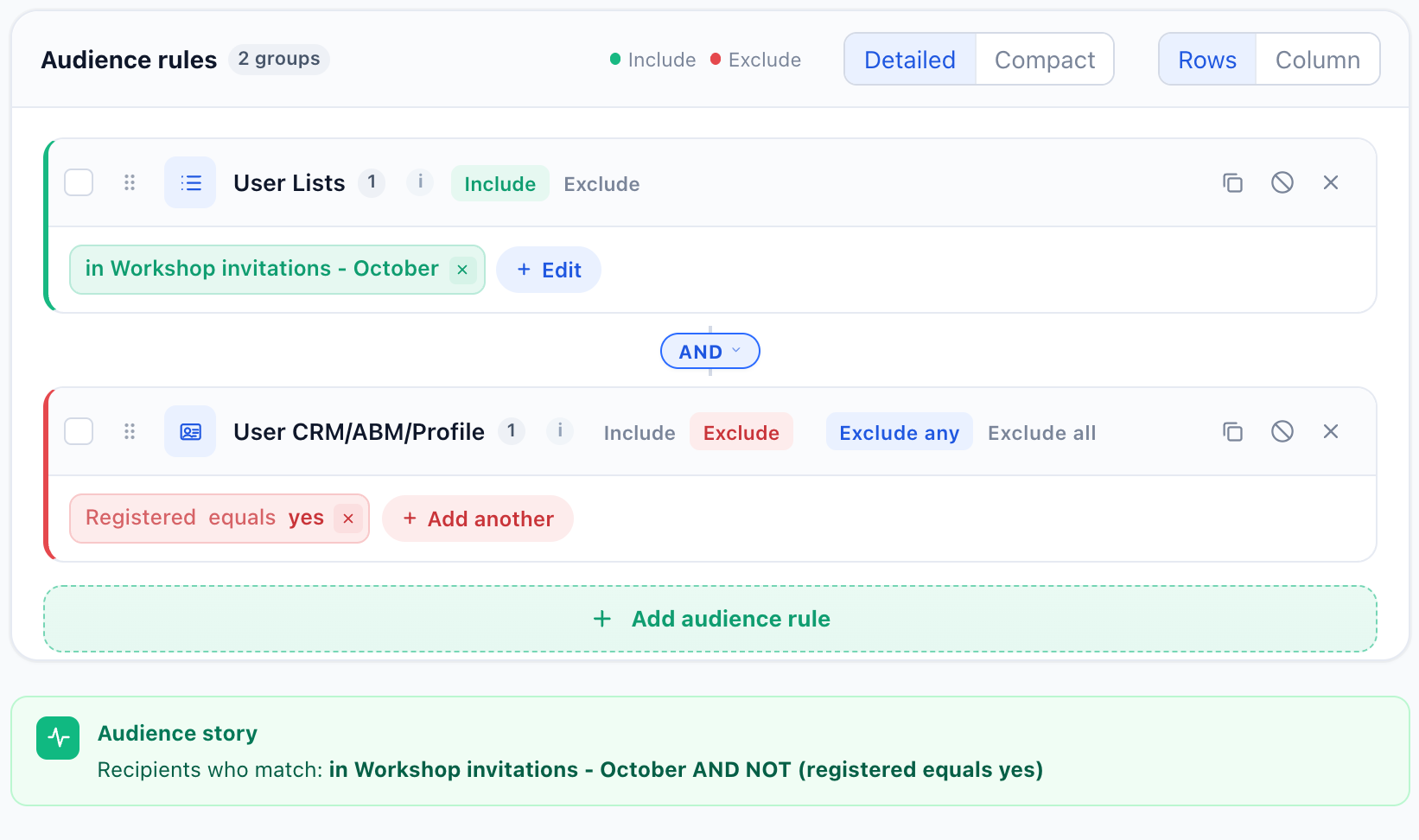
Target the list, exclude whoever said yes
Include everyone in the list, and exclude anyone whose registered field is yes. The Audience story says the logic back in one sentence.
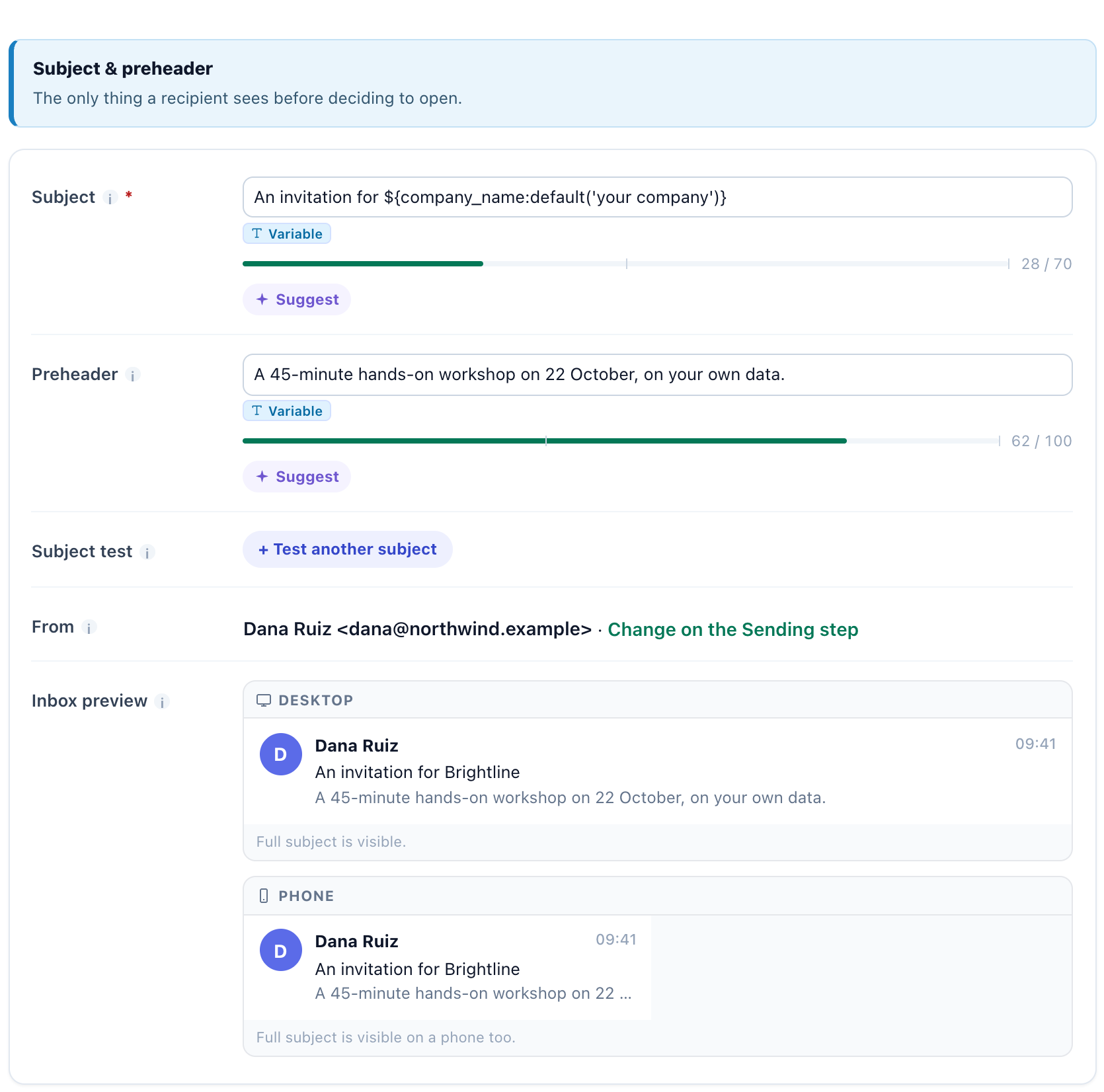
Write it with fallbacks
A plain letter from a person. Every field is printed with a fallback — ${first_name:default('there')} — and the inbox preview shows the subject and preheader before anyone gets them.
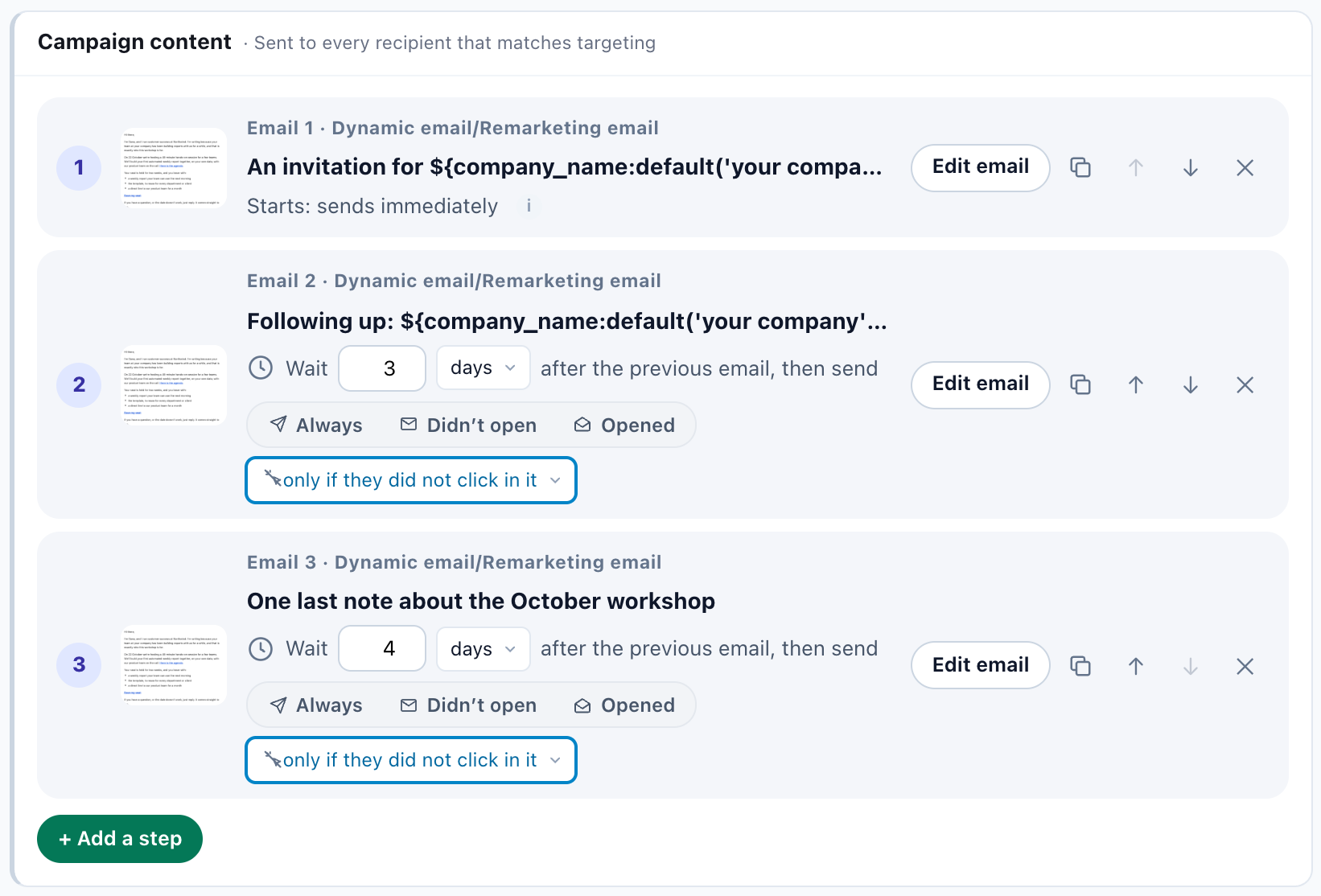
Three emails, each with its own rule
The invitation goes when someone joins the audience; the reminder waits 3 days and the last note 4 more, each only if they did not click in it. Sent not before 09:00 in each person’s own time zone, Monday to Friday.
Preview it as one real person
Preview by user renders any of the three emails exactly as a chosen person will get it, with their own details. Pre-flight checks run on it; Send a copy mails that exact message to you.
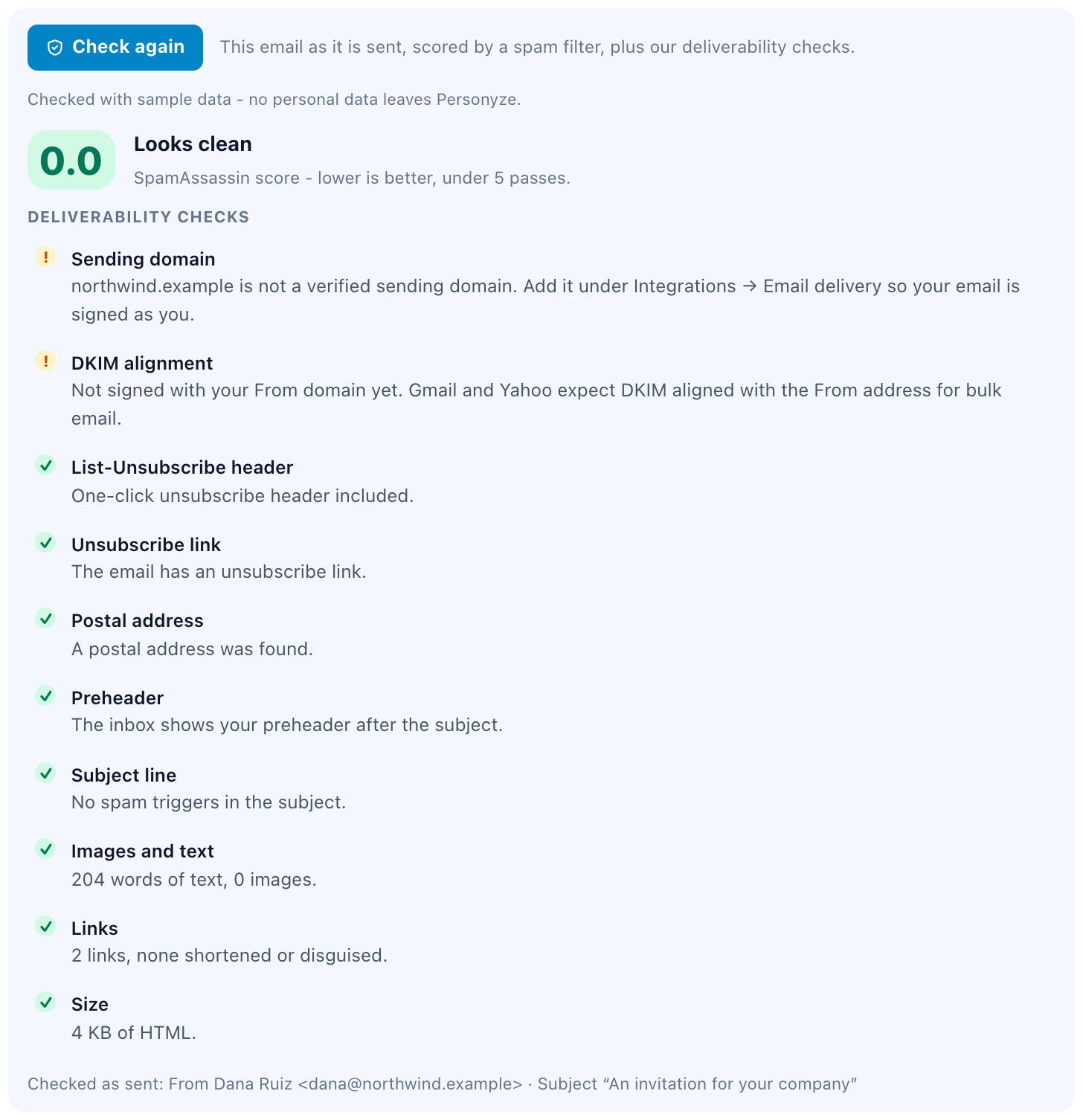
Check for spam, then a test run
A spam-filter score and the deliverability checks — unsubscribe header and link, postal address, sending domain. Then staging mode sends the whole sequence to your own address, on its real schedule, before anyone else.
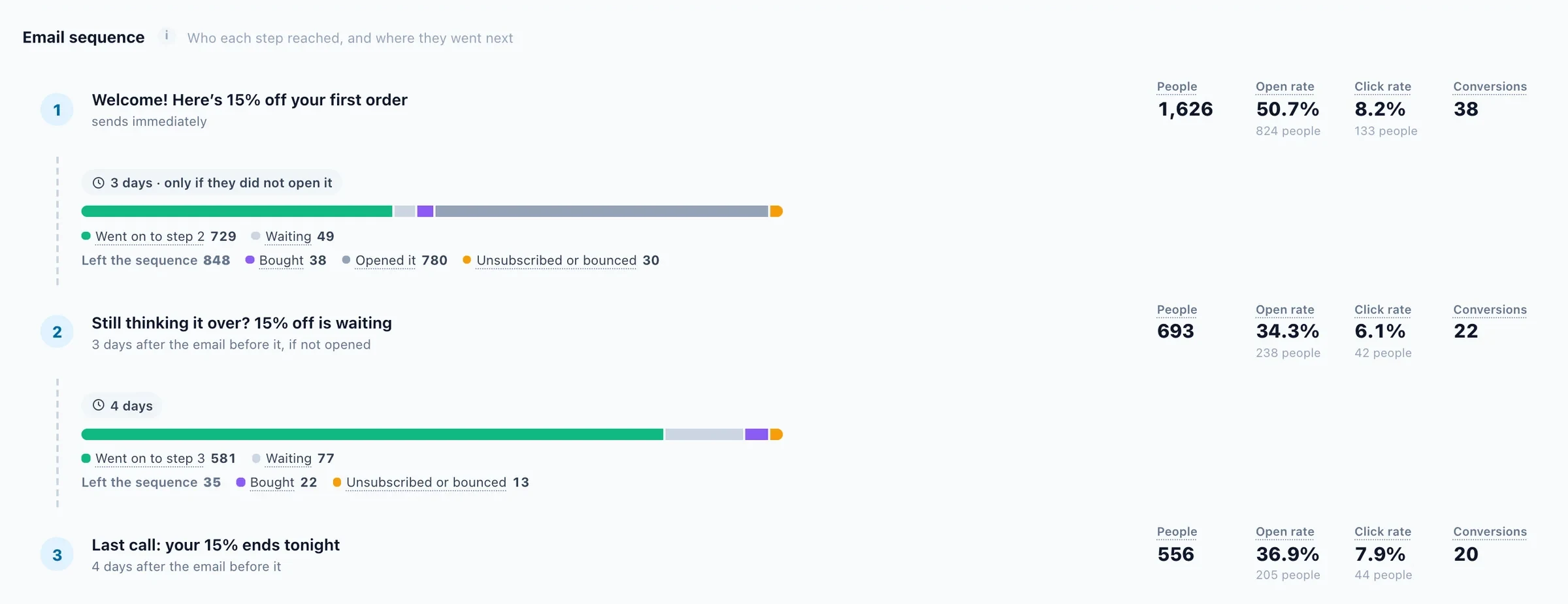
Who each email reached, and who moved on.
Once it is live, the campaign’s report shows the sequence email by email: how many people each one reached, who went on to the next, who is still waiting, and who left because they acted, unsubscribed or bounced.
Questions about this example
How do the reminders know when to stop?
Two ways. Each reminder goes only to people who did not click in the email before it, and the campaign excludes anyone whose profile shows they already did what you asked, such as a registered field. The audience is checked again each time an email is due.
What happens when a field is empty on the list?
Every variable is printed with a fallback, for example ${first_name:default('there')}. A person with no first name gets "Hi there" instead of a gap. Preview by user shows the email for that person before anyone receives it.
Can the list come from a CSV file?
Yes. Upload it under Imported user data. Each column can map to a profile field, and a column of your own, such as a personal link, becomes a custom field you can print in the email.
Send the invitation once. Let the reminders mind themselves.
Upload your list, write one letter, and let each reminder go only where it is still needed.