Personyze
On your site
Website PersonalizationContent, offers and layout shaped to each visitor — one profile across every page and every session.Recommendation EngineWhat each visitor wants next, ranked by the algorithm you pick or one you write.A/B TestingA winner per audience, promoted mid-campaign rather than after it.Dynamic Landing PagesThe whole page recomposed per visitor — headline, imagery and offer from the ad they clicked and their own interests. On pages you already run.AI Search & Chat AgentAnswers from your own pages and catalogue, and a search box that replies in a sentence.Banners & Pop-UpsRight message, right moment, right page — without a developer.Social ProofLive scarcity, ratings and what other people just did.
Off your site
Email PersonalizationContent and recommendations picked per reader at open time — sent from Personyze or pasted as one block into your ESP.Push, SMS & WhatsAppFired by what they just did rather than by a schedule.Hosted Landing PagesThe same per-visitor page, served by us — your domain or ours, no site to deploy to.
Know who they are
Behavioral TargetingSegments that update themselves from what people actually do.Audience DiscoveryPlain-language audiences found in your own data — visitors who convert several times more often than average, targetable in a click.ABM MarketingThe company behind an anonymous visit, joined to your CRM.Website AnalyticsSessions, bounce and revenue — then click a row and there is a person.
Build & connect
MCP ServerRun your account from Claude, ChatGPT or any MCP client.IntegrationsHubSpot, Salesforce, Twilio Segment, Tealium, GTM and the REST API.APIs, SDKs & AutomationOne REST endpoint over every object, server and mobile SDKs, rules and reports that run on their own.
Hear from them
Reviews & TestimonialsReviews from 17 platforms and your own site, matched to each visitor.Surveys & NPSOne question or a whole survey — every answer ready to target.AI Chat AgentAnswers visitors’ questions from your own pages, and hands over to a person.Meeting SchedulerThe right visitors book time with your team, on your own page.
PricingVideosProduct TourShort narrated videos of the real platform, one feature at a time.
Behavioral Targeting · Banners · Website Personalization

A home page that remembers what they browsed.

Shoppers who look at a category and come back to the home page find a banner written for that category — in a slot picked right above the shop’s own category tiles. One audience rule, one banner, one slot. Switch the shopper below to see the same home page four ways.

⚡ Interactive demo — switch the visitor below
waypoint-and-co.shop
Free delivery on orders over $50
OuterwearKnitwearFootwearBagsJournalBag (0)
AUTUMN EDIT

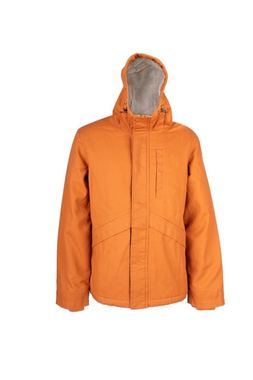
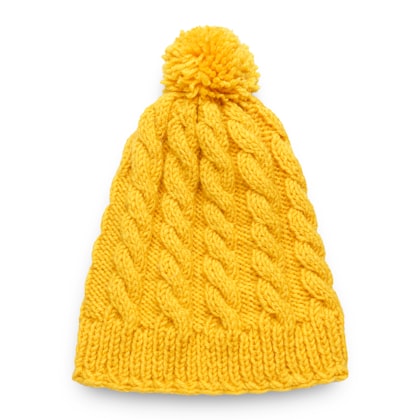
Three things, made properly

We keep the range deliberately short. Everything here is made to be worn hard, washed often and kept for years.
Shop the editOur story
Nothing here yet. The slot above the categories is empty for this visitor — the page looks exactly as the shop built it.
Shop by categoryThe site’s own block
OuterwearShells and insulation
KnitwearMerino and lambswool
FootwearBuilt to be resoled
Everyday carryPacks and totes
Watch it done · 2:25

Watch this exact campaign being built

The audience, the banner and the slot, set up in the real panel — then the home page before and after, as a shopper browses outerwear. Then build your own.

How it works

One rule, one banner, one slot on your own page.

01

Target what they browsed

Pages visited, with the address containing the category — and “during the session”, so anyone who looked at it this visit counts, not only someone standing on it.

02

Write a banner for them

An image banner that sits inside the page, not a popup over it: a headline, one line under it, and a button that goes straight back to the category.

03

Pick the slot on your own page

Open the live home page, click the category block, and put the banner before it. Personyze writes the selector, and the slot is there for every campaign after this one.

Under the hood

How Personyze builds a category banner.

01

The rule reads the session, not the page

A condition on pages visited during the session matches anyone who opened the category at any point in this visit. That is why the banner appears on the home page, where the category itself is nowhere in sight.

02

The audience story says it back in words

Under the rule, Personyze writes the audience out in a plain sentence, so the person approving the campaign reads what it does instead of decoding conditions.

03

The banner is part of the page

It renders inline, in the flow of the content, and pushes what is below it down — the way any other block on the page would. Nothing floats over the shop.

04

The slot is picked, not coded

The placeholder is chosen on the live page by clicking the element to put it before, after, inside or instead of. It is saved once and reused by any later campaign that wants the same spot.

05

One campaign per category, or one for all

Each category can have its own banner and its own words, or one campaign can carry a variation per category. Where two campaigns aim at the same slot, the slot’s priority decides which one shows.

06

Measured against the page without it

A share of matching shoppers keeps the plain home page, so the banner’s effect on clicks back into the category and on orders is measured rather than assumed.

Build your own

Build your own category banner.

Pick the category, write the banner, click the spot on your own home page — and publish. Every shopper who browsed it finds it waiting.

Free to start · No credit card · Setup in minutes