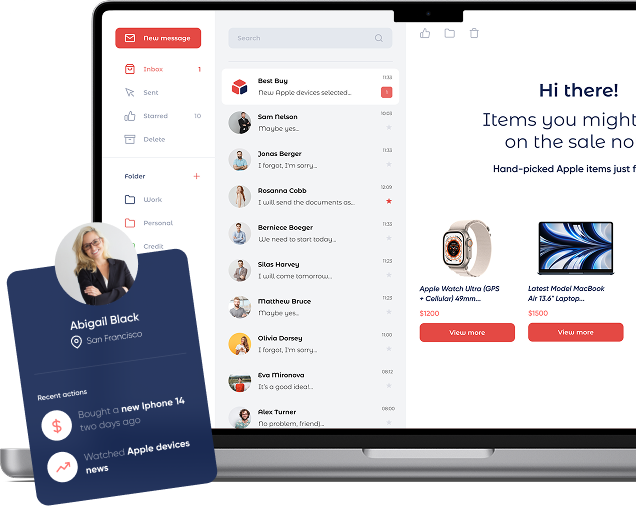
Open-time email personalization shows the right products, content, or promotions at the exact moment the recipient opens the email — not the moment you hit send. Instead of freezing offers at send time, Personyze renders each block live (a server-generated image with a link) using your data and chosen algorithm, so every open gets the most relevant version.
The blocks drop into any template you already use — HubSpot, Salesforce, Klaviyo, Mailchimp, or a custom ESP. You paste in one generated snippet and Personyze handles the rest: the content refreshes on every open, on any device, no matter when the email was originally sent.
The result is campaigns that stay fresh and context-aware — the latest inventory, a time-sensitive promotion, a personalized recommendation, even localized content — with no redesign and no resend.
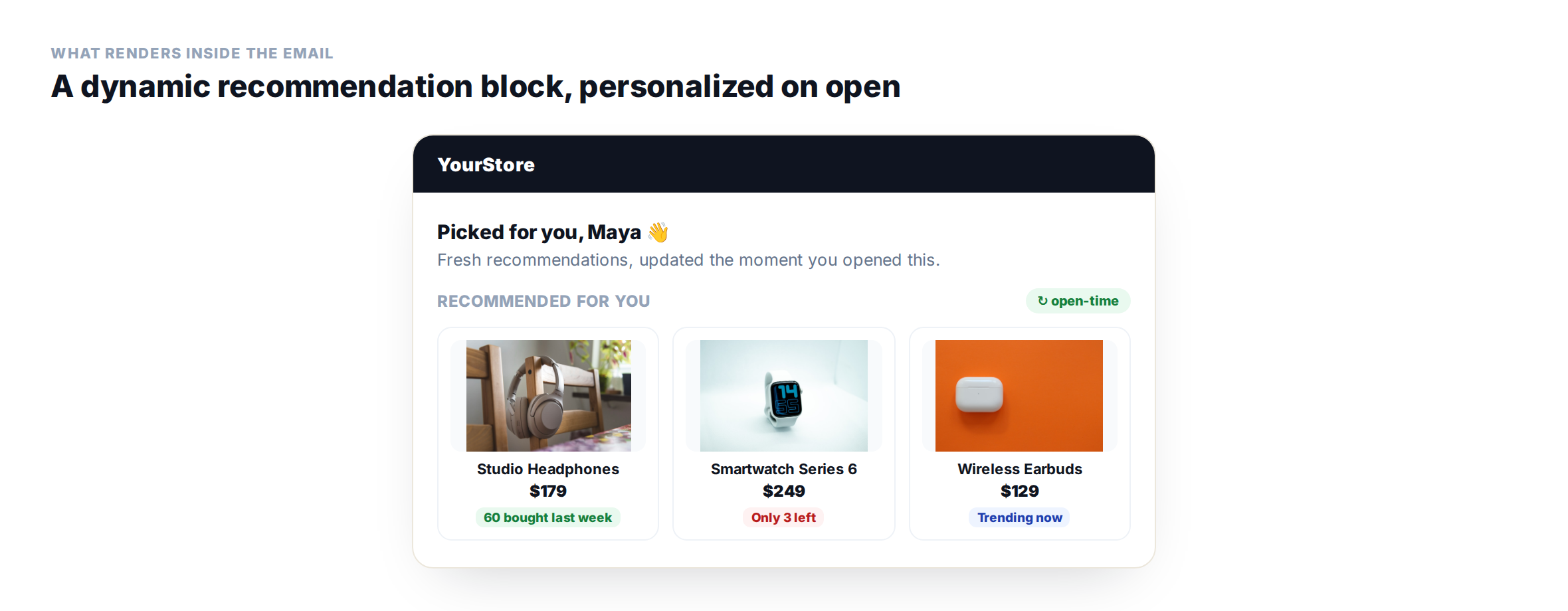
What actually renders inside the email on open: a live recommendation block with social-proof and urgency badges.
What “open-time” means
Real-time relevance: Inventory, prices, discounts, and interests can change between send and open. Open-time rendering keeps your blocks current.
ESP-agnostic: A small HTML snippet works in any Email Service Provider (ESP). The snippet displays image blocks with unique URLs that include identifiers (e.g., email/CRM ID or content IDs) and campaign parameters.
Data-rich: Personyze unifies 70+ attributes (behavioral, transactional, geo, CRM, referral, weather, last used device, language, etc.) to personalize each block.
Flexible inputs: Use recipient identifiers, pass only product IDs, or run zero-data mode (bestsellers, trending, new arrivals).
The block isn’t baked in at send time — Personyze renders it live when the recipient opens the email, reflecting current data.Watch it done · 1:27 — Adding personalized product recommendations to any email. See it with the rest of the tutorials →
How to add open-time personalization to your email templates
Start by embedding a short HTML snippet into your template. It outputs one or more image blocks wrapped in links. If your ESP supports dynamic variables (e.g., {{ email }}, {{ crm_id }}), include one in the block URL so Personyze can personalize per recipient. If no identifier is available, you can use product or content IDs, or fall back to trending and bestsellers.
Each block’s URL automatically carries the recipient or campaign identifiers along with your chosen algorithm. When the email is opened, Personyze generates the image in real time through its CDN, applying your algorithm and design template.
Every image is fully clickable, deep-linking to the right product, content, or offer with your UTM tracking intact.
Quick setup
Choose a block type:product recommendations, content recommendations, promotional banners, or a combination.
Select an algorithm: e.g., Frequently Bought Together, Buy It Again, Recently Discounted, Trending Now.
Pick a template: responsive, brand-ready, with optional social proof/urgency badges (e.g., “60 bought last week,” “Only 3 left”).
Embed the snippet: paste the generated HTML into your ESP template.
Set tracking: optional, define UTM tracking templates + destination parameters
Preview: select any recipient and preview exactly what they’ll see (recommendations & promotions included).
Playbook: the right block for the right email
Transactional emails
Order confirmation → Cross-sell (FBT): Accessories for the purchased item, plus “60 bought last week” badge.
Shipping update → Recently Discounted: Surface items the recipient viewed that just went on sale.
Invoice/receipt → Buy It Again: Replenishables the recipient previously purchased.
Lifecycle emails
Welcome/first-purchase → New Arrivals by category of interest: Optionally add a “10% off first order” promo block.
Re-engagement (30–60 days idle) → Trending Now: Popular items in the recipient’s favorite categories.
Win-back → Wishlist / Left in Cart: Remind with gentle urgency: “Only 3 left in stock.”
Marketing emails
Newsletter → Content Recommended for You: “Those who read this also read…” with “1.2K readers this week” badge.
Weekly promos → Recently Discounted from views/wishlist: Personalized sale picks.
Seasonal campaign → Geo + Weather aware: Rain gear if raining in recipient’s city.
Behavior-triggered emails
Browse abandonment: “Recommended based on what you viewed” + FBT upsells.
Category interest spike (last 7 days): “Most popular in your category” content + promo banner.
Loyalty nudge: New arrivals in favorite category + member-only offer.
Algorithm selection & fallback logic
The goal is to always render a relevant block — even for cold leads.
A simple cascade keeps every open relevant, right down to a cold lead.
If the recipient has an abandoned cart within the last 48 hours, show the items left behind along with “frequently bought together” suggestions.
If they recently viewed products (within the past week), show recommendations based on those views.
If they purchased a replenishable product within the last 60 days, show a “buy it again” suggestion.
If they have wishlist items, highlight those that recently went on discount.
If none of the above apply, fall back to bestsellers, trending products, or new arrivals.
You can further refine the block with filters such as category, brand, price range, discount thresholds, region, and availability. Add persuasive badges like “60 bought last week,” “Only 3 left,” or “Most popular near you” to boost urgency and social proof.
Analytics
Dashboard: block views, clicks, products viewed from email, add-to-cart, purchases, purchase value, AOV, total revenue, and direct revenue contribution.
Third-party analytics: set UTM tracking templates and destination parameters in the campaign editor.
Copy-paste HTML snippets
Example: product recommendation block
<a href="#" target="_blank">
  <img
    src="https://cdn.personyze.com/render?cid={{CAMPAIGN_ID}}&rid={{EMAIL}}&block=product_rec&alg=fbt&fallback=bestsellers"
    alt="Recommended for you" />
</a>
Example: content recommendation block
<a href="#" target="_blank">
  <img
    src="https://cdn.personyze.com/render?cid={{CAMPAIGN_ID}}&rid={{CRM_ID}}&block=content_rec&alg=trending_now"
    alt="Recommended articles for you" />
</a>
Example: promo banner with open-time logic
<a href="#" target="_blank">
  <img
    src="https://cdn.personyze.com/render?cid={{CAMPAIGN_ID}}&rid={{EMAIL}}&block=promo_banner&alg=recently_discounted&fallback=category_bestsellers"
    alt="This week's best offers for you" />
</a>
Preview & QA checklist
Per-recipient preview: pick a recipient in Personyze and confirm what the block renders.
Fallbacks: test low-data and zero-data scenarios; ensure defaults always appear.
Links & UTMs: verify destination URLs and parameters resolve correctly.
Load & cache: keep block images light; ensure unique URLs to prevent stale cache.
Alt text: provide descriptive attributes for image-off environments.
Get started fast
Install snippet (5 minutes).
Pick algorithms + templates.
Define UTM templates & destination parameters.
Preview per recipient; send.
Open-time personalized email blocks—AI-driven, ESP-agnostic, with smart fallbacks—so every open is timely, relevant, and conversion-ready.
Frequently asked questions
What are open-time recommendations?
Recommendations computed at the moment of open, so products reflect current inventory and recent behavior.
Yes — embed the blocks into emails sent from your existing platform.
Do open-time blocks work without recipient data?
Yes. In zero-data mode the block falls back to bestsellers, trending, or new arrivals, so it always renders something relevant – even for a cold lead.
Are the recommendations clickable and tracked?
Yes. Every block is a fully clickable image that deep-links to the right product, content, or offer, with your UTM parameters intact for analytics.
Will open-time blocks slow down my email?
No. Each block is a lightweight image rendered on Personyze’s CDN with a unique URL that prevents stale caching, so it loads fast on open across devices.
30 minutes with a personalization expert. Bring your stack, your goals, your skepticism. We'll show you what changes when every visit feels like the only one.