
Free Shipping Progress Bars and Tiered Loyalty Bars: The AOV Playbook

A shopper who’s $12 from free shipping doesn’t leave — they add another item. That’s the goal-gradient effect: the closer people get to a reward, the harder they push to reach it. A progress bar puts that pull on the screen, turning a threshold into motivation. Personyze ships these as ready templates in a few display styles: a single-goal free-shipping status bar, a multi-milestone tiered loyalty bar, and a status card (or popup) — all driven by the same live value.
Why progress bars work
Two well-worn behaviors do the heavy lifting. The goal-gradient effect means motivation rises as the finish line approaches — the “$18 to go” shopper is far more likely to add to cart than the one who just started. And a visible bar creates a small, satisfying sense of completion, which is why the same mechanic drives loyalty programs, points, and gamified milestones. On an ecommerce store, the most common use is lifting average order value with a free-shipping threshold — but the pattern works for any numeric goal.
The free-shipping status bar: one goal, live progress
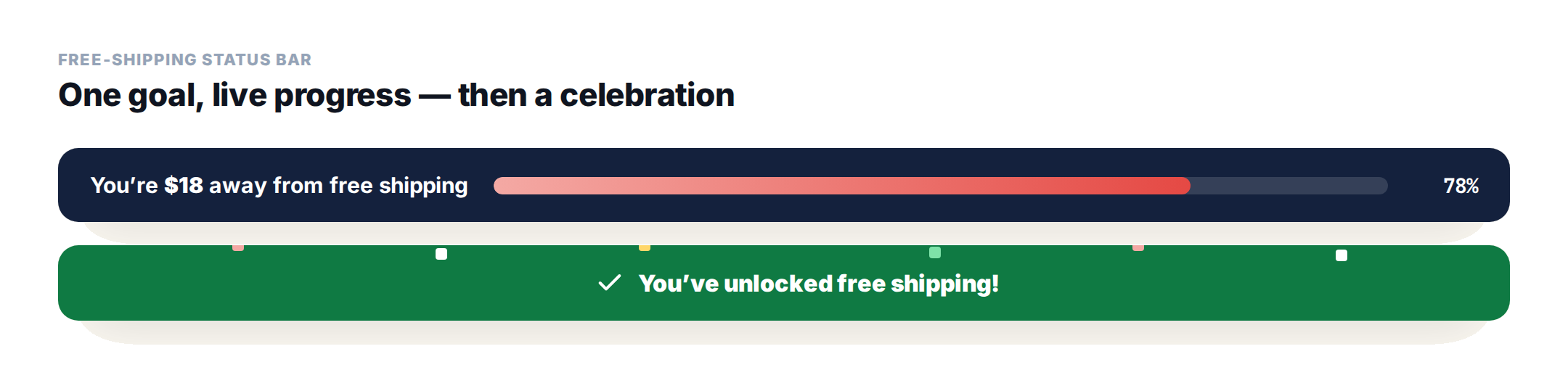
The free-shipping bar shows a visitor how close they are to a single goal — “You are $65 away from free shipping” — with a bar that fills as their cart value grows and a percentage that updates automatically. When they cross the goal, it swaps to a success message and plays a celebration (confetti, a checkmark, or a glow). It isn’t only for shipping:
- Free-shipping thresholds — the classic add-more-to-cart nudge.
- Rewards and loyalty goals — “120 points to your next reward.”
- Spend or order milestones — any single numeric goal a visitor is working toward.
Full setup is in the Free Shipping Status Bar template docs.
The tiered status bar: loyalty milestones
The tiered bar is the multi-milestone version. It shows progress toward the next tier a visitor hasn’t reached — Bronze, Silver, Platinum (or your own names) — lights up every tier they’ve already passed, and celebrates when they reach the top. You set three tier values and labels (say 50/Bronze, 150/Silver, 300/Platinum), and each tier chip can have its own color, icon, and image.
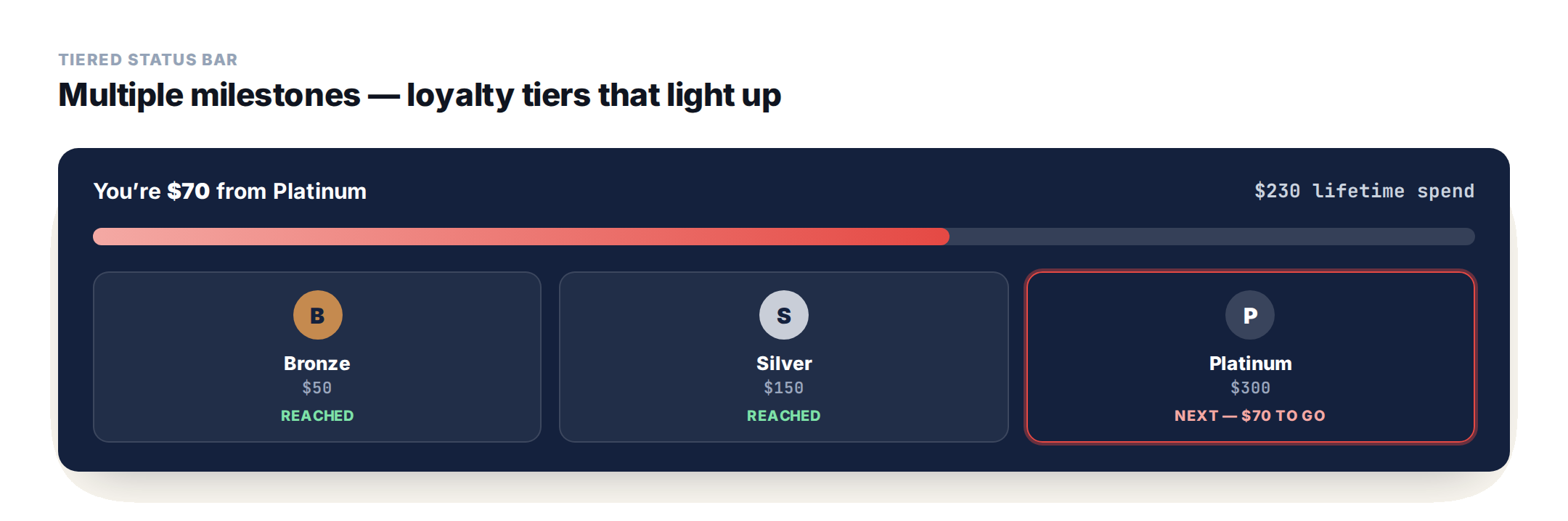
Reach for it when there’s more than one milestone: loyalty tiers, several spend perks, or any gamified journey. Details in the Tiered Status Bar template docs.
Prefer a card? The status card
The status card is the card/popup version of the same idea — a prominent, centered card (or a popup) instead of a thin strip. It reads the same live profile value, tracks the same goal, and plays the same celebration. What changes is the presentation: choose a circular ring with the percentage in the middle, or a horizontal bar inside the card.
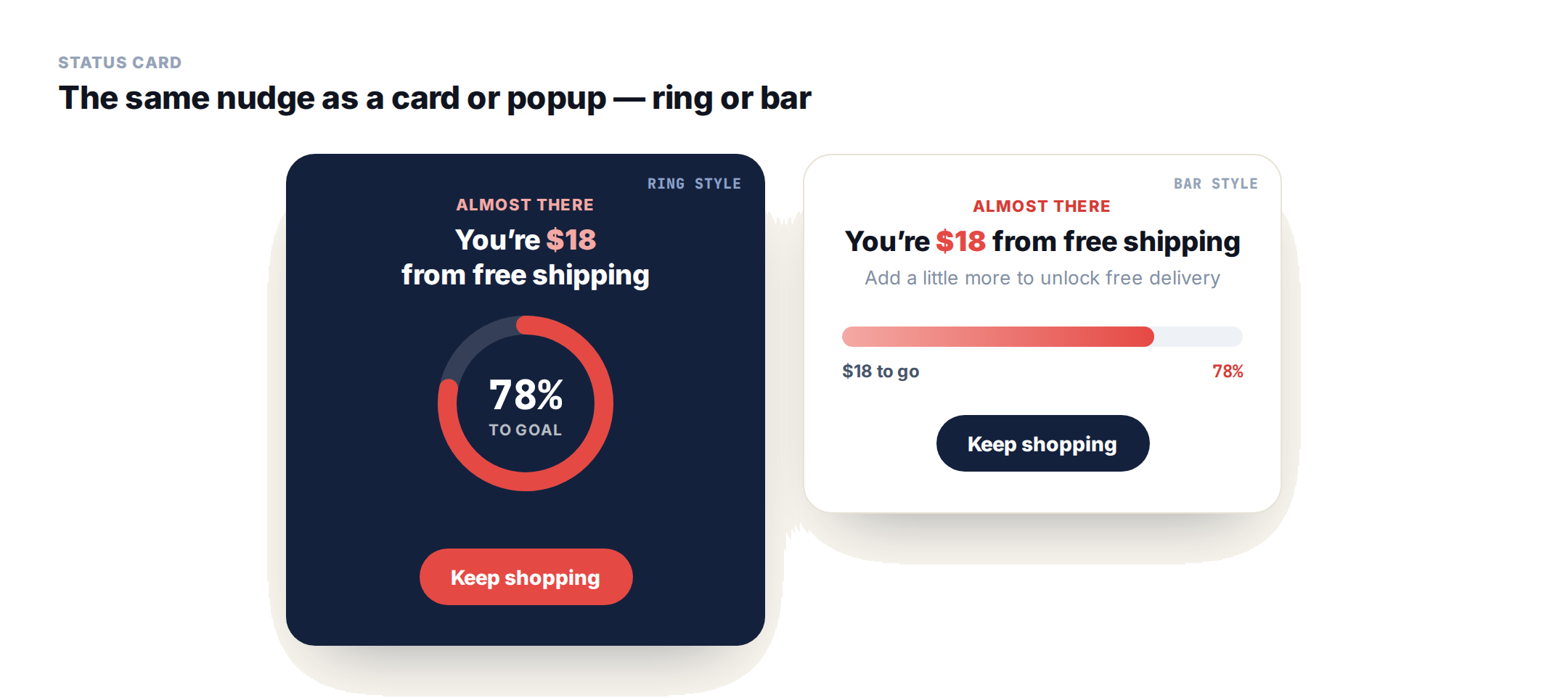
It adds a size (compact, default, or spacious) and an optional call-to-action button, so it works well on the cart page or as a popup when you want a bolder nudge than a strip across the top. There’s a single-goal version and a tiered status card for loyalty tiers; full setup is in the Status Card template docs.
How it works: a live profile value
Both bars are driven by one thing — a live number on the visitor’s Personyze profile (cart total, points, spend, orders). The bar reads that field at display time, compares it to your goal or tiers, and updates the message, fill, and percentage. Importantly, the widget displays and reacts to the value; it doesn’t calculate the cart itself, so the field has to be populated.
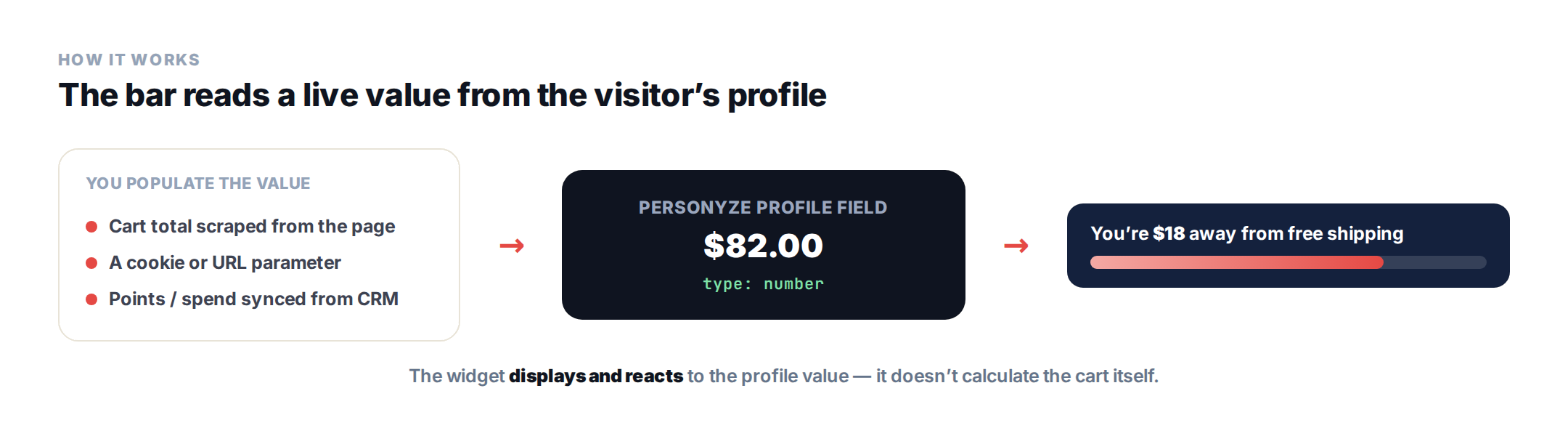
The value lives on the visitor’s unified profile, and there are a few ways to keep it current:
- Grab it from your site — have Personyze read the current cart value (or points, orders) straight from the page, a cookie, or a URL parameter. No key required, so it works for anonymous shoppers from the first visit.
- From Personyze’s own product tracking — if you already run product recommendations, Personyze is tracking what each visitor adds to their cart, so it can derive the live cart value directly from that tracking — nothing extra to wire up.
- Push it in — send the value through the API, a file upload, a feed, or a CRM sync (matched to the visitor by email or CRM ID).
Set the field’s type to number so the bar can do the math. The full walkthrough for creating and populating profile fields is in the profile data setup guide.
Show it to the right shoppers, at the right moment
Because it runs on Personyze’s targeting engine, you decide exactly when and to whom the bar appears — it’s never a blunt sitewide banner. Show it only on cart and checkout pages; only to shoppers still below the threshold (and let Show From hide it until they’re close); only to logged-in loyalty members for the tiered bar; or fire it on exit intent. The same targeting that powers the rest of your personalization decides when the nudge is actually worth showing.
Set it up in a few steps
- In a Popup action, choose Free Shipping Status Bar, Tiered Status Bar, or Status Card.
- Under Value, pick the Current Value Field (the profile number), set a Test Value for the editor preview, and choose the unit prefix/suffix (e.g. $ or pts).
- Set the Goal amount — or, for the tiered bar, the three tier values and labels.
- Style it: preset, bar width, animation, and completion effect; write the message and the completed message.
- Choose where it shows in the action’s Location step, and target who sees it.
Design and celebration
You don’t build these from scratch — they arrive polished out of the box. Pick from five ready presets (dark, navy, brand, light, and success), full-width or a centered contained bar, with the fill animating into place on load.
The part shoppers remember is the completion celebration: the moment they hit the goal, the bar can burst into confetti, pop a checkmark, or pulse with a glow — a little hit of delight exactly when they’ve decided to spend more. Every preset and effect is prebuilt and configurable, so a great-looking bar is a few clicks, not a design project. And because it’s part of Personyze’s on-site personalization, you can pair it with recommendations that suggest exactly what closes the gap to the goal.
Which style to use
It comes down to two choices: how many goals (one or several) and how prominent (a thin bar or a card).
- One goal, thin strip (free shipping, a single reward) → the Free Shipping Status Bar.
- One goal, prominent card or popup → the Status Card (ring or bar).
- Multiple milestones (loyalty tiers, several perks) → the Tiered Status Bar or Tiered Status Card.
Status bars: FAQ
Do free-shipping progress bars actually increase order value?
They lean on the goal-gradient effect – motivation rises as a shopper nears a reward – so a visitor who’s a few dollars from free shipping is more likely to add another item. It’s one of the most common tactics for lifting average order value.
How does the bar know the visitor’s cart total?
It reads a live number from the visitor’s Personyze profile and reacts to it – it doesn’t calculate the cart itself. You populate that field by scraping the cart total from your page (or a cookie/URL parameter), or by syncing points/spend from your CRM.
Does it work for anonymous shoppers without a login?
Yes. When the value is captured from your own site, Personyze already knows which visitor it is, so it lands on their profile with no key required – anonymous carts work from the first visit.
Can I use a status bar for loyalty points instead of shipping?
Yes. The value can be points, spend, or orders. Use the free-shipping bar for a single goal (like the next reward) or the tiered bar for multiple loyalty milestones such as Bronze, Silver, and Platinum.
What’s the difference between the free-shipping and tiered bars?
The free-shipping bar tracks progress toward one goal. The tiered bar tracks several milestones at once – it shows progress to the next unreached tier, lights up passed tiers, and celebrates at the top.
What happens when the goal is reached?
The bar hides the track and percentage, shows your completed message, and plays the chosen celebration – confetti, a checkmark, or a glow pulse – then centers the success message.
Get started
Turn your free-shipping threshold or loyalty program into a live nudge. Book a demo or view plans.
Related reading
- Ecommerce personalization — where progress bars fit in the bigger AOV picture.
- Free Shipping Status Bar template — the full setup guide.
- Tiered Status Bar template — loyalty tiers, step by step.
- Status Card template — the card/popup version, ring or bar.
Book a demo with a personalization expert
30 minutes with a personalization expert. Bring your stack, your goals, your skepticism. We'll show you what changes when every visit feels like the only one.