

AI Product Finder vs. Product Recommendation Quiz: How to Help Shoppers Find the Right Product
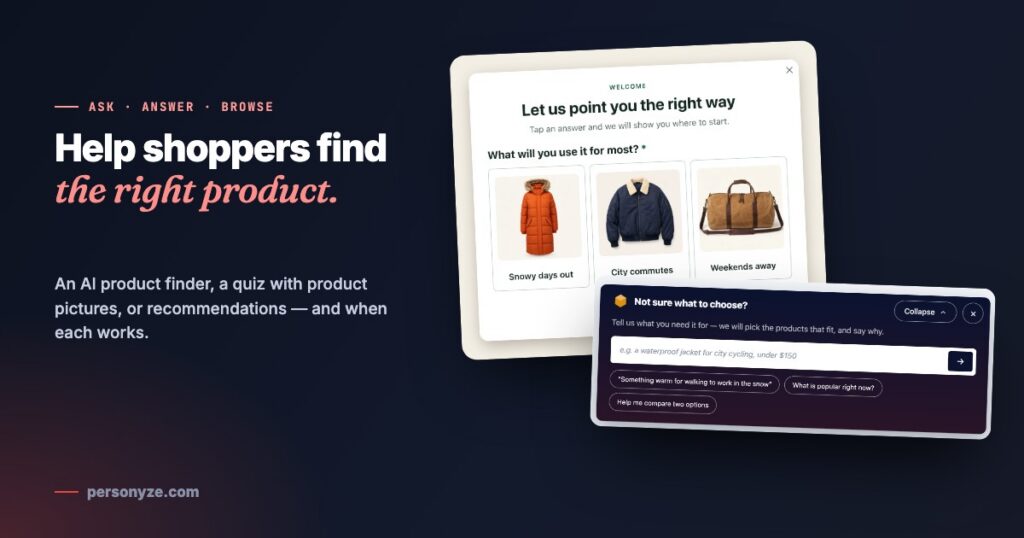
A shopper who cannot find the right product does not keep looking for long. Most of them know the situation, not the name of the thing — “something warm for walking to work in the snow”, “a bag for weekends away”. A search box matches the words they type, and a filter page asks them to know the specs already. Both leave the choosing to the shopper, at the exact moment they wanted help.
There are three good ways to give that help, and they are not rivals: let them ask, let them answer, or let the site show them. Here is what each one looks like, when it works best, and how to build it.
Three ways, at a glance
| Way | The shopper | Works best when | In Personyze |
|---|---|---|---|
| Let them ask | Types the need in their own words | The catalogue is large and needs vary | AI Product Finder |
| Let them answer | Taps a picture | There are a few clear paths, and people are not sure what to ask | A survey quiz with picture answers |
| Let the site show them | Does nothing at all | Visitors come back, or are already on a product or cart page | Product recommendations |
1. Let them ask: an AI product finder
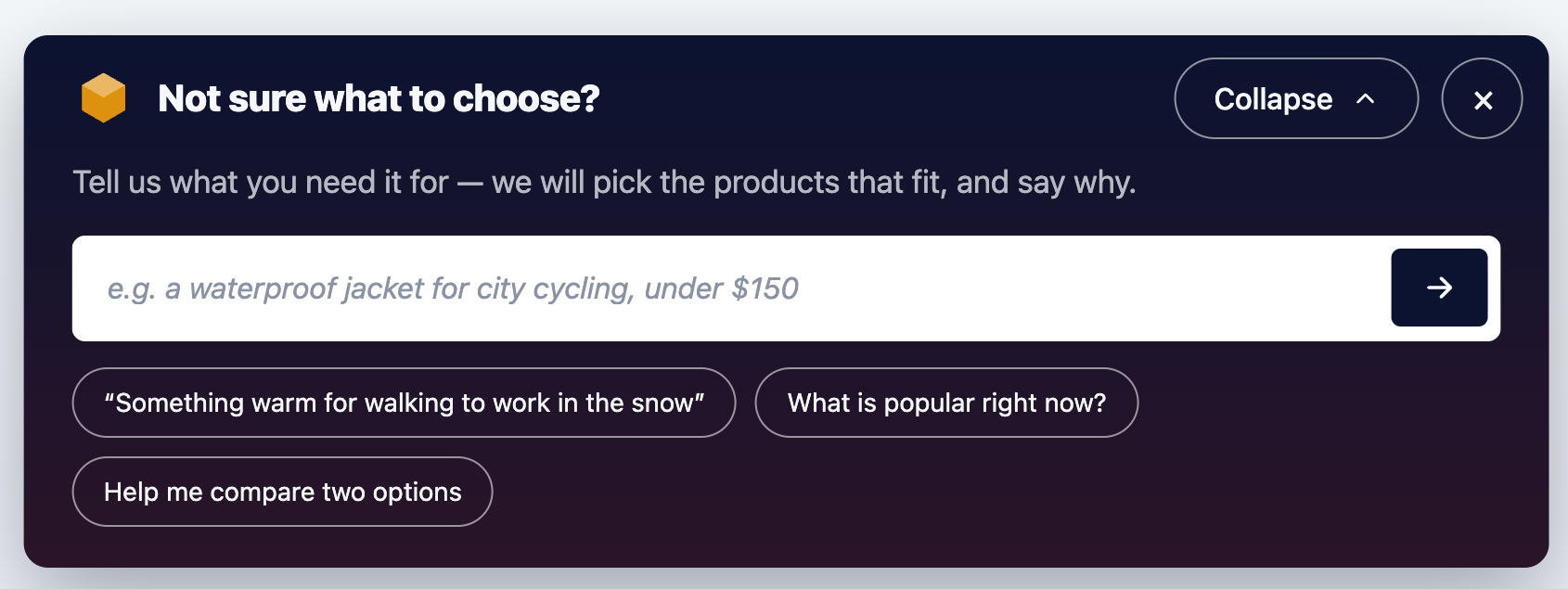
An AI product finder turns “search” into “tell me what you need”. A bar on the page asks “Not sure what to choose?”, with a few example questions to tap. The shopper describes the need in their own words, and the finder picks a few products from your catalogue — price, stock and sale price included — and says why each one fits.
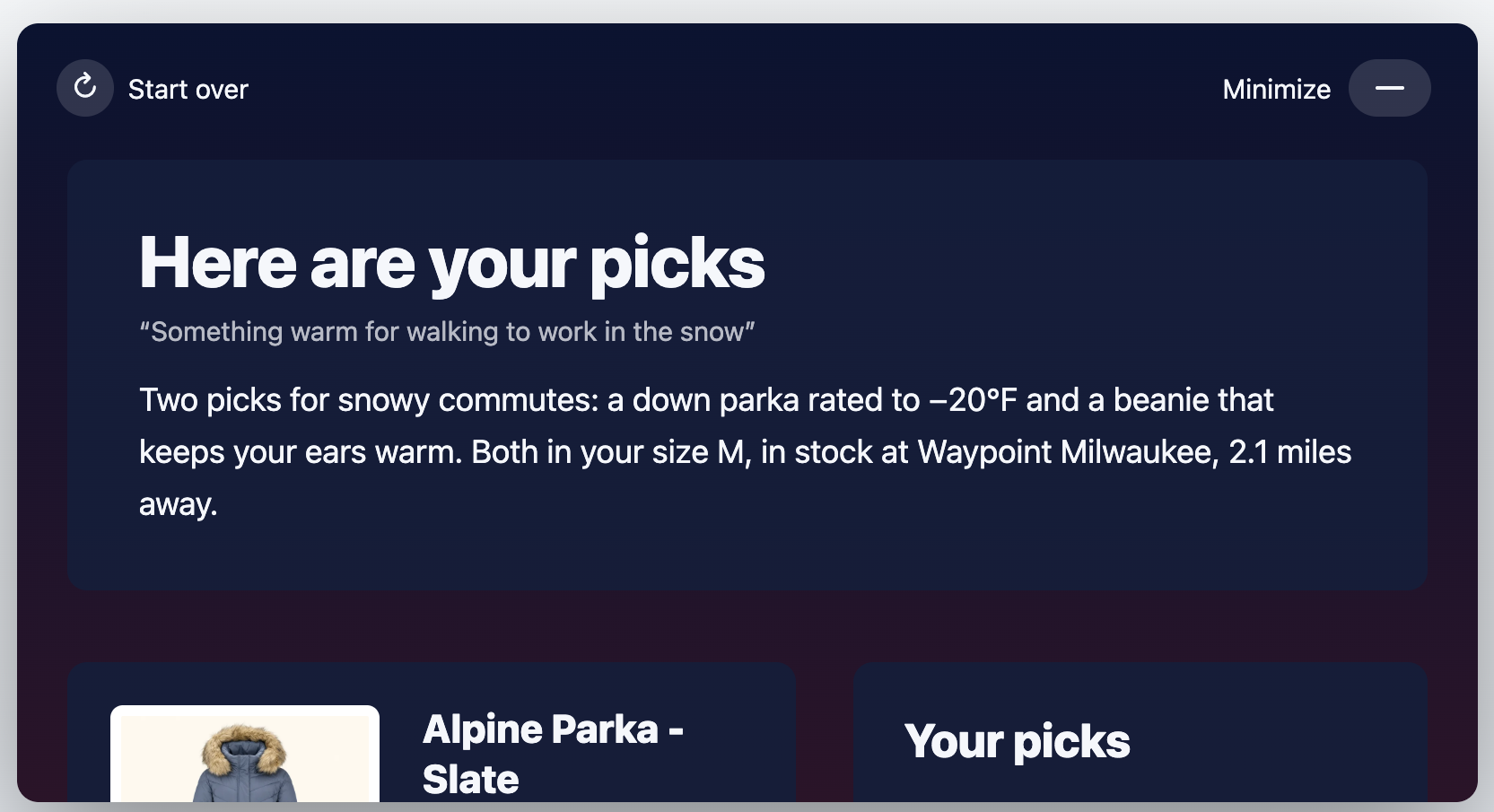
The answer opens over the page: a few sentences on what fits and why, then a card for each pick with its own reasons. Follow-up questions run as a short chat about the picks. The picks can lean on the rankings your recommendation engine already keeps — best sellers, trending, most viewed — and the summary and reasons are written in the visitor’s own language.
Works best on a large catalogue where the same product can be right for very different reasons: outdoor gear, electronics, beauty, furniture, anything with a “which one do I need?” moment. It needs a product catalogue feed to pick from. More on how it looks, folds away and fits your brand in AI Product Finder and AI Content Finder.
2. Let them answer: a product quiz with pictures
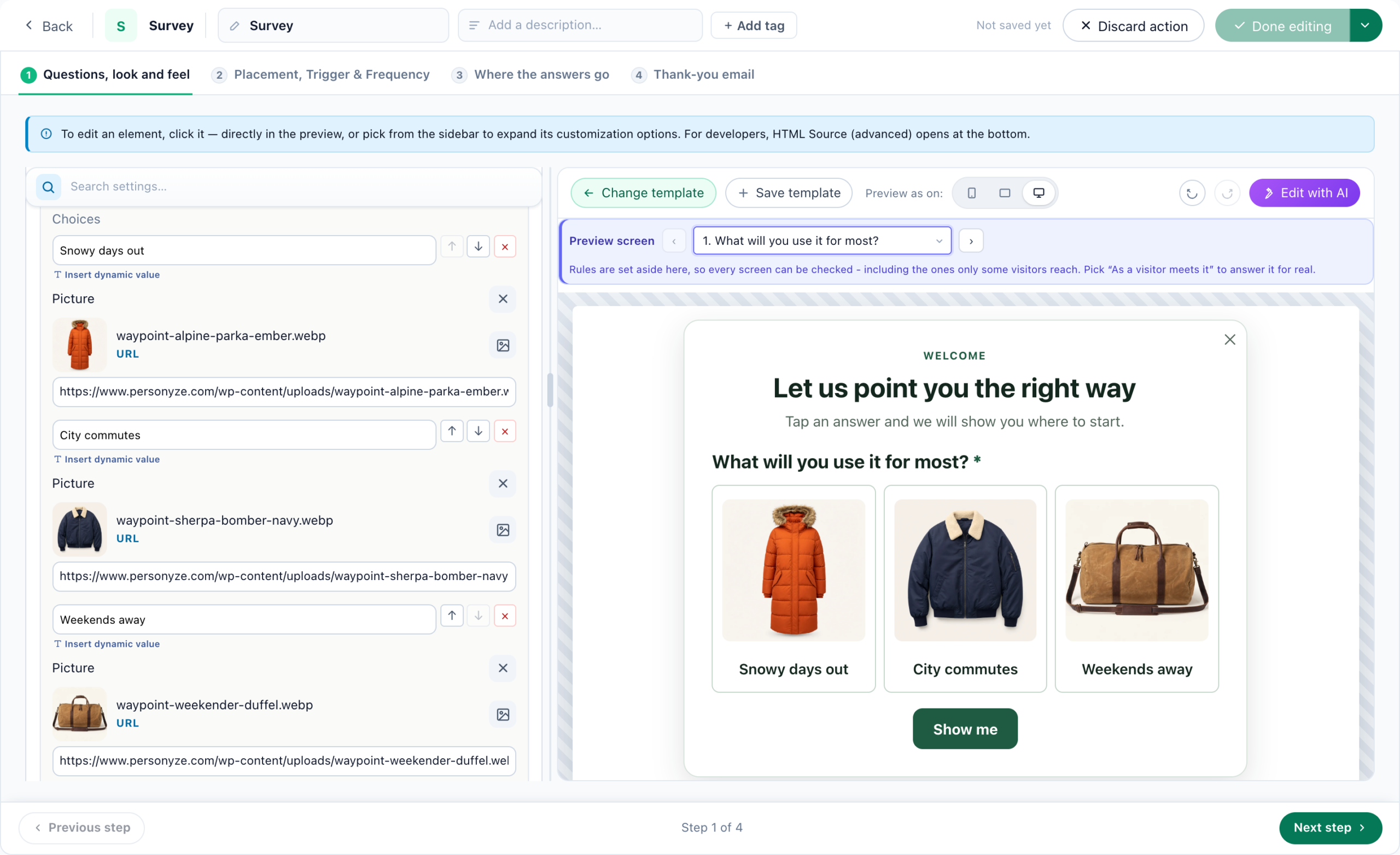
Some shoppers do not know what to type. A quiz turns the choice into a tap. In Personyze, a survey can now be a quiz: each answer can carry its own picture, so the question reads like a shelf of your own products rather than a form.
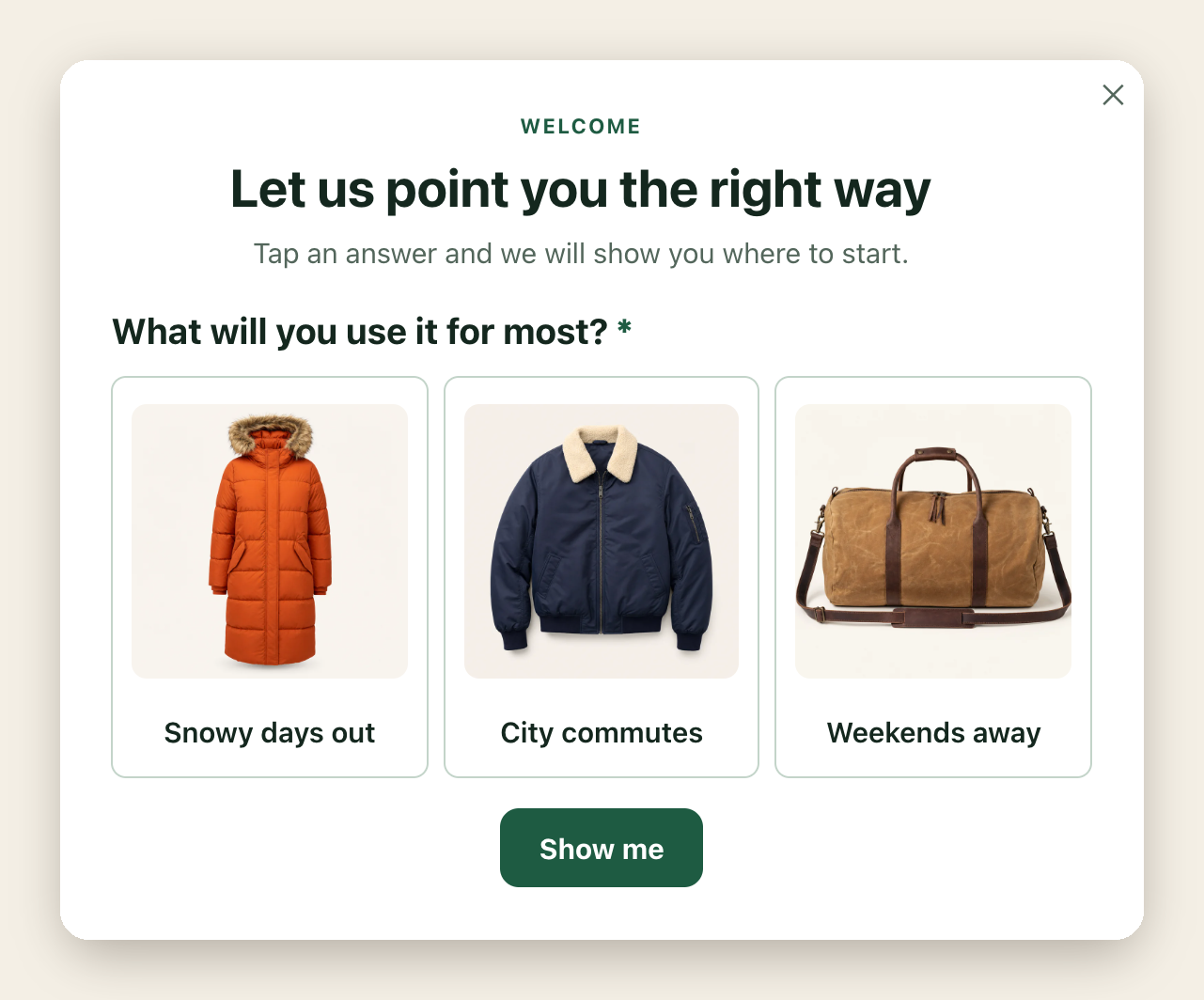
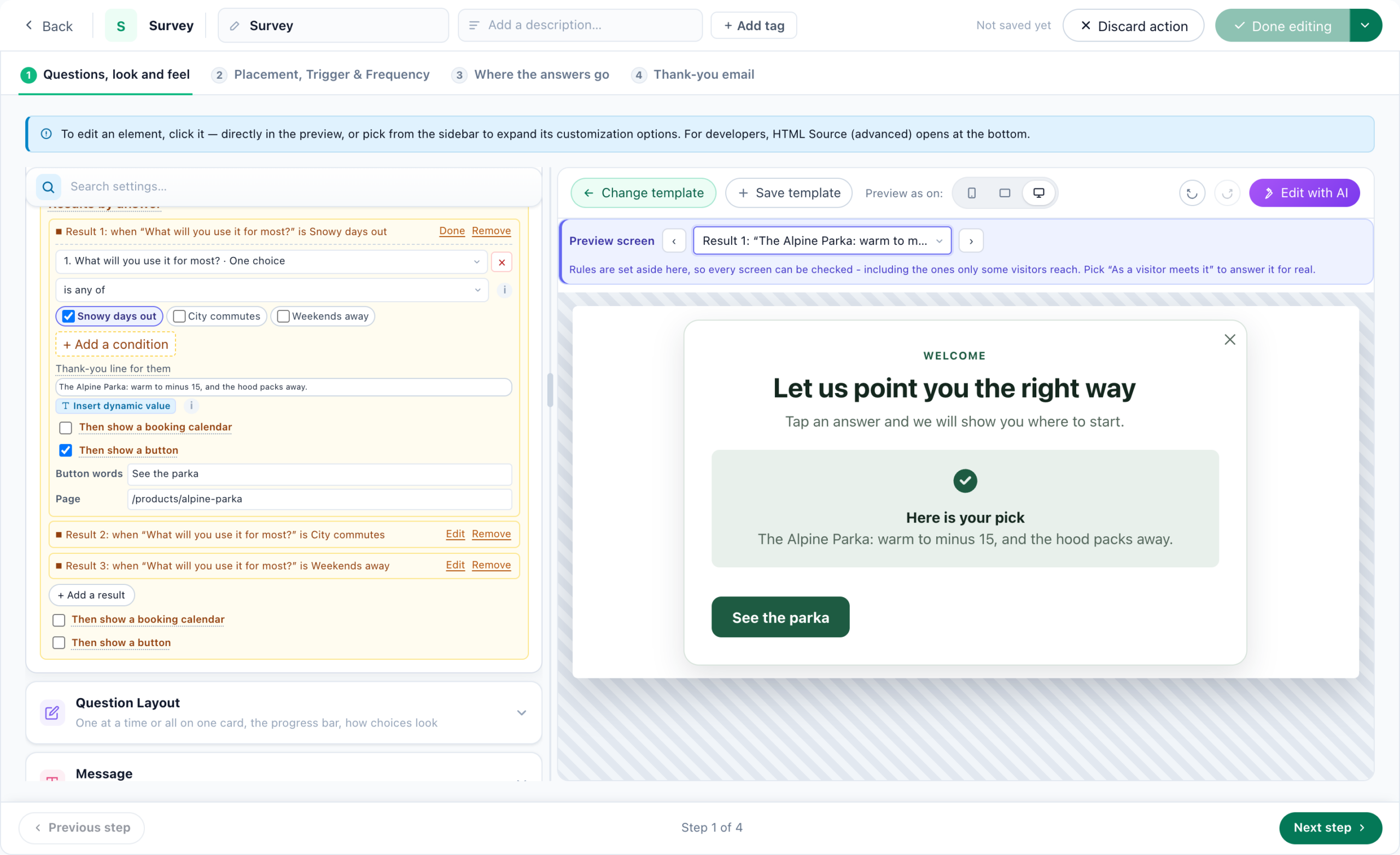
Each answer leads to its own result — a line about the pick and a button to the right product or collection. One question is often enough; you can add more, one at a time, with a progress bar.
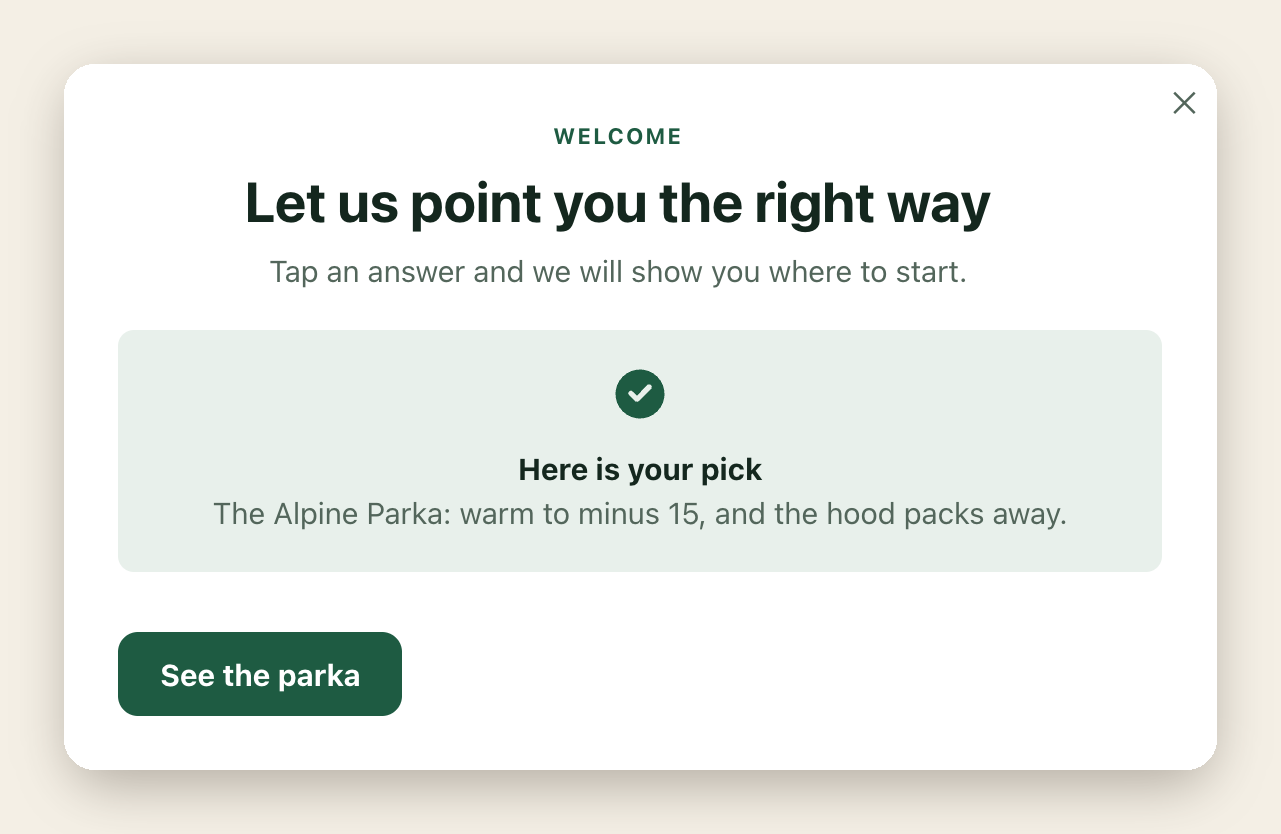
Building it takes a few minutes: start a Survey campaign from the Welcome Quiz template, give each answer a picture (paste a link or pick one from your library), and set a result for each answer, with its words, its button and the page the button opens.
The answer does not have to end with the quiz. A question can save its answer to the visitor’s profile, so other campaigns can target by it: someone who chose “Weekends away” can see bags and travel gear in your recommendations and promotions on the next visit. Every answer is also counted in the survey’s results, which show what your shoppers are shopping for — useful far beyond this one quiz.
Works best when there are a handful of clear paths — who it is for, what it is for, a budget — and on first visits, when you know nothing about the shopper yet.
3. Let the site show them: recommendations
The third way asks nothing. Product recommendations pick from what the visitor does — what they viewed, bought or put in the cart — and what shoppers like them did: “others who viewed this also viewed” on a product page, items that go with the cart, picks for the returning visitor on the home page. You can preview a widget as any real visitor and see why each item is there.
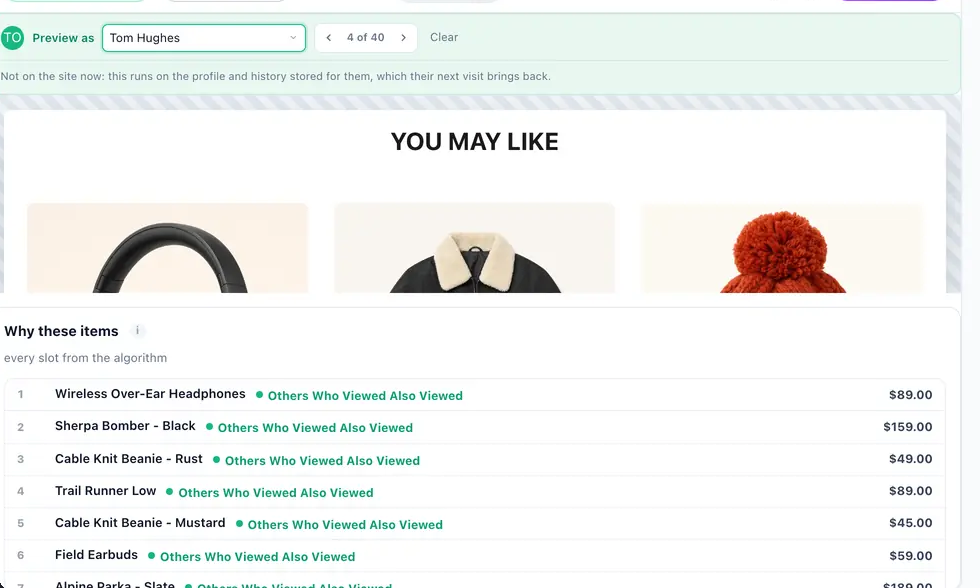
Works best for returning visitors and on product and cart pages, where the shopper has already told you a lot without typing or tapping anything.
Which one should you use?
- A large, varied catalogue — start with the AI product finder; it handles the questions you would never think to put in a quiz.
- A few clear choices — a quiz with pictures is faster than typing, and it works on a phone with one thumb.
- Returning shoppers and product pages — recommendations, because the shopper has already shown you what they like.
- Most stores — two of them together: the quiz on a first visit, its answer saved to the profile, and recommendations that follow it from then on; the finder for anyone who would rather type.
Whichever you start with, each one runs as its own campaign with its own report, so you can A/B test it against the original — per audience — and keep what wins.
Questions people ask
What is an AI product finder?
A box on your site where a shopper describes what they need in their own words. It picks a few products from your catalogue and says why each one fits, instead of returning a page of keyword matches.
What is a product recommendation quiz?
A short quiz that asks a shopper one to three questions — who it is for, what it is for, a budget — and sends them to the products that match their answers.
Is a quiz or an AI product finder better?
It depends on the catalogue. A quiz is quickest when there are a few clear paths; an AI product finder handles large, varied catalogues and questions you would not think to ask. Many stores use both, plus recommendations for returning shoppers.
Can a Personyze quiz show product pictures?
Yes. Each answer in a survey can have its own picture — your own product photos — and each answer can lead to its own result with a button to the right product or collection.
Can the quiz answer change what the shopper sees later?
Yes. A question can save its answer to the visitor’s profile, and other campaigns — recommendations, promotions, content — can target by it.
Do I need a developer?
No. The quiz starts from a survey template and the finder from Add action, both edited visually. Personyze works on any site with its tag, including Shopify, WooCommerce and WordPress.
Book a demo with a personalization expert
30 minutes with a personalization expert. Bring your stack, your goals, your skepticism. We'll show you what changes when every visit feels like the only one.