

Every answer, put to work.
A playbook for surveys, NPS and reviews — ask at the right moment, act on every answer, and show each visitor the review that convinces them.
Start Now →


Watch the playbook done
Five walkthroughs in the real panel — a survey and its results, a survey with logic and sharing, one NPS question, and a reviews campaign with what it did. Then ask your own visitors.
1Pick the tool for the question
Reviews & Surveys is one add-on with a few jobs. Each is a campaign you create in the panel, and every answer and rating lands on the visitor’s profile, where your other campaigns can target it.
- Feedback & NPSOne question — 0 to 10, stars, five faces, or “Was this helpful?” — with an optional comment.
- SurveyA few questions, one per screen or all on one card, with logic between them.
- ReviewsThe review, testimonial or case study that fits each visitor, and new reviews collected on your own site.
- Customer logosA “trusted by” strip that leads with companies like the visitor’s.
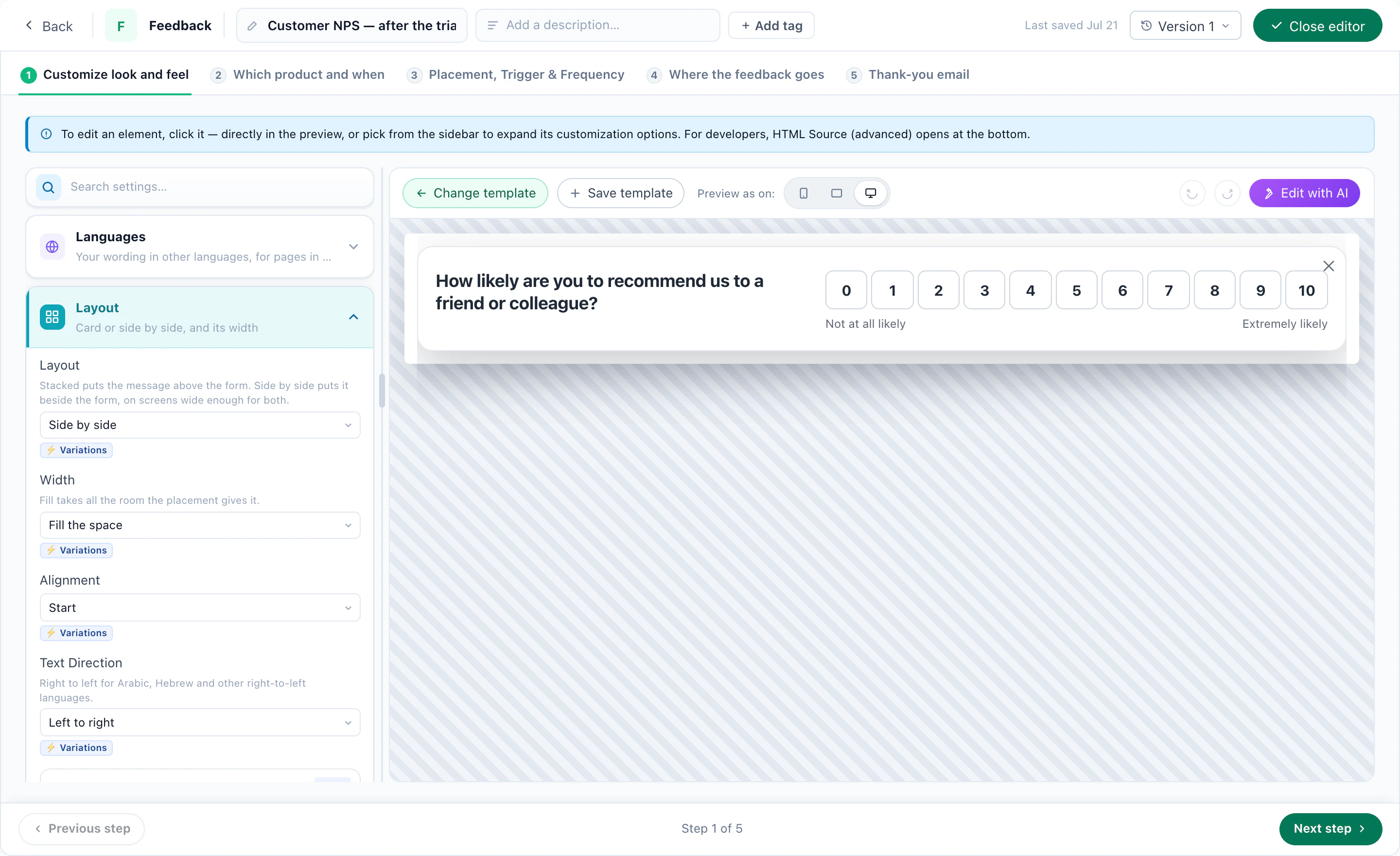
Start with Feedback when one number will do, a Survey when the next question depends on the last, and Reviews when the goal is proof rather than insight.
2Build a survey that asks only what it needs
The designer opens on Questions, look and feel: the questions on the left, the survey as a visitor meets it on the right. Each question can be one choice, several choices, a 1–5 rating, a 0–10 scale, or short or long text. Show one question per screen with a progress bar, or all of them on one card.
Start from a ready design — a Quick Poll (one question, one tap), a Customer Survey (five questions), an Exit Survey or a Post-Purchase Survey — then change the words, or describe the change to Edit with AI. The same survey can carry other languages, each shown to visitors on the pages in that language.
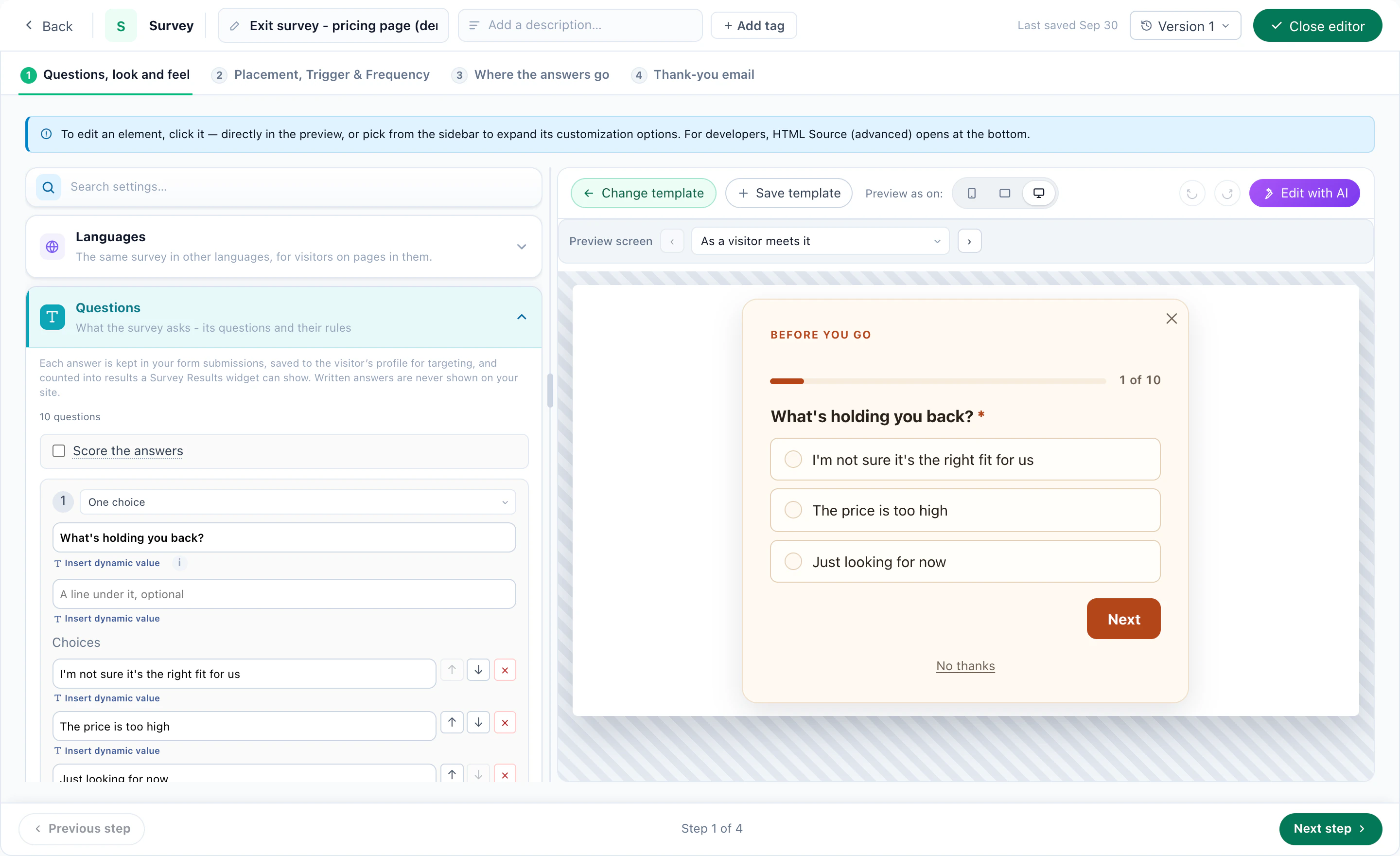
Ask only when it matters
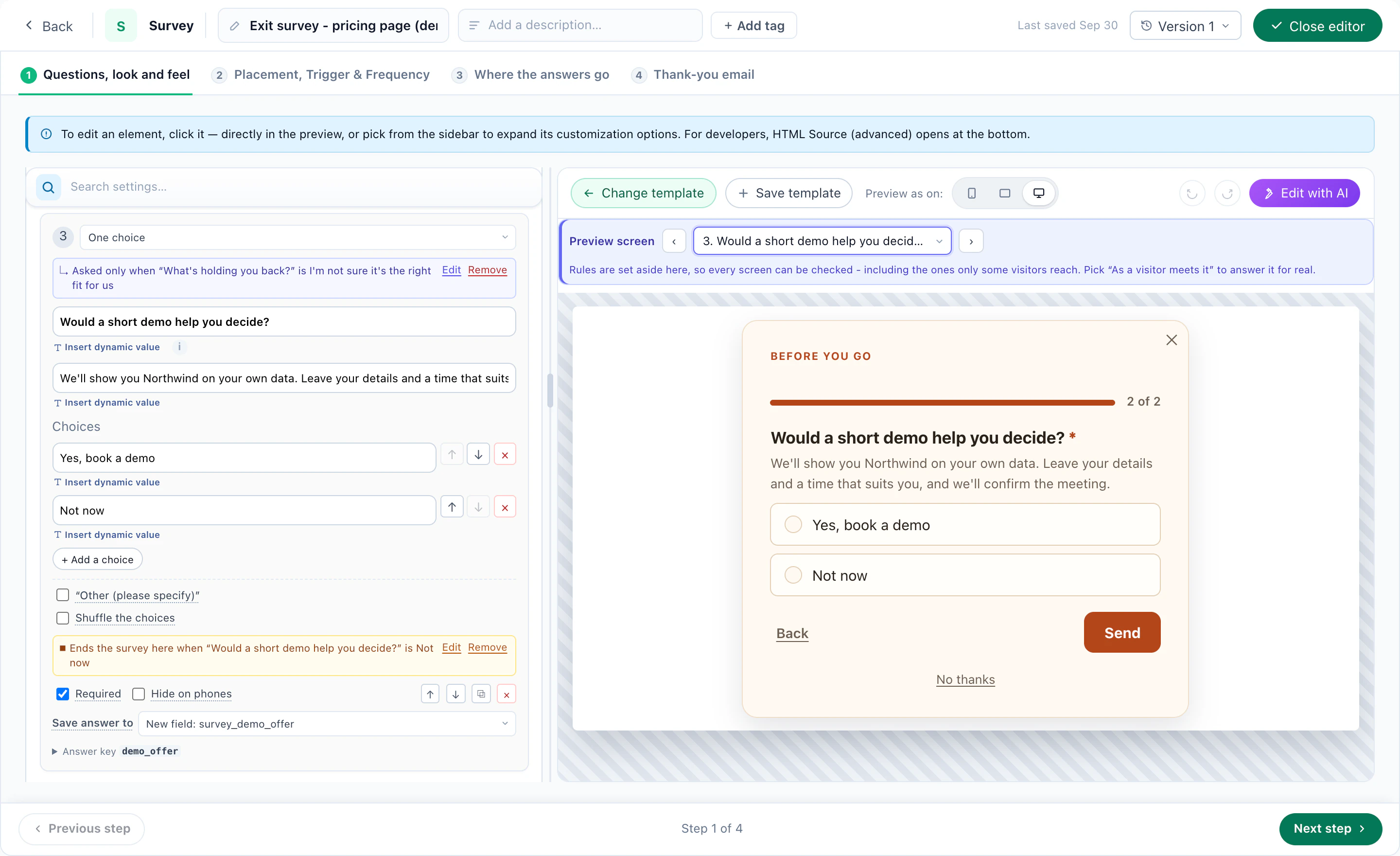
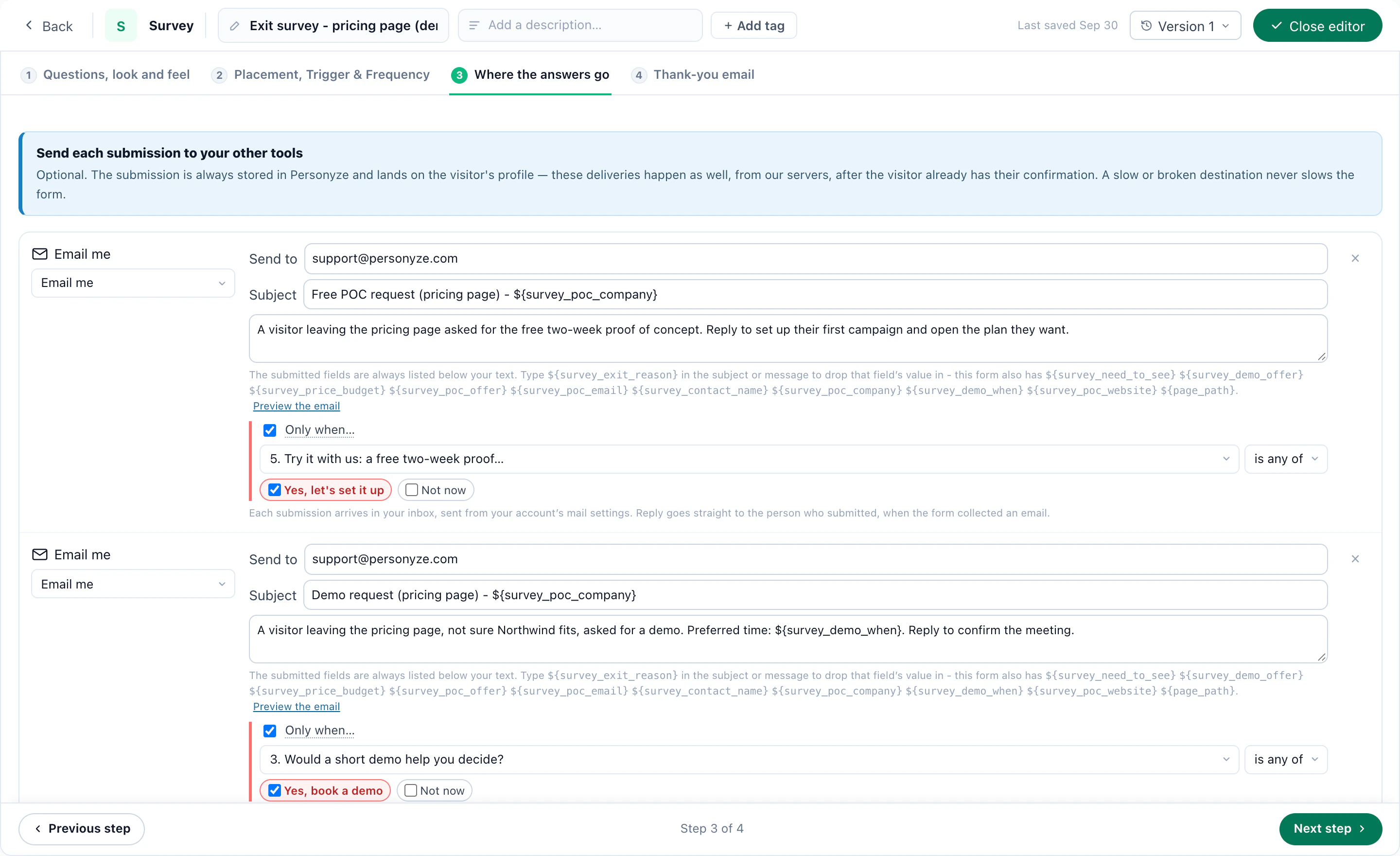
A question can be asked only when an earlier answer calls for it, and the survey can end here when the rest would not apply — nobody is asked to book a demo they have just turned down. The preview steps through every screen, including the ones only some visitors reach.
3Ask at the right moment, wherever they are
On Placement, Trigger & Frequency, a survey is targeted and timed like every Personyze campaign: on exit intent, after the second visit, only to customers, only on one section of the site. It can be A/B tested too.
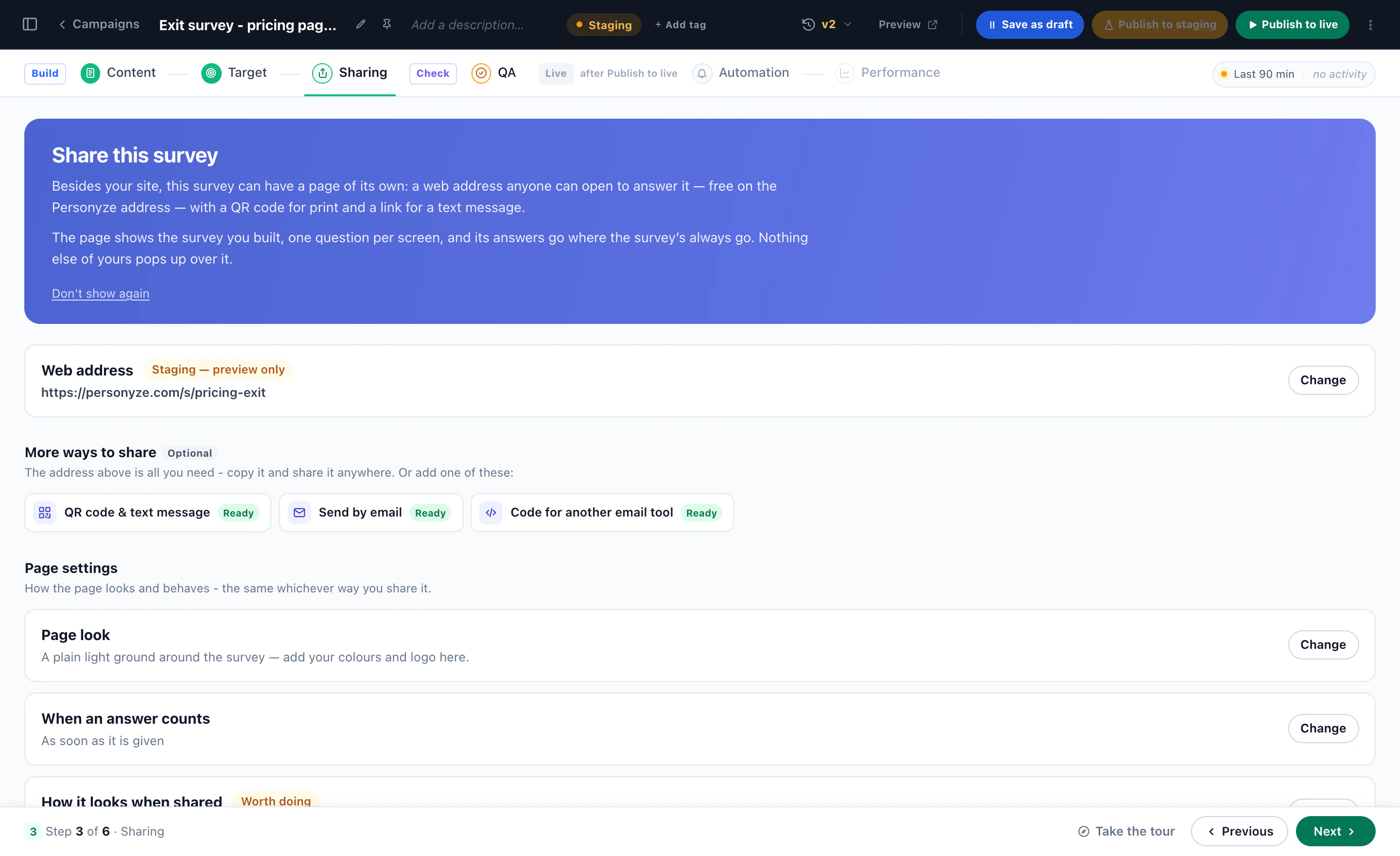
It does not have to live on your site alone. The same survey has a page of its own at its own web address, a QR code and a text-message link for the counter or the receipt, and it opens inside your emails — or goes into another email tool as code. Every answer lands on the same visitor profile, wherever it was given.
4Act on every answer
An answer is a targeting rule the moment it is given. A visitor who tells your cart’s exit survey “Price” is a visitor who chose Price — and the campaign for them shows the free-delivery threshold or the pay-in-three option on their next visit, while everyone else sees the usual page.
- After a purchaseAsk what they will use the product for, and adjust the recommendations.
- On a blog or a magazineAsk which topics they want, and reorder the home page.
- On a B2B siteAsk the team size, and show the plan that fits.
Send it on
On Where the answers go, answers can go where your form submissions go — email, a webhook, Zapier, Slack, HubSpot — routed by what they say. Add an optional Thank-you email after it.
5Feedback and NPS: one question, many places
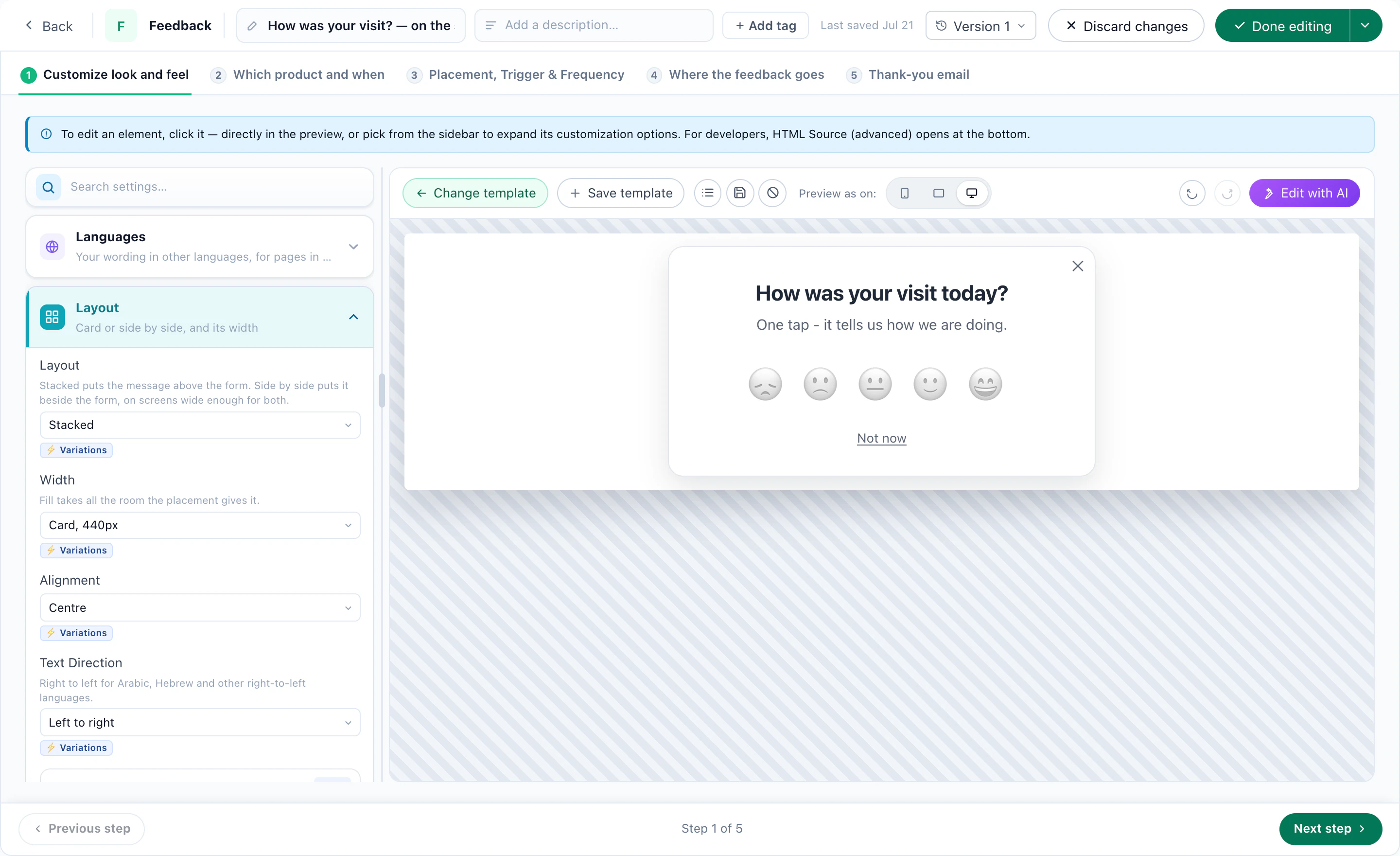
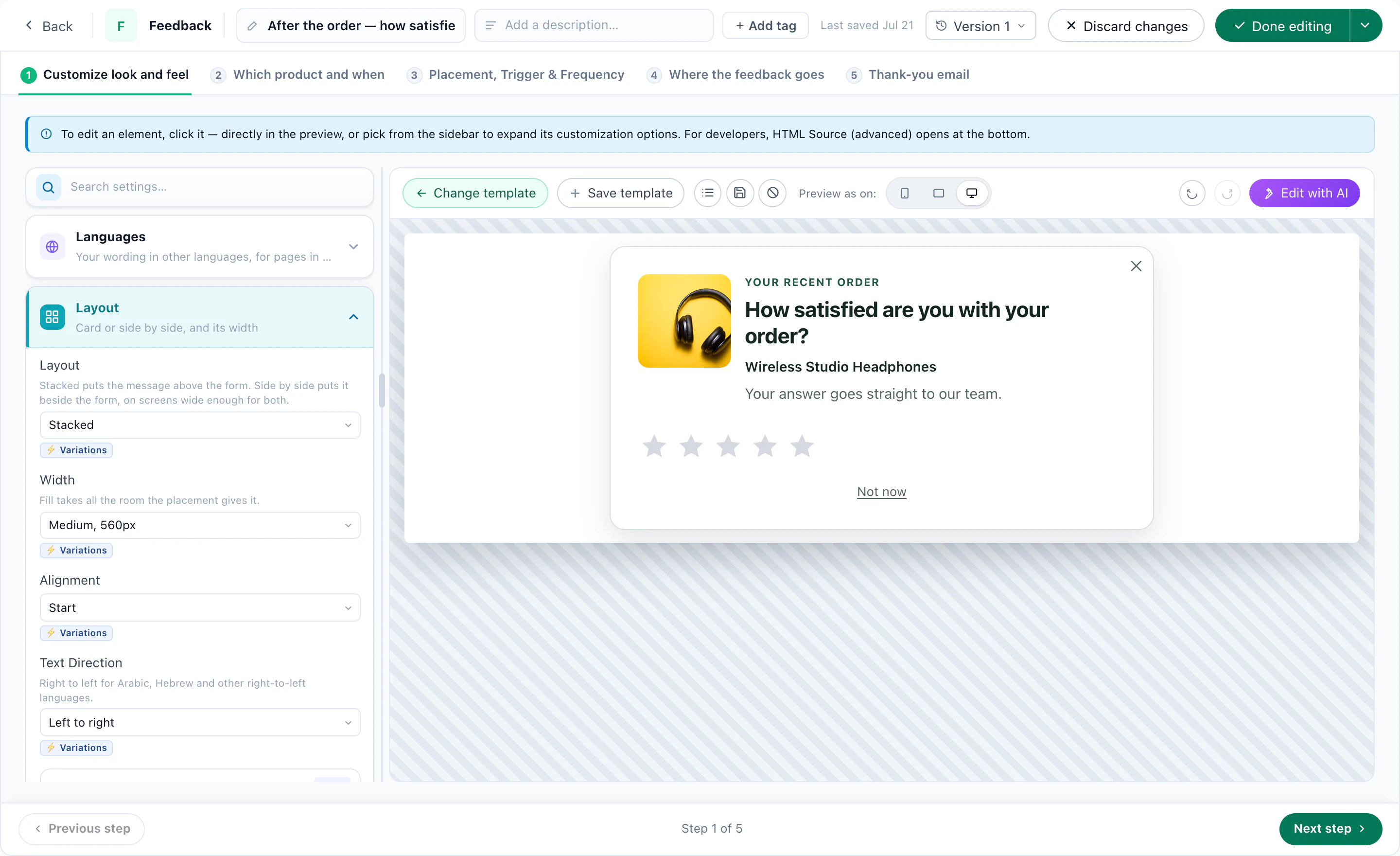
A Feedback & NPS campaign asks one question: 0 to 10, the classic NPS question that sorts every answer into promoter, passive or detractor; stars or five faces for a quick satisfaction score; or thumbs up or down and “Was this helpful?” under an article, saved on the click. An optional comment box can follow any of them.
The question can be about your business, a product, or the page the visitor is reading. The ready designs cover the usual places: an NPS bar, “Was this helpful?” under an article, a “How was your visit?” slide-in with five faces, and a post-purchase question with the product pictured.
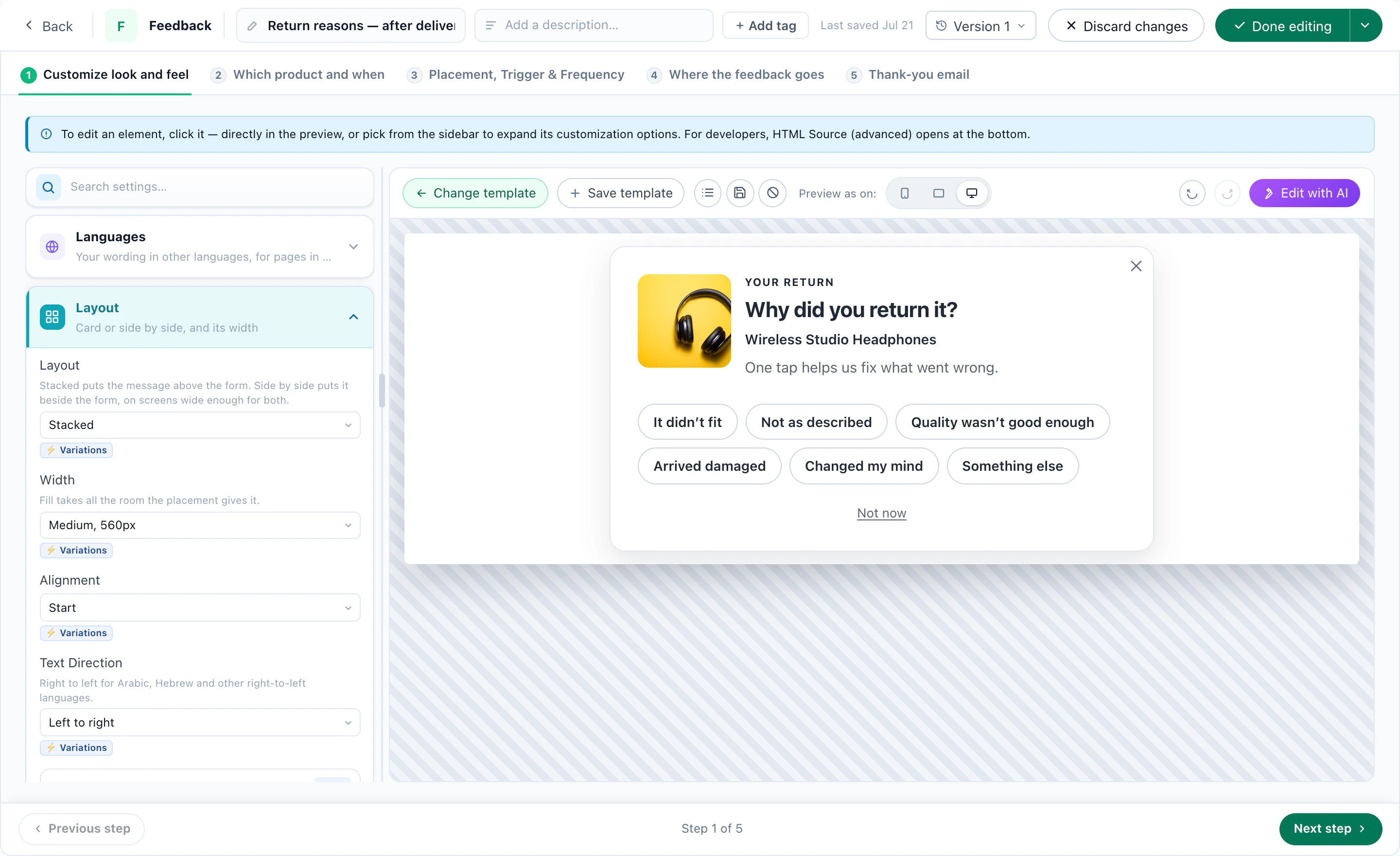
Or ask a question of your own, with its answers as one-tap choices.
6Recipe: a next step for every NPS group
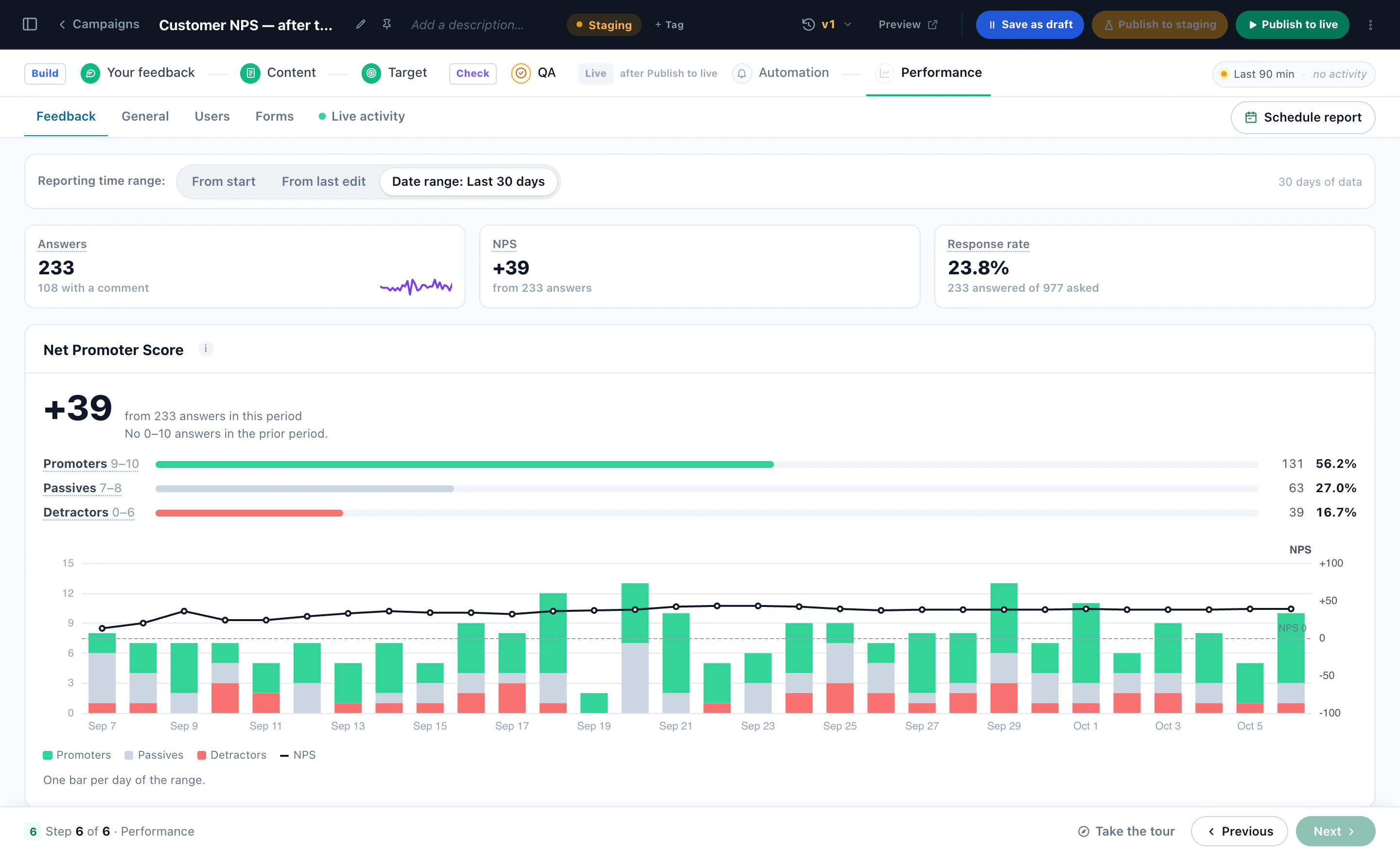
Each answer lands on the visitor’s profile — the score and the NPS group — so the next visit can fit it:
- Promoters, 9–10A thank-you and a referral ask.
- Passives, 7–8The feature or guide they have not tried yet.
- Detractors, 0–6A support chat that opens with an apology, or an offer to make it right — and nothing that asks them for a public review.
The follow-up can be anything Personyze runs: a banner on the next visit, an AI chat that opens differently, an email, or a change to the page itself. When you ask for public reviews, ask everyone you target the same way — see Collect new reviews.
7Read what they said, and share the totals
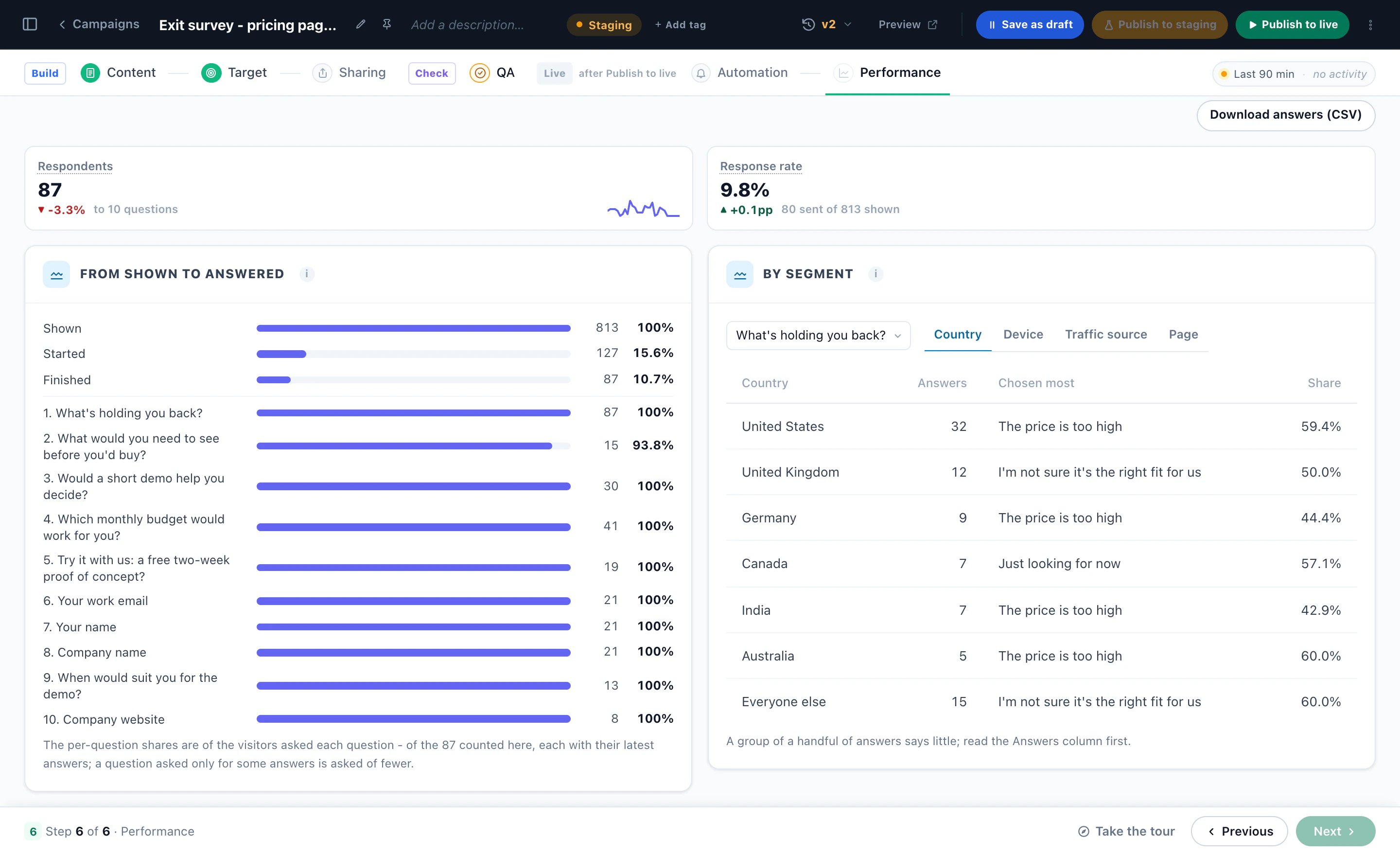
Each survey has its own Performance dashboard: respondents and the response rate, how many were shown the survey, started it and finished it, the answers to every question, and the answers by country, device, traffic source and page. Download answers (CSV) takes them all.
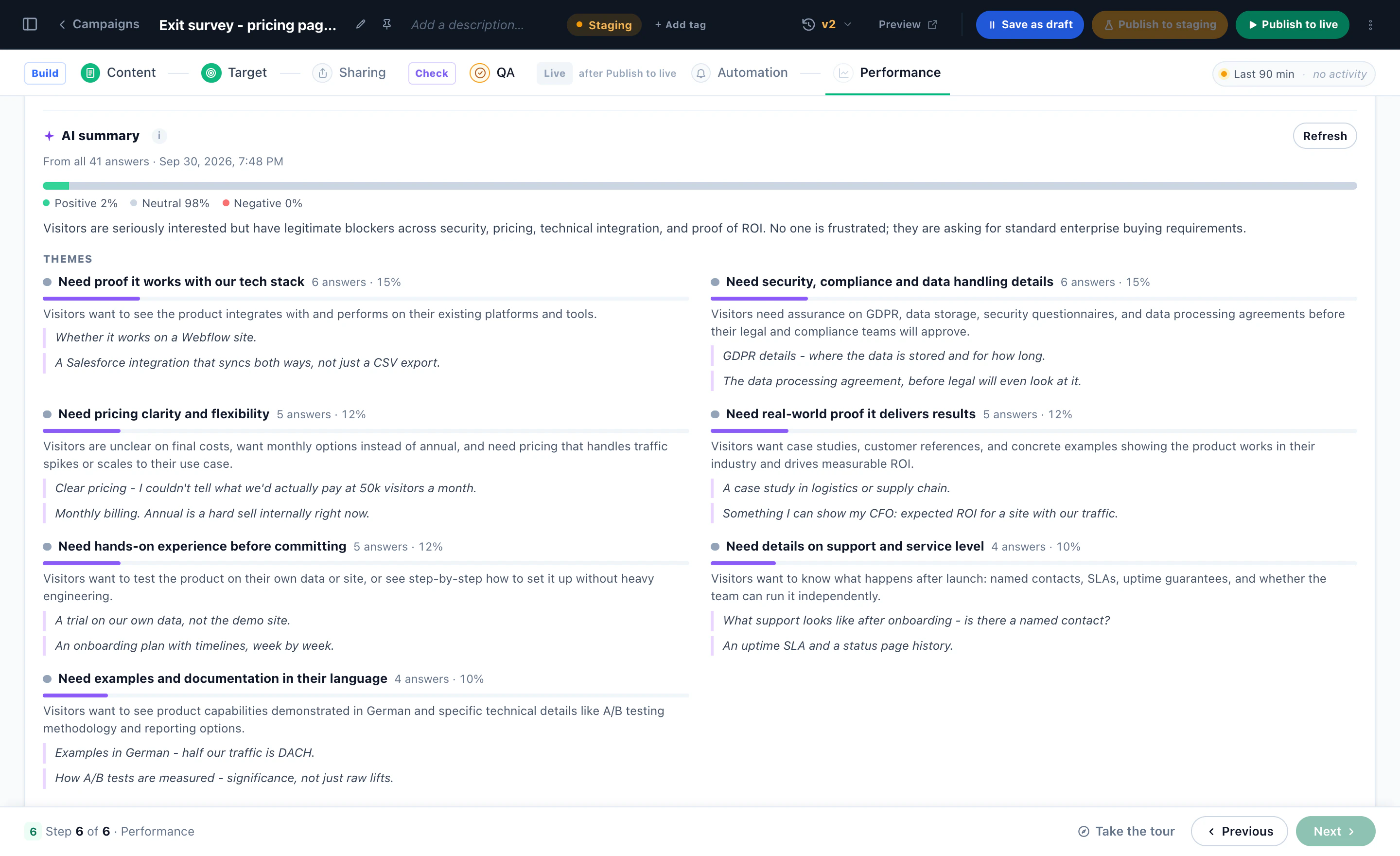
Written answers get an AI summary: the themes, how many people said each, quoted examples and the overall mood.
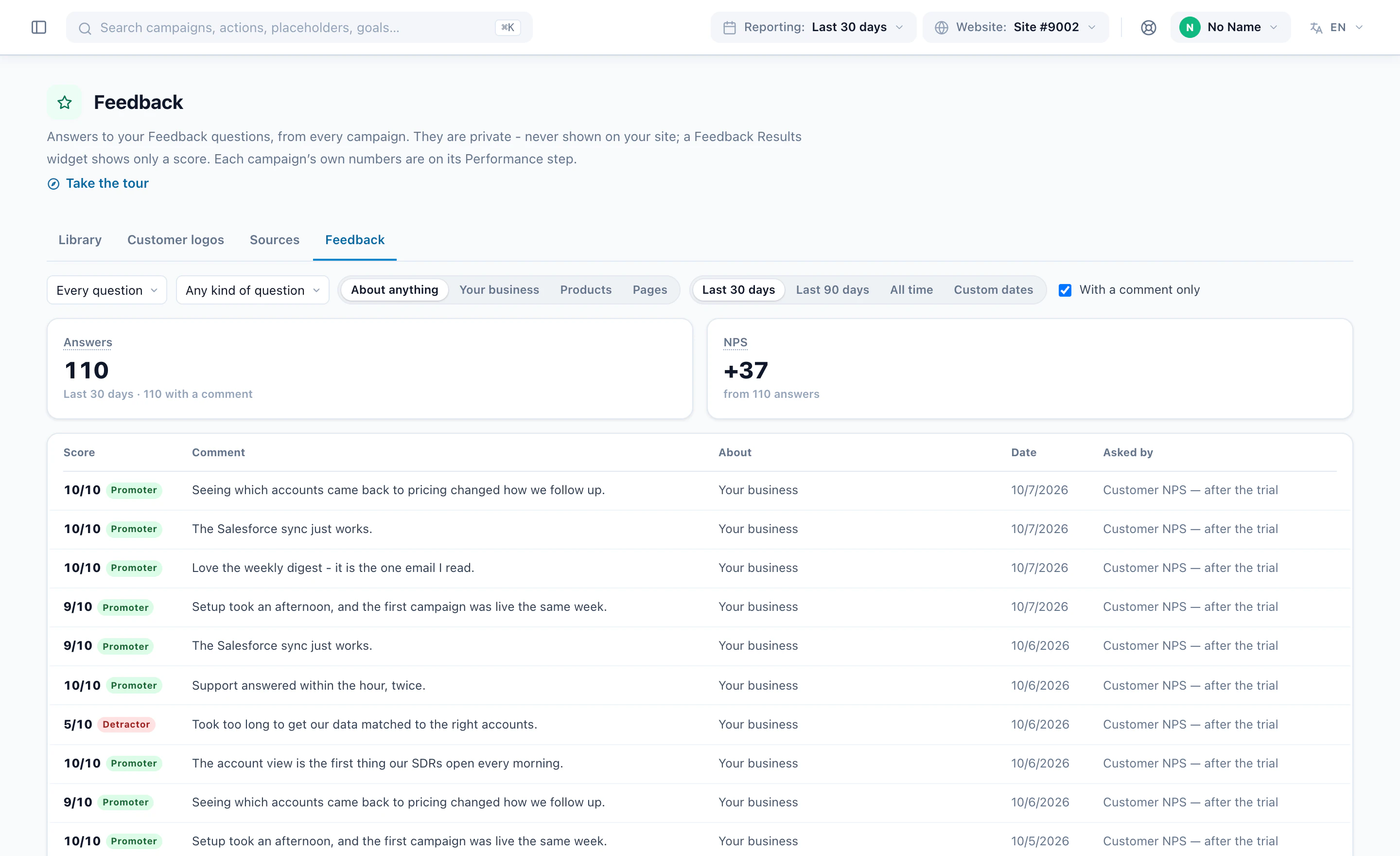
Every feedback answer also lands in one list beside your reviews, with its score and comment, across all your campaigns.
Show the totals on your site
Survey Results and Feedback Results turn answers into proof: bars and percentages, an average, “92% of readers found this page helpful”, or your NPS if you choose to show it. They publish totals only — never one person’s answers, never a comment — and nothing until enough people have answered: 20 by default.
8Reviews: one library, fed from everywhere
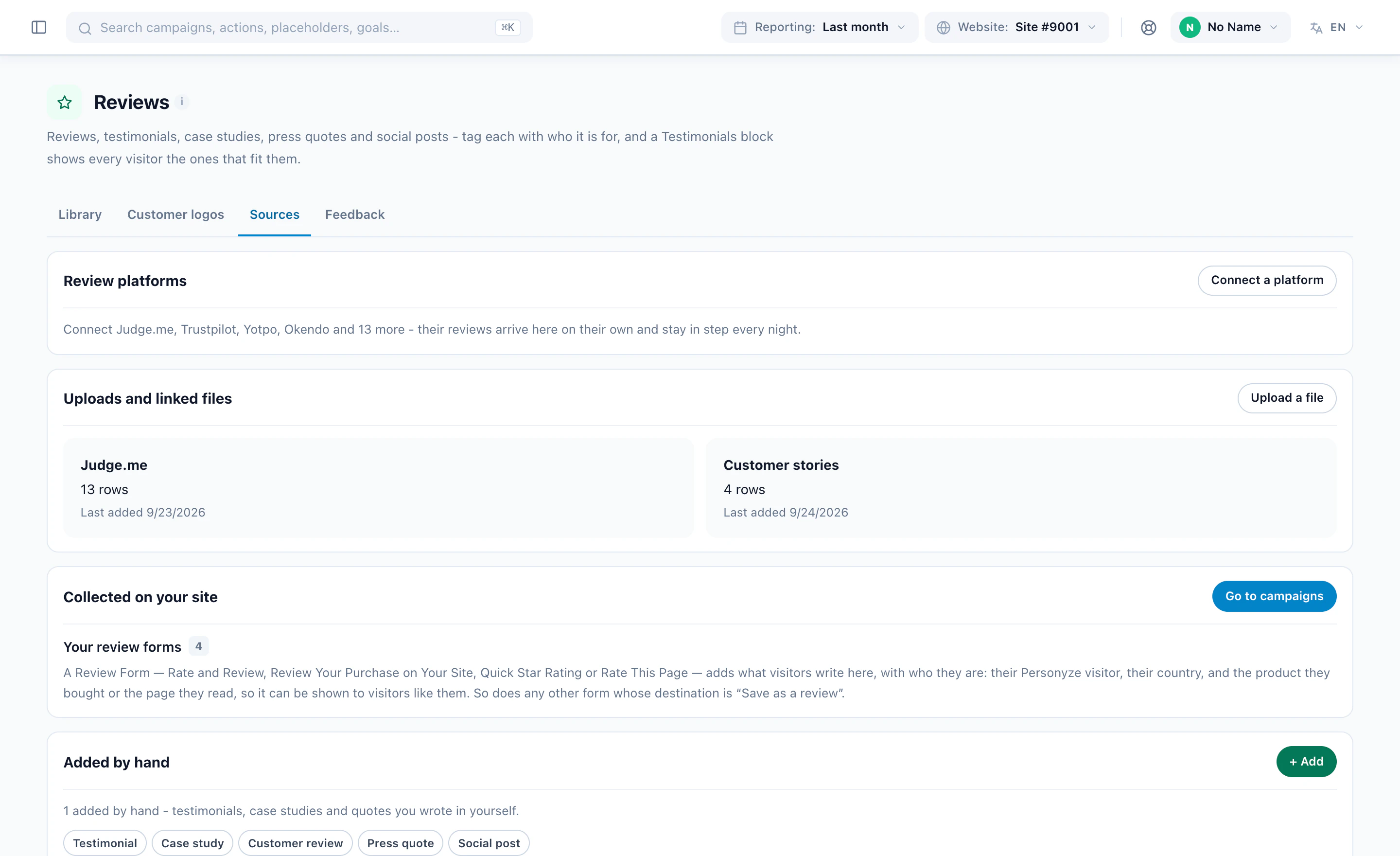
Matching only works when the reviews are in one place: the Reviews page (Settings → Reviews). It holds reviews, testimonials, case studies, press quotes and social posts, and fills from four directions:
- Review platformsSeventeen, from Judge.me, Trustpilot, Yotpo and Okendo to Feefo and eKomi — read every night, so removed reviews disappear too.
- A file or a linkCSV or Excel, or a link read on a schedule. Map the columns once.
- Your own siteA Review Form under the product, the article or the order.
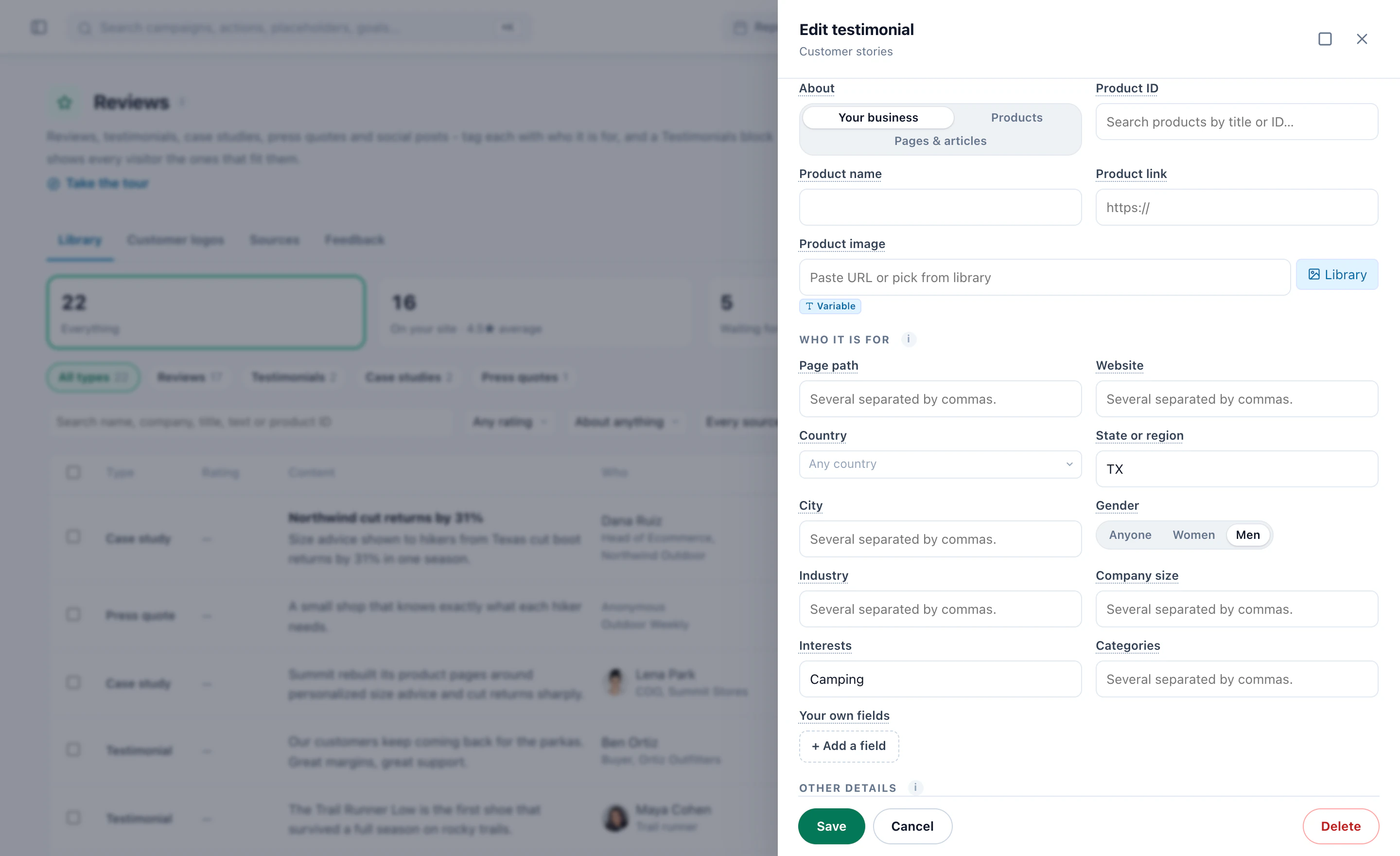
- By handTestimonials, case studies with a picture and a link, press quotes and social posts.
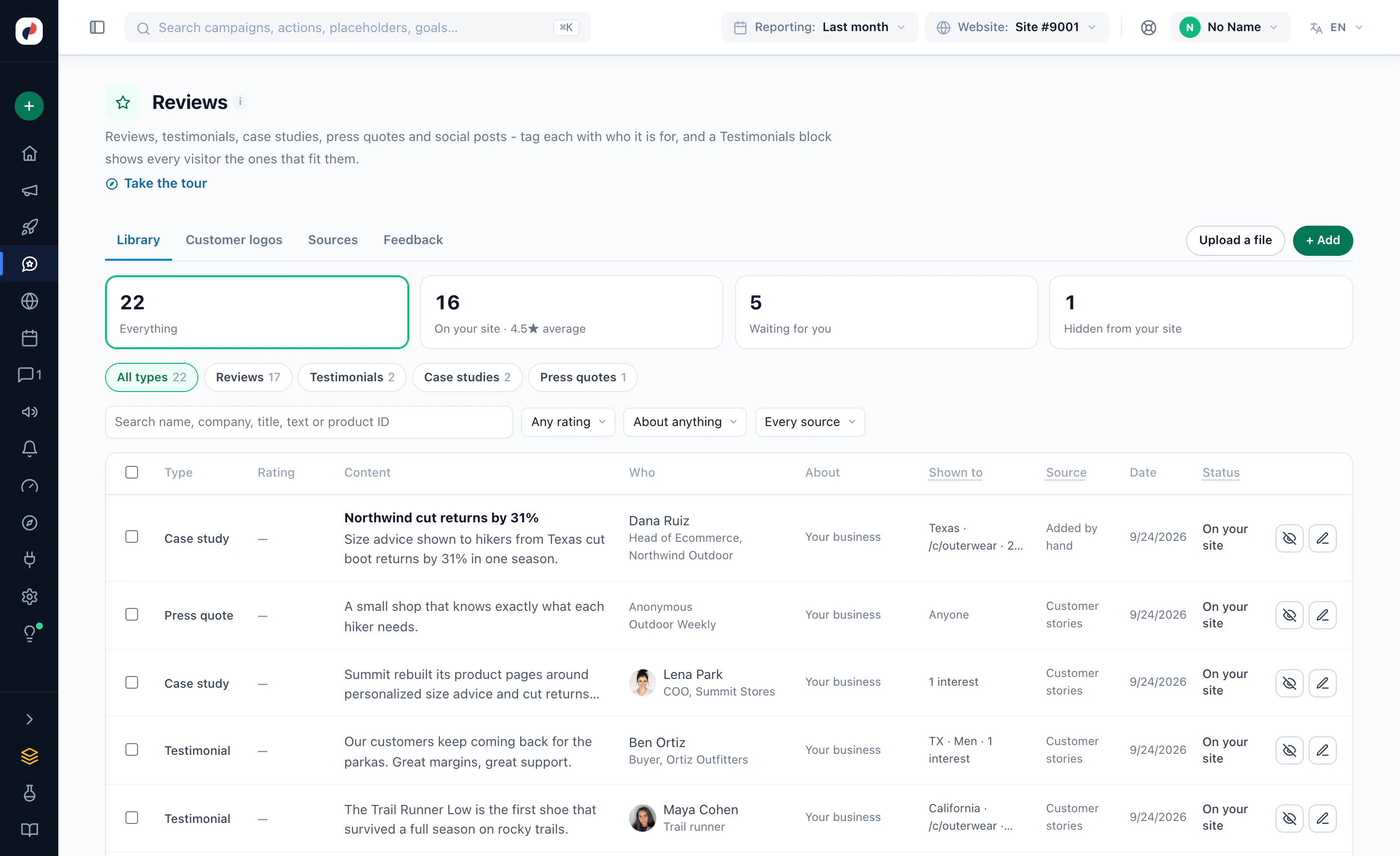
Reviews do not have to be about products: a Rate This Page form under an article collects reviews of that page, and each page can show its own.
9Match each review to the visitor
Each review can carry who it is for: countries, regions, cities, industries, company sizes, websites, page paths, interests, product categories, or any visitor attribute you keep.
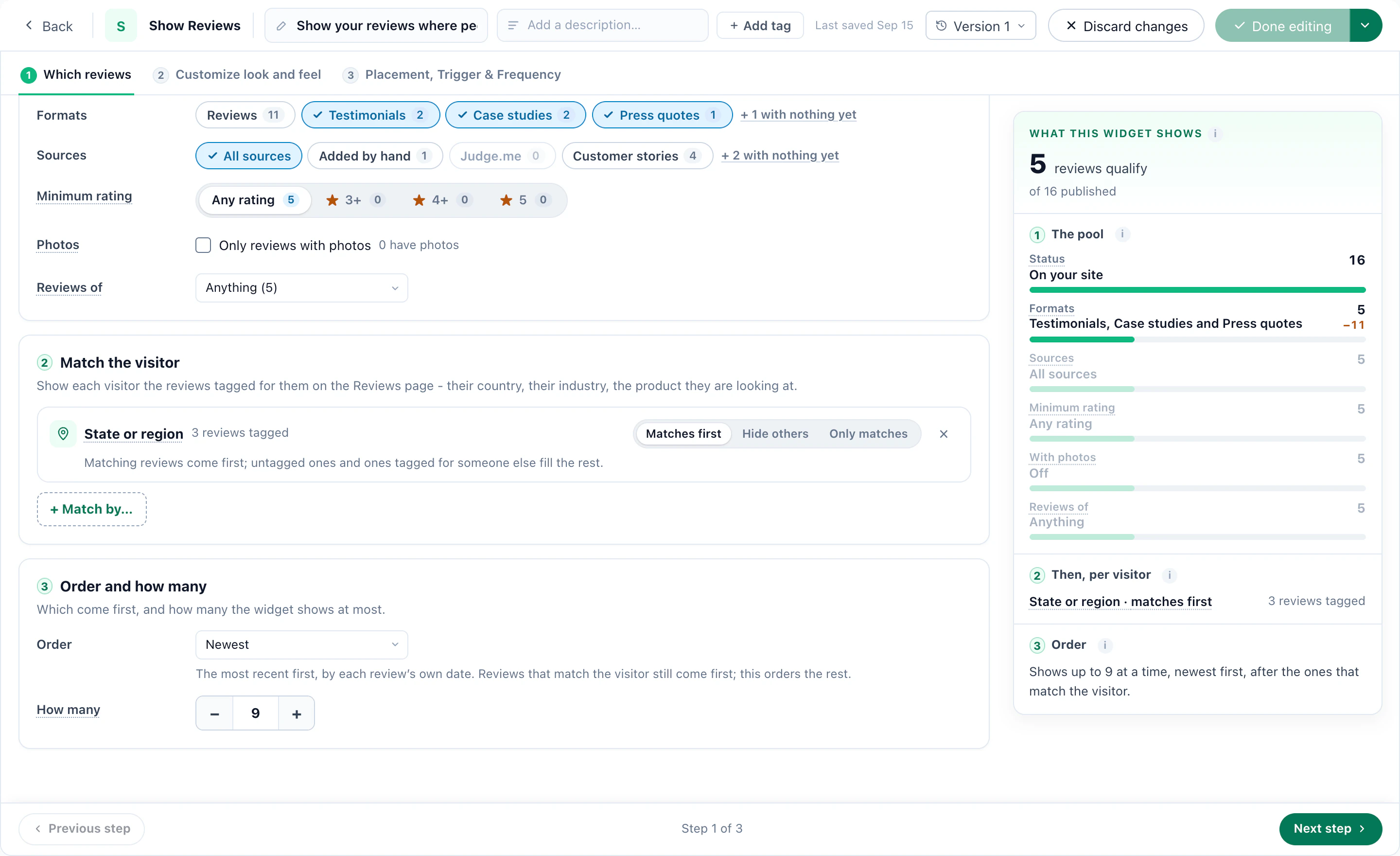
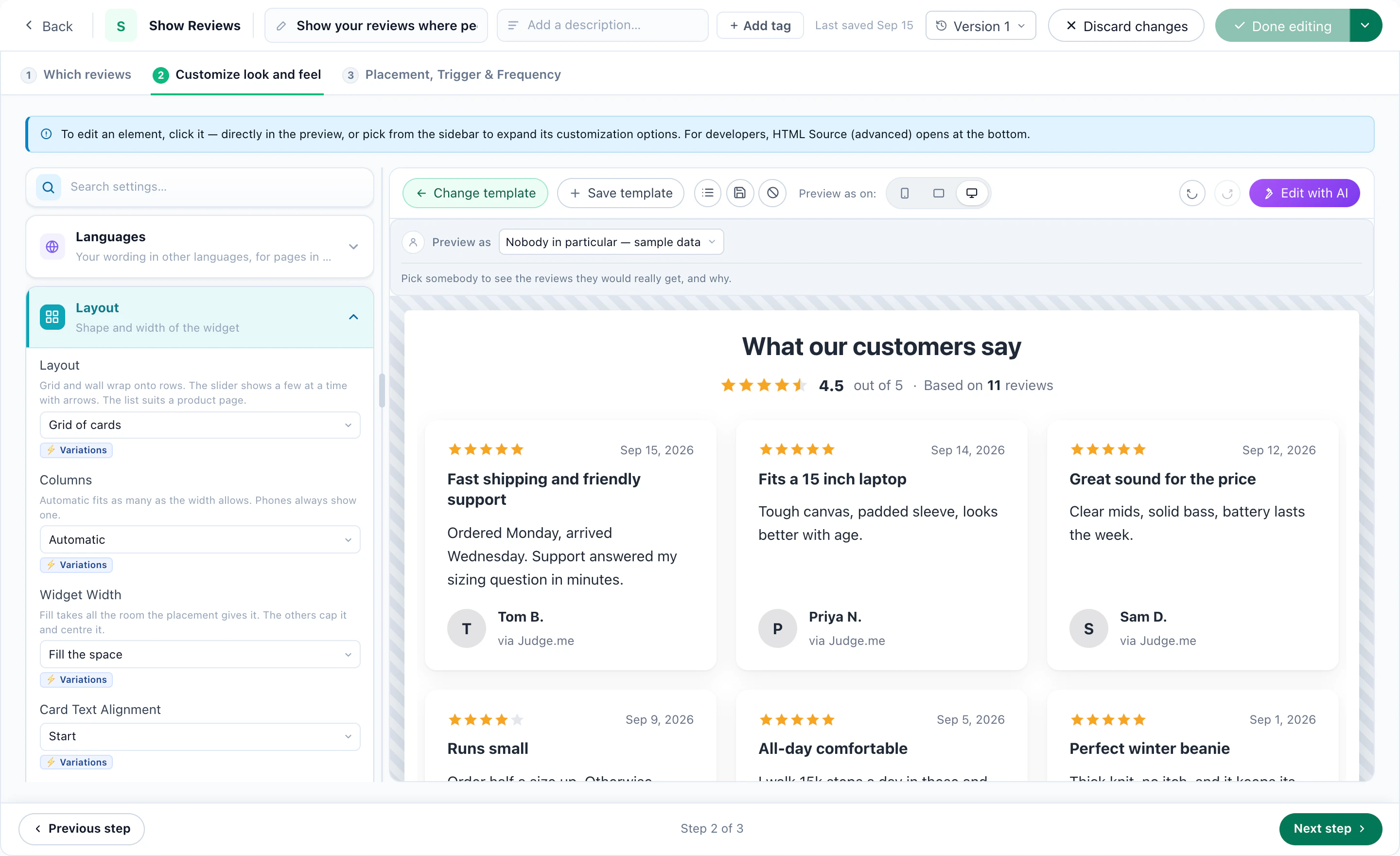
A Show Reviews campaign opens on Which reviews: the formats, the sources, a lowest rating, only reviews with photos, and what they are reviews of. Then Match the visitor — the product on the page, the product they last bought, where they are, the industry of their company — and choose how strict:
- Matches firstMatching reviews lead and the rest fill in. Nobody sees an empty widget.
- Hide othersReviews tagged for someone else are left out; untagged ones still show.
- Only matchesNothing but reviews that fit this visitor.
Then pick a design and make it yours on Customize look and feel.
10Collect new reviews, the way the review sites allow
- A Review Form on your own site — under the product, the article or the order. Every new review waits for your approval before anyone sees it, and lands in the library tagged with who wrote it.
- Ask for a Platform Review — a button to your Google, Trustpilot, G2, Capterra or Facebook page where it counts: the thank-you page, a past buyer’s next visit. Those sites accept only reviews written on the site itself, so Personyze sends people there rather than posting for them.
- The platform’s own invitation — where a platform offers it, connect your account and have it send its own invitation, or send a review collected on your site on to Judge.me, Yotpo, Stamped, REVIEWS.io, Senja or Testimonial.to.
One rule is built in: everyone you target is asked the same way, whatever they would rate. Asking only the customers you expect to be pleased is review gating, which Google, Trustpilot and the FTC prohibit. The optional thank-you email is the same for every rating and offers nothing in return.
11Recipe: B2B — case studies and logos by account
For B2B sites the same library holds case studies and customer logos. A testimonial wall shows a bank’s story to banks and a retailer’s to retailers, and a Customer Logos campaign leads with the visitor’s own industry — or, set to Near the visitor, with their country and region.
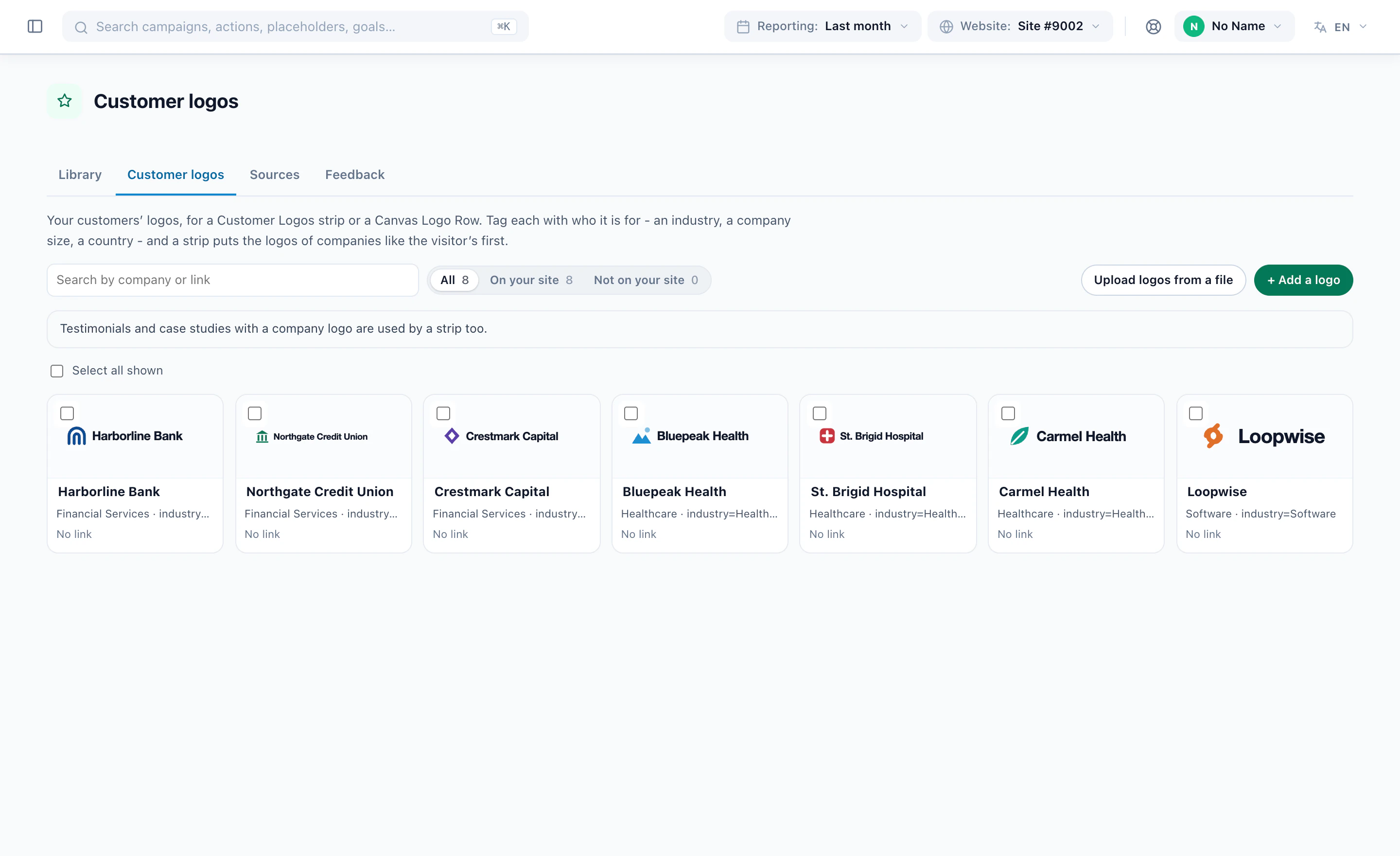
Four designs read the library: a Logo Strip, an Auto-scrolling Logo Slider, a Logo Grid, and Trusted by companies like yours, whose heading names the visitor’s industry. Industry and company size come from a form or CRM list, a company-identification service or a tagged link; without any of them, matching falls back to country and region, and a visitor you know nothing about still sees the full strip.
12Measure what the reviews did
The Reviews dashboard shows who saw a review widget, who engaged with it, how many reviews each campaign collected and their ratings — and how the visits a review widget ran in converted beside the rest of the site.
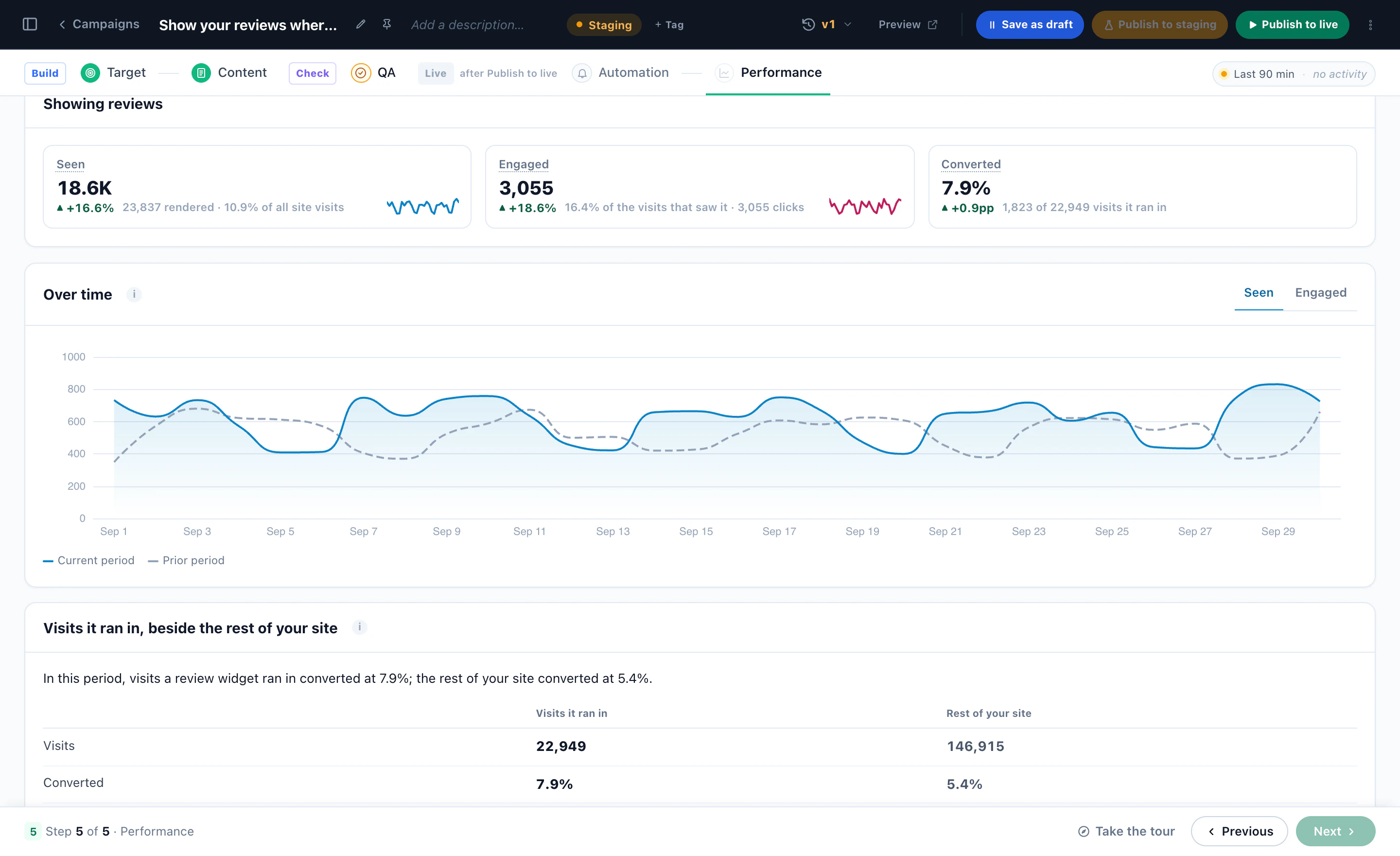
Read that last number as a comparison, not proof: people who scroll to reviews are often further along already. To know what the reviews themselves add, run the widget as an A/B test against a held-back group — one switch on the campaign.
More on the product: Surveys & NPS and Reviews & Testimonials.