

Send Email From Your Own Domain and Keep It Out of Spam
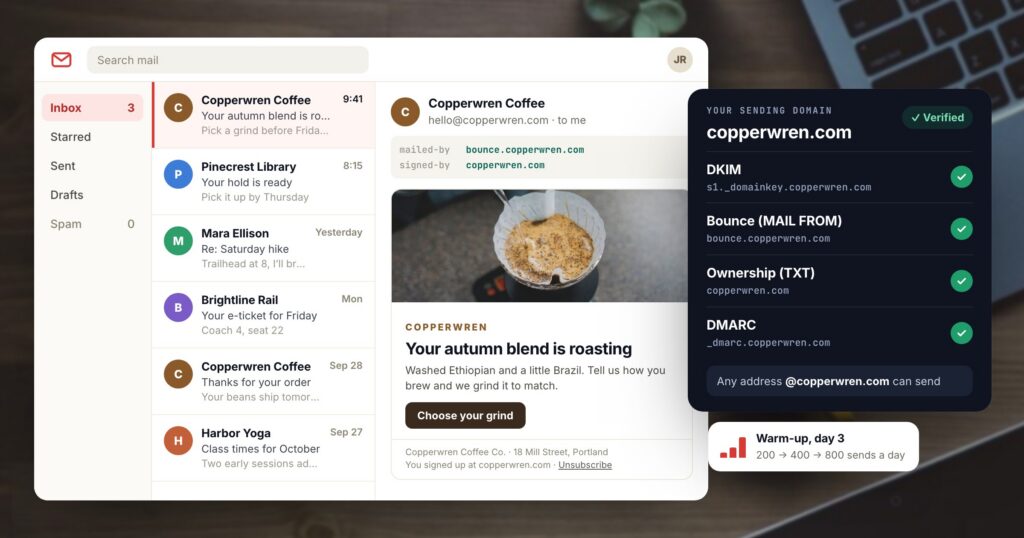
Mailbox providers decide where your email goes before anyone reads it. Gmail, Outlook and Yahoo check whether the domain in the From line can prove the message came from it, how long that domain has been sending, and how people treated its earlier mail: whether they opened it, marked it as spam, or whether it bounced because the address no longer exists.
You control each of those signals. This post goes through them in order: sending from your own domain and the DNS records behind it, warming up a domain with no history, stopping at the first bounce or complaint, retiring people who stopped reading, and keeping a record of who agreed to hear from you. For each one, it shows what Personyze does.
Why send from your own domain
Until you set up a domain of your own, an email platform sends for you from an address of its own. The inbox shows your name beside an address that belongs to someone else, and the reputation your list earns goes to a domain you do not own.
Your own domain fixes three things. People see an address they recognize, such as hello@yourbrand.com. Replies come back to you. And the reputation you earn by sending mail people want stays with your domain and helps every campaign after this one. Since 2024, Gmail and Yahoo also require bulk senders to authenticate their mail with SPF, DKIM and DMARC, and you can only publish those records on a domain you control.
Authentication is a handful of DNS records. Each one answers a question the receiving server asks:
| Record | What it tells the receiving server |
|---|---|
| DKIM | The message was signed by your domain and was not changed on the way. The sending service signs each email with a private key; the public half sits in your DNS, and the receiver checks the signature against it. |
| Bounce (MAIL FROM) | Bounces return to an address on a subdomain of yours. SPF is checked against that address, so SPF passes for your own domain. |
| Ownership (TXT) | You control the domain. The sending service asks for this proof before it sends in your name. |
| DMARC | What to do with mail that claims to be from your domain and fails the checks: deliver it, send it to spam, or reject it. Without a DMARC record, receivers have to guess. |
In Personyze you add the domain under Integrations → Email delivery → Your sending domain. The panel lists the four records to add to your DNS (DKIM, the bounce record, the ownership TXT and a suggested DMARC) and checks each one live, so you can see which ones your DNS provider has picked up. Once the domain is verified, any address at it can send: hello@, news@ or a person’s own address.
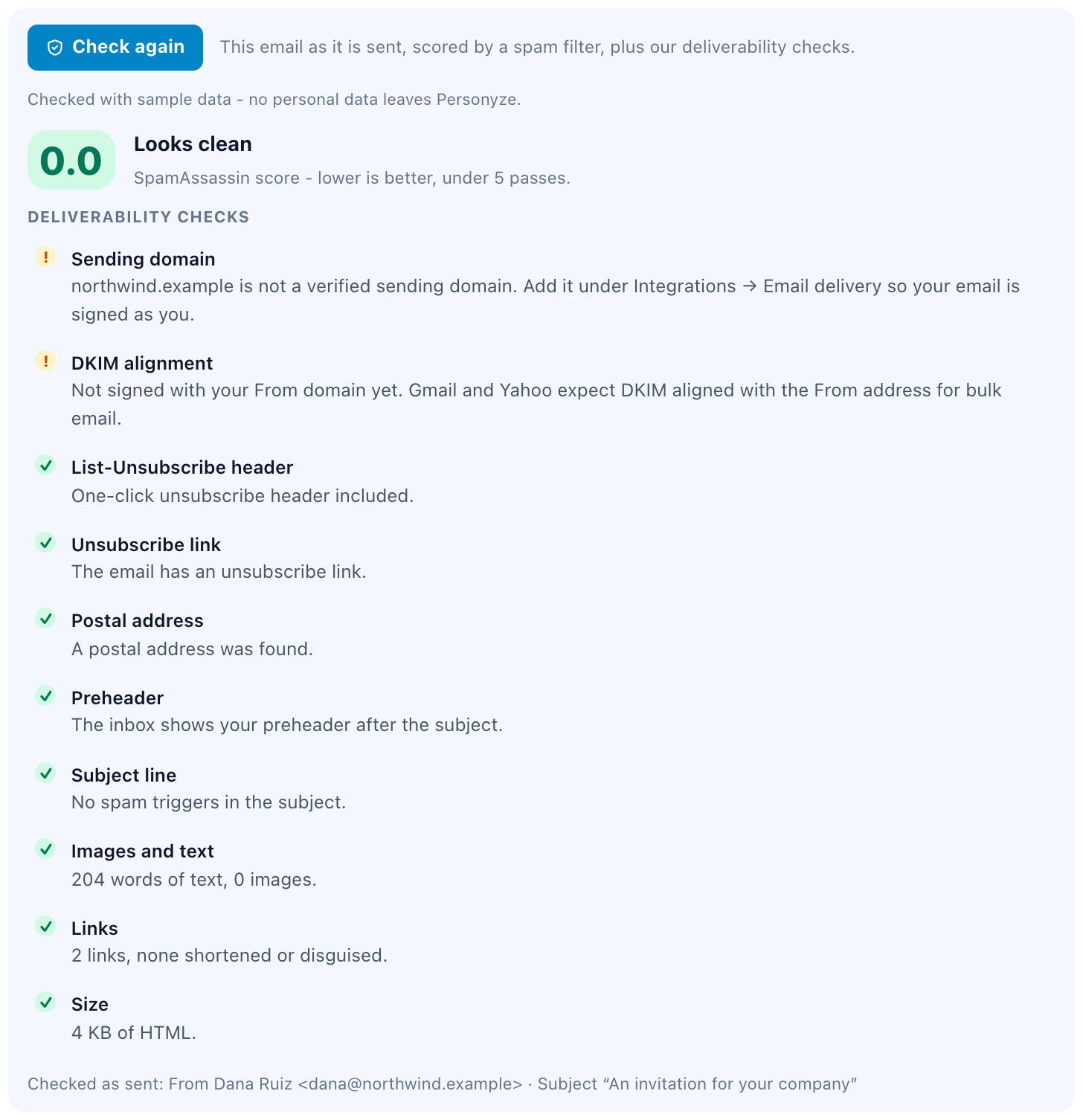
Why a new domain starts slowly
A domain that has never sent email has no reputation, good or bad. If its first day brings 30,000 marketing emails, it looks exactly like a spammer with a freshly registered domain, and mailbox providers treat it that way. Warming up means raising the volume over several days, so receivers see a small amount of mail that people open before they see a lot of it.
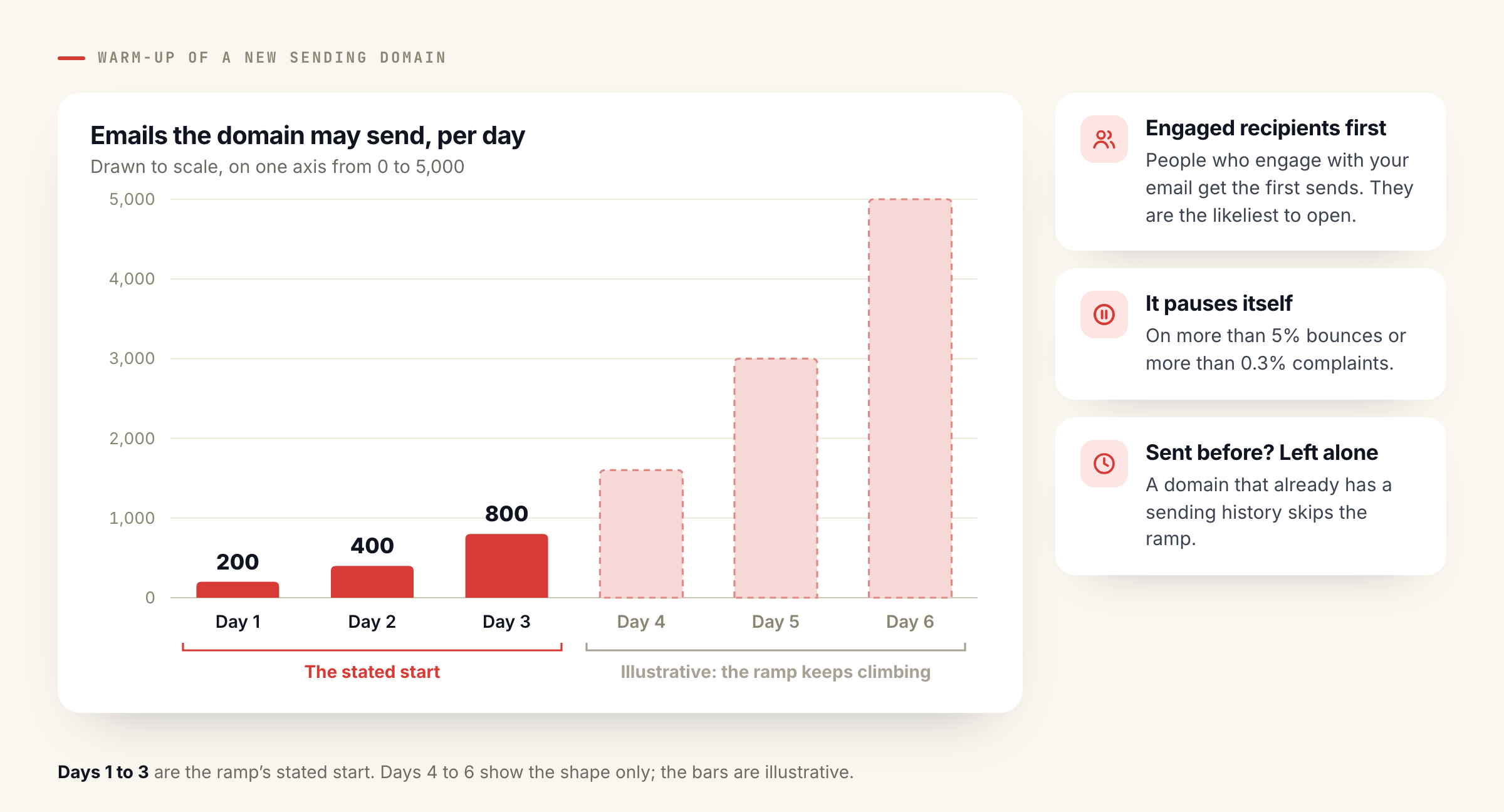
In Personyze, a new sending domain ramps up on its own: 200 sends on the first day, then 400, then 800, and upward from there. Recipients who engage with your email go first, because opens and clicks are what build the reputation. If bounces pass 5% of sends or complaints pass 0.3%, the ramp pauses, so a bad list cannot burn the domain while it is young. That 0.3% is also the complaint rate Gmail and Yahoo tell bulk senders to stay under. A domain that has sent before is left alone, since it already has a history.
Bounces and complaints: stop mailing that address
A hard bounce means the address does not exist or will never accept your mail. A complaint means a person pressed “Report spam”. Mailbox providers count both against you, and they count them again every time you mail the same address. A soft bounce, such as a full mailbox, can clear up, though an address that keeps soft-bouncing behaves like a dead one.
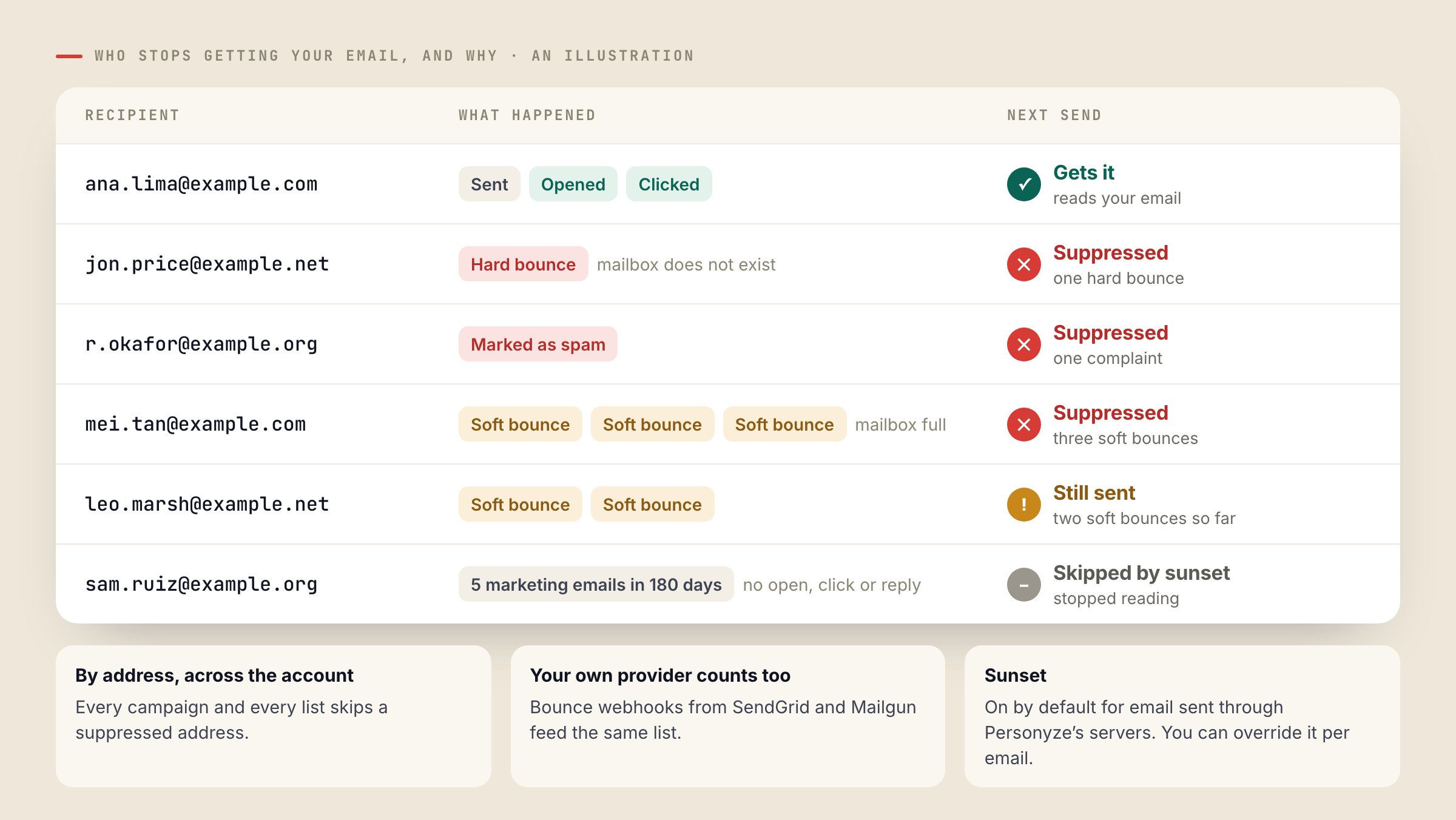
Personyze suppresses the address itself, across your whole account, after one hard bounce, one complaint or three soft bounces. The same person cannot slip back in through another campaign, another list or another visitor profile. Bounce webhooks from SendGrid and Mailgun feed the same list, so if you send some email through your own provider, its bounces count too. You can see every suppressed address on the Suppressed addresses tab.
Stale lists and consent
An address that has opened nothing in six months is a quiet risk. Some of those mailboxes were abandoned and end up as spam traps. Some belong to people who forgot they signed up and will press “Report spam” because it is quicker than finding the unsubscribe link. Mail that mostly goes unread also weighs on where the rest of your mail lands.
Personyze applies a sunset rule by default to email sent through its servers: anyone who has been sent five or more marketing emails in 180 days without opening, clicking or replying is skipped. Send counts go down on a stale list, which is the point. You can override the rule for a single email, and it does not apply to email you send through your own SMTP server.
The safest list is one where everyone asked to be on it and you can show when they did. Personyze keeps a consent log for every email address it captures, which you can export as a CSV. Double opt-in is optional: when it is on, a subscriber confirms with a link before marketing email goes out. A survey question that asks for an email address can show your own consent wording, which is saved as the wording they agreed to. And the {{mailing_address}} token puts your postal address in the footer, which laws such as CAN-SPAM in the US require in marketing email.
Setting it up in Personyze
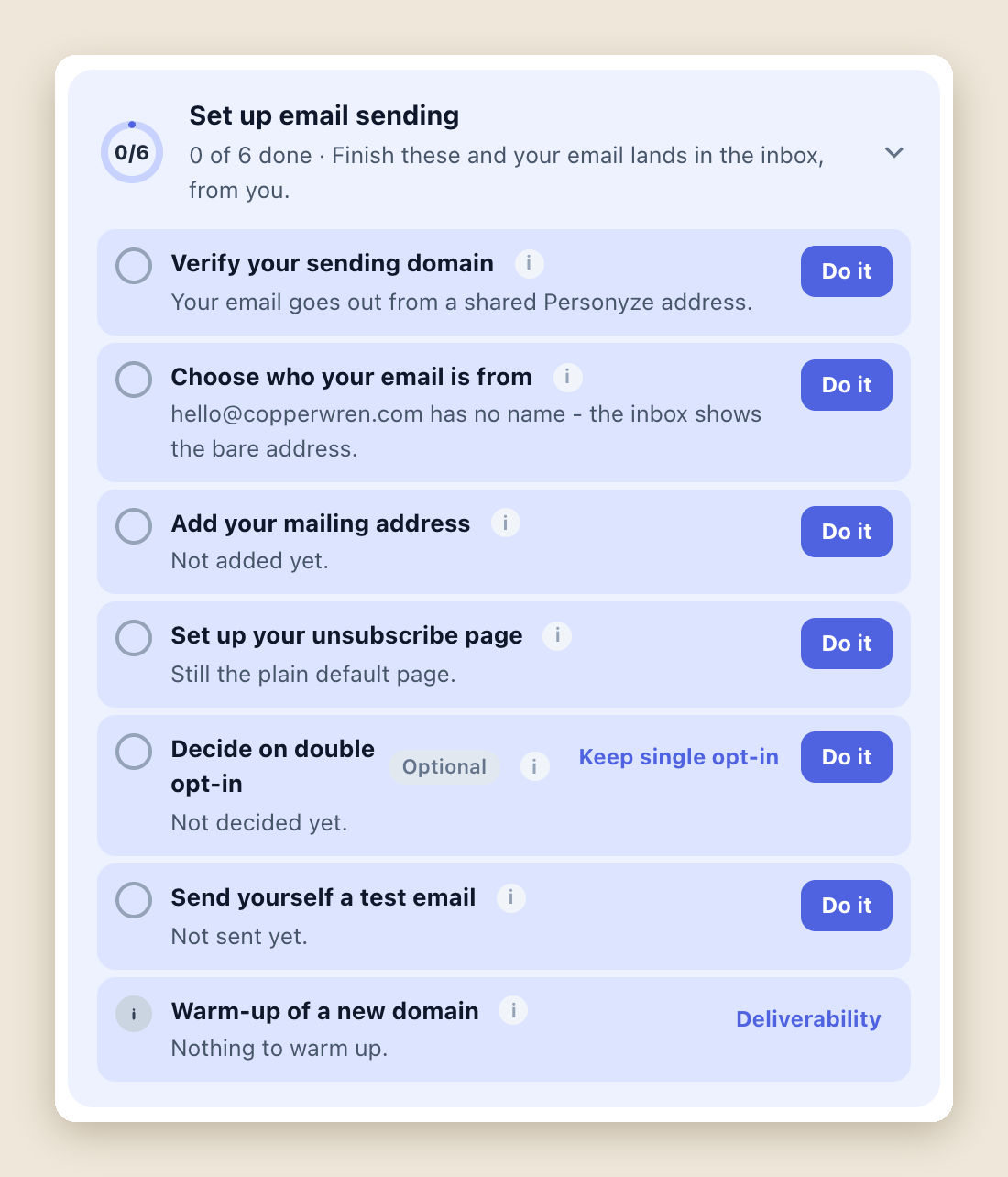
Everything above is gathered into one checklist under Integrations → Email delivery, called Set up email sending. Its steps: verify your sending domain, choose who your email is from, add your mailing address, set up your unsubscribe page, decide on double opt-in (optional), send yourself a test email, and warm up the domain. The open steps also appear on the readiness card of each email campaign’s Target step, so whoever builds a campaign sees what is still missing.
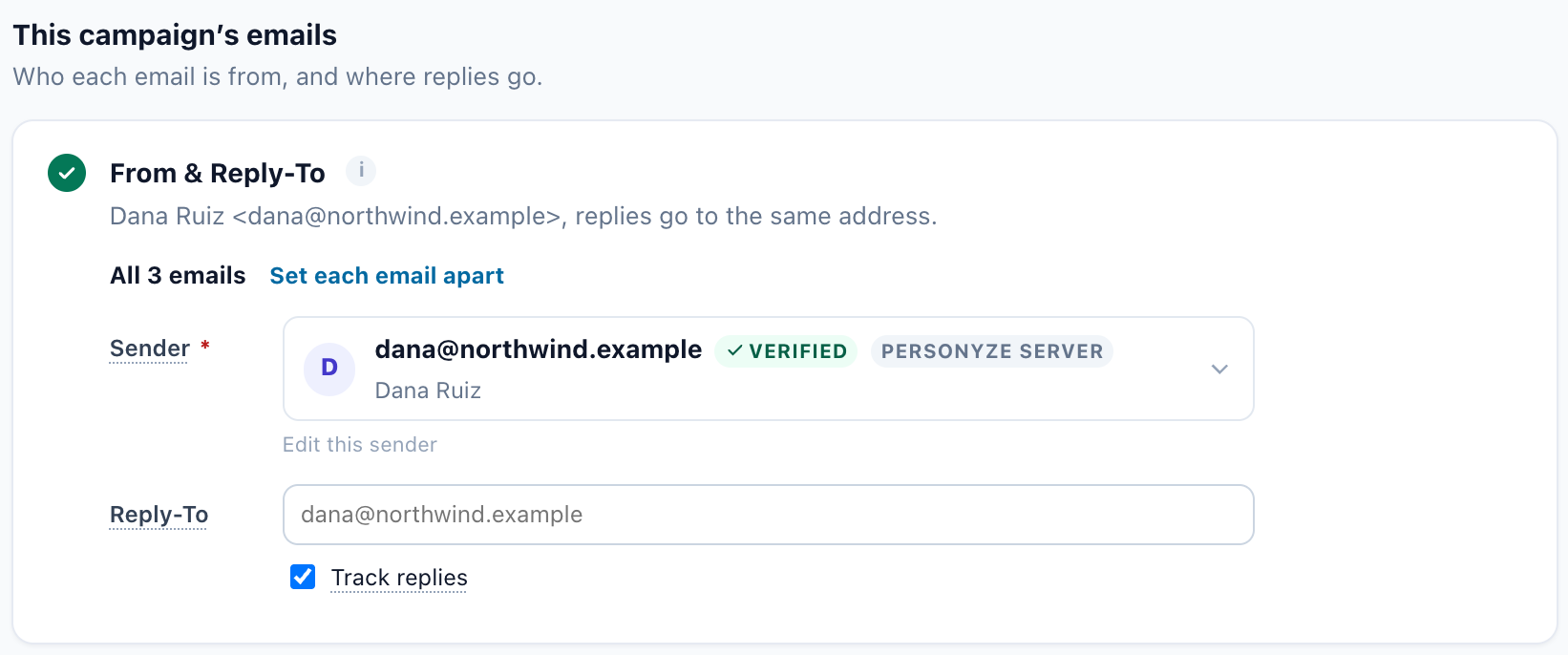
Each email campaign has a Sending step, where you set the From and Reply-To addresses for all of its emails or for each email apart. The sender list puts your own domain first and marks Personyze’s sender “For testing”, and you can send yourself a test email from the same step.
To see how it is going, open Analytics → Off-site campaigns → Email deliverability. It charts sends, bounces and complaints against the lines where sending pauses, shows where a new domain is in its warm-up, counts the suppressed addresses, and says whether the Personyze server is sending normally.
Reaching the inbox is half the job. The other half is what people find when they open the email, and that is what email personalization in Personyze is for.
Send from your own domain with PersonyzeSee how email works in Personyze, from the sending domain to the message each person opens.Questions people ask
Do I need my own domain to send email from Personyze?
It is the first thing to set up. Until a domain is verified, your email goes out from a shared Personyze address, which the sender list marks “For testing”. Your own domain puts your address in the From line and keeps the reputation you earn.
Which DNS records does Personyze ask for?
Four: a DKIM record, a bounce (MAIL FROM) record, a TXT record that proves you own the domain, and a suggested DMARC record. The panel checks each one live.
What happens while a new domain warms up?
It sends 200 emails on the first day, then 400, then 800, and more from there. Engaged recipients go first, and the ramp pauses if bounces pass 5% or complaints pass 0.3%. A domain that has sent before skips the ramp.
When does Personyze stop sending to an address?
After one hard bounce, one complaint or three soft bounces. The address is suppressed across your account and listed on the Suppressed addresses tab. Bounces reported by SendGrid and Mailgun webhooks count too.
Will the sunset rule skip people I still want to reach?
It skips only people who were sent five or more marketing emails in 180 days and never opened, clicked or replied. You can override it for a single email, and it does not apply to your own SMTP server.
Book a demo with a personalization expert
30 minutes with a personalization expert. Bring your stack, your goals, your skepticism. We'll show you what changes when every visit feels like the only one.