Personyze
On your site
Website PersonalizationContent, offers and layout shaped to each visitor — one profile across every page and every session.Recommendation EngineWhat each visitor wants next, ranked by the algorithm you pick or one you write.A/B TestingA winner per audience, promoted mid-campaign rather than after it.Dynamic Landing PagesThe whole page recomposed per visitor — headline, imagery and offer from the ad they clicked and their own interests. On pages you already run.AI Search & Chat AgentAnswers from your own pages and catalogue, and a search box that replies in a sentence.Banners & Pop-UpsRight message, right moment, right page — without a developer.Social ProofLive scarcity, ratings and what other people just did.
Off your site
Email PersonalizationContent and recommendations picked per reader at open time — sent from Personyze or pasted as one block into your ESP.Push, SMS & WhatsAppFired by what they just did rather than by a schedule.Hosted Landing PagesThe same per-visitor page, served by us — your domain or ours, no site to deploy to.
Know who they are
Behavioral TargetingSegments that update themselves from what people actually do.Audience DiscoveryPlain-language audiences found in your own data — visitors who convert several times more often than average, targetable in a click.ABM MarketingThe company behind an anonymous visit, joined to your CRM.Website AnalyticsSessions, bounce and revenue — then click a row and there is a person.
Build & connect
MCP ServerRun your account from Claude, ChatGPT or any MCP client.IntegrationsHubSpot, Salesforce, Twilio Segment, Tealium, GTM and the REST API.APIs, SDKs & AutomationOne REST endpoint over every object, server and mobile SDKs, rules and reports that run on their own.
Hear from them
Reviews & TestimonialsReviews from 17 platforms and your own site, matched to each visitor.Surveys & NPSOne question or a whole survey — every answer ready to target.AI Chat AgentAnswers visitors’ questions from your own pages, and hands over to a person.Meeting SchedulerThe right visitors book time with your team, on your own page.
PricingVideosProduct TourShort narrated videos of the real platform, one feature at a time.

Feedback, NPS & Surveys

Ask them.
Then act on it.

Put an NPS question, a star rating, five faces, “Was this helpful?” or a short survey anywhere on your site — and every answer lands on the visitor’s profile for your campaigns to act on.

Thank promoters and help detractors with campaigns of their own, show the score as proof once enough people answered, and read NPS over time on the dashboard.

G24.8 Capterra4.6
Use cases

One question, wherever the answer matters.

A score from the customers using your product, the reason a shopper stopped, a yes under an article — asked on your own site, at the moment it happened.

E-commerce

What stopped them at the cart

An Exit Survey asks what got in the way, one question per screen — and the answer is on the shopper’s profile before they leave.

  • One question per screen, with a progress bar
  • Each answer saved on the visitor’s profile
  • A campaign for everyone who chose “the shipping cost”
What stopped you from checking out today?
The price
The shipping cost
I was just looking
Cartasked where they stopped
SaaS & B2B

NPS from the people using it

An NPS Bar inside the product or the customer area: 0 to 10 and an optional comment, with the score and group written to the profile.

  • 0 to 10, with an optional comment
  • Promoter, passive or detractor on the profile
  • NPS over time on the dashboard
How likely are you to recommend Ledgerline?
012345678910
0–10promoters, passives and detractors
Publishers & help centres

Was this helpful? Under every article

Saved on the click, counted per page — and, once enough readers answered, shown as “92% found this helpful”.

  • The answer is saved on the click
  • “Said yes” by page and by product
  • The share of yes, shown as proof
Was this helpful? YesNo
Thanks! Anything we should add?
Pageresults by page and by product
After the order

How the product they bought is doing

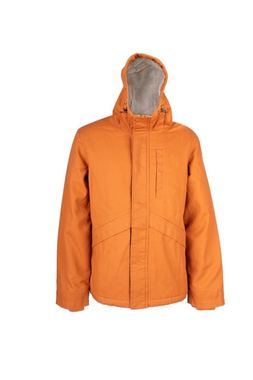
Post-Purchase Satisfaction asks about the product they bought, pictured — and the Post-Purchase Survey asks the rest.

  • The last product they bought, pictured
  • Stars, faces or a full survey
  • An optional thank-you email
How is your Alpine Parka?
Productthe one they bought, from the last order
Act on the answer

Every answer is targeting data.

NPS score and group, the feedback rating and each survey answer are saved on the visitor’s profile. Use them in any targeting rule — a thank-you for promoters, a hand for detractors, free shipping for the shoppers the shipping cost stopped.

  • NPS score and groupPromoter 9–10, passive 7–8, detractor 0–6
    feedback
  • Feedback ratingStars and faces, and the date of the last answer
    feedback
  • Survey answersEvery question gets a field of its own, named after it
    surveys
  • Everything elseCombine it with behaviour, location, CRM data and more
    any rule
Visitor profile · with their answersMatched
This visitor
NPS score10
NPS groupPromoter
CompanyNordvik Bank
Visit14th
MatchedAudience: promoters · any time
This visitor
NPS score3
NPS groupDetractor
Feedback rating2 of 5
Last feedback2 days ago
MatchedAudience: detractors · last 30 days
This visitor
What stopped youThe shipping cost
Cart2 items
LocationLeeds, UK
Visit2nd
MatchedAudience: Exit Survey answer = shipping cost
This visitor
Was this helpfulNo
Page/help/export-to-excel
CompanyHalden Home
PlanBusiness
MatchedAudience: said no on a help article
So this is what they see nextUpdated
Slide-in · in the product
Know a team who would like this too?
Invite them and you both get a month on us.
Send an invite →
Chat offer · on the next visit
Can we fix it together?
Fifteen minutes with a specialist, today.
Talk to us now →
Top bar · on the next visit
Shipping is on us this week.
Your bag is still here — both items, delivered free.
Back to your bag →
Embedded · under the article
Book fifteen minutes with the team that wrote this guide.
We’ll go through your own reports with you.
Pick a time →
Questions

A quick question, or a whole survey.

Feedback asks one question about your business, a product or the page. A Survey asks several, one screen at a time or all on one card — and you build it in the panel, not in code.

  • Stars and five facesA 1–5 rating, or five faces for “How was your visit?” — with an optional comment.
  • The NPS question, 0 to 10“How likely are you to recommend us?” — the score and its group go straight to the profile.
  • Thumbs, and “Was this helpful?”One click, saved on the click; a comment afterwards updates the same answer.
  • Surveys, six kinds of questionOne choice, several choices, 1–5, 0–10, short and long answers — built, reordered and copied without code.
Exit Survey · questions and look4 questions
1What stopped you from checking out today?required · 4 choicesOne choice
2How easy was it to find what you wanted?requiredRating 1–5
3How likely are you to shop with us again?optionalScale 0–10
4Anything else we should know?optional · kept privateLong answer
✓One question per screen✓Progress bar✓Thank-you words at the end
5
Kinds of feedback question: stars, faces, 0–10, thumbs, “Was this helpful?”
6
Kinds of survey question, one screen at a time or all on one card
20
Answers before any score is shown on your site — the default minimum, yours to raise
Designs

Eight designs. Placed like any campaign.

Four for a single question and four surveys — each placed in the page, as a slide-in, a bar or a pop-up, and targeted, triggered and capped like every other Personyze campaign.

How likely are you to recommend us?
012345678910

NPS Bar

The 0–10 question in a bar at the foot of the page, with a comment after the score.

Usually goes onCustomer areaIn the productFeedback · 0–10
Was this helpful? YesNo

Was This Helpful?

Yes or no under an article, saved on the click; a comment updates the same answer.

Usually goes onArticlesHelp centreFeedback · one click
How was your visit today?

How Was Your Visit?

Five faces in a slide-in, and a line for anything they want to add.

Usually goes onAny pageAfter a whileFeedback · faces
How is your parka?

Post-Purchase Satisfaction

The product they bought, pictured, and how it is doing.

Usually goes onOrder confirmationAccountFeedback · product
What matters most in a parka?
Warmth
Weight

Quick Poll

One question, one tap — and Poll Results can show everyone how it came out.

Usually goes onBlogHome pageSurvey · one question
How did you hear about us?
A friend
Search

Customer Survey

Five questions, one screen at a time, with a progress bar.

Usually goes onAccountAfter sign-upSurvey · five questions
What stopped you today?
The price
Shipping

Exit Survey

“What stopped you today?” — asked where they stopped.

Usually goes onCartPricing pageSurvey · exit
How easy was checkout?

Post-Purchase Survey

A few questions after the order, while the purchase is fresh.

Usually goes onOrder confirmationSurvey · after the order
Watch it done

Ask one question, or a few

Two walkthroughs in the real panel — one question with its score, and a short survey with its results. Then ask your own visitors.

Show the score

Your visitors’ verdict, as proof for the next one.

Feedback Results and Survey Results put the numbers on your site — the share of yes, the average rating, how a poll came out — and hold back until enough people have answered.

  • Found This Helpful“92% of readers found this page helpful” — this page, or across the site.
  • Visitor Rating Badge and Product Satisfaction“4.6 out of 5 from 1,203 visitors”, or the average for the product on the page.
  • Poll Results and Stat HighlightBars and percentages, or one line like “82% of customers chose…” — only the questions you pick.
  • Only totals, only when there are enoughNothing shows below the minimum number of answers. Comments and written answers are never published.
On your siteTotals only
Found This Helpful · this page
92%of readers found this page helpful
Poll Results · What matters most in a parka?
Warmth46%
Weight29%
Waterproofing25%
Product Satisfaction · Trail Boot
Not shown yet14 answers · the minimum is 20
After each answer

An answer is an event your stack can act on.

Saved in Personyze, written to the profile, and sent wherever you add — so a detractor is a support conversation today, not a number in next quarter’s report.

  • Email me, webhook, Zapier, HubSpot, KlaviyoEvery answer can go where your team already works — after the visitor already has their thank-you.
  • A goal, and the profileCount an answer as a conversion goal, and keep it on the visitor’s profile for targeting.
  • An optional thank-you emailOff by default. The same thanks for every answer, and never a reward in return.
  • Private by defaultAnswers are never shown on your site as quotes. They are tied to the visitor’s profile — that is what makes them targetable.
After one answerActed on
10:14NPS answered in the product3 · “Exports keep timing out”
10:14Saved as feedbackscore, comment and the question that asked
10:14NPS group: detractorwritten to the visitor’s profile
10:15Email to you, and to HubSpotthe reply goes straight to them
10:31The detractor campaign runsa specialist offered on the next page view
Reporting

NPS over time. And who is behind it.

The Feedback tab shows NPS for the period and month by month, averages, “said yes” by page and product, the response rate and the latest comments. The Surveys tab adds a funnel from shown to each question, results per question and by segment, and a CSV export.

Performance · Feedback · last 6 monthsNPS Bar · in the product
NPS+42last 6 months
Answers1,948one per visitor, the latest
Response rate7.8%of visits asked
Average rating4.6stars and faces
Promoters, passives and detractors, by month
Apr
May
Jun
Jul
Aug
Sep
PromotersPassivesDetractors
Was this helpful? · said yes, by page
PageSaid yesAnswers/help/export-to-excel91%412/help/import-data84%297/help/user-roles62%188/help/scheduled-reports47%156
10Reports in minutes now, not days.3Exports keep timing out on big ledgers.
FAQ

Direct answers. No fluff.

The questions that come up before asking your visitors theirs. Send anything else our way and we’ll answer fast.

What is the difference between Feedback and a Survey?

Feedback asks one question — stars, five faces, 0–10, thumbs, or “Was this helpful?” — with an optional comment, about your business, a product or the page. A Survey asks several questions of six kinds, one screen at a time or all on one card.

How is NPS worked out?

From the 0–10 answers to a Feedback question: 9 and 10 are promoters, 7 and 8 passives, 0 to 6 detractors, and NPS is the share of promoters minus the share of detractors. Each visitor’s score and group are saved on their profile. A 0–10 question inside a survey is reported as a scale, and does not fill the NPS fields.

Can a campaign react to what someone answered?

Yes. NPS score and group, the feedback rating, whether and when they gave feedback, and every survey answer (a field per question) are on the visitor’s profile, and every targeting rule can use them — a thank-you and a referral for promoters, a specialist for detractors, free shipping for shoppers the shipping cost stopped.

Are the answers anonymous?

No — they are tied to the visitor’s profile, which is what makes them targetable. They are private: never shown on your site as quotes, and published results show totals only.

Can I show the results on my site?

Feedback Results shows “92% of readers found this page helpful”, a rating badge, the product’s own satisfaction, or your NPS if you choose to. Survey Results shows poll bars or one highlighted figure, for the questions you pick. Nothing shows until there are enough answers — 20 by default.

Where do the answers go?

They are saved in Personyze and on the profile, and you can add an email to you, a webhook, Zapier, HubSpot or Klaviyo, a conversion goal and an optional thank-you email. Everything runs after the visitor already has their thank-you.

Is there a thank-you email, and can it offer a reward?

There is an optional thank-you email, off by default, sent only to visitors whose address was already on their profile. It is the same for every answer and offers nothing in return.

Can I collect public reviews as well?

Yes — that is Reviews & Testimonials: a Review Form on your site, reviews from 17 platforms, and widgets that show each visitor the reviews that match them.

How do I see the results?

Performance has a Feedback tab (NPS over time, averages, said yes by page and product, response rate, the latest comments) and a Surveys tab (respondents, a funnel from shown to each question, results per question and by segment, the latest written answers and a CSV export).

Get started

Ask them. Then answer them.

Put an NPS Bar in your product or an Exit Survey on your cart, and target the next campaign by what people said.

Free plan available · 30-day money-back · No annual lock-in