
Personalized Lead Generation: How to Capture More — and Better — Leads
Lead generation isn’t really about collecting more form fills. It’s about getting the right people to raise their hand at the right moment — and then acting on them fast. Yet most sites show every visitor the same static form, in the same spot, with the same generic message, and then wonder why conversion is flat.
Personalization changes the whole equation. It decides who sees an offer, what it says, when it appears, and what happens the instant someone submits. Here’s how personalization — and Personyze specifically — turns more of the traffic you already have into qualified leads.
Show the right message to the right visitor
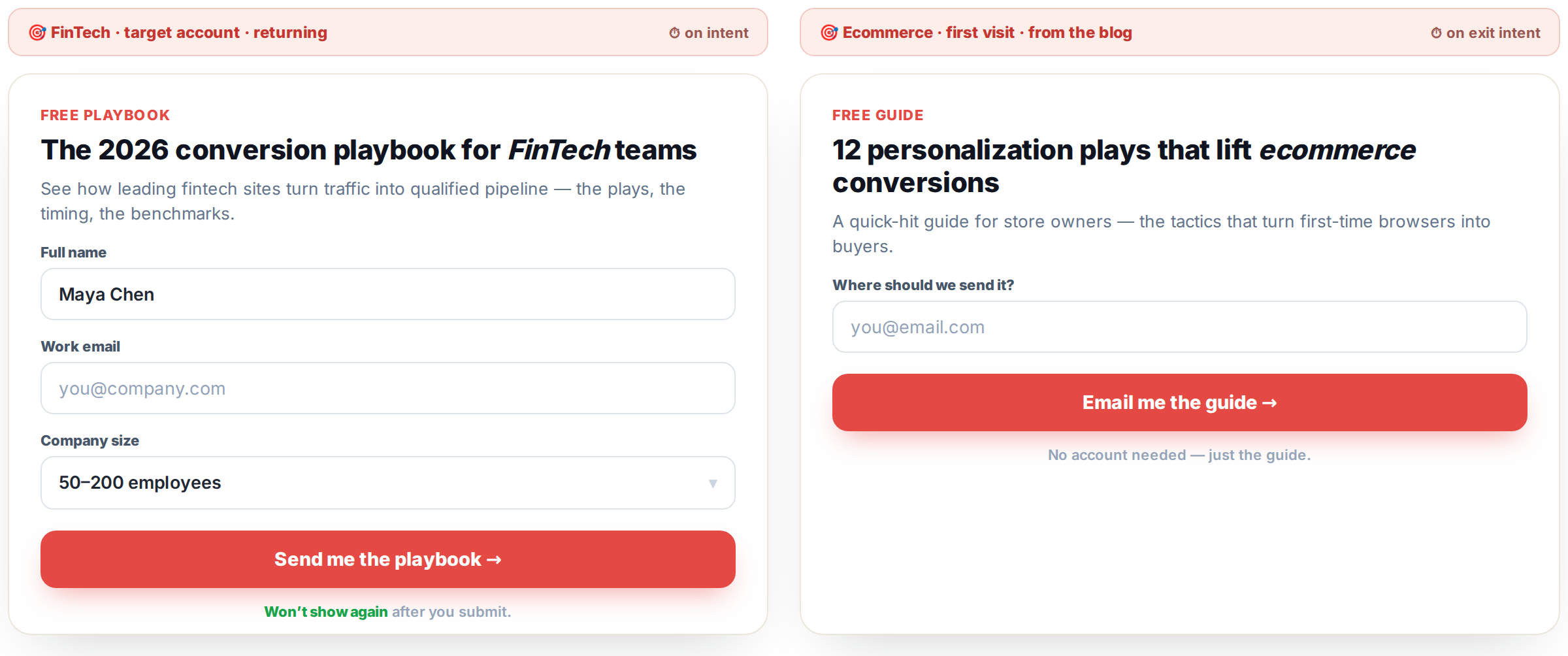
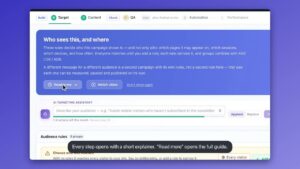
A generic “Sign up for our newsletter” converts poorly because it speaks to no one in particular. Personalization tailors the ask to who’s actually there — their industry, their company (via account-based targeting and reverse-IP), their traffic source, their behavior, whether they’re new or returning. A visitor from a target account sees an offer built for their world; a first-timer who arrived on a blog post sees a lead magnet tied to what they were just reading. The message resonates because it’s about them.
The flip side matters just as much: don’t show your form to people who aren’t a fit. If a visitor is clearly outside your target market, you can suppress the offer entirely — keeping your pipeline clean and letting your team focus on the leads that actually matter instead of the noise.
Strike while the iron is hot
The very same form converts wildly differently depending on when it appears. Ask on the first second of the first visit and you interrupt a stranger; ask at the peak of interest and you catch a warm hand. Personyze triggers on behavior and engagement — after someone reads to the bottom of your pricing page, returns for the third time, lingers on a product, or shows exit intent — so the offer lands as a well-timed invitation rather than an interruption.
Test your way to a higher-converting form
Everything above is testable. A/B test the message, the form length, the CTA wording, the trigger timing, and the placement — then let the data pick the winner. Small changes (one fewer field, a sharper headline, a smarter trigger) compound into a materially higher capture rate, and you’ll know exactly which version earned it.
Use your forms — or Personyze’s
You don’t have to rip out what you already have. Use Personyze’s built-in forms, — start from a ready-made form template — or layer targeting, timing, and testing onto the forms you already run, including HubSpot and other tools. Either way, the personalization sits on top and the leads keep flowing where they already do. See it live in our lead-capture form example.
Put the visitor’s own data inside the form
Personalization doesn’t stop at deciding who sees the form and when — the form itself can speak the visitor’s language. With Personyze’s visitor variables, you drop tokens into the form that fill live from the visitor’s unified profile: their company (from ABM and reverse-IP), their city, their latest interest (the topics Personyze’s AI sees them engaging with), or the last few articles they read and products they viewed.
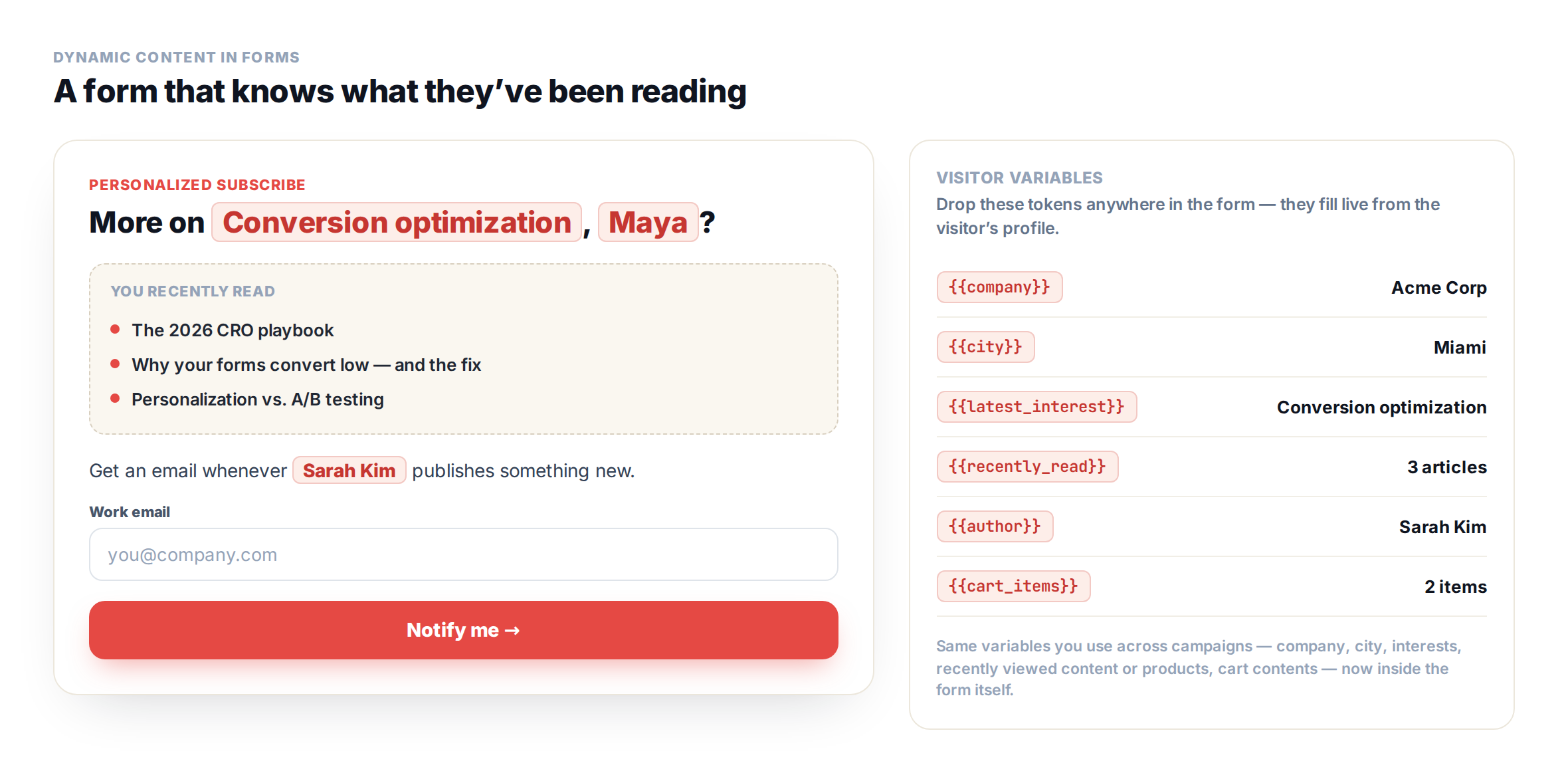
That turns a generic form into one that feels hand-made:
- Follow an author. “Enjoying {author}’s posts? Get an email whenever they publish new content” — naming the exact writer the visitor keeps coming back to.
- Continue where they left off. Print the last few articles or products the visitor engaged with right inside the form — “Want more like these?” — and turn a passive reader into a subscriber.
- Send my cart. An “email me my cart” form that captures an address and sends the visitor their current items, so you can rescue the sale later.
- Company, city, interest. Greet a target account by company name, reference the visitor’s city for a local offer, or tailor the pitch to their latest interest.
These are the same visitor variables you’d use anywhere in a Personyze campaign — now inside the form, so the ask is as personalized as everything around it.
The moment someone submits: routing, alerts, and enrichment
What happens at submit is where personalization really pays off. A single submission can fan out across your whole stack, instantly:
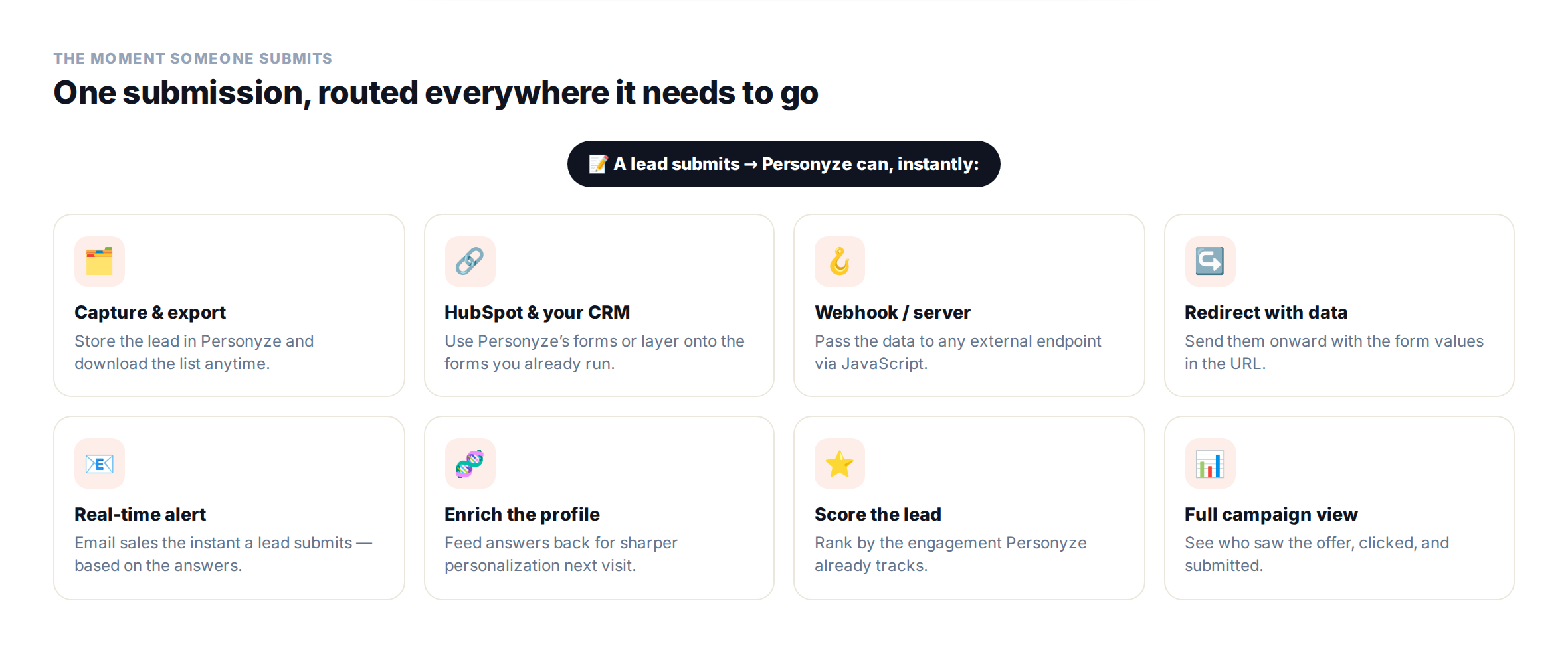
- Route the data anywhere. Pass it to an external server or webhook with JavaScript, or redirect to a URL with the form values as parameters — so the lead flows straight into your systems.
- Send real-time notifications. Fire an email the instant a form is submitted, tailored to the values — alert sales immediately when, say, an enterprise-sized company raises its hand.
- Enrich the visitor profile. Feed the answers back into the visitor’s unified profile, so every future visit is personalized with what you just learned.
- Capture and export. Store leads in Personyze and download the list whenever you need it.
Remember who’s already a lead
Nothing tanks a conversion rate like asking a known lead to fill out the same form again. Personyze remembers who submitted, so you can stop showing the form to people who already gave you their details — and instead show them the next step: a demo offer, gated content, a nudge to talk to sales. Progressive, not repetitive.
Score and prioritize your best leads
Not every lead is equal. Personyze already tracks engagement — pages viewed, content consumed, campaigns clicked, time spent on the pages that matter — so you can score leads on those signals. Sales spends its time on the hand-raisers who are genuinely ready, not just the newest name on the list.
See exactly what worked
Because Personyze runs the whole flow, you get a complete view of campaign performance: who saw each offer, who clicked, who submitted, and how every variation performed. You can trace a captured lead back to the exact message, timing, and audience that produced it — and then double down on what’s working.
Here’s the kind of per-user campaign report you get — every visitor, and exactly what they saw, clicked, and submitted:

Lead generation, made about relevance
Put together, personalization turns lead generation into a question of relevance and timing rather than the sheer volume of pop-ups. Targeted messages and forms, better timing, testing, smart routing, enrichment, memory, scoring, and full reporting — all from one unified profile. Book a demo to see it on your own site, or explore plans and pricing.
Personalized lead generation: FAQ
What is personalized lead generation?
It’s capturing leads by tailoring who sees an offer, what it says, and when it appears – instead of showing every visitor the same static form. Personalization uses signals like industry, company, traffic source, and behavior to make the ask relevant and well-timed, which lifts both the number and the quality of leads.
How does personalization increase lead conversion?
By matching the message to the visitor and triggering it at the moment of peak interest, and by not showing forms to people who already converted or who aren’t a fit. Relevant, well-timed asks convert far better than a generic form shown to everyone.
Can I use my existing forms, like HubSpot, with Personyze?
Yes. You can use Personyze’s built-in forms or layer targeting, timing, and testing onto the forms you already run, including HubSpot and other tools.
How does Personyze route or send lead data?
Several ways: capture and export it in Personyze, pass it to an external server or webhook via JavaScript, redirect to a URL with the form values as parameters, and trigger a real-time email notification based on the submitted values.
Can I avoid showing a form to people who already submitted?
Yes. Personyze remembers who has submitted, so you can stop re-showing the form to known leads and instead show them the next step, like a demo offer or gated content.
Can I stop showing forms to visitors outside my target market?
Yes. You can suppress the offer for visitors who aren’t a fit, so your pipeline stays clean and your team focuses on relevant leads.
How does lead scoring work with personalization?
Personyze tracks engagement signals – pages viewed, content consumed, campaigns clicked, time on key pages – and you can score leads on those signals so sales prioritizes the most engaged, sales-ready prospects.
Can I show dynamic content inside a form?
Yes. Personyze forms support visitor variables — tokens that fill live from the visitor’s profile — so you can print the visitor’s company, city, latest interest, the last articles they read or products they viewed, or their cart contents right inside the form’s headline, copy, or fields.
Related reading
- Using Personyze forms for instant personalization — a closer look at the forms.
- Account-based marketing — capture and convert target accounts.
- Popups & banners — the surfaces your offers appear on.
- Lead-capture form example — a live personalized form.
- Form & popup templates — start from a ready-made design.
Book a demo with a personalization expert
30 minutes with a personalization expert. Bring your stack, your goals, your skepticism. We'll show you what changes when every visit feels like the only one.