
Visitor Targeting in Personyze: The Traits Behind Segmentation and Behavioral Targeting
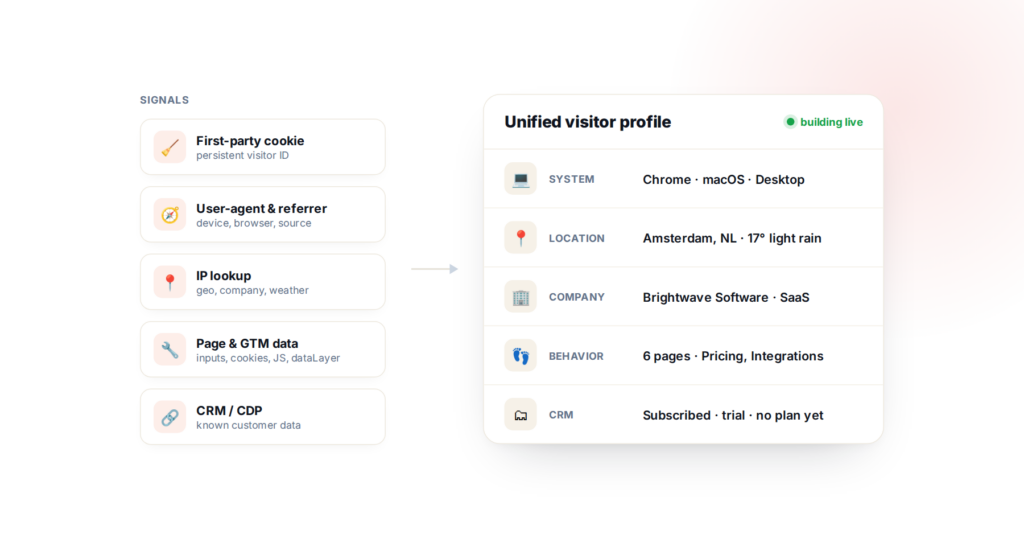
Personalization starts with a simple question: who is on the page right now? Personyze answers it by assembling a unified visitor profile from many first-party signals, then letting you turn the traits in that profile into audiences. This post is a technical tour of what gets tracked, how it’s gathered, and how you put it to work in behavioral targeting, segmentation, and on-site targeting.
How a visit becomes data
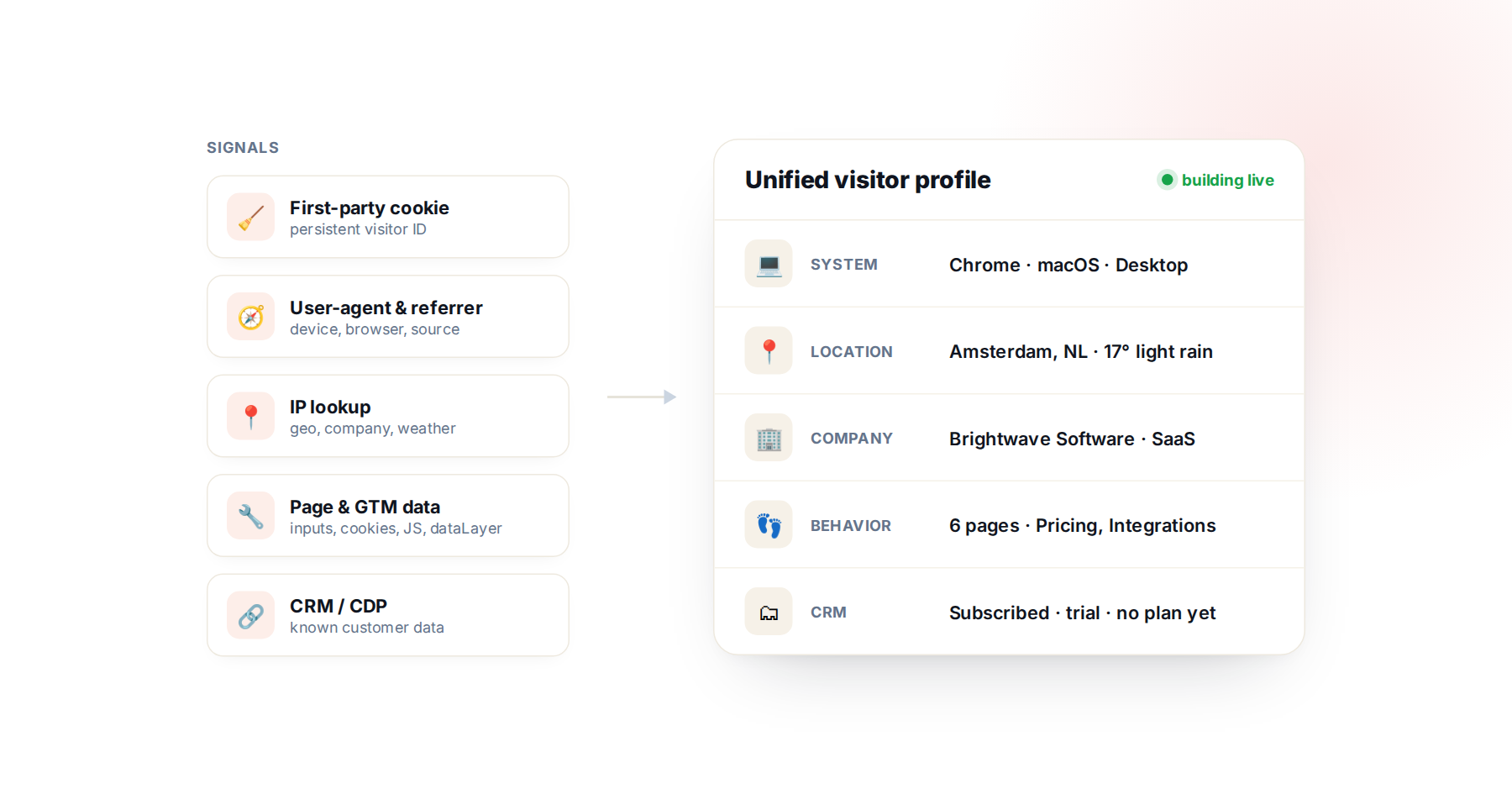
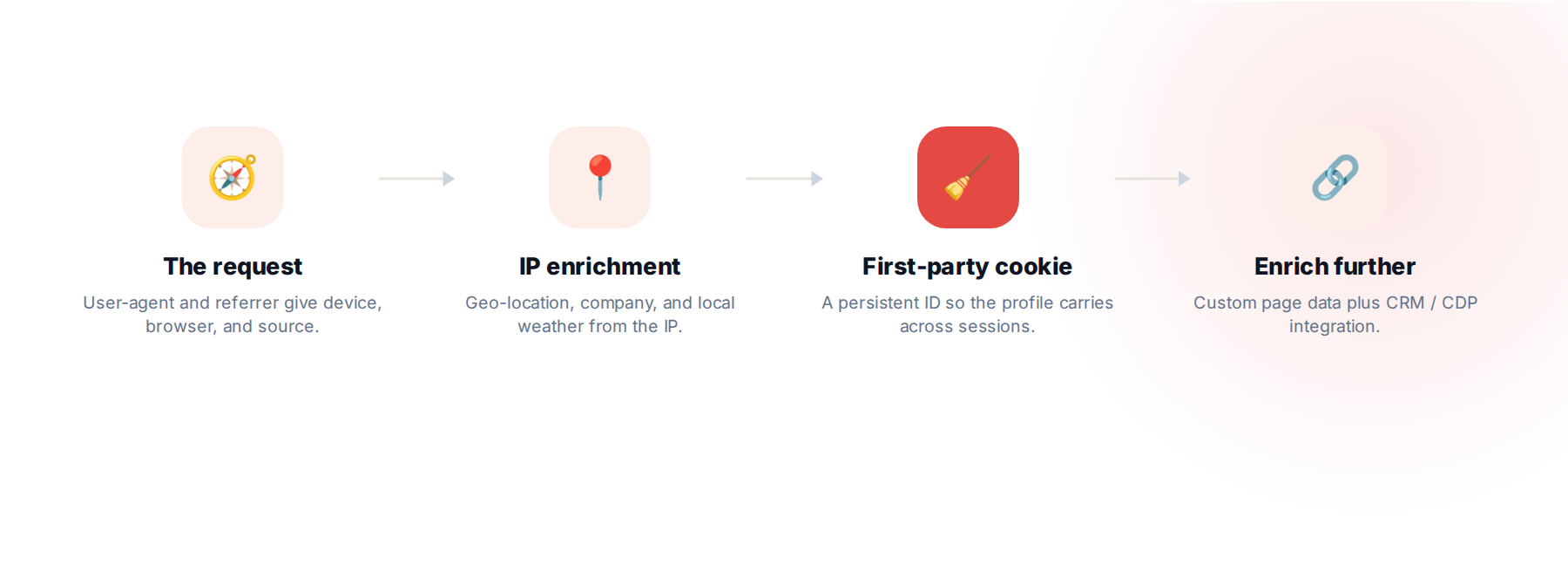
When a visitor loads a page that’s running Personyze, the request itself already carries a lot. From the user-agent string, Personyze reads the device type, browser, operating system, and language; from the request headers it sees the referrer and any campaign parameters. None of this needs extra setup — it’s present on the very first pageview.
Next comes IP enrichment. From the visitor’s IP address, Personyze derives geo-location (country, region, city), and can go further: deduce the company behind the visit via reverse-IP lookup — the basis for B2B and account-based marketing — and even pull the local weather at the visitor’s location, which is genuinely useful for some retail and travel use cases.
Then Personyze sets a first-party cookie — a persistent visitor identifier on your own domain. That cookie is what turns a single pageview into a profile: instead of starting from scratch each time, Personyze keeps building the same visitor’s profile across the session and from one session to the next — and across devices when identity can be linked (cross-device tracking).
The categories of visitor traits
Everything Personyze collects rolls up into a handful of categories — and each one is something you can segment on:
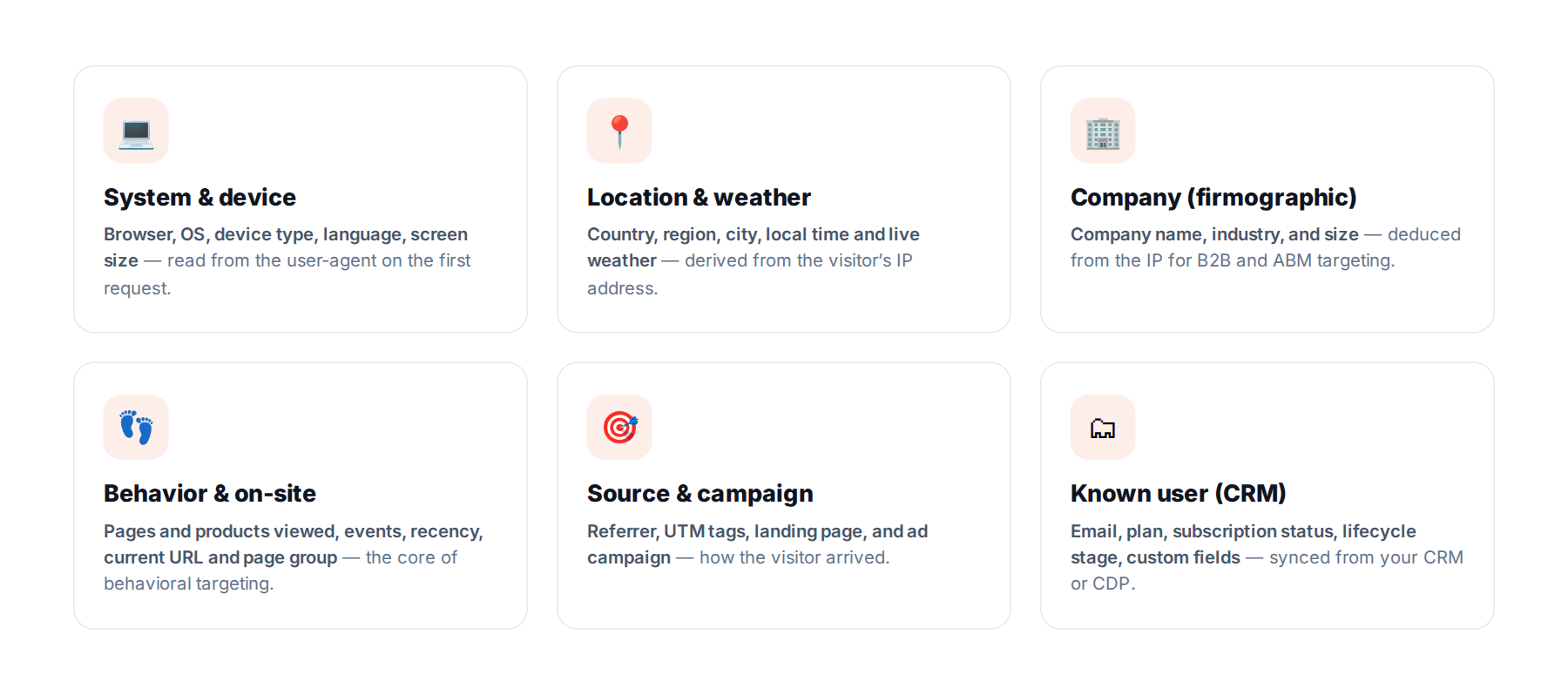
- System & device — browser, OS, device type, language, screen size, read from the user-agent.
- Location & weather — country, region, city, local time, and live weather, derived from the IP.
- Company (firmographic) — company name, industry, and size, deduced from the IP for ABM targeting.
- Behavior & on-site — pages and products viewed, events, recency and frequency, plus the current URL and page group. This is the heart of behavioral and on-site targeting: reacting to what someone is doing right now.
- Source & campaign — referrer, UTM tags, landing page, and ad campaign.
- Known user (CRM) — email, plan, subscription status, lifecycle stage, and custom fields, synced from your systems.
The targeting-rule library
Here’s the fuller library of what you can target on — most conditions accept operators, ranges, and time windows, so you can be as precise as you need:
- Behavior & interaction — pages visited, number of page views, most-popular page, and time on site.
- Content interaction — what a visitor has read, scrolled through, or commented on (for example, articles read in the last month). Because Personyze crawls your site to build a content feed, you can target on the attributes of the content they engaged with — author, tags, category, or topic — not just the URL.
- Product & commerce — product views, cart adds, favorites, and purchases; cart value, number of products purchased, and total purchased value — filterable by brand, category, or price range, and by time window (purchased in the last 30 days).
- Traffic source — landing page, referral source, search keywords, and UTM ad campaigns.
- Profile & CRM — CRM fields (company, domain, industry), uploaded user lists, and visitor type (new, returning, frequency).
- Geo, device & time — country and city, device / browser / OS, IP or IP range, and date / time / weekday schedules.
- Weather — real-time temperature, wind, humidity, cloud cover, and pressure at the visitor’s location.
- Personyze actions — what a visitor did with your previous Personyze campaigns: which popup, banner, or content they saw or clicked, and whether they submitted a form — ideal for sequencing follow-ups and suppressing what they’ve already converted on.
- Interests — Personyze uses AI to read your page content and automatically tag each visitor with topic interests, then scores how strong each one is from how often they engage with related content. You can target on the interest itself (for example, “interested in trail running”) or on its strength — say, a visitor who has shown that interest several times.
- Integrations & intent — pull in third-party audiences and intent signals through Segment, Tealium, 6sense, Clearbit, Leadfeeder, ZoomInfo, Albacross, Zeotap, and HubSpot — several of which also resolve the visitor’s company by reverse-IP for ABM.
- Custom & GTM data — any value you extract from page inputs, cookies, meta tags, JavaScript variables, the DOM, or the Google Tag Manager data layer becomes a targetable condition too (see the next section).
Every condition can be set to include or exclude and combined with AND / OR / XOR, nested into groups — the full reference lives in the targeting rules guide.
Going deeper: custom data extraction
The categories above work out of the box. For anything specific to your site, you can tell Personyze to extract values from the page and turn them into custom profile attributes — first-class traits you can target on exactly like the built-in ones. Personyze can read from:
- Page inputs and form fields
- Cookies already set on your domain
- Meta tags in the page head
- JavaScript variables on the page
- DOM containers — any value rendered in the markup
- The Google Tag Manager data layer (any
dataLayervariable)
Each extracted value becomes an attribute in the visitor profile, available in any targeting rule or segment. The full setup is documented in the Personyze knowledge base.
Bringing in your own data: CRM, lists, API, and mobile SDK
First-party site signals describe the session; your own systems describe the customer. Personyze gives you several ways to push that data into the same profile:
- CRM & CDP integrations. Sync known data — email, plan, subscription status, lifecycle stage, custom fields — with a native integration: HubSpot, Salesforce, Pardot, Zoho, Segment, Tealium, Zeotap, and other CDPs.
- Upload a user list. Bulk-import users and their attributes from a file — handy for known customers, offline data, or a one-time enrichment with no engineering work.
- REST API & mobile SDK. Push events and profile attributes programmatically from your backend or a mobile app through the Personyze REST API and SDK, so app behavior and server-side data land in the same profile as your website.
However it arrives, the data joins the on-site traits in one profile — so you can combine “subscribed customer on the enterprise plan” with “currently viewing the pricing page” in a single rule.
Turning traits into audiences: segmentation
With the profile assembled, segmentation is just combining those traits into audiences. The targeting builder lets you mix any of them — system, location, company, behavior, source, CRM, and your custom attributes — with include / exclude conditions and AND / OR / XOR logic, nested as deeply as the audience needs. Because the profile updates in real time as the session unfolds, the audience does too — which is exactly what makes on-site targeting possible: the page can respond the moment someone enters a campaign, views a key page, or matches a target account.
Prefer not to build the tree by hand? Describe the audience in plain English — “Dutch mobile visitors who haven’t subscribed” — and the built-in AI assistant turns that natural-language description into the rule for you to keep or fine-tune. Build an audience here:
Targeting recipes: putting rules to work
Individually the conditions are simple; the value is in combining them. A few practical recipes — each is a compound rule plus what you’d show the audience it matches:
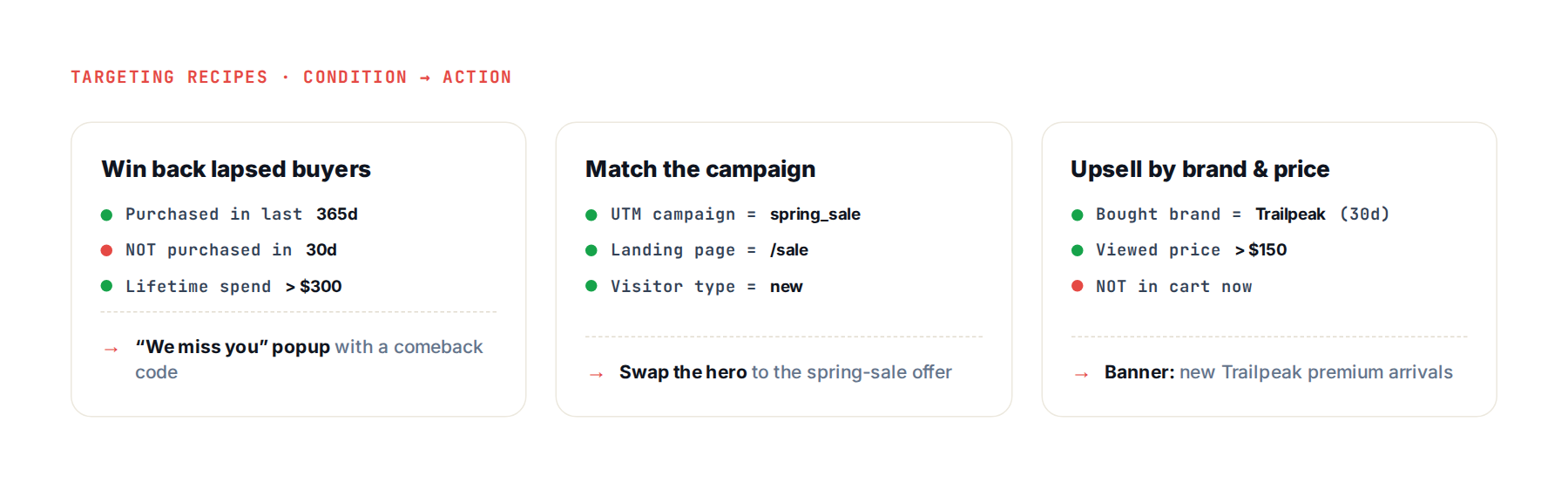
- Win back lapsed buyers. Purchased in the last 365 days but not the last 30, with lifetime spend over $300 → a “we miss you” popup with a comeback code.
- Match the ad to the page. Arrived on a UTM campaign like
spring_saleand landed on/sale→ swap the hero to that exact offer instead of the generic homepage. - Upsell by brand and price. Bought a given brand in the last 30 days and viewed products over $150 → a banner for that brand’s new premium arrivals.
- Rescue high-value carts. Cart value over $120, more than two minutes on site, and no purchase yet → an exit-intent offer with a small incentive.
- New vs. returning. A first-time visitor on a product page gets a first-purchase discount; a returning customer skips it and sees loyalty perks instead.
- Account-based (B2B). Company industry is SaaS (from reverse-IP) and the visitor viewed pricing → a tailored case study and a “talk to sales” ABM path.
For finished, real-world inspiration, browse the website personalization examples — each one starts with a targeted audience like these.
From targeting to personalization
An audience on its own doesn’t do anything — you point it at an experience. Because targeting and personalization share one profile, a segment you define here works everywhere: recommendations, popups and banners, A/B tests, or a fully personalized page. Define who once; reuse it across every channel.
Learn more
For the technical details — tracking setup, custom attributes, integrations, and cross-device tracking — see the Personyze knowledge base, or read the behavioral targeting overview.
Related reading: see how an offline touchpoint carries its campaign context into a personalized session in our offline-to-online QR code personalization post.
Visitor targeting: FAQ
What visitor data does Personyze track for targeting?
Personyze builds a unified profile from first-party signals: system and device (from the user-agent), location and local weather (from the IP), company and firmographics (reverse-IP lookup), on-site behavior (pages, products, events, recency), traffic source and campaign, and any CRM data you sync. You can also extract custom values from the page.
Does Personyze use first-party or third-party cookies?
Personyze sets a first-party cookie on your own domain as a persistent visitor identifier. That cookie is what lets the profile build across sessions — and across devices when identity can be linked — rather than resetting on every pageview.
Can Personyze identify the company a visitor works for?
Yes. From the visitor’s IP address Personyze can deduce the company, industry, and size via reverse-IP lookup, which is the foundation for B2B and account-based marketing targeting. You can enrich this further with CRM or CDP data.
How do I target on custom data from my own site?
You can tell Personyze to extract values from page inputs, your own cookies, meta tags, JavaScript variables, DOM containers, or the Google Tag Manager data layer. Each becomes a custom profile attribute you can use in any targeting rule or segment, just like the built-in traits.
How else can I get data into the visitor profile?
Beyond on-site tracking, you can upload a user list from a file, sync your CRM or CDP through a native integration, and push events or profile attributes from your backend or mobile app via the Personyze REST API and SDK. Everything lands in the same unified profile you target on.
More on AI in Personyze
- AI personalization agent — describe a campaign and it builds it, styled to your brand.
- AI marketing agent — how plain-language requests become staged campaigns.
- Personyze MCP server — run all of it from Claude or ChatGPT.
- Add Personyze to Claude — install the connector from the Claude directory.
Can I combine CRM data with on-site behavior in one segment?
Yes. CRM and CDP data synced through the API or a native integration (HubSpot, Salesforce, Segment, and others) lands in the same profile as on-site signals, so a single rule can combine something like ‘enterprise-plan customer’ with ‘currently viewing pricing.’
Want to target on these traits on your own site? Start free or book a demo.
Book a demo with a personalization expert
30 minutes with a personalization expert. Bring your stack, your goals, your skepticism. We'll show you what changes when every visit feels like the only one.