You can use Personyze to personalize emails in MailChimp, Omnisend, ConstantContact, ActiveCampaign, Hubspot, or any similar provider using Personyze’s embedded email recommendations. Doing so is incredibly easy, and allows you to place recommendations in front of the customer every chance you get, even in transactional emails, invoices, or shipping updates, for highly effective email personalization.
What the email personalization process looks like
Here’s what the process will roughly look like for generating Personyze recommendations to embed, and then adding them to the template in your email solution. This might vary slightly depending on which solution you use, but they’re all fairly similar.
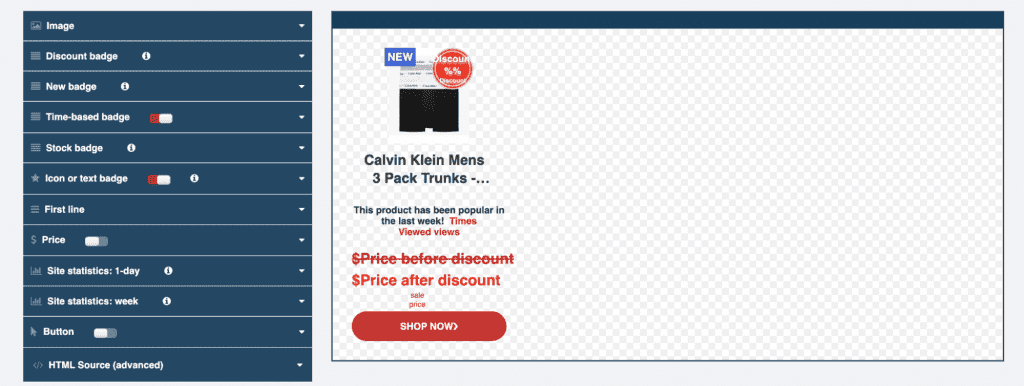
First, you’ll select the Get-code email recommendation wizard in Personyze, and design your recommendation. This part is no different than any other recommendation, where you use the Personyze content editor to get the design to perfectly match your site.
You can also look at more detailed data about the customer, and why they’re seeing the products they’re seeing in this particular recommendation, and compare it to other customers.
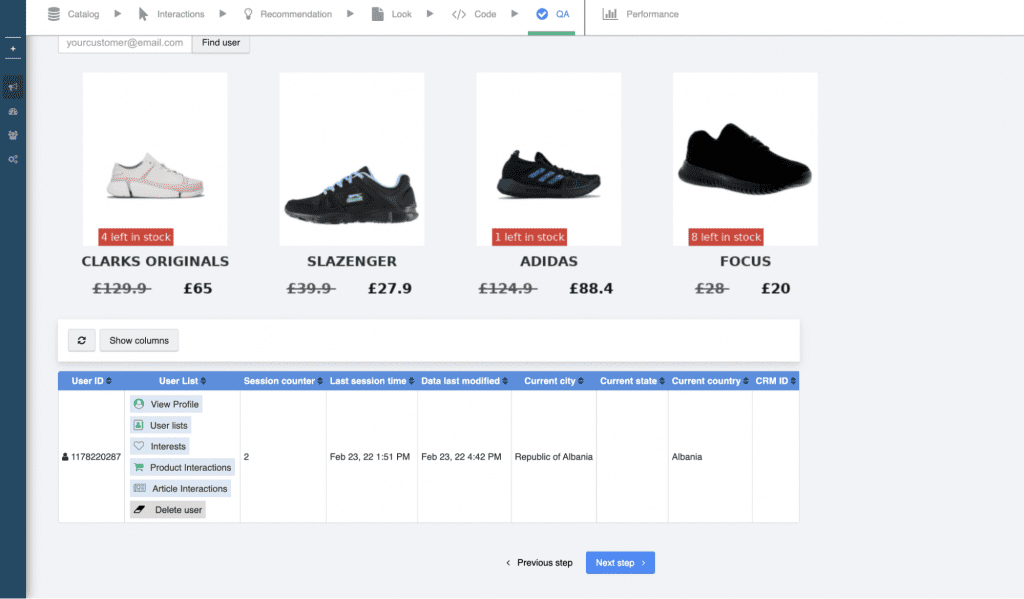
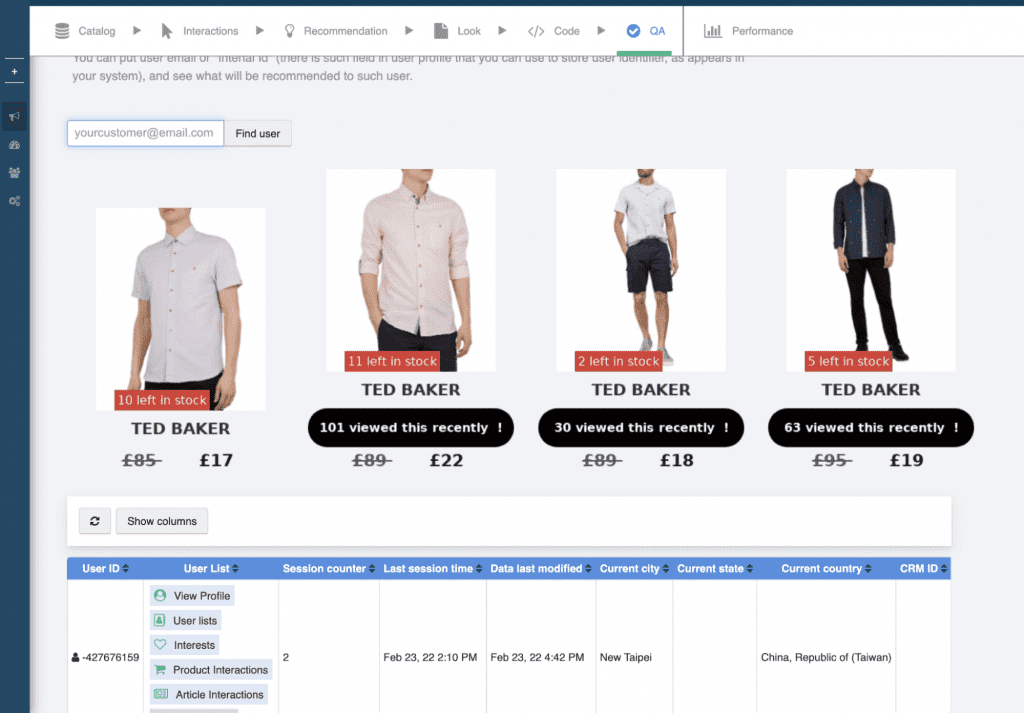
Next, in your email solution, which can be any marketing email sender such as MailChimp, OmniSend, ConstantContact, ActiveCampaign or HubSpot, you simply use the tool to add custom HTML, and paste the HTML code Personyze gave you there.
Lastly, set your email solution to automatically populate the user email (or internal user ID) as the user ID variable in the Personyze code, and you’re finished.
Real-time email personalization
Now, when the customer opens their email, Personyze will pull recommendations into the email in real-time, at that moment, so that the products suggested are always the most relevant based on the customer’s most recent interactions on your site.
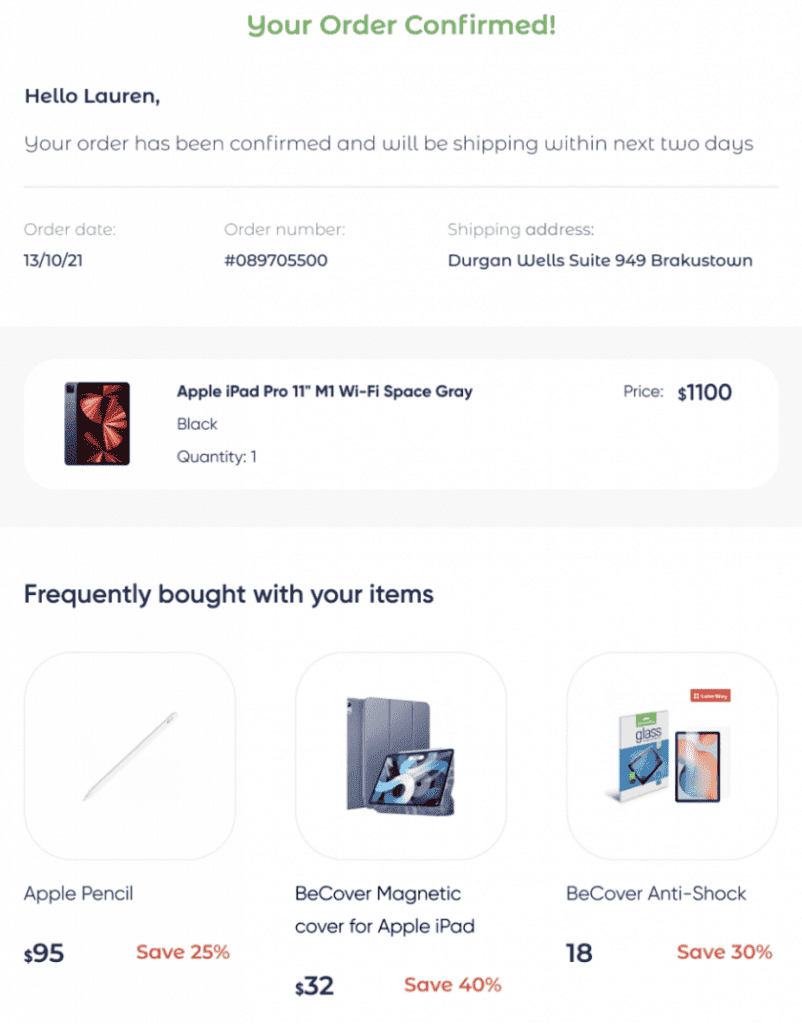
Effective embedded recommendations examples:
- Order confirmation — Items frequently purchased with your cart items
- Shipping update — Most popular from your favorite categories
- Marketing Email — Newest/sale items from your favorite categories
- Product Content — Content related to your recent purchase (if applicable)
- It’s been a while — Several recommendations for customers who’ve not been to the store in the past month.
The simplicity of Personyze email personalization
The great thing about using this type of recommendation is that once you have the basic design that matches the look and feel of your email templates generally, it’s incredibly easy to generate various recommendations with different algorithms to place in all your different emails.
This means your emails can go from static to valuable marketing assets with relatively little effort. Really, this type of email personalization is a no-brainer that every store should have.