
One SaaS site, tailored by CRM data.
See how a SaaS company adapts its homepage, blog, and exit popups to each visitor’s CRM profile and role — powered by Personyze. Drag the sliders to compare what each role sees.
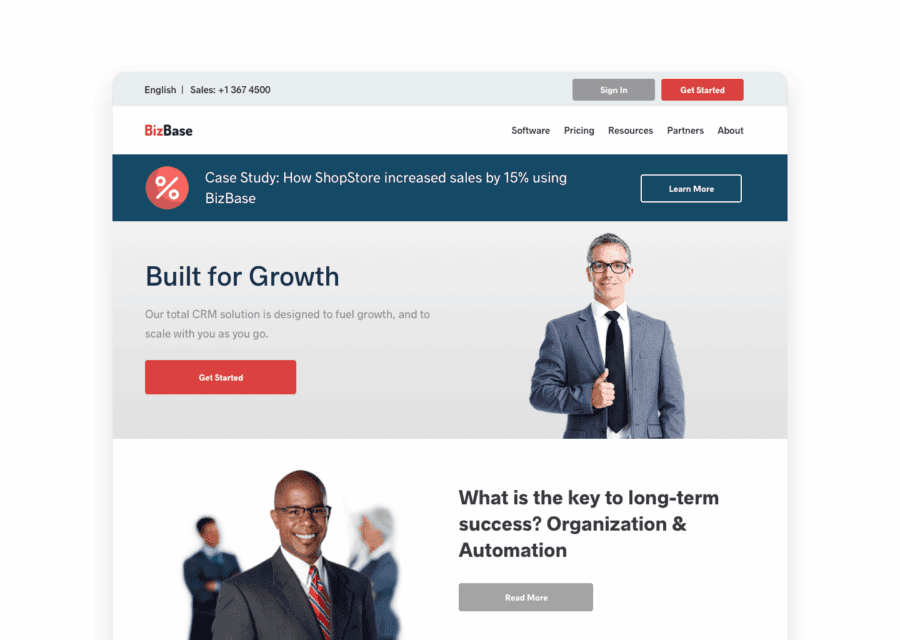
Technical Professional Tech persona
Homepage emphasizes integrations, APIs, and technical value.
- Developer-focused headline & proof
- Integrations, docs, and API links prominent
- CTA: “View docs” / “Start free”
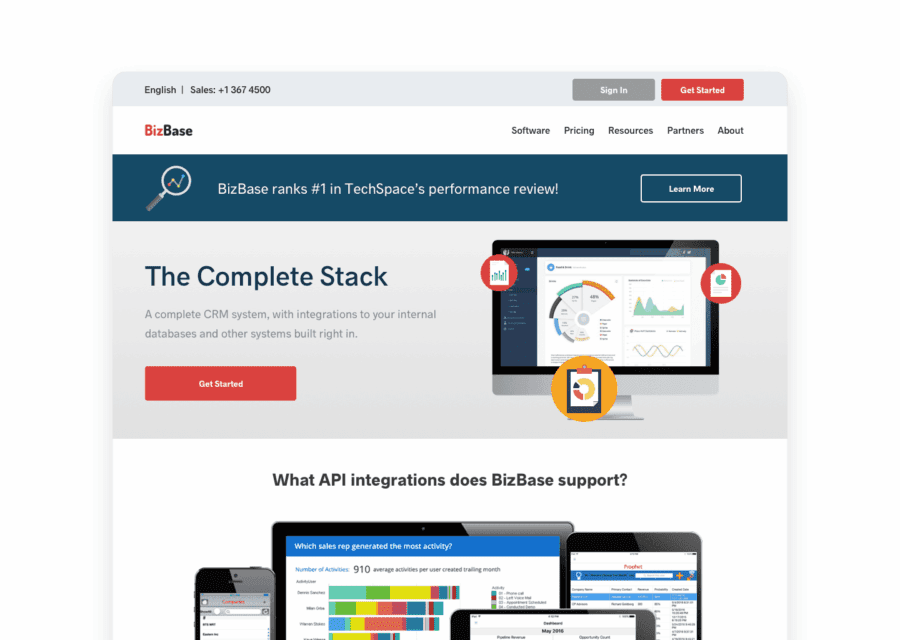
Upper Management Exec persona
Homepage highlights ROI, outcomes, and business impact.
- Value-prop & customer stories
- Metrics, savings, and case studies
- CTA: “See ROI demo” / “Talk to sales”
Built with Personyze — in three steps.
Detect
Personyze reads each visitor’s CRM profile, role, and on-site behavior in real time.
Decide
Rules match the visitor to the right messaging, content, and exit offers.
Render
The homepage, blog, and popups update live — no page reload, no developer.
Free AI tool · Inspire me
See ideas like this for your own site.
How Personyze personalizes this SaaS site.
Every change you see is driven by a real Personyze capability. Drag any slider to compare what each role sees.
Homepage Personalization
The homepage dynamically changes hero text and supporting modules by CRM role. Developers are shown technical highlights and integrations, while executives see business outcomes, testimonials, and proof of ROI. This increases relevance, engagement, and conversions at the top of the funnel.
Blog Page with Content Recommendations
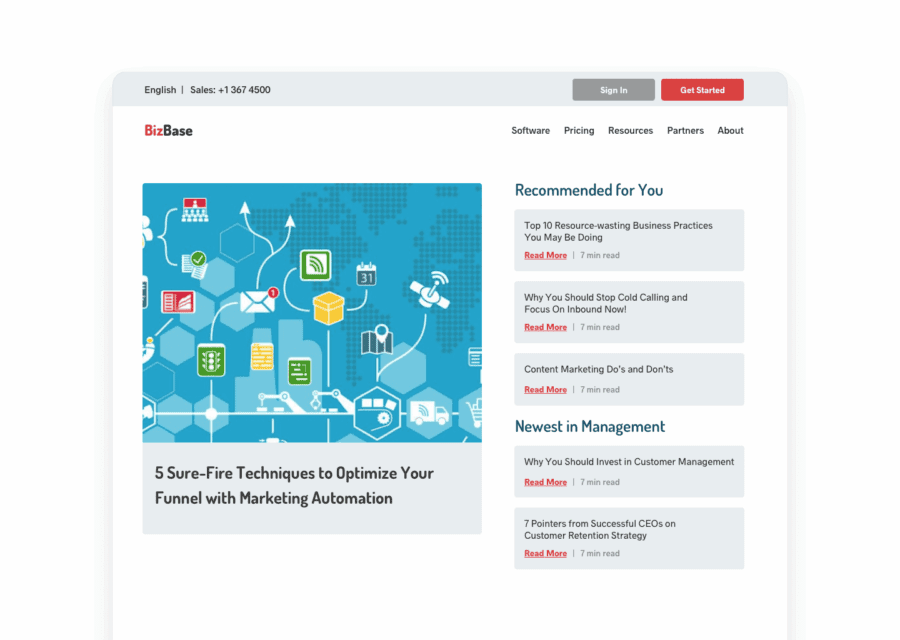
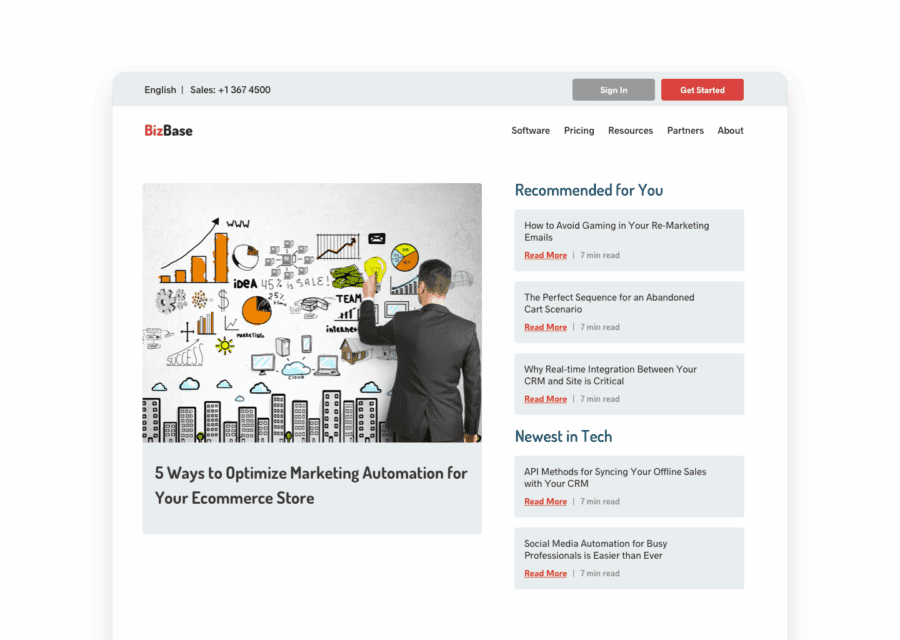
The blog leverages behavioral and CRM data to show personalized content recommendations. Visitors see articles matching their professional focus — e.g., IT automation for developers or growth metrics for executives.
Technical Professional Tech persona
Recommends developer-focused posts based on interest profile.
- Topics: APIs, integrations, architecture
- Calls to action: “Read docs”, “Try sandbox”
- Higher relevance & time on page
Upper Management Exec persona
Highlights leadership content and ROI-driven articles.
- Topics: strategy, KPIs, case studies
- Calls to action: “See results”, “Talk to sales”
- Improved engagement from decision-makers
Targeted Exit Pop-Up
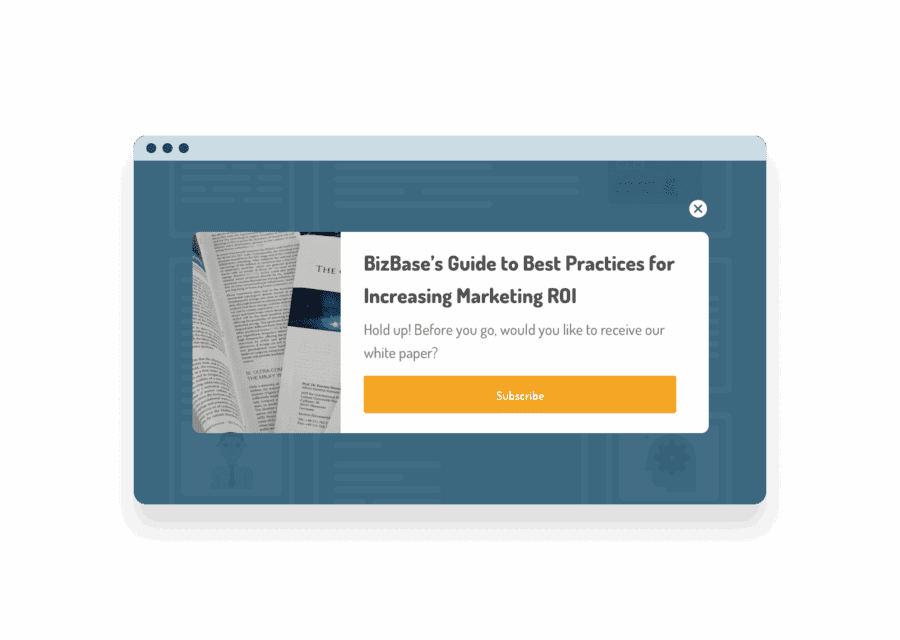
When a visitor is about to leave, a role-specific pop-up appears — created easily in the Pop-up & Banner Manager. For example, developers are offered a technical guide, while managers are offered an ROI white paper. Each message aligns with CRM data and live session behavior.
Technical Professional Tech persona
Exit popup offers a technical guide or API checklist relevant to developers.
- Content: integration guide / SDK tips
- CTA: “Download technical guide”
- Higher relevance for engineers
Upper Management Exec persona
Exit popup promotes an ROI white paper or case study for decision-makers.
- Content: ROI case study / benchmark
- CTA: “Get the ROI report”
- Improves MQL capture

Remarketing Email with Recommendations
The personalization continues post-visit: remarketing emails include dynamic, role-aware content recommendations. A developer might get feature tutorials, while management receives case studies or ROI reports.
CRM + ABM Synergy
Combining CRM segmentation with Account-Based Marketing creates a unified targeting framework. Visitors are recognized not just by user role, but also by company, industry, and account data, ensuring both individual and organizational relevance across pages, banners, and email.
Demo by Personyze — CRM and ABM-driven personalization for SaaS: adaptive heroes, pop-ups, and remarketing experiences powered by live account data.
Questions about this example
How does Personyze know a visitor's role in this example?
The role comes from CRM data: once a known contact is identified, fields such as job role are available to Personyze as visitor attributes, and each campaign targets visitors by that attribute.
What changes for each role?
Technical visitors see an integrations/API-focused homepage hero, developer blog recommendations and a technical-guide exit popup; executives see an ROI-focused hero, leadership articles and an ROI white-paper exit popup.
Do I need a developer to build this?
No. Once the Personyze tag is on the site, the hero changes are made in the visual editor, the exit popup in the Pop-up & Banner Manager, and the blog block with content recommendations, all targeted by the CRM role attribute.
Personalize your SaaS site like this.
This SaaS example runs entirely on Personyze — CRM targeting, behavioral signals, and dynamic content. Build the same for your site, no code required.