
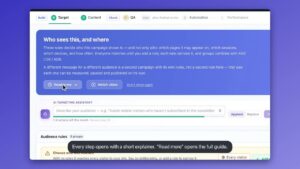
One car site, tailored to every shopper.
See how a car dealership site adapts its vehicles, promos, and journey flows to each shopper’s intent — powered by Personyze. Drag the sliders to compare generic vs personalized.
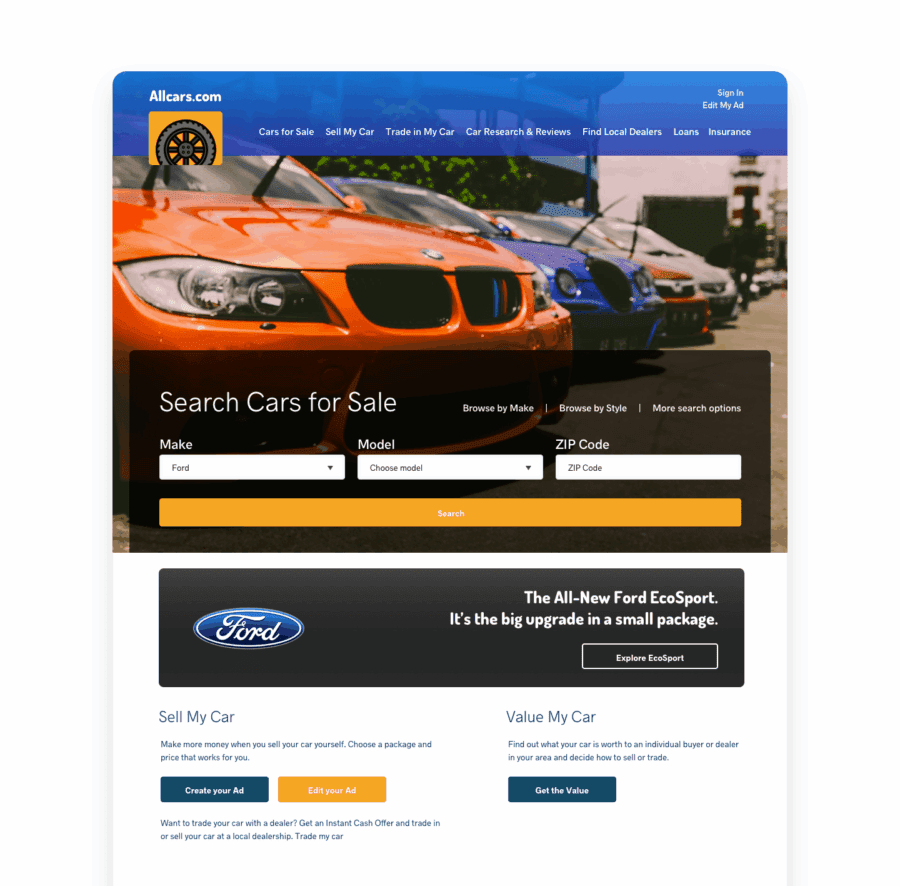
Visitor — Generic Experience Before
Default AllCars home page with broad, non-specific offers.
- No relevant imagery or copy
- No contextual CTAs (Contact, Book Test Drive)
- Lower CTR & conversions
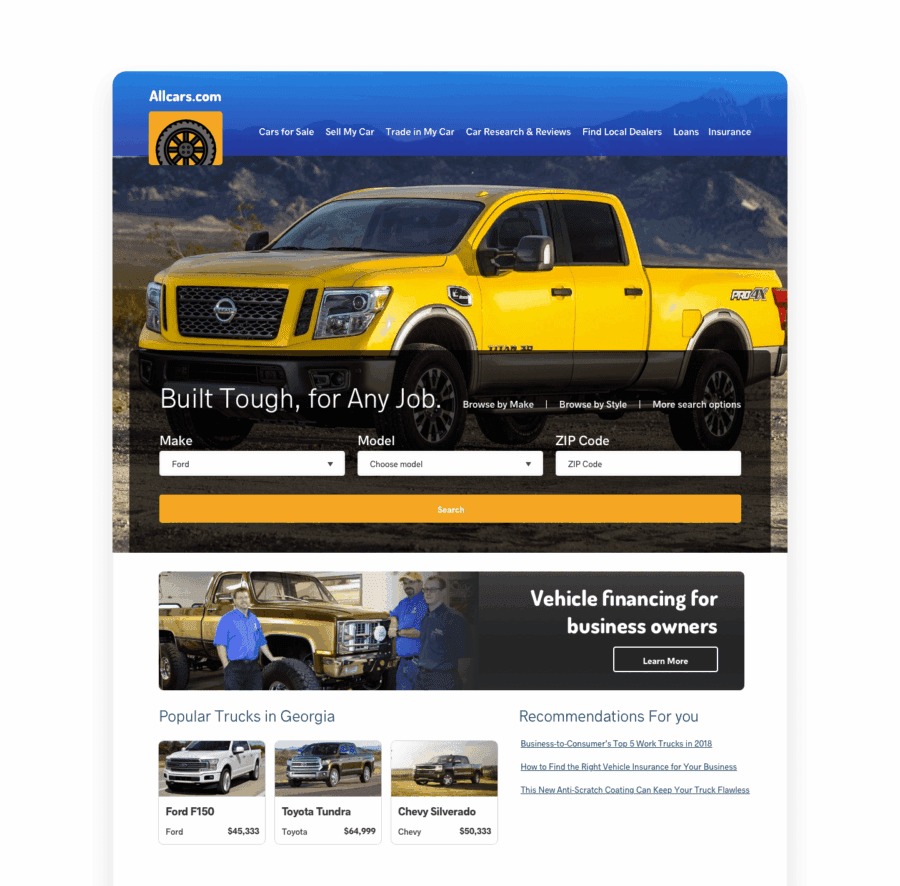
Known Prospect — Personalized After
Interest in work trucks, business-owner profile, and Georgia location are known and used to personalize the entire site.
- Truck-focused hero, imagery, and copy
- Contextual CTAs (Contact dealer, Book test drive)
- Higher CTR & conversions
Built with Personyze — in three steps.
Detect
Personyze detects each shopper’s intent, vehicle interest, and behavior in real time.
Decide
Rules match the shopper to relevant vehicles, financing, and journey flows.
Render
The hero, recommendations, and CTAs update live — no page reload, no developer.
How Personyze personalizes this car site.
Every change you see is driven by a real Personyze capability. Drag any slider to compare generic vs personalized.
Personalized Hero & Promotions
A generic hero is replaced by a targeted message (e.g., “Explore 7-Seater SUVs” for family shoppers or “Go Electric with 300+ Mile Range” for EV intenders). Build and target these creatives with the Pop-up & Banner Manager, swapping copy, background, and CTA (“Schedule Test Drive”, “See Local Inventory”).
- Triggers: model pages viewed, filters used (EV/Hybrid/SUV), geo, campaign UTM.
- Variants: hero headline, subcopy, background image/video, CTA destination.
- Goals: lift CTR, drive test-drive requests, speed up model discovery.
Contextual Vehicle/Content Recommendations
Below the hero, recommendation rails surface vehicles and content that match intent—e.g., EV models with federal/state incentive info, or family SUVs with safety highlights and cargo comparisons. Badges like “★ 4.7 (320)”, “Popular in your area”, or “Only 5 left locally” add persuasive context.
- EV path: long-range EVs, home charging guide, incentive calculator.
- Family path: 3-row SUVs, car-seat compatibility, safety feature explainer.
- Performance path: sport trims, track-day content, performance package bundles.
Visitor — Generic Experience Before
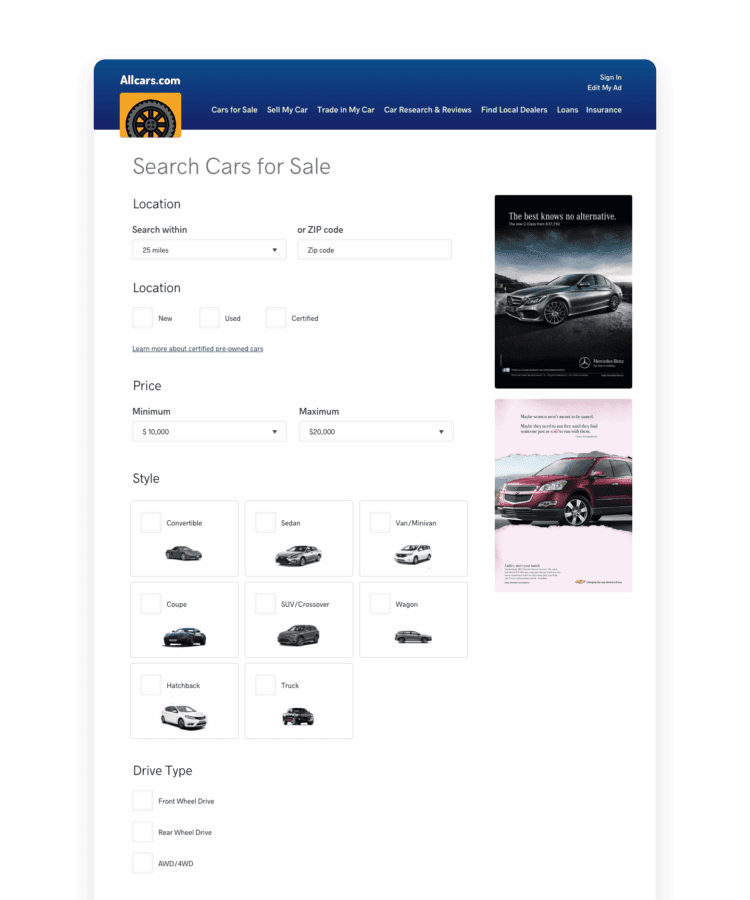
Default AllCars search page with broad, non-specific results.
- No relevant imagery or copy
- No contextual CTAs (Contact, Book Test Drive)
- Lower CTR & conversions
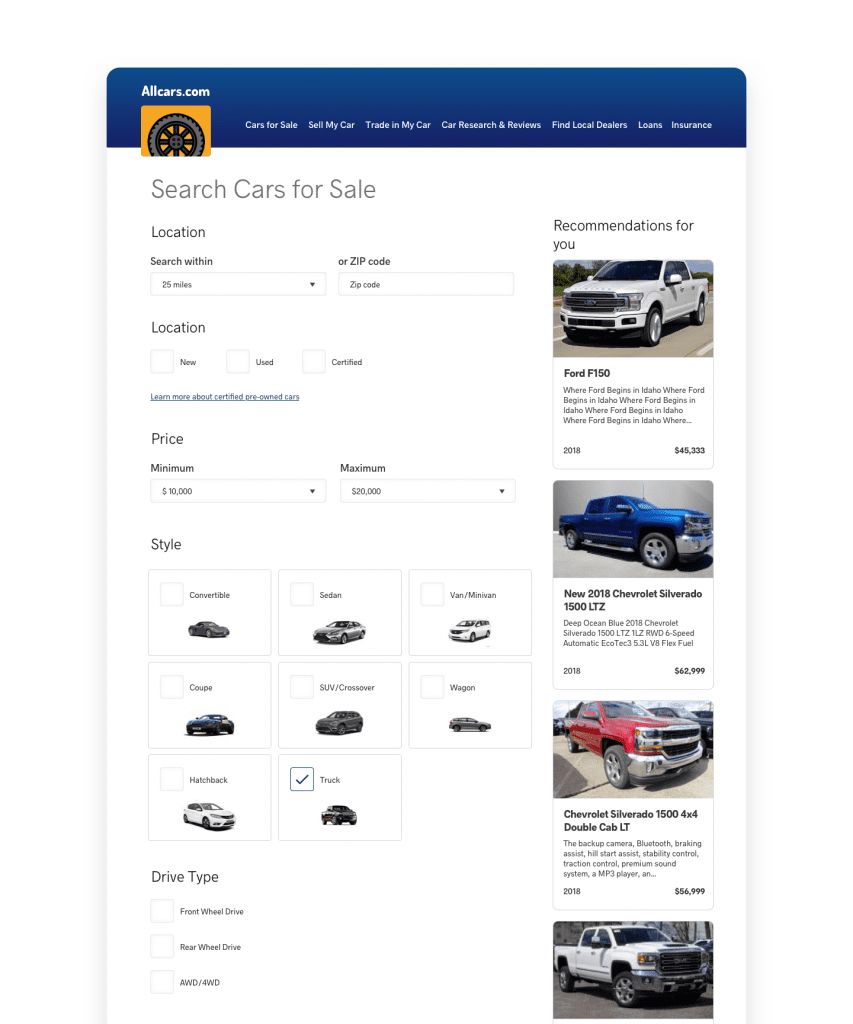
Known Prospect — Personalized After
Interest in work trucks, business-owner profile, and Georgia location drive the results and recommendations.
- Truck-focused results & copy
- Contextual CTAs (Contact dealer, Book test drive)
- Higher CTR & conversions
Journey Flows (Shopper Types)
CTAs and modules change by persona. An EV intender might see “Estimate Charging Costs” and “Compare EV vs. Hybrid,” while a family shopper gets “Compare 7-Seaters” and “Top Safety Picks.” Returning visitors can be greeted with “Welcome back—continue your build” pre-loading their last configuration.
Signals → Experiences
- Signals: model/trim views, filter usage (EV/SUV/price), build-and-price progress, geo, device, UTM.
- Personalized elements: hero/banner, recommendation rails, promo copy, CTAs, calculators and guides.
- Delivery: real-time rules/models render variants via the website personalization tag/SDK—no replatforming.
Start with a targeted hero, then layer recs, calculators, and sticky CTAs—managed centrally per segment.
Why This Works
- Immediate relevance: shoppers see vehicles and tools that match their intent.
- Reduced friction: next best actions (test drive, compare, estimate) are obvious.
- Higher conversion: persuasive badges and local stock cues accelerate decisions.
How do I build the targeted banners?
Use the Pop-up & Banner Manager to define audiences (EV, family SUV, performance), then map headline, creative, and CTA per audience.
Where do the recommendations come from?
On-site behavior, item similarity (model/trim/features), and business rules (inventory, margin) drive the ranked lists.
Will this work with my current CMS or inventory system?
Yes—variants render in real time with the website personalization tag/SDK and can read from existing feeds/APIs.
Demo — complete website personalization for automotive: targeted heroes, recs, and journey tools.
Personalize your car site like this.
This car site example runs entirely on Personyze — behavioral targeting, recommendations, and dynamic content. Build the same for your site, no code required.