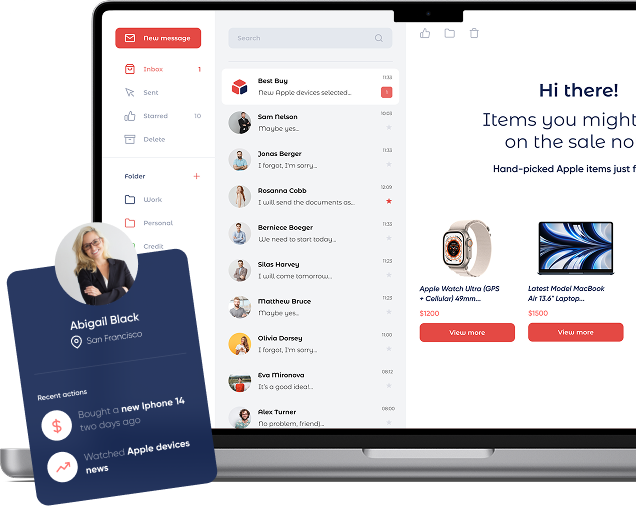
Open-time email personalization lets your email show the right products, content, or promotions at the exact moment the recipient opens it. Instead of baking offers at send-time, Personyze renders dynamic email blocks (server-generated images with links) in real time using your data and chosen algorithms—so every open gets the most relevant experience.
These blocks are designed to drop seamlessly into any email template you already use, whether in HubSpot, Salesforce, Klaviyo, Mailchimp, or a custom ESP. You simply paste the generated snippet into your template, and Personyze handles the rest—ensuring the content refreshes on every open, across devices, and regardless of when the email was originally sent.
That way, your campaigns stay fresh and context-aware—featuring the latest inventory, time-sensitive promotions, personalized recommendations, or even localized content—without needing to redesign or resend your emails.
What “open-time” means
- Real-time relevance: Inventory, prices, discounts, and interests can change between send and open. Open-time rendering keeps your blocks current.
- ESP-agnostic: A small HTML snippet works in any Email Service Provider (ESP). The snippet displays image blocks with unique URLs that include identifiers (e.g., email/CRM ID or content IDs) and campaign parameters.
- Data-rich: Personyze unifies 70+ attributes (behavioral, transactional, geo, CRM, referral, weather, last used device, language, etc.) to personalize each block.
- Flexible inputs: Use recipient identifiers, pass only product IDs, or run zero-data mode (bestsellers, trending, new arrivals).
How to add open-time personalization to your email templates
Start by embedding a short HTML snippet into your template. It outputs one or more image blocks wrapped in links. If your ESP supports dynamic variables (e.g., {{ email }}, {{ crm_id }}), include one in the block URL so Personyze can personalize per recipient. If no identifier is available, you can use product or content IDs, or fall back to trending and bestsellers.
Each block’s URL automatically carries the recipient or campaign identifiers along with your chosen algorithm. When the email is opened, Personyze generates the image in real time through its CDN, applying your algorithm and design template.
Every image is fully clickable, deep-linking to the right product, content, or offer with your UTM tracking intact.
.
Quick setup
- Choose a block type: product recommendations, content recommendations, promotional banners, or a combination.
- Select an algorithm: e.g., Frequently Bought Together, Buy It Again, Recently Discounted, Trending Now.
- Pick a template: responsive, brand-ready, with optional social proof/urgency badges (e.g., “60 bought last week,” “Only 3 left”).
- Embed the snippet: paste the generated HTML into your ESP template.
- Set tracking: optional, define UTM tracking templates + destination parameters
- Preview: select any recipient and preview exactly what they’ll see (recommendations & promotions included).
Playbook: the right block for the right email
Transactional emails
- Order confirmation → Cross-sell (FBT): Accessories for the purchased item, plus “60 bought last week” badge.
- Shipping update → Recently Discounted: Surface items the recipient viewed that just went on sale.
- Invoice/receipt → Buy It Again: Replenishables the recipient previously purchased.
Lifecycle emails
- Welcome/first-purchase → New Arrivals by category of interest: Optionally add a “10% off first order” promo block.
- Re-engagement (30–60 days idle) → Trending Now: Popular items in the recipient’s favorite categories.
- Win-back → Wishlist / Left in Cart: Remind with gentle urgency: “Only 3 left in stock.”
Marketing emails
- Newsletter → Content Recommended for You: “Those who read this also read…” with “1.2K readers this week” badge.
- Weekly promos → Recently Discounted from views/wishlist: Personalized sale picks.
- Seasonal campaign → Geo + Weather aware: Rain gear if raining in recipient’s city.
Behavior-triggered emails
- Browse abandonment: “Recommended based on what you viewed” + FBT upsells.
- Category interest spike (last 7 days): “Most popular in your category” content + promo banner.
- Loyalty nudge: New arrivals in favorite category + member-only offer.
Algorithm selection & fallback logic
The goal is to always render a relevant block—even for cold leads.
- If the recipient has an abandoned cart within the last 48 hours, show the items left behind along with “frequently bought together” suggestions.
- If they recently viewed products (within the past week), show recommendations based on those views.
- If they purchased a replenishable product within the last 60 days, show a “buy it again” suggestion.
- If they have wishlist items, highlight those that recently went on discount.
- If none of the above apply, fall back to bestsellers, trending products, or new arrivals.
You can further refine the block with filters such as category, brand, price range, discount thresholds, region, and availability. Add persuasive badges like “60 bought last week,” “Only 3 left,” or “Most popular near you” to boost urgency and social proof.
Analytics
- Dashboard: block views, clicks, products viewed from email, add-to-cart, purchases, purchase value, AOV, total revenue, and direct revenue contribution.
- Third-party analytics: set UTM tracking templates and destination parameters in the campaign editor.
Copy-paste HTML snippets
Example: product recommendation block
<a href="#" target="_blank">
  <img
    src="https://cdn.personyze.com/render?cid={{CAMPAIGN_ID}}&rid={{EMAIL}}&block=product_rec&alg=fbt&fallback=bestsellers"
    alt="Recommended for you" />
</a>
Example: content recommendation block
<a href="#" target="_blank">
  <img
    src="https://cdn.personyze.com/render?cid={{CAMPAIGN_ID}}&rid={{CRM_ID}}&block=content_rec&alg=trending_now"
    alt="Recommended articles for you" />
</a>
Example: promo banner with open-time logic
<a href="#" target="_blank">
  <img
    src="https://cdn.personyze.com/render?cid={{CAMPAIGN_ID}}&rid={{EMAIL}}&block=promo_banner&alg=recently_discounted&fallback=category_bestsellers"
    alt="This week's best offers for you" />
</a>
Preview & QA checklist
- Per-recipient preview: pick a recipient in Personyze and confirm what the block renders.
- Fallbacks: test low-data and zero-data scenarios; ensure defaults always appear.
- Links & UTMs: verify destination URLs and parameters resolve correctly.
- Load & cache: keep block images light; ensure unique URLs to prevent stale cache.
- Alt text: provide descriptive attributes for image-off environments.
Get started fast
- Install snippet (5 minutes).
- Pick algorithms + templates.
- Define UTM templates & destination parameters.
- Preview per recipient; send.
Open-time personalized email blocks—AI-driven, ESP-agnostic, with smart fallbacks—so every open is timely, relevant, and conversion-ready.