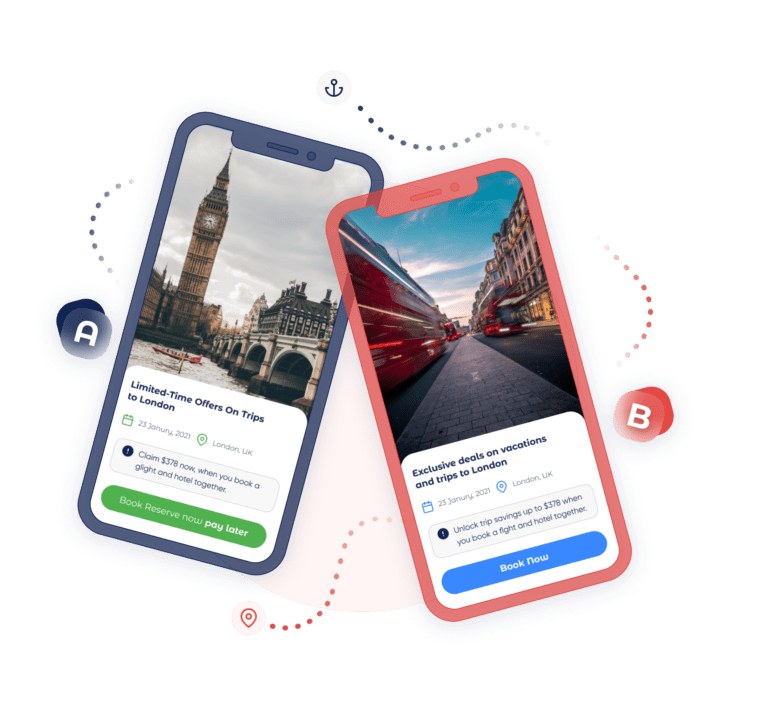
1. Optimize Every Element for Conversion
With Personyze A/B testing, every aspect of your digital experience can be optimized for better conversions. Whether you’re testing layouts, calls-to-action, offers, or recommendation algorithms, Personyze makes it simple with 20+ codeless widgets. Use these tools to create multivariate content, forms, and campaigns — and find out what truly works for each audience segment.
- Personalized CTAs: Use the intuitive WYSIWYG editor to create eye-catching buttons tailored to visitor behavior and intent.
- First-Time Purchase Offers: Engage new visitors with dynamic popups and banners that convert curiosity into loyalty.
- Lead Collection: Choose from pre-built form templates, then dynamically set titles and CTAs based on real-time visitor behavior. A/B test both the form layout and the messaging.
- Recommendation Algorithms: Test different content or product recommendation models to identify what boosts clicks, engagement, and sales most effectively.
- Exit-Intent Popups: Reduce bounce rates with timely incentives when users show signs of leaving.
- Email Remarketing: Optimize triggered emails and re-engagement strategies to bring users back.
Always define what you’re testing and which KPIs (e.g., conversion rate, form completion, or cart additions) matter most. Run tests until you reach statistical significance — typically 95% confidence.
Example: Want more “Add to Cart” clicks? Test if displaying social proof like “Most customers choose this item” increases conversions.

2. Define Clear Goals and Hypotheses
Every successful test starts with a clear hypothesis and defined success metrics. With Personyze, you can track multiple goals simultaneously — both micro and macro conversions — for a more complete view of performance.
- Gather deeper, actionable insights.
- Spot where users engage or drop off.
- Validate ideas faster through high-converting intermediate goals.
Example: If your goal is more email signups, compare a personalized CTA vs. a generic one. Track clicks on the form (intermediate) and submissions (primary).
3. Segment and Target the Right Audience
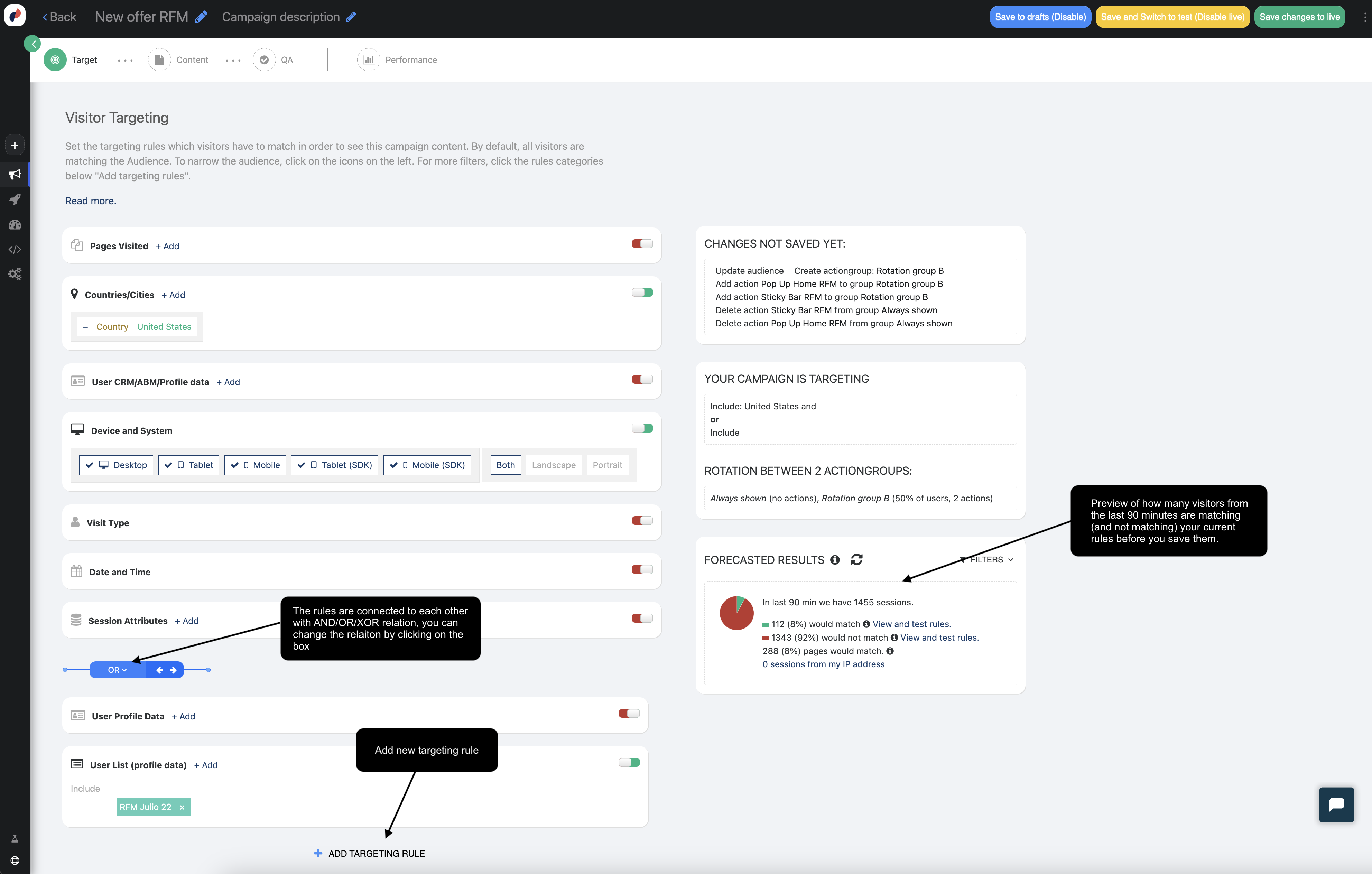
Not every visitor is the same — your A/B tests shouldn’t treat them that way. Define who your test applies to and leverage advanced targeting to tailor experiences to relevant segments.
- Exclude irrelevant audiences (e.g., exclude logged-in users from onboarding promos).
- Test specific segments: new vs. returning, mobile vs. desktop, etc.
- Keep your data clean and focused.
- Get faster, more accurate results.
4. Design Tests That Hold Up Statistically
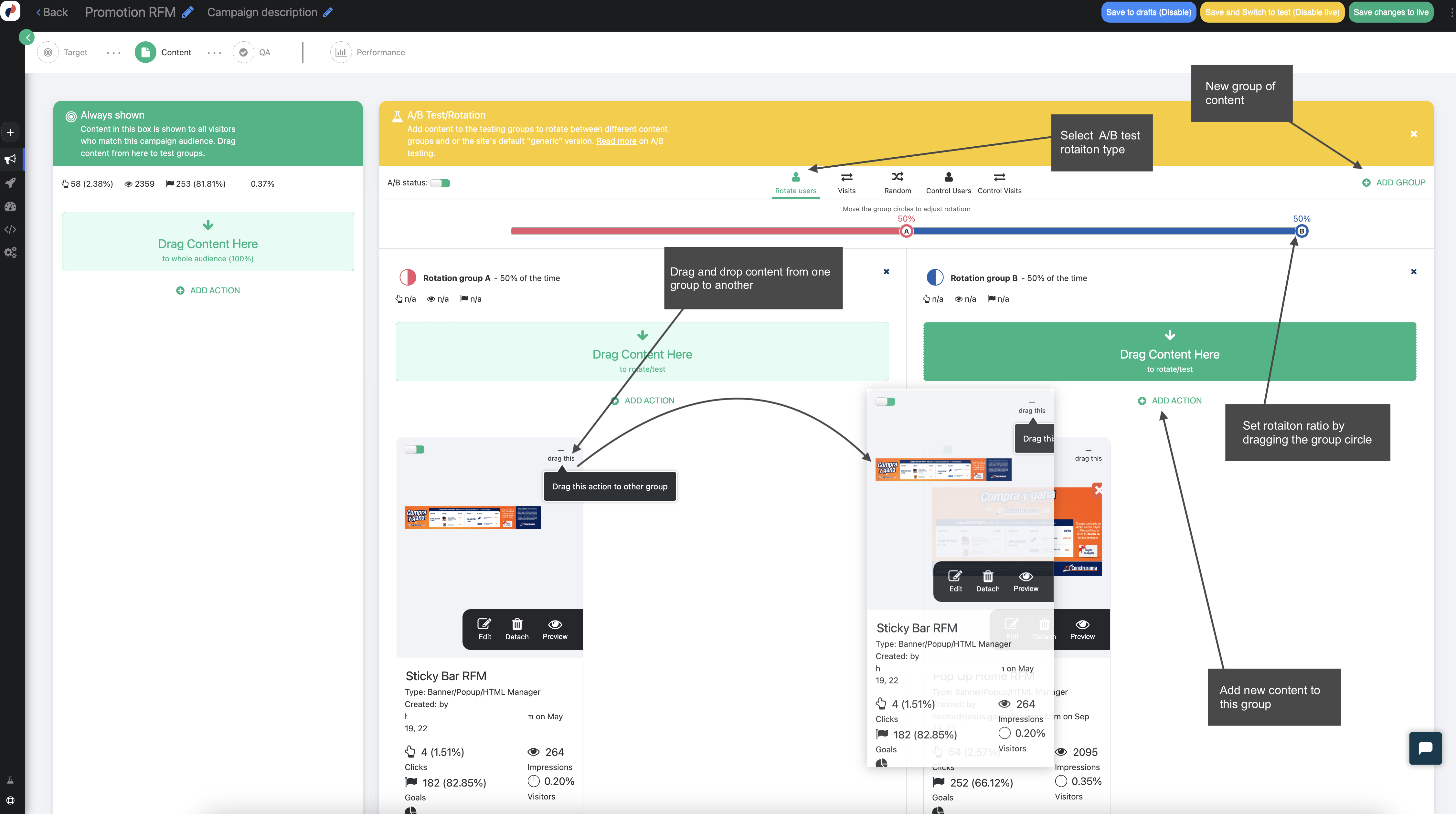
- Test one variable at a time to isolate effects.
- Split traffic evenly to avoid skewed results.
- Calculate sample size before launch based on expected conversion rates.
- Let it run — don’t peek too soon. Premature conclusions = inaccurate insights.
Example: With a 3% conversion rate and 3 test variants, 1,000 total visitors likely won’t provide reliable results. Use a sample size calculator to plan accordingly.
5. Run Your Test Long Enough — But Not Too Long
Plan for 2–4 weeks of test duration, covering multiple business cycles and behavioral patterns (e.g., weekdays vs. weekends). Short tests are unreliable. Overly long ones can get muddled by cookie resets or audience overlap.
- Minimum duration: 2 full business cycles
- If still inconclusive after 4 weeks: Reassess your hypothesis or expected impact.
6. Choose the Right Timing for Testing
- Avoid testing during unusual traffic periods (unless relevant, like a holiday campaign).
- Align test timing with your audience’s natural behavior patterns.
- Avoid overlapping experiments that could skew outcomes.
7. Automate Test Deployment with Confidence
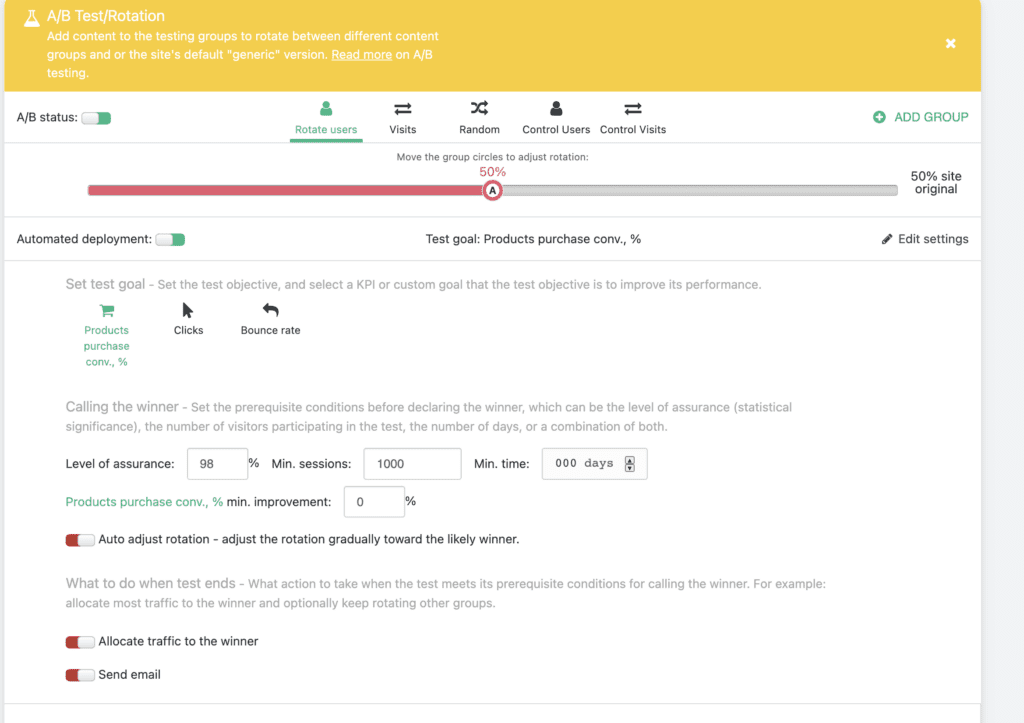
With Personyze’s “Set It and Forget It” functionality, tests can auto-deploy winning variations once they meet your success criteria:
- Define success (e.g., 20% uplift in sign-ups, 95% confidence).
- Set test duration rules (min visitors, timeframe, and statistical threshold).
- Decide post-test actions:
- Send all traffic to the winning variation.
- Get email notifications when tests conclude.
- Gradually ramp up traffic to the winner.
8. Interpret the Data, Then Iterate
Winning variants are only the beginning. Dig deeper into the “why” with segmentation filters:
- Did the winner perform better on mobile or desktop?
- Were certain geographic regions more responsive?
- Did specific traffic sources behave differently?
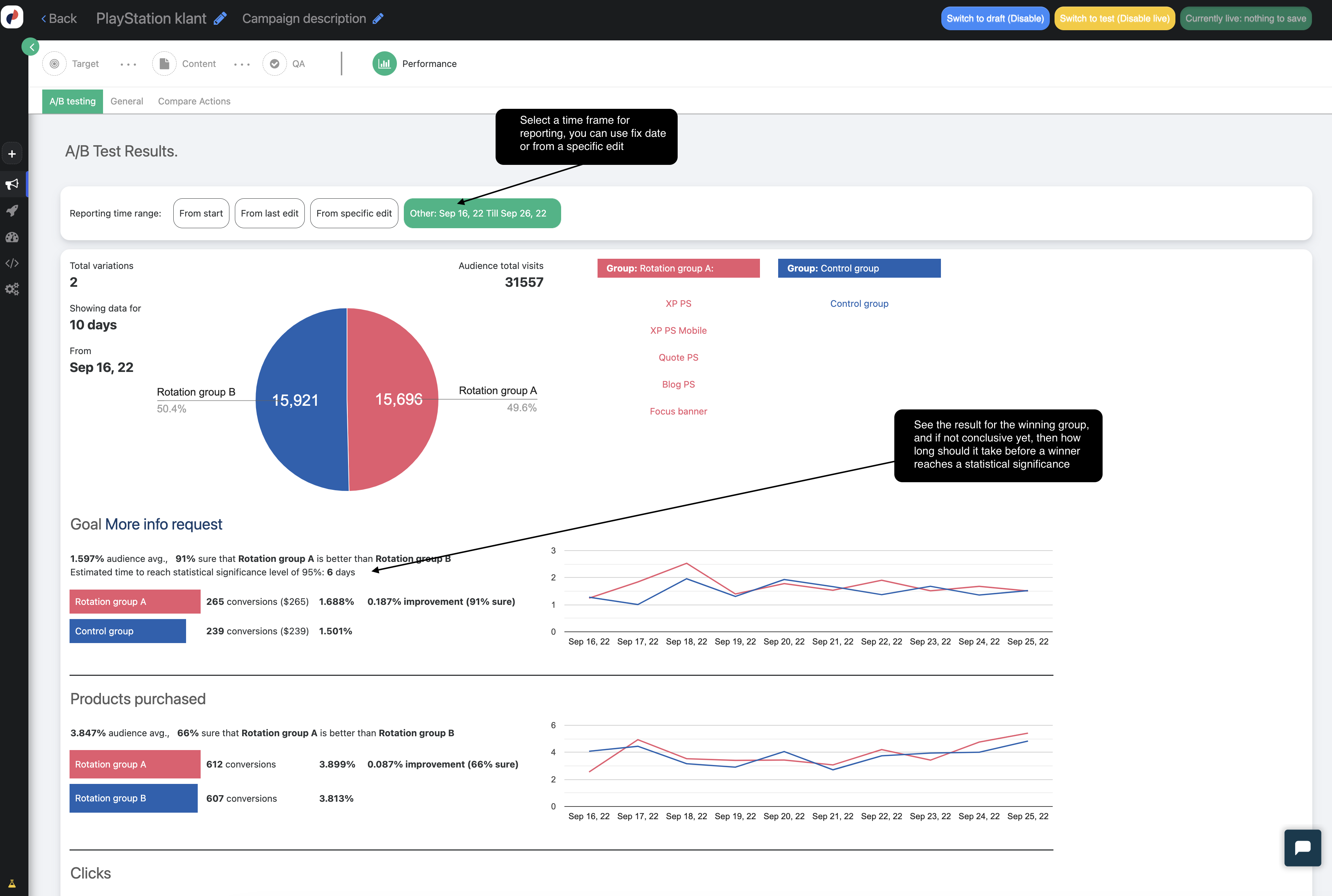
Use Personyze’s Automatic Test Pilot feature to simplify future testing workflows. Then apply insights to refine ongoing personalization campaigns, with every iteration bringing you closer to peak performance.