
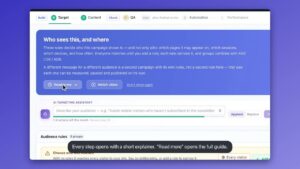
Personalize for every target account.
A B2B playbook for ABM — detect company, industry, and firmographics, then serve account-specific content, CTAs, and experiences.
Start Now →1Account-Based Marketing (ABM) Playbook
ABM Personalization allows B2B marketers to treat every key account as a market of one. By identifying the company behind the visitor (even anonymous ones), you can display industry-specific case studies, logos, and messaging that resonates with their specific business needs.
How to Start (Wizard Selection)
To begin, select the "Targeting & Personalization" wizard from the Personyze dashboard.
Quick Examples
- Industry Match: A visitor from "Bank of America" sees a "Banking Security" case study instead of generic "Enterprise Security."
- Competitor Displacement: A visitor using "Salesforce" (detected via Technographics) sees a "Switch from Salesforce and Save 30%" banner.
- Role-Based: A known "CMO" (from CRM) sees "Marketing ROI" content, while a "Developer" sees "API Documentation."
Step-by-Step Summary
- Connect Data: Sync your CRM or enable Reverse IP lookup.
- Build Segments: Define target lists (e.g., "Fortune 500" or "Users of Competitor X").
- Design Content: Create personalized banners, text, or popups using the Visual Editor.
- Targeting Rules: Assign specific content to specific account segments.
- QA & Launch: Simulate the experience as a target company before going live.
Prerequisites
- Tracking Code: Installed on your site.
- Data Source: Either CRM Integration or a Reverse IP provider (see list in next tab).
2Data Sources & Integration List
The engine of ABM is data. Personyze integrates with leading platforms to identify your visitors.
Supported Integrations
- Salesforce, HubSpot, Pardot, Zoho, Marketo, ActiveCampaign.
- 6sense, Clearbit, Demandbase, Leadfeeder, ZoomInfo, LeadRebel, Albacross, KickFire.
- Segment, Tealium, Zeotap.
Flexible Ingestion (Custom Data)
Beyond standard integrations, you can ingest data via:
- Grab Data (Scraping): Extract data from Page Elements (HTML), Cookies, or Global JS Variables.
- GTM Data Layer: Read variables directly from Google Tag Manager.
- API / Webhooks: Push real-time JSON data to Personyze profiles.
- SFTP / CSV / Google Sheets: Schedule automated file drops to sync user lists or product catalogs.
3Personalizing the Experience
Once the target account is identified, customize their journey using the visual editor.
Dynamic Variables (Text Injection)
Insert data directly into headlines to grab attention instantly.
- Headline: "The #1 Platform for {{Company Name}}."
- Subhead: "Helping {{Industry}} teams scale faster."
Content Swapping
Replace generic assets with account-specific ones:
- Logos: If the visitor is from "Acme Corp" (a Retailer), replace the "Trusted By" logo strip with Retail clients (Walmart, Target).
- Case Studies: Swap the main PDF download from "General Overview" to "Success Story: How [Peer Bank] Saved 20%."
- CTAs: Change "Get Started" to "Talk to an Enterprise Specialist."
4ABM A/B Testing
Optimize your account-based strategies by testing different messages specifically for your target accounts.
Test Scenarios
- Generic vs. Personalized: Test a generic homepage against one that calls out the visitor's Industry. Does personalization actually lift conversion for this segment?
- Logo Testing: For "Finance" visitors, test showing "Big Bank Logos" vs. "FinTech Startup Logos" to see which resonates more.
- CTA Testing: For "Enterprise" accounts ($100M+ Revenue), test "Request Demo" vs. "Contact Sales."
Methodology
Use the A/B Testing Wizard to create a "Targeted Experiment". Set your Audience to "Target Accounts Only" (e.g., Industry = Finance) so the test doesn't run on irrelevant traffic.
5QA & Preview
Verify your personalization logic before going live to ensure the right companies see the right message.
Simulation Step
- Go to the QA Step in the wizard.
- Simulate by IP: Enter a known IP address (e.g., of a target client like "Bank of America") to see if the "Finance" content loads.
- Simulate by Attribute: Manually set the variable Industry = Retail to verify the logo swap logic works correctly.
Check: Does the headline change to "Solutions for Bank of America"?
6Performance & Analytics
Measure the impact of your ABM campaigns across the funnel.
Key Metrics
- Standard Metrics:
- Content Views & Clicks: Track interaction with personalized elements.
- CTR: Click-through rate for ABM banners vs generic ones.
- Bounce Rate: Did personalization reduce bounce rate for target accounts?
- Time on Site: Engagement lift for personalized sessions.
- Custom Goals: Track specific actions like "PDF Download," "Video Watch," or "Demo Request" as defined in your account settings.
- ABM Specifics:
- Pipeline Contribution: Track target accounts moving to the next Deal Stage.
- Account Penetration: Which "Dream 100" companies have visited?
7Example: Vertical Marketing (Banking)
Scenario: You sell software to multiple industries, but want to increase conversion from Finance institutions.
Workflow
- Data: Reverse IP detects visitor industry = "Banking" or "Financial Services".
- Hero Image: Swaps generic "Office Tech" photo for "Secure Vault/Trading Floor" imagery.
- Headline: Changes to "Bank-Grade Security for Your Data."
- Social Proof: Shows logos of Citi, Chase, and HSBC.
- Result: Visitor feels the product is purpose-built for their compliance needs.
8Example: Competitor Displacement
Scenario: Targeting users known to use a specific competitor's technology.
Workflow
- Data: Technographics (via Clearbit/6Sense) detect "Using Salesforce" or "Using HubSpot".
- Banner: Displays "Switching from Salesforce? Get 50% off migration services."
- Content: Highlights a comparison chart: "Us vs. Salesforce."
- Result: Directly addresses the visitor's current stack and pain points.
ABM questions, answered.
Common questions about account-based marketing with Personyze. Anything else, our team is one message away.
How does Personyze identify anonymous companies?
We use Reverse IP Intelligence. When a visitor lands on your site, we check their IP address against a massive database of corporate networks (e.g., 6Sense, Clearbit, or Personyze's native data). This reveals the company name, industry, revenue, and employee count without them logging in.
Which CRMs do you integrate with?
Personyze has native integrations with major platforms including Salesforce, HubSpot, Zoho, Pardot, and Marketo. We can also ingest data via API, Webhooks, or nightly CSV syncs for custom setups.
Can I target specific companies by name?
Yes. You can upload a "Target Account List" (e.g., your Top 100 Prospects) via CSV. You can then create rules like "If Company Name is in [Target List], show the VIP Welcome Banner."
Can I personalize content for existing customers?
Absolutely. By syncing your CRM "Deal Stage" or "Account Status," you can hide "Free Trial" CTAs for existing clients and replace them with "Upsell" or "New Feature" announcements to drive expansion revenue.
What page elements can I personalize?
Virtually anything. You can swap headlines ("Solutions for Finance"), change Hero images, replace generic logos with industry-specific client logos, or insert dynamic text (like the visitor's Company Name) directly into paragraphs.
Is this GDPR/CCPA compliant?
Yes. Reverse IP looks up company-level data, not individual personal data (PII). For CRM targeting involving individuals, Personyze operates as a data processor under your instructions, fully supporting consent management and "Right to be Forgotten" requests.
What if I don't have a 6Sense or Clearbit account?
No problem. Personyze has its own native IP intelligence capabilities. Additionally, we act as a hub—if you do have those accounts, we can plug into them to use their data for targeting on your site.
Can I A/B test my ABM campaigns?
Yes. You can run A/B tests specifically on target segments. For example, test "Generic Headline" vs. "Industry-Specific Headline" only on visitors from the "Manufacturing" sector to prove the ROI of personalization.
How accurate is Reverse IP matching?
Match rates typically range from 20% to 40% of B2B traffic, depending on your audience. It works best for mid-to-large enterprises that have their own registered IP networks. Remote workers on residential ISPs are harder to identify unless they click a tracked email link.
Can I filter by company size or revenue?
Yes. Firmographic data allows you to set rules like "Only show the Enterprise Plan to companies with > 500 employees" or "Show the Self-Serve Plan to companies with < $10M revenue."
Does this work with my email campaigns?
Yes. You can use Personyze to ensure that when a user clicks a link in a specific email campaign (e.g., "Healthcare Newsletter"), they land on a version of your site personalized for Healthcare, maintaining message consistency.
Can I target based on tech stack?
Yes, if your data provider (like BuiltWith, 6Sense, or Clearbit) supplies technographic data. You can run "displacement campaigns" targeting users of your competitors' technology (e.g., "Switch from X and save").
How do I measure success?
The dashboard tracks engagement metrics (Time on Site, Bounce Rate) and conversion goals (Demo Requests) specifically for your target accounts. You can see exactly which companies from your target list visited and converted.
Do I need a developer to set this up?
For most campaigns, no. Once the tracking code is on your site, you use a WYSIWYG Visual Editor to swap text, images, and HTML. Developers are only needed for complex custom data integrations or advanced API usage.
Can I use data from Google Tag Manager?
Yes. Personyze can "grab" variables from the Data Layer in GTM. If you already push user attributes (like User ID or Account Type) to the Data Layer, Personyze can read them instantly for targeting.
Win your target accounts.
You have the full ABM playbook — now deliver account-specific experiences that convert your highest-value prospects.