

Boost recirculation with smart content recs.
A publisher’s guide to AI-driven content feeds — set up recommendations, track reader engagement, and deploy algorithms that boost recirculation and time on site.
Start Now →
Alpha X Mirrorless Camera
Pro-grade 4K video, 24MP sensor. The compact choice for creators.


The Future of AI: Neural Networks Hit New Milestone

Researchers have unveiled a new processing architecture that mimics the human brain's synaptic efficiency. This shift marks the end of traditional computing as we know it...

Tech Giants Merge

Cybersecurity Alert



Save 20% Today
Just Published
 300+ Reads Today
 Trending
Watch the playbook done
The two walkthroughs this playbook follows, in the real panel — the whole wizard, then the boosts, filters and fallbacks that keep every row full. Then do it with your own content.
1Set it up in the order the editor does
Create a campaign and choose Content recommendations. The editor walks it in order — Catalog, Content events, Content, Target, then QA and the Simulator before it goes live, and Performance after.
Step 1: Your content catalog
Recommendations choose from your article catalog: titles, pictures, dates, authors, categories and interests. Two ways to fill it, and they combine:
- Let it crawl your site. Give it a start page or your sitemaps; a scheduled crawl re-reads the pages it already has, so changes to your articles are picked up.
- Push it. A file upload (CSV, TSV or XLSX, once or on a schedule), a URL feed, SFTP or the REST API. Articles are matched by their internal ID, so on-site events tie back; add custom fields any time.
Each article’s interests can update from what readers do with it — when it is shown, read, commented on, liked, or leads to a goal.
Step 2: Content events
Recommendations learn from what readers do. Send the events from the page, from your Google Tag Manager data layer, or with code:
(self.personyze=self.personyze||[]).push(["Article Viewed", ARTICLE_ID]);(self.personyze=self.personyze||[]).push(["Article Liked", ARTICLE_ID]);(self.personyze=self.personyze||[]).push(["Article Commented", ARTICLE_ID]);(self.personyze=self.personyze||[]).push(["Article Goal", ARTICLE_ID]); (the reader reached a goal on it, such as a sign-up)ARTICLE_ID is the article’s ID in your catalog.
2Pick the algorithm, its fallbacks and its filters
Open the widget from the Content step. Its first step is the algorithm; What this widget recommends beside it counts the articles that can be recommended as you change the settings. Add fallback algorithms to fill the slots when the main one has too little to go on.
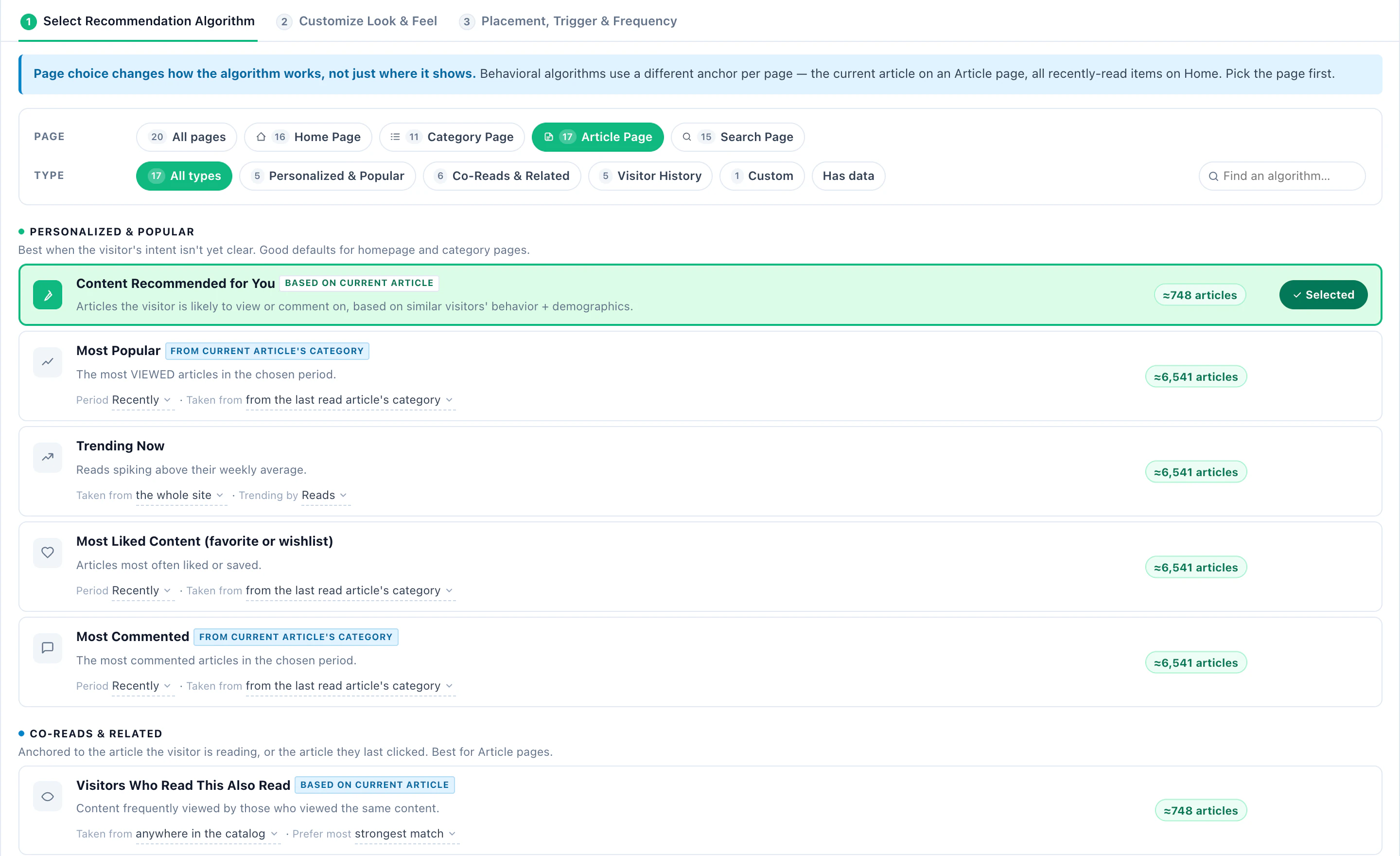
Skip what they have already read
Under Skip items the visitor already…: the article showing on the current page, and every article already shown, read (confirmed view), commented on, liked, or that led to a goal.
Restrict the catalog
- Match the visitor — their gender or age, where your catalog carries them.
- Only items with an image or a link, or only from categories you choose.
- Custom filter rules — combine any article field and a geo location in AND, OR and NOT groups, compared with a value or with a field of the visitor’s profile. “Published in the last 30 days” and “same author as the article being read” are rules like these.
Fine-tune the algorithm
Boost promoted items for sponsored or partner content, Boost new items, or Reserve a slot for new items. The algorithm still leads.
3Design it, preview it, place it
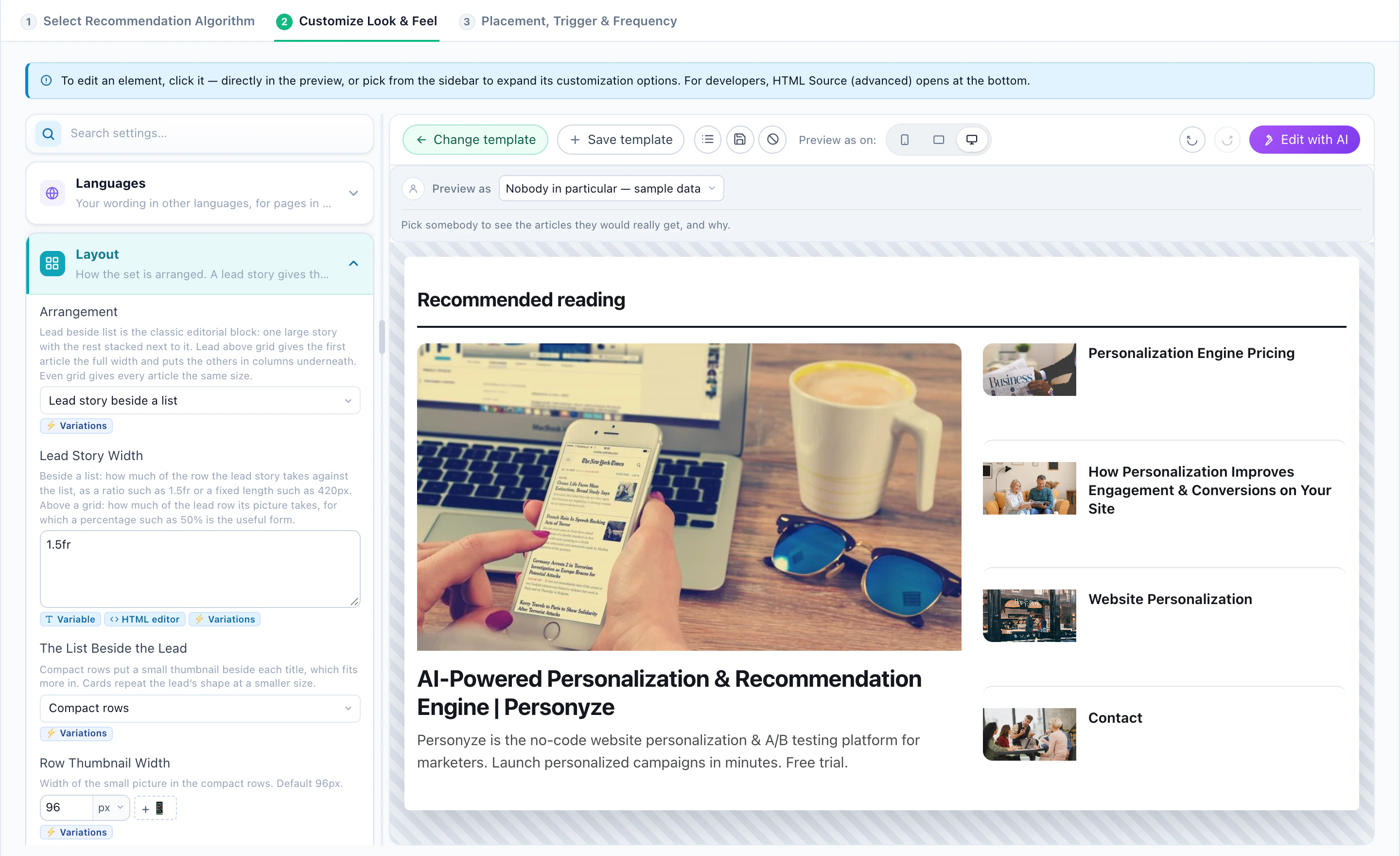
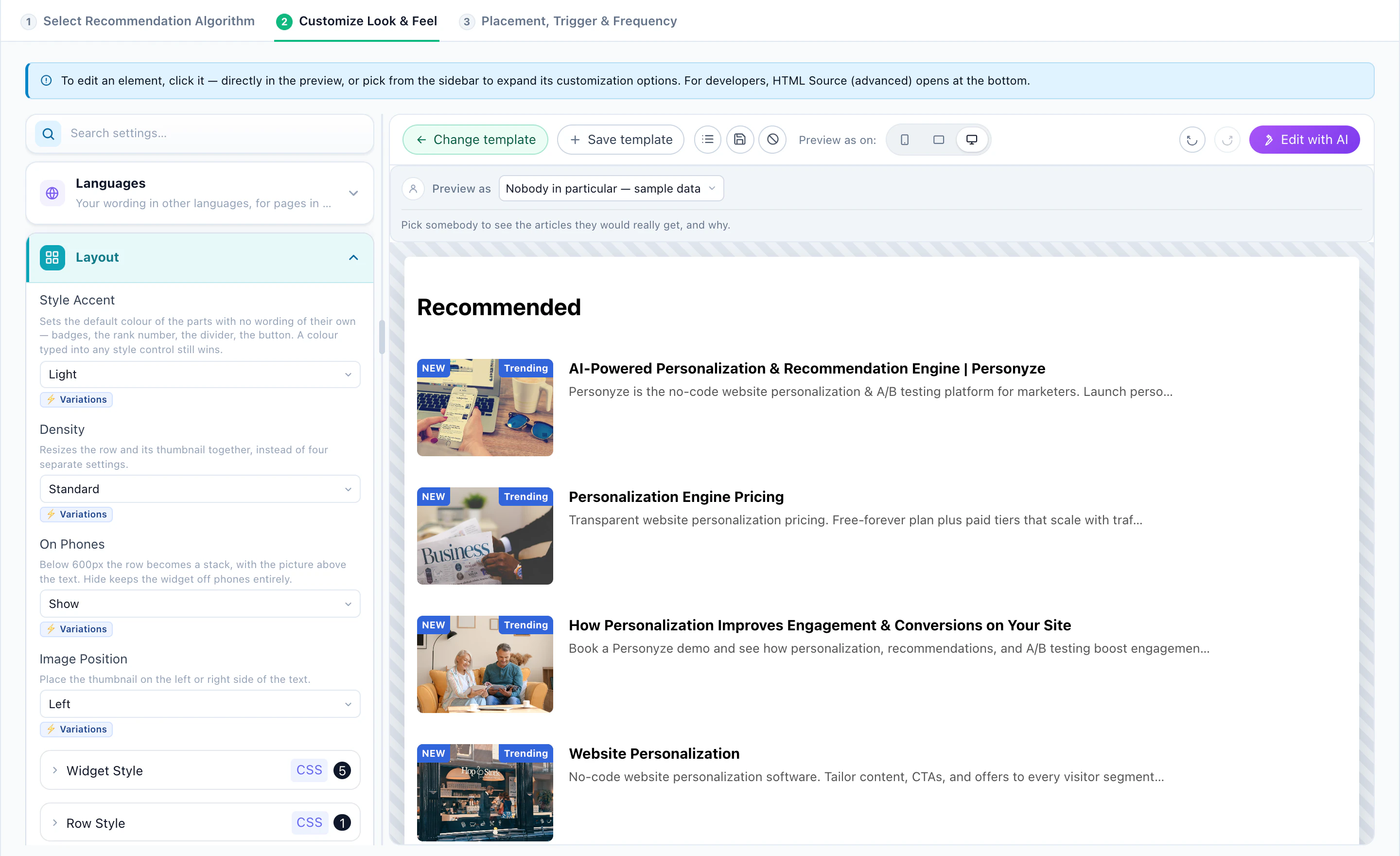
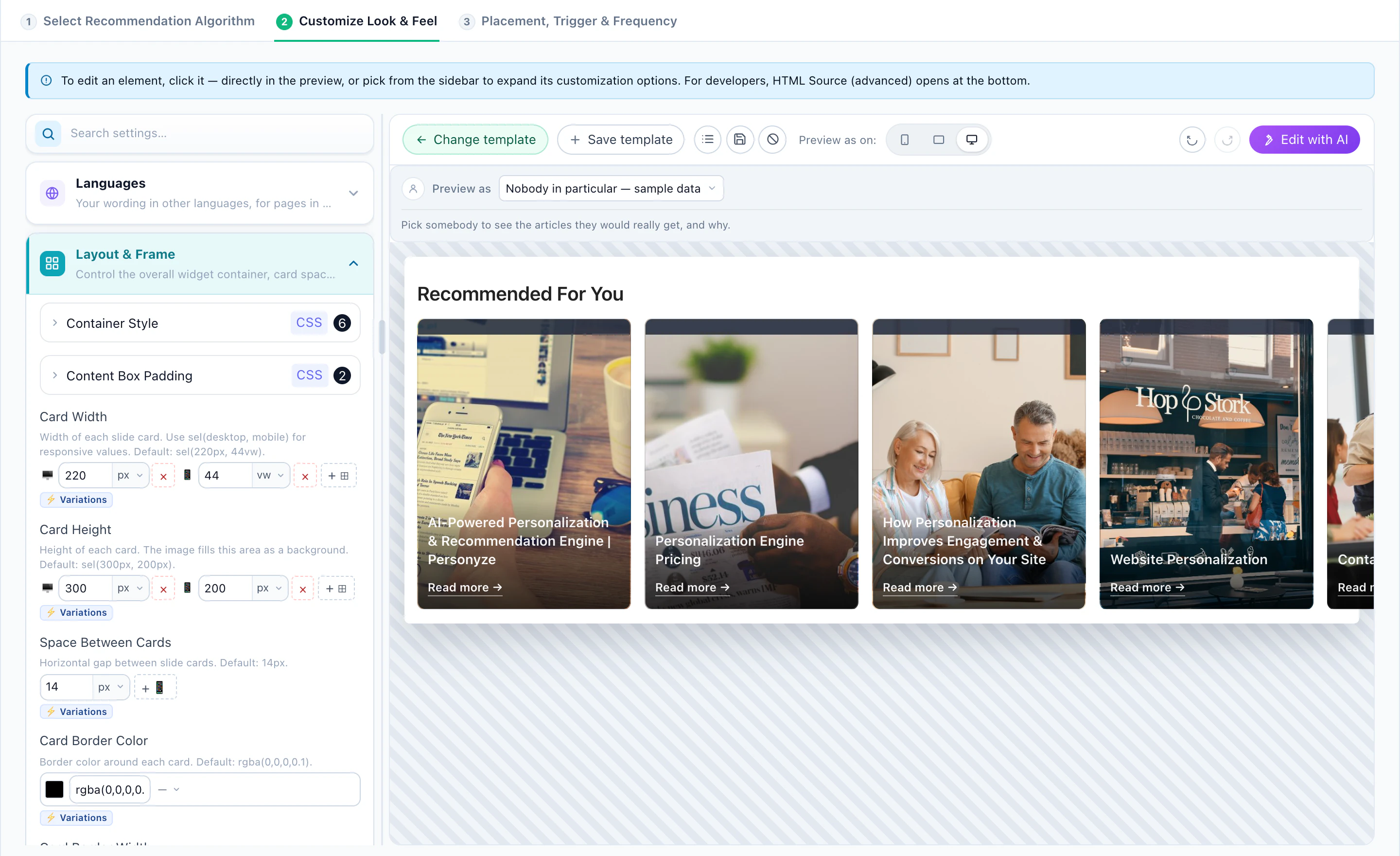
The widget’s second step is the look: a template, the arrangement (a grid, a strip), how many columns, the card shape, a larger first card for the lead story — or Edit with AI. HTML Source (advanced) opens the template itself, and the JSON API returns the recommendations as data for your own front end.
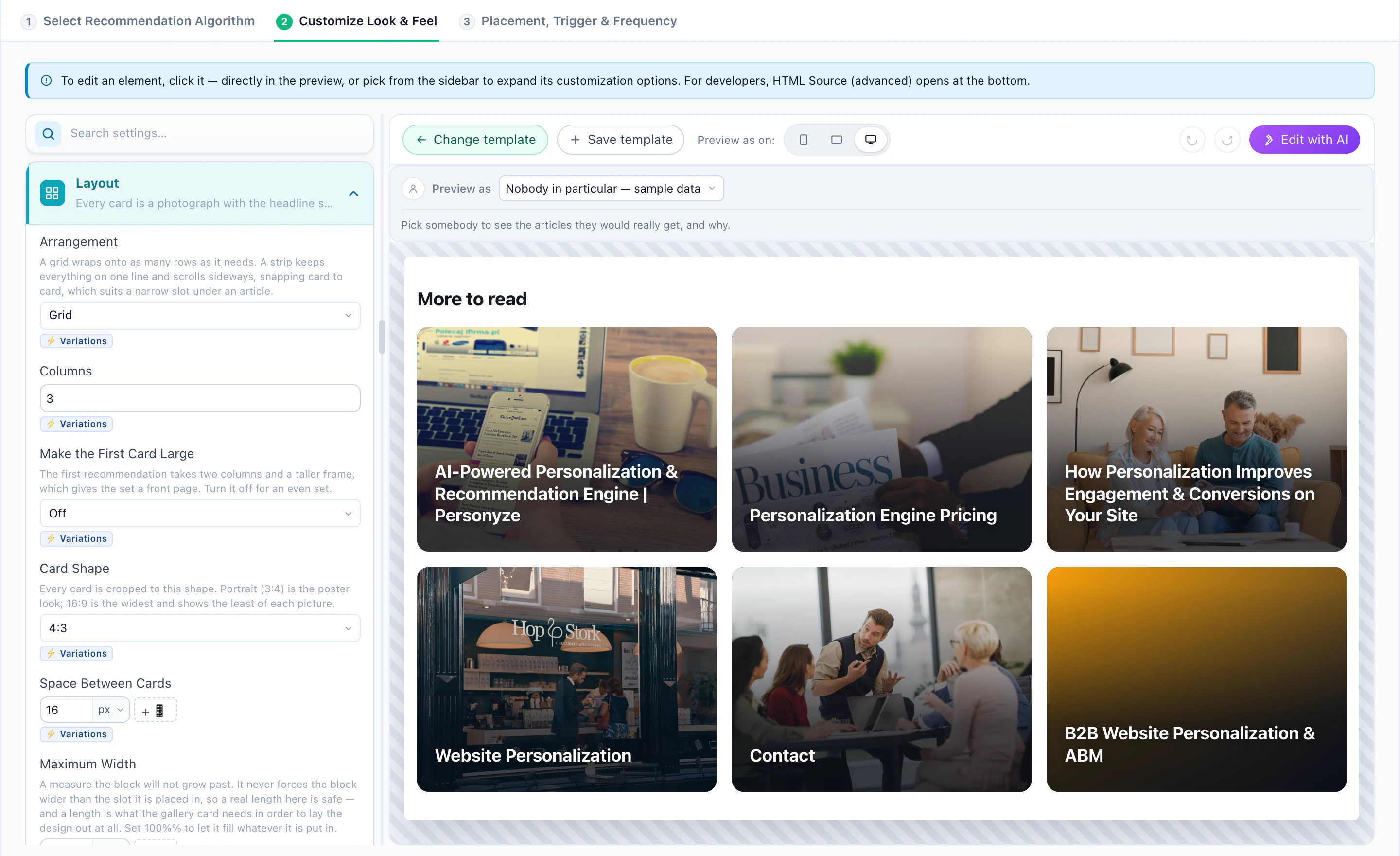
Preview as above the preview picks a real reader and shows the articles they would get, with the algorithm behind each one. The Target step decides which pages and readers the widget appears for; the placement step puts it inside the page or floats it over it. Several widgets can share a page — trending at the top, personal at the bottom — each its own campaign, measured on its own.
4Recipe 1: The homepage
A reader arriving on the homepage has no article to anchor on. Start from what the site knows about them, and from what is new.
- Content Recommended for YouArticles they are likely to read or comment on, from similar readers’ behaviour.
- Content Recommended for You — Published Since Last VisitThe same, limited to articles published after their last visit — “what you missed”.
- Recently PublishedArticles added after the visitor’s last visit.
- Most PopularThe most read articles in the period you choose — good for a first visit.
- Trending NowArticles whose reads are spiking above their weekly average.
5Recipe 2: The article page
The article being read is the strongest signal on the site. Keep the reader going when it ends.
- Visitors Who Read This Also ReadWhat readers of this article went on to read. A version limited to the current category keeps them in the section.
- More From This TopicArticles that share this article’s interests.
- Similar Content (AI)Semantically similar articles, learned from titles, topics, authors and descriptions — works from day one for a fresh article.
- Managed Related ArticlesPairs you choose by hand. There is no screen for them yet: support loads your pairs.
Give a co-read widget Similar Content (AI) as its fallback: a story published an hour ago has no readers yet, but it has a title and a topic.
6Recipe 3: Engagement and conversion
Some articles start conversations; some lead to a sign-up. Recommend those on purpose.
- Most CommentedThe most commented articles in the period.
- Most Liked ContentThe articles most often liked or saved.
- What Readers Went On to Convert OnContent that readers of the same articles later reached a goal on — a newsletter sign-up, a trial, a lead form.
7Recipe 4: Bring them back
For a returning reader, their own history is the context.
- Recently ViewedArticles they read lately — a way back to something half-finished.
- Content You LikedArticles they liked or saved.
- Inspired by Reached GoalsWhat people who reached the same goals went on to read.
The same algorithms fill a digest email — “published since your last visit” is a newsletter that writes itself. See the email playbook.
8Test it
On the campaign’s Content step, Activate A/B testing. Keep the site original as a baseline to learn what the widget adds, and test one thing at a time:
- Algorithm — Visitors Who Read This Also Read against Similar Content (AI).
- Period — Most Popular over the last day against the last week.
- Layout — a grid against a strip.
Set a goal, and Auto-pick can move traffic to the winner by itself. The same steps for products: the product recommendations playbook.
9Read the results
The campaign’s Performance step follows the widget from the screen to the goal:
- Viewed — visits in which the widget was actually on screen.
- Engaged — visits in which the reader clicked a recommended article. For content, that click is the engagement.
- Converted — visits in which the reader converted after engaging with a recommended article.
- Goal — visits in which the reader completed the content goal you set, such as a newsletter sign-up.