
One restaurant site, tailored to every diner.
See how a restaurant’s homepage adapts its hero, promos, and menu recommendations to each visitor’s location and behavior — powered by Personyze. Drag the slider to compare generic vs personalized.
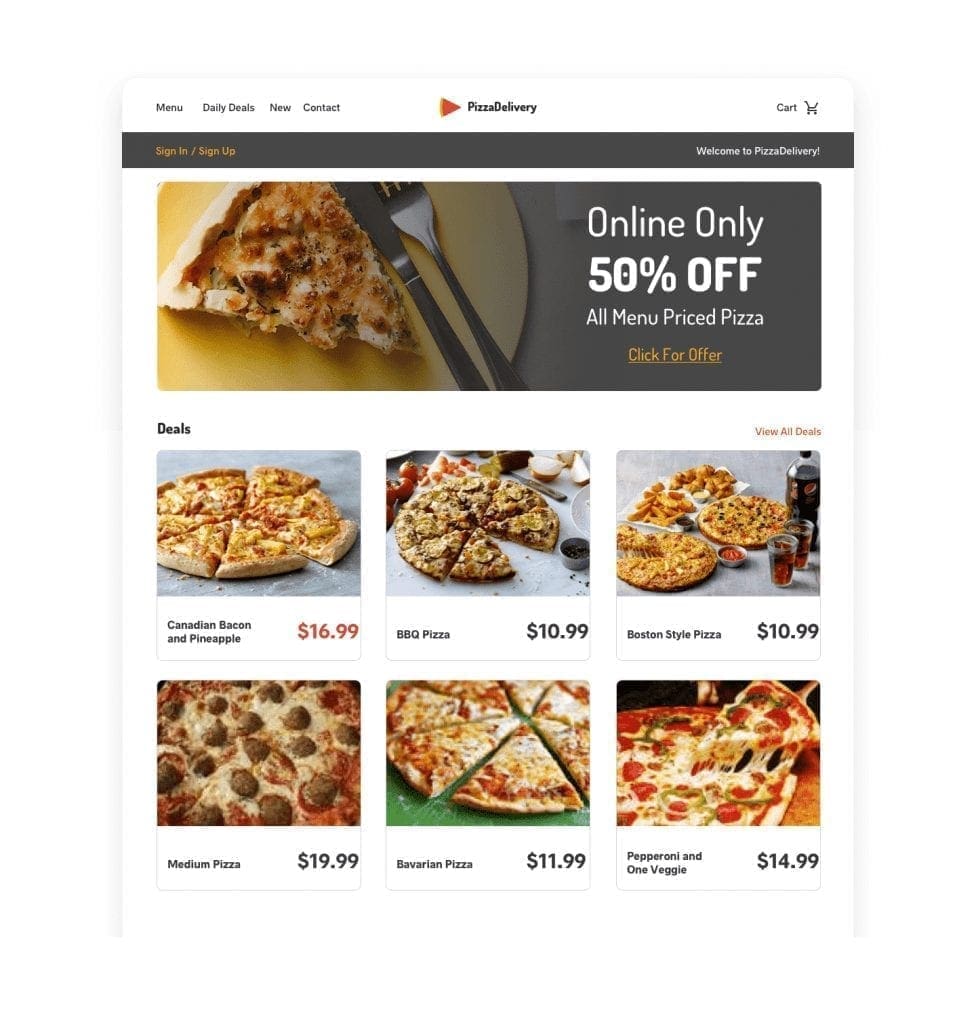
New Visitor — Generic Before
Default homepage without prior history or targeting.
- Generic hero banner
- Standard deals & menu
- No local store emphasis
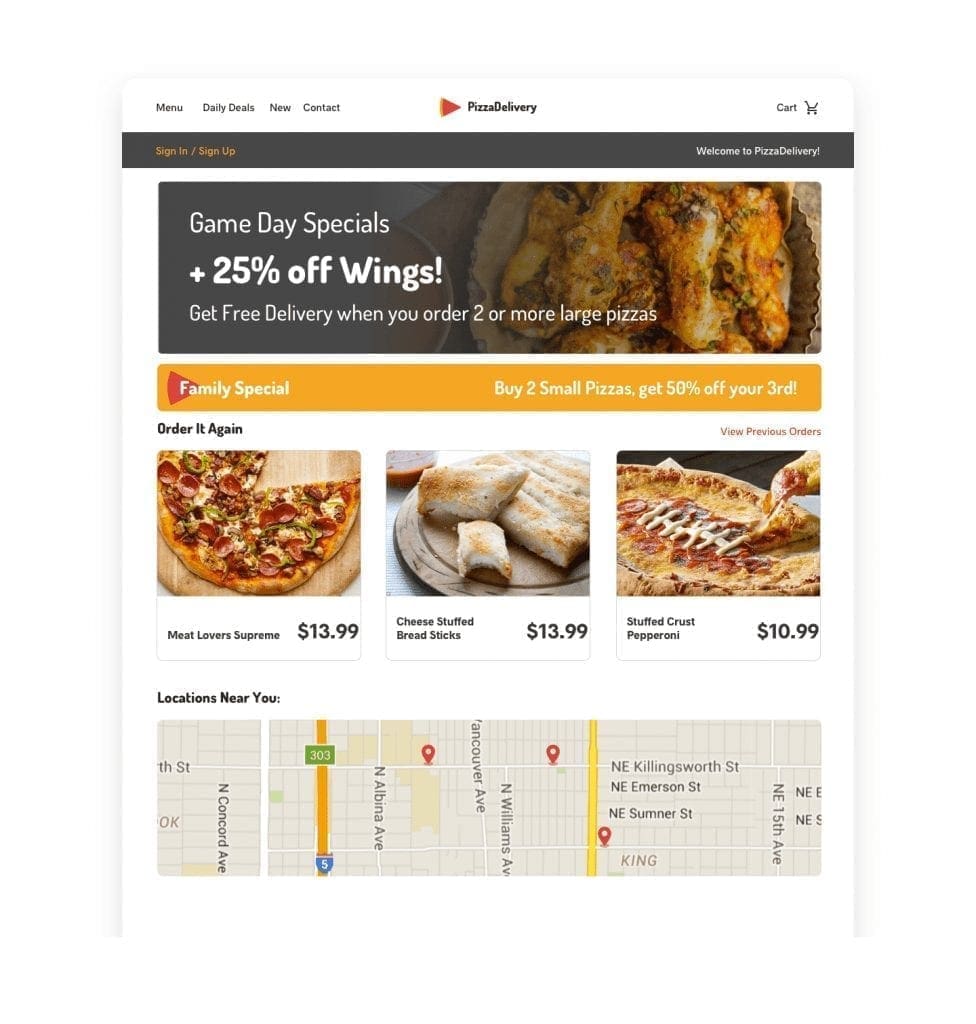
Returning Customer — Personalized After
Recognized customer with past orders and family context.
- Targeted sports banner relevant to current events
- Buy-It-Again recs: pizzas previously purchased
- Family special offer (married with children)
- Geo-targeted map showing nearest locations
Built with Personyze — in three steps.
Detect
Personyze detects each diner’s location, time of day, and past orders in real time.
Decide
Rules match the visitor to local deals, happy-hour timing, and menu recommendations.
Render
The hero, promos, and menu update live — no page reload, no developer.
Free AI tool · Inspire me
See ideas like this for your own site.
How Personyze personalizes this restaurant site.
Every change you see is driven by a real Personyze capability. Here’s what powers the experience.
Personalized Hero & Local Context
The hero swaps by context—lunchtime visitors see quick combos near them; rainy evenings highlight delivery-friendly comfort dishes; travelers see the nearest location with hours and a “Book a Table” CTA.
- Variants: headline, subcopy, background image, CTA destination (reserve, order, directions).
- Signals: geo/IP, time/daypart, weather, device, referral (maps vs. social).
Targeted Promos (Happy Hour, Local Deals)
Time-boxed or audience-specific offers (Happy Hour 4–6pm, “Kids Eat Free,” neighborhood events) are built in the Pop-up & Banner Manager. Show different bars or panels for dine-in vs. delivery visitors without changing templates.
- Formats: slim bar, corner panel, hero overlay (dismissible).
- Goals: lift reservations, increase online orders, move seasonal inventory.
Menu & Add-On Recommendations
Smart rails surface best-fit dishes and add-ons—starters that pair with mains, desserts for celebrations, or drink pairings. Add persuasive cues with social proof like “★ 4.8 (1,240)” or “Popular tonight”.
- Upsell: sides, sauces, drink pairings, desserts.
- Contextual: cold-weather soups, hot-day iced drinks, game-day platters.
- Dietary: vegan/vegetarian, gluten-free, nut-free highlights.
Content Blocks (Diet, Allergens, Loyalty)
Mid-page blocks adapt per guest: show allergen callouts, kids’ menu, or loyalty sign-ups to returning visitors; highlight group dining menus to event-planner traffic.
Signals → Experiences
- Signals: geo & proximity, time/daypart, weather, referral, past orders, loyalty tier.
- Personalized elements: hero, promos/bars, recommendation rails, dietary callouts, CTAs.
- Delivery: real-time rules/models via the website personalization tag/SDK; promos via the Pop-up & Banner Manager.
Can I target by time of day and weather?
Yes—daypart rules (breakfast/lunch/dinner) plus weather signals can switch hero, offers, and featured dishes.
Will this work with my existing online ordering?
Yes—CTAs can deep-link into your POS/ordering flow; no replatforming required.
How do I manage seasonal menus?
Create seasonal promos and pin dishes in recommendation rails; schedule start/end dates per location.
Demo — restaurant personalization: location-aware heroes, targeted promos, and menu recommendations that adapt in real time.
Personalize your restaurant site like this.
This restaurant example runs entirely on Personyze — geo-targeting, behavioral signals, and dynamic recommendations. Build the same for your site, no code required.