Personalization Platform
Personyze is a robust set of personalization tools that empower online marketers to create dynamic and optimized online experiences, all in one easy-to-use platform. No IT, coding, or technical expertise required.
Segmentation engine
Reach the right audience instantly with Personyze’s advanced segmentation engine. Leverage 70+ pre-built visitor data points to target your ideal customers right out of the box. Seamlessly integrate with your existing CRM, CDP, or ABM data providers for even more powerful personalization.
70+ targeting attributes
By default, Personyze tracks 70+ session attributes for behavioral targeting—covering virtually any trackable behavior, IP-derived location and weather, URL variables, cookies, and more.
Examples
- Current session or cart data: grab values from tracked elements (search bar, login field, cart total) and show targeted content in real time.
- Referral or traffic sources: target by Google/LinkedIn/Facebook campaigns or referring websites.
- Most popular interests: use most-visited pages and ranked interests from product/content interactions.
- Geo location & weather: include/exclude by city/region/country; target by temperature or precipitation.
- Companies & organizations: IP-to-company registry for company-specific messaging (industry, revenue, size).
- CRM Data: upload/sync to target by industry, company, funnel stage, account type, and any custom fields.
- System: device (desktop/mobile), browser, language.
- Site behavior: most popular page, visited page lists, time of entry, and many more combinations.
Complex targeting capabilities
Build rules as simple or as sophisticated as you need. Run lightweight campaigns (e.g., “new visitors only”) or advanced logic that combines multiple behaviors and attributes. Define priority and mutual exclusivity to resolve conflicts across overlapping campaigns.
CRM, CDP and ABM data integrations
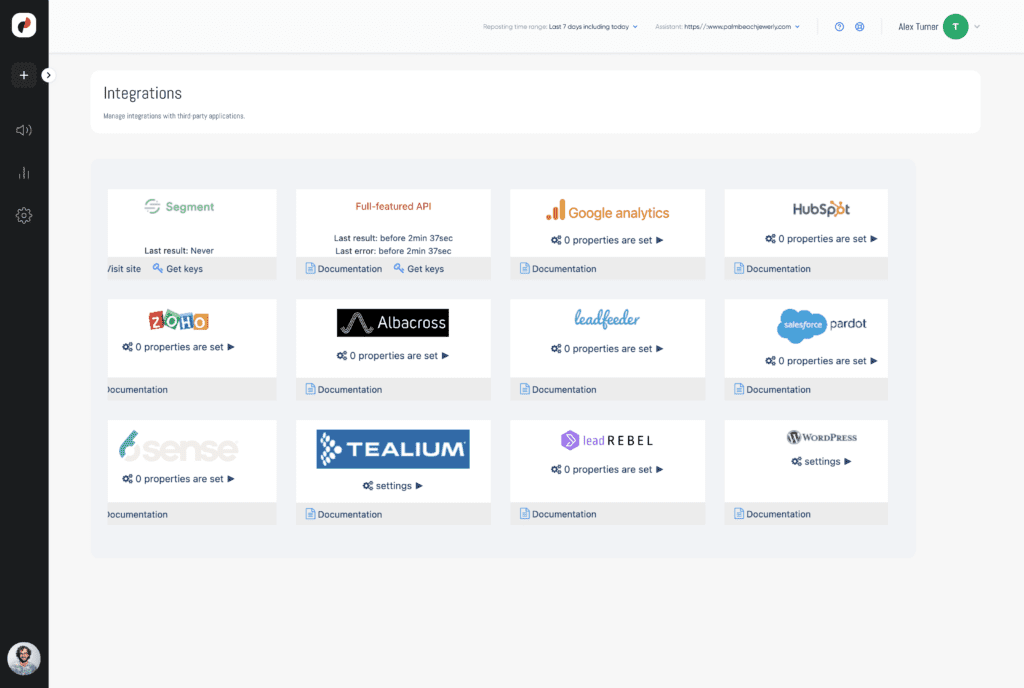
Personyze integrates with virtually any CRM or external database, expanding targeting to variables like role, industry, account type, or budget. Turnkey CRM/CDP connectors—HubSpot, Zoho, and Segment—let you leverage any custom data for behavioral targeting.
For B2B enrichment, ABM providers such as Leadfeeder, Albacross, and Clearbit supply IP-based intelligence (company association, industry, revenue, company name, etc.) to reach the right accounts with precision.
Recommendation Engine
Harness the power of AI to recommend the content and/or products that each visitor is most likely to be currently interested in, on website, emails, and apps.
Algorithms for e-commerce
Product recommendation algorithms designed for homepage, product pages, cart, and more.
- Recommended for you: ML uses the full user/crowd signal set to surface likely buys.
- Frequently bought together: cross-sell with items often purchased with the viewed/cart/recently-bought product.
- Those who viewed also viewed/bought: alternatives/complements from similarity or crowd data to increase discovery.
- Those who bought from this category also bought: cross-category associations after category purchases/views.
- New in stock: newly added items (last 7 days, since last visit, or by interests).
- View it again / Buy it again: resurface recently viewed or previously purchased items for quick repeat actions.
Further fine-tune with filters
- Discount threshold (greater/less than X%)
- Feed attributes: interest, color, brand, price
- Free shipping within X miles of distribution centers
- Visitor demographics: gender, age, client type, industry
- Low stock (less than X units)
Algorithms for content sites
Content recommendation algorithms tailored for homepage, article pages, search, and more.
- Those who read this also read: related articles popular among readers of the current piece.
- Most popular/commented in this category/topic: highlight most viewed, favorited, or discussed items.
- Inspired by your recent reading: surface popular content from categories read most recently.
- Trending now: show site-wide trending content.
- Demographic or CRM: personalize by segment (e.g., “Top stories for marketers”).
- Those who read this bought these products: ideal for guides/info pages to bridge to commerce.
- Most popular from favorite author/topic: feature trending items from the user’s top author/topic.
Recommendations in Email
Use the same engine to power email recommendations with real-time blocks.
- Now on sale from past interests / left in cart: show price-dropped items from browse or cart history.
- Cart abandonment drip: remind about abandoned items and suggest similar products at set intervals.
- Time to resupply: prompt reorders for consumables on a schedule.
- Most recommended for you: ML + crowd patterns based on recipient characteristics.
- Cross-sell based on last purchase: items commonly bought after the same purchase or via catalog links.
- Newly listed items / accessories for you: fresh additions that complement prior purchases.
- Send my cart to my email: let users opt-in to receive their cart; capture email via popup if unknown.
AB testing
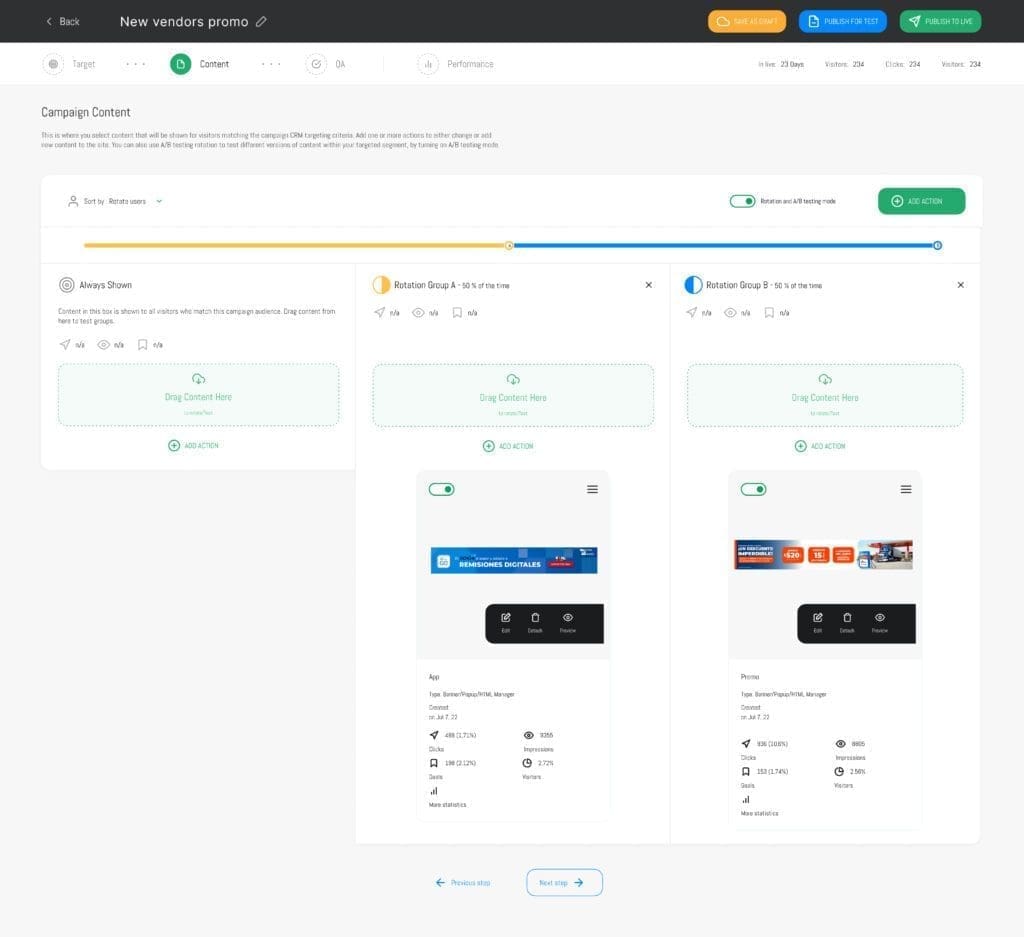
A/B testing is available on any piece of content created or edited by Personyze. Any change or set of changes can be tested, using two or more testing groups, optional control groups, and various rotation settings. You can review detailed statistics on the test results, including statistical significance to help you determine the winner.
Test settings
Set Personyze to rotate the testing groups by user, by sessions, or by page refresh. Include controls groups if you want to, and choose what percentage of your audience will see each test group. Set the winning test group to automatically be applied to all visitors in the segment, once statistical significance is achieved.
Targeting options
Achieve a greater precision, avoid data pollution, and reduce testing time by using segmentation to test within targeted groups of visitors, with optional control groups. Test rapidly on the same testing group over and over again, until you reach perfection.
Test analytics
See detailed analytics on the performance of your A/B test, including filtering the data by variables such as location or demographics (if known).
Detailed Reporting Dashboard
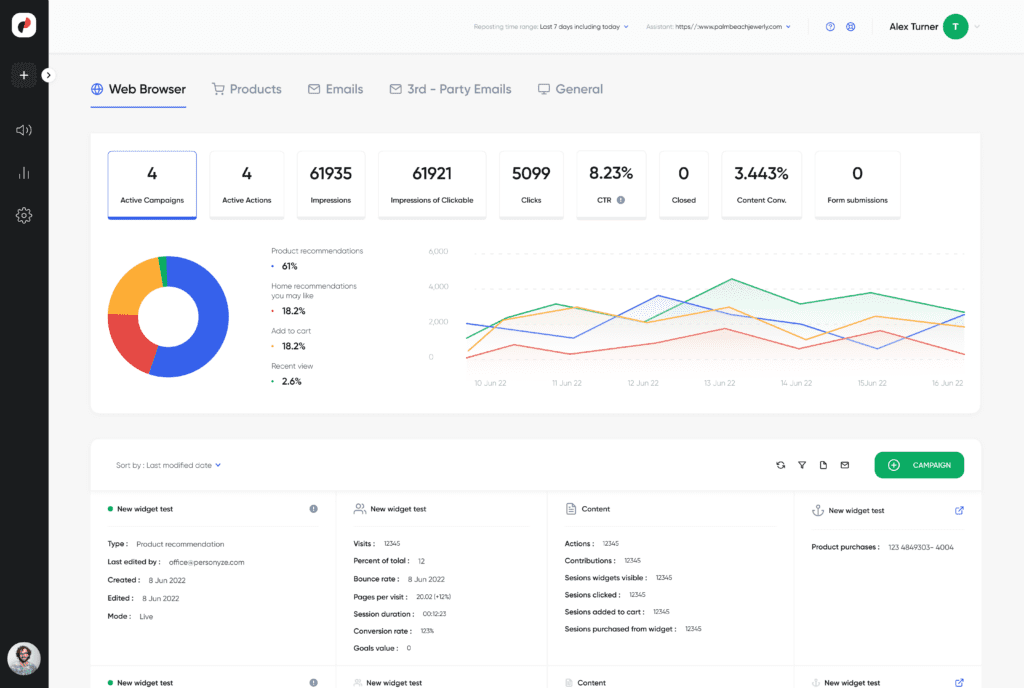
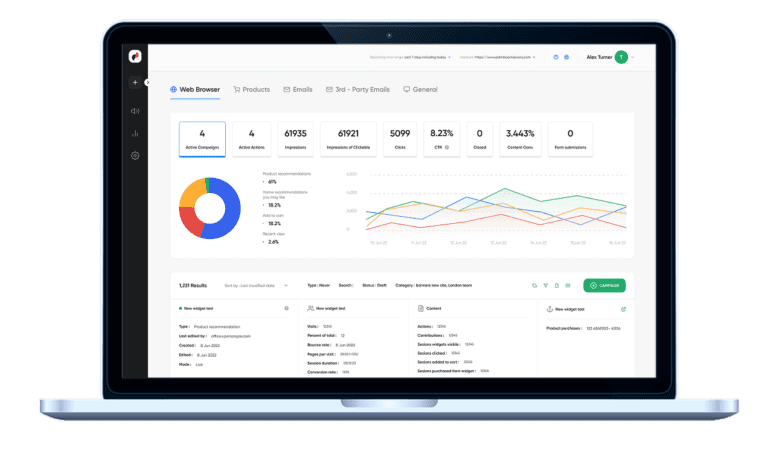
Personyze is automatically tracking views, impressions, clicks, and purchases, and can be set to track many more behaviors or sets of behaviors, all of which can be used as key metrics in A/B testing, displayed on a detailed reporting dashboard.
Google Analytics integration
Personyze is integrated to Google Analytics out-of-the-box, and can further send analytic data to any third-party platform via pixels when someone views, clicks, or closes popups or banners.
Custom KPI tracking
Whatever key performance indicators you want to use, any sequence of behaviors on the site can be set in Personyze for tracking.
Revenue tracking
Set Personyze to track how much revenue your campaigns are contributing, by checking how many conversions were attributable to content provided by Personyze.
Content widgets
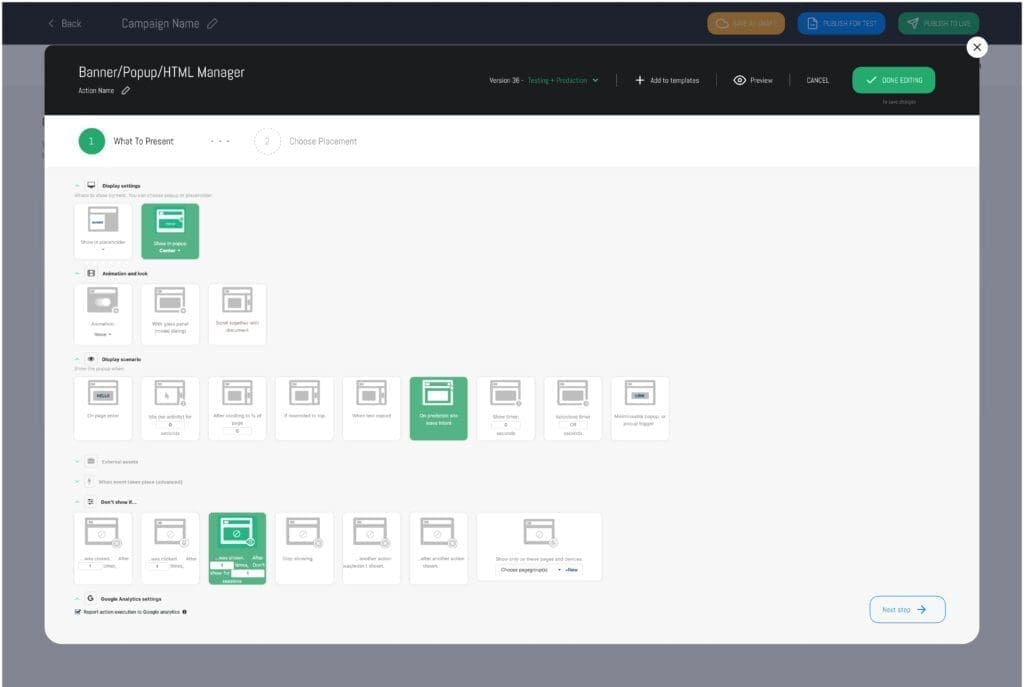
Personyze’s toolbox of widgets includes a WYSIWYG editor to change text, images, buttons, and other elements of your pages visually, or widgets to add new content to your site with ready-made templates, such as a banner and popup manager with various behaviors including trigger on site exit intent, and forms, timers, product and content recommendations, and more.
Dynamic content
Insert user variables directly into content. Variables can include first name, location, company, primary interest, and more—perfect for banners and popups.
Split content based on user variables
The same popup or banner can change based on variables—e.g., “Good morning” vs. “Good evening,” or different CTAs by the user’s role or segment.
Inherit styling and edit HTML
Popups and banners are fully customizable. Inherit site CSS for a head start, or edit/insert your own HTML for total design control.
Display options
Any personalized content can be shown as embedded into the page, popup, replace existing content blocks on your site, or be called programmatically from your CMS via client-side or server-side API.
Content triggers
Popups can fire on many behaviors:
- Exit intent — offer a coupon to save the checkout.
- On scroll X% — suggest the next article/product.
- Idle X seconds — re-engage inactive visitors.
- On text copy — remind to buy on your site.
- Timer / page enter / re-scroll to top
- On hover — reveal interest-based content.
- Optional — animations and glass panel.
Display types
- Top/bottom bar — lightweight reminders.
- Minimizable popup — collapse/expand.
- Sticky top/bottom — persistent placement.
- Placeholder — embed as inline page content.
- Popup position — any of 9 screen quadrants.
- Rich content — countdowns, forms, recs, dynamic variables, and more.
Display limitations
Throttle how often popups/banners appear to avoid fatigue. Suppress after view/click/close, pause for X sessions or minutes, and condition by any of 70+ targeting rules.
Advanced triggers
Fire JS callbacks, webhooks, or custom Google Analytics events when a visitor sees, clicks, or closes a popup or other content.
Wizards
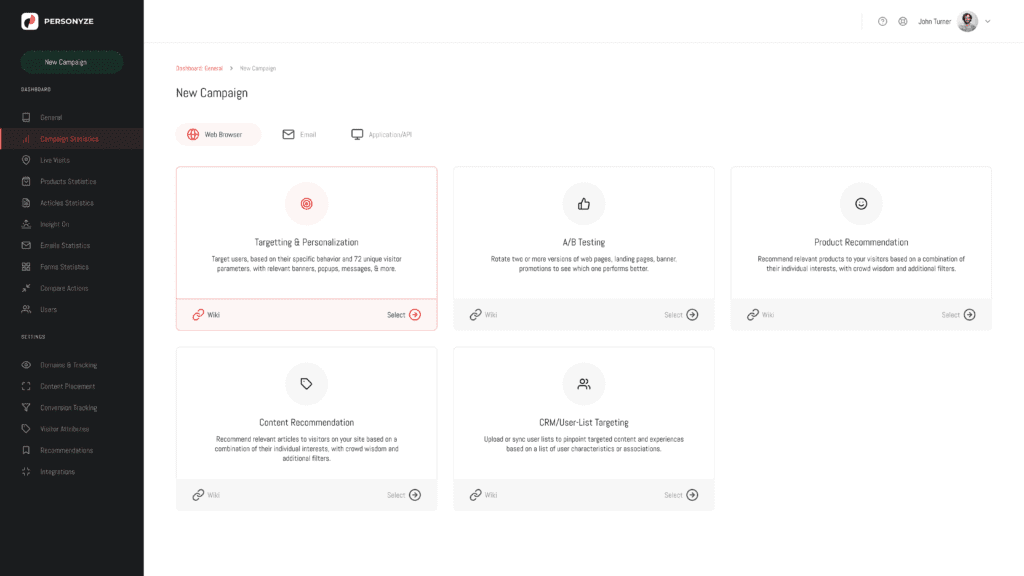
Our step-by-step wizards guide you through the process of creating campaigns. Industry best practice responsive templates make the process even easier.
QA and testing
Verify before going live using preview links, colleague shares, and analysis tools—so you can test thoroughly and publish with confidence.
Complexity simplified
Wizards turn complex setups into guided, step-by-step flows tailored to common Personyze use cases.
Global account content templates
Save any Personyze creative as a reusable template, then tweak it for new segments or scenarios to move faster with consistency.
Responsive Templates
Use responsive templates for banners, popups, forms, emails, and recommendation widgets—built to look great across devices.
API and Integrations
Personyze is a hub where your data from various sources turns into automated personalization marketing in real time, allowing you to perform pinpoint targeting, using maximum data for AI-powered recommendations, inserting dynamic variables like company name into your content, and supporting complex workflow logic.
First party data integration methods
Capture any field value or JavaScript-accessible data on your site. If it exists in the GTM data layer, cookies, or variables, Personyze can ingest it for targeting, personalization, and dynamic variables in creative.
Third party integrations
Use out-of-the-box integrations or import from virtually any source via SFTP, file upload, RSS, or API. Flexible methods make external data easy to activate.
CRM data integration
Activate CRM variables—stage, lead score, role, and more—for precise segmentation and targeting across your site experiences.
ABM data
Integrate ABM providers (Leadfeeder, Albacross, Clearbit) to target by industry, company size, revenue, and other account-level attributes for key leads.
Server- and Client-Side APIs
Use the REST API for programmatic personalization and sync; use the client-side JSON API to fetch recommendations or personalized content in-browser for full control over visualization.