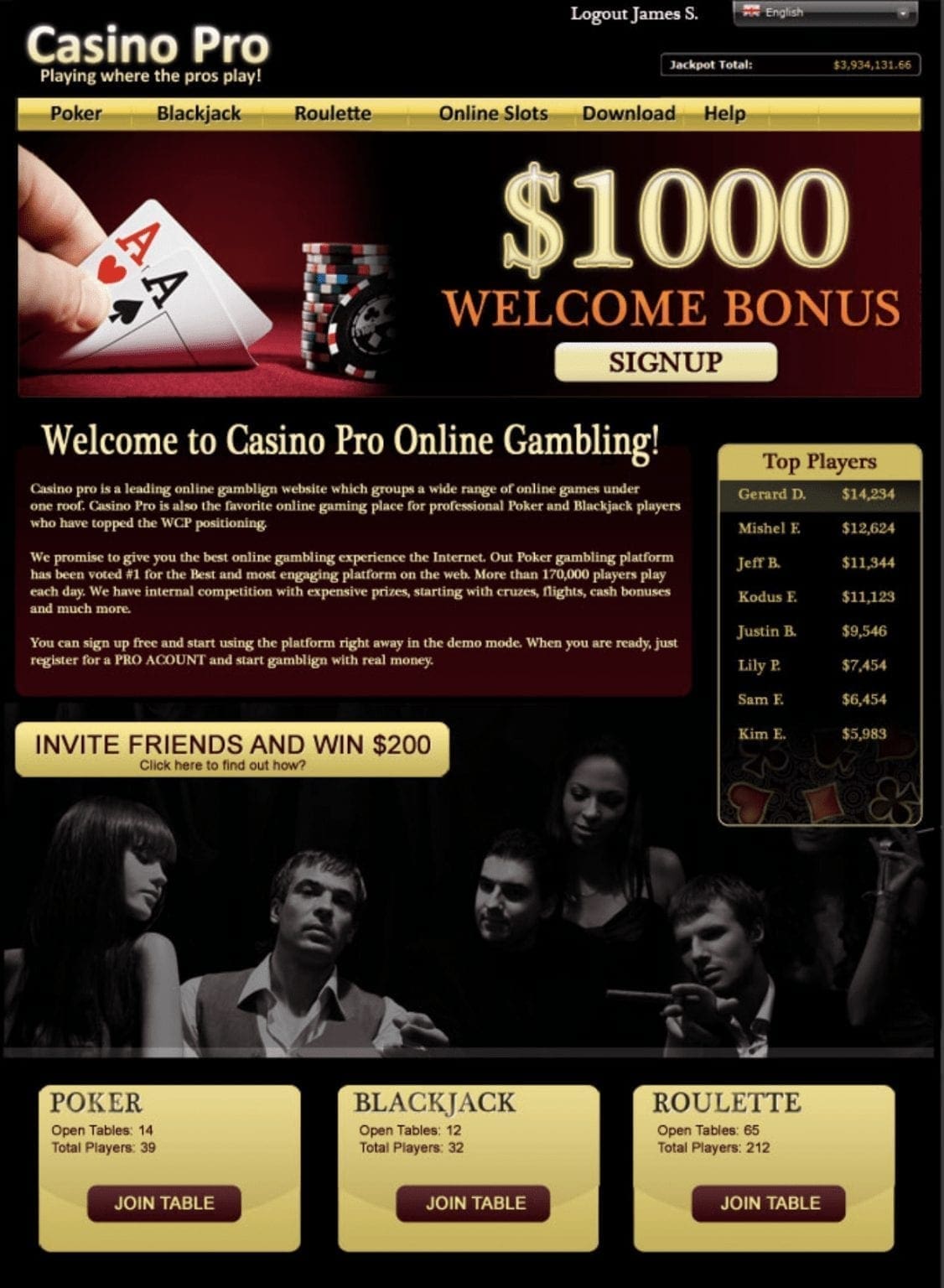
Standard lobby with generic promotions and navigation for all players.
One-size-fits-all carousel & offers
No VIP cues or upgrade prompts
Lower engagement from high-value players
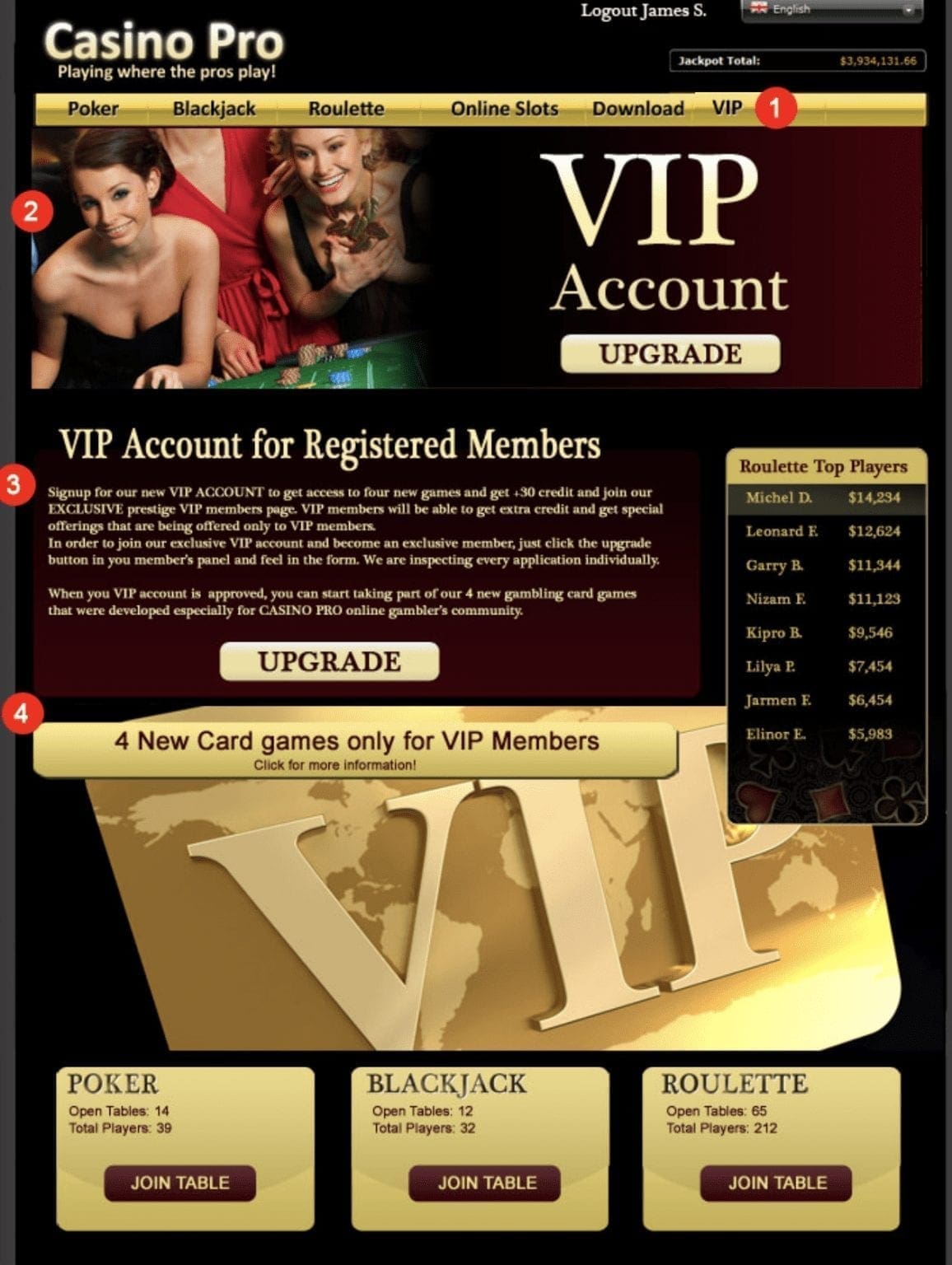
VIP Recognized — Personalized After
CRM + gameplay history promote VIP tier with a clear upgrade CTA and VIP menu item.
Targeted banner: VIP Account + upgrade CTA
Nav change: VIP tab/badge surfaced
Modules: high-roller tournaments, cash-back perks
◀︎▶︎
Overview
This example demonstrates how a gaming or casino site recognizes VIP players through personalization.
The center handle compares the default experience for regular visitors (left) with the upgraded VIP experience (right).
Generic Experience (Before)
The homepage and lobby show generic promotions and navigation for all players, regardless of value or history.
VIPs are treated the same as new players, reducing engagement and retention.
One-size-fits-all: same banners and offers for all users
No VIP recognition: no upgrade prompts or tier messaging
Generic carousel & CTAs: low clickthrough from high-value users
VIP Recognized — Personalized (After)
Returning VIPs are identified by CRM data and gameplay history. The homepage transforms to highlight their status
and encourage further engagement with exclusive offers and events.
Targeted banner: VIP Account upgrade CTA with exclusive imagery
Navigation change: VIP tab and badge surfaced in top navigation
The VIP-recognized visitor sees new sections, visuals, and modules reflecting premium account status.
Loyalty and upgrade CTAs replace the generic promotions, creating a sense of exclusivity.
Signals Used
CRM segmentation: VIP tier or loyalty program level
Gameplay history: recent wins, deposits, or session frequency
Behavioral: high-value engagement patterns triggering the VIP variant
What triggers the VIP layout?
Recognition of user tier in CRM or a qualifying deposit pattern automatically switches to VIP mode.
Does it require a new template?
No—the same base layout can dynamically show or hide modules through the Personyze tag or SDK.
Complex personalization, simplified
Launch sophisticated campaigns in minutes, not months. We combine powerful automation with white-glove support so you can focus on strategy, not setup.
White Glove Service
Onboarding, training, and campaign setup—guided by your dedicated success manager.
Wizards & Templates
Easily personalize content with step-by-step guidance and stunning pre-built templates.
Performance Analytics
Continuously improve with a dashboard featuring custom KPIs and real-time ROI tracking.
CRM & User Data
360° user profiles for hyper-personalization, with easy integration to your CRM or CDP.
API & Integrations
Works on any website regardless of platform, all channels, with server-side and client-side APIs.
Quality Control
Test changes in a safe environment, share preview links, and manage access with SSO permissions.
Ready to see Personyze in action?
Start your free trial today. No credit card required.
“Support is AMAZING!!.. played a big role in our success.”
Fiona E.Associate Consultant
★★★★☆
“I have no hesitation in recommending this to clients as a cost-effective way to bring a customer-focussed approach to their marketing strategy”
Andy M.Head of Digital Marketing, Personalalarms.org
★★★★★
“The functionality of the tool... is extremely impressive. ...overall the managed service is extremely valuable and appreciated.”
Karen DelgadoDigital Marketing Intern, Cemex
★★★★☆
“What I liked was that's a platform easy to use, we could train other regions to use it thanks to that”
Trusted by Leading Brands Since 2008
1-on-1 Strategy Session
Book a demo with a personalization expert
Stop guessing. Discover how Personyze transforms your customer journey in real-time.
Discuss your specific use case and see a live implementation on your site.
Live Video Demo
30 Minutes
Expert Q&A
Dan from PersonyzeOnline now • Replied just now
Hi there! 👋 Ready to see how personalization can boost your conversions?
I can walk you through real examples tailored to your site in about 30 minutes.