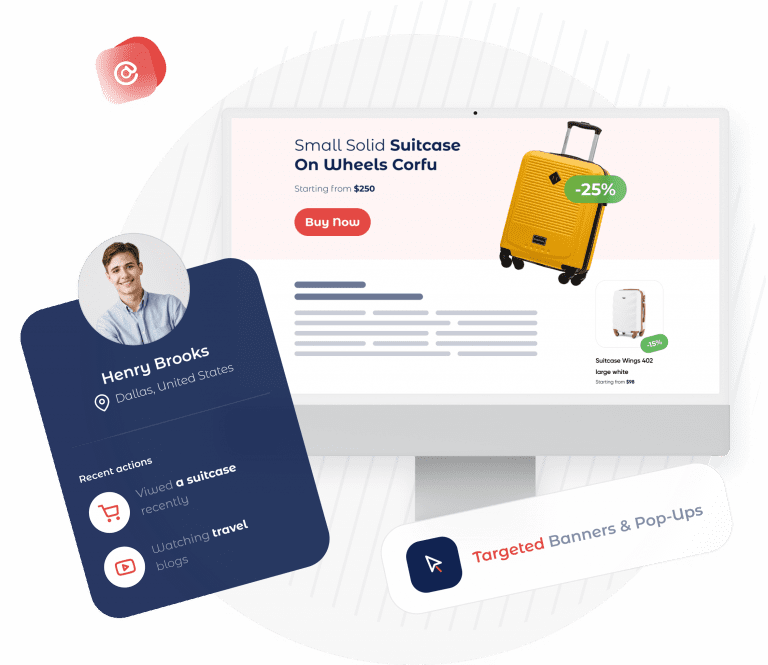
How to Use Geotargeting Popups On Your Site
1. Targeting
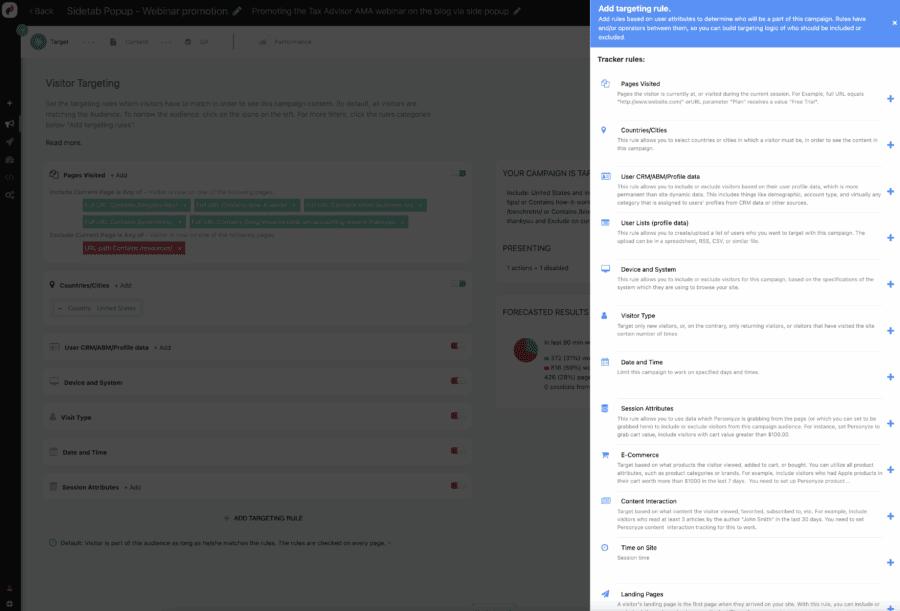
Go to the Create Campaign page in the Personyze interface, and click the Targeting and Personalization wizard. In the first step, which is targeting, select the rules which define which visitors should see the targeted content that this campaign will contain. In this case, you will choose either the Location rule, or the Weather rule (or perhaps both). You can target people from a list of locations, whether cities, states, or countries, or exclude those from certain locations. You can also add other rules, connected via and/or operators.
2. Content
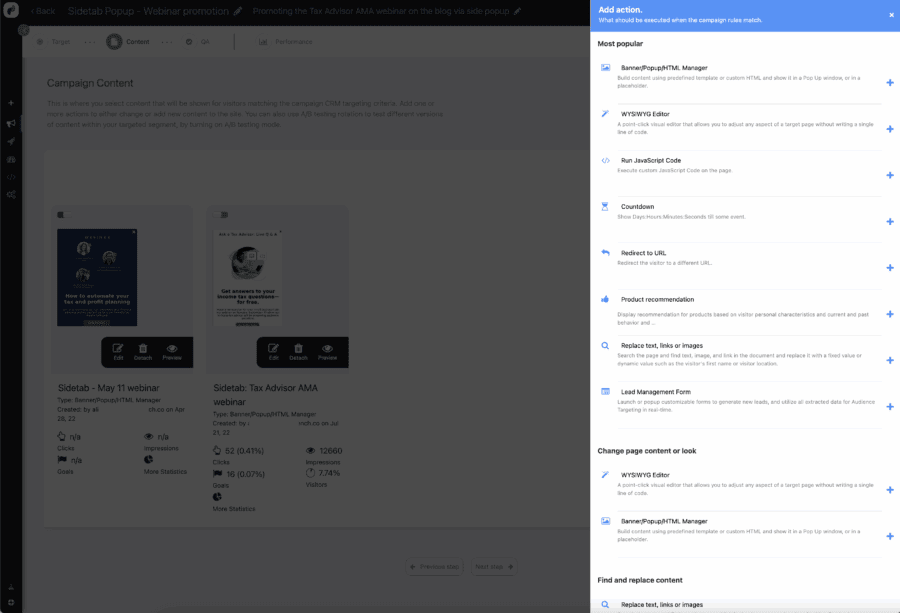
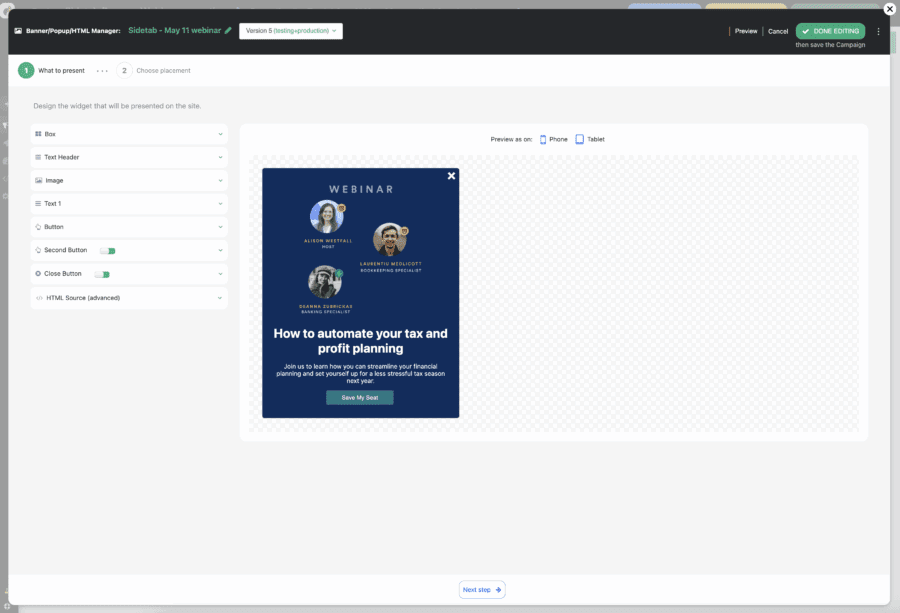
Here is where you can use one of Personyze’s 20+ content creator widgets to personalize your site, for the segment you just defined in step 1. This can be anything from showing a specific location/weather related banner on the homepage, to showing different algorithms in your recommendations that favor location/weather-related products, or having special messaging in popups that make location/weather specific offers. Literally any way that you can think to personalize your site for your geo-based segment is almost certainly possible with Personyze.
Another type of geo-based content you can show with Personyze, which does not necessarily have to be part of a geotargeting popup campaign (doesn’t have to be limited only to people in certain locations), is the Personyze Dynamic Google Map widget. This is basically a store auto-locator, which shows any given visitor the physical locations for your business which are nearest to them. Of course, this is only relevant for online businesses which also have brick-and-mortar stores or offices.
3. Test and Go Live
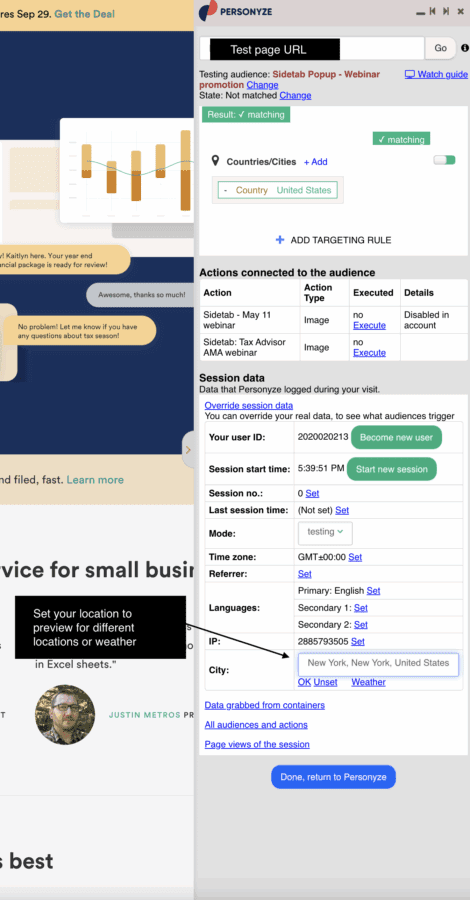
Use Personyze’s testing options, which include a simulator, testing links to be sent to your team, and saving in Testing Mode, where only the IP of the person who creates the campaign will see it live on the site. Once you’re satisfied with it’s performance, you’re ready to save in Production, and the campaign will be live on your site!
Other Geotargeting Popup Options
While what’s been listed here is quite powerful, Personyze has even more options yet, for geotargeting.
CRM Location Data
If for any reason you would rather use a visitor’s CRM location data for your geotargeted popup, such as perhaps in cases where you know your leads/customers are frequent travelers, through CRM integration you can use a variable from your customer database such as “Hometown” to control what they see, rather than their real-time location.
Precision Google Maps Targeting
If you really want to get a high-precision view on the visitor’s location for targeting, meaning more specific than their city, you can ask them for permission to use their more exact location known by Google, using the Google Maps API. This allows you to use their postal code, and this is about as specific as it gets.
It could be that you already have location consent triggered by default on your site, in which case you simply need to go to User Profile Data rules in the targeting part of any campaign, and select the Postal Code variable. In the case that it’s not already present on your site, you can use Personyze to create a popup which asks for this permission, and once permission is granted, then you can set up campaign geotargeting based on postal code.
Need Even More Precision?
In some cases, when a visitor is browsing from mobile, their device will register location based on the cell phone tower they are connected to, on mobile data. This represents the highest precision that can be achieved with Personyze, but will not always be active. When this is active, the accuracy of location will be highest, and targeting will still be based on zip code.
- How to sert targeted content , popup based on user location
Select targeting wizard, select the rule City country and select your designer targeted location you can include or disinclude as many as you wish. Personyzealso offer the ability to target on home town which is different from the visitors current location the data can receive with cRM integration or if you using Personyze F?B connect action. To target based on hometown select rule user CRM/Profile data and select home town
Personyze also offer targeting based on google map API service which improve accuracy and also support zip code, you can simultaneously include in your campaign those two options using or between rules.
The google user request permission to use location is not triggered by default you need to use personyze action Google location to trigger a window request to share location. To target based on user zip code select user profile data and then select the rule.
- Select the content type
Select one of the action from banner to geotargeting popup or simply edit the page with WYSIWYG. USe the dynamic variable to include in your creative the visitor city name it will make the message more appealing.
General
Personyze geolocation ip address data based is constantly updated.. The data accuracy can vary from location to another.. When a visitor using mobile phone in some cases the Ip address and as result his location will be the nearest cellular tower/router.. In a country level the accuracy is around 99% in city level is around 95%. This not just personyze this is the data technically available. Using google map will improve accuracy substantially