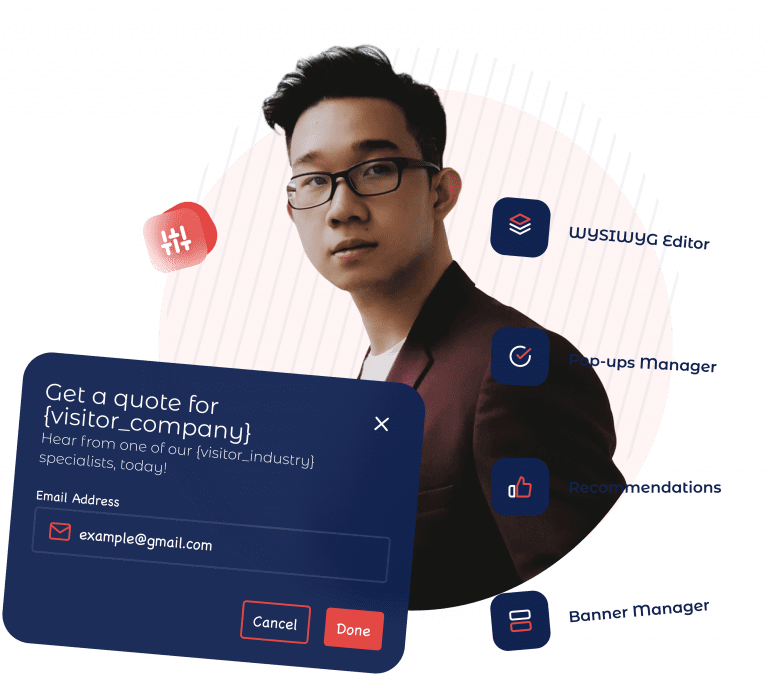
In the world of website personalization, we often rely on “implicit” data—guessing what a visitor wants based on which pages they visit or where they clicked. While powerful, this method takes time to build a profile. But what if you could just ask them?
Using Personyze Forms, you can collect “zero-party data”—information your visitors voluntarily give you—and use it to instantly personalize their entire journey. Whether it’s their industry, gender, or specific interests, this feedback is immediately fed into their profile, allowing your site to adapt in real-time.
The Process: From Question to Personalized Action
Setting up this feedback loop in Personyze is simple and requires no coding. Here is how the workflow looks:
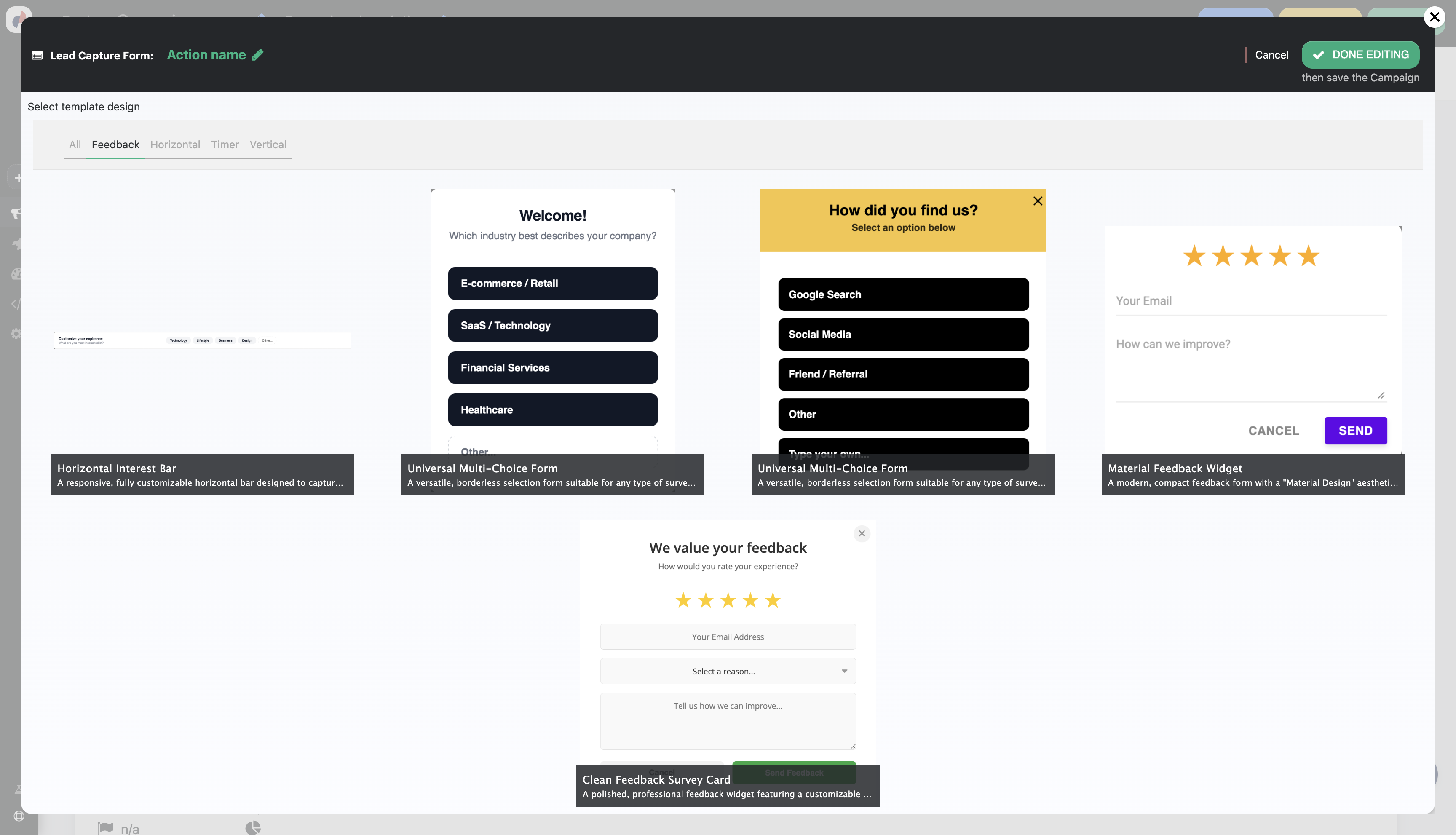
- Select from the Widget Library:
Start by choosing a template from the Personyze library. You can pick a subtle slide-in, a popup, or an embedded form that fits naturally into your content.
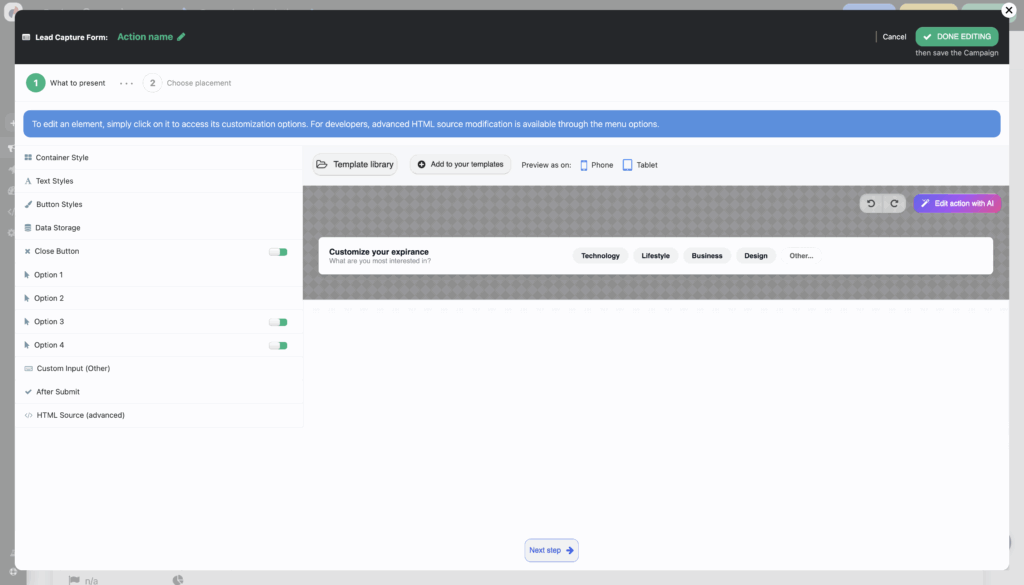
- Set the Look and Feel:
Use the visual editor to match the form to your brand’s identity. Customize colors, fonts, and layout so it feels like a native part of your website.
- Data is Saved to Personyze:
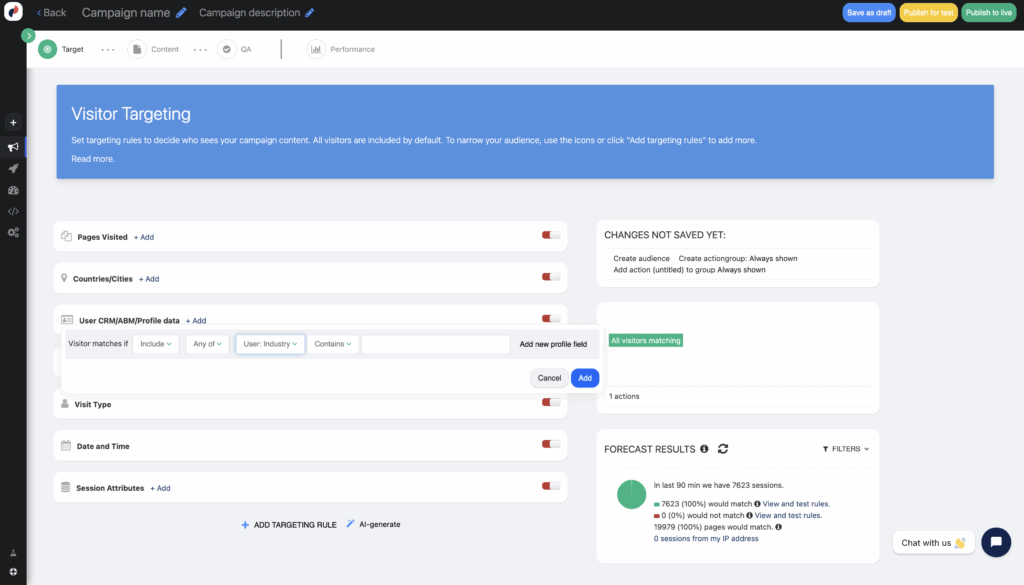
Once a visitor submits the form, that data is instantly saved to their User Profile within Personyze. It doesn’t just sit in a database; it becomes an active targeting variable immediately. - Target and Recommend:
This is where the magic happens. You can now set up targeting rules or recommendation algorithms that react to this new data instantly, changing banners, products, or content to match their answer.
Real-World Examples
How does this look in practice? Here are three powerful ways to use immediate form data:
1. The B2B Industry Selector
The Form: A welcome popup asks: “To serve you better, tell us your industry: Healthcare, Finance, or Retail?”
The Personalization:
- If they select Finance, the homepage hero banner immediately updates to show a “Banking Case Study.”
- The “Solutions” menu highlights financial compliance tools.
- Feature used: Behavioral Targeting
2. The Fashion Stylist
The Form: A sidebar widget asks: “Shopping for: Men, Women, or Kids?”
The Personalization:
- The visitor selects Women.
- Instantly, the “New Arrivals” grid on the homepage filters to show only women’s clothing.
- Product recommendations in the sidebar update to show matching accessories.
- Feature used: Product Recommendations
3. Content Interest Tracker
The Form: An inline form at the bottom of a blog post asks: “What topics do you want to learn more about? (SEO, PPC, or Social Media)”
The Personalization:
- The user clicks SEO.
- Personyze instantly tags their profile with “Interest: SEO.”
- The “Recommended Reading” widget at the bottom of every future article will now prioritize SEO-related content.
- Feature used: Website Personalization Tools
By simply asking your visitors what they want, you remove the guesswork and build trust. With Personyze, you can turn those answers into better experiences in milliseconds.
Ready to start listening to your visitors? Explore the Personyze Platform today.